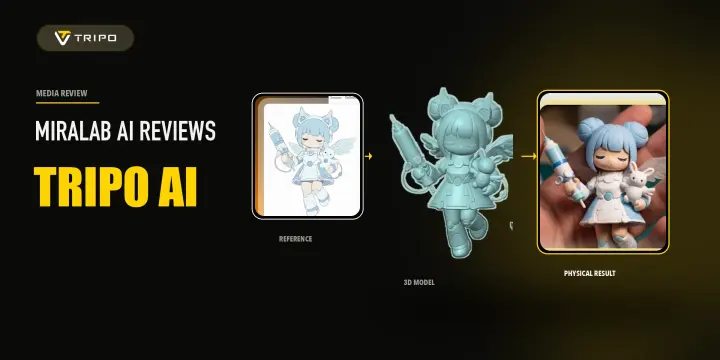
A complete beginner-to-advanced guide for Tripo × FDM 3D printing, covering AI model generation and printability assessment, model repair and part splitting in Blender, slicing parameter setup in Bambu Studio, and multi-color printing color mapping techniques — helping you turn Tripo-generated 3D models into high-quality physical prints.
Tripo Team
Learn how to install and use the Tripo3D ZBrush Bridge to send models directly from Tripo Studio to ZBrush. Follow this quick setup guide for a faster 3D workflow.
Tripo Team
Learn how to install and use the Tripo DCC Bridge for Godot. Send 3D models from Tripo Studio directly into Godot in real time, with support for animations and streamlined import settings.
Tripo Team
Learn how to install and use the Tripo DCC Bridge for Cocos. Send 3D models from Tripo Studio directly into Cocos in real time, with support for animations and streamlined import settings.
Tripo Team
Learn how to send 3D models from Tripo Studio to Bambu Studio in one click. No manual download or import needed. Follow the setup steps and troubleshooting tips.
Tripo Team.webp?x-oss-process=image%2Fresize%2Cw_720%2Fformat%2Cwebp%2Fquality%2Cq_80)
Learn how to install and use the Tripo3D Unreal Engine Bridge to send models directly from Tripo Studio to Unreal Engine. Follow this quick setup guide for a faster UE workflow.
Tripo Team
Explore how to install and use the Tripo DCC Bridge for Maya, connect Tripo Studio to Maya, export 3D models directly, and troubleshoot common plugin issues.
Tripo Team
Learn how to install and use the Tripo3D 3ds Max Bridge to send models directly from Tripo Studio to 3ds Max. Follow this quick setup guide for a faster 3D workflow.
Tripo Team
Tripo3D Unity Bridge is a lightweight Unity plugin that connects Tripo Studio to your Unity editor, letting you send models from the browser straight into your project with one click—no manual downloads or imports required.
Tripo Team
Install Tripo DCC Bridge for Blender (4.1+) and send models from Tripo Studio to Blender in one click—no downloads, imports, or extra steps.
Tripo Team
Find free Chicken Gun 3D model downloads, compare file formats and licenses, and learn how to create your own Chicken Gun-inspired 3D model with Tripo Studio.
Tripo Team
Discover the five AI 3D breakthroughs that redefined 2025—real-time photogrammetry, automated retopology, AI texturing, rigging, and context-aware generation. Learn how Tripo AI’s Algorithm 3.0 made production-ready 3D creation faster, smarter, and accessible to everyone.
Amdad