









 Text & Image to 3D models
 Free Credits Monthly
 High-Fidelity Detail Preservation
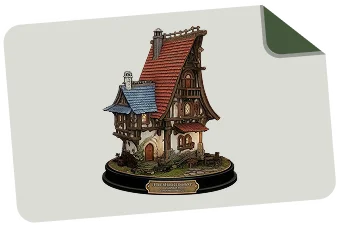
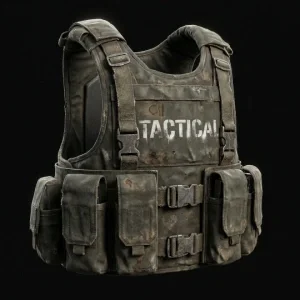
Game Assest 3D Model Showcases

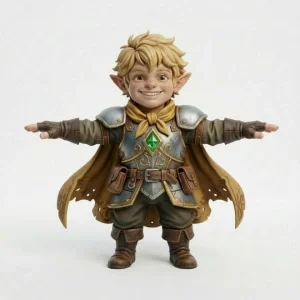

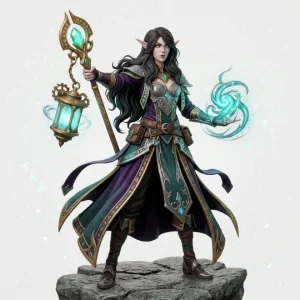





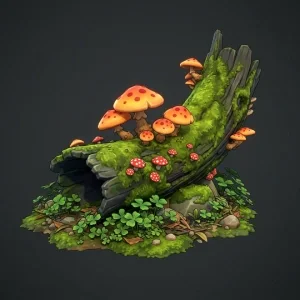

Why Game Developers Choose Tripo AI
Game-Optimized Mesh in Seconds—No Retopology Ever Again
Tripo's Smart Mesh is built for game engines. Unlike HD Model (up to 2M polygons for 3D printing and sculpture), Smart Mesh creates clean, structured topology in seconds, producing game-ready meshes at 5K-20K faces for real-time rendering. No retopology or cleanup. Plug into Unity, Unreal, or Godot and ship.

Studio-Grade 3D Models with 4K PBR Textures
Generate high-fidelity 3D game assets with automatic 4K PBR texture maps—diffuse, normal, metallic, roughness, and ambient occlusion included. Whether you're building a mobile indie game or a AAA title, Tripo delivers production-quality 3D models from a single image or text prompt.

Complete Game Asset Pipeline—Generate, Texture, Rig, Export
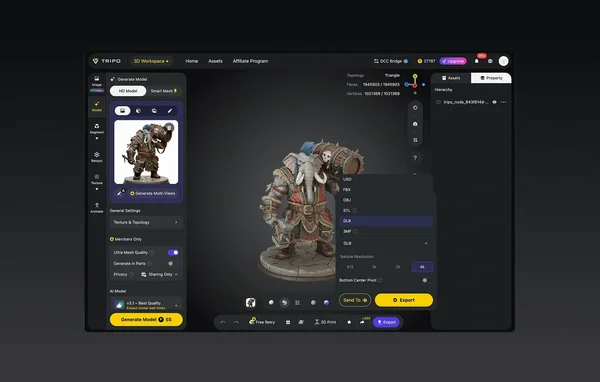
Tripo covers the full 3D game asset workflow: Image Generation, Model Generation, Smart Mesh, 4K PBR Texture, Auto-Rig, and Export to DCC. Create characters, weapons, and props from concept art, auto-rig characters for animation, and get production-ready PBR maps out of the box.

Send 3D Assets Directly to Unity, Unreal Engine & Blender—Zero File Management
Tripo's DCC Bridge removes export-import friction. With Unity Bridge, Unreal Engine Bridge (UE 5.4+), and Blender Bridge (Blender 4.1+), generated models appear in your editor in real time. Generate in Tripo, click Send, and it's in your scene. Also supports ComfyUI, Cocos, and Godot.

How to Generate Game-Ready 3D Assets with Tripo AI
Upload Your 2D Image
Start with one image or multiple views. Most common formats supported — photos, illustrations, or digital artwork.
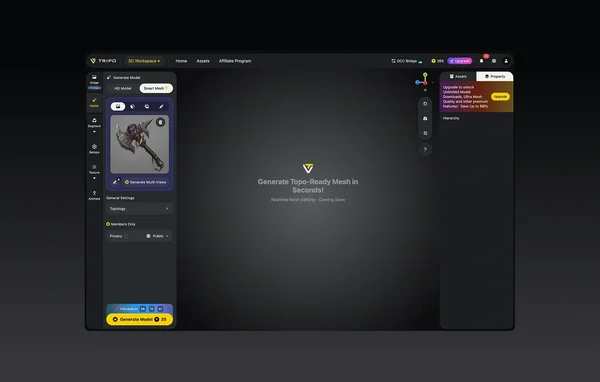
Let Tripo Generate
The AI analyzes your picture and builds a 3D model automatically. Takes seconds.
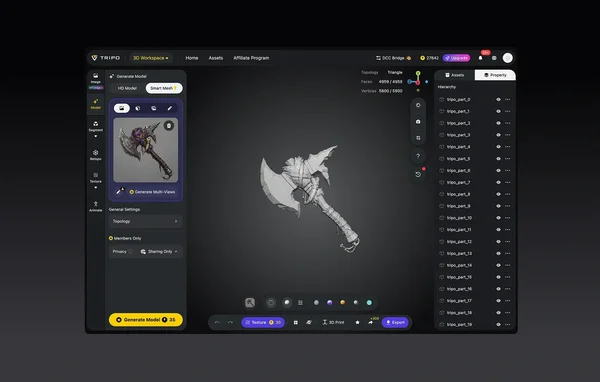
(Optional) Adjust and Refine
Tweak textures, modify geometry, or separate model parts if your project requires it.
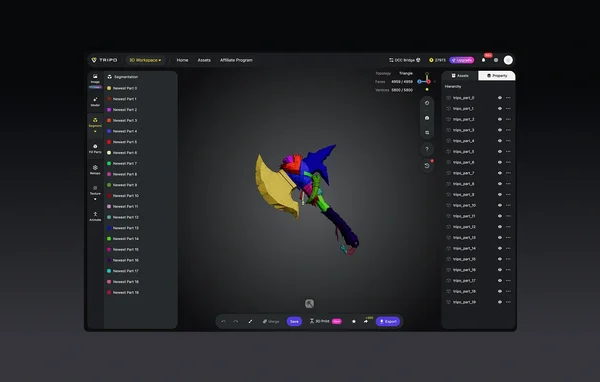
Export Your 3D Model
Download in STL, OBJ, or FBX for use in your tool of choice.
Loved by Game Developers Worldwide
"Tripo's Smart Mesh is the feature I didn't know I desperately needed. I used to spend 4–6 hours retopologizing a single character mesh by hand. Now I click one button and get clean, riggable topology in under 30 seconds. My solo dev pipeline is completely transformed."
"The mesh quality from Smart Mesh is honestly better than what I'd produce manually under a deadline. Clean edge loops, sensible polygon budget, ready to rig straight out of the box. Nothing else in the AI 3D space comes close."
"I've evaluated every AI 3D model generator on the market. None of them give you a game-ready mesh without hours of cleanup—except Tripo. Smart Mesh is the real differentiator."
"I generated 12 unique props during a 48-hour game jam using Tripo. That would have been completely impossible before. FBX export into Unreal Engine was seamless—no mesh errors, no broken UVs, no surprises."
"Finally an AI 3D generator that actually understands what 'game-ready' means. Low poly, clean topology, PBR textures that render correctly in UE5 on the first try. Tripo has replaced my outsourcing pipeline entirely."
"As a Roblox developer I need fast, optimized models. Tripo's Smart Mesh output hits the polygon targets perfectly. I'm shipping new game assets 5x faster than I was six months ago."
"I generate 3D game models directly from my own concept art. The accuracy in proportions and silhouette is incredible—it feels like Tripo actually understands what I was drawing."
"We ran a formal evaluation of Meshy, Rodin, and Tripo. Smart Mesh was the deciding factor. It's the only tool that consistently produces riggable topology at a production scale. We've integrated Tripo into our official asset pipeline."
FAQ: AI 3D Model Generator for Games
Stay Ahead with the Latest in AI 3D Generation for Games
Learn how game developers are using Tripo AI to transform their 3D asset workflows—from Smart Mesh topology to DCC Bridge integrations.
Introducing Tripo Smart Mesh P1.0: Clean Low-Poly Topology in 2 Seconds
Is your AI 3D model truly game-ready? Learn how to check polygon counts, UVs, textures, and scale for Unity and Unreal. Follow this complete checklist to optimize Tripo AI models for smooth, high-performance gameplay.
Read MoreTripo DCC Bridge for Blender: Installation & Quick Start
Install Tripo DCC Bridge for Blender (4.1+) and send models from Tripo Studio to Blender in one click—no downloads, imports, or extra steps.
Read MoreWhat's New on Tripo: April Updates
Discover Tripo's April updates: GPT Image 2 integration for text-to-image-to-3D workflows, Smart Mesh free trial for all users, Godot and Cocos Engine bridges, settings memory, new sign-in options, and more.
Read MoreHow to Check if Your AI 3D Model is Game-Ready
Is your AI 3D model truly game-ready? Learn how to check polygon counts, UVs, textures, and scale for Unity and Unreal. Follow this complete checklist to optimize Tripo AI models for smooth, high-performance gameplay.
Read MoreStart Generating Game-Ready 3D Assets for Free
Join thousands of game developers using Tripo AI to build faster. Smart Mesh topology, PBR textures, and instant engine export—no 3D skills required.