How to Use AI 3D Models in Ecommerce: The Complete Implementation Guide

TL;DR
- AI 3D models turn product photos or prompts into interactive ecommerce assets.
- Use GLB for web viewing and USDZ for iOS AR.
- Tripo AI can help generate, preview, optimize, and export 3D models; review each asset before product-page use.
- Shopify and
make 3D embedding and AR easier. - 3D visualization can improve confidence, conversions, engagement, and reduce returns.
Introduction
Online shoppers still hesitate when a product looks good in photos but is hard to judge in real life. They cannot pick it up, rotate it, inspect the texture, or see whether it fits their space. AI-generated 3D models help close that gap by turning product images or prompts into interactive models that customers can view, rotate, zoom, and experience in AR.
This guide explains how to use AI 3D models in ecommerce, from generation and export to Shopify embedding and AR activation. Tripo AI Studio is used as the featured workflow example, but the implementation logic applies broadly to modern ecommerce stores.
Shopify reports that merchants using 3D commerce see an average 94% increase in conversions, which makes 3D product visualization more than a visual upgrade. It can directly affect shopper confidence and purchase behavior.
What Are 3D Models in Ecommerce?
3D product visualization refers to interactive, rotatable digital replicas of physical products embedded on ecommerce product pages. Unlike static product photos, which show only selected angles, 3D models let shoppers rotate, zoom, and inspect details such as seams, textures, scale, proportions, and material finish. It is similar to picking up a product in a physical store and checking it from every side before buying.
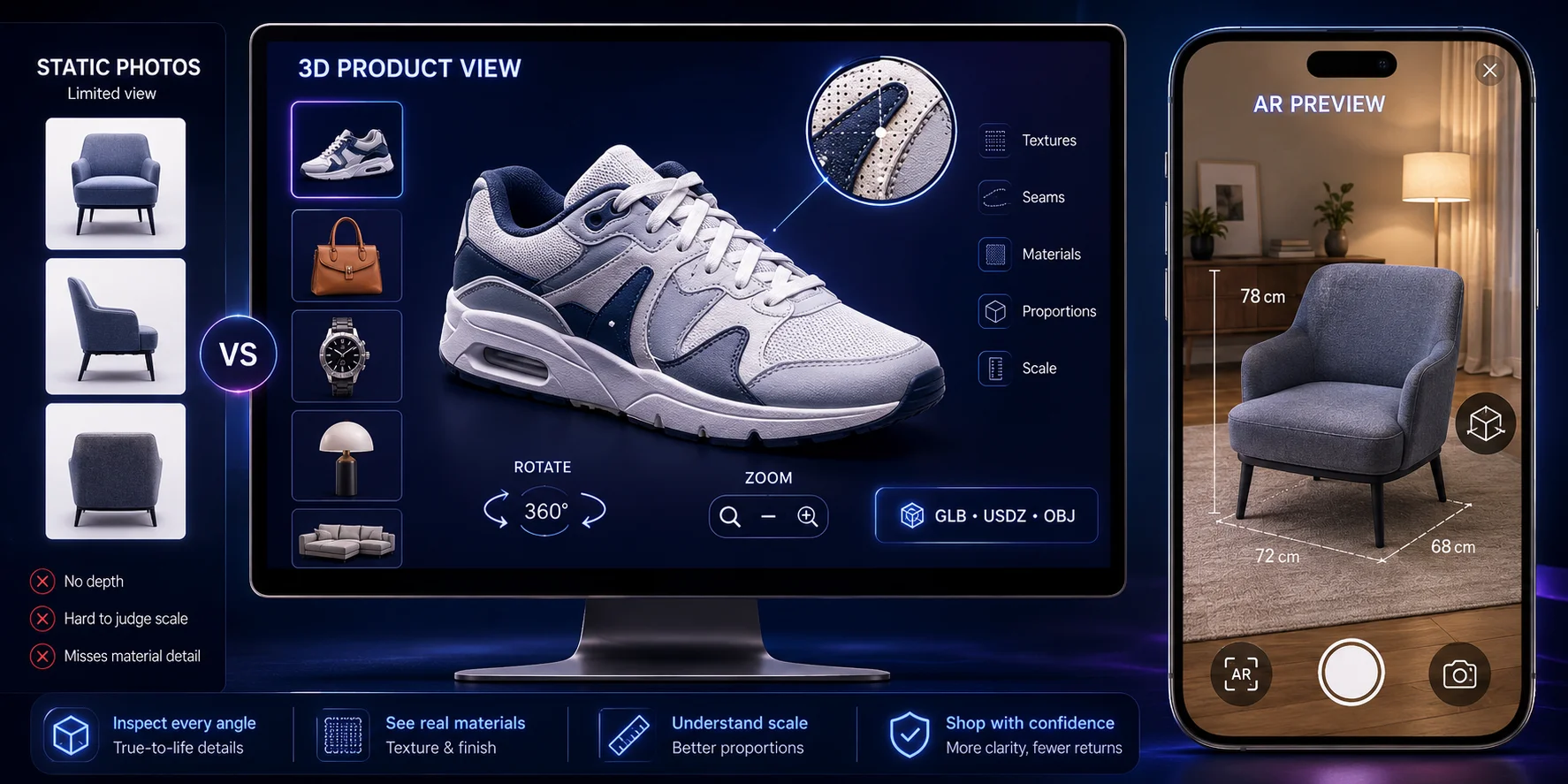
This matters because many online purchase decisions depend on details that flat images cannot fully communicate. A sofa, handbag, sneaker, lamp, watch, or kitchen appliance may look attractive in photos, but shoppers still want to understand how it feels as an object.
AR extends this experience by placing the product into the shopper’s real space through a phone camera. Common ecommerce 3D formats include GLB for web viewing, USDZ for Apple/iOS AR, and OBJ for editing. Sellers can preview models directly in the browser with Tripo AI 3D Viewer.
How AI Generates 3D Models
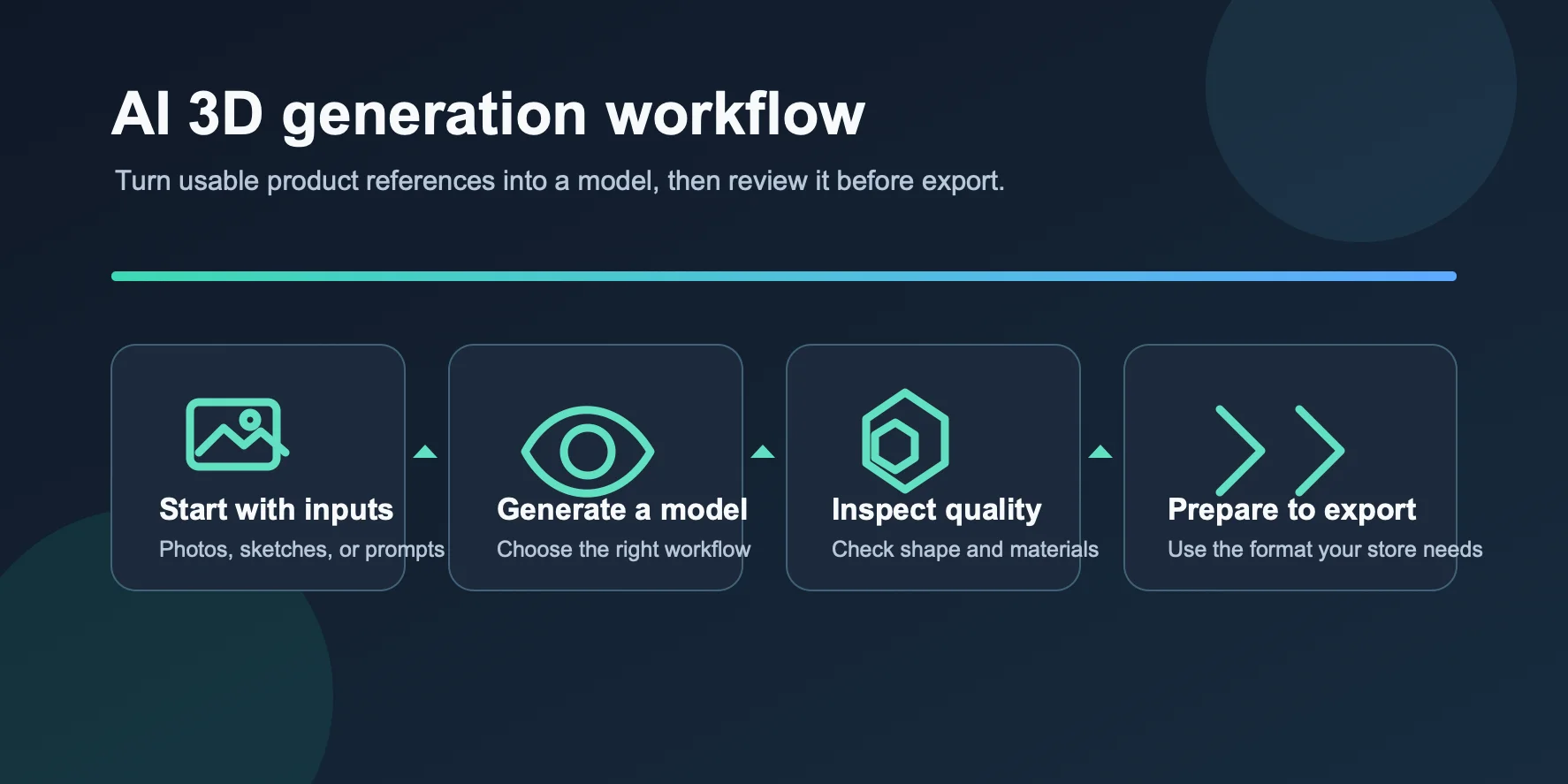
AI 3D generation usually starts from one of two inputs: text or images. Behind the scenes, reconstruction and generative pipelines estimate shape, surface detail, texture, and hidden structure from the information provided. For sellers, the practical loop is straightforward: describe the product or upload reference images, review the generated model, and refine or export it after quality checks. Processing time varies with the model, settings, and service load.
With text-to-3D, you type a product description, such as “matte black ceramic coffee mug with a ribbed handle.” The AI interprets the object, shape, style, and materials, then generates a textured 3D mesh. This works well for concept products, variations, or items without photography.
With image-to-3D, you upload a product photo, sketch, or reference image. The AI reconstructs geometry, visible detail, and texture from that image. This is especially useful for ecommerce sellers because most stores already have product photos.
For ecommerce, model quality matters as much as speed. Product pages need clean topology, proper UV maps, optimized textures, real-world scale, and PBR-ready materials that hold up when shoppers zoom in.
Step-by-Step: From AI Generation to Your Ecommerce Store
Step 1 — Generate your 3D model
Start in Tripo AI Studio. Choose text-to-3D for a written product concept, or image-to-3D if you already have product photos. For ecommerce, image-to-3D is often more practical because it can better preserve the product’s silhouette, visible materials, and proportions.
Use clean inputs: sharp images, good lighting, minimal background clutter, and clear object views. If possible, provide multiple angles so the AI can understand the front, side, back, and hidden surfaces.
After generation, rotate the model and compare it with your reference. Check shape, dimensions, textures, and key details. Do not export if the model has obvious artifacts, distorted logos, incorrect proportions, or missing features.
Step 2 — Export in the right format
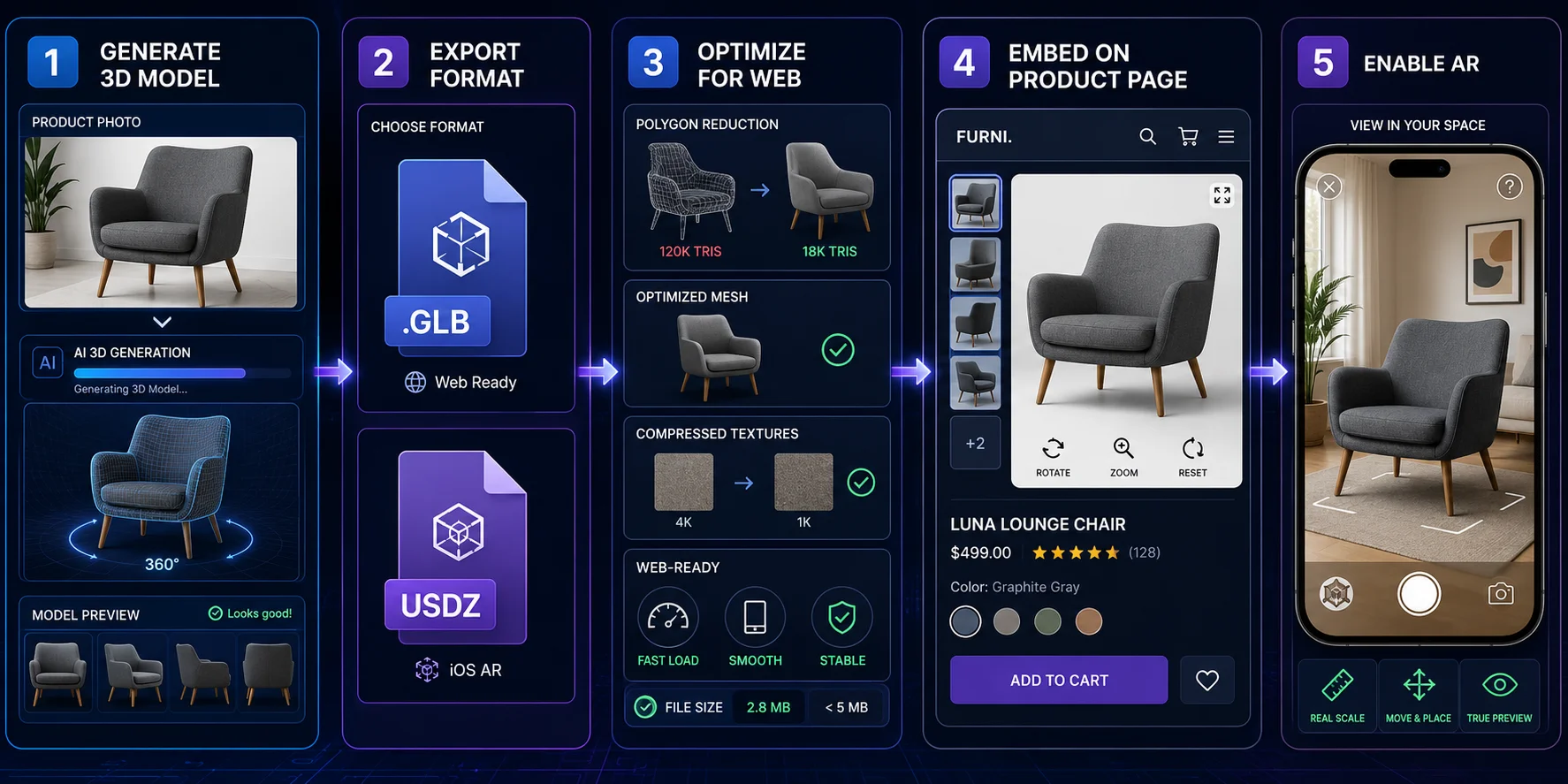
For ecommerce, format choice determines where the model can be used. GLB is a practical web format because it can package geometry, materials, and textures in one file. USDZ is used by Apple AR Quick Look. For Shopify, upload a GLB or USDZ model; Shopify creates the alternate supported format for compatible devices. For other stacks, prepare and test the formats your viewer and target devices require.
Tripo AI lists USD, FBX, OBJ, STL, GLB, and 3MF among its export formats. For an Apple AR workflow, prepare USDZ through a supported conversion or downstream workflow, then validate the final asset on an iPhone or iPad before publishing.
When a web-ready GLB needs static mesh editing before publication, you can convert GLB to OBJ and then move it into the preferred editing workflow.
Step 3 — Optimize for web performance
A beautiful 3D model is not useful if it slows down the product page. For ecommerce, performance is part of conversion optimization.
Set a performance budget for the full product page and the devices your customers use. If the 3D asset slows the experience, reduce unnecessary geometry before upload. Use Tripo AI’s Smart Mesh or a quad remesher workflow to remove unnecessary geometry while keeping the product visually accurate.
Texture optimization also matters. Compress large texture maps and consider Basis/KTX2 where supported. Check UVs and materials before publishing, especially on surfaces shoppers may inspect closely, such as fabric, leather, seams, packaging labels, buttons, metal finishes, and controls.
Step 4 — Embed on your product page
For Shopify, use the native product media workflow. Open the Shopify admin, go to the product page, find the media section, and upload the .glb file. Shopify recognizes supported 3D files as product media when the theme supports 3D viewing.
For other ecommerce platforms, use the
Step 5 — Enable AR
AR lets customers place a product in their own environment before buying. On Shopify, add a supported 3D model to product media, then test the product page in a theme that supports 3D media and on the devices your customers use.
For iPhone and iPad users, AR Quick Look uses USDZ. On Android, supported AR workflows commonly use GLB. With
The implementation effort depends on the commerce platform, theme, viewer, and device support. Validate the complete product-page and AR flow before launch.
Business Benefits: Why 3D Models Drive Conversions
3D models work because they reduce uncertainty. They let shoppers answer key questions before buying: “How big is it?” “What does the texture look like?” “Will it fit in my room?” “Is it really like the photo?” By rotating, inspecting, and placing products in AR, customers gain confidence closer to an in-store experience.
| Business metric | Why 3D/AR can help | How to evaluate it |
|---|---|---|
| Conversion rate | Interactive product media can reduce uncertainty before checkout. | Shopify reports that merchants adding 3D content see an average 94% conversion lift; validate the effect for your catalog with an A/B test. |
| Return rate | Better visibility of scale, fit, and material can help customers make more informed choices. | Compare return reasons and return rate for products with and without 3D media. |
| Engagement | Rotation, zoom, and AR interactions show which details shoppers inspect. | Track viewer opens, interaction depth, time on page, and add-to-cart rate. |
| Catalog rollout | A focused pilot helps teams improve asset quality before scaling. | Start with a small set of high-impact SKUs and review performance before expanding. |
The strongest categories are products where size, shape, material, and fit affect buyer confidence: furniture, home decor, fashion accessories, footwear, electronics, watches, appliances, fitness equipment, and customized goods. For these products, 3D and AR can reduce hesitation, improve product understanding, and create a clearer path to checkout.
Best AI Tools for Creating 3D Ecommerce Models
| Tool | Input type | Output formats / ecommerce fit | Free tier availability | Best use |
|---|---|---|---|---|
| Tripo AI | Text and image | Web-ready 3D generation with ecommerce-friendly exports, including GLB for product pages and OBJ, FBX, STL, USD, and 3MF for broader workflows. | Free access is available for testing; commercial use and advanced exports depend on the current plan. | Fast ecommerce product visualization from prompts or product photos, especially for teams without 3D modeling skills. |
| Meshy | Text and image | Generates 3D assets from prompts or images, with exports such as FBX, GLB, OBJ, STL, 3MF, USDZ, and BLEND. | Free users can download limited eligible models, depending on model version and plan limits. | Fast 3D exploration for creators, product concepts, and design assets. |
| Kaedim | Sketches, reference packs, product photos, and briefs | Higher-touch 3D production with review, inspection, and markup workflows. | More studio- and enterprise-oriented; check current access or demo options. | Brand, game, and studio teams needing production support. |
| Spline | 3D design, interactive scenes, and AI-assisted 3D generation | Browser-based 3D design for product scenes, web experiences, and lightweight presentations. | Free plan available; paid tiers unlock expanded features and collaboration. | Branded product scenes, web presentations, and embedded 3D experiences. |
Tripo AI is one option for this workflow because it combines text-to-3D, image-to-3D, AI texturing, model review, and export in one browser-based workflow. Its AI 3D model generator can help ecommerce teams turn product photos or prompts into interactive 3D models without requiring traditional modeling skills for an initial draft.
AR and Virtual Try-On: The Next Level
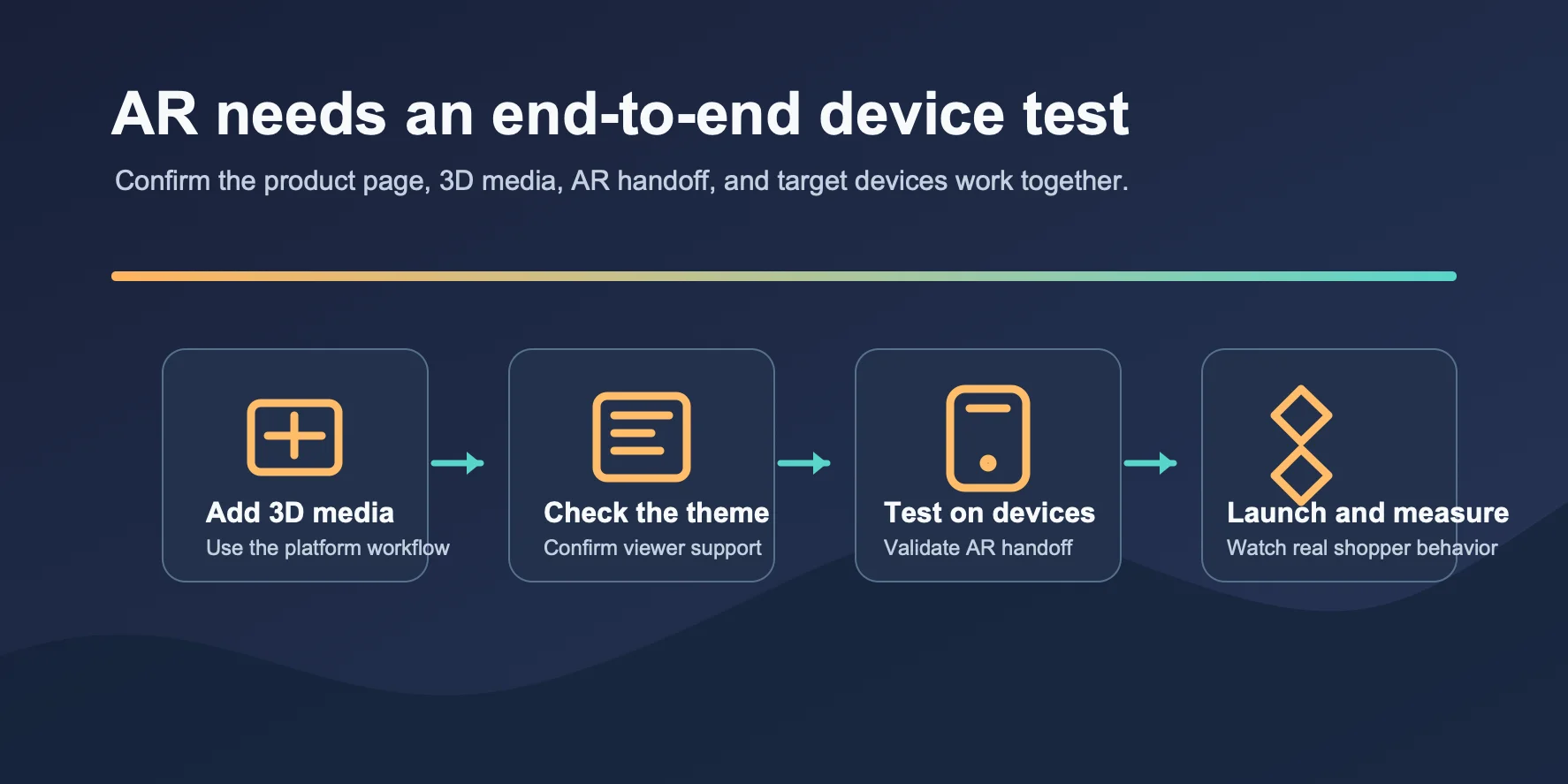
AR takes ecommerce 3D models from “look at this product” to “see this product in your space.” A shopper can place a chair in a living room, preview a lamp on a desk, or check whether a speaker fits beside existing furniture. This is no longer limited to large retailers; Shopify can support 3D and AR product media when the right formats are uploaded.
For iPhone and iPad users, AR Quick Look uses USDZ. On Android, supported AR workflows commonly use GLB. The exact setup depends on the platform, theme, viewer, and device support, so validate the product-page and AR handoff on target devices before launch.
Virtual try-on is more advanced. Apparel, accessories, footwear, and wearables may require body tracking, pose estimation, avatar fitting, or rigged 3D assets. Tripo AI’s Auto Rigging can help when models need skeletons and skinning for animation or avatar-based presentation.
Furniture, home decor, footwear, and electronics are useful pilot categories because scale, fit, and material are central to the purchase decision.
Implementation Challenges and How to Solve Them
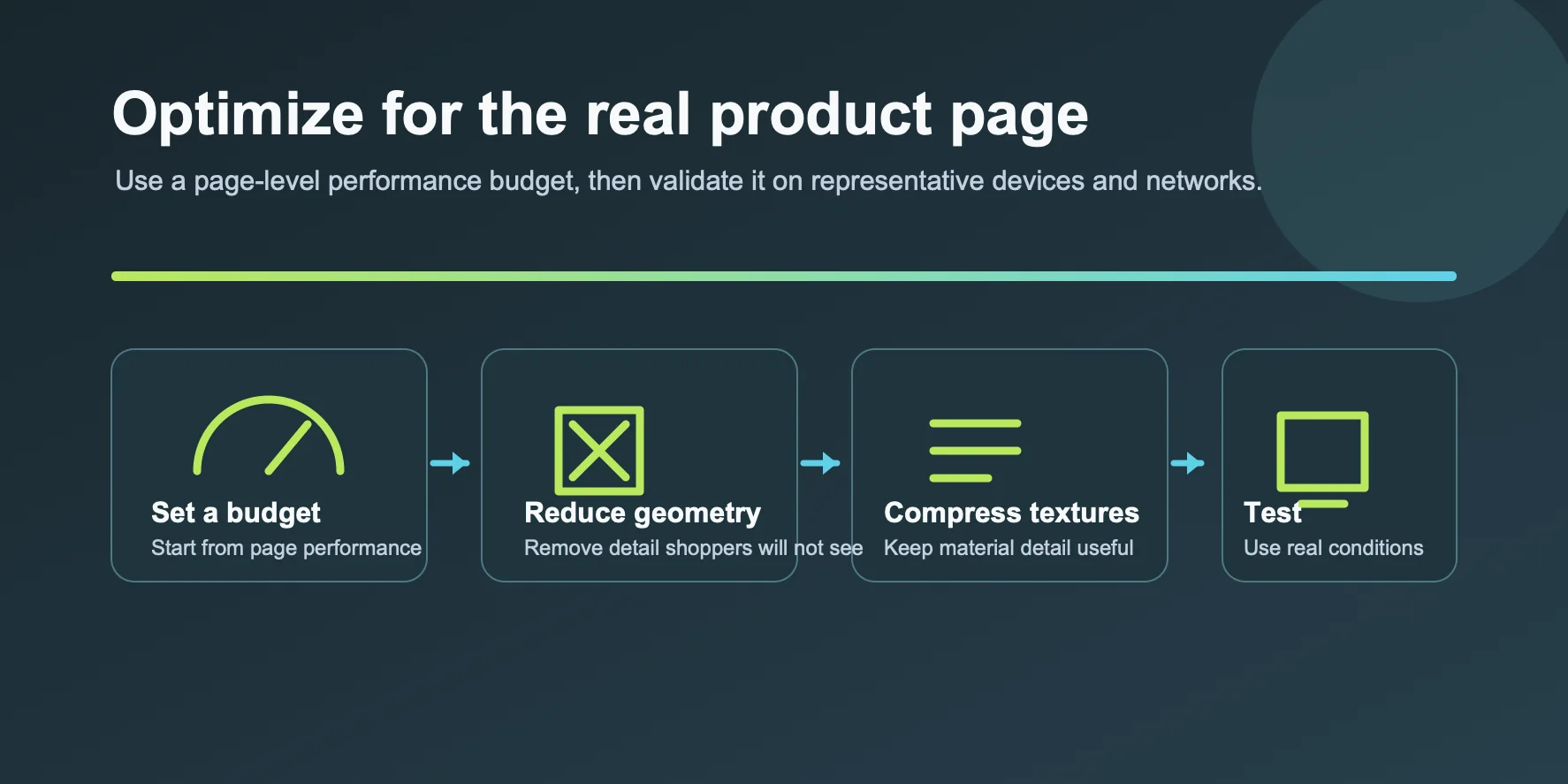
File size bloat. 3D models can become large when they include dense geometry or high-resolution textures. Set a page-level performance budget, reduce unnecessary geometry with remeshing, compress textures, and test the final product page on representative devices and networks.
Platform compatibility. Not every ecommerce platform supports 3D models natively. Use Shopify’s product media uploader when available; for custom stores, use
Model quality. AI-generated models may show artifacts on complex shapes, reflective products, transparent parts, or hidden surfaces. Use clean product photos, multiple angles when possible, and post-process cleanup before publishing.
Workflow integration. Teams used to 2D photography should avoid converting the full catalog immediately. Start with a pilot category, such as the top 20 SKUs by revenue, return rate, or customer hesitation, then expand once the workflow is stable.
Frequently Asked Questions
Can I sell 3D models made with AI?
Commercial use depends on the tool terms, your subscription, and the rights to the source material you upload. Review the provider terms and the marketplace rules before selling a generated model or using it in customer-facing product media.
How can AI be used in ecommerce?
AI can support recommendations, support workflows, content operations, and 3D or AR product visualization. For product media, the useful goal is to create an asset that shoppers can inspect and that your store can deliver reliably.
Can I use AI to generate 3D models?
Yes. Text-to-3D and image-to-3D tools can create a starting model from a prompt or reference image. Review geometry, texture, dimensions, branding details, and the required export format before using the asset on a live product page.
How do I use AI to build an ecommerce store?
Use AI tools for focused tasks such as product copy, support, merchandising, and 3D visualization. For 3D media, generate or prepare the model, upload it to a compatible product page, and test the viewer and AR experience before launch.
What are the technical requirements for embedding 3D models on a product page?
For Shopify, add a supported GLB or USDZ model to product media and use a theme that supports 3D media. For custom sites, a viewer such as
How do I optimize 3D models for fast loading in ecommerce?
Set a performance budget based on your product page and target devices, then reduce unnecessary geometry, compress textures, and lazy-load the viewer where appropriate. Test the final page with real network conditions rather than relying on a universal file-size threshold.
AI-generated 3D models vs. traditional 3D modeling for ecommerce: which is better?
AI generation is useful for fast iteration and early catalog pilots, while traditional modeling is often better when exact dimensions, complex materials, regulated claims, or brand-critical details must be controlled. Many teams use AI output as a starting point and keep a human quality-review step.
How can a small business use AI 3D models on a budget?
Start with a small group of products where scale, material, or configuration drives customer questions. Reuse existing product photography where suitable, measure the result against static-media pages, and expand only when the workflow and business case are proven.
Conclusion
AI has made 3D product visualization accessible to ecommerce stores that do not have large 3D teams or enterprise budgets. The practical workflow is clear: generate the model, prepare the GLB and, where required, USDZ assets, optimize the product page for performance, embed the viewer, and validate AR on supported devices.
Over the next few years, interactive 3D and AR will likely become a standard part of ecommerce UX for products where shape, scale, and material matter.
Ready to create your first AI 3D product model? Try Tripo AI Studio free — no 3D skills required.
Explore plans and pricing at Tripo AI Pricing to find the right tier for your catalog size.