AI 3D for Real Estate: Virtual Staging, Asset Libraries, and Tour Platform Workflows

TL;DR
- AI 3D for real estate is most useful as an asset-generation layer for furniture, decor, fixtures, exterior elements, and early property concepts.
- A reliable workflow separates creative visualization from measured property data, architectural documentation, and final buyer-facing accuracy checks.
- Reusable 3D asset libraries help teams avoid starting from zero for every listing and make visual styles easier to standardize.
- Tripo supports text-to-3D, image-to-3D, multi-view generation, HD Model, Smart Mesh, texturing, and export workflows for downstream tools.
- Before publishing any AI-assisted property visual, verify scale, layout, fixtures, finishes, disclosure language, and compatibility with the destination platform.
Introduction
AI 3D for real estate gives agents, brokers, developers, and property marketing teams a faster way to build the visual ingredients used in listing presentations. Instead of modeling every sofa, lamp, cabinet, facade detail, or decorative object from scratch, a team can begin with a text description or a clean reference image and generate a 3D asset for review.
The important word is review. AI-generated assets are creative outputs, not verified measurements of a property. They can support virtual staging, concept presentations, listing media, interactive viewers, and early design discussions, but they do not replace a survey, measured floor plan, CAD or BIM documentation, or professional visualization checks.
This guide explains the full practical workflow: define the marketing use case, generate and organize reusable assets, stage a scene in a suitable downstream tool, review the result, export the required file, and prepare buyer-facing media without making the property look more accurate than the evidence allows.
The Role of AI and 3D in Modern Real Estate Marketing
Property marketing depends on visual communication. Buyers want to understand room function, furniture scale, circulation, light, finishes, and the relationship between spaces before deciding whether a listing deserves more attention. Static photography remains essential, but it cannot always show the potential of an empty, unfinished, or visually dated property.
AI and 3D address different parts of that problem. AI accelerates ideation and asset creation. 3D makes the result spatial: a model can be rotated, resized, placed in a scene, viewed from several angles, or prepared for an interactive presentation. Together, they give a marketing team more options than a single retouched image.
The most dependable approach is modular. Use an AI 3D model generator to create individual assets or early concepts, then move approved results into the staging, rendering, presentation, or viewer workflow that matches the listing. This keeps the generation step flexible while allowing property-specific accuracy checks to happen before publication.
What Virtual Staging Means in an AI 3D Workflow
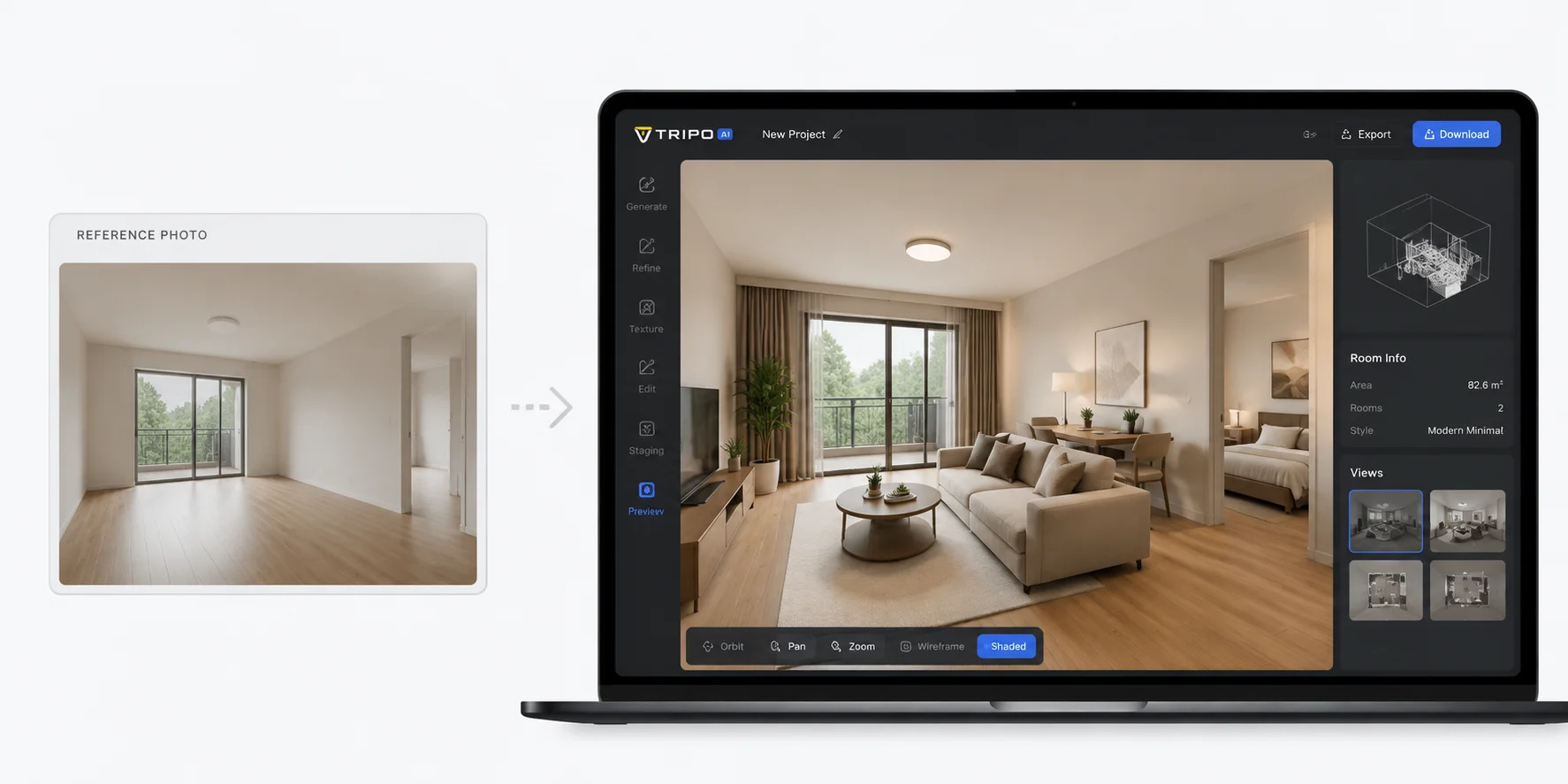
Virtual staging is the process of digitally furnishing or styling a property image or scene. A finished result may show how an empty living room could function, how a home office could fit into an unused room, or how a neutral furniture package could make a space easier to understand.
AI 3D does not remove the need for a staging or rendering environment. Its clearest role is producing the assets that enter that environment: chairs, tables, lighting, decor, storage pieces, fixtures, and architectural elements. A team can generate these as separate 3D models, review them, and then place them into a room scene using software that supports composition, cameras, lighting, and final image export.
This distinction prevents a common misunderstanding. A model generated from a single furniture photo may be useful as a staging component, but it does not automatically understand the dimensions, lens perspective, lighting, or floor plan of the property where it will appear. Those relationships must be set and checked in the downstream workflow.
Building a Reusable AI 3D Asset Library for Real Estate
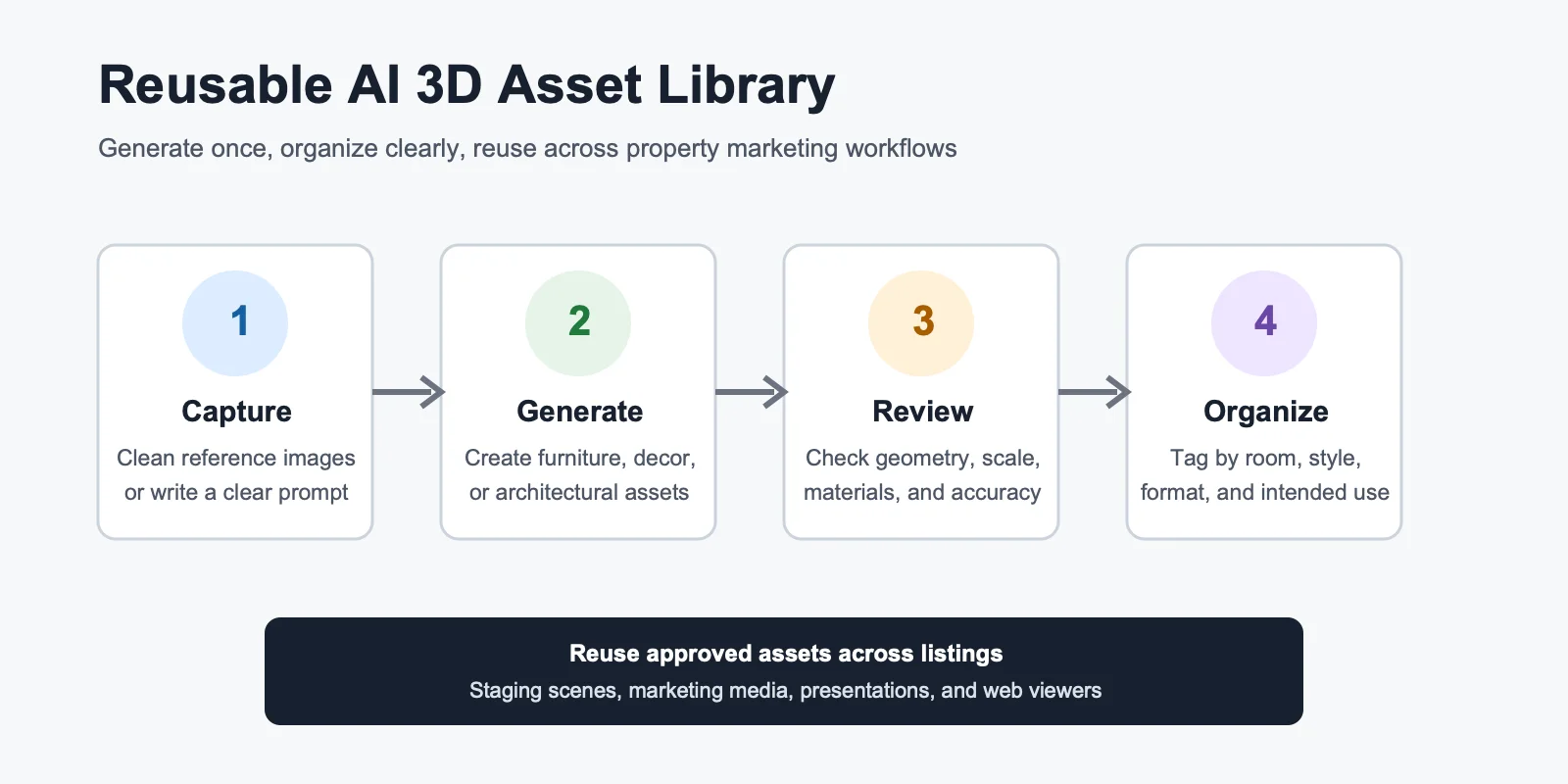
A reusable asset library is a curated collection of approved 3D models that a team can use across multiple projects. Instead of creating a new sofa, plant, table, or light for each listing, the team maintains a searchable set of assets organized by room, style, material, file format, and intended use.
Start with common categories rather than trying to build a huge library immediately. Living room seating, dining furniture, bedroom essentials, home-office pieces, lighting, plants, and neutral decor cover many routine staging needs. Add specialty assets only when a listing or campaign creates a repeatable need.
- Collect clean references. Use clear photographs, sketches, or concept images with the subject easy to separate from the background.
- Generate the model. Use Image-to-3D when shape and style are already visible, or text-to-3D when exploring a new direction.
- Inspect every angle. Check the back, sides, underside, openings, thin parts, and material boundaries rather than approving the front view alone.
- Prepare the asset. Use HD Model when geometric and visual detail is the priority, or Smart Mesh when a lighter, structured asset is more appropriate for real-time use.
- Tag and store it. Record room type, style, dominant materials, dimensions used in the scene, polygon target, texture status, and approved export formats.
A library only saves time when it is governed. Remove weak duplicates, keep version names clear, and mark whether an item is approved for internal concepts, client review, interactive use, or final marketing. That prevents an early draft asset from quietly becoming a buyer-facing claim.
The AI 3D Virtual Staging Workflow, Step by Step
The following workflow keeps creative speed separate from property accuracy. Each step has a clear output and a review gate.
Step 1: Define the listing use case
Decide what the final media must accomplish. A private style exploration, seller presentation, website image, interactive viewer, and final listing asset have different standards. Record the target room, audience, camera view, desired style, destination, and required disclosure before generating anything.
Step 2: Capture the property reference
Use a clean, well-exposed room photograph or an accurate scene built from verified measurements. Preserve the original image. Avoid changing structural features, windows, doors, built-in fixtures, or permanent finishes unless the visual is explicitly presented as a renovation concept.
Step 3: Generate or retrieve 3D assets
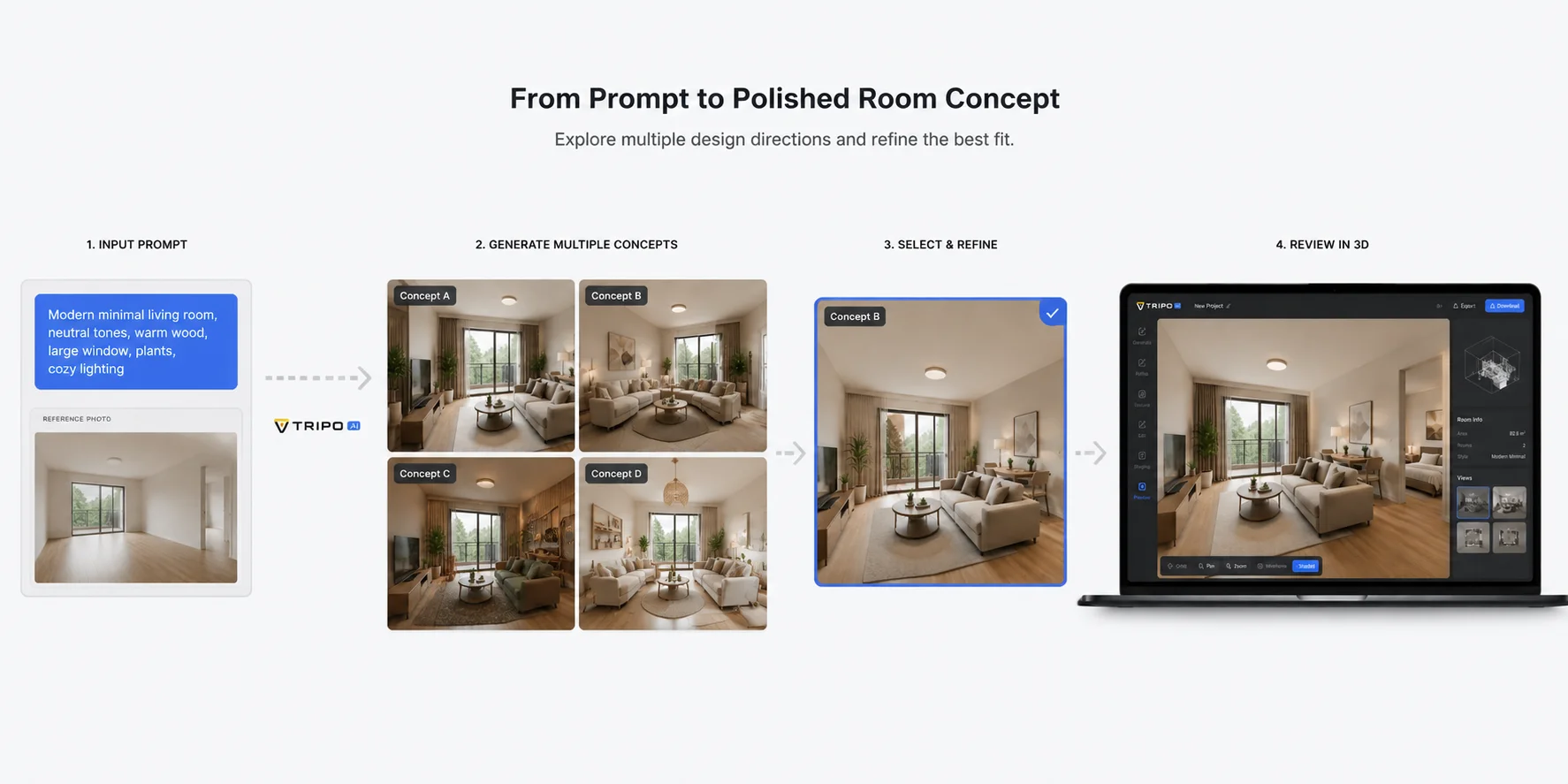
Pull approved items from the asset library first. When a new object is needed, generate it in Tripo AI Studio from a prompt or reference image. Keep the subject isolated and specific. A single clear furniture item usually gives the review process a more focused starting point than a crowded room photograph.
Step 4: Stage and compose the scene
Import the approved assets into a tool that can match camera perspective, scale, lighting, and shadows. Use known dimensions where available. Check circulation paths, furniture clearances, door swings, window placement, and whether objects appear to rest naturally on the floor.
Step 5: Review against the real property
Compare the staged result with the original reference. Confirm that the visual does not hide defects, invent permanent features, change room proportions, or imply included furnishings that are not part of the sale. Ask a person familiar with the property to perform the final factual check.
Step 6: Export and publish for the correct channel
Export the 3D asset or rendered media in the format required by the destination. Keep a high-quality master, then create channel-specific derivatives. Clearly label conceptual or virtually staged visuals where required by the listing channel, brokerage policy, or local rules.
Benefits of AI 3D for Real Estate Teams
- Faster visual iteration. Teams can explore several asset and style directions before committing to a polished scene. This is especially useful during seller discussions and campaign planning.
- Reusable production work. An approved asset can support more than one room, listing, presentation, or interactive experience. Reuse becomes more valuable as naming, tagging, and quality controls improve.
- More consistent brand presentation. A shared library helps a brokerage or development team maintain repeatable furniture styles, material palettes, and visual standards across campaigns.
- Flexible downstream use. The same reviewed model may be prepared for a rendered image, web viewer, presentation, or real-time scene, provided the team validates format, scale, textures, and performance for each destination.
AI-Powered Virtual Tour Technology
Virtual tours range from linked panoramic photographs to navigable 3D environments. The right asset workflow depends on which type the project uses. A photo-based tour may need staged source images before the panoramas are assembled. A true 3D experience may allow individual models to be placed as objects inside a scene.
AI-generated assets should enter the tour only after geometry, scale, materials, and visual accuracy have been reviewed. For web use, lighter geometry and efficient textures usually matter more than maximum polygon count. For close-up marketing renders, the team may prioritize detail and surface quality instead.
Before delivery, inspect the model in a neutral 3D Viewer. Rotate it, examine silhouettes and hidden sides, confirm texture loading, and check whether the exported file opens as expected. Viewer validation does not prove that the property scene is accurate, but it catches asset-level problems before they move deeper into production.
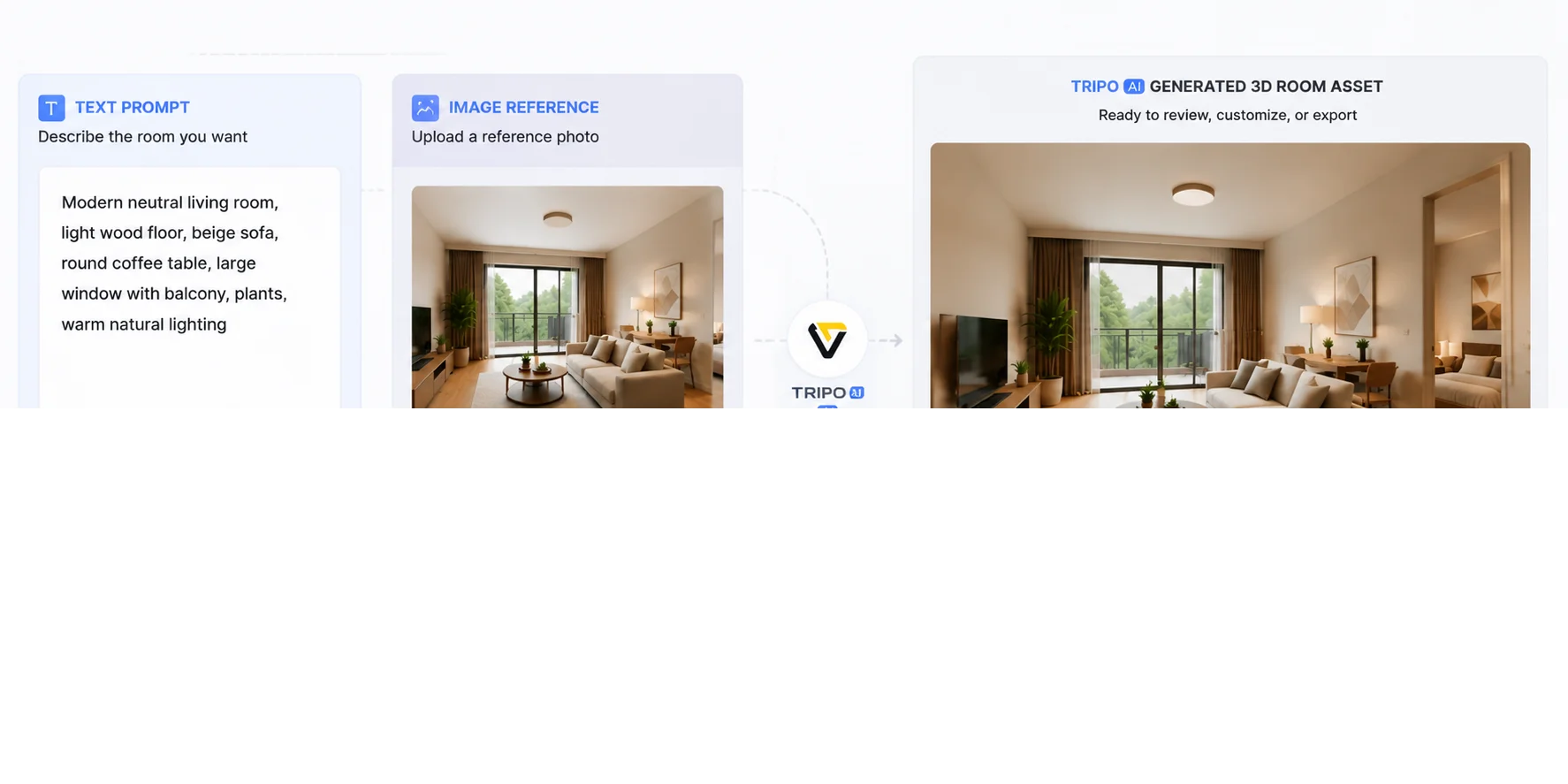
Reaching Remote and Global Buyers
Remote buyers depend heavily on listing media because they may not be able to inspect a property early in the decision process. Clear staged images, interactive views, and well-organized presentations can help them understand possible room functions and decide which questions to ask.
That makes accuracy more important, not less. A remote viewer has fewer opportunities to notice that furniture scale is wrong, a permanent fixture was changed, or a conceptual finish is not present in the property. Every AI-assisted visual should therefore be connected to the original reference and reviewed with a disclosure standard appropriate to the publication channel.
Use AI 3D to clarify potential, not to manufacture certainty. The strongest remote-buyer workflow presents verified photography and property information alongside clearly identified concepts, giving buyers both the current state and a responsible view of possible use.
Export and Platform Compatibility Guide
There is no universal export that works perfectly everywhere. Choose the format based on whether the destination needs a finished image, an editable 3D object, embedded textures, animation data, or lightweight web delivery.
| Output | Typical use | Review before delivery |
|---|---|---|
| PNG or JPEG | Listing pages, presentations, email, and print layouts | Resolution, crop, color, disclosure, and whether the image matches the property |
| GLB | Web viewers and compact real-time delivery | Texture embedding, file size, scale, orientation, and viewer compatibility |
| FBX | Animation, rendering, and broader production pipelines | Materials, axis orientation, scale, hierarchy, and any rig or animation data |
| OBJ | General geometry exchange and editing | Separate material and texture files, units, normals, and object naming |
Tripo's current official product wording lists GLB, USD, FBX, OBJ, STL, and 3MF as supported export formats. The best choice still depends on the target application and account eligibility at the time of export. Confirm the destination's current import requirements before building a production workflow around a format.

Common Mistakes to Avoid
- Treating a concept as a measured model. Generated geometry must not be presented as a survey, floor plan, construction model, or verified representation.
- Generating a whole workflow from one crowded photo. Separate the property reference from individual asset generation when you need more control.
- Approving only the strongest camera angle. Rotate every model and inspect hidden surfaces, thin geometry, openings, and material seams.
- Skipping scale and perspective checks. A visually attractive room can still be misleading when furniture size, camera position, or circulation is wrong.
- Publishing without disclosure review. Confirm the current rules of the listing channel, brokerage, and jurisdiction before using altered or conceptual imagery.
- Keeping an unmanaged asset folder. Without tags, versions, ownership notes, and approval states, teams quickly reuse the wrong model.
Frequently Asked Questions
Which AI tool is best for real estate?
The best tool depends on the task. Tripo is suitable for generating reusable 3D assets from text, images, or multiple reference views, while the final staging, rendering, measurement, or tour workflow may require a separate specialized tool.
What is the best 3D modeling software for real estate?
There is no single best option for every workflow. Choose based on whether you need measured architecture, creative asset generation, photorealistic rendering, interactive delivery, or simple listing visuals; AI generation is strongest when paired with the right downstream review process.
How is artificial intelligence used in 3D modeling for real estate?
AI can generate furniture, decor, fixtures, exterior elements, and early visual concepts from prompts or reference images. Teams then review and place those assets in staging, rendering, presentation, or interactive workflows.
Can AI 3D replace architectural visualization?
No. AI 3D can accelerate concepts and asset creation, but accurate buyer-facing visualization still requires verified property data, camera and lighting work, scale checks, and professional review.
Can AI generate an accurate floor plan from a photo?
A photo may support a concept or assist a specialized capture workflow, but it should not be treated as a verified measured floor plan on its own. Use professional measurement, CAD, BIM, or an approved floor-plan process when dimensions matter.
Can I use AI-generated 3D visuals in a property listing?
Only after checking accuracy, disclosure requirements, and the current rules of the listing channel, brokerage, and jurisdiction. Preserve the original property reference and clearly identify conceptual or virtually staged media where required.
What should I check before exporting a real estate 3D asset?
Check geometry, scale, orientation, materials, textures, file size, hidden surfaces, naming, and destination compatibility. Also confirm that the asset does not imply a permanent property feature or included furnishing that is not verified.
How do I start a reusable real estate asset library?
Begin with a small set of frequently used furniture and decor categories. Approve each model, tag it by room and style, record its scale and formats, and separate internal concepts from assets cleared for buyer-facing use.
Conclusion
AI 3D for real estate is most valuable when teams treat it as a controlled asset workflow rather than an automatic replacement for staging, measurement, or professional visualization. Generate focused assets, organize them for reuse, validate every model, and keep buyer-facing claims tied to verified property information.
Start generating your first AI 3D staging assets at Tripo AI Studio, with no software installation required. Then compare current Tripo plans against your listing volume and export needs before standardizing the workflow.
- Room staging concepts
- Furniture and decor assets
- Exterior concept models
- Lobby or amenity space ideas
- Property marketing visuals
- Model home presentation assets
- 3D printable site or building massing concepts
- Game engine or virtual walkthrough assets
- Product-style visuals for fixtures and furniture
- Early architectural mood studies