GLB vs glTF: Key Differences, File Size & When to Use Each
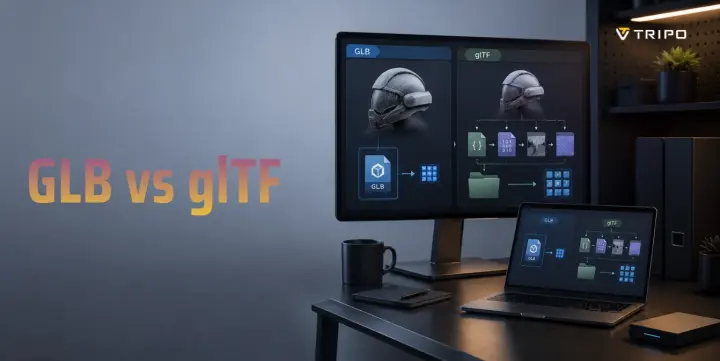
- GLB and JSON glTF are two representations of the glTF 2.0 asset format.
- JSON glTF can keep resources separate or embed them; separate resources can help inspection and iteration.
- GLB packages the asset for a convenient single-file handoff when its resources are included in the container.
- File size has no fixed winner; compare equivalent exports and optimize the payload for the destination runtime.
- Choose the packaging the destination supports, then validate the final asset in that viewer or engine.
You export a 3D model and see two options: .gltf and .glb. Which one should you choose? The short answer is that GLB and glTF are two versions of the same open 3D format from the Khronos Group. A .gltf file uses JSON and can reference external resources or embed them; GLB is the binary container form of the same asset format. This guide explains the real differences in structure, file size, editing, web delivery, and when to use each format.
What Is glTF?
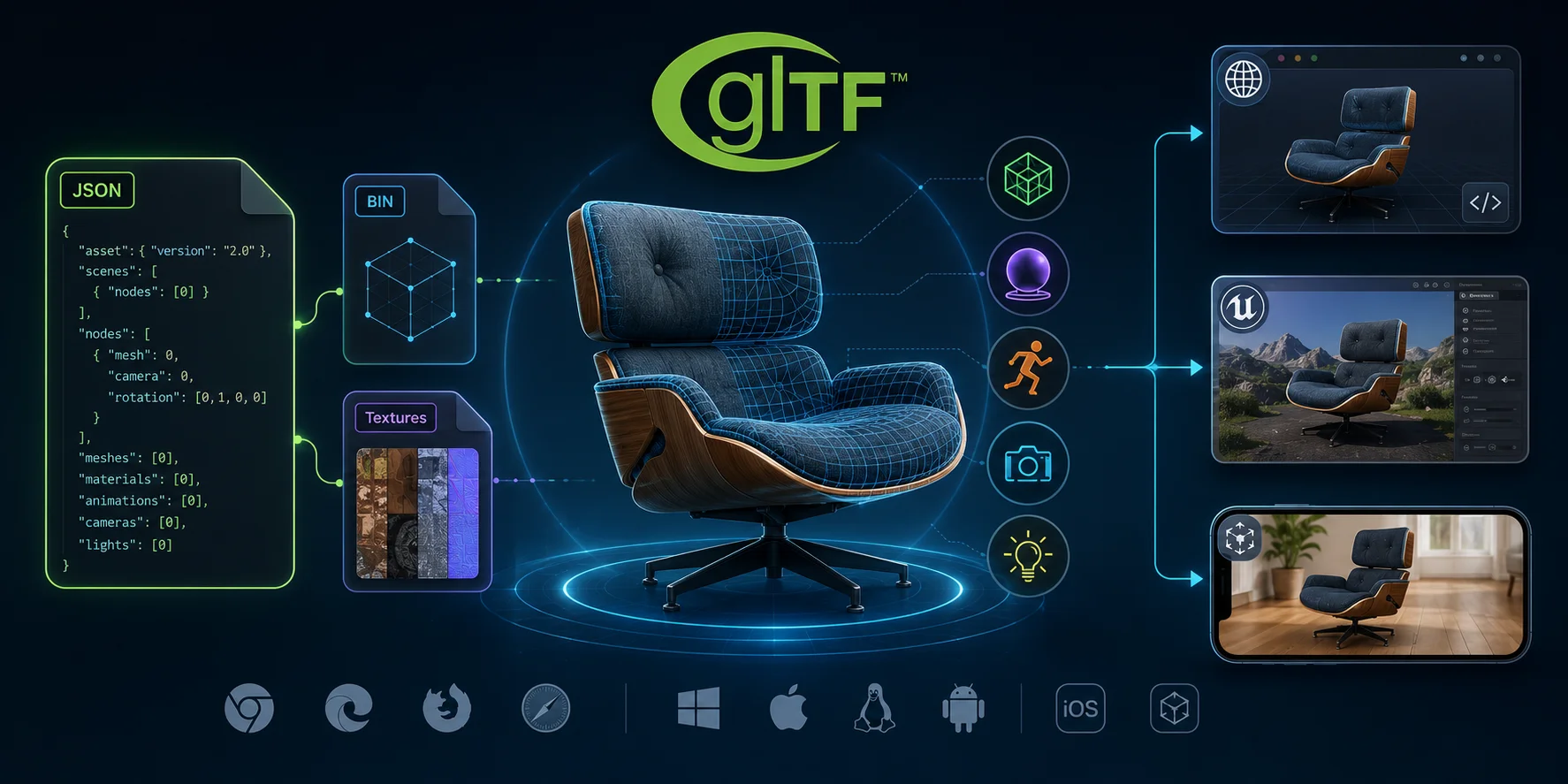
glTF, short for GL Transmission Format, is an open 3D asset standard maintained by Khronos. The specification defines a scene description and the resources needed to render it, including meshes, materials, animations, cameras, lights, and images.
A .gltf file uses JSON for the scene description. Its buffers and images can be stored as separate files, such as .bin, .png, or .jpg, or embedded as data URIs. Therefore, a JSON glTF asset is not automatically a multi-file folder.
This makes glTF easy to inspect, edit, and use in automated pipelines. It is widely supported by browsers, three.js, Babylon.js, game engines, and AR frameworks.
What Is GLB?
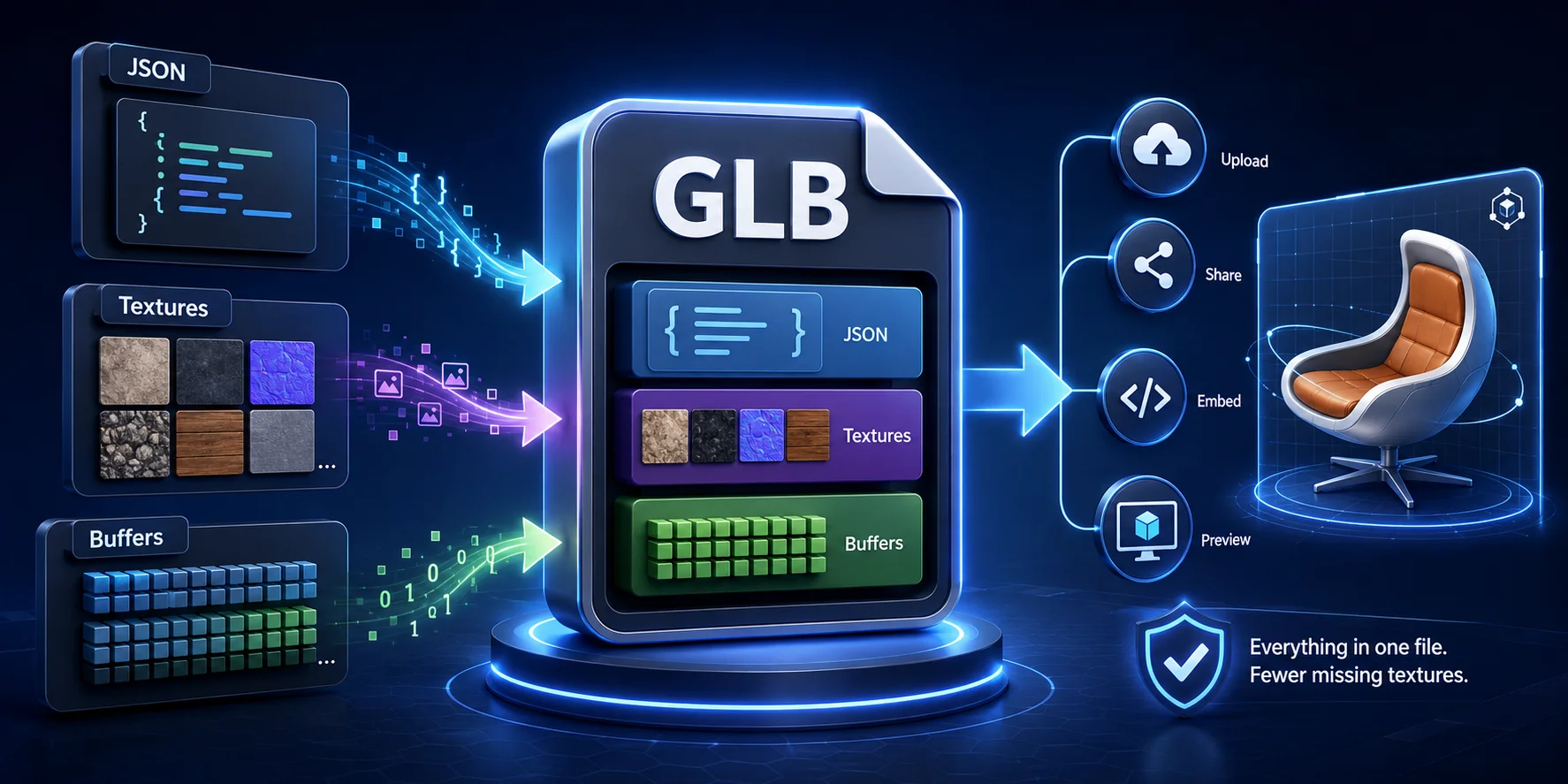
GLB is the binary container form of a glTF asset. It packages the JSON scene description and binary data into a .glb file, which makes a self-contained handoff practical when its resources are included in the container.
This makes GLB ideal for distribution because there is only one file to upload, share, embed, or preview. It also helps prevent missing-texture problems, which can happen when a .gltf file is uploaded without its linked assets.
A GLB file can be close in size to an equivalent glTF delivery, but there is no fixed size advantage. The result depends on how buffers and images are encoded, whether resources are embedded or external, and the compression settings used. GLB is commonly preferred for web delivery, AR viewers, marketplaces, and platforms such as Tripo AI’s 3D Viewer.
Key Differences Between GLB and glTF
| Feature | JSON glTF (.gltf) | GLB (.glb) |
|---|---|---|
| Packaging | JSON scene file; resources may be external or embedded | Binary container with JSON and binary chunks |
| Readability | JSON is easy to inspect and diff | Use a viewer or editor to inspect contents |
| Resource management | Separate files can be replaced or versioned independently | One-file handoff avoids broken relative paths |
| File size | Depends on resource encoding and compression | Depends on resource encoding and compression |
| Best fit | Pipelines that benefit from editable JSON or separate assets | Single-file sharing, upload, or delivery workflows |
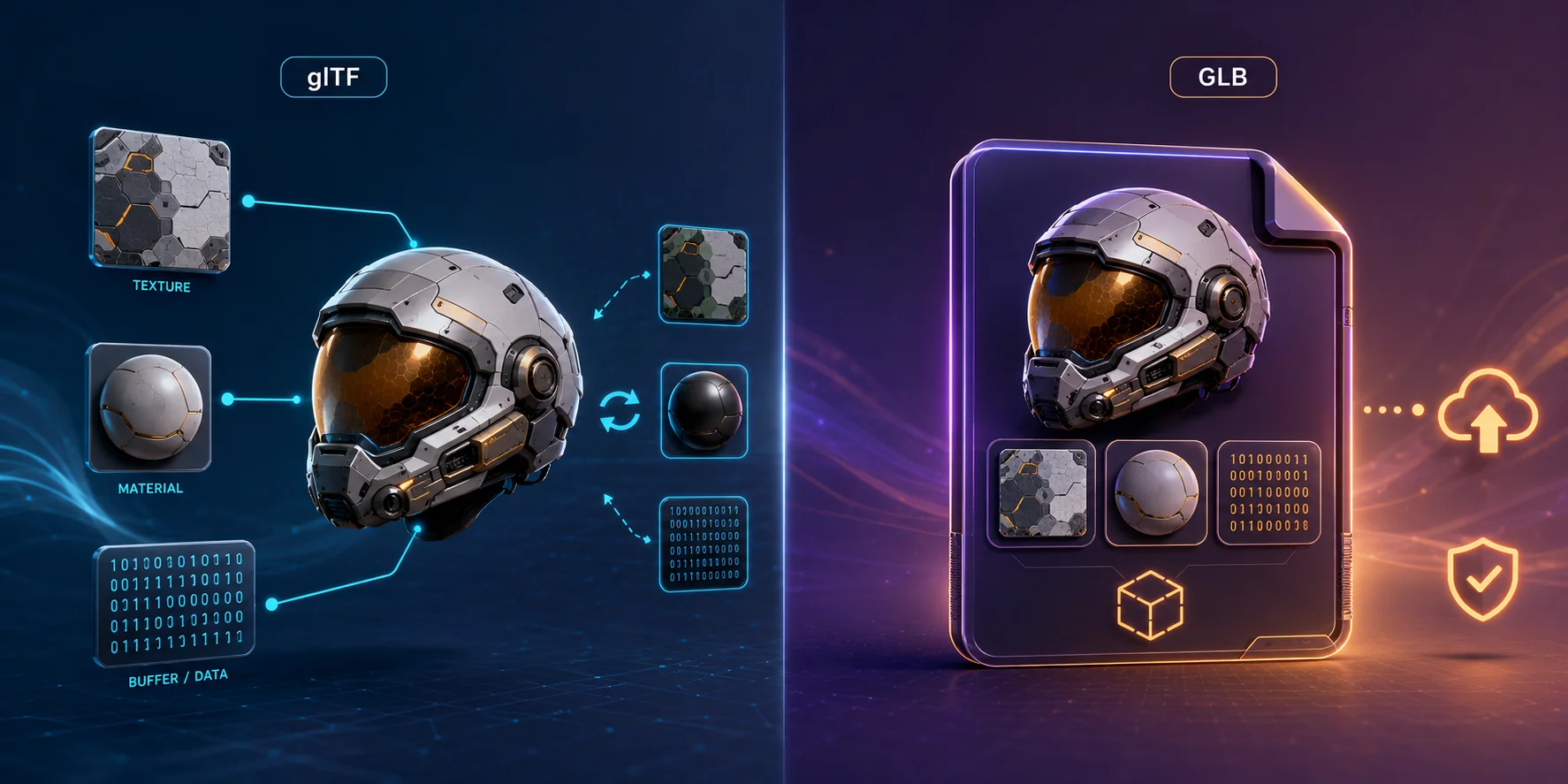
The practical difference is packaging, not rendering quality. JSON glTF can use external resources or embedded data, while GLB keeps its JSON and binary chunks together. Separate resources can be useful in a production pipeline; a GLB handoff can avoid missing relative paths when the asset is packaged as one file.
File Size Comparison
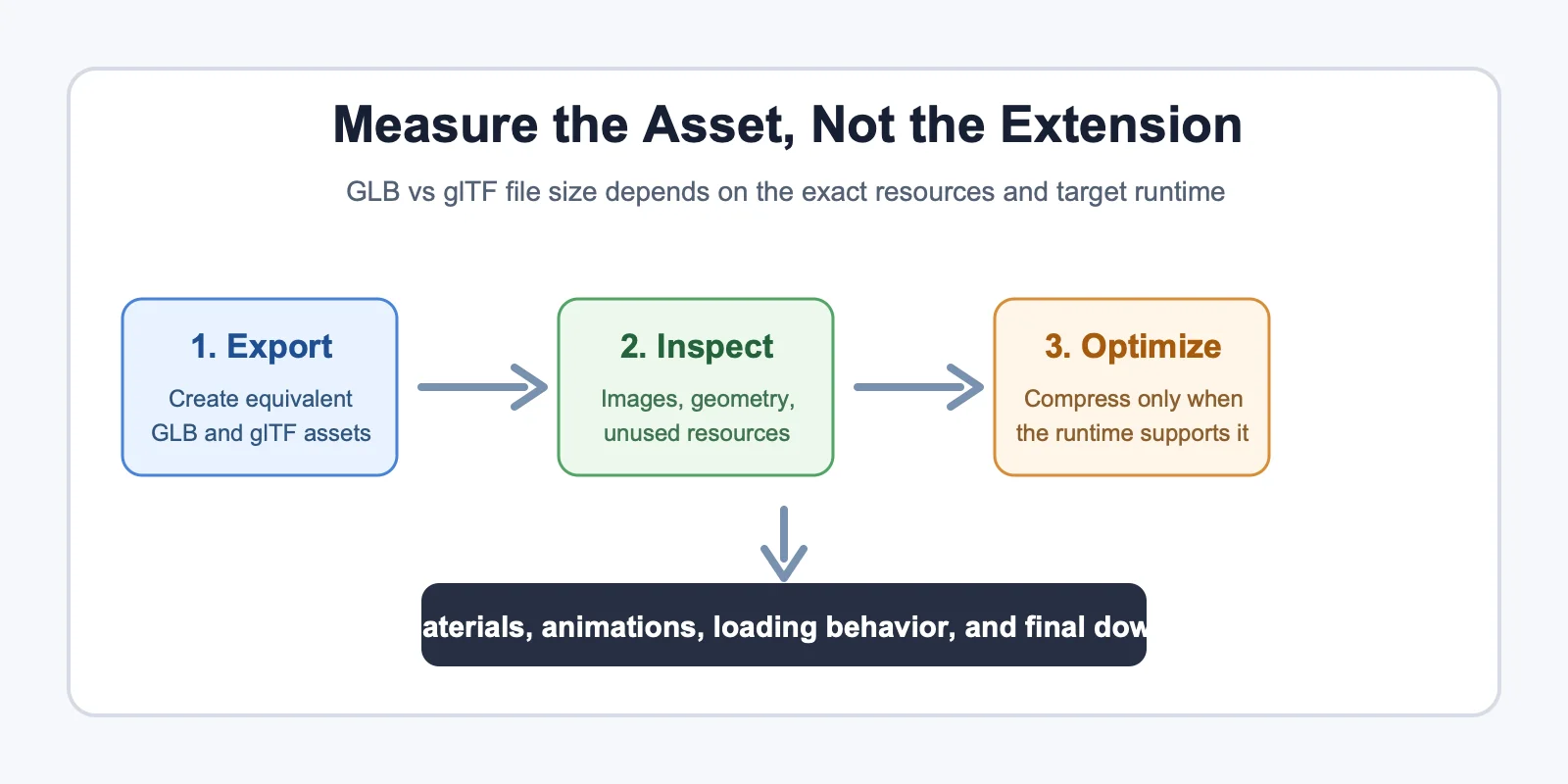
GLB and glTF can represent the same scene, but neither extension guarantees a smaller download. JSON overhead, data-URI encoding, GLB chunk padding, image formats, geometry compression, and unused resources can all change the final size.
For texture-heavy assets, image resolution and image compression often drive most of the payload. For low-texture or geometry-heavy assets, mesh data can matter more. Compare the actual exported files instead of assuming a fixed texture-to-geometry ratio.
If you need smaller files, optimize the asset rather than choosing an extension by name. Draco or meshopt can reduce geometry payloads, while KTX2/Basis Universal can reduce texture payloads when the target runtime supports those extensions. Remove unused materials and images, then test the exact final asset in the viewer or engine where it will ship.
Why Packaging Can Change the Download
With JSON glTF, buffers and images may be fetched as separate resources or embedded as data URIs. Separate resources can be cached and updated independently, while data URIs simplify a self-contained JSON file but add Base64 overhead. GLB avoids a separate JSON request by keeping JSON and binary chunks in one container, yet its binary chunks may include alignment padding. Those implementation details are why extension alone is not a reliable file-size benchmark.
Optimize for the Runtime, Not a Generic Score
Use the viewer or engine that will ship the asset as the test environment. A compression extension only helps when the destination supports its decoder, and a smaller file is not useful if materials, animations, or textures fail to load. Keep source assets for editing, export a delivery candidate, inspect the packaged resources, and compare load behavior and final download size on the target platform. This gives teams a repeatable choice instead of a percentage-based rule of thumb.
Deployment Trade-offs to Check
A single GLB can simplify distribution because a recipient downloads one asset and does not need to preserve a directory structure. A JSON glTF delivery can be useful when a build process wants to fingerprint, cache, or replace an image without repackaging the entire asset. Neither choice removes the need to test relative paths, HTTP delivery, decoder support, and the platform's current import limits. Treat the destination documentation and a real test upload as the final decision point.
When to Use GLB vs glTF
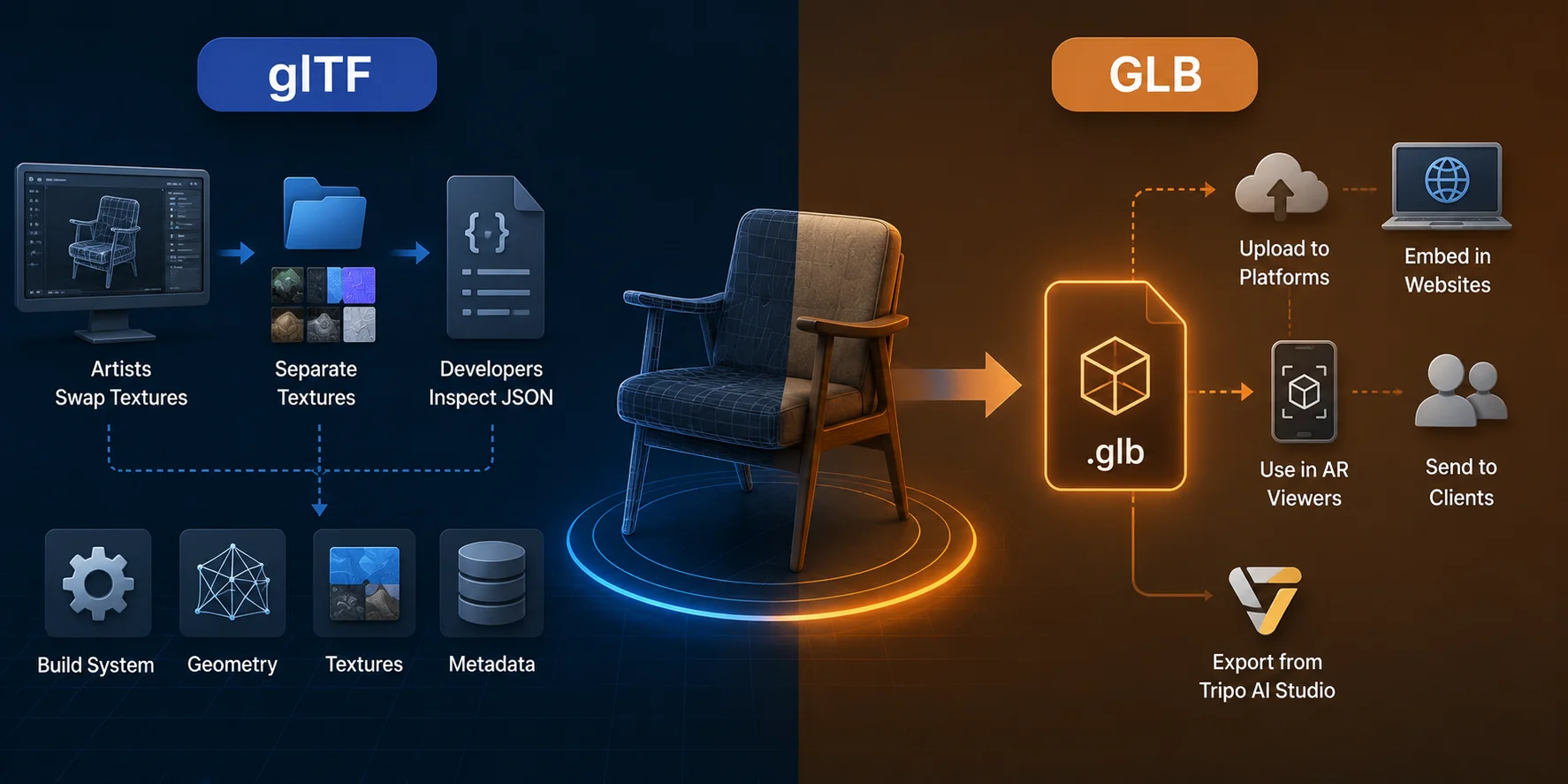
Use glTF when you are still working inside a production pipeline. It is better when artists need to swap textures, developers need to inspect JSON, or a build system processes geometry, textures, and metadata separately.
Use GLB when you need to deliver the model as a finished asset. It is better for uploading to platforms, embedding in websites, sending to clients, using AR viewers, or exporting from Tripo AI Studio for immediate use.
A useful default is to keep JSON glTF when separate resources and human-readable JSON help your workflow, then package a GLB when a single-file handoff is more convenient. The rendered result can be the same; the practical difference is resource packaging and the requirements of the destination tool.
A Practical GLB vs glTF Workflow
- Start with the destination: check whether the viewer, game engine, AR platform, marketplace, or client portal documents a required extension or a supported glTF workflow.
- During iteration, keep separate resources only when your team benefits from inspecting JSON, replacing textures, or versioning files independently.
- Export a candidate GLB when a single-file upload, share link, or handoff reduces the chance of missing relative paths.
- Optimize the actual payload: resize oversized textures, choose a suitable image format, remove unused resources, and apply geometry or texture compression only when the target runtime supports it.
- Validate the final export in the destination runtime. Check materials, animations, file size, loading behavior, and whether every linked resource is present before delivery.
For a static-mesh editing workflow, you can convert GLB to OBJ for a static-mesh workflow before passing the asset to software that prefers OBJ.
Frequently Asked Questions
Is glTF or GLB better?
Neither is always better. Choose JSON glTF when separate resources or inspectable JSON help the workflow; choose GLB when a single-file upload, share, or handoff is more convenient.
Is glTF the same as GLB?
They are two representations of the glTF 2.0 asset format. A .gltf file is JSON-based, while GLB is a binary container for a glTF asset.
What is the difference between GLB and glTF file size?
There is no fixed percentage difference. Compare equivalent exports because image encoding, data URIs, padding, compression, and unused resources all affect the result.
Can GLB be used for 3D printing?
GLB is not the typical final manufacturing format. A 3D-printing workflow commonly converts or exports the model to a format accepted by the printer or slicer, then checks mesh integrity, scale, and material requirements.
Which format does three.js use by default?
three.js loads glTF 2.0 assets with GLTFLoader, including both .gltf and .glb files. Choose the packaging that matches your asset pipeline and deployment needs.
Do AR platforms prefer GLB or glTF?
Support varies by platform. Check the destination platform's current import documentation; GLB is often convenient when that platform accepts it because the asset can travel as one file.
Conclusion
GLB and JSON glTF are two representations of the same glTF asset format. JSON glTF can keep resources modular for inspection and iteration, while GLB can make a single-file delivery more convenient. Choose based on the destination's supported workflow, then validate the actual exported asset before handoff.
Generate and export 3D models directly from Tripo AI Studio.
Check available features and export options on Tripo AI Pricing.