How to Use a Low Poly Asset Generator for Game Assets
TL;DR
- A low poly asset generator turns prompts or images into lightweight 3D models.
- You still need face-count, topology, texture, and export checks.
- Use image input when shape accuracy matters.
- Use GLB for engines and 3MF for colored prints.
- Tripo AI helps generate, optimize, texture, and export assets.
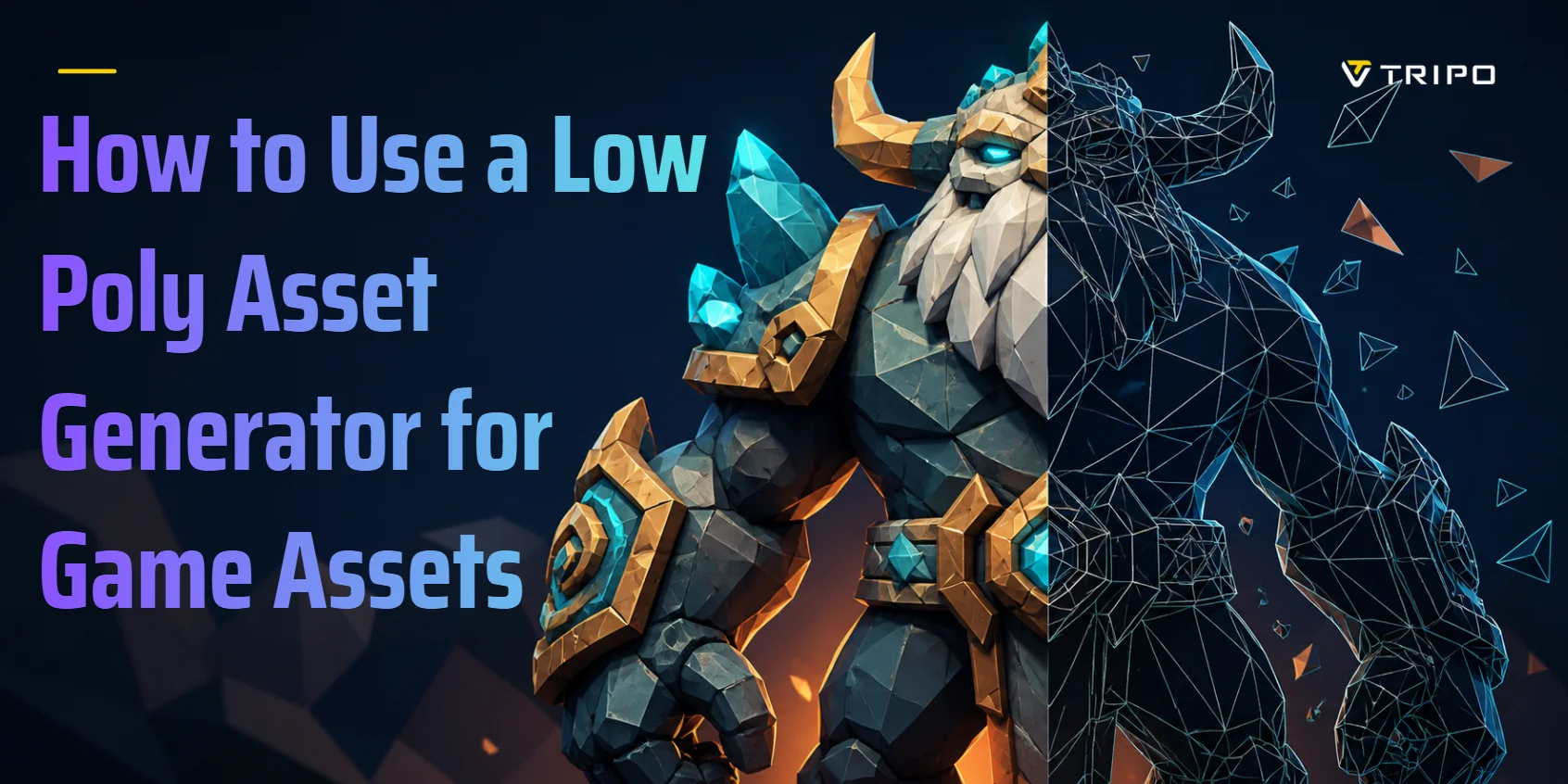
A low poly asset generator turns a text prompt or a reference image into a 3D model built from a small number of polygons. Most tools generate a dense mesh first, then rebuild it at a target face count, so you get a lightweight, stylized asset that drops straight into a game engine, a web viewer, or a slicer.
Generative AI in gaming is moving fast. Market.us estimated the market at USD 1,137 million in 2023 and projected it to reach USD 7,105 million by 2032, at a 23.3% CAGR. For creators, the real question is simple: how do you turn that AI output into a usable low poly asset? This guide covers generation, face count, topology cleanup, textures, export formats, and common mistakes.
What Is a Low Poly Asset Generator?
A low poly asset generator creates 3D models with a deliberately small number of polygon faces. This is different from a low poly art generator. A low poly art generator makes a flat, faceted 2D image. A 3D low poly asset generator produces a mesh you can move, light, animate, import, and render in a 3D scene.
A polygon is a flat face that forms part of a mesh. In real-time 3D, those faces are usually triangles or quads. A mesh is the full 3D surface made from those faces. “Low poly” does not only mean “simple.” It means the asset keeps just enough geometry to read clearly while rendering fast.
There are two common input routes. Text to 3D works when you describe the object: “low poly fantasy axe, broad silhouette, flat color blocks, no fine detail.” Image to 3D works when you upload a photo, sketch, or concept image and want the model to match that shape more closely.
The output is usually more than one idea. You may get geometry, a UV layout, and a texture or PBR material set. UVs are the 2D map that tells a texture where to sit on the 3D surface. PBR means physically based rendering — a material setup that describes how a surface reacts to light.
How to Generate a Low Poly Asset Step by Step
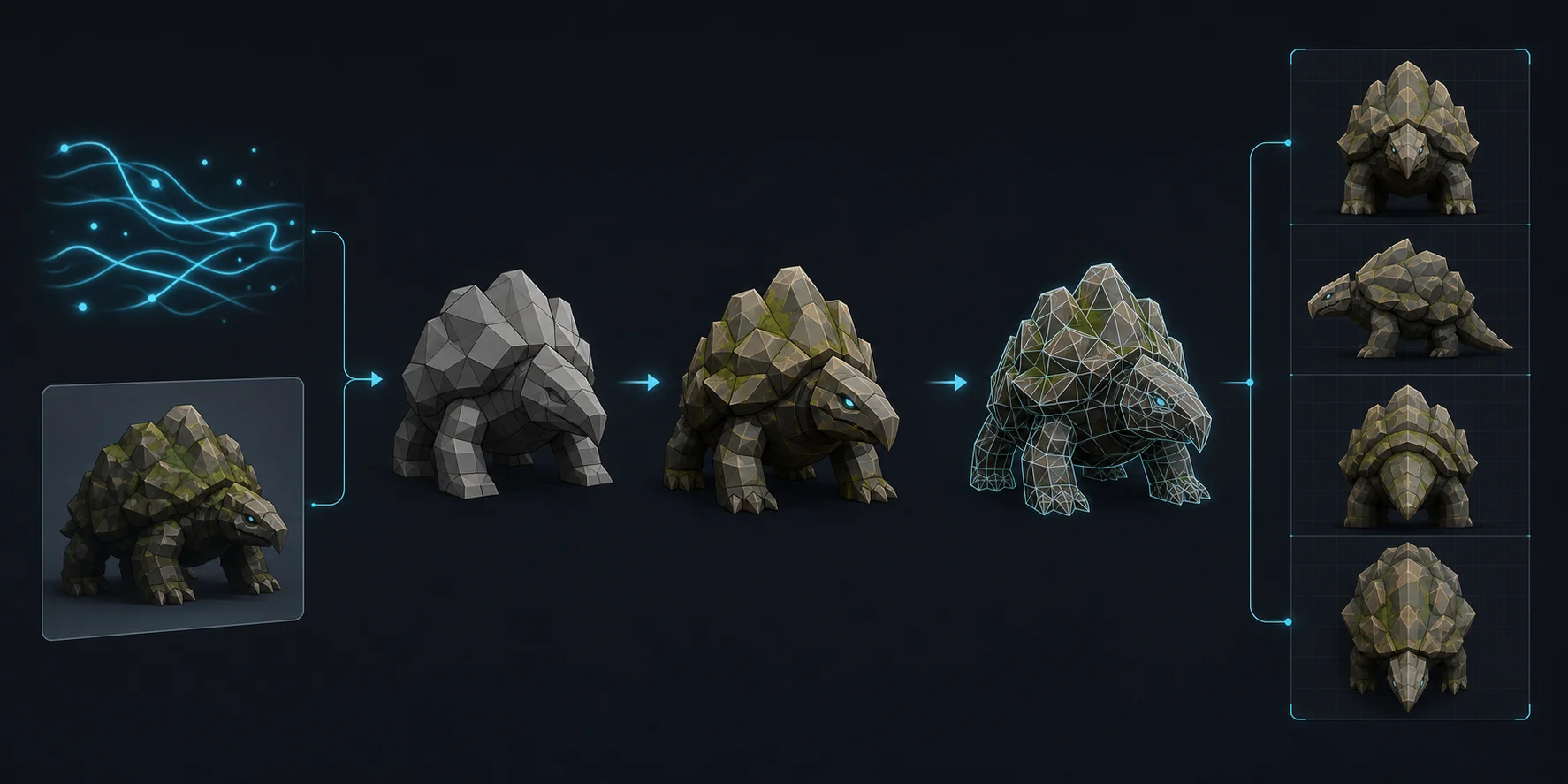
Decide text or image input
Use text when you are exploring an idea. Use image input when the shape already exists and you want the result to follow it. For beginners, image input is often easier because you can compare the output against a clear reference.
Write the prompt like an art director
Name the object, style, and silhouette. A useful prompt might be: “low poly fantasy sword, faceted blade, flat color blocks, chunky handle, no fine engraving.”
Do not ask for “highly detailed” and “low poly” in the same prompt. Those instructions fight each other. For example, “low poly castle with intricate stonework” often creates busy geometry that no later decimation pass can rescue.
Generate in Tripo AI Studio
Open Tripo AI Studio and choose Text to 3D or Image to 3D. Enter your prompt or upload your reference, then click Generate. Depending on complexity and selected features, a generation can finish in about 10 seconds to two minutes.
Start with one model, not a full batch. Check the shape, silhouette, bottom contact, and visible surfaces before spending time on cleanup.
Pick the right generation mode
For game assets, choose Smart Mesh. Tripo documents roughly 5,000 polygons by default and a 5K-20K face range for its game-asset workflow. HD Model can reach two million polygons and targets printing, sculpture, and visual art. Treat these ranges as starting points, then inspect the actual mesh.
For a low poly prop, start lighter. If the silhouette fails, try a fresh generation before investing in detailed repair.
Feed more angles when the back matters
A single front image leaves the generator guessing the reverse side. If the back, side, or underside matters, use multi-view input with 2–4 reference images. This is especially useful for characters, weapons, shoes, vehicles, and props that the camera may orbit.
Retry instead of fighting a bad result
AI generation includes randomness. A second run on the same input often gives you a cleaner silhouette faster than manual patching. If two or three tries fail in the same way, simplify the prompt or upload a clearer reference.
Try it in Tripo AI Studio →
The mesh exists now, but 5,000 faces is a starting point, not an answer.
What Face Count Should a Low Poly Asset Have?
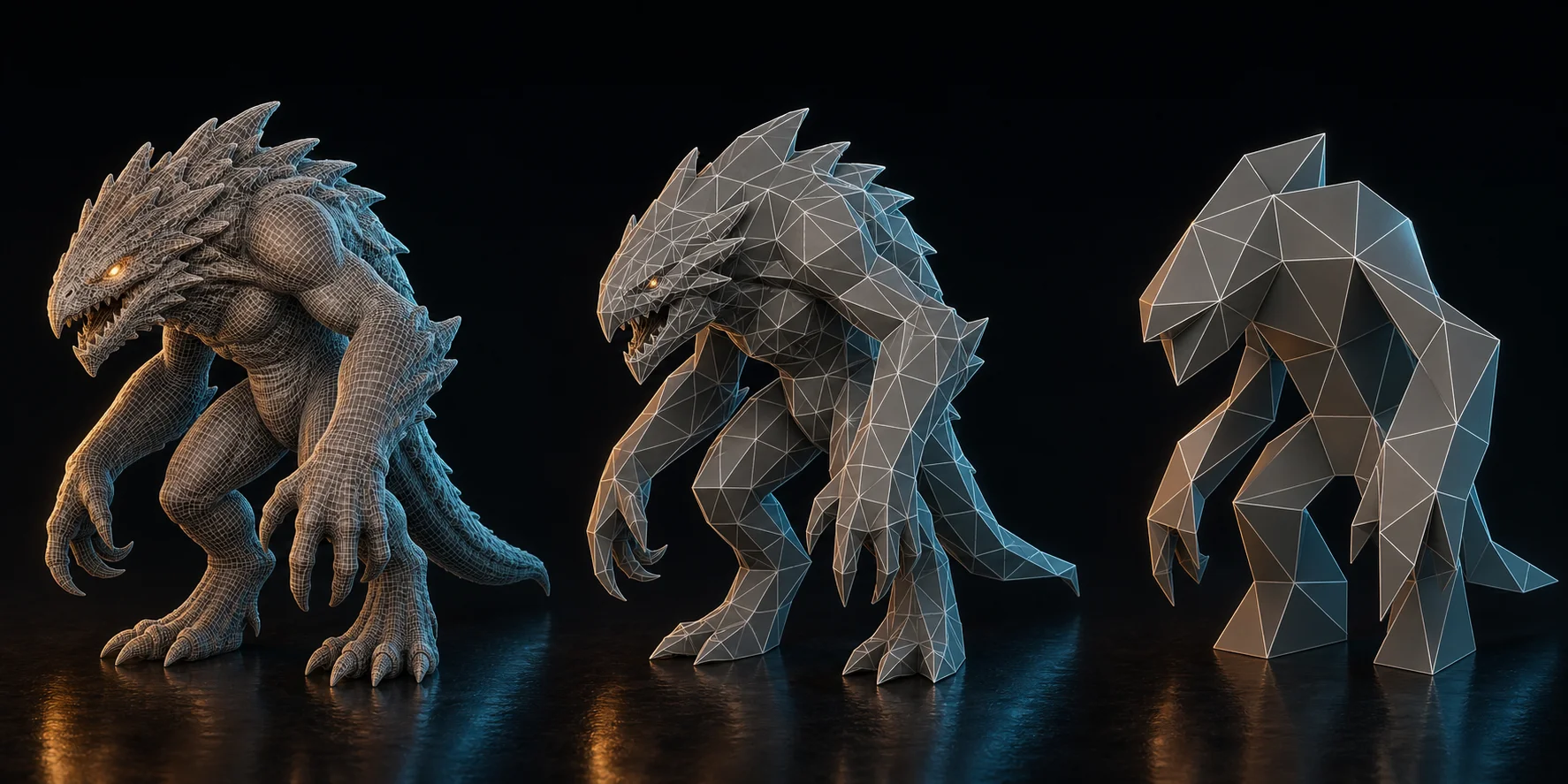
There is no single correct number. There is only a budget for where the asset goes.
| Where the asset goes | Rough face budget | Why |
|---|---|---|
| Mobile or web prop | A few hundred to a few thousand faces | Every draw call and byte matters |
| Desktop game prop | 5,000–20,000 faces | Enough shape for close viewing |
| Game character | Around 20,000 faces | Characters need silhouette and deformation |
| Stylized 3D print | High counts are fine | Printers resolve geometry physically |
Dropping faces does not affect every shape equally. Round objects go faceted first because curves need more faces to look smooth. Flat-sided objects, such as crates, signs, swords, low poly houses, and stylized rocks, survive reduction better.
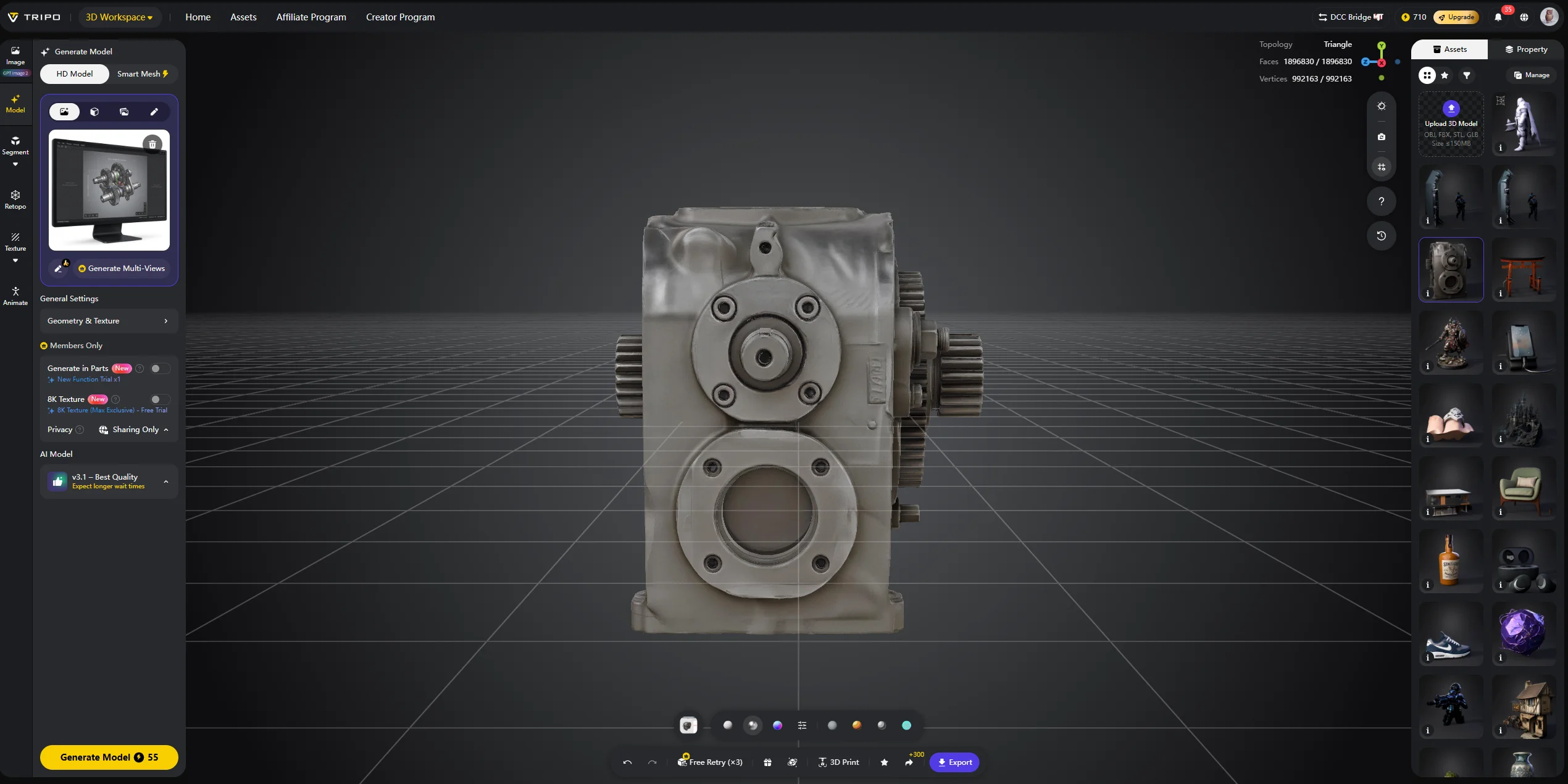
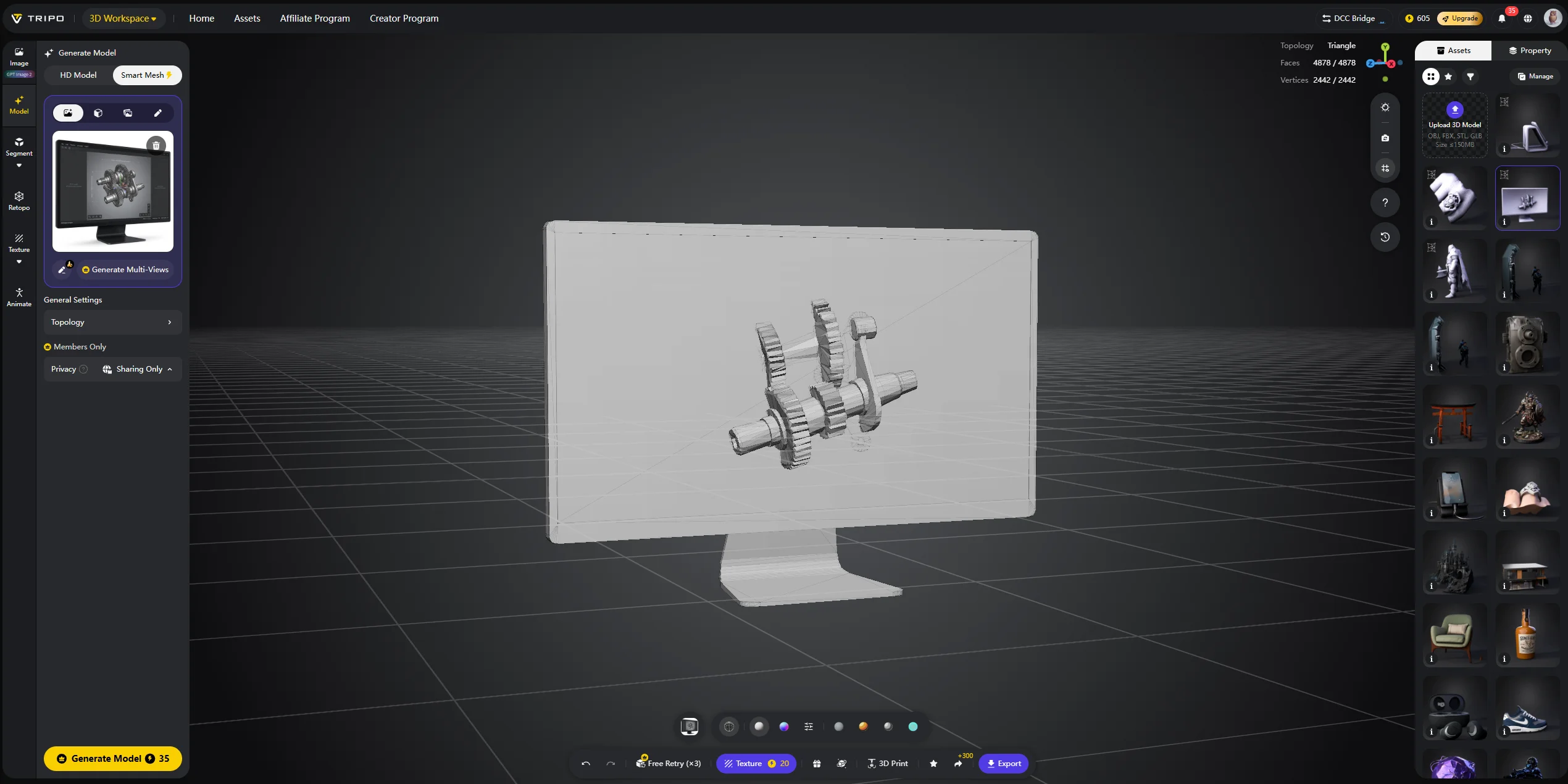
A target count is something you set, not something you simply accept. If a generation comes back heavier than you wanted, an automated mesh optimization pass can help reduce the mesh toward a target count without redrawing every edge loop by hand.
Tripo AI’s Retopology workflow also supports custom polygon counts, one-click mesh decimation, and quad mesh conversion for different pipelines. For your first asset, generate in the game-asset range instead of the maximum range. It is easier to add a new attempt than to repair bloated geometry.
A number in the export dialog is only half the story. How the faces are arranged matters just as much.
How to Clean Up AI-Generated Low Poly Topology
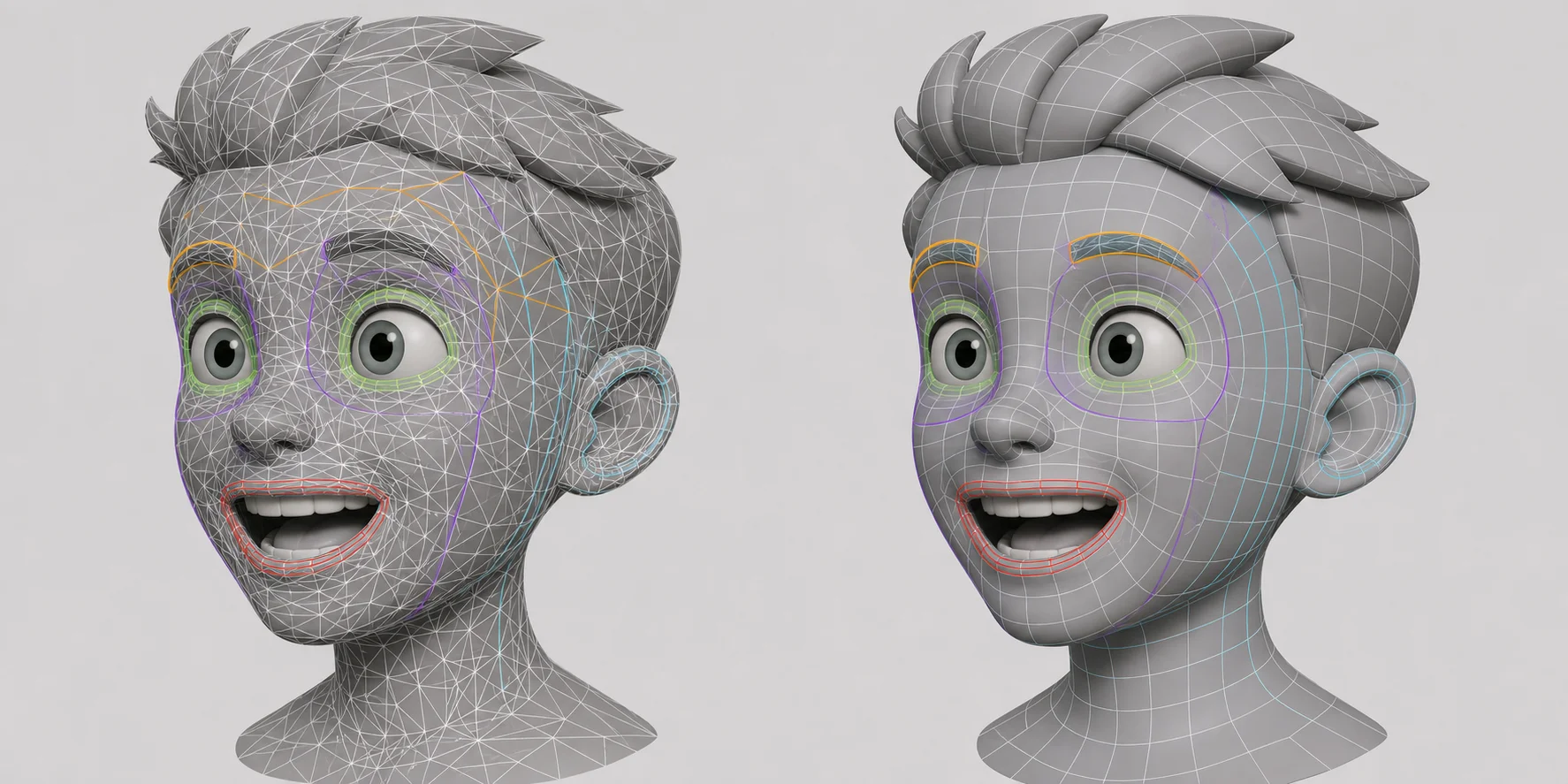
A low face count is not the same thing as good topology. A decimated mesh can hit 3,000 faces and still be uneven triangle soup. It may shade badly, deform badly, and break when you edit it.
Triangles are three-sided faces. Quads are four-sided faces. Triangles are fine for many static props, but quad-based topology is easier to edit and animate. If a character bends at the elbow, or a vehicle part needs cleaner control, the face flow matters.
This is where automatic retopology helps. Smart Mesh is designed to rebuild generated geometry into cleaner, optimized topology for real-time production. Retopology adds quad conversion and target counts on top. Uneven, scan-like geometry is what an AI retopology tool is built for — it rebuilds the surface into more even quads instead of thinning triangles at random.
Also check whether the asset arrives as useful parts. A generated vehicle may appear as one fused shell, so the wheels cannot spin. A robot arm may merge into the body. Intelligent part segmentation can separate a model into editable parts, which makes refinement, rigging, and animation easier.
When checking a mesh, look at three things: the silhouette from front, side, and back; shading across curved surfaces; and whether the faces are roughly even in size.
Will Reducing Polygons Ruin Your Textures?
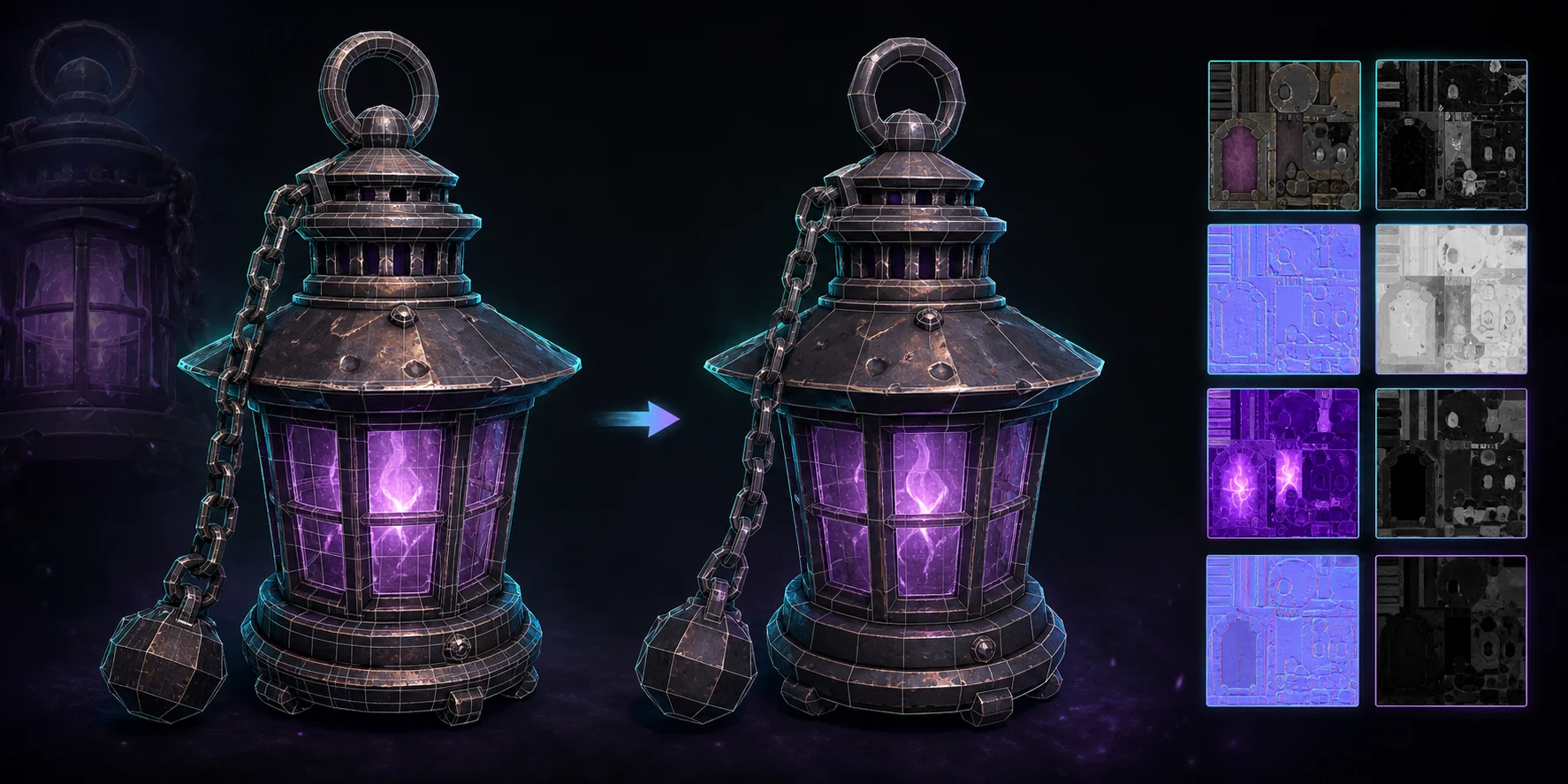
Reducing geometry does not destroy a texture by itself, but it can break the UV layout that the texture depends on. UVs are the flat coordinates that tell the image where to wrap around the model. If the mesh is rebuilt carelessly, the texture can stretch, slide, or no longer line up.
A normal map can hide some lost detail. A normal map is a texture that fakes small bumps and grooves under lighting. That is why a 3,000-face asset can still read as carved, paneled, or scratched without carrying all that detail in geometry.
The safest order is simple: generate the geometry, settle on the face count, then texture. Do not texture first and decimate five times afterward. That creates avoidable UV and re-baking problems.
Tripo AI provides AI-powered texturing tools for creating and improving textures, including global texturing and higher-resolution texture workflows. For a hard-edged low poly style, you may not need photoreal textures at all. Flat color blocks per face often look cleaner and cost almost nothing in file size.
Exporting Low Poly Assets to Unity, Unreal, or a 3D Printer
| Format | Where it goes | What it carries | Watch out for |
|---|---|---|---|
| GLB | Web, AR/VR, engines | Geometry and embedded textures | Safest default when unsure |
| FBX | Games and animation software | Rigs, animation, scene data | Check engine import settings |
| OBJ | Editing and basic printing | Geometry, UVs, simple materials | No rig or animation |
| USD | VFX and collaborative workflows | Full scene description | More than most single props need |
| STL | 3D printing | Geometry only | No color or textures |
| 3MF | Modern 3D printing | Geometry plus color/material data | Best when color matters |
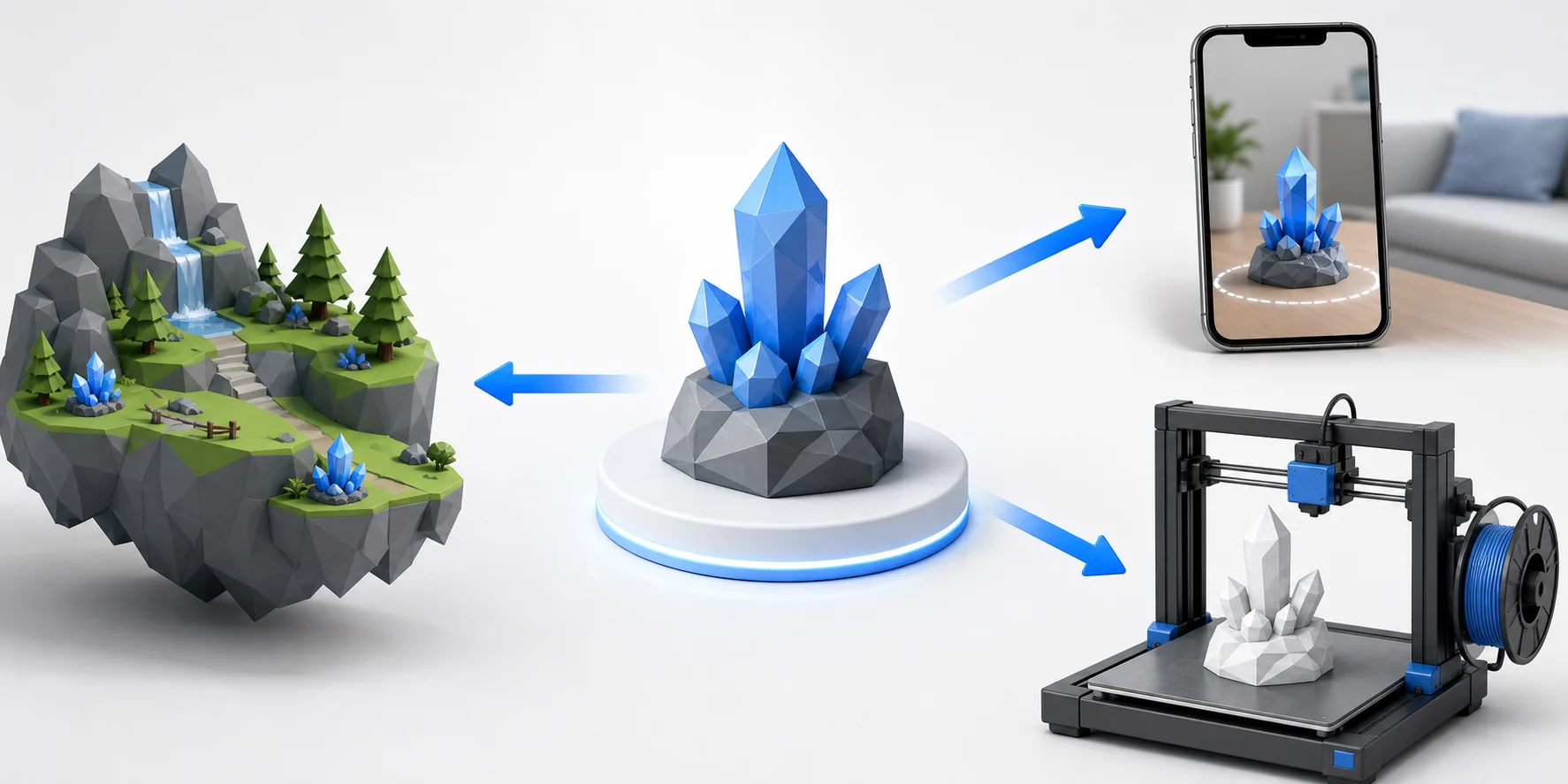
For engines and web use, GLB is a strong default. The glTF standard supports a single binary .glb file, which can package scene data, meshes, and materials in one portable asset. Use FBX when animation or an existing game pipeline depends on it.
For printing, choose STL for a plain single-material print and 3MF when color or material information matters. If you export STL for a colored print, the color silently disappears.
Export requires an eligible subscription. The Basic plan supports version 2.5 exports only. Models generated with versions 3.0 and 3.1 require an active paid subscription, even when credits remain. Check the current pricing page before planning bulk delivery.
There is also a route that skips manual downloads. Tripo’s DCC Bridge guides cover sending models from Tripo Studio into tools such as Blender, Unity, Unreal Engine, Maya, 3ds Max, Godot, and Cocos. The Unity bridge walkthrough is useful if you would rather send models straight into a project.
If you already downloaded the wrong file, a 3D file converter is faster than regenerating the asset.
Five Mistakes That Ruin a Low Poly Asset
The most common mistake is not the generator. It is asking the generator for two opposite things at once.
- Prompting for detail and low poly at the same time. Intricate ornament becomes geometry you then have to destroy. Describe silhouette, flat surfaces, and large shapes instead.
- Treating face count as the only quality metric. A 2,000-face triangle soup can animate worse than a 6,000-face quad mesh. Judge the arrangement, not just the number.
- Decimating after texturing. Rebuilding the mesh can invalidate the UV layout your texture depends on. Lock the face count first, then texture.
- Exporting STL for a colored print. STL carries geometry only, so the color disappears. Use 3MF when color matters.
- Shipping an unsegmented model. Generated props can arrive as one fused shell, so nothing moves independently. Segment the model into parts before rigging or animating.
If a generation fails or stalls, simplify the input before repeating maximum settings. Credits are usually consumed based on task complexity and selected features, so cleaner input is often cheaper than repeated retries.
Frequently Asked Questions
Q1: What is a low poly asset generator? It is a tool that turns a prompt or image into a lightweight 3D mesh. The goal is to create an asset with enough shape to read clearly, but few enough faces to run well in real-time scenes.
Q2: How do you generate low poly assets automatically? Start with text or image input, generate a base mesh, choose a low poly or Smart Mesh mode, then set a target face count. After that, check topology, texture the asset, and export the right format.
Q3: Can you create low poly 3D models from a text prompt? Yes. Text-to-3D tools can create low poly props, characters, weapons, buildings, and environment pieces from written prompts. The best prompts describe silhouette and style instead of tiny detail.
Q4: Is a low poly asset generator better than modeling by hand in Blender? A generator suits first drafts, background props, and style exploration. Hand modeling fits exact topology, fixed dimensions, and hero assets that need close inspection.
Q5: What is the difference between low poly and voxel assets? Low poly assets use polygon faces to form clean geometric shapes. Voxel assets are built from small cube-like units, so they look more like 3D pixel art.
Q6: How many polygons should a low poly game asset have? Background props can sit in the low thousands or lower. Mid-ground game props often work around 5,000–20,000 faces, while characters and hero assets may justify more.
Q7: Will reducing the polygon count ruin the textures? Not automatically. The risk is that a careless rebuild changes the UV layout, which can stretch or misalign the texture. Set the face count before final texturing.
Q8: Can you import generated low poly assets into Unity or Unreal Engine? Yes. Use GLB or FBX, then check scale, pivot, material slots, and shader compatibility. Always test one asset before importing a whole batch.
Q9: Can you 3D print a generated low poly model? Yes. Export STL for a plain print or 3MF for color-aware workflows. For printing, polygon budgets matter less than watertight geometry, wall thickness, and slicer compatibility.
Q10: Are AI-generated low poly assets free to use? That depends on the tool, plan, and license. Check whether downloads, commercial use, higher model versions, and advanced export formats require a paid plan before shipping work.
Conclusion
A low poly asset generator is most useful when you treat it as a pipeline: generate, set a face count, clean the topology, texture, and export for the right destination. Face count and format should always follow where the asset goes.
Describe the prop you need and see what comes back — start in Tripo AI Studio. If you are checking how much a free account covers, the Tripo AI pricing page lays out what each plan exports.