How Image to 3D Works: The Complete Pipeline Explained
TL;DR
- Image-to-3D tools infer depth from a 2D image, reconstruct geometry, generate a mesh, and project or synthesize textures.
- Multi-photo photogrammetry measures many angles, while single-image AI relies on learned 3D priors to predict hidden surfaces.
- Output quality depends on lighting, background, resolution, framing, object material, and whether the object is common enough for the model to infer accurately.
You upload a single photo. A few seconds later, a rotating 3D model appears in your browser. It feels almost like a trick, but the process is easier to understand once you break it down. This guide explains how image to 3D works, from pixels and depth cues to mesh generation, texture projection, and downloadable 3D files.
What Is Image-to-3D Conversion?
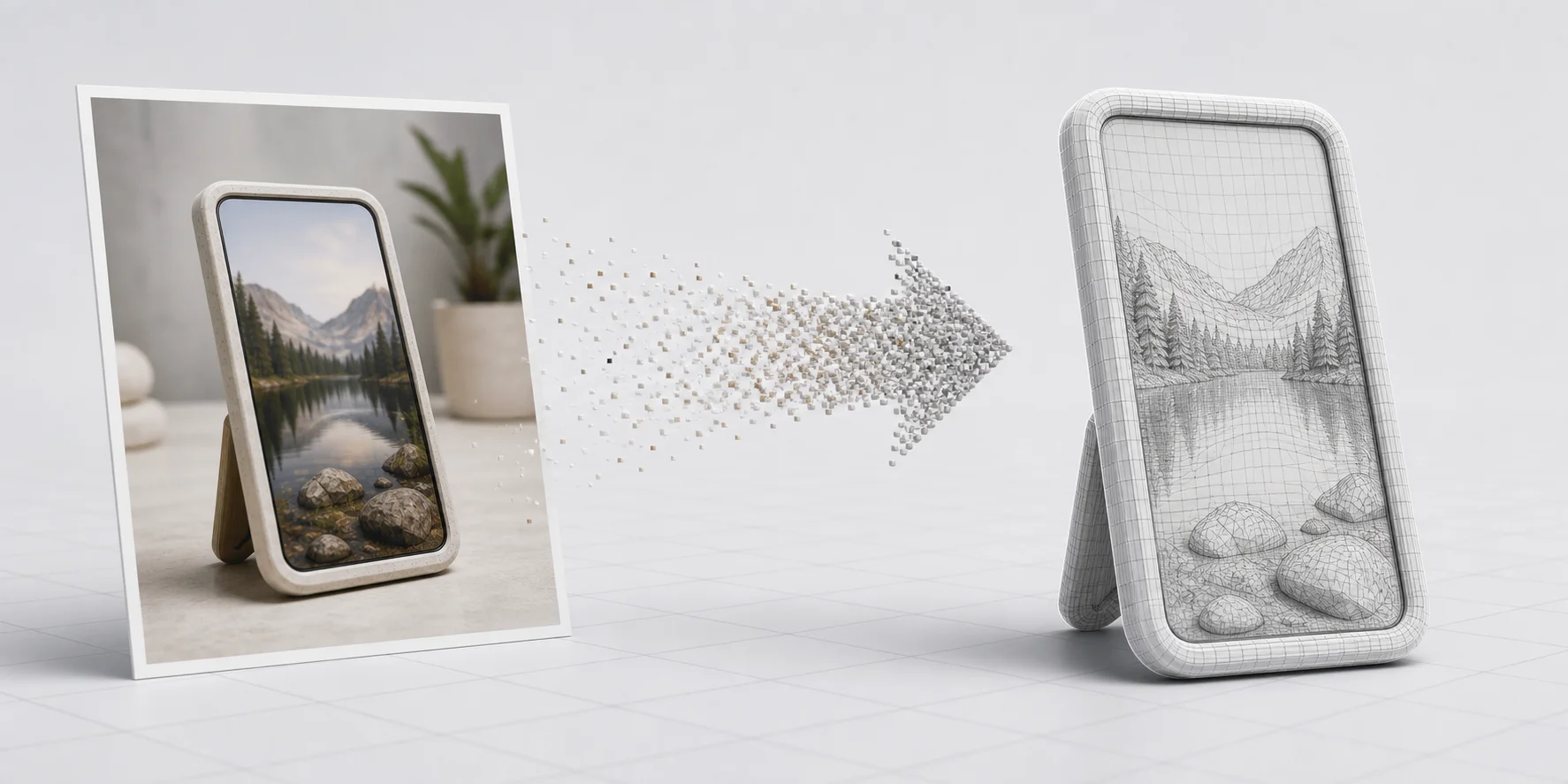
Image-to-3D conversion is the process of taking one or more 2D images and generating a 3D model from them. A complete result usually includes geometry, which defines the shape, and texture, which defines the visible surface detail.
There are two main approaches. Classical photogrammetry uses many photos taken from different angles, then triangulates matching points to calculate 3D structure. It is still useful for architecture, archaeology, scanning, and precision documentation. AI single-image reconstruction works differently. It uses neural networks trained on large 3D datasets to infer depth and shape from one photo.
Think of how your brain sees a coffee cup from one angle and still understands that it is cylindrical. You are not measuring the hidden side; you are using experience. AI does something similar with learned shape priors.
The Pipeline: How Image-to-3D Actually Works
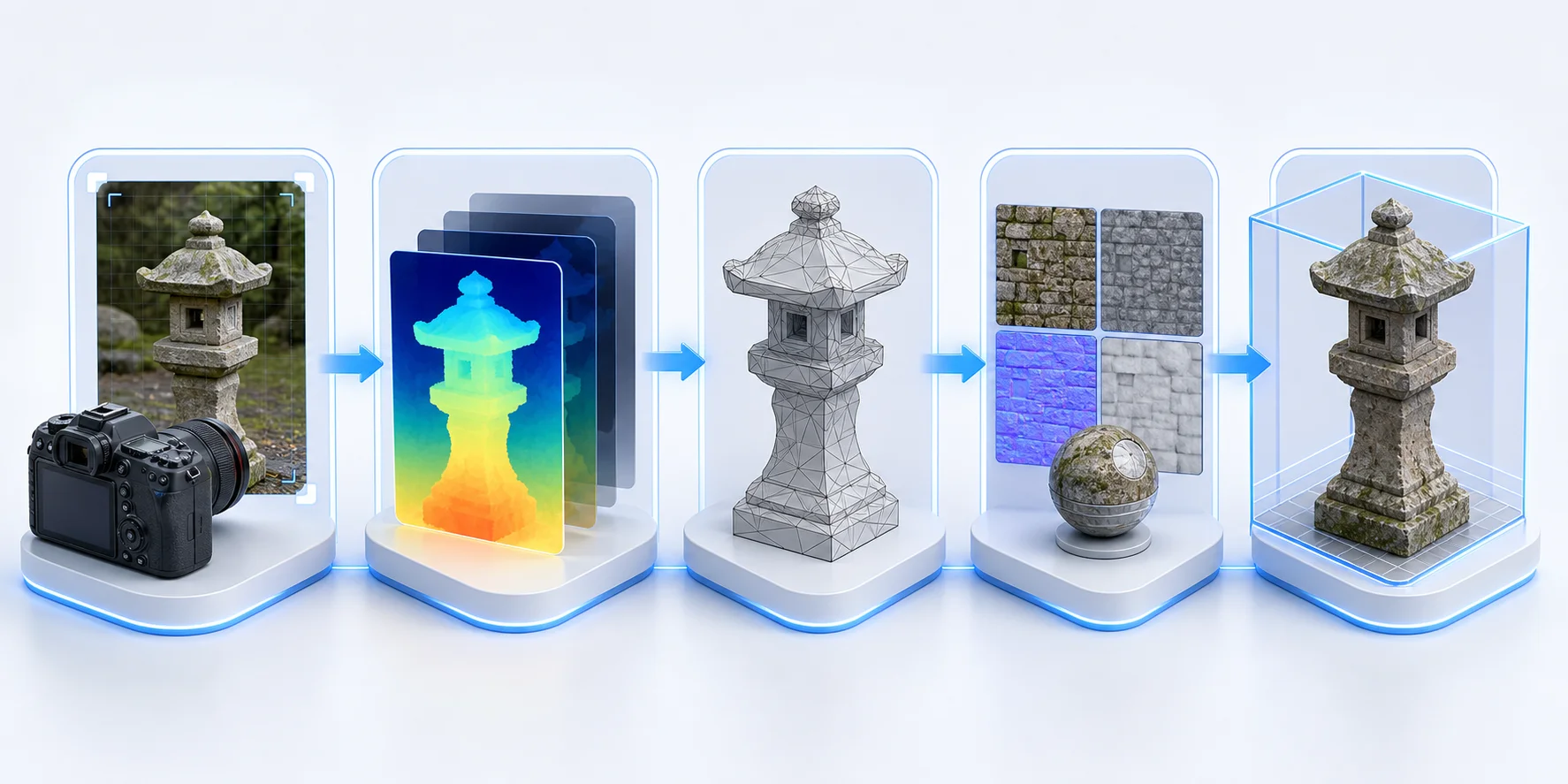
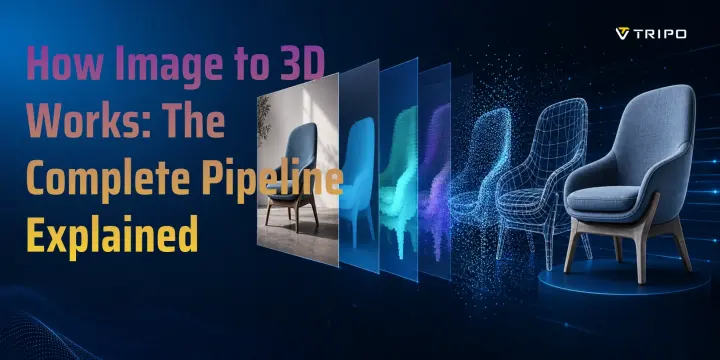
The typical AI image-to-3D pipeline has five stages.
Step 1: Feature extraction. The model analyzes the image for edges, silhouettes, shading gradients, texture patterns, and perspective cues. These visual signals help the system understand where the object begins and ends.
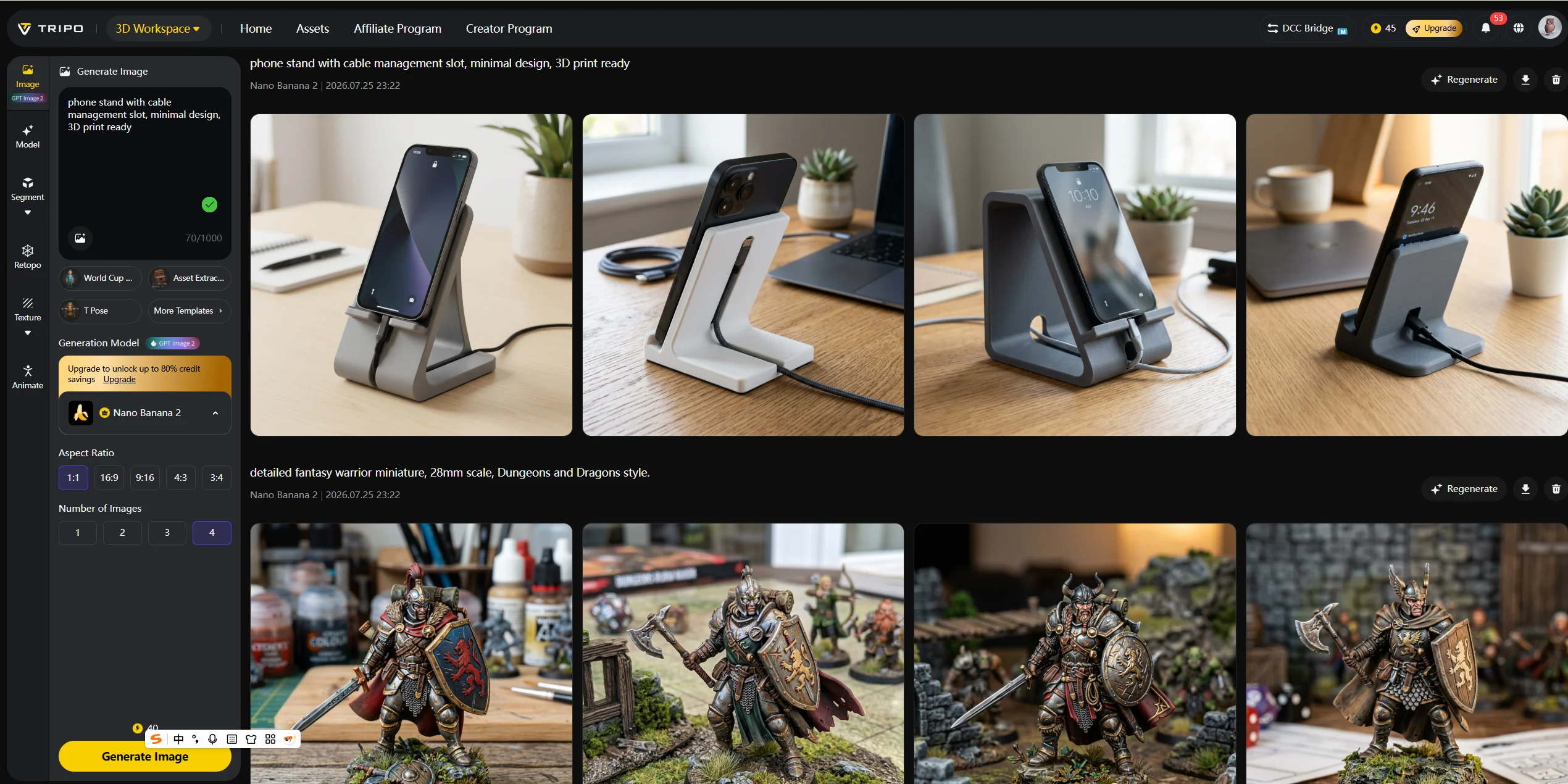
Step 2: Depth estimation. The AI predicts a depth map, where each pixel receives an estimated distance value. Bright and dark regions in a depth map can represent near and far surfaces. Modern systems often use large pre-trained depth networks and diffusion-based models to make this prediction more stable.
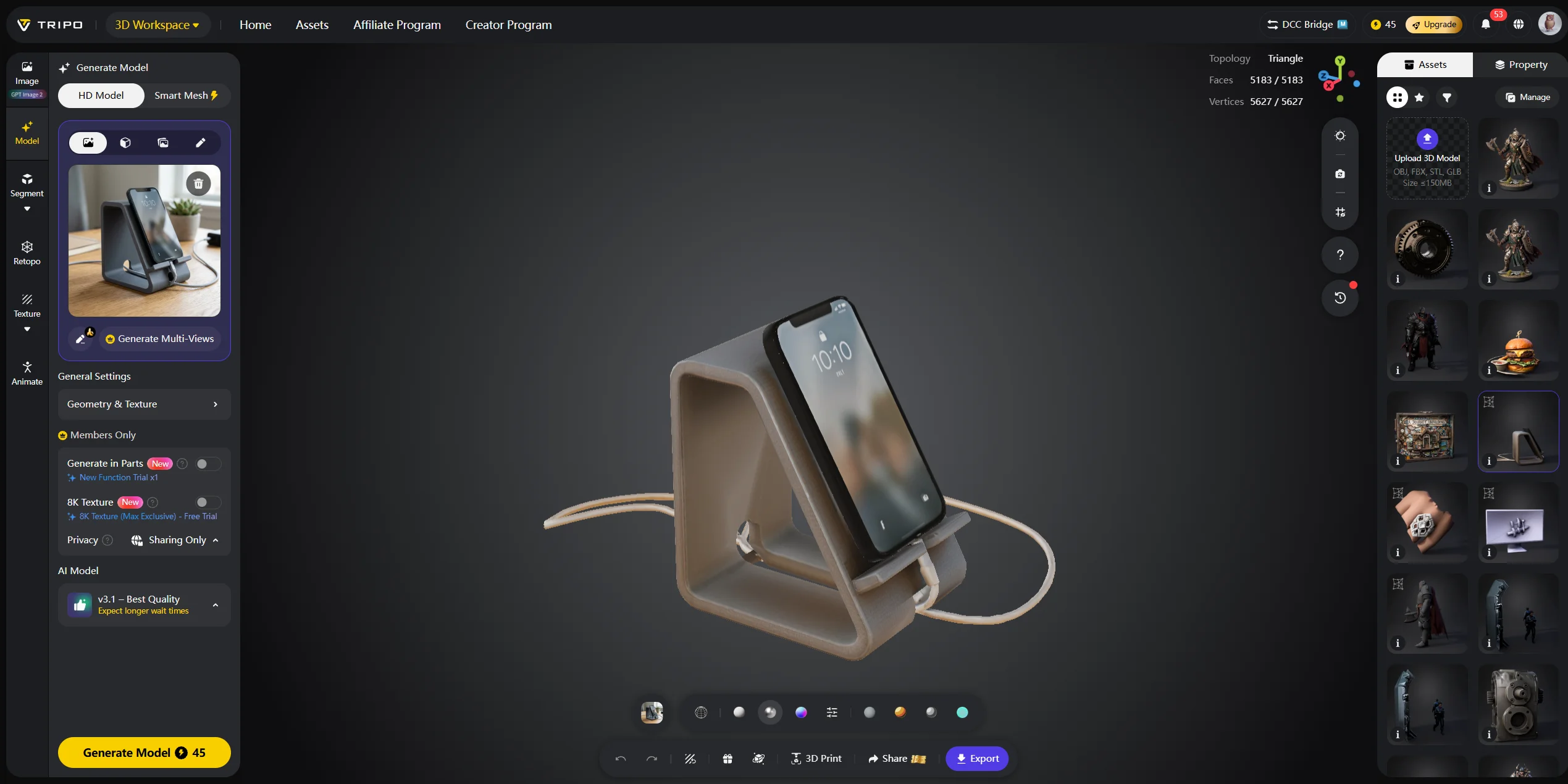
Step 3: Geometry reconstruction. The depth map is lifted into a 3D representation. Depending on the system, this may start as a point cloud, an implicit field, a Gaussian Splatting structure, or a rough mesh. The model also predicts surfaces that were not visible in the original photo.
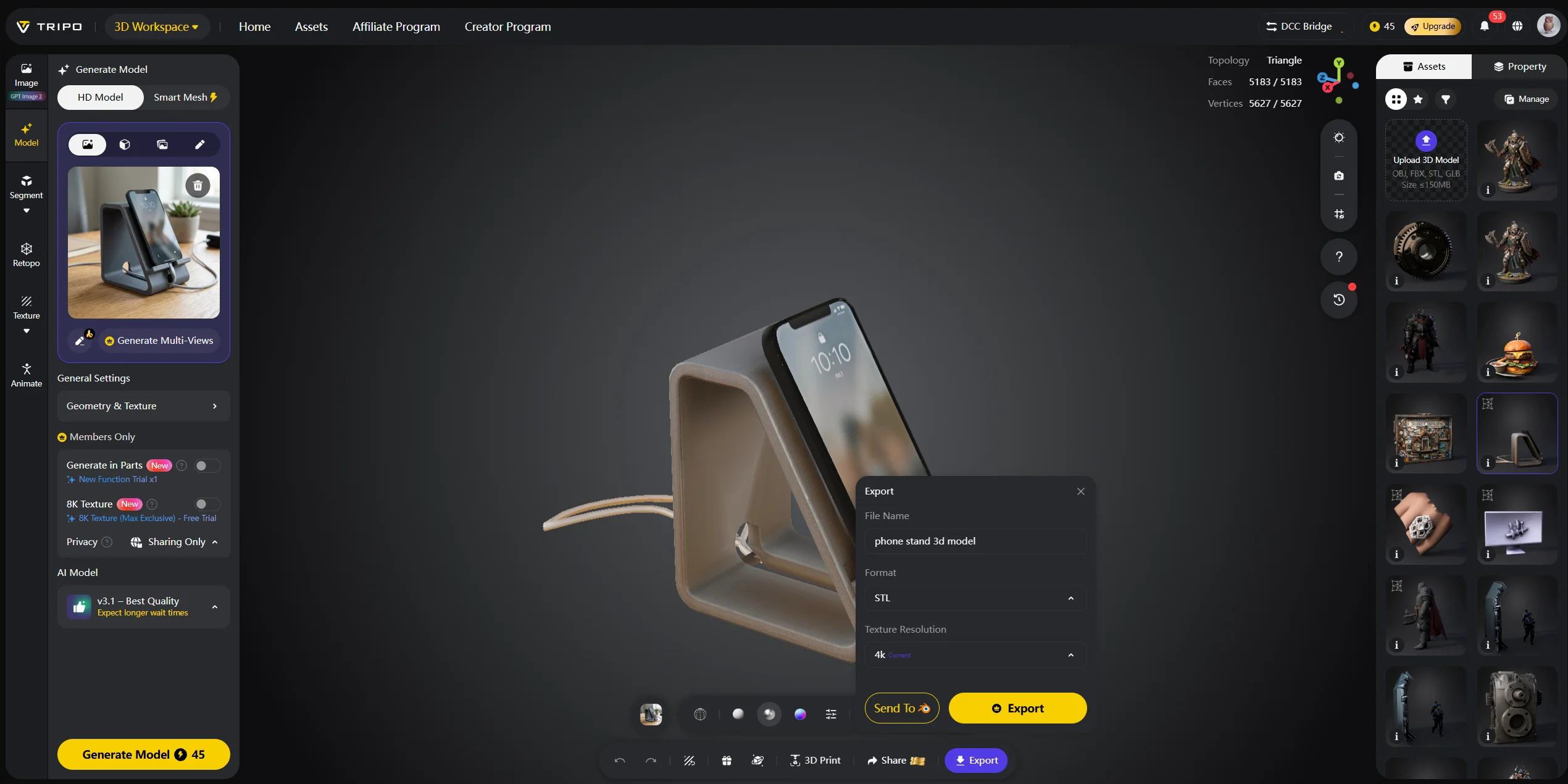
Step 4: Mesh generation and optimization. The raw geometry is converted into a mesh made of vertices, edges, and faces. The system may smooth rough areas, fill holes, reduce polygon count, and prepare UVs so the model can hold texture data.
Step 5: Texture projection. The original image is projected back onto the mesh. For hidden sides, the AI may synthesize plausible texture information based on the visible image and its training data.
In a tool like Tripo AI’s Image to 3D Model, these five steps happen server-side and return a downloadable 3D asset in under 30 seconds.
Why a Single Photo Can Work
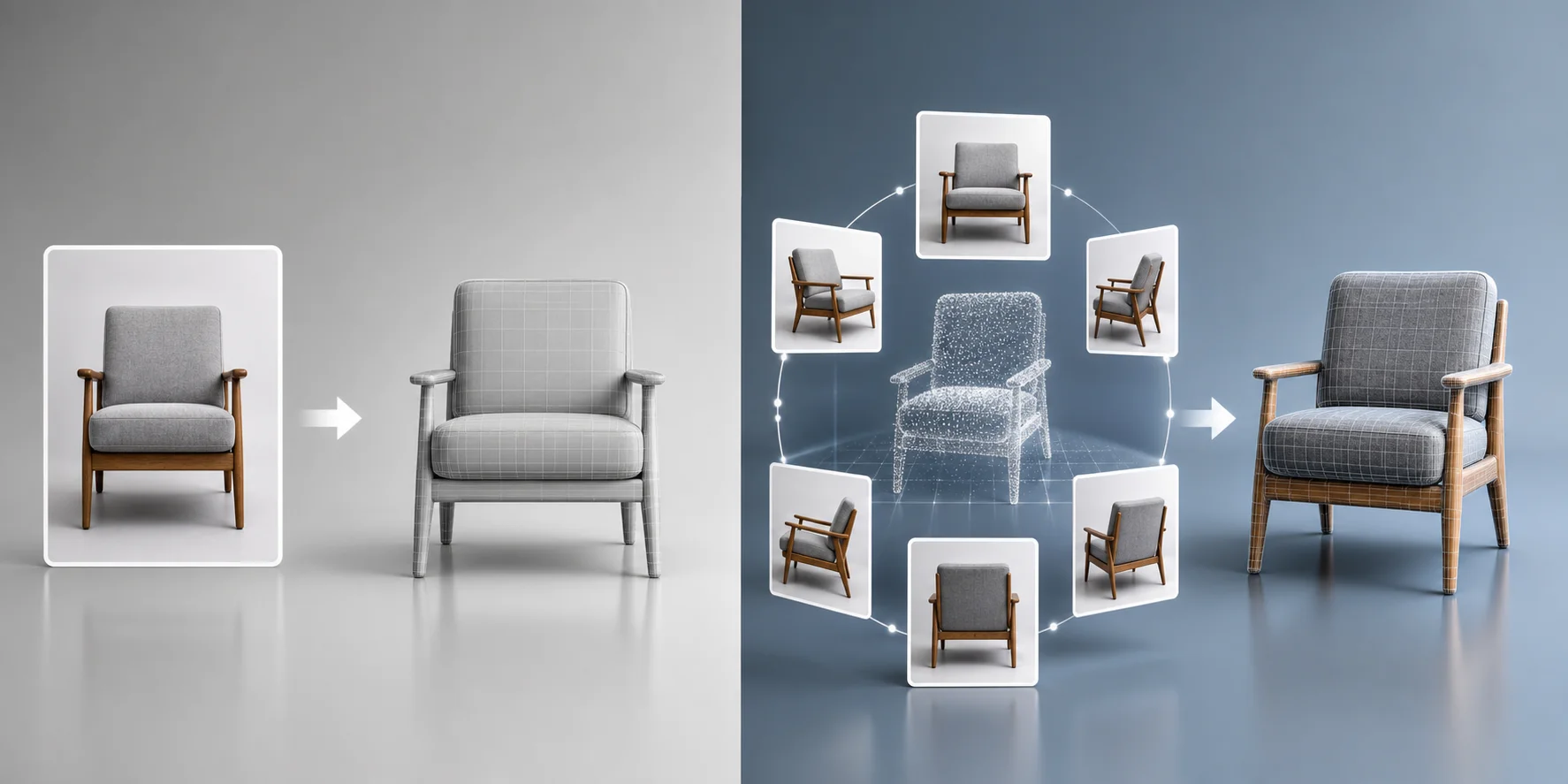
Classical photogrammetry needs many photos because it does not want to guess. It measures the same point from multiple angles and calculates its 3D position. Single-photo AI has only one view, so it must infer what it cannot see.
That inference works because AI models learn from large numbers of objects. If the visible image shows the front of a chair, the model has learned that chairs usually have a seat, back, legs, and repeated symmetry. If the image shows a car, the model expects four wheels and a roughly symmetrical body. This is called a shape prior: a learned expectation about how objects are usually built.
The limitation is obvious but important. Single-image AI works best for common, opaque, well-framed objects. It struggles more with transparent glass, reflective metals, fur, thin wires, complex interiors, and unusual shapes outside its training distribution.
Multi-Photo vs. Single-Photo: Which Approach Is Right?
| Approach | Input | Best for | Tradeoff |
|---|---|---|---|
| Multi-photo photogrammetry | Dozens of photos | Accurate scanning, heritage objects, architecture, manufacturing reference | Slower capture and processing |
| Single-image AI | One clear image | Games, e-commerce, product concepts, AR, 3D printing drafts | Less precise hidden geometry |
For creative and commercial use cases such as product visualization, game asset prototyping, social content, and e-commerce previews, single-image AI is faster and easier. For engineering-grade replication or measurement, multi-photo photogrammetry is still the safer choice.
What Affects Output Quality?
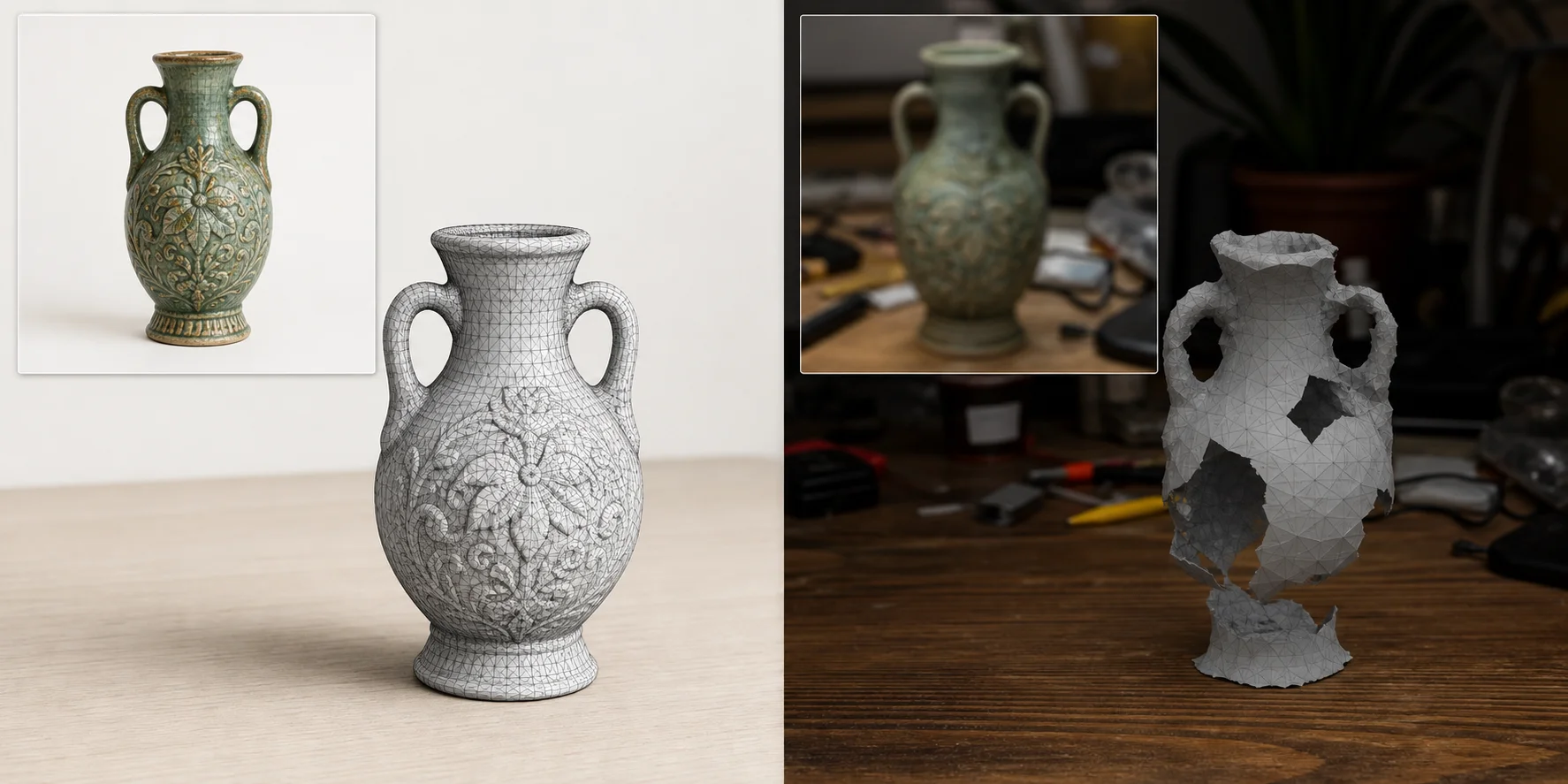
Input quality matters. A clean image gives the model stronger signals and reduces the amount of guessing.
Resolution: A higher-resolution image usually gives better texture detail. Avoid tiny, compressed, or blurry images.
Lighting: Use even, diffuse lighting. Harsh shadows can look like geometry, while backlighting can hide the object’s true silhouette.
Background: A plain, contrasting background helps segmentation. Avoid busy scenes where the object blends into the environment.
Subject framing: The object should fill most of the frame without being cropped. Wide-angle distortion can make shape estimation harder.
Object type: Rigid, opaque, non-reflective objects reconstruct best. Transparent, reflective, fuzzy, or very thin structures are harder.
For best results with Tripo AI, photograph the subject against a plain background in soft natural light, and make sure the object occupies most of the frame.
Common Use Cases for Image-to-3D
Image-to-3D is useful anywhere a fast 3D starting point matters. E-commerce teams can turn product photos into 3D viewers or AR previews. Game artists can prototype props from reference images. 3D printing hobbyists can create a printable starting mesh from a sketch or object photo. Film and VFX teams can create quick scene mockups. Cultural heritage teams can use image-based reconstruction for accessible digital archiving. Cultural heritage digitization: scan artifacts or sculptures from photos for archiving and virtual exhibitions.
Tripo AI’s AI 3D Model Generator is especially relevant when speed matters more than exact measurement, such as e-commerce previews, concept assets, game props, and early 3D printing drafts.
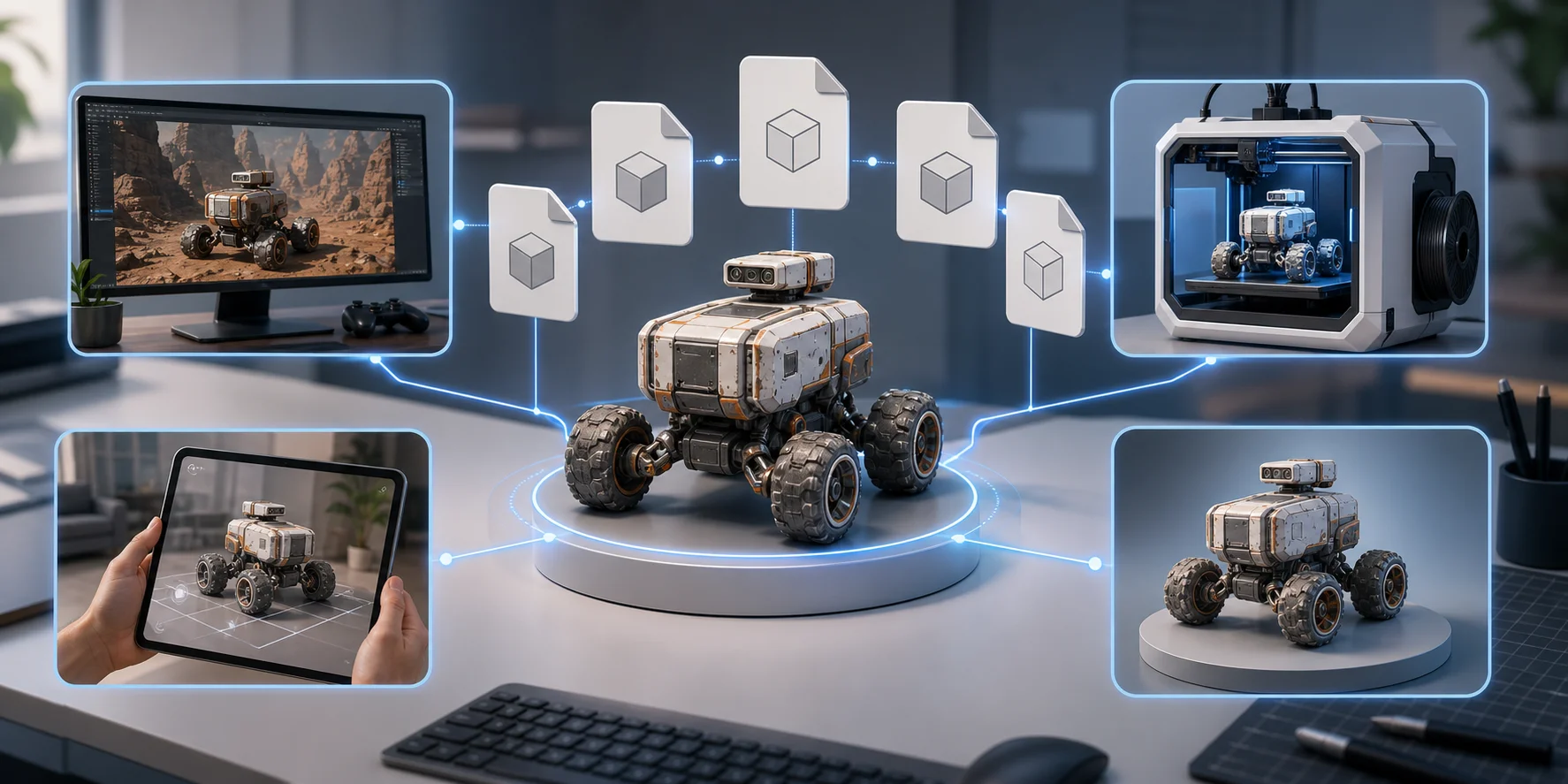
Export Formats and What You Can Do with the Model
| Format | Best use |
|---|---|
| GLB/GLTF | Web viewers, AR/VR, game engines, self-contained textured assets |
| OBJ + MTL | Broad compatibility with Blender, Maya, and other 3D tools |
| FBX | Animation and game pipelines |
| STL | 3D printing geometry, usually without textures |
| USDZ | Apple AR Quick Look on iOS |
After export, you can edit the model in Blender, use it in Unity or Unreal Engine, send STL files to a slicer, embed GLB in a web viewer, or prepare USDZ for AR. If you need format conversion, use Tripo AI’s 3D Tools Convert page.
Limitations and Current Challenges
AI image-to-3D tools are improving quickly, but they are not magic scanners. The biggest limitation is occluded geometry. The back, bottom, and interior of an object cannot be seen from one image, so the model predicts them. That prediction can be plausible without being exact.
Transparent and reflective materials are also difficult because reflections confuse depth estimation. Fine details such as hair, fur, wires, lattice structures, and lace are hard to reconstruct cleanly. Scale is another challenge: a single photo does not contain absolute size, so most tools output a normalized model that must be scaled manually.
For creative assets, those limits are often acceptable. For engineering, manufacturing, or legal documentation, use a precise scanning or photogrammetry workflow instead.
Frequently Asked Questions
How do I convert an image to 3D?
Upload a clear image to an AI-powered tool like Tripo AI Studio. The platform estimates depth, reconstructs geometry, and returns a downloadable 3D model.
How accurate are image-to-3D model conversions?
Accuracy depends on the input image and reconstruction method. Single-image AI is strong for common objects and creative assets, but multi-photo photogrammetry is better for precision work.
Can ChatGPT convert an image to a 3D model?
ChatGPT can help reason about images and write prompts, but it is not a dedicated 3D reconstruction engine. Use a specialized image-to-3D tool such as Tripo AI for model generation.
What algorithms are used in image-to-3D reconstruction?
Modern pipelines may use depth estimation networks, diffusion models, NeRF-style representations, Gaussian Splatting, mesh generation, and texture projection. The exact system varies by tool.
Is image-to-3D conversion free?
Some tools offer free credits or trial access. Check current plan details on Tripo AI Pricing before commercial use.
How does a 3D image work compared with a regular photo?
A photo has fixed perspective. A 3D model stores geometry and texture, so software can rotate, light, scale, edit, and render it from different angles.
What is the best software for image-to-3D modeling?
For fast single-image AI generation, Tripo AI is accessible and supports common export formats. For precise multi-photo photogrammetry, tools such as RealityCapture or Metashape are common choices.
Conclusion
Image-to-3D conversion bridges the gap between a flat photo and interactive 3D geometry. The AI pipeline estimates depth, reconstructs shape, builds a mesh, and applies texture so the result can be exported and used in real workflows.
If you want to try the process, start with Tripo AI Studio. For team usage or commercial planning, compare options on Tripo AI Pricing.