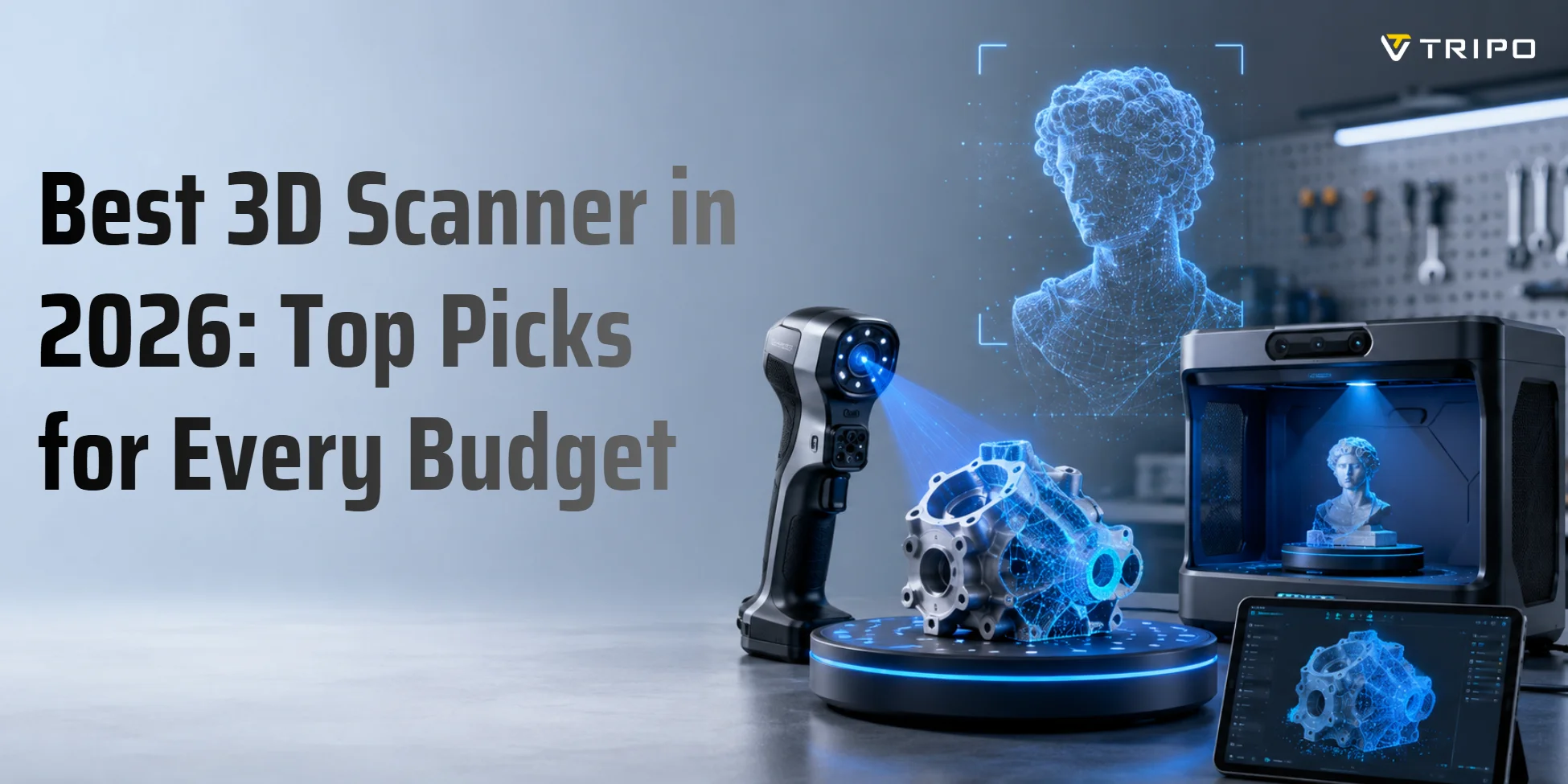
Best 3D Scanner in 2026: Top Picks for Every Budget
- Mid-range handheld structured-light scanners suit most serious hobbyists.
- Smartphone photogrammetry apps are the best free starting point.
- For 3D printing, prioritize accuracy, STL export, and mesh repair.
- Tripo AI Studio can create 3D models without scanner hardware.
The best 3D scanner depends on your use case. Structured-light handheld scanners are usually the strongest choice for hobby 3D printing, sculpture capture, and small-studio asset work, while LiDAR-equipped phones and photogrammetry apps work well for casual scanning. Budget matters too: consumer scanner setups can start around a few hundred dollars, while professional-grade systems can exceed $10,000.
The 3D scanner market continues to grow as more makers, designers, and studios digitize real-world objects for printing, reverse engineering, games, and visualization. MarketsandMarkets projects the 3D scanners market to grow from 1.5 billion by 2028. This guide breaks down the best options by use case, explains the core technology differences, and helps you avoid the most common buying mistakes before you spend money on hardware. (marketsandmarkets.com)
What Makes a 3D Scanner "the Best"? Key Specs Explained
The “best” 3D scanner is not always the most expensive one. It is the scanner that matches your object size, accuracy needs, software workflow, and budget. Before comparing products, understand the specs that actually affect your results.
| Spec | What It Means | Why It Matters |
|---|---|---|
| Accuracy | How close the scan is to real dimensions | Critical for printing, fit, and reverse engineering |
| Resolution | The smallest surface detail captured | Important for sculpture, faces, and texture |
| Scan volume | Object size the scanner handles well | A small-object scanner may fail on furniture |
| Speed | Frames or points captured per second | Faster scanning improves tracking |
| Output formats | STL, OBJ, FBX, GLB, USD, 3MF | Must match your downstream software |
| Tracking | Feature, marker, texture, or hybrid tracking | Affects ease of scanning smooth objects |
Accuracy and resolution are different. Accuracy tells you whether the scan matches the real-world object’s dimensions. Resolution tells you how much surface detail the scanner can capture. A scanner can capture fine-looking texture while still being dimensionally inaccurate, so do not judge only by a pretty preview.
Scan volume matters because scanners are designed for different scales. A small-object scanner may capture jewelry or figurines beautifully but struggle with a chair, person, or car panel. A long-range scanner may handle furniture or bodies but miss the fine detail on a ring or miniature.
Scanning speed affects usability. Faster scanners are easier to use on people, pets, fabric, and handheld sessions because they reduce motion problems. Slow scanners can still work, but they demand steadier movement and better tracking.
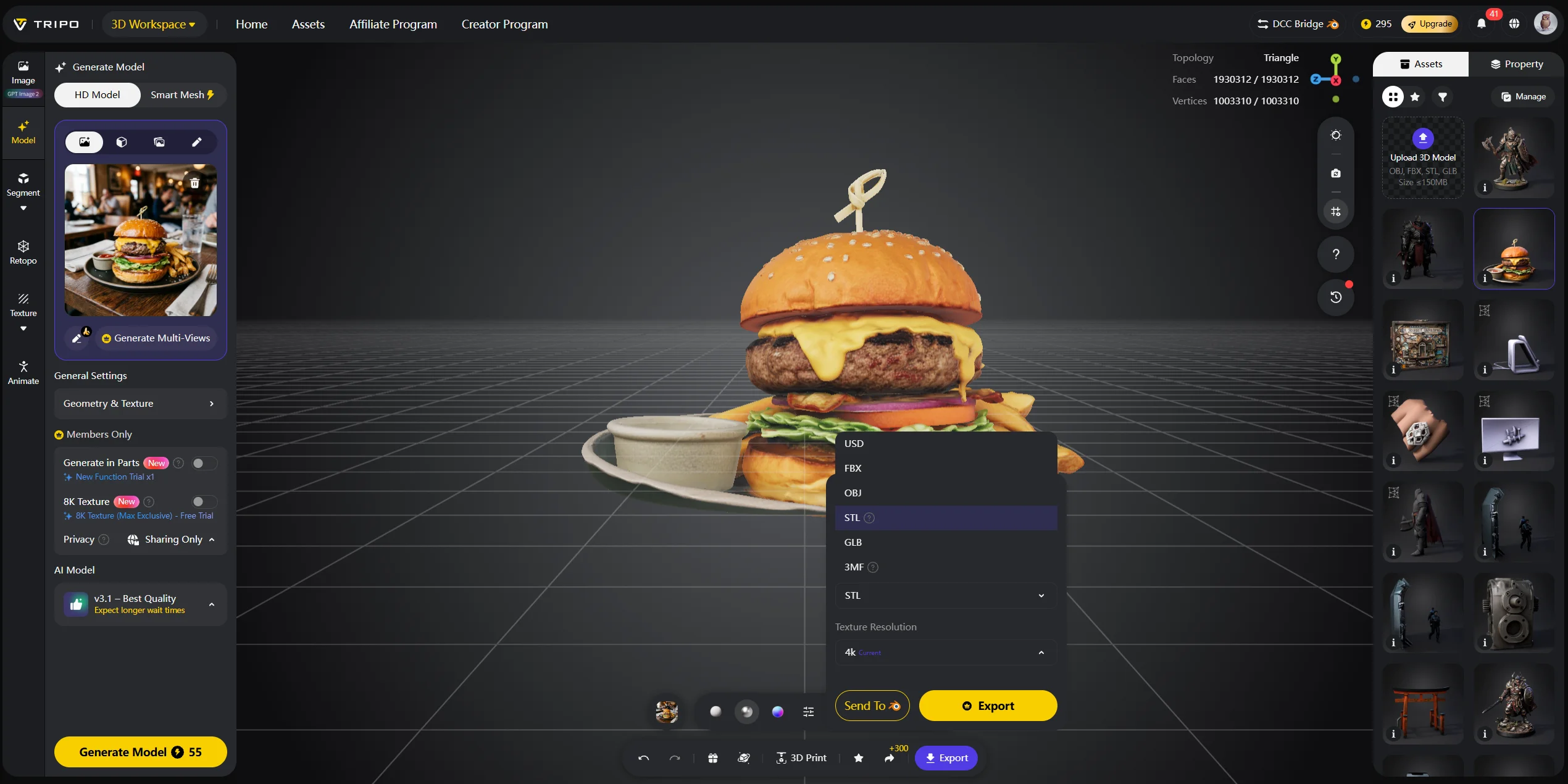
Output formats are easy to overlook. For 3D printing, you need STL, OBJ, or 3MF. For games, FBX, OBJ, GLB, or USD may matter. For CAD, you may need a reverse-engineering step rather than a raw mesh. Always check what your slicer, CAD tool, or game engine accepts before buying.
Ease of use may matter more than accuracy for beginners. Real-time preview, auto-alignment, marker tracking, automatic hole filling, and simple export tools reduce frustration. A technically powerful scanner with confusing software can still produce bad results in a beginner’s hands.
Types of 3D Scanners: Which Technology Fits Your Needs?
Different 3D scanning technologies solve different problems. Choosing the wrong type is the fastest way to waste money.
| Technology | Best For | Typical Price Range |
|---|---|---|
| Structured light | Small to medium objects, printing, art | 3,000+ |
| LiDAR | Rooms, large objects, outdoor spaces | Phone-based to $10,000+ |
| Photogrammetry | Free or low-cost scanning from photos | Free to software subscriptions |
| Industrial / CMM | Manufacturing QA and inspection | $10,000+ |
| Output formats | STL, OBJ, FBX, GLB, USD, 3MF | Must match your downstream software |
| Tracking | Feature, marker, texture, or hybrid tracking | Affects ease of scanning smooth objects |
Structured light scanners project a light pattern onto an object and calculate geometry from how the pattern deforms. They usually offer strong detail for small to medium objects, which makes them popular for 3D printing, sculpture, product capture, and design work. They can be sensitive to sunlight, glossy surfaces, and transparent materials, but they are often the best fit for hobbyists and small studios.
LiDAR scanners use laser pulses or depth sensing to measure distance. Phone-based LiDAR is useful for rooms, furniture, and casual scanning, while professional LiDAR systems handle buildings, terrain, construction sites, and survey workflows. LiDAR is usually weaker for tiny details on small objects, but it works well at larger scales.
Photogrammetry uses overlapping photos to reconstruct 3D geometry. You can start with a smartphone and free or low-cost apps. It is not always as accurate as dedicated hardware, but it is a risk-free way to learn scanning concepts before buying a device.
Industrial and CMM-style systems target manufacturing inspection, aerospace, medical devices, and precision QA. These systems can be extremely accurate, but they are outside the needs and budget of most hobbyists.
Form factor matters too. Handheld scanners are flexible and good for bodies, sculptures, and larger objects. Desktop scanners work well for small objects, especially with a turntable. Fixed systems are better when you need repeatable scans in a controlled environment.
Best 3D Scanners by Use Case
The right scanner depends on what you actually scan. A miniature painter, product designer, sculptor, and drone mapper should not buy the same tool.
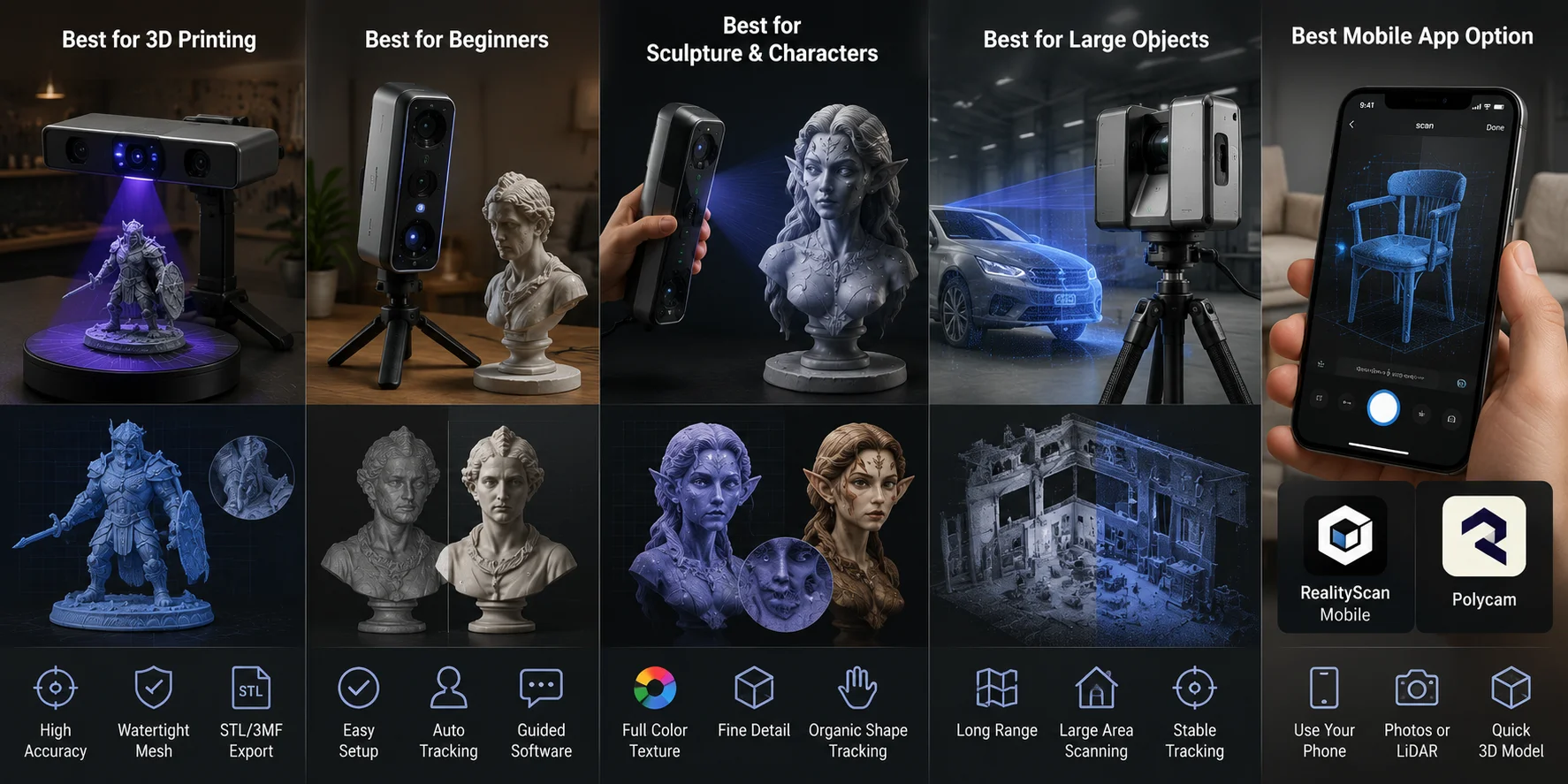
Best for 3D printing
For 3D printing, prioritize accuracy, watertight mesh output, STL or 3MF export, and reliable post-processing. A scan that looks good on screen can still fail in a slicer if it has holes, non-manifold edges, or overlapping faces.
Structured-light scanners are usually better than phone LiDAR for small printable objects because they capture finer detail. For hobby printing, a scanner in the 1,500 range can be enough if your objects are not too reflective or tiny. For engineering fit, you may need higher-end hardware and calibration.
Best for beginners
Beginners should prioritize setup simplicity, tutorial support, auto-tracking, and clear software feedback. Accuracy matters, but frustration matters too. If you cannot align the scan, repair the mesh, and export the file, the theoretical accuracy spec will not help.
Start with a smartphone photogrammetry app if you only want to experiment. Move to entry-level structured light when you know you need repeatable scans for printing or design.
Best for sculpture and character work
Artists scanning sculptures, figures, costumes, or bodies should look for color capture, fine detail, organic-shape tracking, and texture mapping. A handheld structured-light scanner is often the best fit because it can move around the subject naturally.
For large outdoor sculptures, photogrammetry can also work well, especially when the surface has rich texture and you can take many overlapping photos.
Best for large objects
For rooms, furniture, vehicles, architecture, or construction spaces, LiDAR and long-range structured-light systems make more sense. Stitching, portability, scan range, and tracking stability matter more than tiny surface detail.
Phone LiDAR can be useful for quick room scans, but do not expect it to capture small features with engineering accuracy.
Best mobile app option
Mobile scanning apps are good for testing the workflow before buying hardware. RealityScan Mobile describes itself as a tool that turns photos into 3D models from a phone, while Polycam is widely used for phone-based LiDAR and photogrammetry workflows. Apps are fast and accessible, but their accuracy ceiling is lower than dedicated scanners.
Best 3D Scanners for Beginners: Where to Start
Beginners usually struggle with three things: tracking, lighting, and messy meshes. Tracking fails when the scanner cannot understand where it is relative to the object. This happens on shiny, transparent, dark, smooth, or textureless surfaces. Lighting problems create noise. Messy meshes appear when the software leaves holes, floating pieces, or warped geometry.
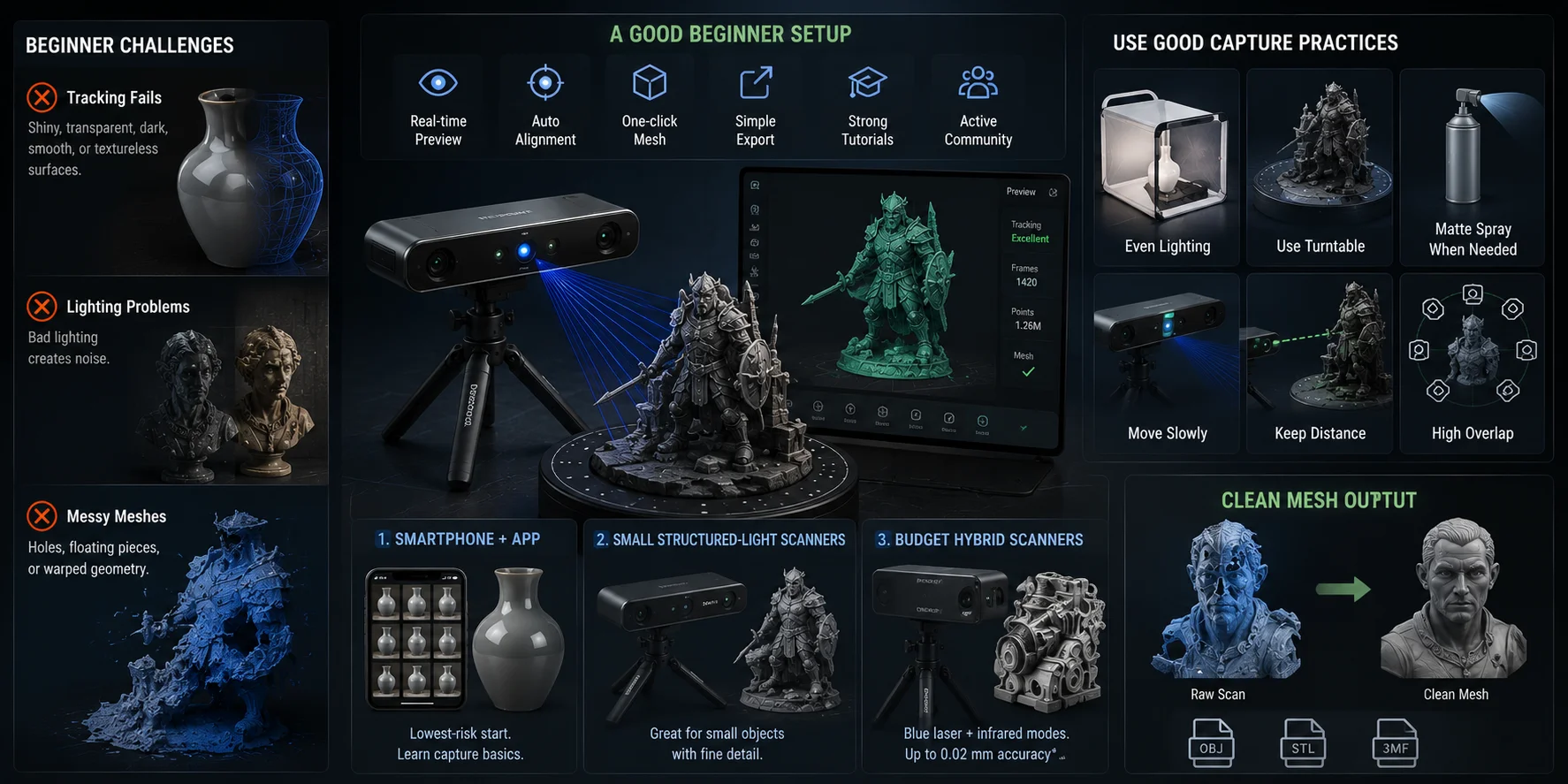
A good beginner setup should make the process visible and forgiving. Look for real-time preview, auto-alignment, one-click mesh generation, simple export, and strong tutorials. A scanner with an active user community is easier to learn because you can find resin profiles, scanning tips, calibration videos, and troubleshooting posts.
Representative beginner options include:
- Smartphone + photogrammetry app. This is a low-risk starting point. You can learn capture basics, lighting, overlap, and export formats before buying dedicated hardware.
- Small-object structured-light scanners. Models such as the Revopoint MINI series are designed for smaller objects where detail matters. They can suit figurines, parts, and small design objects, but may struggle with large scans.
- Budget hybrid scanners. Devices such as the Creality Raptor combine blue laser and infrared modes, giving users a wider range of object types. Creality’s documentation lists blue laser and infrared scanning modes, with a maximum stated accuracy of 0.02 mm under specified conditions.
Your first scans will not be perfect. Use even lighting, avoid glossy or transparent objects, and use scanning spray or matte powder when needed. Place small objects on a turntable if your scanner supports it, and avoid moving too quickly. If the model looks broken, the issue is often capture technique, not the scanner itself.
Best 3D Scanner for 3D Printing: Accuracy Is Everything
3D printing changes the scanner requirements because you are not only making a digital preview. You are manufacturing a physical object. A 0.5 mm dimensional error may not matter for a decorative bust, but it can ruin a replacement part, cosplay connector, enclosure, or snap-fit component.
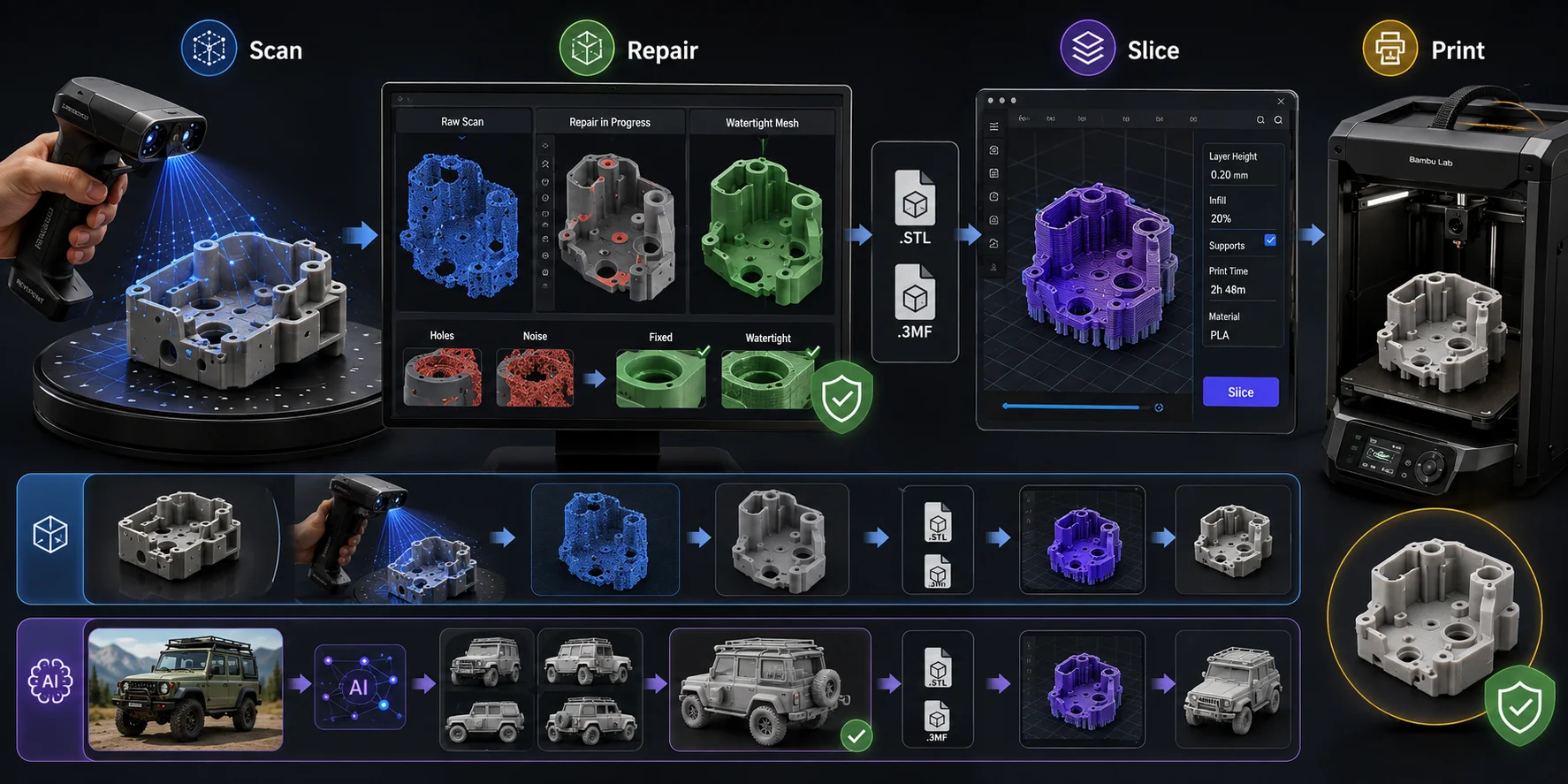
For scan-to-print workflows, focus on three things: dimensional accuracy, watertight mesh output, and STL or 3MF export. Most raw scans are not instantly printable. They may contain holes, duplicate surfaces, noise, floating fragments, or non-manifold edges. Your workflow needs a mesh repair step before slicing.
A typical scan-to-print workflow looks like this:
- Scan the object.
- Align and merge scan passes.
- Clean noise and fill holes.
- Repair the mesh until it is watertight.
- Export STL or 3MF.
- Import into your slicer.
- Slice and print.
For small hobby parts, structured light is usually better than phone LiDAR because it captures finer geometry. For engineering-fit parts, look for scanners with stated accuracy under 0.1 mm, and remember that calibration, surface prep, and post-processing all affect the final result.
For Bambu Lab users, the workflow is the same: export STL or 3MF, import into Bambu Studio, repair or orient if needed, then slice. The scanner brand matters less than whether the final mesh is clean.
There is also a key question: are you duplicating an existing object, or creating something new? If you are copying a real part, a scanner makes sense. If you are creating an original design, Tripo AI’s Image-to-3D workflow can be faster. You can generate a print-ready concept from a photo or reference image, then export for printing instead of scanning and repairing a physical prototype.
3D Scanner Price Tiers: What You Get at Each Budget
Price tiers help you avoid overbuying. A 100 app may not solve a dimensional-fit problem.
| Budget Tier | Example Use Cases | Accuracy Range | Recommended For |
|---|---|---|---|
| Under $200 | Smartphone apps, photogrammetry | Low to moderate | Casual scanning, learning |
| 600 | Entry desktop or handheld scanners | Moderate | Beginners, hobby printing |
| 2,000 | Mid-range structured-light handhelds | Good to strong | Serious hobbyists, small studios |
| 10,000 | Prosumer and professional systems | High | Design firms, labs, QA |
| $10,000+ | Industrial metrology systems | Very high | Manufacturing inspection |
Under $200, you are mostly using smartphone apps, photogrammetry, or phone LiDAR if your device has it. This is great for learning and casual models, but not ideal for accurate replacement parts.
600 gets you entry-level consumer hardware. These devices can be useful for hobby 3D printing, small sculptures, props, and basic design tasks, but expect a learning curve.
2,000 is the sweet spot for many serious hobbyists and small studios. You get better tracking, real-time preview, stronger software, and more reliable results.
10,000 is where professional workflows begin. Product design firms, dental labs, industrial designers, and QA teams may need this tier because support, calibration, and repeatability matter.
$10,000+ systems are usually overkill for hobbyists. They make sense when measurement traceability, support contracts, and inspection workflows justify the cost.
3D Scanner Software: The Half of the Workflow You Can't Ignore
Software can make or break your scanner. A great sensor with weak software can produce unusable results, while a mid-range scanner with clean alignment tools may be easier to use every day.
Check what software comes with the scanner. Many brands include proprietary software for capture, alignment, meshing, and export. Revopoint’s RANGE 2 support page, for example, notes that Revo Scan supports point cloud capture, post-processing, and multi-model alignment.
Look for these software features:
- Real-time alignment feedback
- Marker and feature tracking modes
- Automatic hole filling
- Mesh simplification
- Texture mapping
- STL, OBJ, FBX, GLB, or PLY export
- Manual cleanup tools
- Reliable calibration workflow
Free and low-cost tools are also useful. Meshroom is an open-source photogrammetry tool. RealityScan and Polycam are mobile-friendly entry points. Blender can inspect and clean meshes, though it is not beginner-simple. Meshmixer is older but still commonly mentioned for mesh repair, while many slicers include basic repair tools.
Plan for cleanup time. Even good scans often need 15–45 minutes of post-processing. Difficult scans can take longer. You may need to delete floating noise, fill holes, reduce polygon count, smooth surfaces, retopologize, or scale the model.
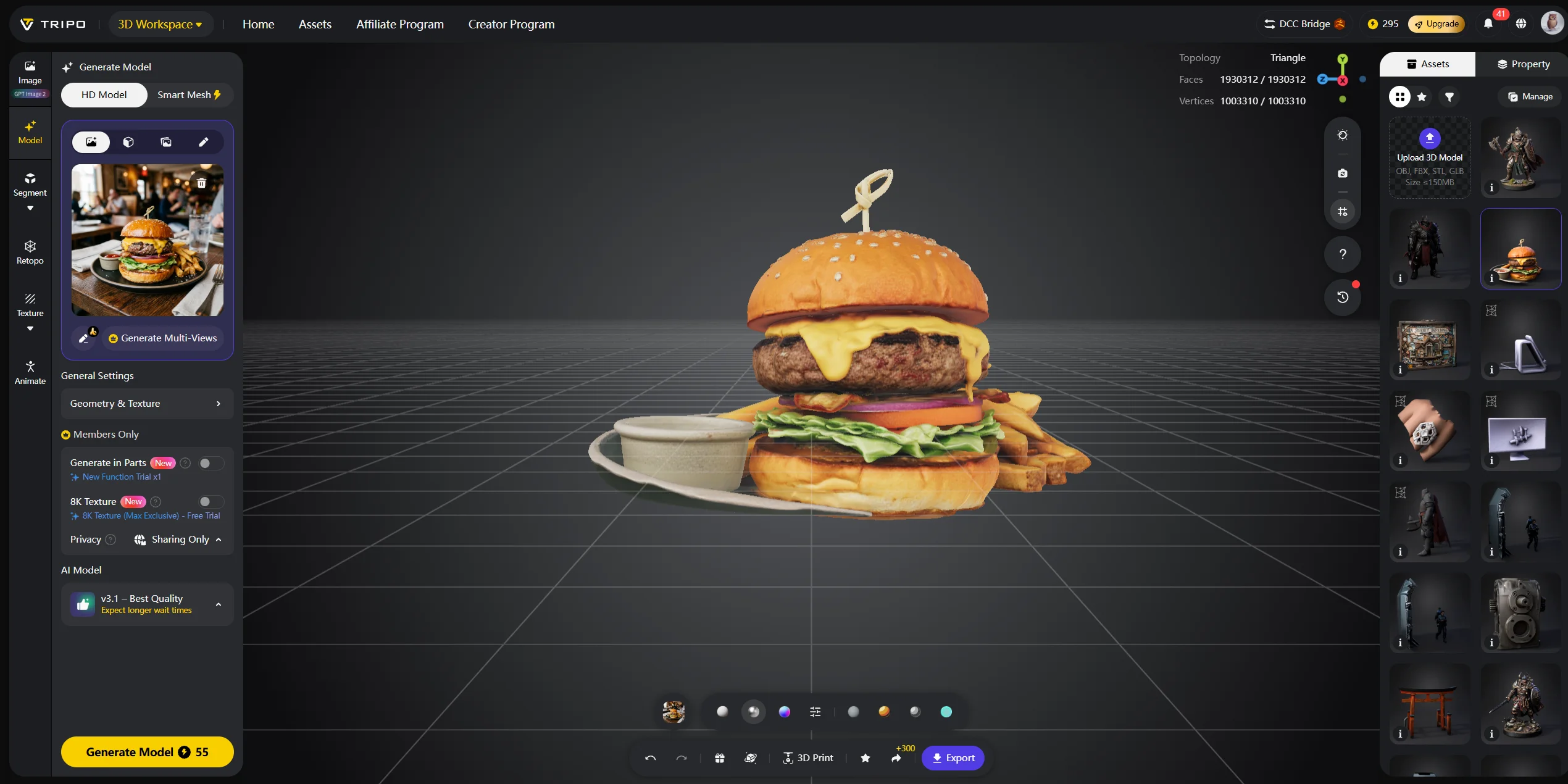
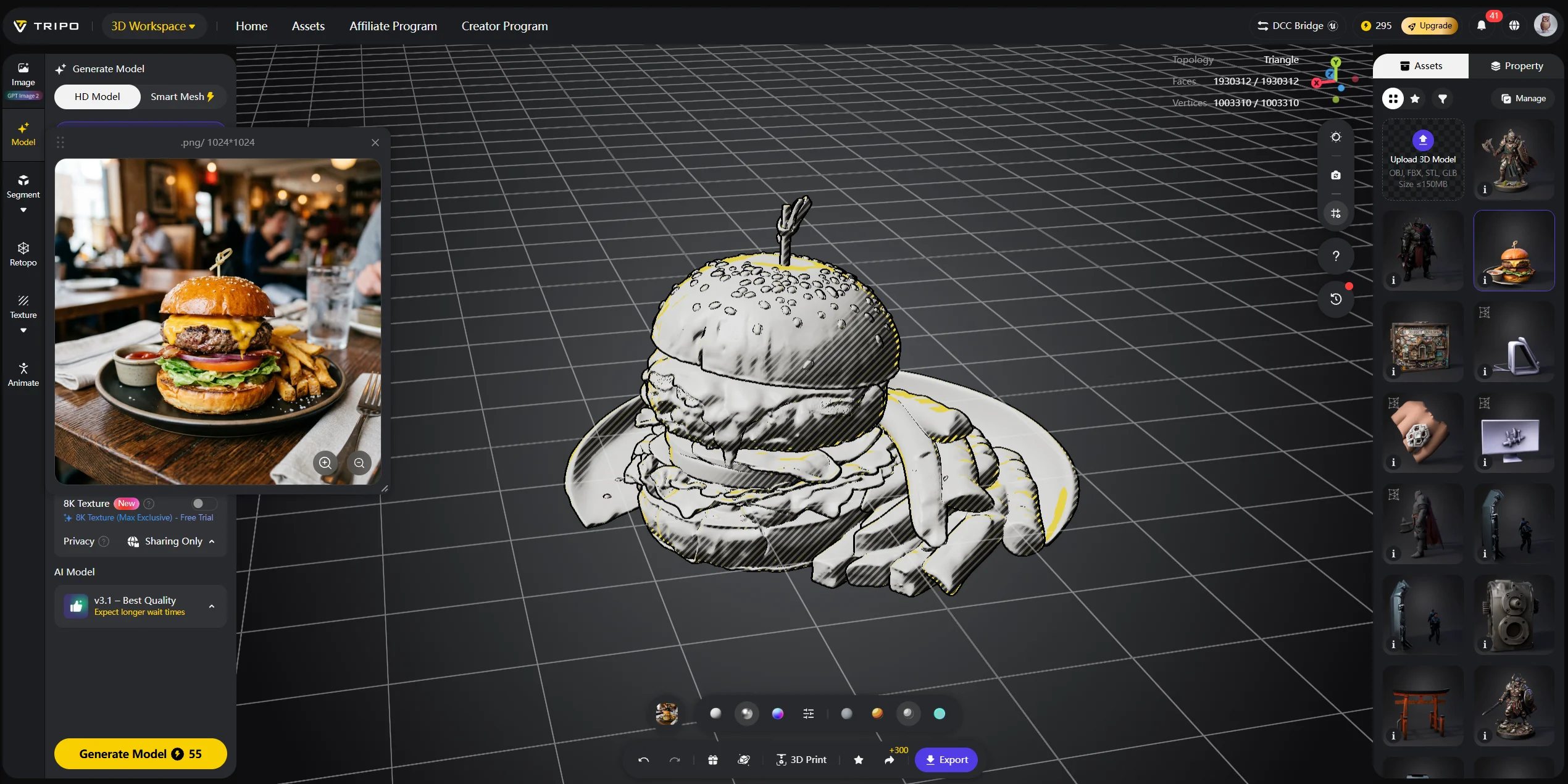
This is where AI generation becomes a useful alternative. If your goal is not to capture a physical object but to create a new model, Tripo AI Studio skips the scanning and cleanup pipeline. You can generate a 3D asset from text or an image, then export it in formats such as STL, OBJ, 3MF, or FBX. Tripo AI’s official 3D printing page lists one-click export to STL, OBJ, and 3MF, and its export docs also include STL and 3MF conversion support.
Frequently Asked Questions
What is the best 3D scanner overall in 2026? There is no single best scanner for everyone. For most serious hobbyists, a mid-range structured-light handheld is the safest choice. For professionals, accuracy, calibration, and support matter more than price.
What is the best 3D scanner for beginners? Start with a smartphone photogrammetry app if you want to learn for free. If you need hardware, choose an entry-level scanner with strong tutorials, auto-alignment, and simple export.
What is the best 3D scanner for 3D printing? Choose a scanner that produces accurate, clean meshes and exports STL or 3MF. Structured light is usually better than phone LiDAR for small printable objects.
Is there a good free 3D scanner option? Yes. Smartphone photogrammetry apps can create usable 3D models from photos. They are less accurate than dedicated hardware but ideal for learning.
What is the best 3D scanner app? Polycam, RealityScan, and Scaniverse are popular starting points. Phones with LiDAR can scan spaces quickly, while photo-based scanning works on more devices.
How accurate does a 3D scanner need to be for 3D printing? For decorative hobby prints, 0.1–0.5 mm may be enough. For fit-and-function engineering parts, aim for under 0.1 mm and expect careful calibration.
What is the best 3D scanner for scanning sculptures? A handheld structured-light scanner works well for stationary sculptures and character work. For large outdoor sculptures, photogrammetry can also be effective.
What is the difference between LiDAR and structured light scanning? LiDAR measures distance using laser pulses or depth sensing. Structured light projects a pattern and reads surface distortion. LiDAR suits larger spaces; structured light often captures finer small-object detail.
Can I use a 3D scanner with a Bambu Lab printer? Yes. Export STL or 3MF, import the model into Bambu Studio, repair if needed, then slice and print. Mesh cleanup is the step many users overlook.
Do I need a 3D scanner to create 3D models? No. Scanners capture existing physical objects. For original designs, Tripo AI Studio can generate a model from a text prompt or image, often faster than scanning and cleaning a physical reference.
Conclusion
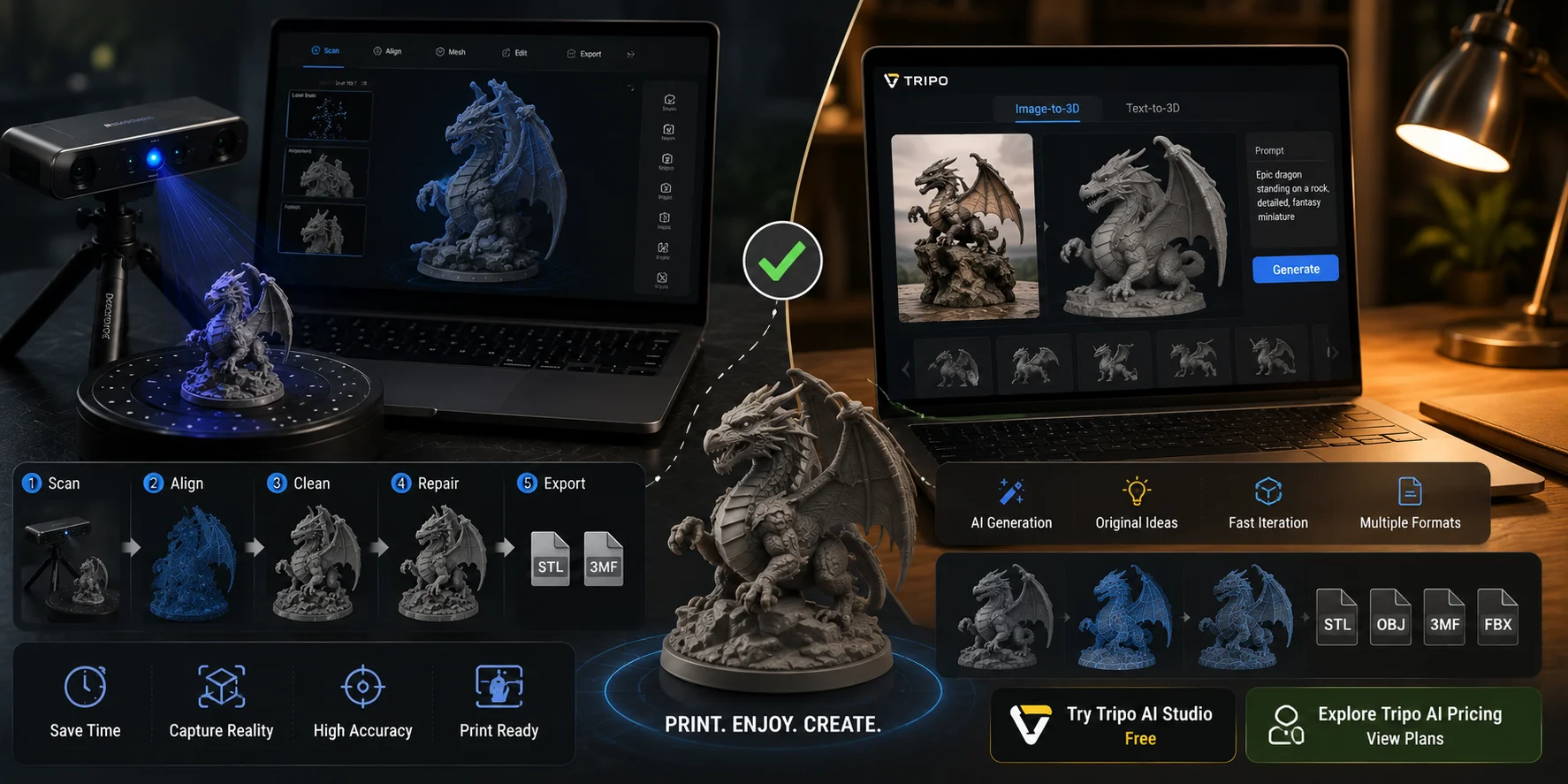
The right 3D scanner saves hours of modeling time and opens up workflows that were difficult to access before. Whether you start with a free smartphone app or invest in a professional handheld scanner, match your choice to your real use case. Accuracy requirements, object size, tracking reliability, mesh cleanup, and downstream software matter more than brand name alone.
If you want to capture an existing object, a scanner is the right tool. If you want to create an original model for 3D printing or digital asset work, AI generation may be faster than hardware capture. Try Tripo AI Studio free to generate a print-ready 3D model from a photo or text prompt, or explore Tripo AI Pricing for full feature details and plans.