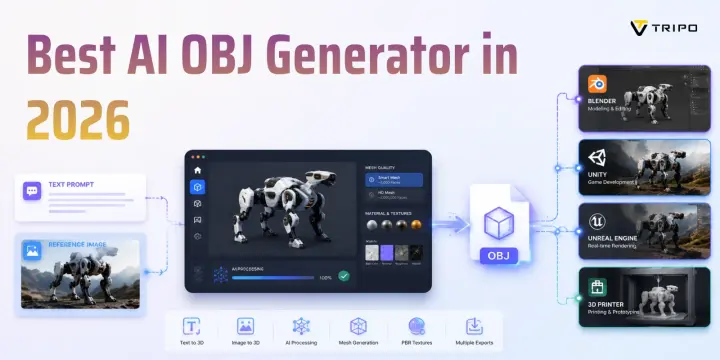
Best AI OBJ Generator in 2026: Top Tools for Text and Image to 3D
TL;DR:
- OBJ remains the go-to format for cross-software 3D workflows, especially Blender, Maya, and game pipelines.
- Tripo AI is the best overall AI OBJ generator with text/image-to-3D, PBR textures, and exports like OBJ, FBX, GLB, STL, and 3MF.
- Meshy AI is a strong free alternative for beginners and quick prototypes.
- 3DFY and Kaedim target professional teams needing enterprise or game production workflows.
- The best AI OBJ tools should offer clean meshes, UV textures, multiple formats, and flexible pricing.
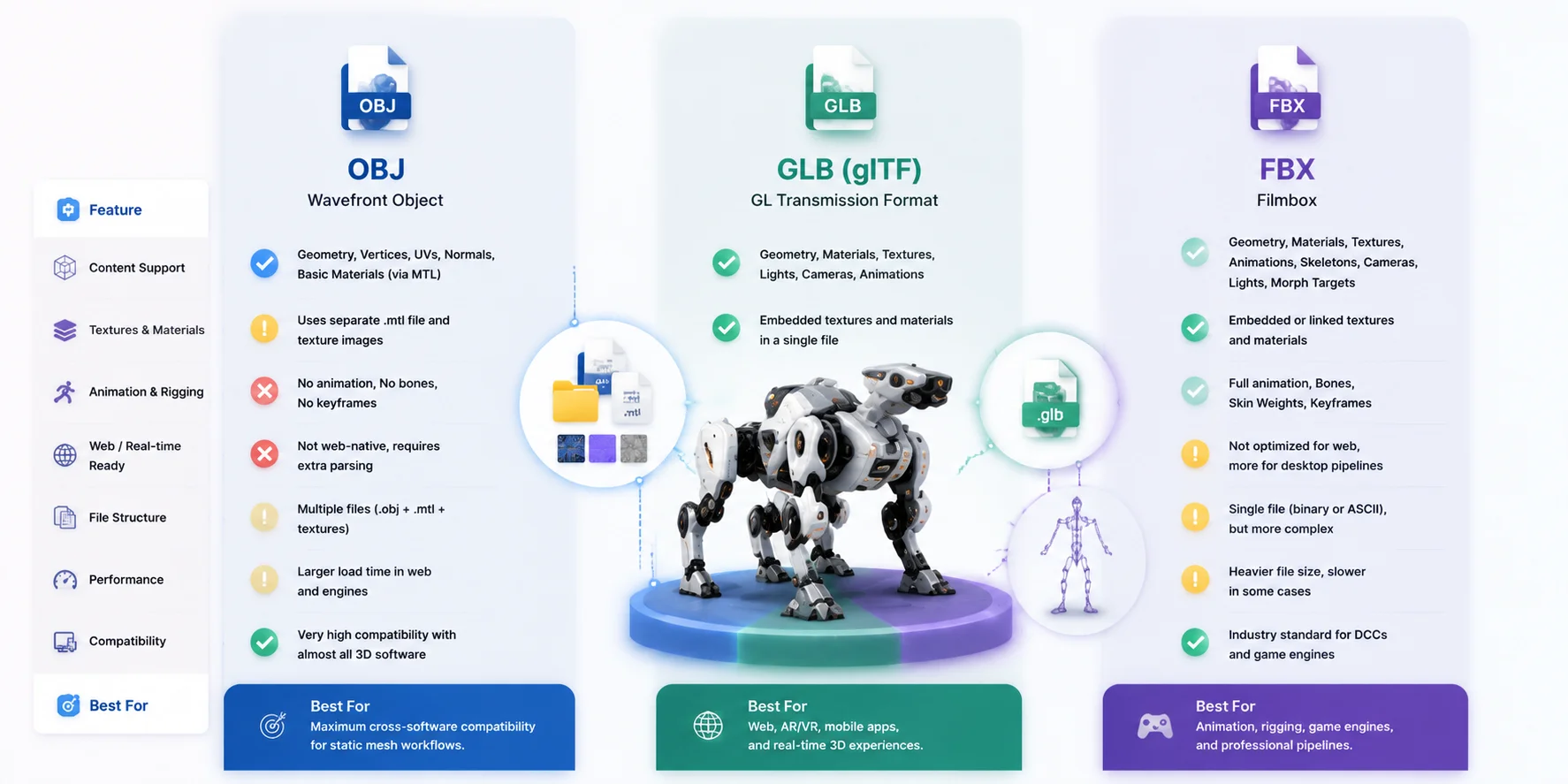
- Use OBJ for static models, GLB for web/AR, and FBX for animation and rigging.
- AI OBJ generators now let beginners create usable 3D assets from text or images without traditional modeling skills.
When a 3D model needs to move between Blender, Maya, Unity, Unreal Engine, Cinema 4D, or a production pipeline, OBJ remains one of the safest exchange formats available. Unlike GLB, which is optimized for real-time delivery, OBJ does not depend on a runtime engine and works across almost every major 3D application. The challenge is that not every AI 3D generator can produce a clean, usable OBJ file with proper topology, UVs, and textures.
This guide compares the leading AI OBJ generators in 2026, including tools for text to OBJ AI and image to OBJ AI workflows. We will evaluate mesh quality, texture support, export options, pricing, and real-world usability, then walk through a complete OBJ generation workflow using Tripo AI.
What to Look for in an AI OBJ Generator
Choosing the best AI OBJ generator is not only about whether a tool can export an OBJ file. A production-ready workflow depends on several technical factors, from mesh structure to texture handling.
Mesh Quality
A good AI OBJ file generator should produce geometry that can actually be used after export. Look for adjustable polygon density, clean topology, and manifold geometry that does not require hours of repair. Low-poly options are important for games and real-time applications, while high-detail modes are useful for visualization, VFX, and 3D printing.
Texture Export
OBJ files store geometry separately from materials, so texture workflow matters. The best tools export UV-mapped diffuse textures along with PBR maps such as normal, roughness, and metallic. Check whether textures are embedded, exported in a separate folder, or require manual reconstruction after download.
Format Support Beyond OBJ
OBJ compatibility is valuable, but modern workflows rarely use only one format. A flexible AI 3D model OBJ export workflow should also support formats such as GLB, FBX, STL, 3MF, or USD. More export choices make it easier to move between game engines, DCC software, and 3D printing tools.
Pricing and Free Tier
The best AI OBJ generator free options should provide enough credits to test the workflow without requiring an immediate subscription. Compare free generation limits, credit costs, monthly plans, and whether important features such as HD meshes or additional exports are locked behind paid tiers.
AI 3D Model Quality Checklist: From Mesh to Final Export
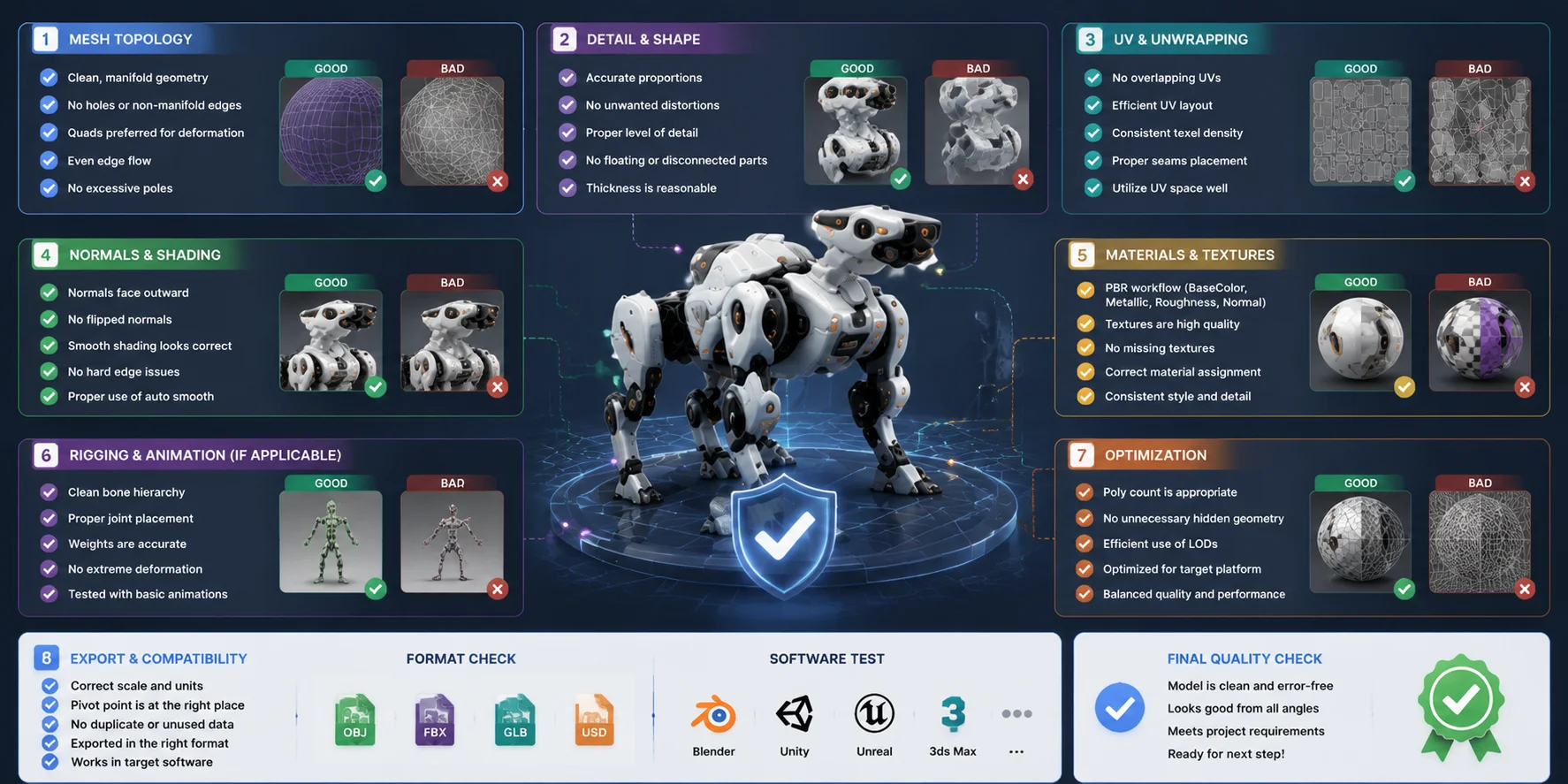
Top AI OBJ Generators: Comparison Table
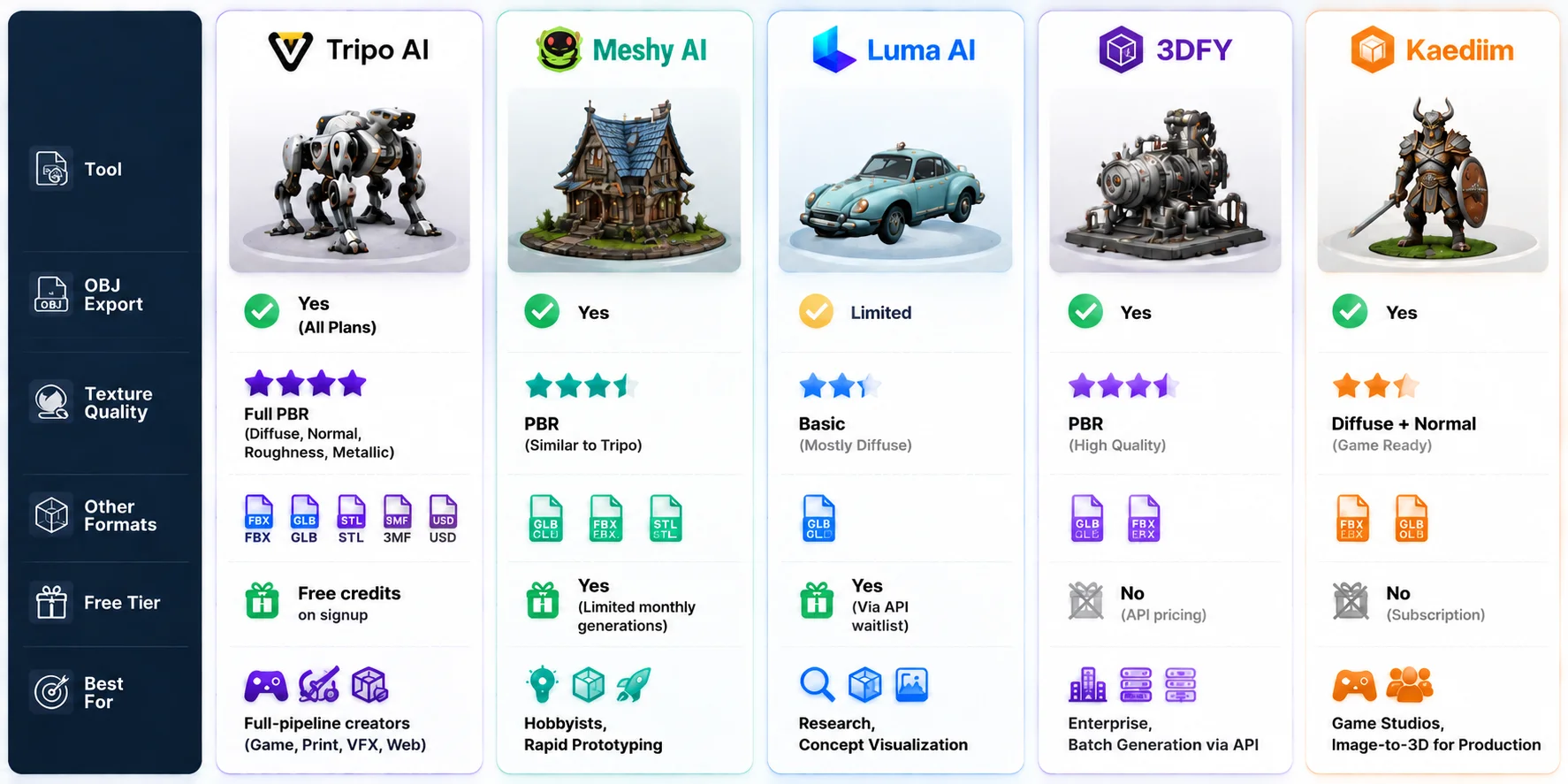
The table below compares five popular AI 3D tools based on OBJ export capability, texture quality, supported formats, free availability, and ideal use cases.
| Tool | OBJ Export | Texture Quality | Other Formats | Free Tier | Best For |
|---|---|---|---|---|---|
| Tripo AI | Yes | Full PBR maps | FBX, GLB, STL, 3MF, USD | Free credits | Full pipeline creators |
| Meshy AI | Yes | PBR textures | GLB, FBX, STL | Limited free credits | Hobbyists, prototypes |
| Luma AI (Genie) | Limited | Basic diffuse | GLB focused | Free access options | Concepts, research |
| 3DFY | Yes | PBR workflow | GLB, FBX | No public free tier | Enterprise API |
| Kaedim | Yes | Diffuse + normal | FBX, GLB | Subscription only | Game studios |
Among these tools, Tripo AI stands out for the widest format coverage and complete PBR texture export. Meshy AI is a strong alternative for users who want quick experimentation with a free plan. 3DFY and Kaedim are more specialized toward professional pipelines, studios, and large-scale asset production.
AI OBJ Generator Comparison: Top Tools for Text and Image to 3D Workflows
Tripo AI: Best Overall AI OBJ Generator for Text and Image Workflows
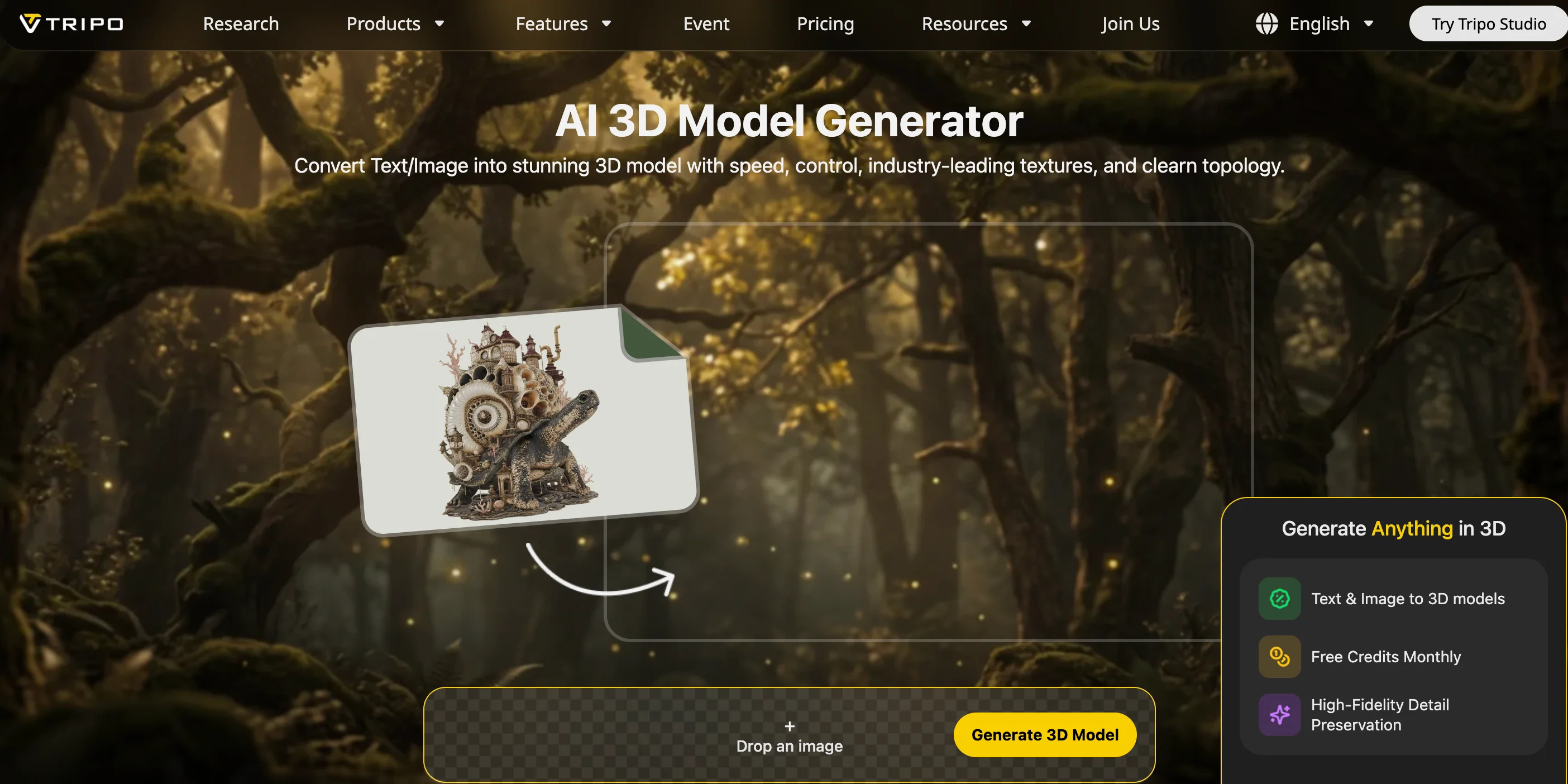
Tripo AI provides one of the most complete workflows for creators who need reliable OBJ output. It supports both text-to-3D and image-to-3D generation, allowing users to create models from a written description or a reference image before exporting them into common 3D formats.
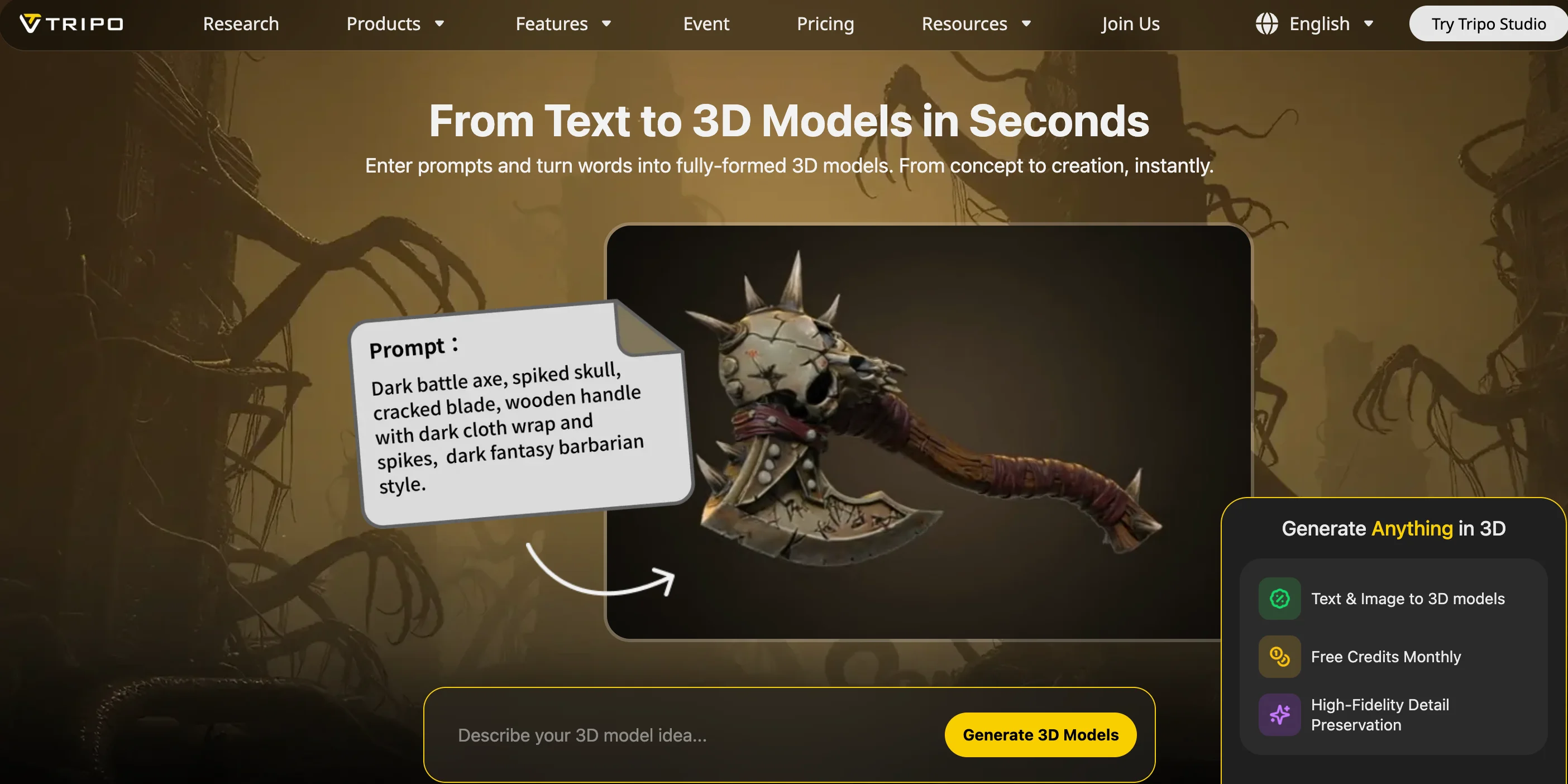
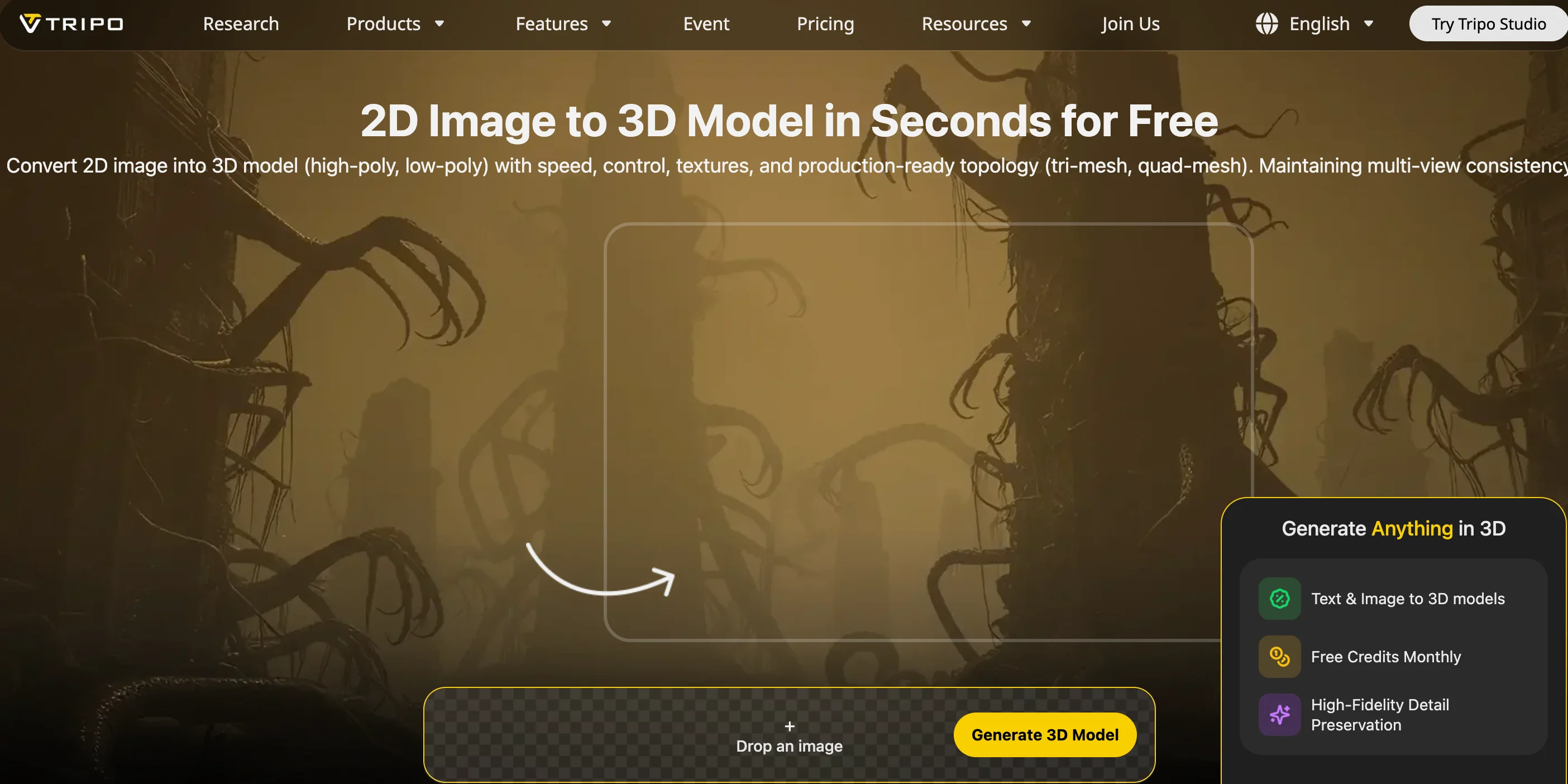
For users searching for an AI OBJ file generator online, Tripo AI offers a straightforward browser-based workflow through Tripo Studio. The process does not require traditional modeling skills: describe an object, upload an image, generate the model, and export the result.
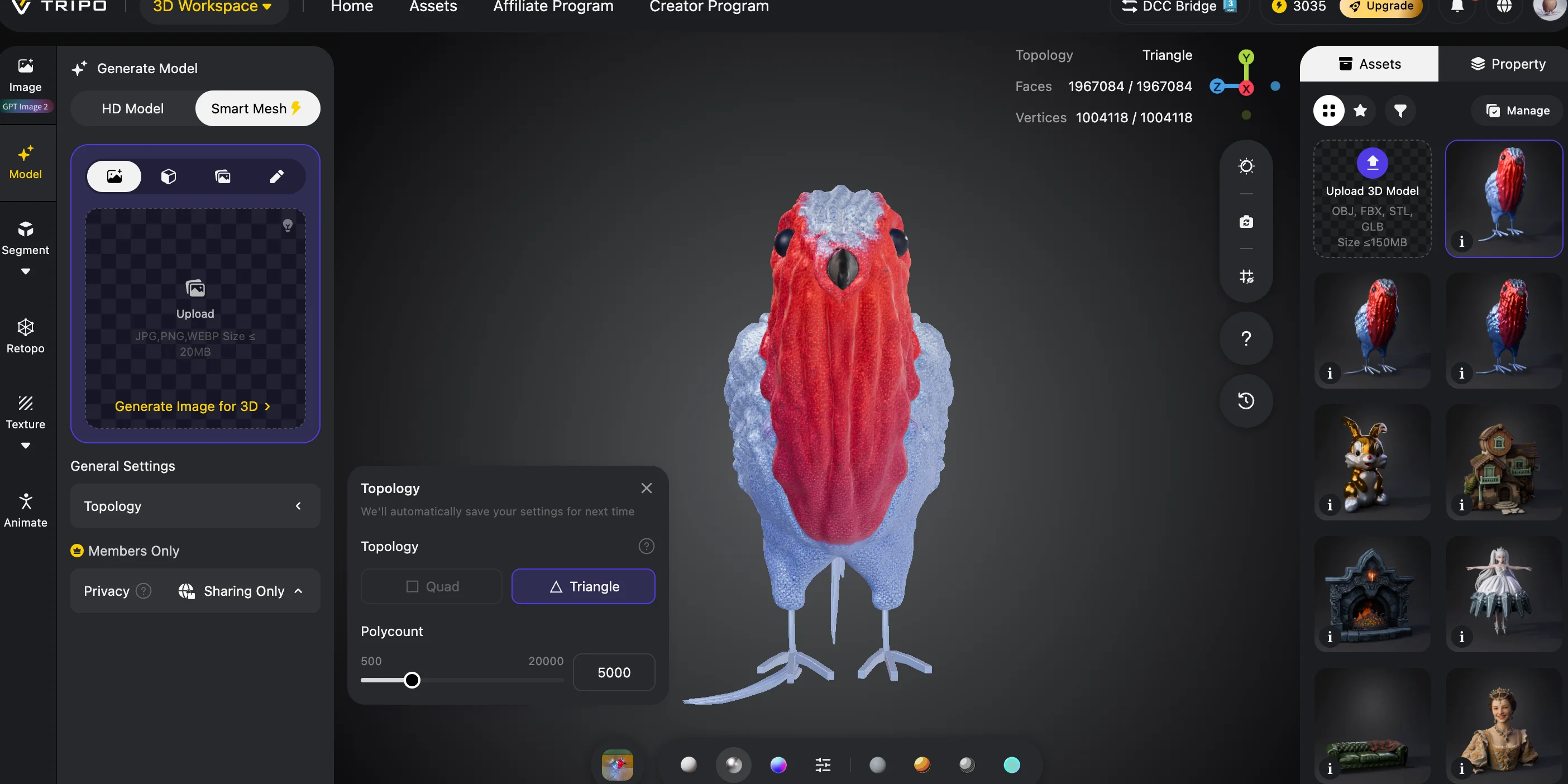
One of the main advantages of Tripo AI is its mesh quality control. The Smart Mesh option produces around 5,000 faces, making it suitable for game assets, AR projects, and lightweight 3D workflows without requiring heavy optimization afterward. For higher-detail visualization, the HD mode can generate models with up to approximately 2 million triangles.
Texture support is another important strength. OBJ exports include a complete PBR texture package with diffuse, normal, roughness, and metallic maps. This means users can import the model into Blender or another DCC application without rebuilding materials from scratch.
Tripo AI also supports one of the broadest export selections in this category, including FBX, GLB, OBJ, STL, 3MF, and USD. The same generated asset can be used for different purposes: export OBJ for Blender editing, FBX for animation pipelines, GLB for web experiences, or STL/3MF for 3D printing workflows.
For creators working across multiple platforms, this flexibility makes Tripo AI one of the strongest choices when comparing AI 3D model OBJ export solutions. The platform is especially useful for developers, artists, and designers who need a single workflow from concept generation to production-ready assets.
You can explore more AI-generated model workflows through Tripo AI's AI 3D Model Generator feature.
Meshy AI: A Strong Free Alternative for Rapid Prototyping
Meshy AI is one of the most recognized AI 3D generation platforms and supports both text-to-3D and image-to-3D workflows. Its OBJ export pipeline is similar to Tripo AI, offering textured models suitable for quick previews, prototypes, and creative experiments.
Meshy provides PBR texture generation and supports common formats including OBJ, GLB, FBX, and STL. Its free tier makes it attractive for beginners looking for a best AI OBJ generator free option, although generation limits and export flexibility are more restricted compared with full production tools.
The main difference between Meshy and Tripo AI is format coverage. Meshy focuses on commonly used formats but does not provide the same breadth of export options, such as USD and 3MF. For hobbyists and early-stage creators, this limitation is usually acceptable, but larger pipelines may prefer broader compatibility.
Meshy works particularly well for users who want to test ideas quickly, generate concept assets, and explore AI-assisted modeling without investing in traditional 3D software skills.
Luma AI (Genie): Better for Concept Visualization Than Production OBJ Workflows
Luma AI's Genie model focuses on fast AI-powered 3D concept generation from text and images. It is useful for exploring ideas, creating early prototypes, and visualizing concepts before moving into a traditional modeling workflow.
While Luma AI can provide OBJ output, OBJ is not its primary focus. The platform is designed mainly around GLB-based workflows, especially for real-time viewing and lightweight 3D experiences. Compared with dedicated production-oriented AI OBJ generators, its texture workflow is more limited, with stronger emphasis on basic appearance generation rather than complete PBR material packages.
For designers, researchers, and creators who need quick visual experiments, Luma AI is a convenient option. However, users who need clean topology, full texture maps, and reliable OBJ export for Blender, game development, or manufacturing workflows may find specialized tools more suitable.
3DFY: Enterprise AI OBJ Generation Through API Workflows
3DFY is designed primarily for businesses that need scalable 3D asset creation rather than individual experimentation. Its API-first approach allows companies to generate large volumes of 3D models programmatically, making it useful for e-commerce platforms, digital catalogs, and enterprise asset pipelines.
The platform supports OBJ export along with formats such as GLB and FBX. Its strength is consistency and automation: companies can integrate AI-generated models directly into existing systems instead of manually creating each asset.
However, 3DFY does not offer the same accessibility as consumer-focused tools. There is no broad free tier for casual users, and its pricing model is more suitable for organizations that need batch generation or API integration.
For individual creators looking for the best AI OBJ generator free option, 3DFY is usually not the first choice. For businesses producing thousands of assets, its automation capabilities become much more valuable.
Kaedim: Image-to-3D for Game Production Pipelines
Kaedim focuses heavily on converting concept images into usable 3D assets for game development. Unlike tools that support both text and image generation, Kaedim is primarily an image-to-3D AI solution.
Its workflow is designed around production teams that already have concept art and need game-ready models quickly. Kaedim supports OBJ and FBX export, with strong attention to topology quality and asset preparation for game engines.
The main limitation is accessibility. Kaedim does not provide a free tier and uses a subscription model aimed at professional users. It is also less suitable for users searching specifically for a text to OBJ AI workflow because text generation is not its core feature.
For game studios that regularly transform 2D concept art into production assets, Kaedim remains a specialized option. For general creators, Tripo AI and Meshy provide a wider range of generation methods.
How to Generate an OBJ File with Tripo AI (6 Steps)
AI Text and Image to OBJ Generation Workflow
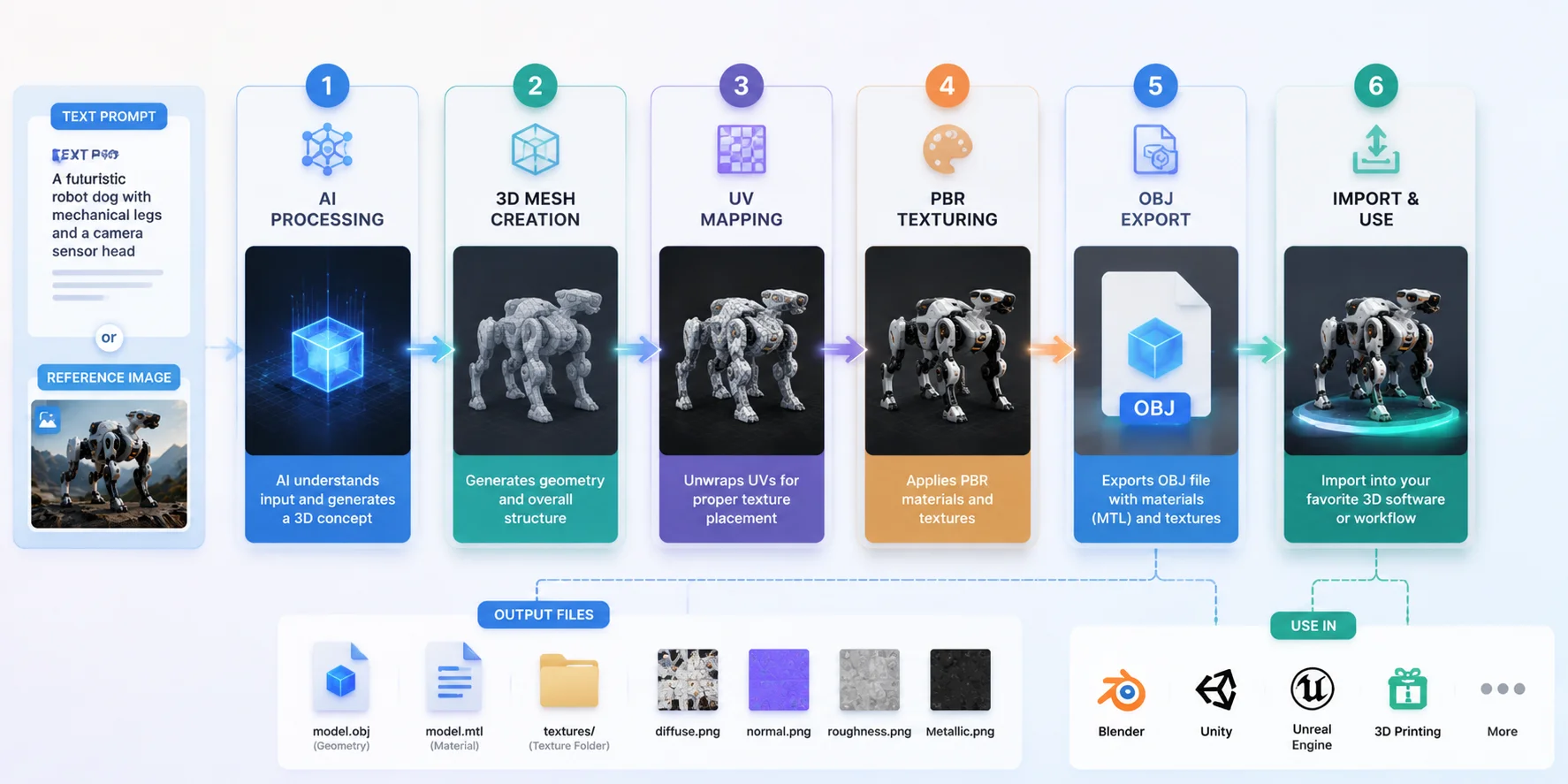
Creating an OBJ file with AI no longer requires traditional modeling skills. With Tripo AI, users can generate a model from text or an image, adjust quality settings, and export the final file in minutes.
Step 1: Open Tripo AI Studio
Visit Tripo AI Studio and create a free account. The free plan provides credits that allow users to test AI-generated models before choosing a paid subscription.
Step 2: Choose Text-to-3D or Image-to-3D
Select the generation method based on your input.
For a text to OBJ AI workflow, enter a detailed description such as “a futuristic sci-fi robot with mechanical armor.”
For an image to OBJ AI workflow, upload a reference image and let the AI reconstruct the object as a 3D model.
Step 3: Select Mesh Quality
Choose the output quality depending on your final purpose.
For games, mobile assets, and lightweight workflows, Smart Mesh is usually the best option. It produces approximately 5,000 faces, balancing detail and performance.
For high-detail visualization, product previews, or close-up renders, HD mode can generate models with up to around 2 million triangles.
Step 4: Generate and Preview the Model
After generation, preview the model directly in the browser. Smart Mesh generation is designed for fast results and typically completes in under 30 seconds.
Rotate the model, check the silhouette, and confirm that the geometry matches your intended use before exporting.
Step 5: Export OBJ Format
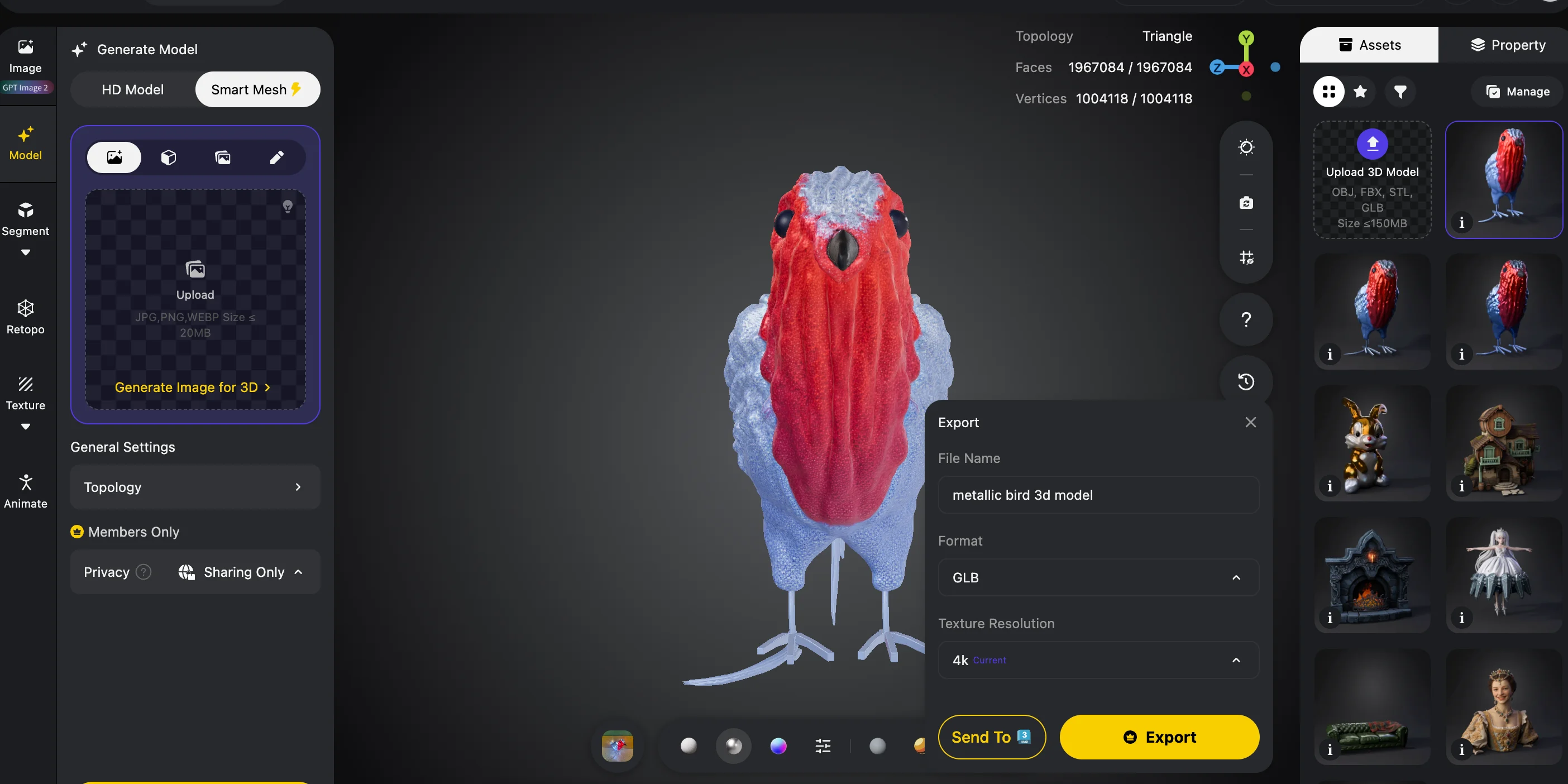
Click Download and select OBJ from the available export formats.
Tripo AI exports OBJ together with the necessary texture files, allowing the model to keep its original appearance after import.
Step 6: Import Into Your 3D Software
Open the OBJ file in Blender, Maya, Cinema 4D, Unity, Unreal Engine, or another compatible application.
Tripo AI exports the OBJ alongside a texture folder containing diffuse, normal, roughness, and metallic maps. Keep the OBJ file, MTL file, and texture folder in the same directory before importing to avoid missing materials.
Best Workflows for AI-Generated OBJ Files
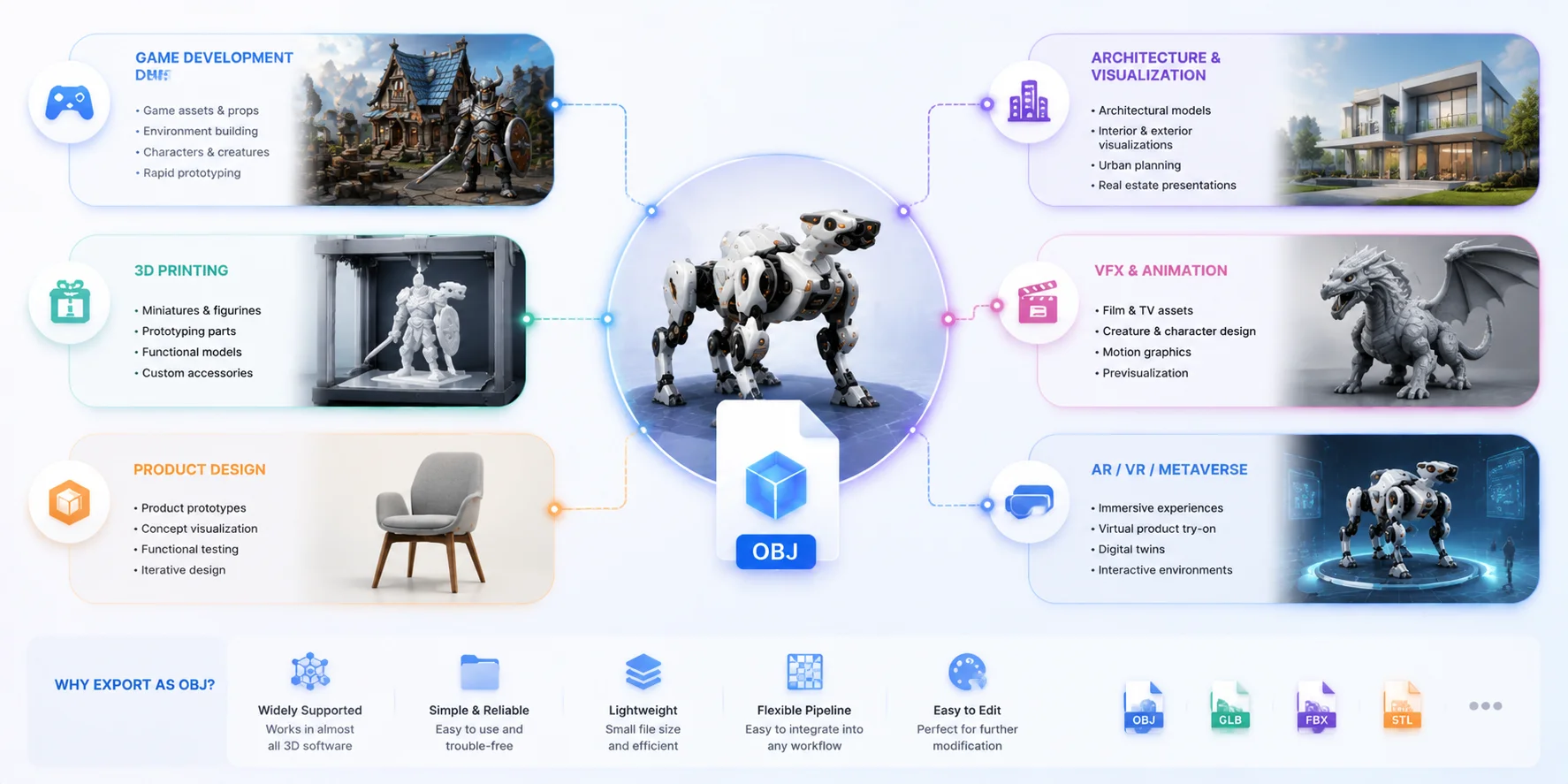
Game Development: OBJ to Unity or Unreal
OBJ remains useful in game development because it is supported by most 3D software. A common workflow is generating an AI model, importing the OBJ into Blender for cleanup, checking topology, and then exporting as FBX for animation pipelines.
For static props, OBJ can sometimes be imported directly into game engines. Unity supports OBJ import natively, while Unreal Engine users can also bring OBJ assets through the standard import workflow.
Tripo AI's Smart Mesh output at around 5,000 faces fits many mobile and lightweight game asset requirements without heavy optimization.
3D Printing: OBJ to Slicer Workflow
OBJ is supported by many popular slicers, including Cura, PrusaSlicer, and Bambu Studio. It can preserve additional information such as vertex colors, making it useful for multi-material printing workflows.
For simple single-material printing, STL is often preferred because it is the most universally accepted printing format. However, OBJ can be a better choice when color information or texture data matters.
A practical workflow is generating the model with AI, checking the mesh for holes or non-manifold geometry, then exporting STL or 3MF for final slicing.
VFX and DCC Applications: OBJ Across Multiple Software
For visual effects workflows, OBJ remains a reliable interchange format between different digital content creation tools.
Artists can move assets between Blender, Maya, Cinema 4D, and other applications without worrying about proprietary formats. Tripo AI's PBR textures provide a useful starting point for shader creation, reducing the need to rebuild materials completely.
OBJ is especially valuable when a team uses multiple software packages and needs a simple geometry exchange format.
Product Visualization: OBJ for Rendering
AI-generated OBJ files can also support product visualization workflows. Designers can import models into Blender Cycles, KeyShot, or V-Ray and refine lighting, materials, and presentation.
Because Tripo AI exports diffuse, roughness, metallic, and normal maps, users can connect the generated textures directly into PBR shaders instead of creating materials from zero.
For product designers, this makes AI OBJ generation useful for early prototypes, marketing visuals, and interactive demonstrations.
AI-Generated OBJ Use Cases Across Industries
OBJ Limitations: When to Use GLB or FBX Instead
OBJ remains one of the most widely supported 3D formats, but it is not designed for every modern 3D workflow. Understanding where OBJ works best — and where another format is a better choice — can help you avoid unnecessary conversion steps and pipeline issues.
OBJ Does Not Support Animation or Rigging
OBJ is a static mesh format. It stores geometry, UV coordinates, and basic material information, but it cannot contain skeletons, bones, skin weights, or keyframe animation data.
If you are creating a game character, animated asset, or cinematic model that requires rigging, FBX is usually the better choice. A common workflow is to export an AI-generated OBJ into Blender for cleanup and rigging, then export the finished asset as FBX for Unity, Unreal Engine, or animation software.
OBJ works best when your goal is moving static models between different 3D applications rather than building a complete animation pipeline.
OBJ Requires Separate Material and Texture Files
Another limitation of OBJ is its file structure. Unlike newer formats, OBJ does not package everything into a single file. The mesh usually comes with an accompanying .mtl material file and separate texture images.
This means the OBJ file, MTL file, and texture folder must stay together during transfer. If the MTL file is missing, the model may open correctly but appear without materials or render as a gray object.
For workflows where you need a self-contained asset, GLB is often more convenient. GLB combines geometry, materials, textures, and other asset data into one binary file, making it easier to share, upload, and display online. If you need to convert between OBJ, GLB, and other formats, tools like Tripo AI 3D File Converter can simplify the process.
OBJ Is Not Optimized for Web and Real-Time Viewing
Although OBJ is compatible with many desktop 3D applications, it is not the preferred format for browser-based 3D experiences. Platforms using Three.js, model-viewer, AR viewers, and online 3D showcases typically rely on GLB/glTF because it is optimized for fast loading and real-time rendering.
OBJ requires additional parsing and separate resource loading, which can make web delivery slower and more complicated. GLB is usually the better choice when your model needs to appear directly in a website, mobile app, or AR experience.
Use OBJ when you need maximum compatibility for static mesh workflows across different 3D software. Choose GLB when you need a compact, web-ready file, and choose FBX when your model requires animation, rigging, or game-engine workflows.
OBJ vs GLB vs FBX: Choosing the Right 3D File Format
Frequently Asked Questions
Is there a free AI OBJ generator?
Yes. Tools such as Tripo AI and Meshy AI provide free tiers with monthly credits that include OBJ export. Tripo AI allows users to generate models and download OBJ files without requiring an immediate subscription.
What is the best free AI OBJ generator online?
For most users, Tripo AI is one of the strongest free options because it supports both text and image input, exports OBJ with PBR textures, and provides free signup credits. Meshy AI is another popular choice with a similar free trial approach.
Can I use AI-generated OBJ files in Unity or Unreal?
Yes. Both Unity and Unreal Engine support OBJ import workflows. However, OBJ does not include animation data, so character models should usually be converted to FBX after rigging in Blender.
Can AI generate OBJ files for 3D printing?
Yes. AI tools can create OBJ files suitable for 3D printing. OBJ works with many slicers, although STL or 3MF is often preferred for single-material printing because they are more focused on manufacturing workflows.
How much does Tripo AI cost for OBJ exports?
Tripo AI provides free credits that allow basic OBJ generation. Paid plans increase generation limits and unlock higher-detail features such as HD model output. Users can compare available plans through Tripo AI Pricing.
What is the difference between OBJ and GLB?
OBJ is a static mesh format that stores geometry and UV information with separate material files. GLB combines geometry, textures, materials, and animations into one file, making it better for web and AR applications.
Which AI tool generates the best mesh quality for OBJ?
Tripo AI and Meshy AI are among the strongest options for production-oriented OBJ workflows. Tripo AI's Smart Mesh provides approximately 5,000 faces for optimized assets, while HD mode supports much higher detail.
Can I convert an AI-generated GLB to OBJ?
Yes. You can import a GLB file into Blender and export it as OBJ. Online conversion tools can also handle format changes when you need a quick workflow.
Is AI 3D generation good enough for game development?
For props, environments, and secondary assets, AI-generated models can already be useful. Characters often require additional retopology, UV adjustments, and rigging before final production use.
Do AI OBJ generators work for beginners?
Yes. AI OBJ generators remove much of the technical barrier of traditional modeling. Beginners can create a model from text or an image, export OBJ or STL, and continue directly into Blender or a slicer.
Conclusion
The best AI OBJ generator depends on your workflow, but Tripo AI provides the strongest overall combination of OBJ export quality, PBR textures, format support, and free accessibility. Meshy AI is a solid alternative for quick experiments, while 3DFY and Kaedim are better suited for enterprise and studio pipelines.
The right tool is the one that fits your final destination. Whether you need a game asset, printable model, or cross-software 3D file, generating a clean OBJ in under a minute is now possible for creators at every skill level.
Start creating your first OBJ model with Tripo AI Studio and export it for free, or compare available options through Tripo AI Pricing.