AI 3D for Ecommerce: How Smart Brands Are Scaling Product Visuals Without a Photo Studio

TL;DR
- AI 3D can help ecommerce teams create and test product visuals faster, but every asset still needs product-accuracy, performance, and device-compatibility checks.
- Start with a small set of high-value SKUs, define accepted geometry and material standards, then measure engagement, conversion, page performance, and return reasons against comparable non-3D pages.
- For delivery, validate the exact target format, viewer behavior, scale, and materials on representative devices before launch.
Traditional product photography requires shooting, retouching, styling, shipping, and coordination. AI 3D generation can speed up an initial asset pass, but ecommerce teams should validate the output against the real product before publishing. For ecommerce leaders, the central question is whether AI 3D for ecommerce can produce accurate, fast-loading assets without creating a new QA bottleneck. This strategic guide covers scaled asset creation, AR delivery, performance, quality control, and ROI measurement.
What Is AI 3D Generation for Ecommerce?

AI 3D generation uses diffusion models, neural reconstruction, NeRF-style methods, or multi-view systems to turn product photos or text prompts into textured 3D assets. Compared with manual modeling or photogrammetry rigs, it reduces setup and artist time, although production assets still need review. Outputs commonly include GLB, OBJ, FBX, and USDZ. An AI 3D model generator is therefore an asset-production layer—not a replacement for merchandising standards.
- Faster initial production: AI-assisted generation can create a first-pass asset more quickly than a fully manual workflow; confirm quality before publishing.
- More informed product evaluation: 3D and AR can help shoppers inspect scale, finish, and spatial fit. Measure any return-rate change by SKU and return reason rather than treating it as guaranteed.
- Testable engagement hypothesis: Compare interaction and conversion on matched 3D and non-3D product pages before claiming a lift.
- Catalog scalability: Standardized inputs, QA rules, and export checks can make it easier to process more products consistently; capacity and cost still depend on the workflow and cleanup required.
Core AI 3D Generation Techniques

Image-to-3D. Upload product photographs and generate a textured mesh. An image-to-3D model workflow is practical for existing catalogs, especially products with clear silhouettes and non-reflective surfaces.
Text-to-3D. Describe a product or merchandising concept and generate an asset. A text-to-3D model workflow suits early concepts, campaign mockups, virtual props, and testing directions before samples exist.
Multi-view reconstruction or NeRF-style capture. Multiple angles reveal hidden surfaces and proportions better than a single image. This suits luxury products, complex geometry, and hero SKUs where fidelity matters more than throughput.
What Ecommerce Brands Actually Need from 3D Assets
A model is not ecommerce-ready merely because it looks good in the generator. It must open on the target platform, preserve materials, load quickly, and match the real product.
| Delivery context | Format to test | Practical requirement |
|---|---|---|
| Web product viewer | GLB or glTF | Embedded materials and tested viewer behavior |
| Mobile AR experience | USDZ, GLB, or glTF | Correct scale, validated materials, and a tested fallback |
| Interactive 3D application | FBX or GLB | Clean hierarchy, pivots, scale, and animation data where needed |
| Editing and archive | OBJ, FBX, or source file | Documented textures, materials, and version history |
Use the export format required by the destination and test the final asset in the actual viewer before publication. GLB and glTF are common web delivery formats, while USDZ is used by some mobile AR viewers.
Set a polygon and texture budget for each product class and target device, then validate visual quality, memory use, and load behavior on representative product pages. Materials should preserve the product's color, gloss, metallic response, and fine detail. Products with moving parts also need clean topology and separated components for any required animation.
How to Choose an AI 3D Workflow for Ecommerce
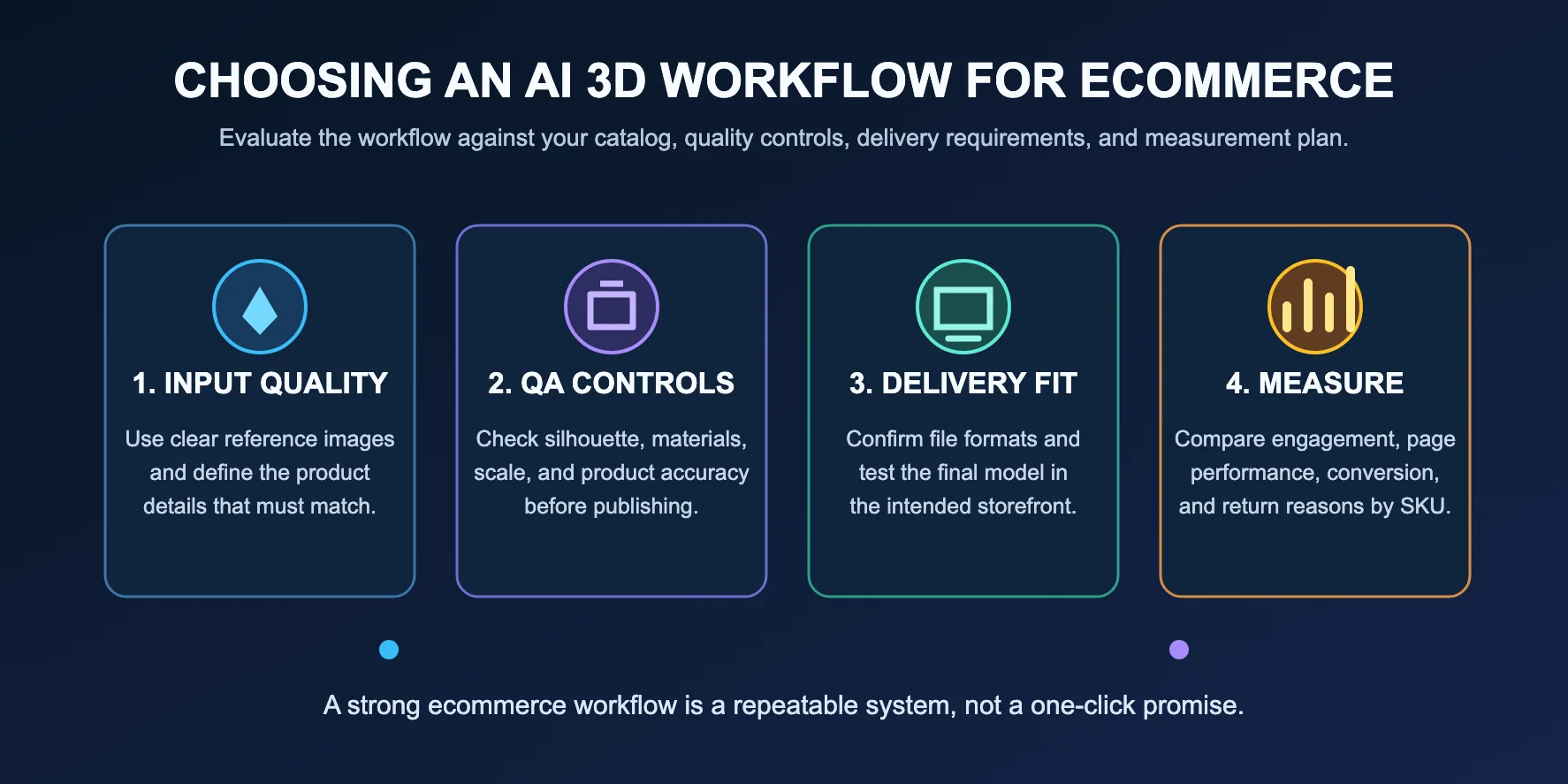
Choose a workflow by testing how well it fits your catalog, quality controls, delivery requirements, and measurement plan. The goal is not to find a universal winner, but to identify a repeatable process that produces assets your team can review, publish, and improve.
Implementing AI 3D in Your Ecommerce Workflow
- Audit the catalog. Start with high-revenue, high-return, or visually complex products. A 10–30 SKU pilot is easier to measure than a full rollout.
- Generate assets. Use Tripo AI Studio or another platform to convert clean product images. Introduce batch processing only after input standards work reliably.
- Validate and optimize. Check silhouette, dimensions, color, texture seams, normals, scale, pivots, polygon count, and mobile rendering.
- Export and integrate. Export the tested format for the target storefront or viewer, then validate the live experience on representative devices.
- Measure. Compare engagement, conversion, page speed, and returns with equivalent non-3D pages.
AR Formats and Platform Integration
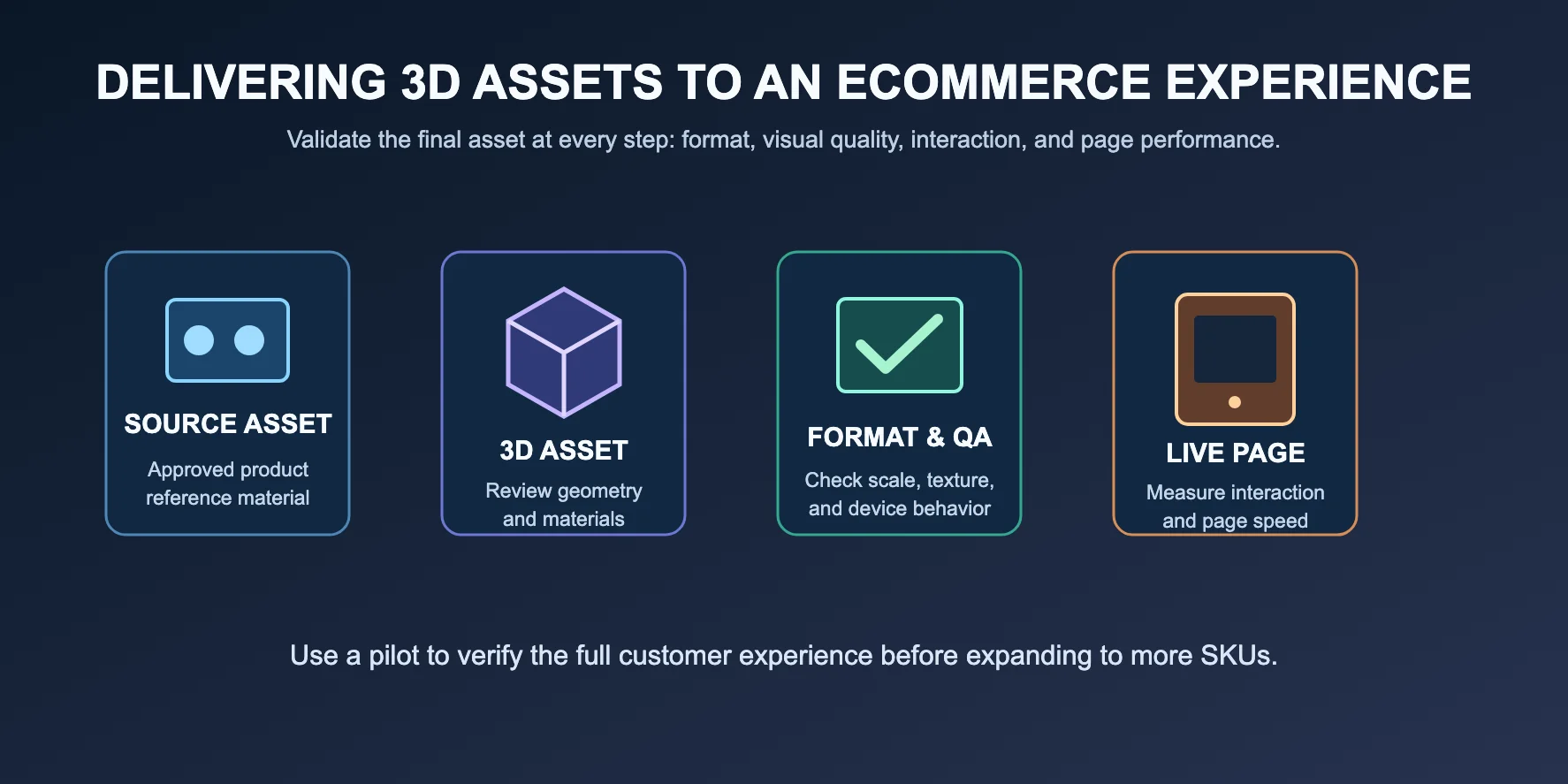
Web viewers commonly use GLB or glTF, while some mobile AR viewers use USDZ. Support varies by device, browser, and destination, so test the complete flow rather than assuming a format will work everywhere.
Before launch, confirm that the destination can render the selected format, preserves scale and materials, and provides a usable fallback when 3D or AR is unavailable.
Platform capabilities change frequently. Tripo's 3D conversion tools list GLB, glTF, and USDZ among their supported formats; verify the final asset and storefront behavior before launch.
Optimizing 3D Models for Ecommerce Performance
- Set a testable polygon budget: Begin with a budget appropriate to the product and target devices, then validate visual quality, memory use, and load behavior on representative pages.
- Compress textures: KTX2 with Basis Universal can reduce texture download size and GPU memory use; measure the actual reduction and visual quality on the target devices.
- Create LODs: Serve a lighter model in previews and reserve higher detail for contexts where it provides visible value.
- Compress geometry: Test Draco or another compatible geometry-compression path on the final GLB/glTF asset and compare the file size, decode cost, and rendering quality.
- Protect page speed: Use lazy loading and measure the product page's Core Web Vitals after adding 3D; do not let the viewer delay primary product content.
Measuring ROI: Analytics for 3D Ecommerce
- Viewer engagement rate: Shows whether shoppers use the experience.
- Time-on-page delta: Reveals whether 3D adds exploration or merely adds delay.
- Conversion lift: A/B test matched pages rather than unrelated SKUs.
- Return-rate change: Track the same SKU and separate return reasons.
- Cost per accepted asset: Include generation, review, rejected outputs, cleanup, optimization, and integration.
Brands that instrument these metrics before rollout can identify where 3D creates value and scale only the workflows that produce measurable results.
Frequently Asked Questions
Which AI is best for ecommerce?
There is no universal winner. Evaluate how well a workflow fits your input material, quality controls, delivery formats, and review effort. Tripo AI supports text-to-3D, image-to-3D, and multi-image workflows; test representative SKUs before committing to a production process.
Can I sell 3D models made with AI?
Possibly, but commercial use depends on the tool terms, your rights in the inputs, and applicable law. This is general information, not legal advice; review the current terms and obtain qualified legal advice for a specific use.
What is the 30% rule for AI?
There is no universal legal "30% rule." Copyright and other rights depend on the applicable law, the inputs, the level of human contribution, and the use case. This is general information, not legal advice.
Can I use AI to create an ecommerce website?
Yes. Store builders can assist with layout, copy, and merchandising, while AI 3D tools can create product assets. The storefront, viewer, and asset still need compatibility and performance testing.
What Is AR 3D Product Visualization for Online Shopping?
It lets shoppers rotate a product or place a true-to-scale digital version in their environment. It is most useful when size, proportions, configuration, or spatial fit affect confidence.
How Can I Use AI to Create 3D Models for an Ecommerce Store?
Upload clean product photos to Tripo AI Studio, generate and review the model, optimize it, and export a format compatible with the storefront or viewer. Test the live page and representative devices before rollout.
What Is AI 3D Scanning for Ecommerce Products?
It combines guided photo or video capture with reconstruction models to estimate geometry and textures. It works best with opaque, stationary products and even lighting; glass, chrome, soft fabric, and hidden interiors often need manual correction.
Conclusion
AI 3D for ecommerce is becoming a scalable infrastructure layer for modern product merchandising. Brands should treat 3D assets like photography and product copy: standardized, quality-controlled, measurable, and continuously optimized. Start with a focused SKU pilot, protect page speed, and scale only after the data supports it.
Ready to generate your first 3D product asset? Try Tripo AI Studio — no 3D experience needed.
Explore Tripo AI Pricing to find a plan for your catalog size.