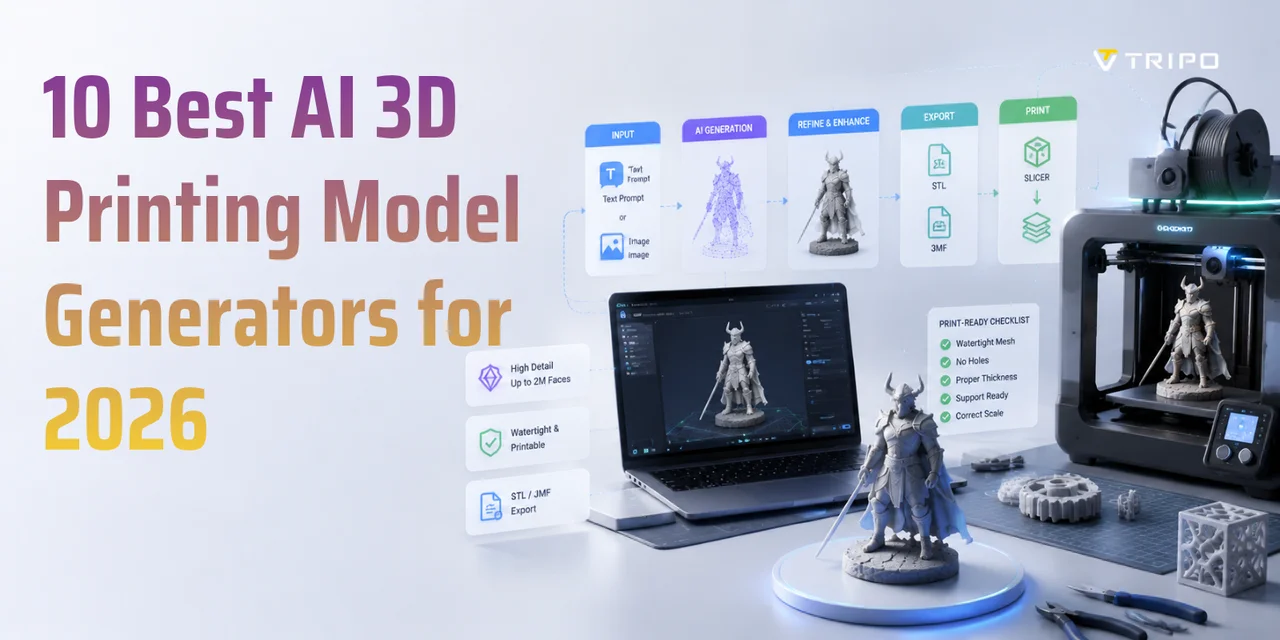
10 Best AI 3D Printing Model Generators for 2026
TL;DR:
- AI 3D printing model generators turn a text prompt or photo into a 3D mesh you can slice and print.
- The best ones for printing are judged on export formats (STL/3MF), mesh quality (watertight, high-poly), free tier, and ease of printing—not just looks.
- Our top picks: Tripo for a documented 3D-printing workflow, Meshy for accessible text/image-to-3D, Sloyd for parametric control, and Rodin for detailed visual assets.
- Most AI models are NOT print-ready out of the box: expect to make the mesh watertight and check wall thickness before slicing.
- Export STL for geometry-only prints; export 3MF when you need color/multi-material.
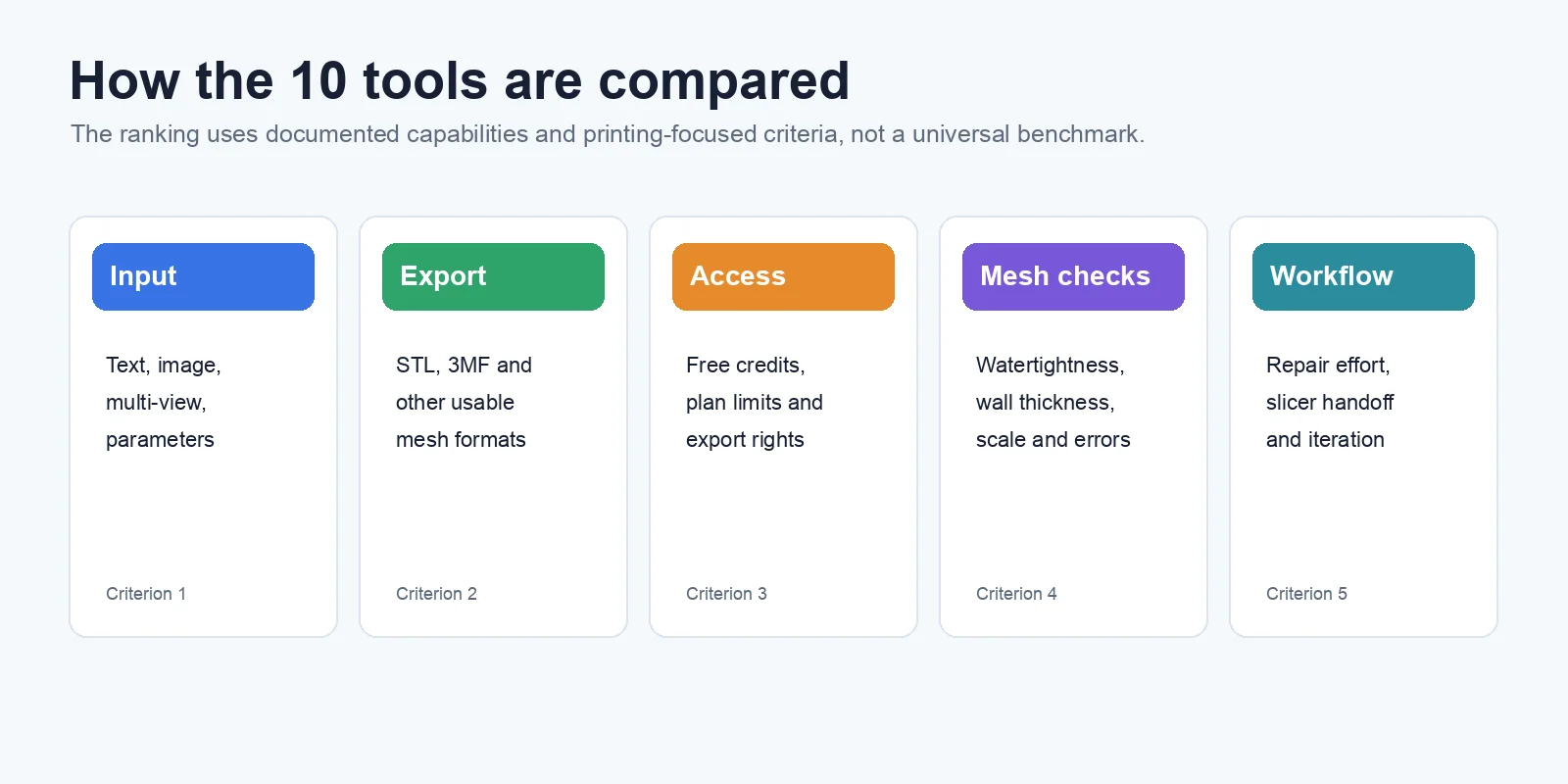
The best AI 3D printing model generators can turn a text prompt or reference image into a 3D mesh without traditional modeling from scratch. For printing, however, the important questions are which formats can be exported, what each plan allows, and how much validation or repair the mesh needs. This editorial comparison covers 10 tools using official product information checked in July 2026; print-readiness ratings are workflow assessments, not a universal lab benchmark.
What Makes an AI 3D Model Generator Good for 3D Printing?
Not every AI 3D model generator is suitable for 3D printing. Many tools can create impressive-looking models for previews or games, but a printable model needs to satisfy different requirements. The best AI 3D printing model generators should not only produce visually accurate shapes but also deliver clean geometry, usable file formats, and meshes that require as little repair as possible before slicing.
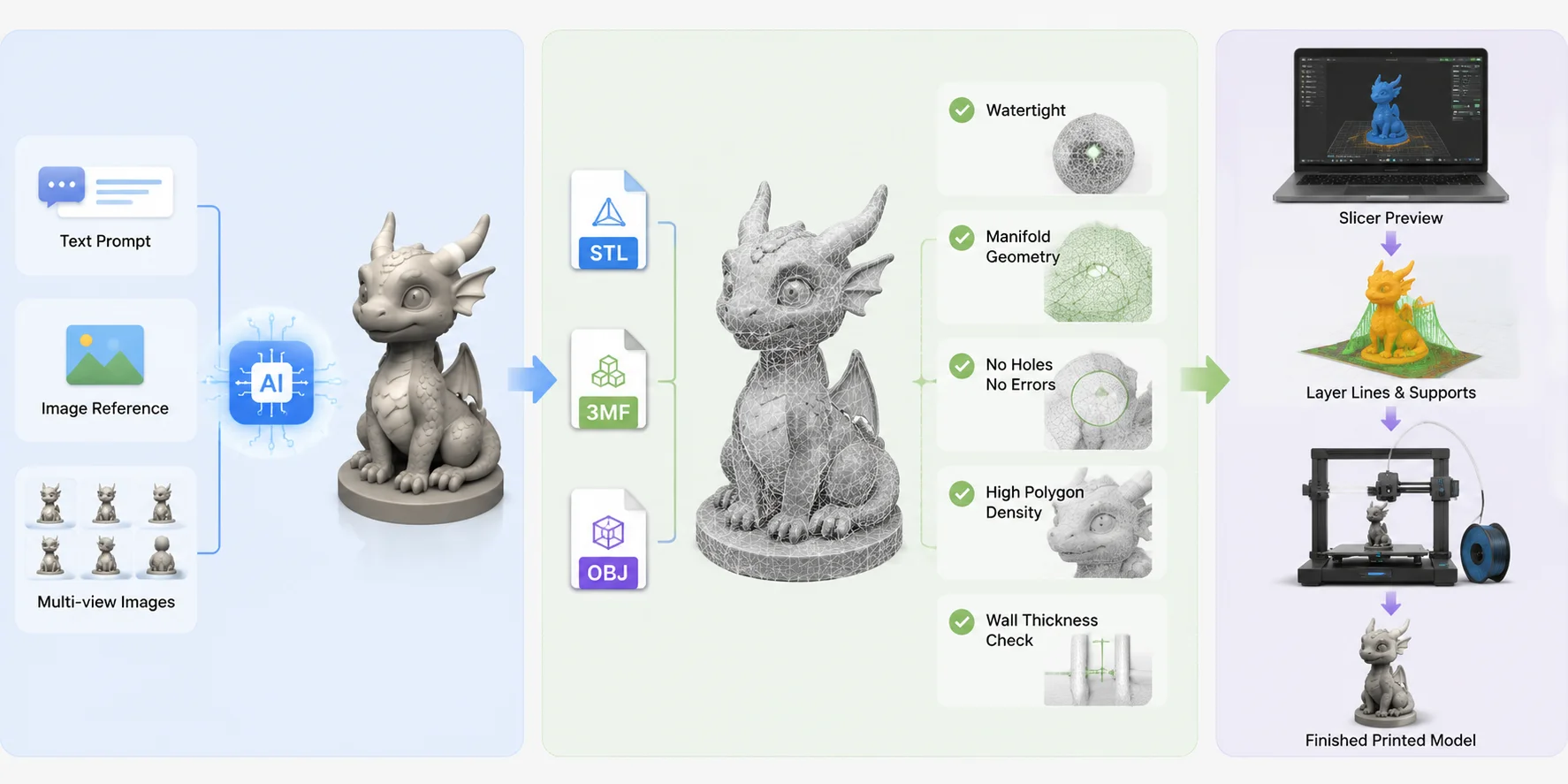
The first factor is export format. STL remains the most common format for 3D printing because it stores the basic geometry of a model and works with almost every slicer. However, newer formats such as 3MF can be a better choice when you need color information, multiple materials, or more advanced print settings. OBJ is also useful when texture or surface information matters, especially for models that may be edited before printing.
Mesh quality is another critical measurement. A good AI printable model generator should create watertight and manifold geometry, meaning the mesh has no holes, broken surfaces, or non-printable errors. Models also need enough polygon density to preserve details while maintaining practical file sizes. Thin parts, incorrect wall thickness, and messy topology are common reasons AI-generated models fail during slicing.
The input method also affects the final result. Text-to-3D tools are fast for creating concepts from descriptions, while image-to-3D tools usually provide better control when you need to reproduce a specific object or character. Some advanced platforms support multi-view inputs, allowing users to provide multiple images for more accurate reconstruction.
Pricing is another important consideration. Many AI STL generator tools offer free credits or limited plans, but users should check whether high-quality exports, larger models, or commercial usage require a paid subscription.
Finally, print-readiness determines real-world value. A model that looks complete on screen may still need mesh repair, hollowing, supports, scale correction, or wall-thickness changes. The comparison below uses documented input methods, export options, access limits, and likely preparation effort. Features and pricing change frequently, so verify the current plan before committing to a production workflow.
How to Evaluate an AI 3D Model Generator for 3D Printing
The 10 Best AI 3D Printing Model Generators for 2026 — At a Glance
| Tool | Best for | Input | Export formats | Access | Print-readiness |
|---|---|---|---|---|---|
| Tripo AI | Documented AI-to-print workflow | Text / Image / Multi-view | STL / 3MF / OBJ / GLB / FBX / USD | 200 monthly free credits; export depends on version and plan | Medium-High; validate mesh and slicer preview |
| Meshy | Accessible general AI 3D creation | Text / Image | STL plus common editing formats | Free plan; credit and download limits vary | Medium; mesh inspection usually required |
| Sloyd | Parametric or template-based variation | Text / Image / Templates | STL; verify other current formats | Free access and export limits vary | Medium for simpler objects; verify dimensions and walls |
| Rodin (Hyper3D) | Detailed characters and sculptures | Text / Image | STL plus common editing formats | Credits and exports vary by plan | Medium; dense meshes may need preparation |
| Spline | Interactive web 3D and collaborative design | AI-assisted design | Verify current mesh export workflow | Free and paid plans | Low-Medium; not print-first |
| Tencent Hunyuan3D | Open and local technical workflows | Depends on release | Depends on release | Open releases; hardware and license vary | Medium for advanced users; external repair required |
| 3D AI Studio | Guided browser-based generation | Text / Image | Verify current STL and format access | Free credits and plans vary | Medium; inspect complex outputs |
| Hi3D (formerly Hitem3D) | Image-led workflow marketed toward printing | Image | Verify current STL and slicer options | Plan details vary | Medium; do not assume automatic watertightness |
| Alpha3D | Scalable business and product assets | Image | Verify current product exports | Limited access and business plans | Low-Medium; manufacturing checks required |
| CSM | Image and video reconstruction | Image / Video | Verify current download formats | Trial or plan access varies | Low-Medium; external mesh preparation required |
The best choice depends on the job. Direct STL or 3MF export reduces conversion steps, but no export format guarantees a watertight, correctly scaled, printable mesh. Treat every rating in the table as an editorial workflow estimate and validate the actual model in repair and slicing software.
1. Tripo - Best Documented 3D-Printing Workflow
Best for: makers and visual creators who want text, image, or multi-view generation in one workflow.
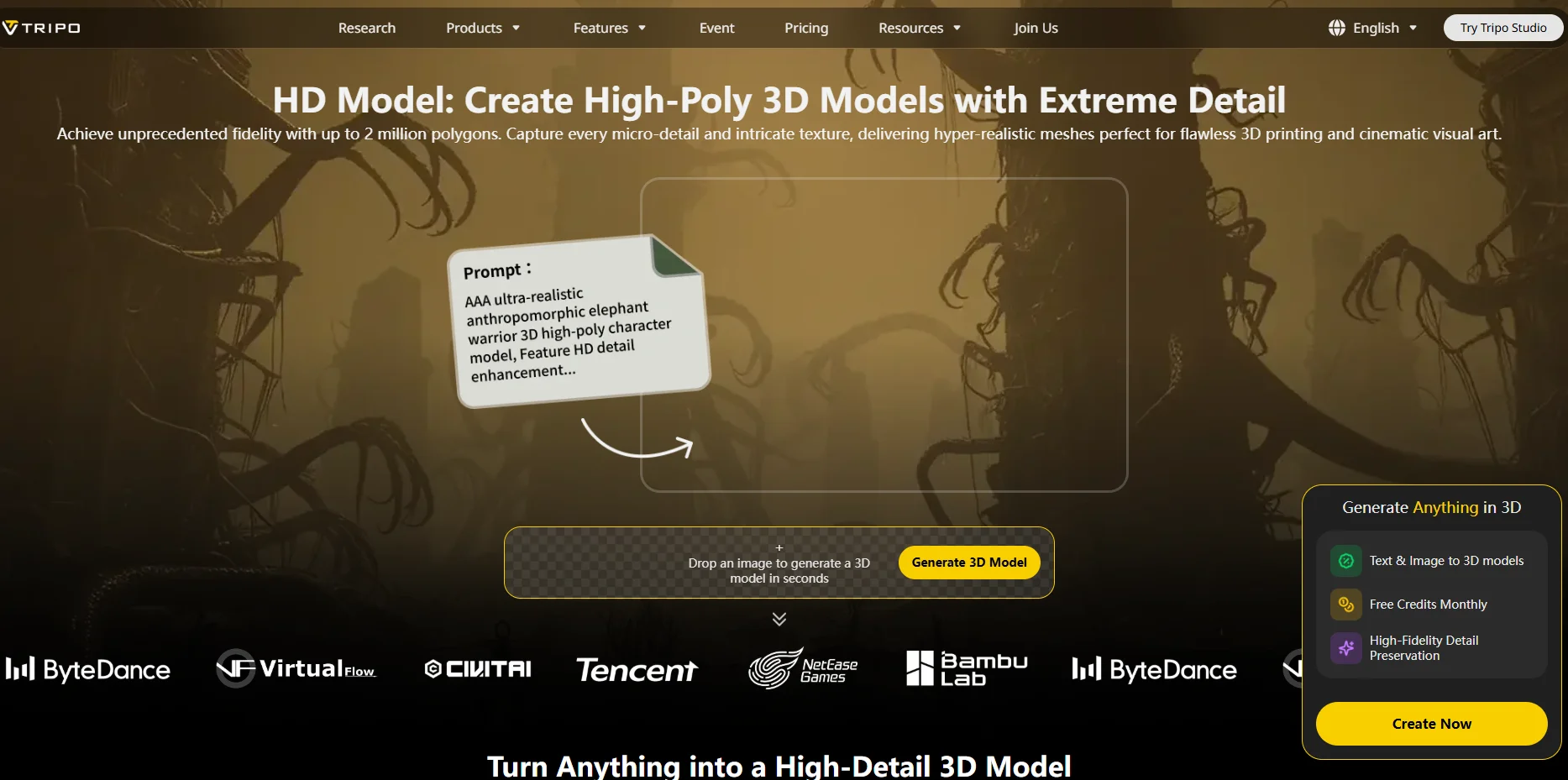
Input: text prompts, single images, and 2-4 reference views. Print workflow: Tripo documents a High-Detail mode of up to 2 million polygons, STL and 3MF export, and a dedicated 3D-printing workflow.
Its High-Detail Model is intended for detail-heavy uses such as sculptures and 3D printing. Tripo also supports one-click sending to Bambu Studio in 3MF format for monochrome models. Colored models are not currently supported by that one-click route; export a multi-color printable file and import it into Bambu Studio manually.
Export and validation: STL is available for geometry-only printing, while 3MF can carry color and texture information. High polygon count can preserve surface detail, but it does not guarantee watertight geometry, adequate wall thickness, correct scale, or support-free printing. Validate every exported model before slicing.
Access: the current official product guide lists 200 free credits per month, up to about eight models, with limited v2.5 downloads. Export eligibility depends on the model version and subscription, so check the current plan before generating production assets.
Verdict: Tripo offers the clearest documented path from AI generation to a printing workflow in this list. Its strength is workflow coverage and format support; mesh inspection and slicer checks remain necessary.
2. Meshy AI - Accessible Text and Image to 3D
Best for: beginners, game creators, and makers who want a fast browser-based starting point.
Input: text and images. Meshy emphasizes accessible generation and offers a free plan, although credits, queues, model quality, and download rights vary by plan.
Export: Meshy documents common 3D formats including STL alongside formats used for editing and real-time assets. Confirm the current pricing page for plan-specific download and licensing limits before relying on it for repeated production.
Print-readiness: medium. Meshy is a practical generator, but an STL export should still be checked for open boundaries, non-manifold geometry, thin parts, scale, and unnecessary internal surfaces before slicing.
Verdict: a flexible and approachable choice for rapid text/image-to-3D creation, with external mesh inspection still part of the printing workflow.
3. Sloyd - Parametric and Template-Based Control
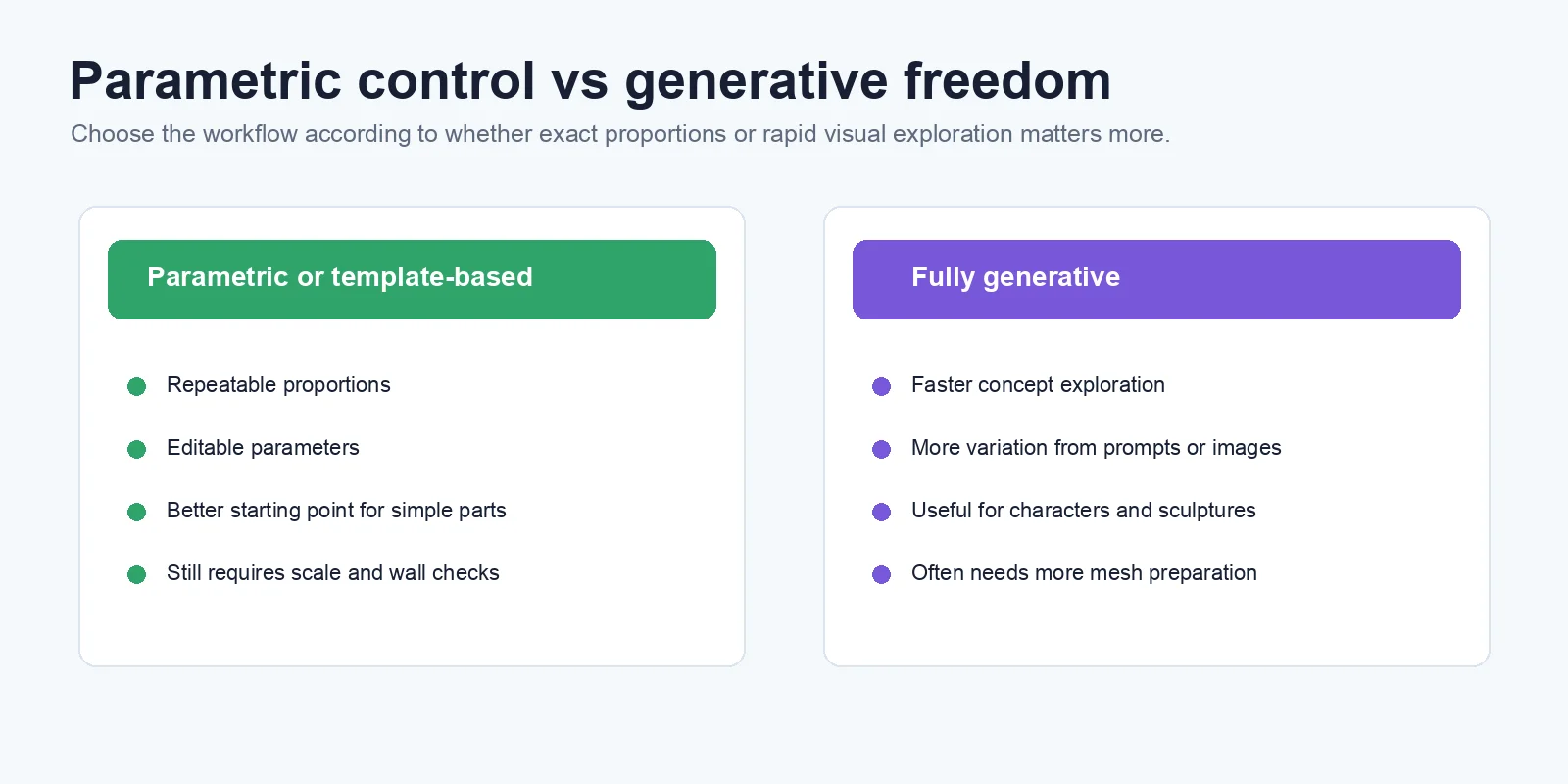
Best for: users who want editable parameters and repeatable variations rather than a single opaque generation.
Input: text, images, and customizable templates, according to Sloyd's current product site.
Export: Sloyd publicly supports STL as part of its export workflow; other available formats and plan limits should be checked in the product before purchase. Parametric control can make proportions easier to adjust, but it should not be treated as a guarantee of engineering tolerance or manufacturing accuracy.
Print-readiness: medium for simpler objects. Templates and editable parameters can provide a cleaner starting point than a fully generative character mesh, but scale, wall thickness, clearances, and manifold geometry still need verification.
Verdict: a useful option when controlled variation matters more than maximum sculptural detail. Use conventional CAD for safety-critical or tolerance-critical parts.
4. Rodin by Hyper3D - High-Detail Visual Assets
Best for: characters, sculptures, collectibles, and visually detailed assets.
Input: text and images. Rodin's official product page supports both text-to-3D and image-to-3D workflows.
Export: Rodin documents STL export alongside common formats used for editing and rendering. Availability, resolution, and download allowances can vary by account or plan, so verify the current export screen before production use.
Print-readiness: medium. Fine visual detail can suit artistic prints, but dense meshes may need decimation, hole repair, support planning, scale checks, or part separation before reliable slicing.
Verdict: a strong option when surface detail matters, provided you budget time for manufacturing preparation.
5. Spline - Web 3D Design and AI-Assisted Creation
Best for: interactive web scenes, collaborative 3D design, and visual prototyping.
Input: Spline offers AI-assisted 3D creation, but its main product remains a web-based design environment rather than a print-first generator.
Export: Spline publicly emphasizes design and web-oriented outputs. Confirm that your current plan and workflow provide a mesh format you can move into repair software; do not assume direct STL support from an illustration or third-party conversion workflow.
Print-readiness: low to medium. Scene geometry created for the web may contain open surfaces, separate objects, materials, or scale assumptions that do not translate directly to manufacturing.
Verdict: useful when design and collaboration come first, but not a primary recommendation for direct AI-to-print work.
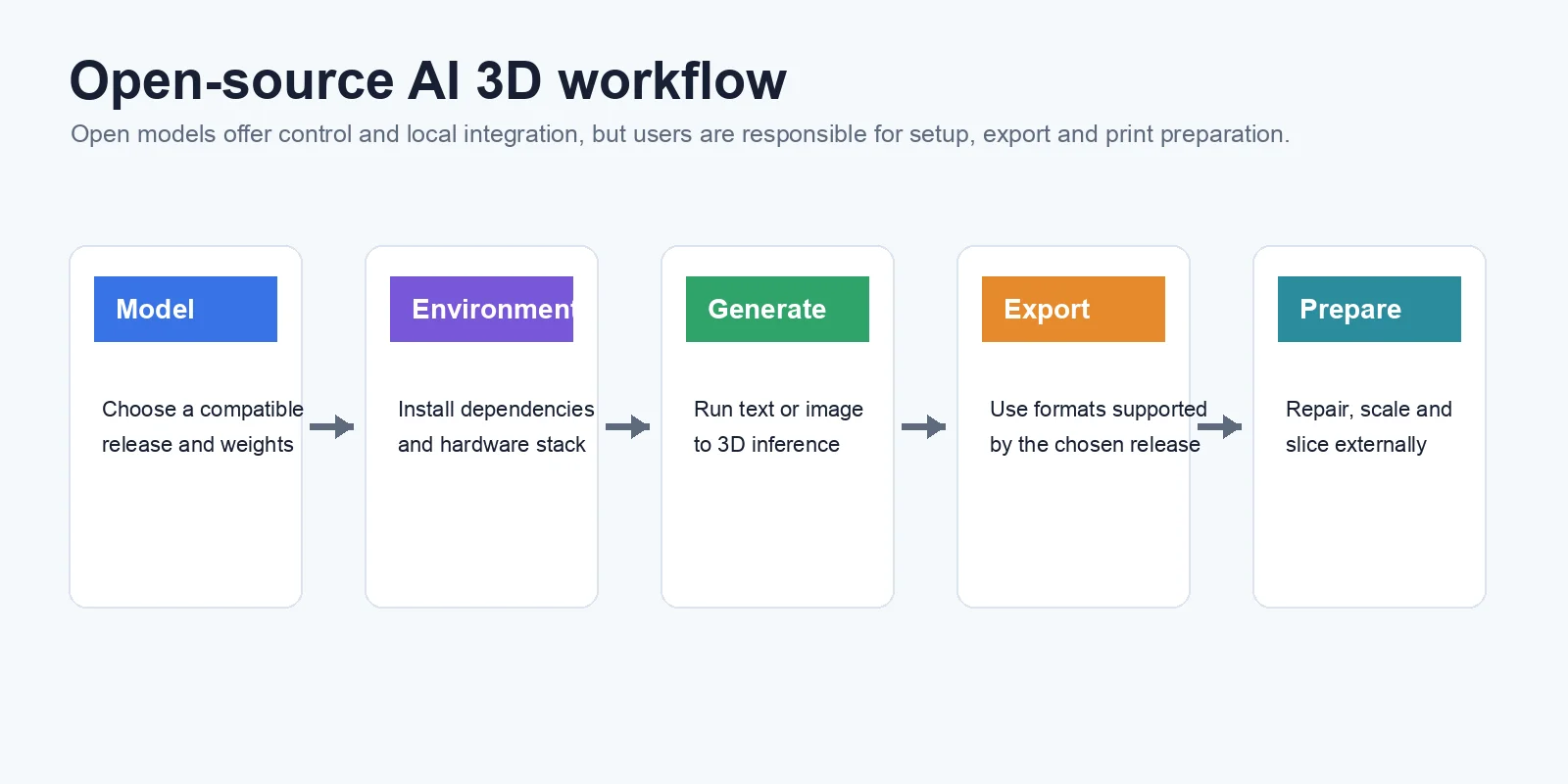
6. Tencent Hunyuan3D - Open Models for Technical Users
Best for: developers, researchers, and advanced users who want open releases, local deployment options, or custom pipeline integration.
Input: capabilities depend on the specific Hunyuan3D release, so match the article's claims to the model version you actually use.
Export and access: open availability can reduce platform lock-in, but installation, hardware requirements, licenses, output formats, and inference steps vary by release. Check the official repository and model card rather than assuming every version supports the same workflow.
Print-readiness: medium for experienced users. Local control makes custom repair and post-processing possible, but topology, scale, wall thickness, and slicer preparation remain user responsibilities.
Verdict: powerful for technical pipelines, less suitable for beginners seeking a managed one-click printing workflow.
7. 3D AI Studio - Beginner-Friendly All-in-One Generation
Best for: beginners who prefer a guided browser interface.
Input: text and image workflows are promoted by the product. Treat availability, generation models, and plan allowances as time-sensitive.
Export: verify the current export menu for STL and other formats before subscribing, because format access and download rights may be plan-dependent. Avoid calling a mesh printable only because the service offers STL.
Print-readiness: medium. The simplified workflow lowers the barrier to generation, but complex assets still need inspection for manifold geometry, thickness, scale, and supports.
Verdict: convenient for early experimentation, with fewer public technical details than more established platforms.
8. Hi3D (formerly Hitem3D) - Image-to-Model with a Printing Focus
Best for: users starting from a reference image who want a workflow marketed toward physical output. The product is now presented under the Hi3D name, so older Hitem3D references should be treated as legacy naming.
Input: verify the current Hi3D product page for supported image inputs.
Export: verify STL export, plan limits, and any slicer handoff. Do not rely on screenshots or third-party summaries that promise a perfect or automatically watertight STL.
Print-readiness: medium. A print-oriented interface can reduce friction, but the exported model still needs scale, boundary, wall-thickness, support, and sliced-preview checks.
Verdict: worth testing for image-led printing projects, with current capabilities confirmed in-product before purchase.
9. Alpha3D - Scalable Image-to-3D for Business Assets
Best for: product visualization and teams converting 2D product imagery into reusable 3D assets at scale. Alpha3D is positioned more toward commerce and digital asset pipelines than hobby printing.
Input: its workflow is primarily image-led.
Export: confirm current output formats, plan limits, and commercial terms directly with the service; a format suitable for visualization may still need conversion or repair for printing.
Print-readiness: low to medium. Product-shaped assets may provide useful starting geometry, but dimensions, closed volume, minimum wall thickness, and manufacturing detail are not guaranteed.
Verdict: best considered when scalable business asset creation is the primary need and printing is a secondary downstream use.
10. CSM - Image and Video to 3D for Creative Workflows
Best for: creative teams reconstructing 3D assets from images or video for broader content pipelines. CSM is not positioned primarily as a 3D-printing utility.
Input: images or video, depending on the current CSM workflow.
Export: current capabilities and download formats should be verified in the product because plans and model versions change. Move the result into a mesh editor before treating it as manufacturing geometry.
Print-readiness: low to medium. Reconstruction quality can be useful for reference-driven assets, but hidden surfaces, disconnected components, scale, and wall thickness often need attention.
Verdict: a niche option when image/video reconstruction matters more than a direct slicer-ready workflow.
How to Choose the Right AI 3D Printing Generator
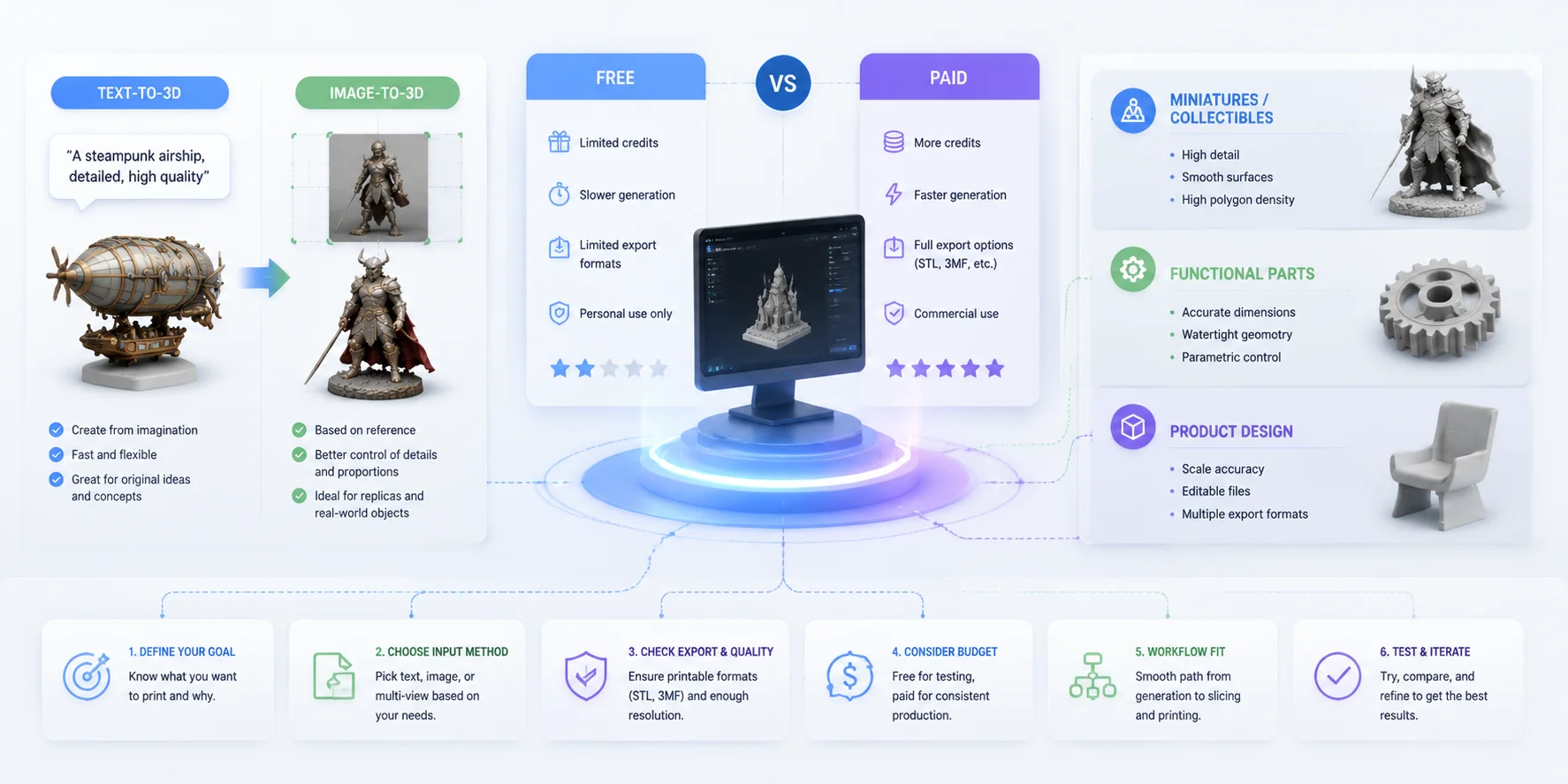
Choosing the right AI 3D printing generator is not only about finding the tool with the best-looking results. The ideal choice depends on what you want to create, how much control you need, and whether the final model can move smoothly from AI generation to slicing and printing. Before selecting a tool, consider the input method, export options, pricing limits, and the amount of manual cleanup required.
Text-to-3D vs Image-to-3D — Which Input Works Better for Your Goal?
The choice between text-to-3D and image-to-3D depends on whether you are creating something new or recreating an existing design. Text-to-3D is useful for generating original concepts, fantasy models, game assets, and early prototypes. It offers more creative freedom but may require several iterations to achieve the exact shape you want.
Image-to-3D is usually better when you already have a reference image, product photo, or character design. It provides more control over appearance and structure, making it a better option for custom figurines, replicas, and real-world objects. Some advanced generators also support multi-view input, which can improve accuracy by using images from multiple angles.
Free vs Paid — Are Free AI 3D Generators Enough?
Free AI 3D model generators are a good way to test different workflows, but they often have limits on credits, export formats, model quality, or commercial usage. A free plan may be enough for occasional experiments, while regular creators usually need paid features for higher-resolution models and unrestricted exports.
For 3D printing, export availability matters. Check whether the tool allows STL, 3MF, or other printable formats without requiring an upgrade.
For Miniatures, Functional Parts, and Product Design — Choose by Use Case
Your final application should guide your choice. For miniatures and collectibles, prioritize detailed geometry, high polygon density, and smooth surfaces. For functional parts, look for accurate dimensions, adjustable parameters, and reliable geometry. For product design, focus on scale control, editable files, and workflow compatibility.
The best AI 3D printing generator is the one that fits your specific goal—from creative exploration to production-ready printing. A visually impressive model is only useful when it can become a successful physical object.
AI 3D Printing Generator Selection Guide
Are AI-Generated 3D Models Actually Printable? (Make Any Model Print-Ready)
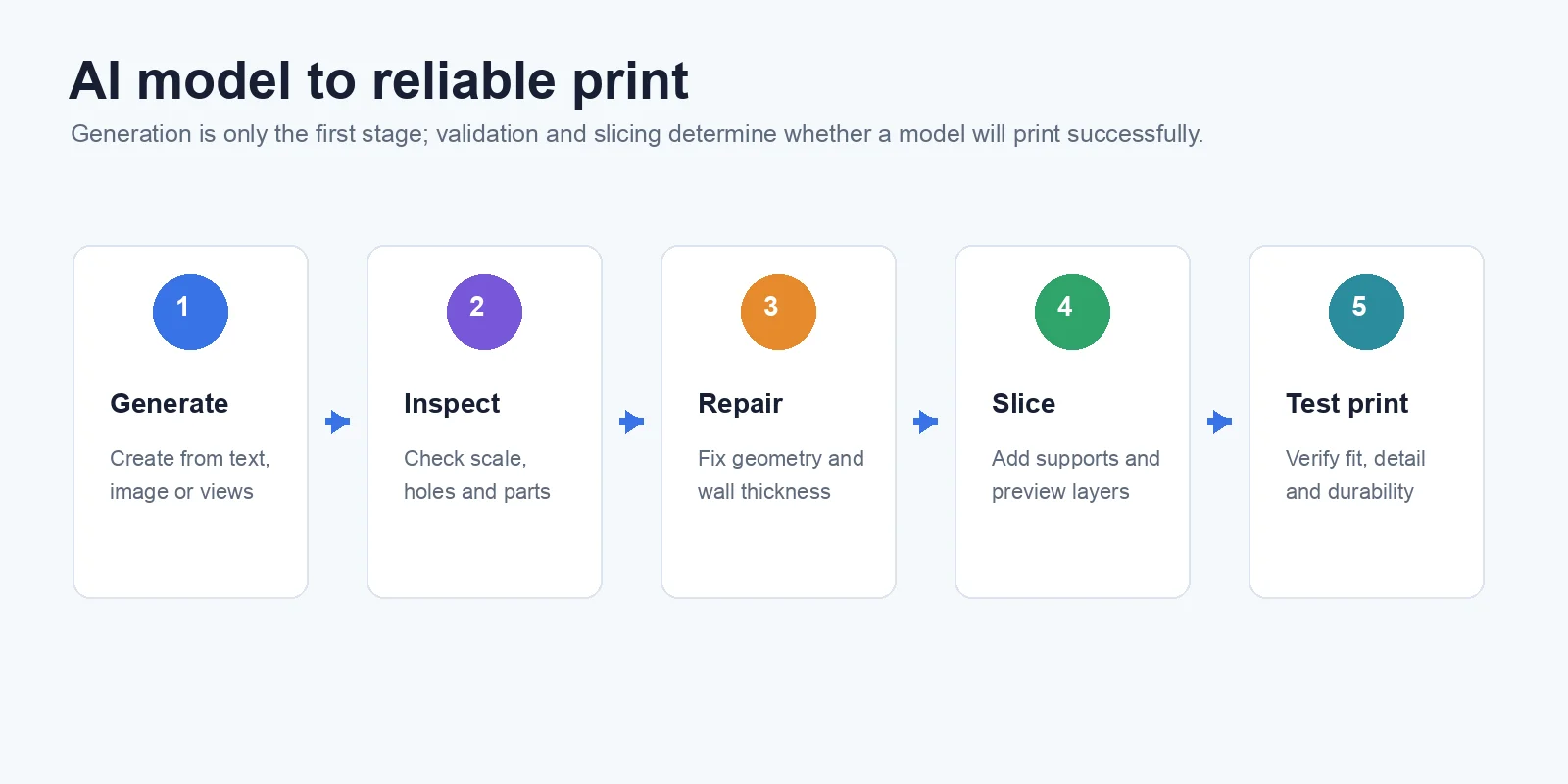
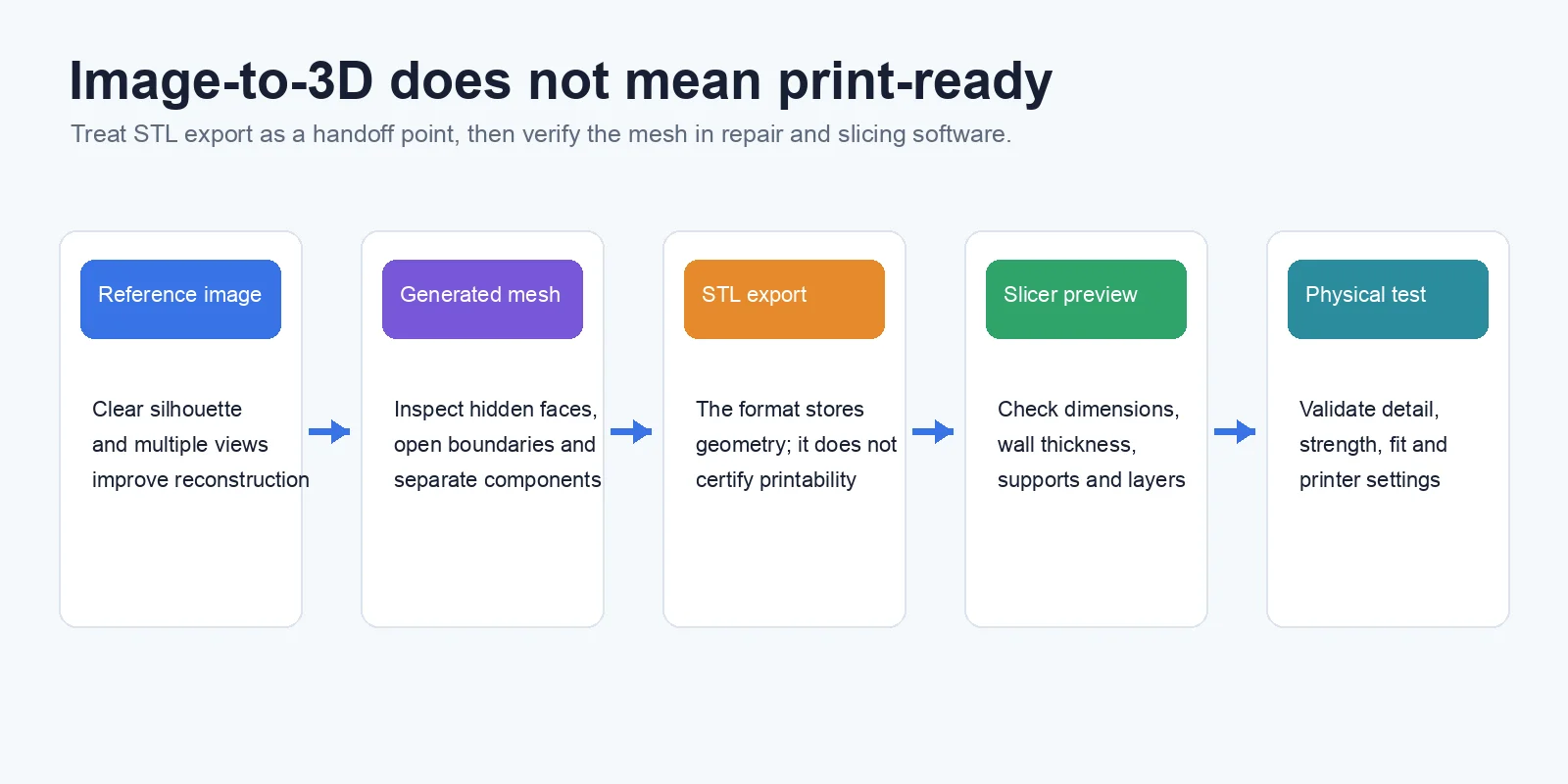
AI-generated 3D models can look impressive on screen, but a successful render does not always mean a successful print. Many AI models are created with visual quality as the priority rather than manufacturing requirements, which means they may contain hidden geometry problems that prevent a smooth printing process. Before sending any AI-generated model to a slicer, it is important to validate the mesh and make necessary adjustments.
Why Most AI Meshes Aren't Print-Ready
One of the most common problems with AI-generated models is incorrect mesh structure. AI tools may create non-manifold geometry, where edges or surfaces do not form a valid closed volume. Other issues include holes in the mesh, overlapping surfaces, disconnected parts, and extremely thin areas that cannot be printed reliably.
These problems are especially common with complex characters, detailed sculptures, and objects generated from a single image. A model may look complete from the outside but still contain internal errors that affect slicing. Even when a tool exports an STL file, the file format itself does not guarantee that the model is ready for production.
Make It Watertight & Check Wall Thickness
The first step toward print readiness is making sure the model is watertight, meaning the mesh forms a closed, printable volume. Users can repair models with tools such as Meshmixer, Blender, or repair functions built into some slicing software. These tools can help detect holes, fix non-manifold edges, and prepare the model for printing.
Wall thickness is another important check. Thin sections, small details, and fragile parts may fail during printing even if the mesh is technically valid. Adjusting thickness, adding supports, and checking the sliced preview can prevent many failed prints.
For example, a typical AI-to-print workflow can involve generating a detailed model first, then optimizing the geometry before export. Tripo’s workflow supports creating a High-Detail Model with up to 2M faces, followed by steps such as Segment & Complete and export preparation before moving into a printing workflow.
STL vs 3MF — Which Should You Export?
STL remains the most widely supported 3D printing format because it stores basic geometry and works with almost all slicers. However, STL does not store information such as color or multiple material settings.
For models that require color information or multi-material printing, 3MF is often a better choice because it supports additional manufacturing data beyond simple geometry. Choosing the right export format depends on your final printing goal, not just the AI generation process.
The key takeaway: AI-generated models can become printable, but they usually need validation. A good workflow is not only generate → export, but generate → check mesh → repair geometry → slice → print. This extra preparation step is what turns an attractive AI model into a reliable physical object.
For a photo or illustration that is intended to become a physical print, Image-to-STL conversion provides a direct printable starting mesh that still needs the same print-readiness checks.
If the downstream slicer requires STL, you can convert 3MF to STL after preserving any 3MF project settings you may need later.
When a textured or general-purpose OBJ model is ready for a standard single-color print, you can convert OBJ to STL before the final mesh and slicer checks.
Frequently Asked Questions
What is the best AI 3D model generator for 3D printing?
The best choice depends on the model and workflow. Tripo has the clearest documented printing path in this comparison, while Meshy is accessible, Sloyd offers parameter-based control, and Rodin emphasizes detail. In every case, confirm export rights and inspect the mesh before slicing.
Is there a free AI 3D printing model generator?
Yes. Several tools offer free credits or limited free access, but export formats, generation quality, queues, licensing, and download rights may be restricted. Check the current pricing page before assuming the free plan can deliver the final printable file.
Can AI generate STL files for 3D printing?
Yes, many AI tools can export STL files for 3D printing. However, an STL file may still need mesh repair, wall thickness checks, or optimization before slicing.
Are AI-generated 3D models ready to print without editing?
Not always. Many AI-generated models require cleanup, such as fixing holes, repairing non-manifold geometry, or adjusting thin areas. A quick mesh check before printing can prevent failures.
What file format should I use—STL or 3MF?
STL is best for simple geometry and broad slicer compatibility. 3MF is better when you need color, multiple materials, or additional printing information. Choose based on your printer workflow and project requirements.
Can ChatGPT make 3D printable models?
ChatGPT can help write prompts, reason about dimensions, or generate scripts for modeling software, but it does not by itself guarantee a printable mesh. Use a 3D generation or CAD tool, then validate and slice the exported geometry.
Conclusion
AI 3D generators can shorten the path from an idea or image to a physical object, but export format and visual detail are only part of the decision. Choose the tool whose input, access terms, and downstream workflow fit your project, then inspect, repair, scale, and slice the mesh before printing.
Ready to create a printable model? Start from text or an image in Tripo AI Studio, use the appropriate detail and export settings, and complete the workflow with mesh validation and a slicer preview.