Useful Things to 3D Print: Practical Ideas That Are Actually Worth Making
TL;DR
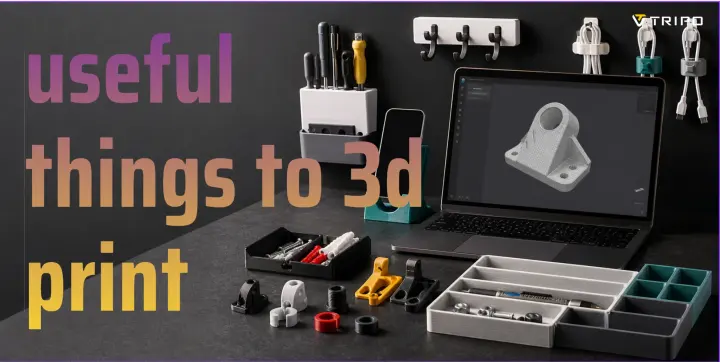
- The most useful things to 3D print are small parts that fit a real need: cable organizers, drawer dividers, tool holders, replacement knobs, wall hooks, brackets, phone stands, plant accessories, jigs, and early product prototypes.
- Start with simple shapes, measure carefully, choose the right filament, and expect one or two test prints before the final part.
- Tripo AI can help when you want to create a custom model from text or an image, then refine it for 3D printing.
Introduction
Searches for useful things to 3D print usually come from the same place: you have a printer, or access to one, and you want to make something that earns its spot on the desk. Not another dust collector. Not a flexi creature that gets tossed in a drawer after five minutes. Something you can use.
The best practical prints are rarely the biggest or most complex. They are the parts that fit your cable mess, your shelf, your tools, your kitchen drawer, your camera setup, or your prototype. A cheap plastic clip that matches your exact desk thickness can be more satisfying than a decorative model that took ten hours.
AI-assisted 3D tools also change the starting point. Instead of opening a blank modeling viewport, you can describe an object or use a reference image, then review and refine the generated model. Tripo, for example, can support early model creation through text-to-3D, image-to-3D, and detail-focused workflows such as HD Model. That does not remove the need to check geometry, scale, wall thickness, and printability. It does make the first draft easier to reach.
This guide focuses on practical 3D printing ideas, what makes each one useful, and how to move from a rough idea to a printable object without wasting filament.
What Makes a 3D Print Useful?
A useful 3D print solves a specific problem. That sounds obvious, but it is the difference between printing for novelty and printing for daily use.
A good practical print usually has at least one of these traits:
- It fits a space or object you already own.
- It replaces a small broken part.
- It organizes something you touch often.
- It improves a repeated task.
- It helps test a product idea before manufacturing.
- It costs less or arrives faster than buying a similar part.
Useful prints do not have to look complicated. A spacer, clip, jig, bracket, or holder can be plain and still valuable. In fact, simpler models often print better. They need fewer supports, fail less often, and take less time to revise.
The key is context. A cable clip designed for a generic desk is fine. A cable clip designed for your desk edge, cable diameter, and charging setup is better. That is where 3D printing becomes practical rather than decorative.
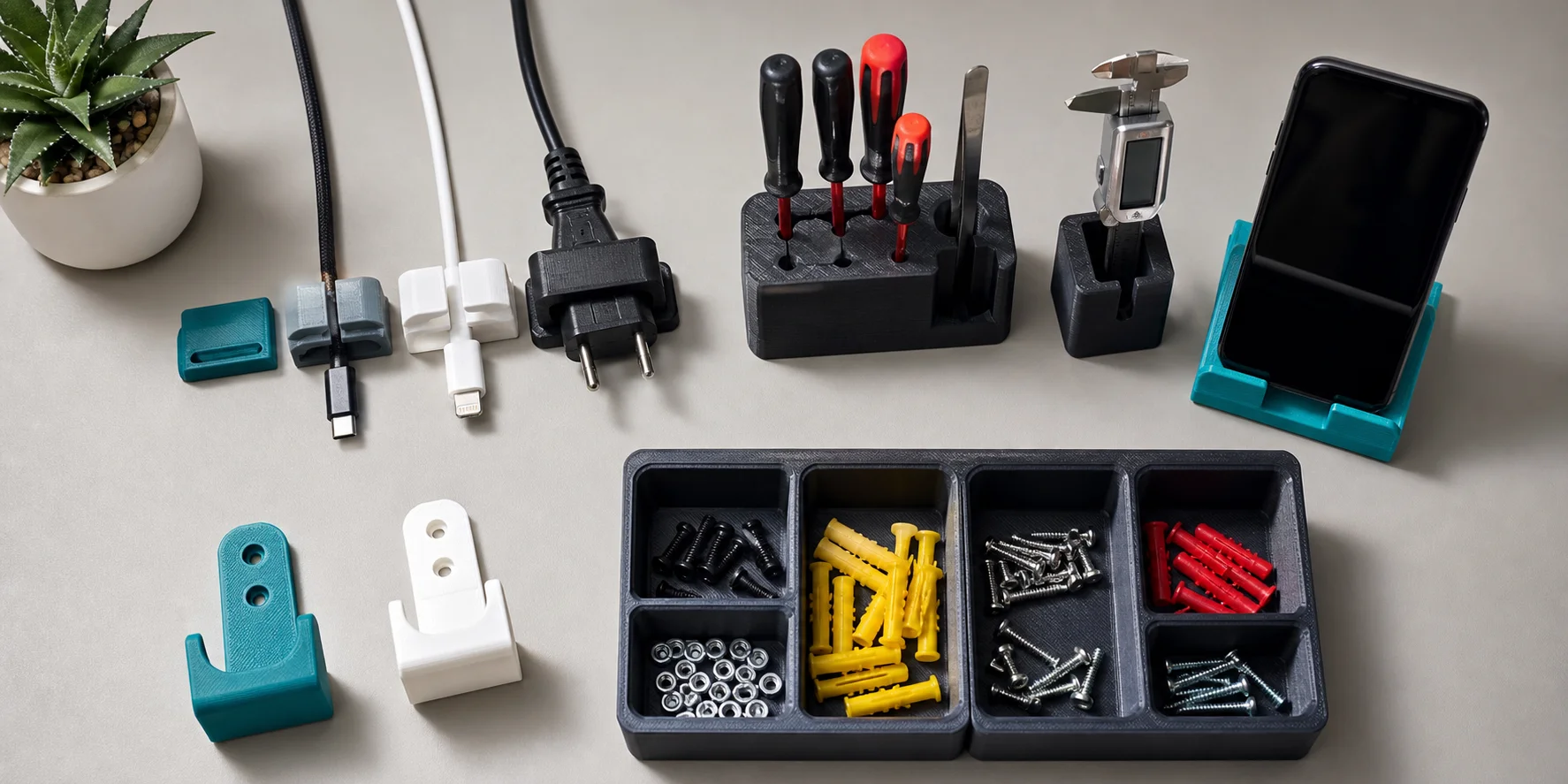
Home Organization
Organization prints are a strong starting point because they are simple, low-risk, and easy to measure. They also expose one of the main advantages of desktop 3D printing: custom fit.
Cable clips and cord guides
Cable clips are among the most useful beginner prints. You can design them for USB-C cables, lamp cords, headphone wires, or charging stations. Clip style matters: adhesive-backed clips work for flat surfaces, while clamp-style guides are better for desk edges.
Use PETG if the clip needs more flexibility. PLA works for light-duty cable routing, but thin PLA tabs can snap if bent too often.
Drawer dividers
Drawer dividers are useful because store-bought organizers rarely match the exact drawer size. Print modular trays for pens, batteries, SD cards, screws, sewing supplies, or small electronics.
For best results, measure the inside drawer dimensions and leave a little clearance. A divider that is too tight will scrape or warp over time.
Label holders
Small label holders work well for storage bins, workshop shelves, spice drawers, and filament boxes. They are easy to print and easy to modify.
A simple slot for paper labels is often better than embossed text, because you can replace the label later.
Wall hooks and hangers
Wall hooks can hold keys, headphones, light tools, or cables. Keep expectations reasonable. A small 3D printed hook should not carry heavy loads unless it is designed with proper infill, layer orientation, screws, and material choice.
For load-bearing parts, print orientation matters as much as the model shape. Avoid placing the layer lines where the hook will experience the most bending force.
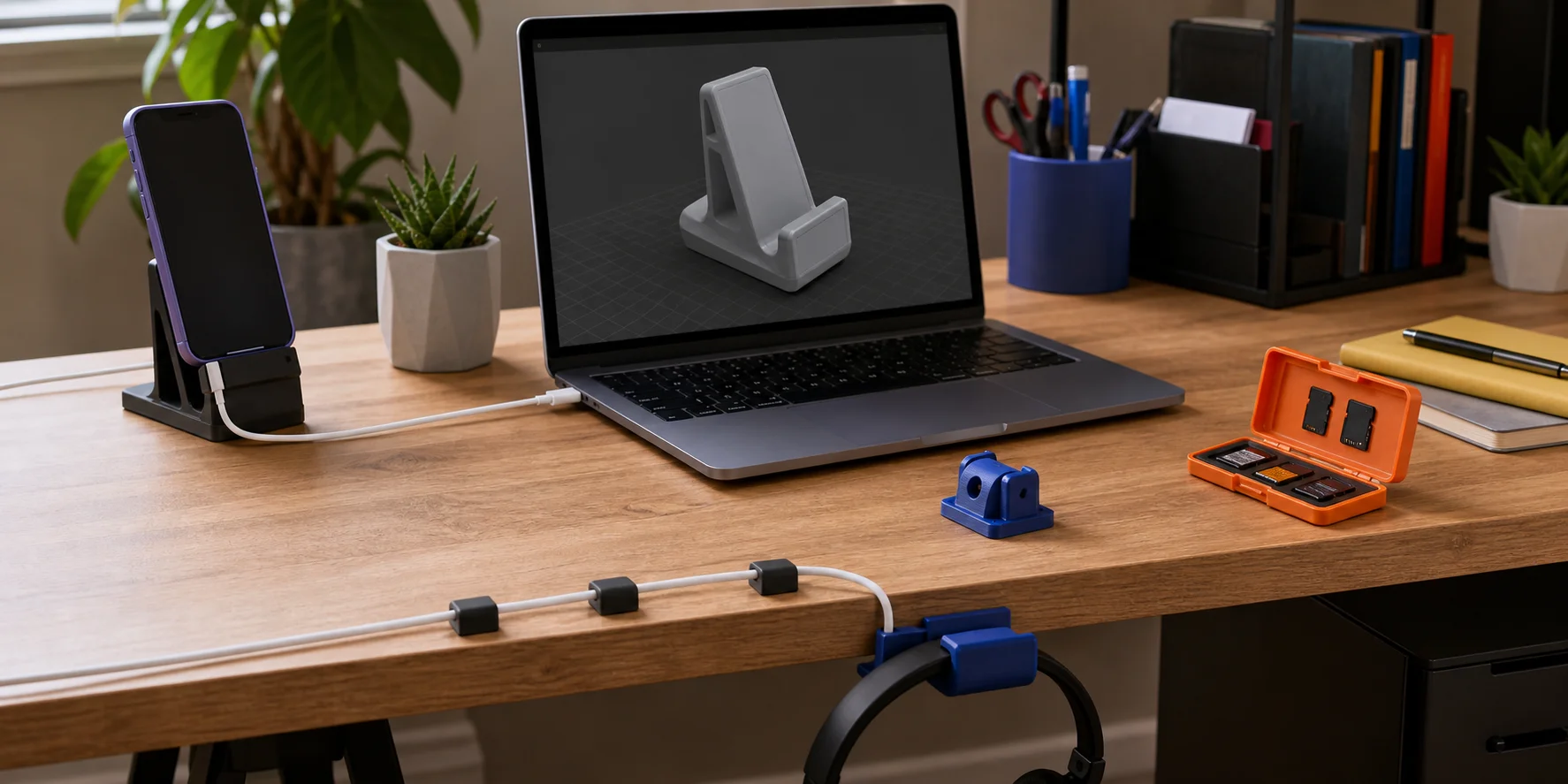
Cable Management & Desk Setup
Desk prints are popular because the problems are easy to see. Cables slide off the table. Pens disappear. Headphones take up space. A laptop stand does not fit the way you want.
Useful desk prints include:
- Phone stands with a charging cable slot
- Tablet stands
- Laptop risers
- Headphone hooks
- Pen cups
- SD card holders
- Webcam covers
- Cable combs
- Monitor light bar spacers
- Docking station trays
A phone stand is a good beginner project because it teaches angle, balance, overhangs, and tolerances. If the stand is too upright, the phone may tip. If the slot is too narrow, the case will not fit. These are small failures, but they teach useful habits.
Workshop & Tools
Workshop prints are where 3D printing starts to feel less like a hobby and more like a tool. You can make fixtures, guides, storage parts, templates, and helpers that would be annoying to buy.
Tool holders
Custom tool holders keep a workbench usable. Print holders for screwdrivers, calipers, hex keys, drill bits, pliers, tweezers, or soldering tools.
PETG is often a good choice for workshop organizers because it handles bumps and flex better than PLA. For light holders mounted away from heat, PLA can still work.
Jigs and guides
A jig holds a part in the correct position while you drill, cut, glue, sand, or assemble. A guide helps repeat the same action accurately.
Common examples include:
- Drill guides
- Centering jigs
- Sanding blocks
- Corner radius templates
- Spacing gauges
- Assembly fixtures
These prints do not need to be beautiful. They need to be accurate enough for the job.
Repairs & Replacement Parts
Broken knobs are excellent candidates for 3D printing. Appliance knobs, drawer pulls, tripod knobs, tool handles, and clamp handles can often be recreated with basic measurements.
Be careful with heat, electricity, and safety-critical parts. A plastic replacement knob may be fine for a drawer. It may not be appropriate for a stove unless the material and use case are carefully evaluated.
Other good repair candidates include battery covers, non-critical brackets, spacers, caps, feet, latches, vacuum adapters, and discontinued plastic clips. Measure every mating surface and print a short fit test before committing to the full part. Avoid replacing safety-critical components whose failure could cause injury, heat damage, electrical exposure, or a heavy load to fall.
Kitchen & Pantry
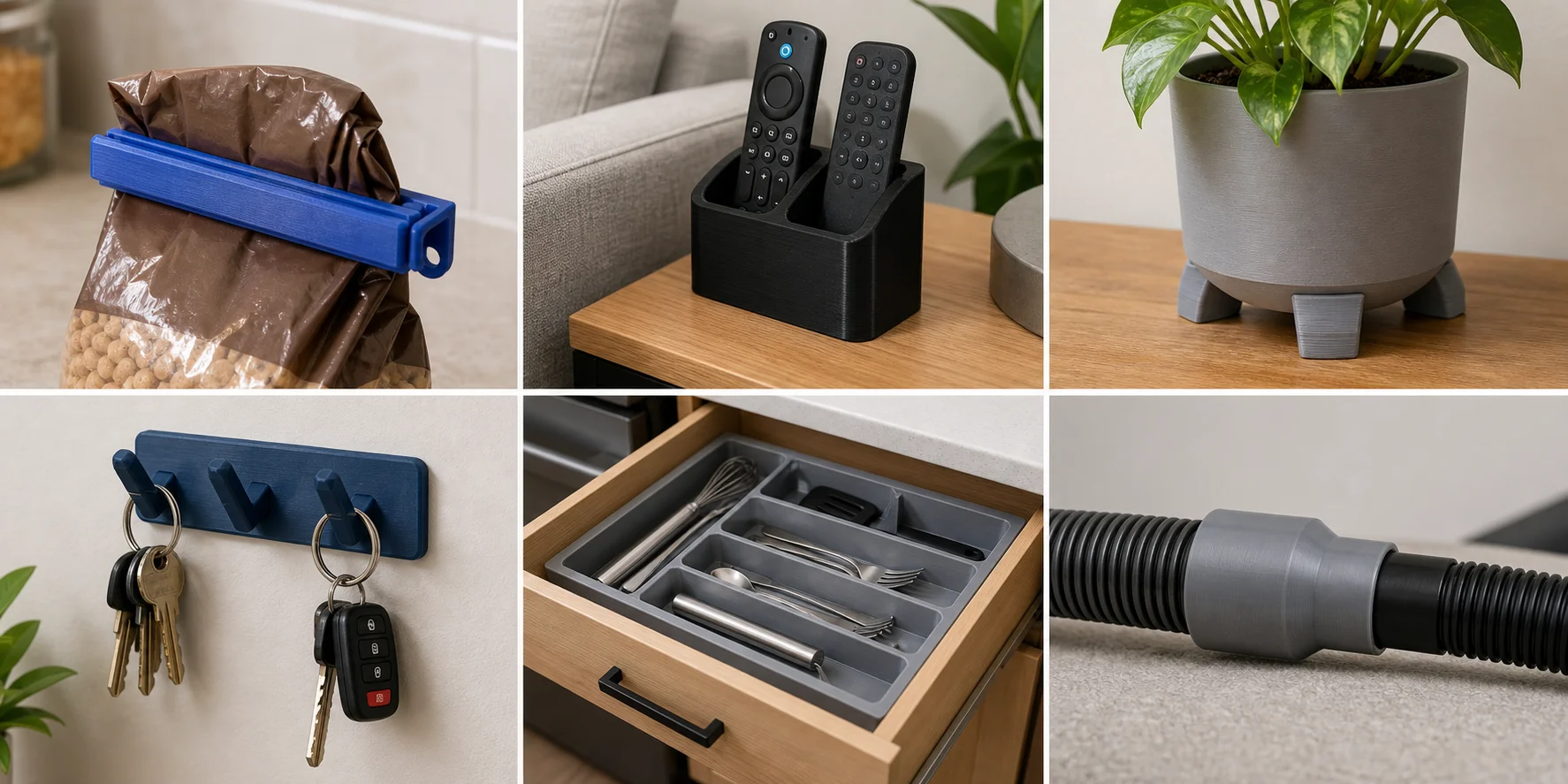
Kitchen prints are most useful when they organize packaged goods or tools without becoming permanent food-contact surfaces. Custom sizing matters here because drawers, shelves, containers, and cabinet doors rarely share standard dimensions.
Practical projects include:
- Bag clips for dry packaged foods
- Spice-jar drawer dividers
- Label holders for pantry bins
- Measuring-spoon organizers
- Cabinet shelf spacers
- Under-shelf hooks for lightweight utensils
- Sink caddy dividers
- Coffee-filter holders
- Can dispensers sized to a specific shelf
- Wrap and foil box organizers
Bag clips are easy, but they also show why material choice matters. PLA can work for dry pantry bags, while PETG may last longer if the clip needs repeated flex. Keep ordinary FDM prints away from hot cookware, dishwashers, cutting surfaces, and direct food contact unless the complete material and printing process have been evaluated for that use.
Useful Things to 3D Print for 3D Printing Itself
Some of the best prints improve the printing setup. These are practical because they help you print better parts later.
Useful printer-related prints include:
- Filament clips
- Spool adapters
- Nozzle organizers
- Scraper holders
- Tool trays
- Calibration cubes
- Bed leveling aids
- Dry box fittings
- PTFE tube clips
- Camera mounts for print monitoring
Start simple. A filament clip or nozzle tray is low-risk. A printer modification near belts, motors, heat, or wiring needs more care. Check your printer model, inspect clearances, and avoid parts that could interfere with movement.
Useful Things to 3D Print for Product Prototyping
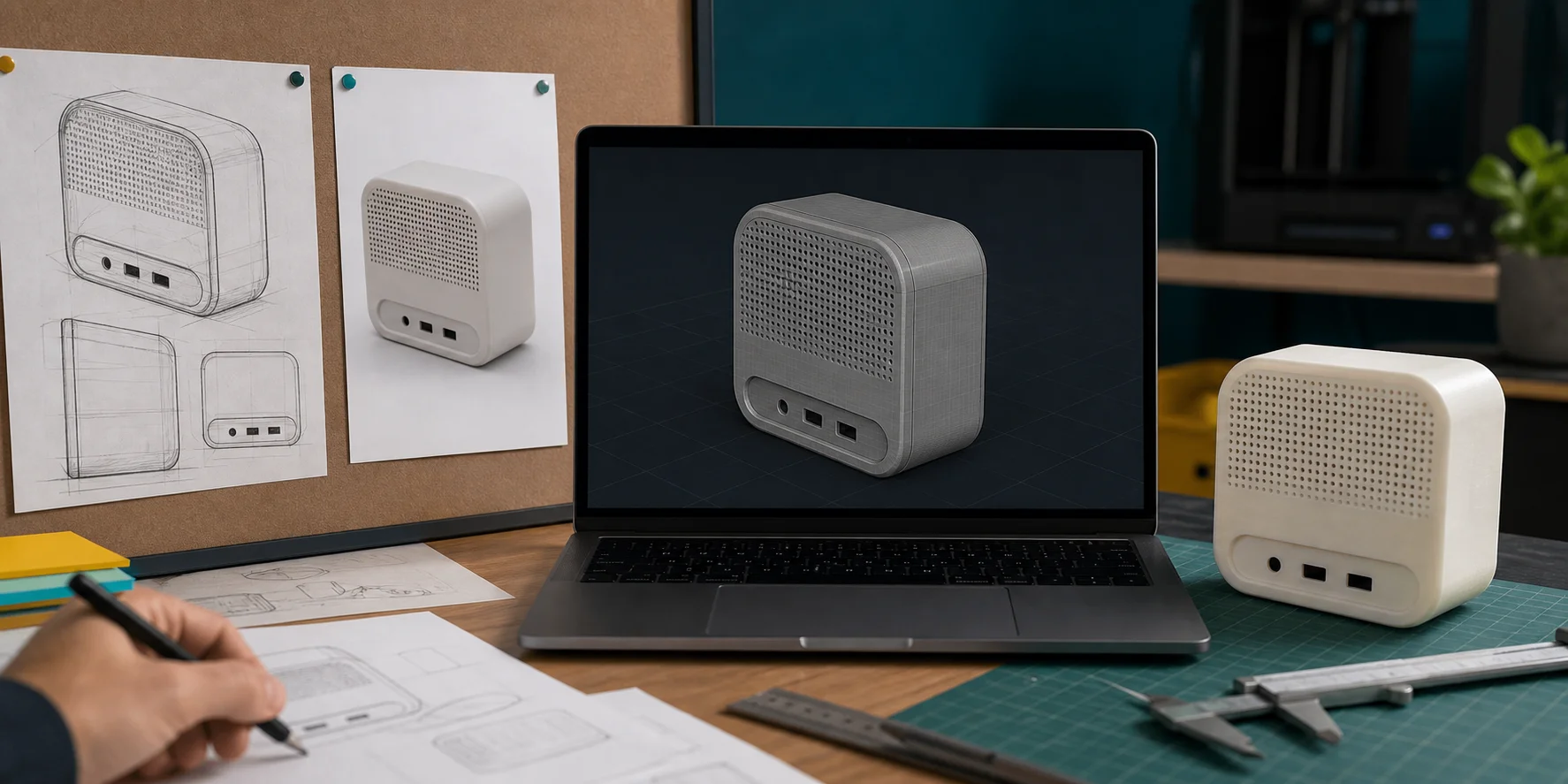
3D printing is extremely useful for early product work because it lets you test form, fit, and ergonomics before paying for tooling or outsourced prototypes.
You can print:
- Enclosure mockups
- Button layouts
- Handle shapes
- Snap-fit tests
- Mounting brackets
- Packaging inserts
- Display stands
- Product photography props
- Scale models
- Client presentation models
A printed prototype does not need to be final. It needs to answer a question. Does the handle feel right? Does the part fit the wall mount? Can the cable exit at that angle? Does the product look too bulky on a desk?
This is also where AI generated 3D models can help early ideation. A designer can use text-to-3D for a rough concept or Tripo Image-to-3D when a sketch or reference image already exists. After generation, the model still needs review before printing, but the blank-page stage becomes less painful.
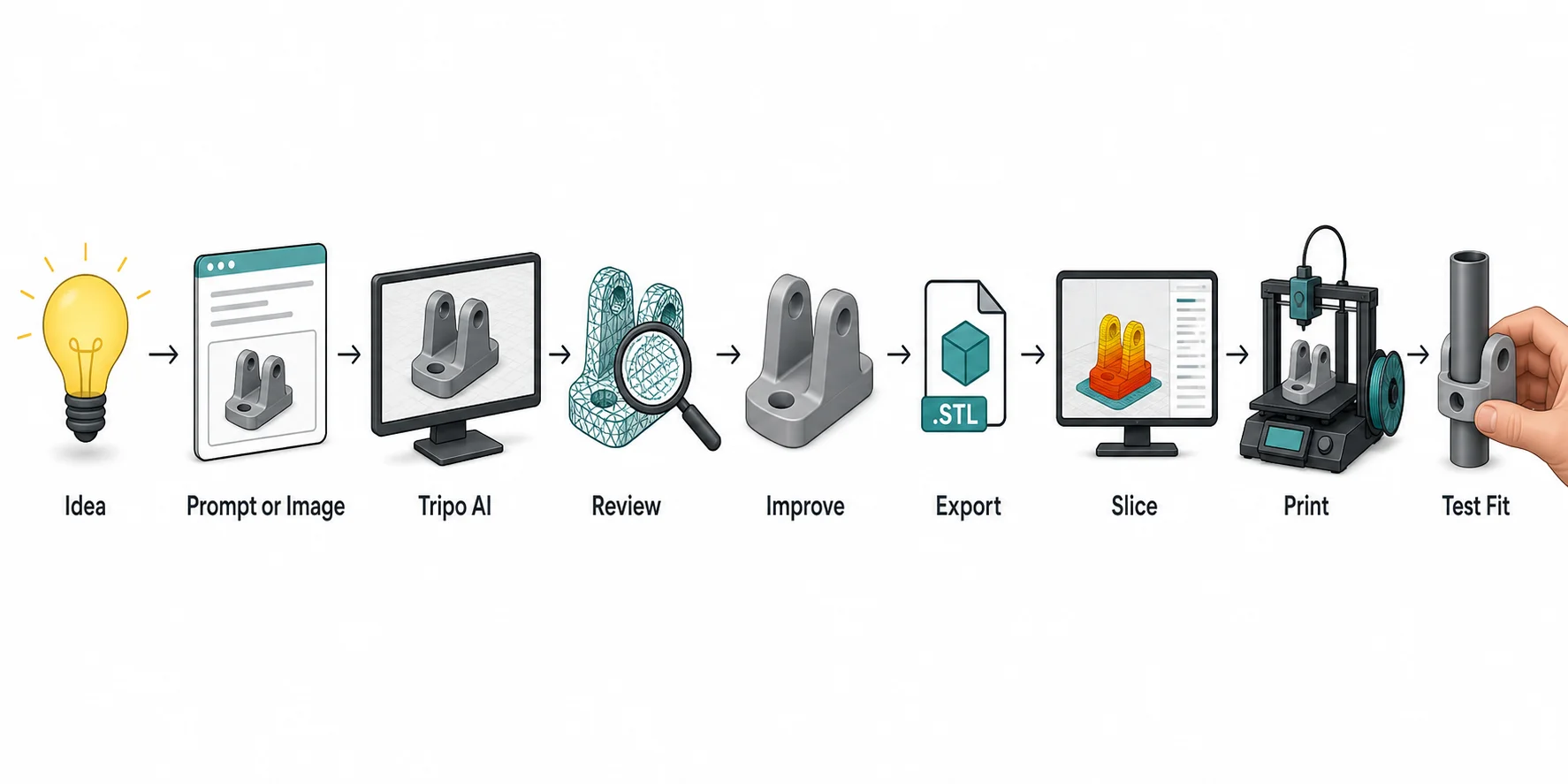
Useful Things to 3D Print: Beginner Workflow
Use this simple workflow when choosing and making a practical print:
Idea → Text Prompt or Image → Generate Model in Tripo → Review Geometry → Improve if Needed → Export → Slice → Print → Test Fit
Step 1: Start with one useful idea
Start with one problem. "I need a better cable holder for my desk" is easier to print than "I want to organize my whole workspace." Measure the object, note the constraints, and decide what the print must do.
Step 2: Choose a text prompt or reference image
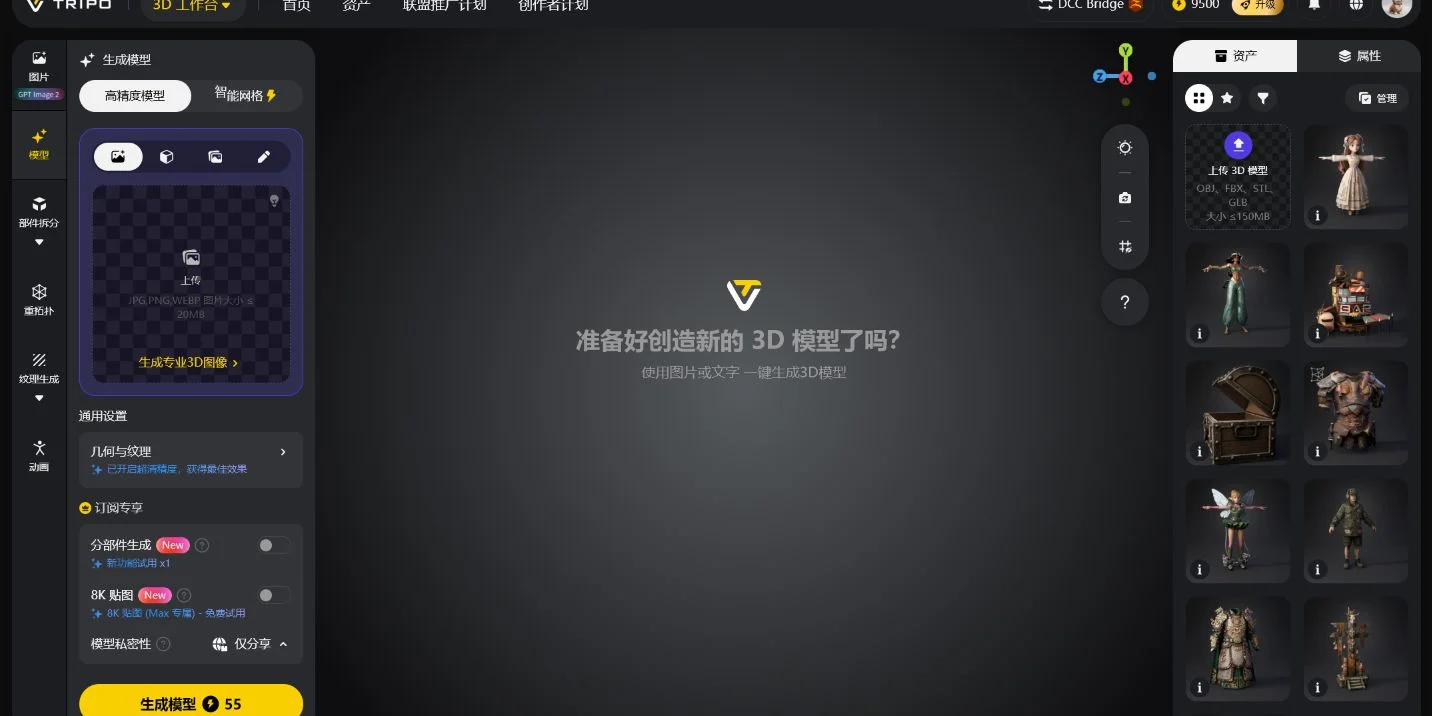
Use a text prompt when the object can be described clearly, such as a wall-mounted headphone hook or a small desk cable guide. Use an image when the shape already exists, such as a broken knob, a sketch, or a reference object. Tripo Image-to-3D is the relevant starting mode when you already have that visual reference.
Step 3: Generate and review the model
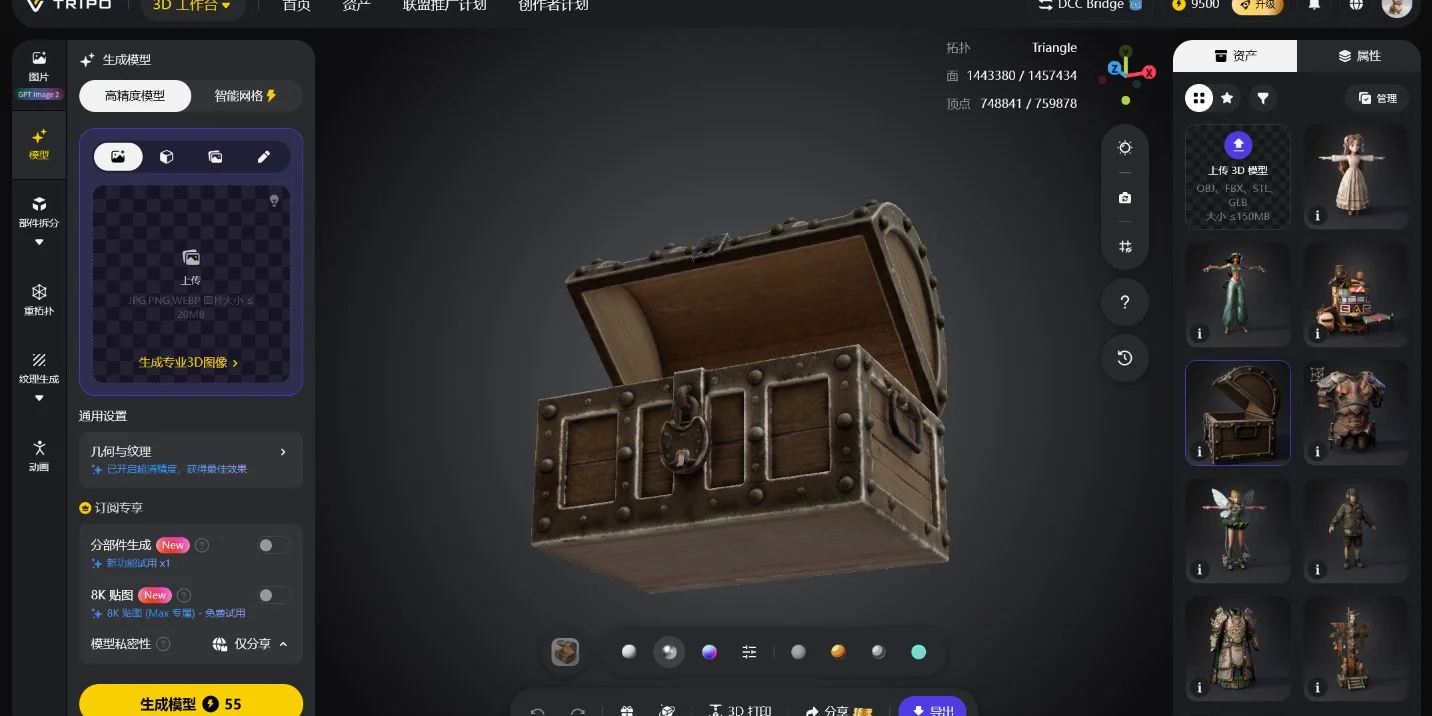
Create the first model in Tripo using text-to-3D or image-to-3D. Treat this as a starting point. AI-generated 3D models can capture form quickly, but printing adds practical constraints such as flat bases, wall thickness, overhangs, and tolerances.
Rotate the result in the viewport. Check the silhouette, base contact, thin areas, holes, underside, and any feature that must fit another part. If a hook, clip, or bracket looks too thin, address it before slicing.
Step 4: Improve the mesh if needed
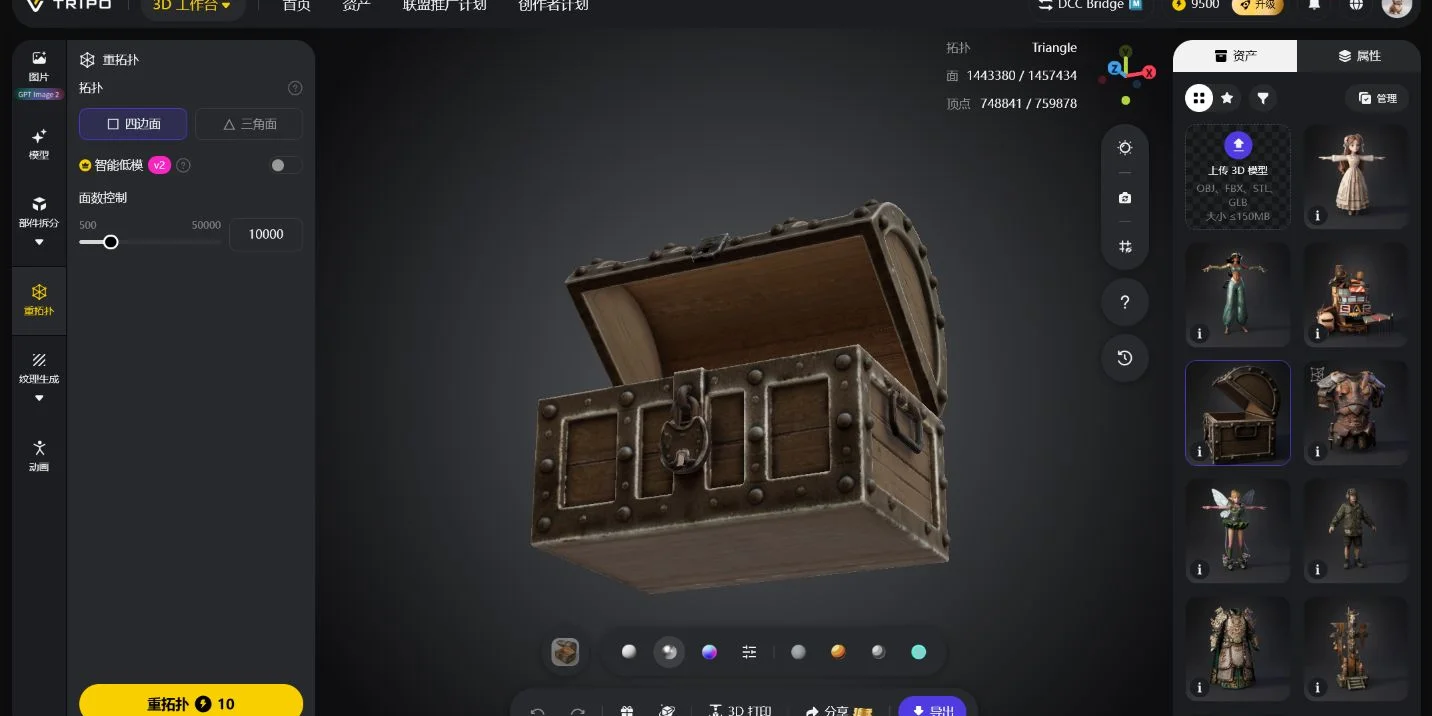
Use detail and mesh improvement options only where they help the print. HD Model can be useful for preserving surface detail. Smart Mesh can help when the model needs cleaner geometry for downstream use. For practical prints, cleaner structure matters more than extra ornament.
Step 5: Export the model
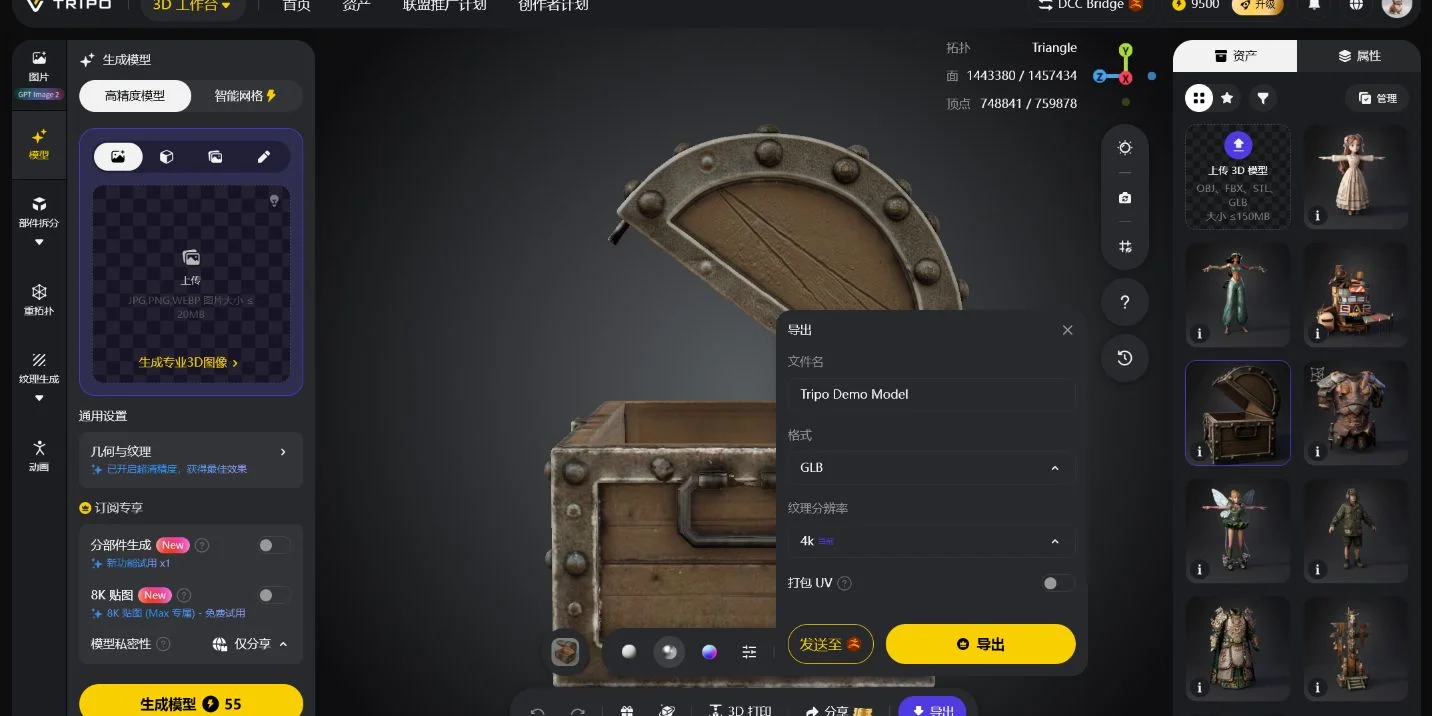
Export in a format that matches the next step. STL is common for single-material printing. OBJ can carry more visual data, which may matter for textured assets or further editing. Always check which formats and options are currently visible in the export panel rather than assuming every workflow uses the same file.
Step 6: Slice, print, and test the fit
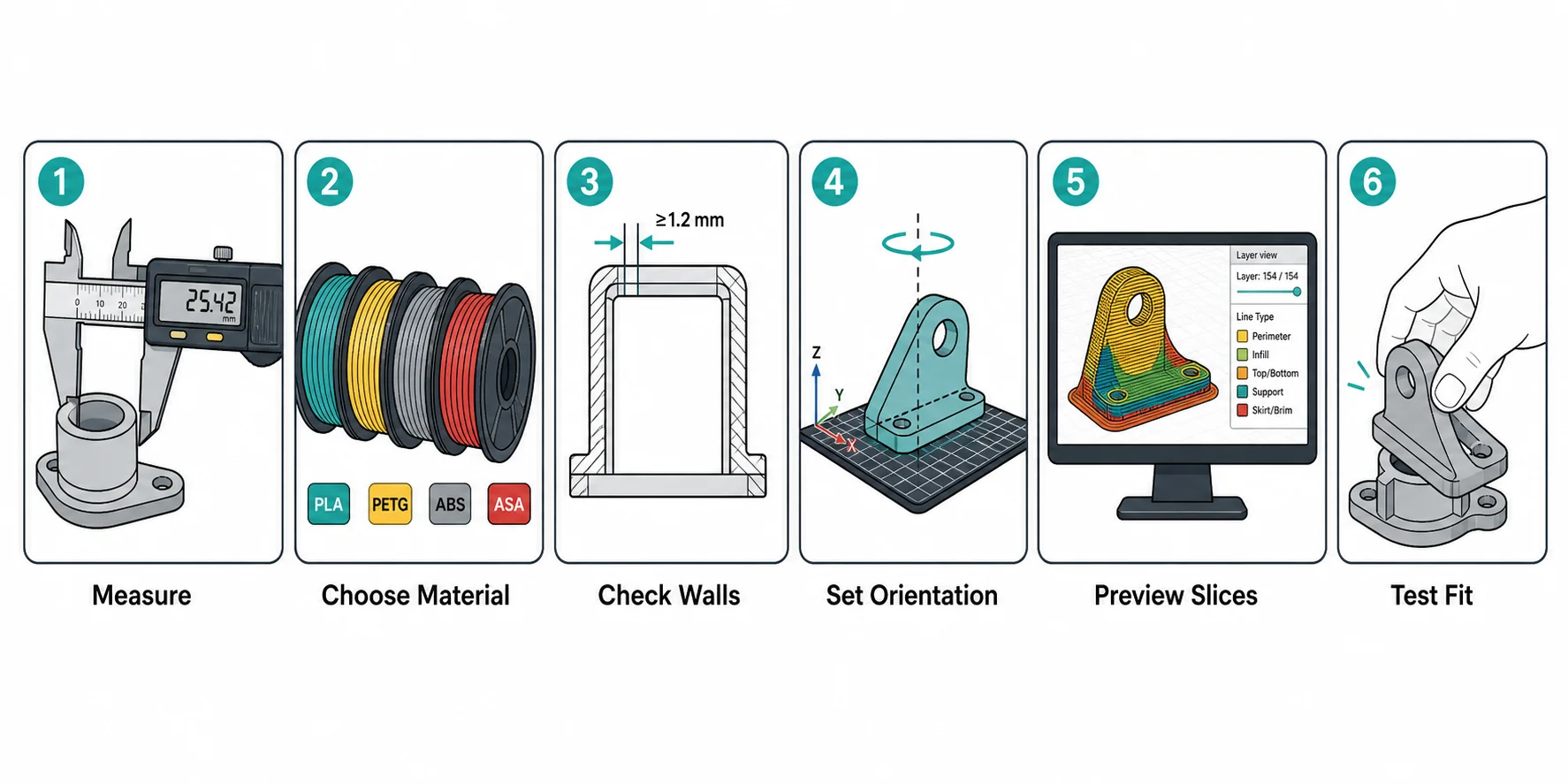
In the slicer, check scale, orientation, supports, infill, walls, and estimated print time. After printing, test the part in its real environment. A useful print often improves after one small revision.
Common Mistakes to Avoid
Printing Before Measuring
A useful print starts with measurement. Use calipers when possible. For larger parts, a ruler or tape measure can work, but add clearance.
For fit-based prints, leave tolerance. A peg that measures exactly 10 mm may not fit a 10 mm hole after printing. Printers, materials, and slicer settings all affect the result.
Using PLA for Every Job
PLA is easy to print and fine for many indoor objects, but it can soften in heat and snap under repeated flex. PETG, ASA, nylon, or reinforced materials may fit better depending on the job.
Do not choose filament by strength alone. Consider temperature, flexibility, UV exposure, moisture, print difficulty, and the direction of load.
Ignoring Print Orientation
Layer lines create directional weakness. A hook printed upright may break differently than one printed flat. A clip may fail if the bending force pulls layers apart.
Before printing functional parts, think about how the part will be loaded.
Overdesigning the First Version
Beginners often make the first version too complex. Keep the first print small and testable. Print the contact area, hinge, clip, or fit feature before printing the full object.
Forgetting the Slicer Preview
The slicer preview can reveal floating sections, weak walls, missing supports, and strange infill. It is one of the fastest ways to catch problems before wasting time.
Best Useful Things to 3D Print by Category
| Category | Useful Print Ideas | Beginner Difficulty |
|---|---|---|
| Desk | Cable clips, phone stands, headphone hooks, SD card trays | Easy |
| Home | Bag clips, remote holders, drawer organizers, plant pot feet | Easy |
| Workshop | Tool holders, drill guides, sanding blocks, spacing jigs | Easy to moderate |
| Repairs | Knobs, caps, spacers, handles, brackets | Moderate |
| 3D printer setup | Filament clips, spool adapters, nozzle trays, camera mounts | Easy to moderate |
| Product prototyping | Enclosures, buttons, brackets, mockups, display stands | Moderate |
| Outdoor | Garden clips, hose guides, ASA hooks, plant supports | Moderate |
| Games and hobbies | Miniature terrain, token trays, controller stands, organizer inserts | Easy to moderate |
The best first project is usually something small, useful, and easy to test in place. Cable clips, drawer dividers, tool holders, and phone stands are better starters than complex mechanical parts.
Frequently Asked Questions
What are the most useful things to 3D print?
The most useful things to 3D print are custom organizers, cable clips, phone stands, wall hooks, tool holders, drawer dividers, replacement knobs, brackets, jigs, and simple product prototypes. The best choice depends on a real problem in your space.
What should a beginner 3D print first?
Start with a small object that does not need tight tolerances. A cable clip, bag clip, phone stand, drawer tray, or filament clip is a good first practical print. These projects teach measurement, orientation, and slicer settings without wasting much material.
Can I use Tripo AI to make useful things to 3D print?
Yes, Tripo AI can help create a first 3D model from a text prompt or image. You should still review the geometry, check scale, and inspect the slicer preview before printing. AI generation helps with the starting model, while print preparation makes it usable.
Is PLA good for practical 3D prints?
PLA is good for many indoor practical prints, especially organizers, stands, trays, and light-duty holders. It is less ideal for hot environments, outdoor use, or parts that need repeated flex. PETG, ASA, nylon, or other materials may be better for tougher jobs.
What 3D prints are actually useful at home?
Useful home prints include drawer dividers, remote holders, bag clips, hooks, plant pot feet, toothbrush stands, shelf spacers, vacuum adapters, and replacement caps. Custom sizing is the main advantage.
What are useful 3D prints for an office desk?
Desk prints include cable clips, laptop risers, phone stands, pen holders, headphone hooks, SD card trays, webcam covers, and small trays for adapters. These are practical because they solve everyday clutter.
Can 3D printed parts replace broken parts?
Sometimes. 3D printing works well for knobs, caps, spacers, handles, and non-critical brackets. Avoid replacing safety-critical, high-heat, food-contact, or load-bearing parts without proper material knowledge and testing.
What is the best filament for useful 3D prints?
PLA is easiest for indoor parts. PETG is better for tougher functional prints. ASA works better outdoors. Nylon is useful for wear resistance and flexibility. The best filament depends on heat, load, flex, weather, and how hard the material is to print.
How do I know if a 3D print will be strong enough?
Check the material, wall count, infill, layer orientation, part thickness, and how the load travels through the object. For hooks, clips, and brackets, print orientation can decide whether the part holds or snaps.
Should I design useful prints myself or download models?
Both options work. Downloaded models are faster when the object is common. Designing or generating your own model is better when the part must fit your exact desk, drawer, tool, product, or broken component.
Conclusion
The best useful things to 3D print are not always dramatic. They are the small parts that fix a daily annoyance: a clip that holds the right cable, a tray that fits the drawer, a jig that makes a cut repeatable, or a prototype that answers a design question.
For practical printing, start simple, measure carefully, choose the right material, and inspect the slicer preview. If you want to create a custom model from an idea or reference image, you can start in Tripo Studio, generate a first draft, review the mesh, export it, and continue the 3D printing workflow from there.