Unreal vs Unity: Which Engine Should You Use in 2026?
TL;DR:
- Unreal Engine 5 leads in visual fidelity and is the go-to for AAA-quality games.
- Unity is more beginner-friendly, more affordable for small teams, and dominates mobile and indie markets.
- Both engines accept standard 3D formats — you can generate assets with AI tools and drop them straight into either one.
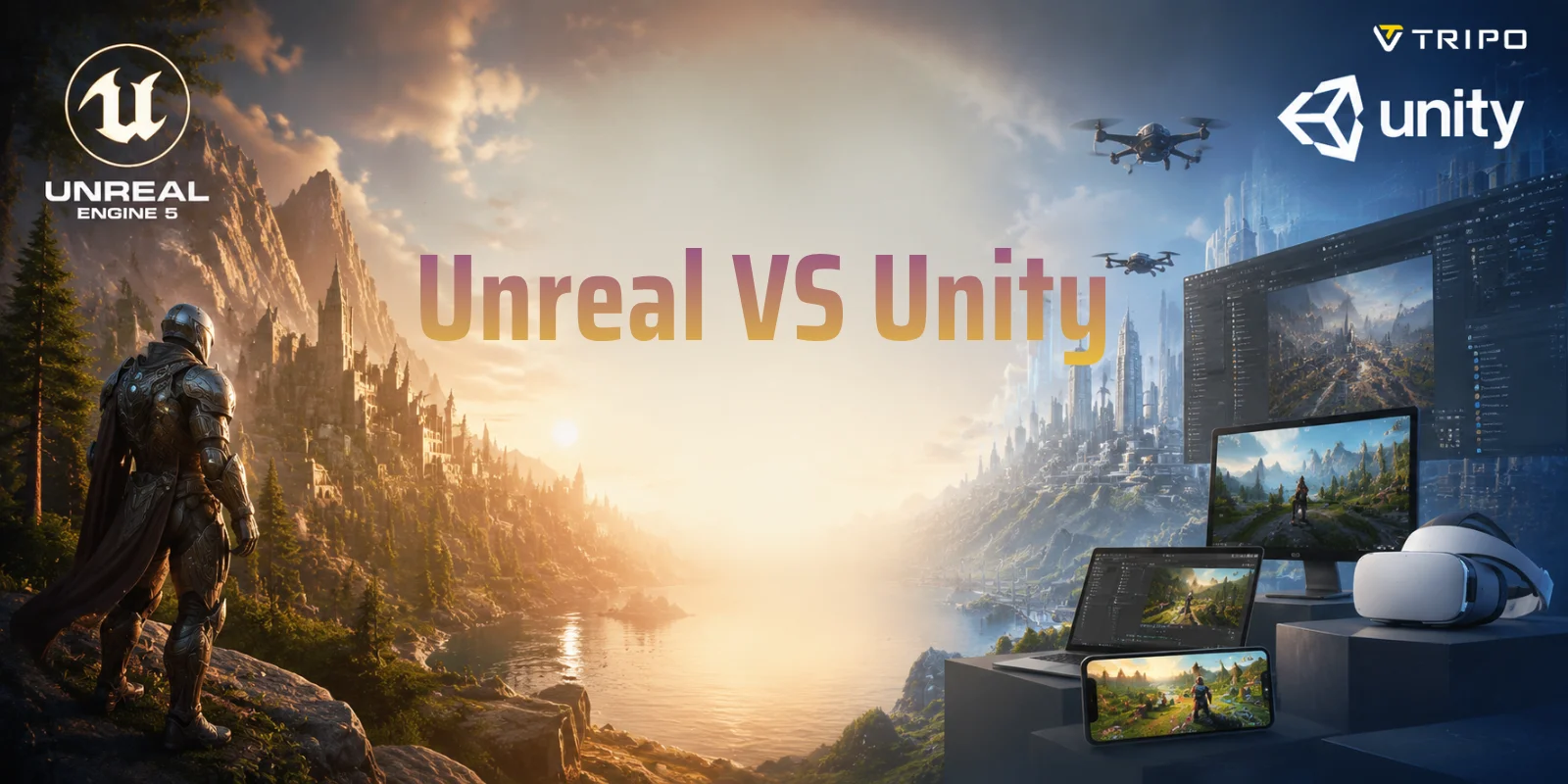
Unreal Engine excels at photorealistic graphics and large-scale AAA projects, while Unity is better suited for indie developers, mobile games, and beginners who want a gentler learning curve. The best engine depends on your project's visual demands, team size, and budget.
Over 70% of mobile games are built with Unity, yet Unreal Engine powers some of the most visually stunning titles ever made — so which one belongs in your workflow? In this guide, you will find a plain-English breakdown of Unreal vs Unity across graphics, pricing, performance, VR support, and ease of use, so you can make a confident decision without spending hours on forums.
Unreal vs Unity: Key Differences at a Glance
Before comparing every feature in detail, it helps to see the big picture. Many developers get overwhelmed by long feature lists because both engines offer similar capabilities. A side-by-side comparison makes the important differences easier to understand.
| Feature | Unreal Engine 5 | Unity 2026 |
|---|---|---|
| Graphics quality | Industry-leading real-time visuals with Lumen and Nanite | High-quality graphics with HDRP and strong optimization options |
| Primary language | C++ and Blueprint visual scripting | C# |
| Pricing model | Free with 5% royalty after revenue threshold | Free Personal plan under $200K annual revenue; paid plans above threshold |
| Platform support | PC, console, mobile, VR, AR, web | PC, console, mobile, VR, AR, web, and many niche platforms |
| Best use case | AAA games, cinematic projects, simulation, high-end VR | Indie games, mobile games, 2D projects, cross-platform development |
| Learning curve | Higher for advanced programming, easier prototyping with Blueprint | Beginner-friendly with simpler workflows and C# scripting |
| Asset store | Fab marketplace with Unreal-focused assets | Unity Asset Store with a large developer ecosystem |
The simplest way to understand the difference is this: Unreal Engine 5 focuses on maximum visual quality, while Unity 2026 focuses on flexibility, accessibility, and fast development. Neither engine is universally better — the right choice depends on your project goals.
Unreal Engine 5 vs Unity 2026: Feature Comparison at a Glance
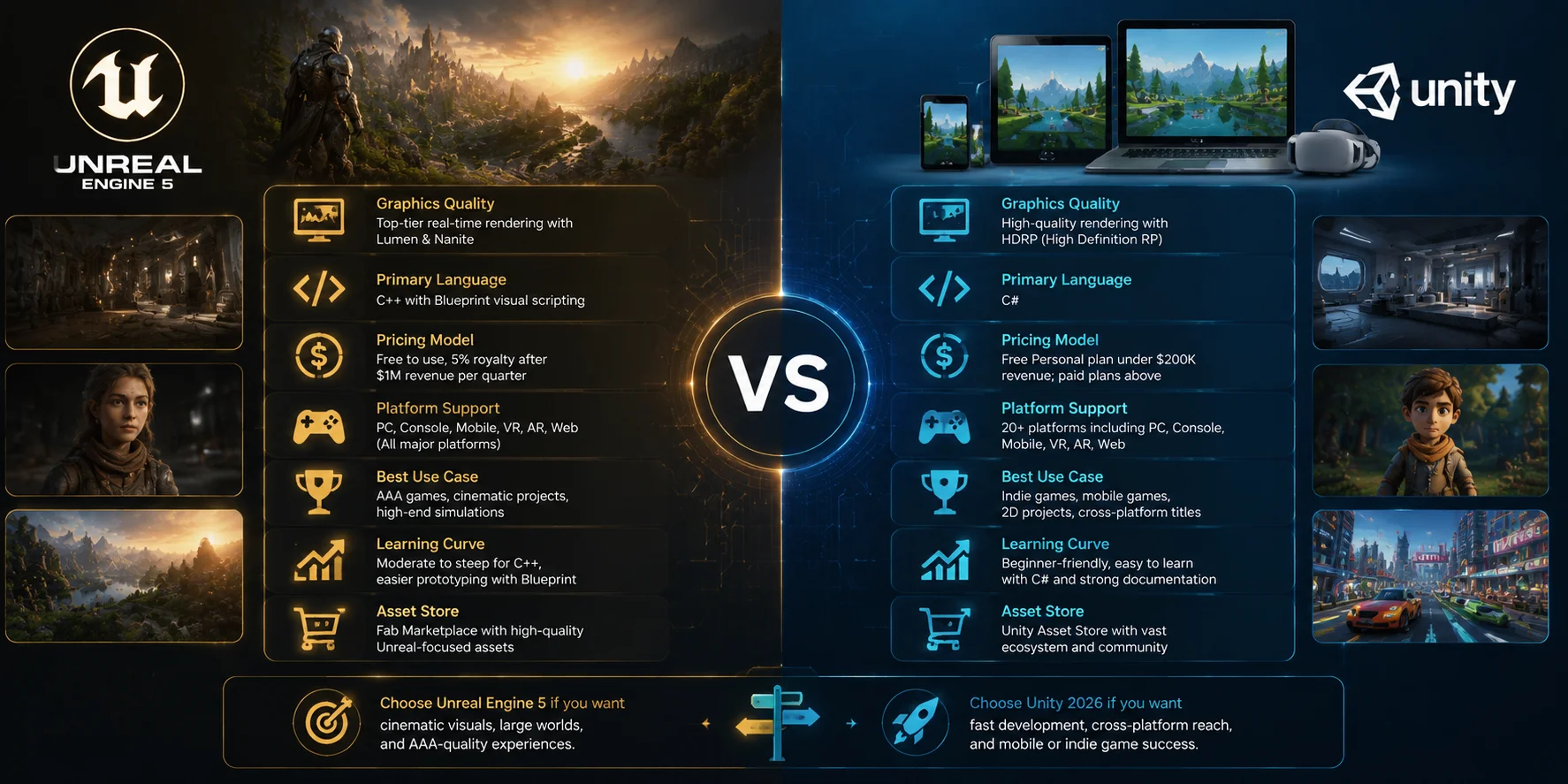
Graphics and Visual Quality
When people compare Unreal vs Unity, graphics quality is usually the first thing they consider. Unreal Engine 5 currently leads the industry in high-end real-time rendering, especially for games that require cinematic visuals.
Unreal Engine 5 includes two major technologies that define its visual advantage: Lumen and Nanite. Lumen is Unreal's dynamic global illumination system that creates realistic lighting changes without requiring traditional baked lighting. It allows developers to create natural reflections, soft shadows, and realistic environments that respond instantly when objects or light sources move.
Nanite is Unreal's virtualized geometry system. It allows artists to use extremely detailed 3D models with millions of polygons while the engine automatically manages the level of detail. This makes it possible to build highly detailed environments with less manual optimization compared with older workflows.
Unity has improved significantly in recent years. Its High Definition Render Pipeline (HDRP) provides advanced lighting, physically based materials, volumetric effects, and realistic rendering features. For many mid-range projects, Unity HDRP can produce visuals that are close to Unreal quality while offering Unity's faster workflow.
Both engines support PBR (Physically Based Rendering) materials, meaning high-quality 3D assets created with modern tools can maintain consistent materials, textures, and lighting behavior in either engine.
The practical choice is simple:
- Choose Unreal Engine 5 if you are creating a cinematic PC or console game where visual realism is the priority.
- Choose Unity 2026 if you need strong graphics that can run efficiently across different devices, including lower-end hardware.
For most indie developers, the question is not whether Unity can create beautiful games — it can. The question is whether Unreal's extra visual power is worth the additional complexity.
Ease of Use and Learning Curve
If you are new to game development, learning difficulty matters as much as technical features. A powerful engine is not useful if it slows down your ability to build and test ideas.
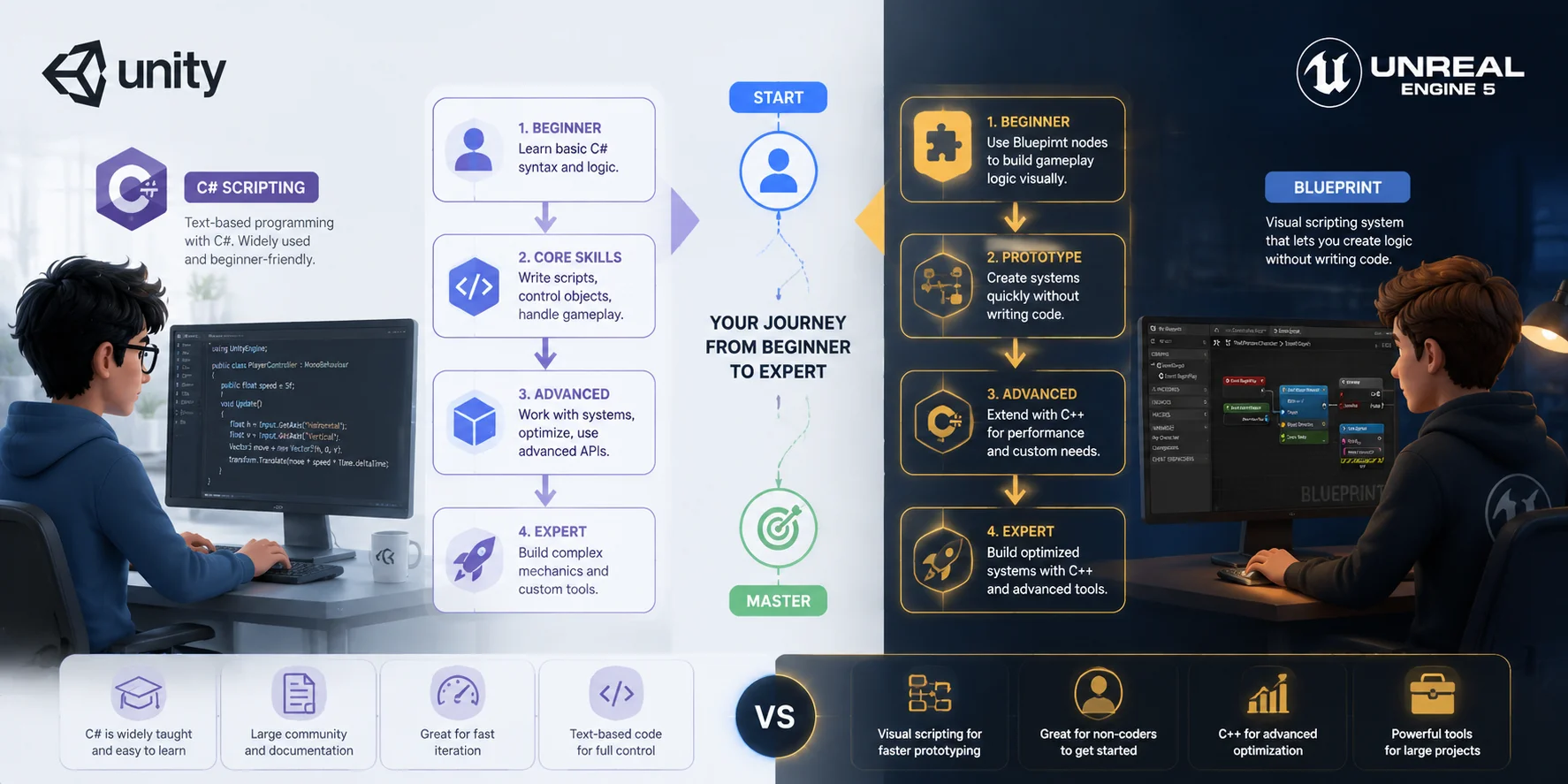
Unity has traditionally been one of the easiest engines for beginners because it uses C#. C# is widely taught in schools, has extensive documentation, and is easier for many new programmers to understand compared with C++. The Unity community also provides thousands of tutorials, templates, and beginner resources.
Unreal approaches development differently. It uses C++ for advanced programming but also includes Blueprint, a visual scripting system that allows you to create gameplay logic by connecting nodes instead of writing code.
Blueprint makes Unreal much more accessible than many beginners expect. You can build character controls, interactive objects, UI systems, and gameplay prototypes without programming experience. However, larger projects often require C++ knowledge for deeper optimization and custom systems.
The difference between C# vs Blueprint is not simply about which one is better:
- C# gives Unity developers a straightforward programming workflow.
- Blueprint helps Unreal developers prototype quickly without code.
- C++ provides Unreal developers with deeper control but requires more experience.
The editors also feel different. Unity's editor is lightweight and usually runs well on modest computers. Unreal's editor includes more advanced built-in tools, but it requires stronger hardware and can feel heavier during large projects.
If you ask, “Should I use Unity or Unreal as a beginner?” the answer is usually Unity. It has a smoother learning curve, simpler scripting, and a larger beginner community. However, if your main goal is creating AAA-style visuals from the beginning and you are willing to spend more time learning, Unreal's Blueprint system gives you a strong starting point.
**C# vs Blueprint: Unity and Unreal Learning Curve Comparison **
Performance and Platform Support
Performance is where Unreal and Unity show some of their biggest differences. The better engine depends heavily on where your game will run.
Unity has a strong advantage in mobile development. The engine is widely used for iOS and Android games because it creates smaller builds, provides mature mobile optimization tools, and handles low-powered hardware efficiently. Developers can optimize important limits such as draw calls, memory usage, texture sizes, and battery consumption more easily.
For mobile games, Unity's lightweight runtime often makes it easier to maintain stable frame rates across many devices. This is one reason Unity remains a popular choice for mobile-focused indie game development.
Unreal Engine is mainly optimized for high-performance platforms such as PC and consoles. It provides powerful rendering features, but achieving smooth performance on mobile devices usually requires more careful optimization. Developers may need to reduce lighting complexity, lower polygon counts, and adjust materials to meet hardware limits.
Both engines support major platforms, including Windows, macOS, consoles, mobile devices, and VR headsets. Both also support WebGL, although neither engine is usually the first choice for browser-first games in 2026 because lightweight web frameworks often provide better performance.
For cross-platform projects, Unity generally provides a more straightforward deployment workflow, supporting many platforms with fewer configuration steps. Unreal supports all major platforms as well, but advanced features may require more platform-specific setup.
A simple rule:
- Mobile-first game → Unity usually wins.
- PC/console game with advanced visuals → Unreal usually wins.
- Multi-platform project → choose based on your main target audience and team experience.
Pricing and Licensing
Pricing is an important factor when choosing between Unreal and Unity, especially for solo developers and small studios. Both engines allow you to start building games without paying upfront, but their business models work differently.
With Unity 2026, the free Unity Personal plan is available for creators and small teams with less than $200,000 in annual revenue or funding. Developers above that threshold need a paid Unity plan, such as Unity Pro, which is priced per seat. Unity previously introduced a Runtime Fee model in 2023 that caused major concerns among developers. After community feedback, Unity revised its approach and moved back toward a more traditional subscription-based model.
For most indie developers earning below the revenue limit, Unity remains effectively free. However, larger teams should calculate the total cost of ownership, including developer seats, services, and production requirements.
Unreal Engine 5 uses a different approach. The engine is free to download and use, but Epic Games charges a 5% royalty on gross revenue above $1 million earned per product per calendar quarter. This means small developers can build and launch projects without paying license fees, while successful commercial products share revenue with Epic after reaching the threshold.
For many solo developers and indie teams, both engines have similar starting costs:
- Small hobby projects → both are free.
- Indie games under the revenue thresholds → both are affordable.
- Large commercial projects → compare long-term costs, team size, and revenue model.
The key difference is not simply “which engine is cheaper.” It is how the payment model matches your business. Unity provides predictable subscription costs for larger teams, while Unreal allows developers to avoid upfront fees and pay only after significant success.
VR and AR Development
Both Unreal and Unity are strong choices for VR development, but they focus on slightly different strengths.
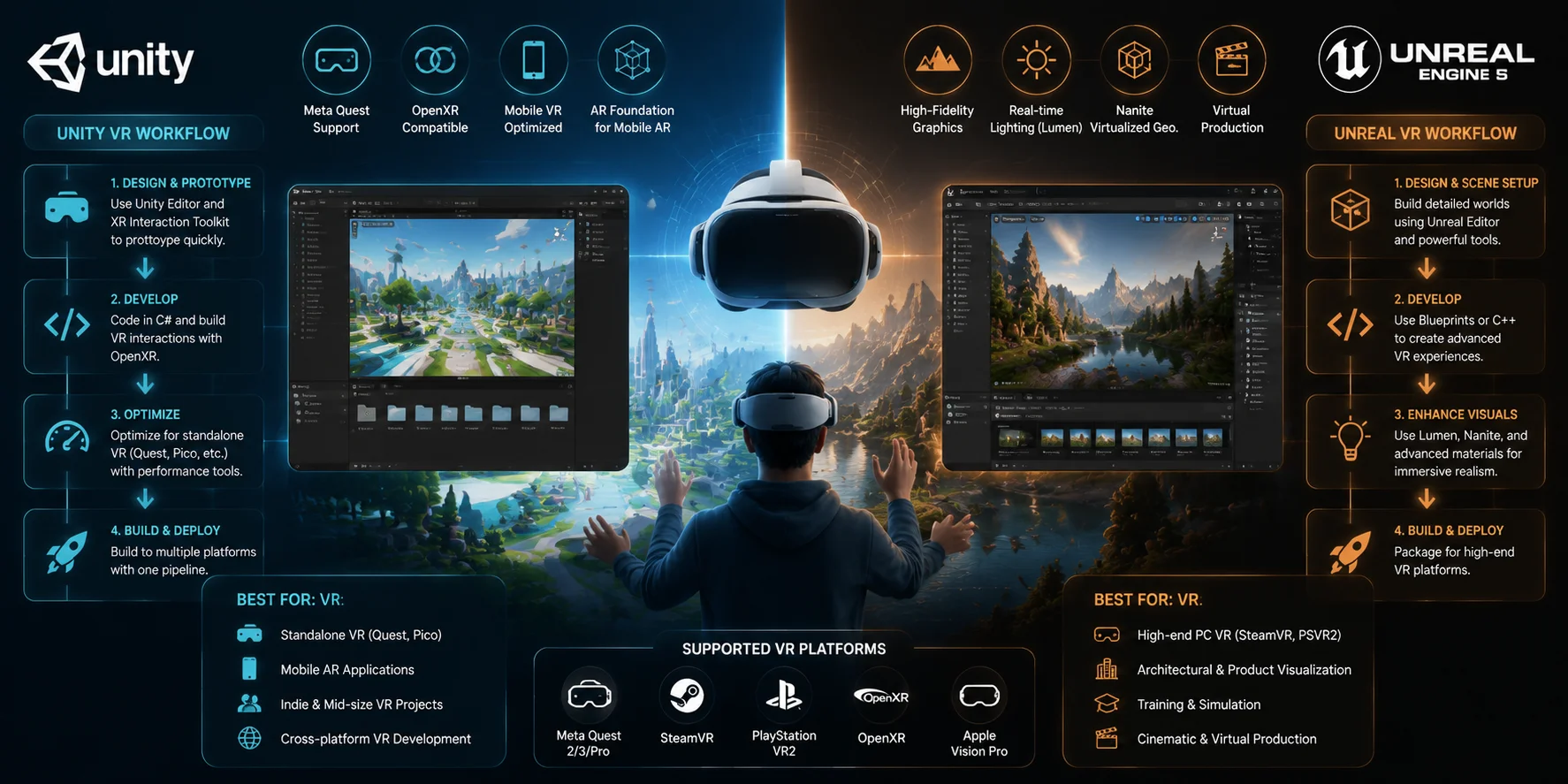
Unity has traditionally been one of the leading engines for standalone VR devices, especially platforms such as Meta Quest. Its lightweight runtime, strong mobile optimization, and support for OpenXR make it easier to create VR applications that need to run within strict hardware limits.
Unity's AR Foundation is also a major advantage for mobile AR development. It provides a unified workflow for building augmented reality experiences across iOS and Android devices. Many mobile AR apps use Unity because developers can quickly access features such as plane detection, object tracking, and device sensors.
Unreal Engine offers a different advantage: visual quality. With Unreal Engine 5 features such as Lumen lighting and advanced materials, it is especially strong for high-end VR experiences that require realistic environments. Architectural visualization, training simulations, virtual production, and premium VR applications often choose Unreal because of its cinematic rendering capabilities.
Both engines support major platforms, including:
- Meta Quest
- SteamVR
- PlayStation VR2
- Apple Vision Pro
The practical choice depends on your target experience:
- Standalone VR with strict performance limits → Unity is often the better choice.
- High-fidelity VR simulation or realistic environments → Unreal has an advantage.
- Mobile AR applications → Unity's AR Foundation is usually the safer option.
VR Development Workflow: Unity vs Unreal Engine Comparison
Asset Creation and Your 3D Pipeline
Regardless of whether you choose Unreal Engine 5 or Unity 2026, your game development speed depends heavily on your 3D asset pipeline. A powerful engine can render impressive worlds, but you still need characters, props, environments, and objects that are optimized for real-time use. For many indie developers, asset creation becomes one of the biggest bottlenecks because building every model manually requires significant time and 3D modeling skills.
Fortunately, both engines support industry-standard formats, including FBX, OBJ, and GLB/GLTF. This means you can create models in Blender, download assets from marketplaces, or generate them with AI tools and bring them into either engine with only minor adjustments to materials and settings.
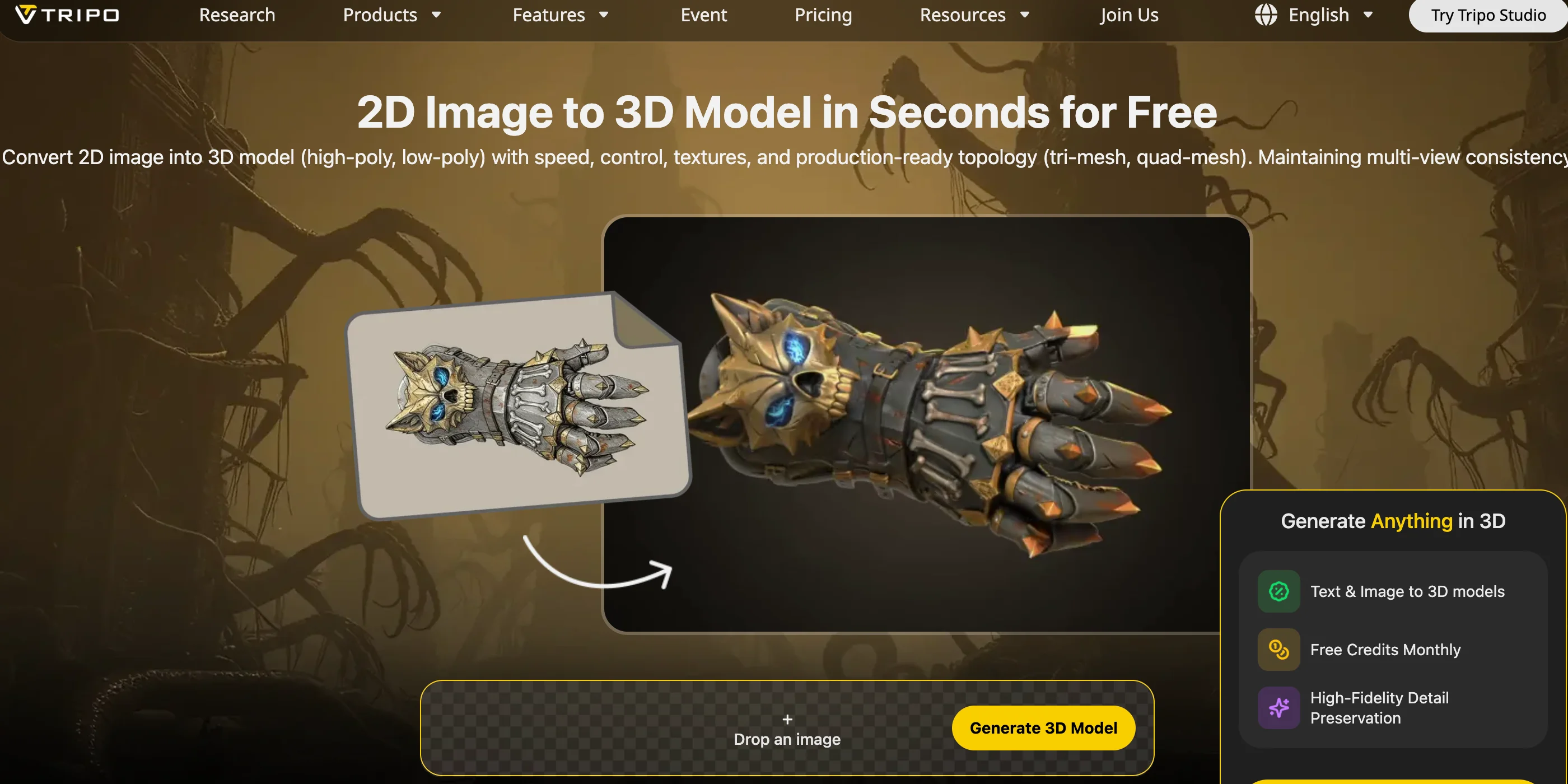
AI-powered workflows are making this process faster. Tools like Tripo AI's 3D Model Generator can create textured 3D models from a text prompt or reference image, allowing you to quickly turn an idea into a usable game asset. After generation, you can export models in formats such as FBX or GLB and import them directly into Unity or Unreal for testing and iteration. For example, you can create a fantasy prop, environment object, or vehicle concept in minutes instead of waiting for a complete modeling pass.
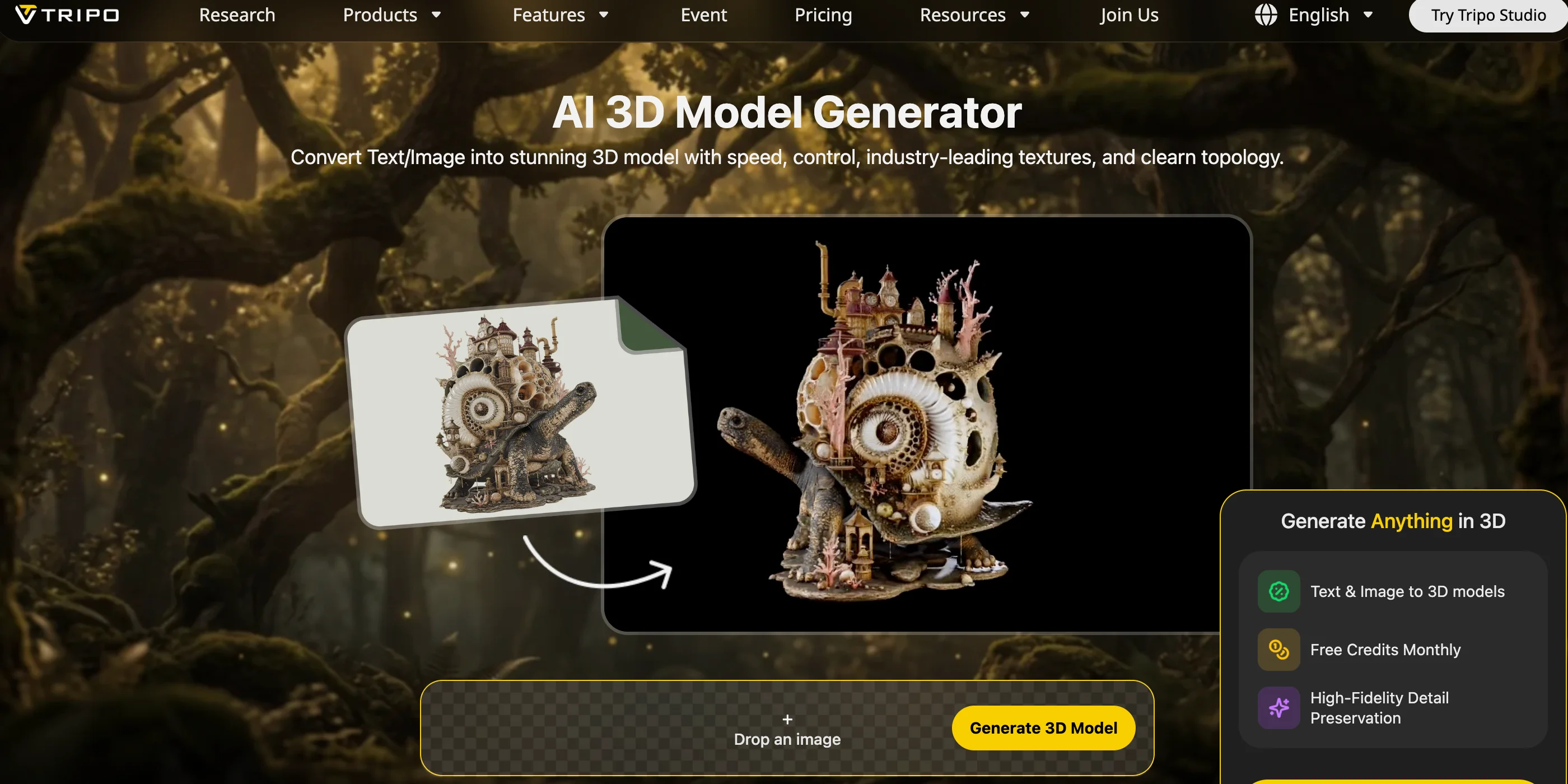
This workflow is especially valuable for small teams and solo developers who do not have a dedicated 3D artist. AI-generated assets are not a replacement for professional art direction, but they can help you prototype faster, test gameplay ideas earlier, and keep development moving without blocking your entire project on asset production. You can also explore Image to 3D workflows when you want to turn real-world references or concept images into editable 3D assets.
Unreal vs Unity for Specific Use Cases
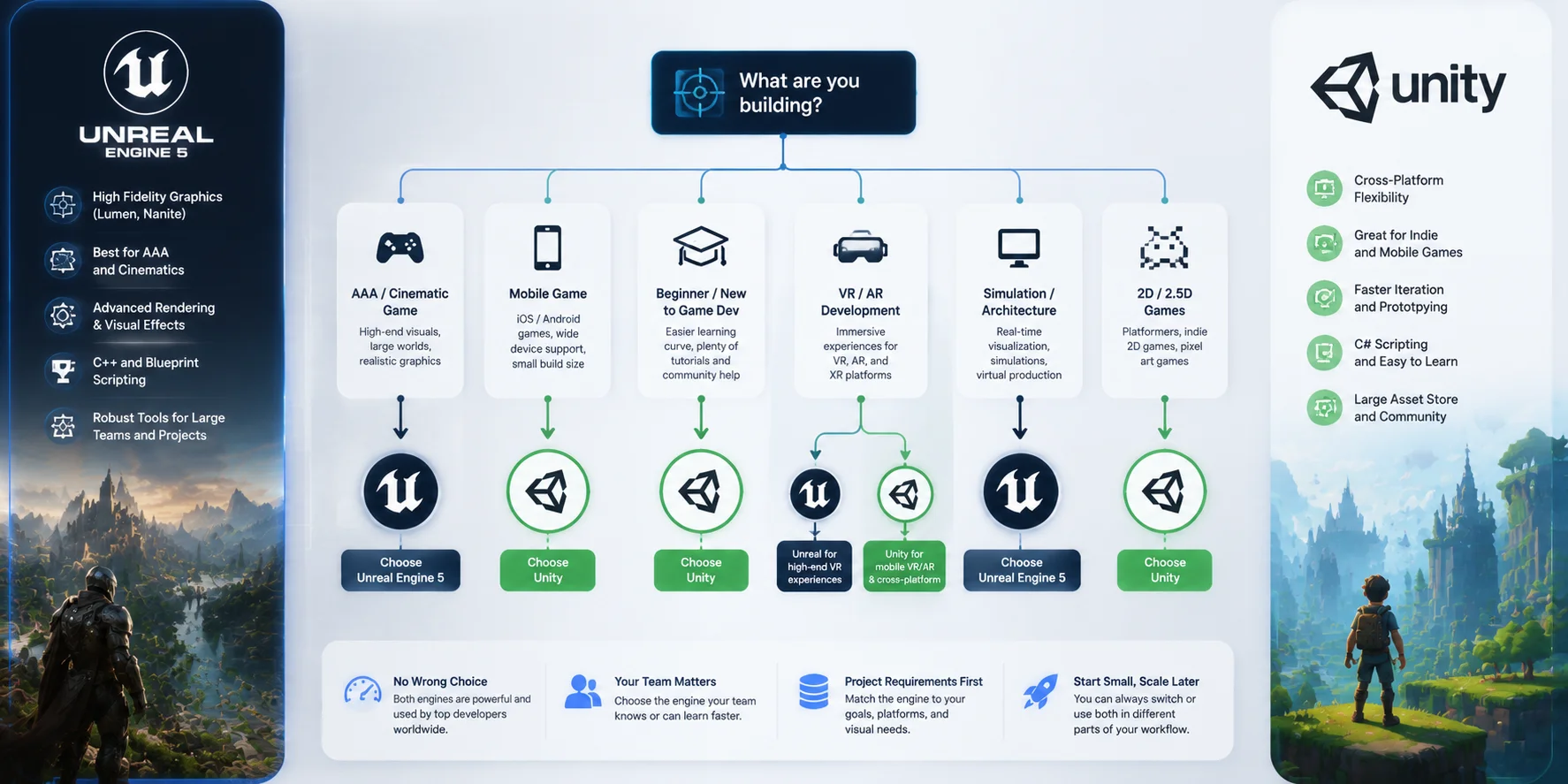
There is no single winner in the Unreal vs Unity debate. The better engine depends on what you are building.
| Project Type | Recommended Engine | Why |
|---|---|---|
| Indie / solo development | Unity | Easier learning curve, lighter editor, faster iteration |
| AAA games | Unreal Engine 5 | Advanced rendering, Nanite, Lumen, cinematic tools |
| Mobile games | Unity | Better optimization, smaller builds, mature mobile workflow |
| Architectural visualization | Unreal Engine 5 | Realistic lighting and high-quality environments |
| 2D games | Unity | Strong 2D tools and larger ecosystem |
| Multiplayer games | Both | Unreal has strong replication tools; Unity offers flexible networking options |
| Simulation projects | Unreal Engine 5 | Strong visuals and real-time environment rendering |
For indie developers, Unity is often the practical choice. You can start quickly, find tutorials easily, and build projects with lower hardware requirements.
For studios creating visually impressive games, Unreal Engine 5 provides tools that reduce the work needed to achieve realistic results. Features such as Lumen, Nanite, MetaHuman, and Sequencer make Unreal especially attractive for cinematic experiences.
For mobile games, Unity remains the safer choice because performance optimization and platform support are central parts of its ecosystem.
For multiplayer games, both engines can handle online experiences. Unreal has a long history with large-scale networking systems, while Unity provides flexible tools that work well for many indie and mid-sized projects.
The best approach is to choose the engine that matches your project, not the engine with the longest feature list.
Unreal vs Unity Decision Guide: Choose the Right Engine for Your Project
Frequently Asked Questions
Q1: Is Unreal better than Unity?
Neither engine is universally better. Unreal Engine 5 leads in visual quality, especially for realistic PC and console games, while Unity is stronger for accessibility, mobile development, and fast iteration. The right choice depends on your project goals.
Q2: Should I use Unity or Unreal Engine as a beginner?
Most beginners should start with Unity because C# is easier to learn, the editor is lighter, and there are more beginner tutorials. Unreal is also beginner-friendly through Blueprint, but advanced development usually requires learning C++.
Q3: Is Unreal more difficult than Unity?
Generally, yes. Unreal's Blueprint system makes prototyping simple, but deeper customization and optimization often require C++. Unity usually provides a smoother learning path for new developers.
Q4: Is 32GB of RAM enough for Unity?
Yes. Unity can run comfortably with 16GB of RAM for many projects, while 32GB provides a comfortable setup for larger scenes and professional workflows. Unreal benefits more from 32GB or higher because its editor and rendering systems are heavier.
Q5: Which engine is better for VR development?
Unity is usually better for standalone VR devices such as Meta Quest because of its performance efficiency. Unreal is preferred for high-quality VR experiences that prioritize realistic graphics.
Q6: How does Unreal vs Unity pricing compare?
Unity Personal is free for creators under the 1 million in revenue per calendar quarter.
Q7: Which engine is better for mobile games?
Unity is usually the better choice for mobile games because it offers smaller builds, strong optimization tools, and a long history of supporting iOS and Android development.
Q8: Can I use the same 3D assets in both Unreal and Unity?
Yes. Both engines support common formats such as FBX, OBJ, and GLB/GLTF. You may need small material or shader adjustments, but the same core asset can work in both engines.
Q9: What programming languages do Unreal and Unity use?
Unity mainly uses C#. Unreal uses C++ for advanced programming and Blueprint visual scripting for faster gameplay prototyping.
Q10: Is Unreal Engine good for 2D games?
Unreal can create 2D games, but Unity has much stronger 2D tools and community support. For a 2D-first project, Unity is usually the better choice.
Conclusion
Unreal Engine and Unity are both mature, capable platforms — your choice comes down to the kind of game you want to build and the workflow that fits your team. If you are aiming for cinematic visuals on PC or console, Unreal Engine gives you the rendering power to get there. If you are building for mobile, starting out as a beginner, or working solo on a tight timeline, Unity's gentle learning curve and flexible pricing make it the smarter starting point.
Whichever engine you choose, your asset pipeline will define how fast you can build. Try Tripo AI Studio to generate game-ready 3D models from text or images and import them directly into your engine — no 3D modeling experience required. See what fits your budget at** Tripo AI Pricing**.