Why Your AI Anime Character Breaks in 3D — 5 Mistakes (and How to Fix Them)
Generating an anime character with AI is easy. Getting one that actually works in 3D is not.
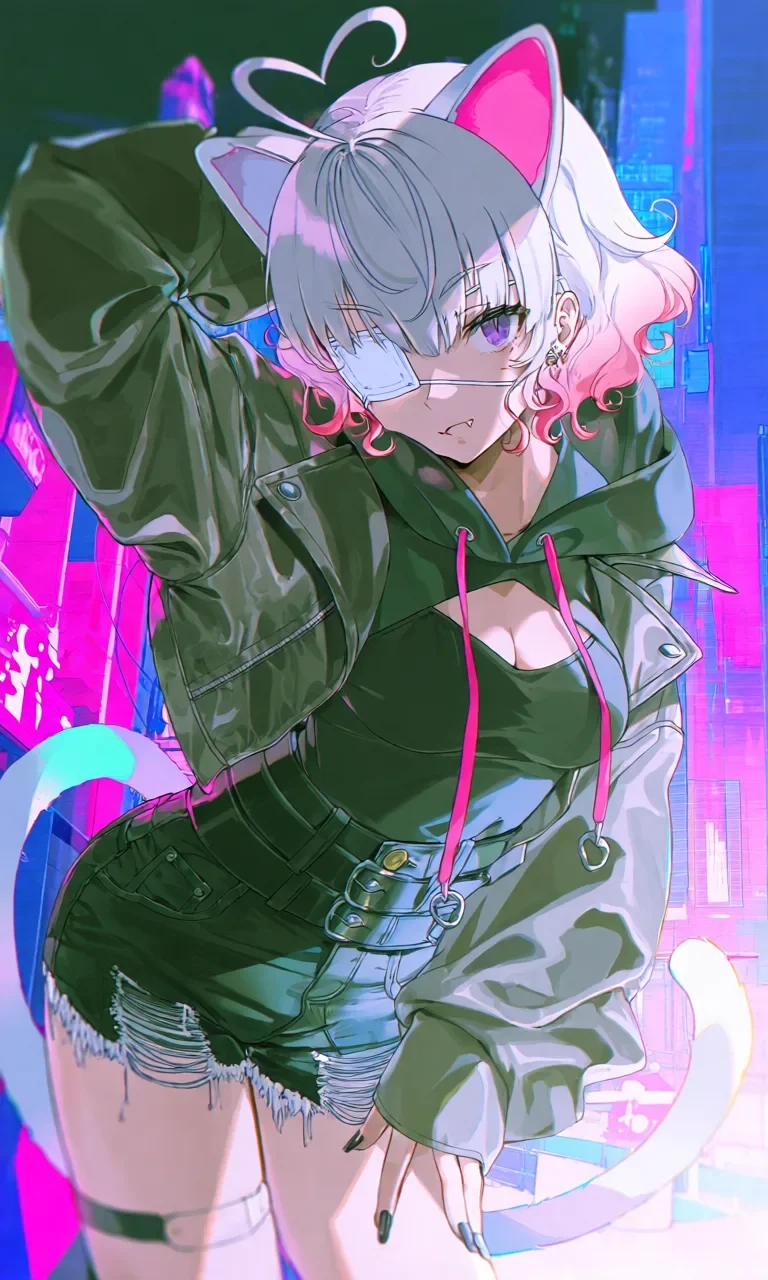
You can make a beautiful 2D illustration in minutes — silver hair, cat ears, layered outfit. Feed it into a 3D converter, and half the time the hair merges into clothing, accessories disappear, and proportions look strange from other angles.
The problem usually isn't the 3D tool itself. Most failures start with the source image — especially in anime workflows, where layered outfits and stylized shading are harder for AI to interpret in 3D.
Good anime-to-3D workflows are less about one-click magic and more about preparing the character correctly before conversion.
In this article, we'll break down five common mistakes creators make when turning AI anime characters into 3D — and how the PixAI + Tripo workflow fixes them.
Product Overview
PixAI — Anime-Focused AI Image Generation
PixAI is an AI image generation platform built specifically for anime and stylized character creation. Unlike more general-purpose AI image tools, PixAI focuses heavily on recurring character workflows, making it easier to create consistent characters across multiple generations, poses, and outfits.
Key features include over 1 million anime-focused AI models, LoRA training, reference-based generation, Edit Pro/Reference Pro image editing tools, and one-click character presets like Image to Figure, Statue Generator, and Plushie Generator. These tools are especially useful for creators building long-term character IPs instead of standalone illustrations.
For anime-to-3D workflows, this matters: a stable, consistent character image gives downstream 3D tools the clean input they need.
Tripo — From AI Generation to Usable 3D Assets
Tripo is an AI-powered 3D platform designed to turn visual concepts into editable, reusable 3D assets. In addition to image-to-3D generation, Tripo includes tools for segmentation, texture refinement, local repainting, rigging, animation, export, and even 3D printing workflows.
What makes Tripo really stand out is that the workflow doesn't stop after generation. Many AI 3D tools can create an initial mesh, but refining and reusing that model often requires jumping between multiple different programs.
Tripo keeps much more of that process inside a single workflow. Features like segmentation and local repainting make it easier to clean up generated models, edit specific regions without starting over, and prepare characters for downstream use in animation, avatars, games, or virtual production.
Together, they form a complete pipeline from 2D character design to production-ready 3D assets.
Mistake #1 — Using an Image with a Busy Background
A messy background breaks anime-to-3D fast.
Neon lights, particles, detailed scenery — they bleed into the character's hair and clothing. Feed that into Tripo directly, and it can't tell where the character ends and the background begins. You end up with merged geometry, broken edges, and missing details.
PixAI fixes this at the source. It generates anime characters with simple backgrounds and clean silhouettes — giving Tripo a clear, readable input. Already have a busy illustration? PixAI's Edit Pro tools remove or swap the background without changing the character.
Tripo doesn't need a perfect image. But it does need to know what's character and what isn't. PixAI makes that obvious.
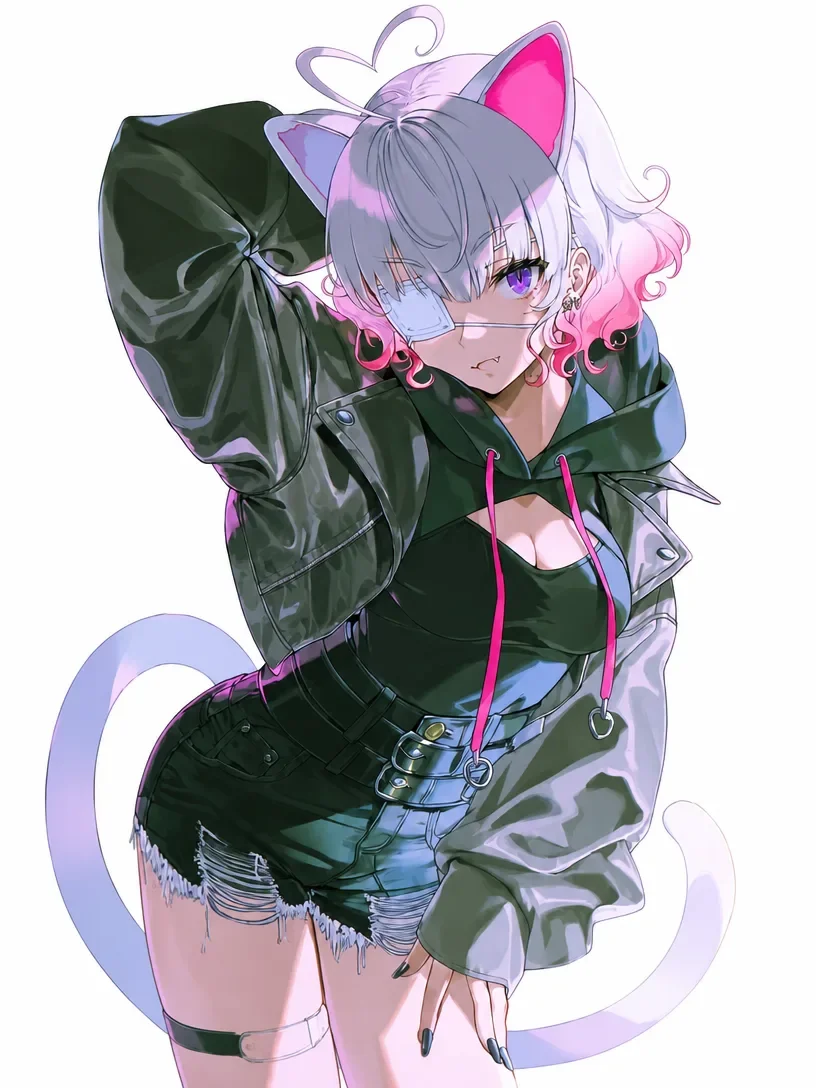
Mistake #2 — Picking a Pose That Hides Half the Character
A cool dynamic pose looks great in 2D. But for 3D conversion? It's trouble.
Extreme angles, cropped limbs, crossed arms — the AI has to guess what's hidden. In anime style, it's even worse. Long hair and layered outfits already obscure parts of the body. Add a tricky pose and the AI doesn't stand a chance.
Result? Distorted limbs, missing geometry, proportions that break from other angles.
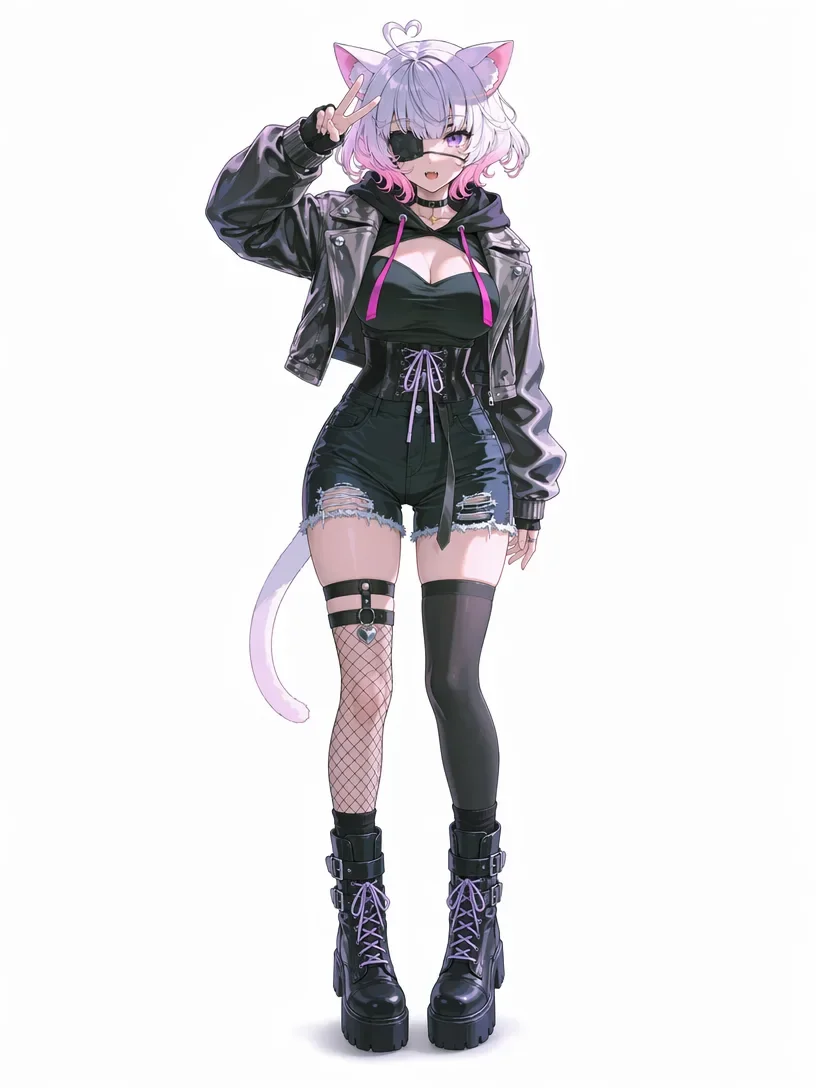
The fix: use a full-body image with a clear standing pose — front-facing or 3/4 view. That gives Tripo complete visual information.
PixAI makes this easy. With prompt control and Image to Figure, you can generate clean standing-pose references without losing your character's original design.
While PixAI handles the pose, Tripo handles the conversion — turning a clean standing image into a stable 3D model with consistent proportions.
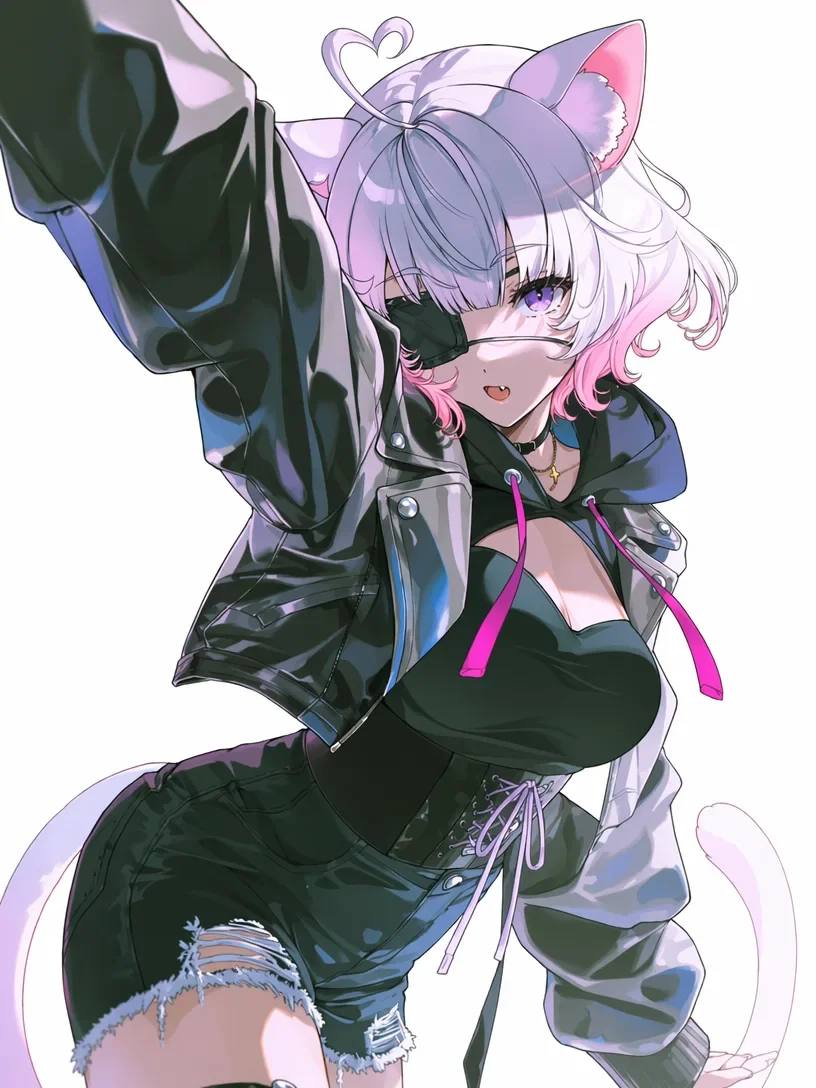
Mistake #3 — Treating Every Generation as a One-Off
Here's a problem nobody talks about enough: character drift.
The hairstyle changes slightly. Accessories move or disappear. Outfit details shift. Suddenly your 3D model looks like a different character from the one you started with.
For 3D workflows, that's a nightmare. Image-to-3D depends entirely on the source image. If the character keeps drifting, you can't get a stable model for rigging or animation.
The fix? Lock in the identity before you generate.
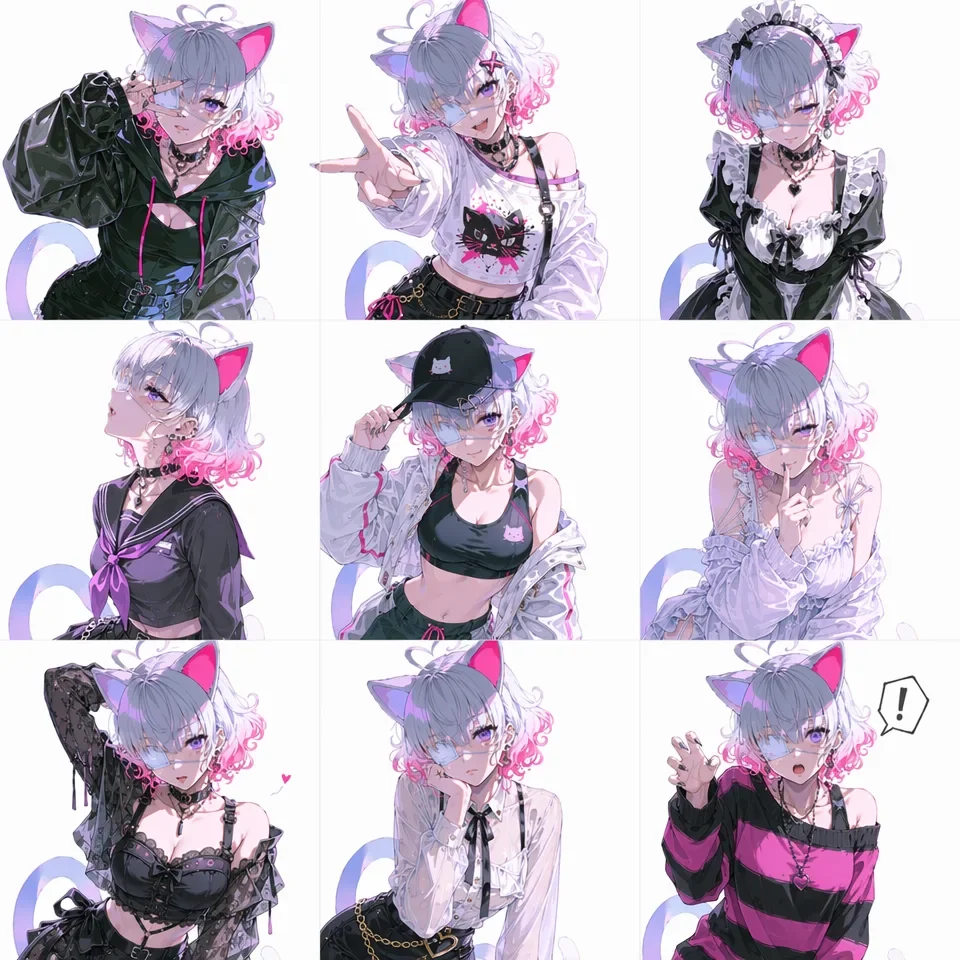
PixAI's Reference Pro keeps consistency across poses and outfits. Character LoRA training builds a reusable identity — same character, every time.
Why Tripo? A stable source image means Tripo delivers clean, recognizable models consistently. With a stable source image, Tripo can deliver recognizable models consistently — not just for one good generation, but across iterations.
Mistake #4 — Expecting the Raw 3D Mesh to Be Final
Getting a mesh out of AI doesn't mean it's ready to use.
Anime characters have layered clothing, complex hair, ribbons, accessories — all of which tend to merge together during generation. Hats fuse into heads. Long hair merges with shoulders. Parts that should be separate become one blob.
The fix? Don't treat the first mesh as final. Treat it as a base to refine.
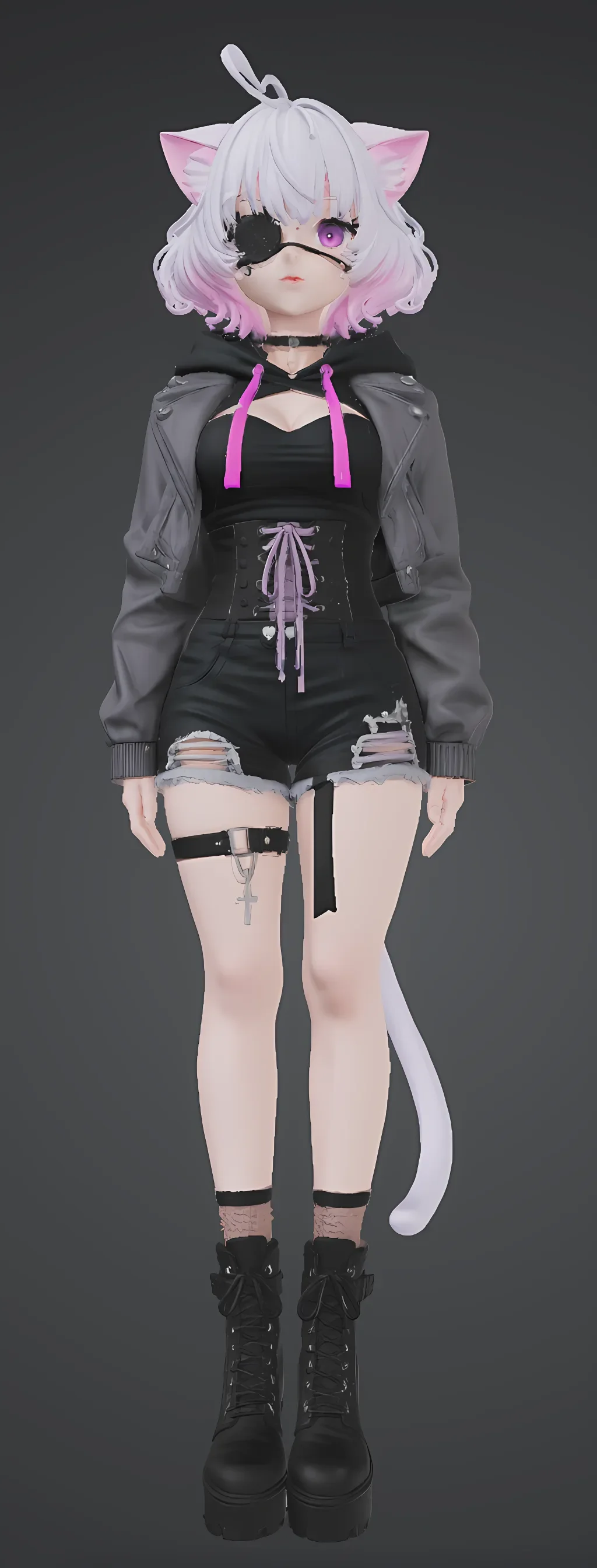
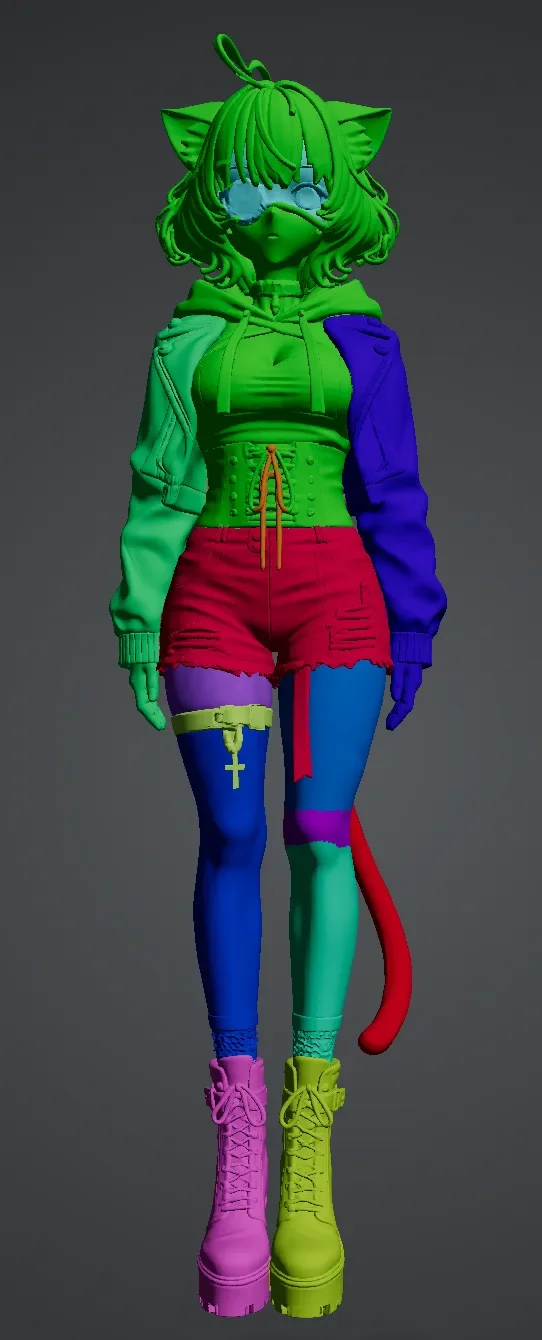
Tripo's segmentation tools separate hair, accessories, and clothing into clean, editable parts. AI texture refinement cleans up surface blurriness — without rebuilding everything in another program.
The cleaner the PixAI source, the less cleanup Tripo needs. Less merging from the start, faster iteration after.
Mistake #5 — Locking Yourself Out of Future Edits
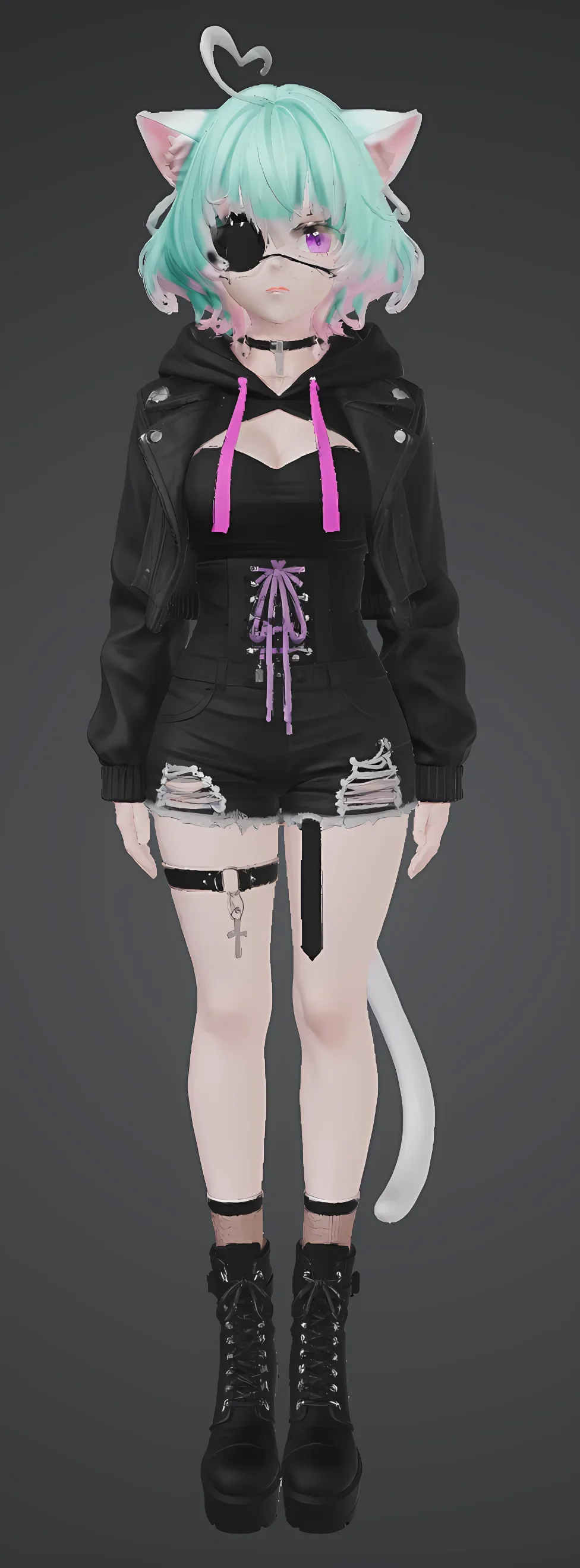
Want to change hair color or swap an accessory after conversion? Most AI 3D workflows make you start from scratch.
That's a nightmare for VTuber models, game assets, or any character that keeps evolving.
The problem isn't the generation. It's treating the model as a final output instead of a reusable asset.
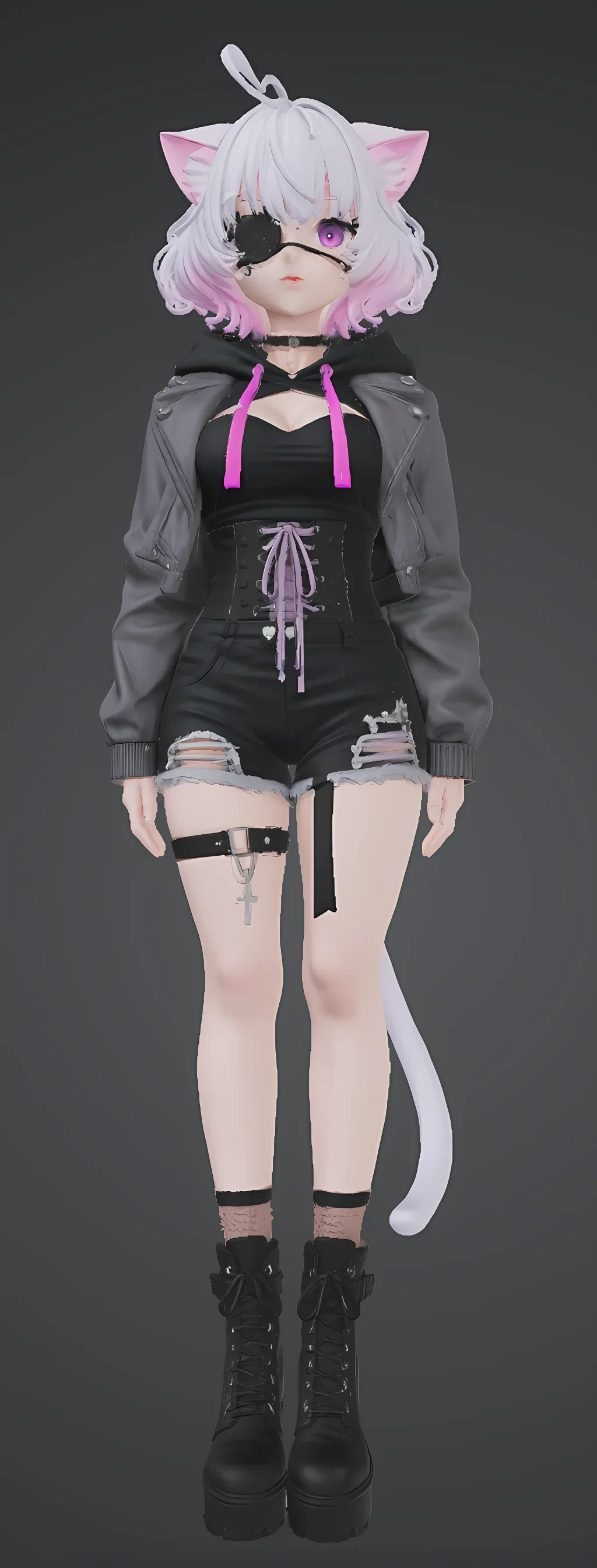
Tripo fixes this with local repainting — change specific regions like clothing or hair without rebuilding the whole model. Need alternate costumes or seasonal variants? Keep the base intact. Just edit what changes.
Plus rigging and animation-ready exports. The same character can move through different scenes without being rebuilt from scratch each time.
The PixAI + Tripo Workflow Recapped
A good anime-to-3D workflow starts before the 3D conversion — not after.
The PixAI + Tripo approach isn't about one-click magic. It's about building a reusable character pipeline:
- Design in PixAI with anime-focused models
- Lock in consistency with Reference Pro or Character LoRA
- Generate a 3D-ready image (full-body pose, clean background)
- Clean up with Edit Pro if needed
- Convert to 3D with Tripo
- Refine with segmentation and cleanup tools
- Reuse across 2D, 3D, animation, and variants
AI-generated characters become reusable assets — not single-use illustrations. Once the identity and structure are stable, future edits, new poses, and alternate outfits all get easier.
FAQ
Can I turn any AI-generated anime image into a 3D model?
Technically yes, but not every image converts cleanly. Busy backgrounds, hidden limbs, and inconsistent details all get in the way.
That's where PixAI comes in. It helps generate more 3D-friendly anime images from the start — through prompt control, consistent character workflows, and background cleanup with Edit Pro. Once the source is clean, Tripo can produce stable meshes with fewer artifacts and missing details.
Do I need to train a LoRA before converting my character to 3D?
Not always.
If you're just testing a single image, PixAI's Reference Pro is usually enough to keep character consistency across a few generations. But for VTubers, game characters, or recurring IPs, Character LoRA training is a game-changer long term.
Here's why: image-to-3D quality depends entirely on the source image. If your character drifts between generations, the final 3D model won't feel like the same character. Lock the identity first with PixAI, and Tripo's entire workflow becomes more stable and reusable.
Is the 3D model usable in VRChat, Unity, or Unreal?
Yes — especially after refinement.
Most AI-generated meshes still need cleanup before they're ready for animation or real-time use. That's exactly why Tripo doesn't stop at the initial mesh. It includes segmentation, refinement, rigging, and export workflows — so you're not left with a raw, unusable model.
Once refined, the same character can be reused across avatars, animation projects, virtual production, and game engines. No rebuilding from scratch.
What image format and resolution does Tripo recommend?
Higher quality in = higher quality out.
Full-body character images with clean silhouettes, simple backgrounds, and clear lighting work best. PNG is often preferred because it preserves cleaner edges and detail.
This is another place PixAI fits naturally into the pipeline. Instead of generating random one-off illustrations, you can intentionally produce cleaner anime images optimized for Tripo conversion. Clean input means clean output — and PixAI is built to produce that clean input.
Does multi-image input really make a difference?
Yes — especially for anime characters with layered costumes, asymmetric accessories, or complex hairstyles.
A single image only shows one angle, so the AI still has to guess hidden geometry during conversion. Multiple reference images give Tripo more visual information about the character's structure, leading to better consistency and preserved detail.
PixAI's consistency tools make this workflow much easier. You can generate multiple matching views of the same character without large design drift between images — giving Tripo exactly what it needs to do its best work.
Conclusion
Most AI anime 3D problems don't start in 3D. They start earlier — with inconsistent designs, messy backgrounds, or source images never meant for conversion.
Fix the input, and the output fixes itself.
PixAI gives you clean, consistent character designs that won't drift between generations. Tripo takes those designs and turns them into editable, production-ready assets — not just raw meshes, but rigged, segmented, and actually usable.
Most workflows treat generation as the end. This one treats it as the beginning. PixAI makes Tripo's job easier. Tripo makes PixAI's output matter.
That's the difference between a one-off gimmick and a real production pipeline.
Start in PixAI. Refine in Tripo. Build once, reuse everywhere.