Turn 3D Visuals into Cinematic AI Videos Using Tripo & Mootion
Introduction
AI-generated visuals are becoming increasingly common across creator platforms. From anime edits to cinematic trailers, creators now have access to tools that dramatically reduce production time.
However, one challenge remains: Generating visuals is only the beginning.
Turning still images into emotionally engaging video content requires motion, pacing, storytelling, and workflow design. This is why many creators are shifting away from relying on a single AI tool. Instead, they are building modular AI workflows.
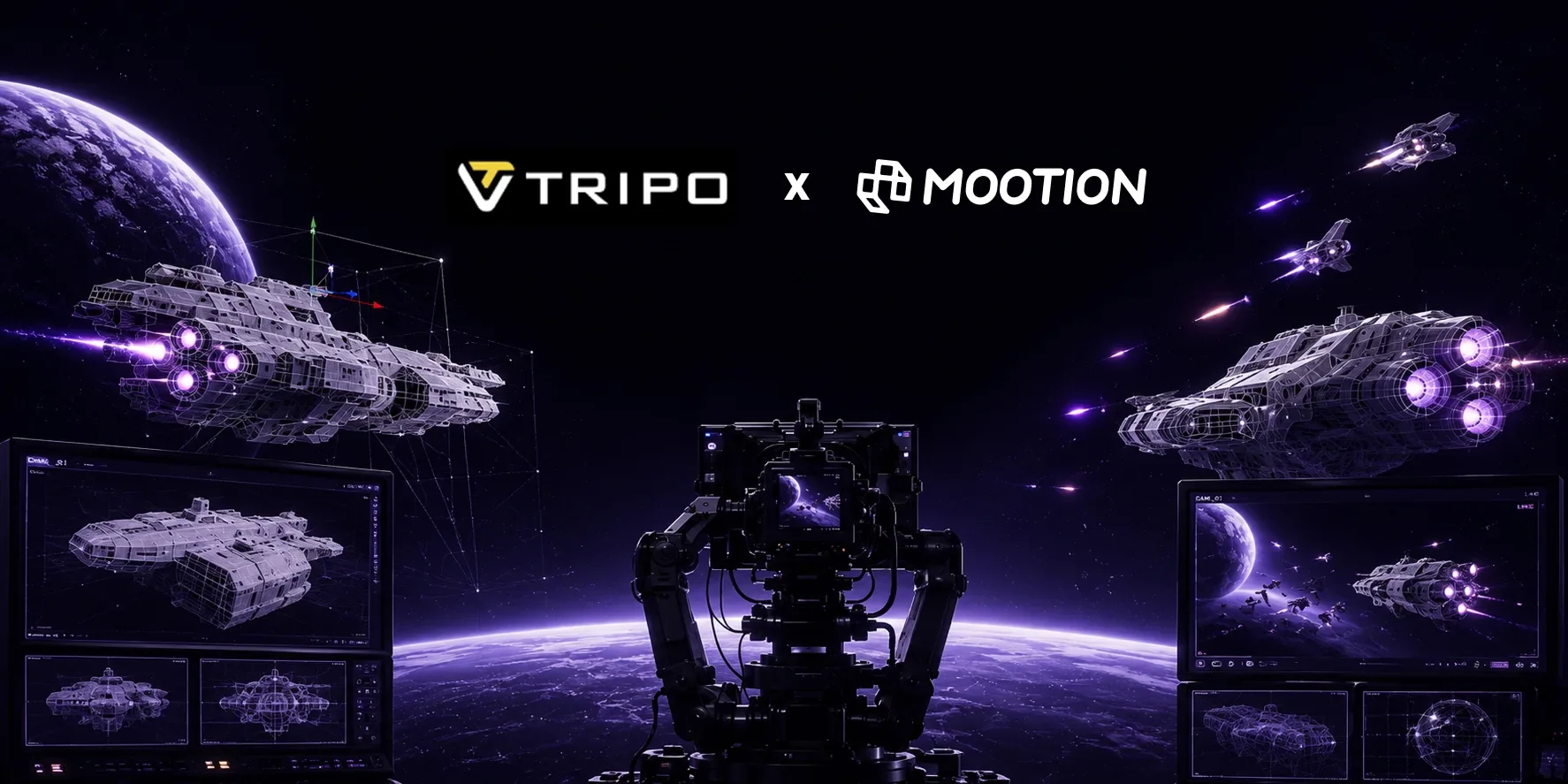
In this blog, we’ll walk through a practical workflow using Tripo for visual asset generation and Mootion AI for cinematic animation and storytelling.
This workflow works especially well for:
- TikTok creators
- YouTube Shorts creators
- AI filmmakers
- Faceless content creators
- Indie storytellers
Why AI Video Workflows Matter
The future of AI creation is increasingly workflow-driven.
Most successful creators no longer depend on a single platform to complete an entire production pipeline.
Instead, they combine generation tools, animation tools, and storytelling systems. This approach provides faster iteration, better creative flexibility, scalable content production and improved visual consistency. For short-form creators, workflow speed is often a competitive advantage. Creators who can rapidly test ideas, publish frequently, and maintain visual quality tend to perform better across social platforms. And many creators nowadays often animate generated scenes in Mootion.
That is why combining Tripo and Mootion can become a highly effective creator workflow.
Step 1: Generate Visual Assets with Tripo
What Is Tripo?
Tripo is an AI-powered tool that allows users to generate detailed 3D characters from simple text prompts or image references. With its intuitive interface and robust modeling capabilities, Tripo is ideal for artists and non-artists alike who want to prototype or create unique character designs quickly.
Key benefits of using Tripo:
- Instant 3D from text or images
- Fast, easy, and time-saving
- Perfect for rapid prototyping & iteration
How to Create a 3D Character in Tripo
Creating a 3D character in Tripo Studio is simple and fast. Users can either enter a detailed text prompt or upload a concept image to start the generation process. For best results, define the character’s appearance, clothing style, personality, and overall visual theme clearly — such as “cyberpunk female hacker with neon jacket and holographic accessories” or “anime-style fantasy mage with glowing staff and silver armor.”
Once the prompt or image is uploaded, Tripo’s AI-powered text-to-3D or image-to-3D model workflow automatically generates a stylized 3D character complete with geometry and textures within seconds. Users can then refine the result, regenerate variations, and export the final model in formats such as GLB, FBX, or GLTF for use in Blender, Unity, Unreal Engine, VRChat, games, XR experiences, or creative production workflows.
Step 2: Upload the Visual Assets into Mootion
What Is Mootion?
Mootion is a revolutionary AI-powered video creation platform specializing in generating high-quality, long-form videos over 2 minutes. It allows users to transform simple text prompts, scripts, images, audio, videos into narrative-driven videos with consistent visuals, characters, and pacing, making it ideal for storytellers, educators, and marketers. Mootion AI combines these premium features with an intuitive interface, making professional video production accessible to everyone.
How to Turn Visuals into Videos in Mootion?
You have two options to enter Mootion generation workspace
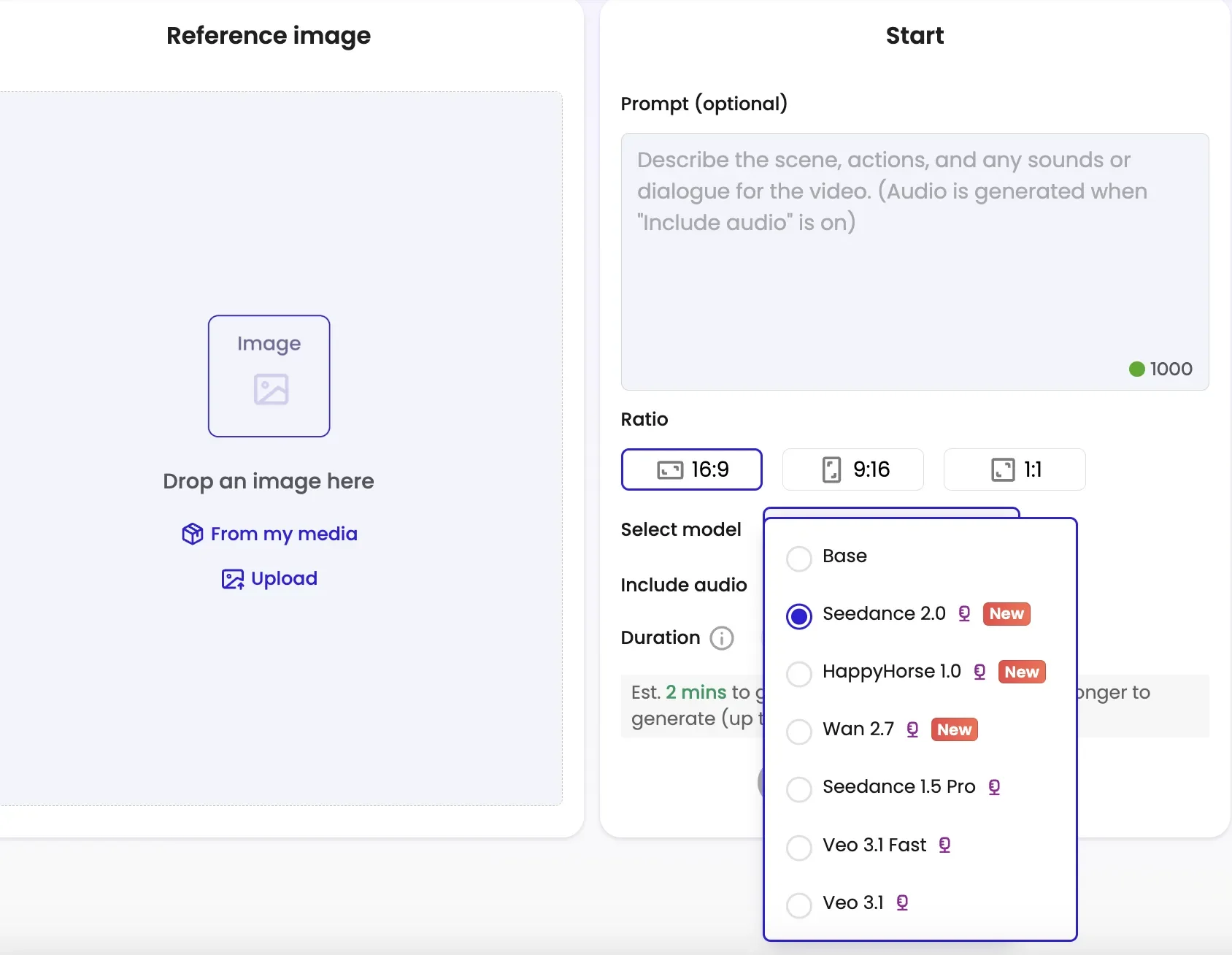
- Option 1: begin by navigating to the AI Tools section and selecting Image-to-Video.
Upload your visual asset generated from Tripo, and enter a descriptive prompt. You have the flexibility to choose different models to match specific aesthetic requirements.
- Option 2: enter via mainstream workspace.
You have the flexibility to choose one model for all scenes or select different models per scene to match specific aesthetic requirements.
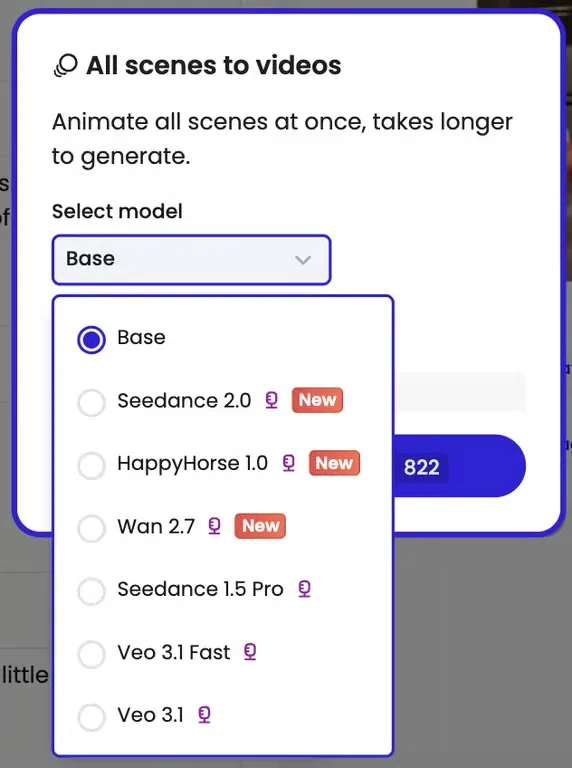
Step 3: Model Selection & Animation
Choose the SOTA model that fits your vision. Select HappyHorse 1.0 for cinematic lightning and smooth camera motion, or Seedance 2.0 for native audio synchronization and narrative control. For character-heavy projects, Wan 2.7 offers exceptional character locking. Select the ratio of the video and duration.
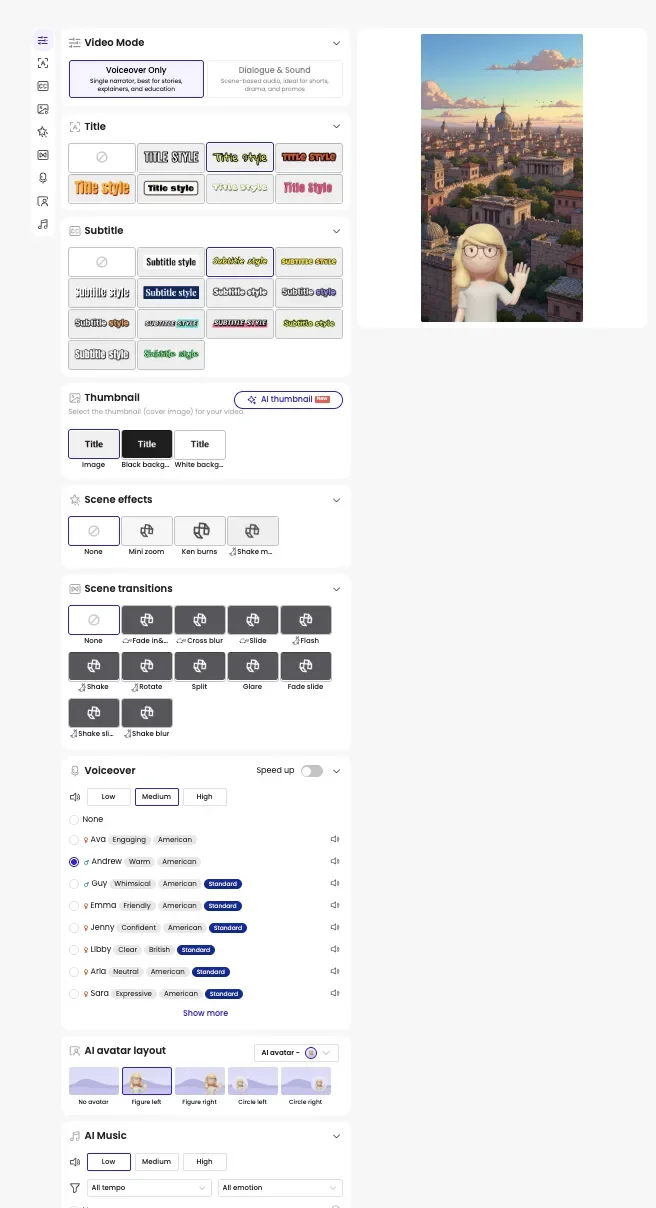
If you enter Mootion via Option 2 (mainstream workspace), you could configure it by choosing the styles of title, subtitle, scene effects and transitions, voiceover, AI avatar layout, AI music. And you could create your own thumbnail with AI thumbnail generator.
Congrats! A downloadable HD video is generated with perfectly synced audio and visuals at the end.
Suggested Workflow
A simple creator workflow may look like this:
- Generate scene assets in Tripo
- Select the strongest visual sequence
- Import images into Mootion
- Adjust captions and durations of each animated scene if creators enter via main creation stream
- Select scene transitions, scene effects, voiceover, AI avatar, AI music, styles of titles and subtitles
- Export video formats
The combination of asset generation and animation significantly reduces production time compared to traditional creative pipelines.
Creative Workflow Tips
Focus on Storytelling, Not Just Visuals
Many AI-generated videos look visually impressive but fail to create emotional engagement.
Strong storytelling often matters more than technical complexity.
Creators should think about:
- scene transitions and effects
- narrative clarity
- video mode: voiceover only or dialogue & sound
Build Reusable Workflow Systems
High-performing creators often reuse:
- prompt structures
- visual styles
This helps increase production efficiency over time.
Iterate Quickly
One major advantage of AI workflows is rapid experimentation.
Creators can test:
- different prompt
- scene transitions and effects
- visual styles
Conclusion
AI video creation is becoming increasingly workflow-oriented.
Instead of relying on a single tool, creators are combining specialized platforms to build scalable production systems. Using Tripo for visual generation and Mootion AI for cinematic animation allows creators to move from concept to short-form video much faster.
As creator workflows continue evolving, modular AI production pipelines will likely become a core part of digital storytelling.
FAQ
Can beginners use this workflow?
Yes. Both Tripo and Mootion significantly reduce technical barriers compared to traditional animation and 3D software.
What types of creators benefit most from this workflow?
Anime creators, AI filmmakers, TikTok creators, short-form storytellers, indie creators, and faceless content creators.
Is this workflow suitable for TikTok and Reels?
Yes. The workflow is especially optimized for vertical short-form video production.
Why combine multiple AI tools instead of using one platform?
Different AI tools are often optimized for different parts of the creative process. Combining them creates more flexibility and higher-quality outputs.