SLA vs FDM: Which 3D Printer Is Right for You?
FDM is cheaper, tougher, and easier for beginners. SLA makes smoother, sharper parts for miniatures and display models. FDM handles larger builds and more engineering materials. SLA needs resin washing, curing, and careful chemical handling. Tripo AI can generate STL or 3MF files before printing.
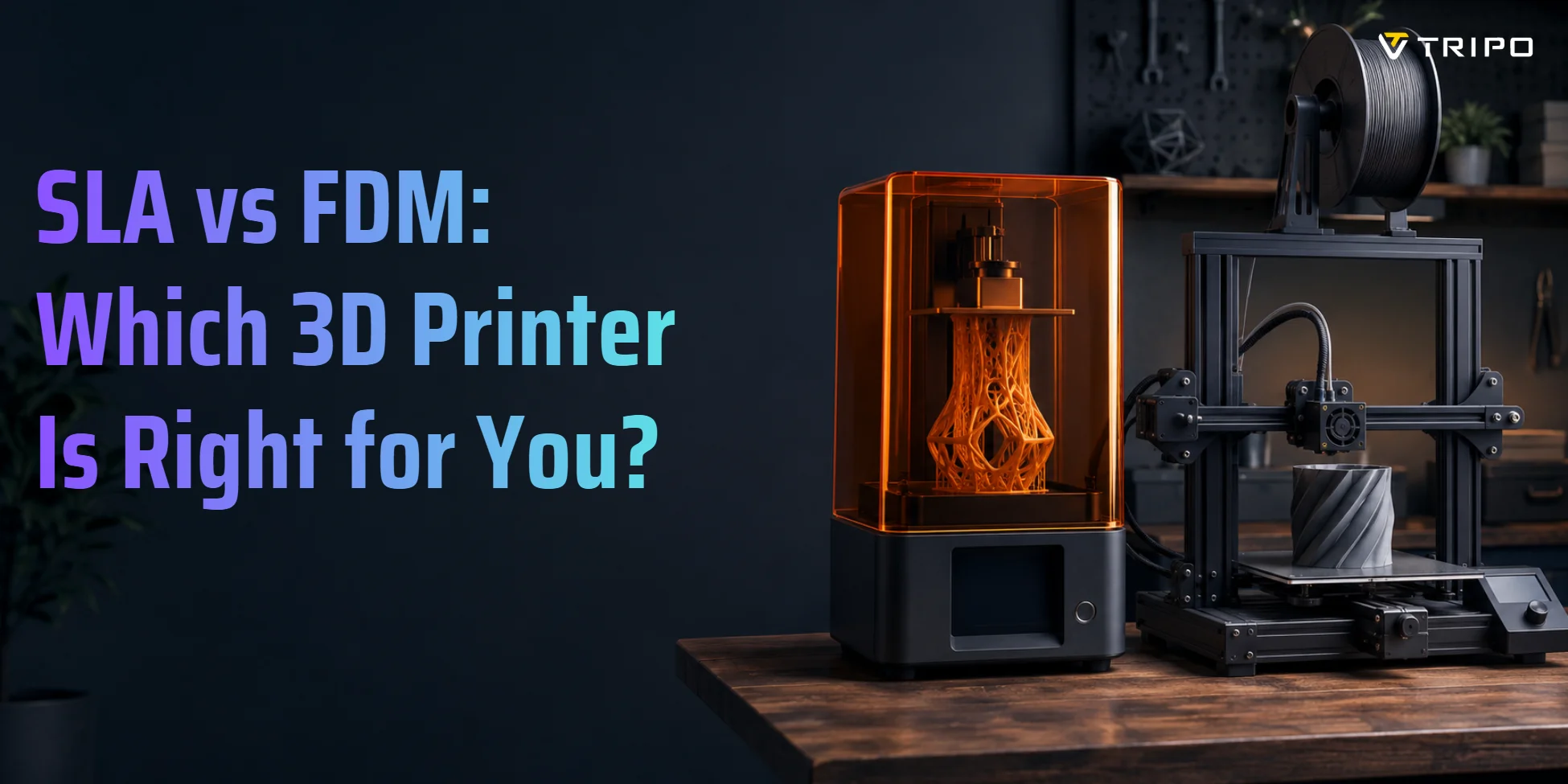
SLA and FDM are both popular desktop 3D printing technologies, but they work very differently. FDM melts plastic filament layer by layer. SLA uses UV light to cure liquid resin. FDM is more affordable and beginner-friendly, while SLA delivers finer detail and smoother surface finish.
Desktop 3D printing keeps growing because makers, studios, and small businesses want faster ways to produce parts, prototypes, and custom products. One market report estimates that the desktop 3D printing market was worth 20.9 billion by 2030. In this guide, you will learn how FDM and SLA work, where each one wins, and which technology fits your project, whether you are printing functional parts, detailed miniatures, or product prototypes.
What Is FDM 3D Printing?
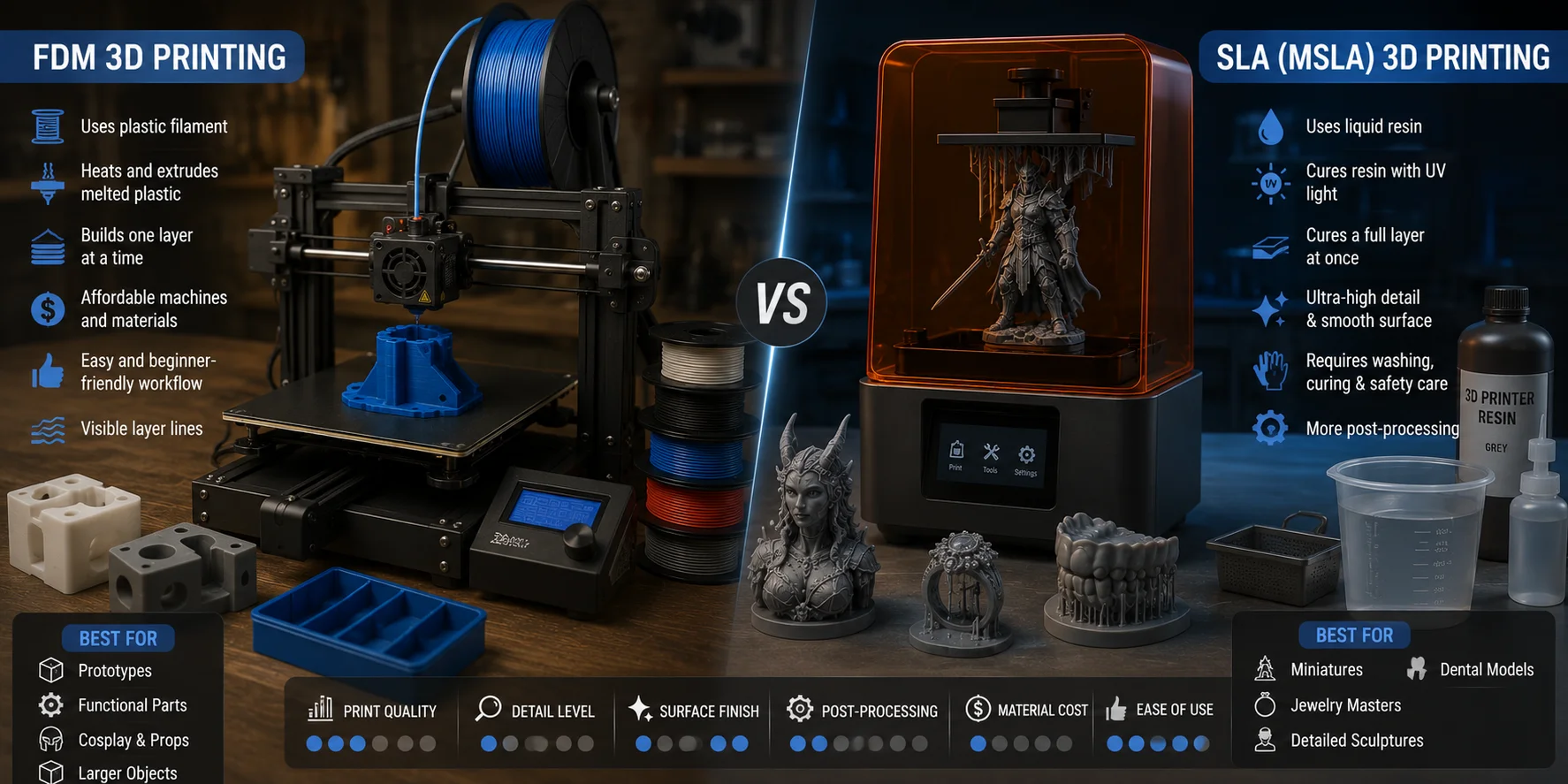
FDM stands for Fused Deposition Modeling. You may also see the term FFF, or Fused Filament Fabrication. In simple terms, an FDM printer works like a robotic hot glue gun. It pulls plastic filament from a spool, heats it in a nozzle, and lays down melted plastic one line at a time.
The printer builds each layer on a print bed. Once one layer cools, the next layer goes on top. Over time, those stacked lines become a finished object. Common FDM materials include PLA, PETG, ABS, ASA, TPU, and nylon.
FDM is popular because the machines are affordable, the materials are easy to buy, and the workflow is forgiving. You do not need to handle liquid chemicals, wash parts in alcohol, or cure prints under UV light. Failed prints are annoying, but cleanup is usually simple.
The main downside is visible layer lines. FDM prints often need sanding, filler, primer, or vapor smoothing if you want a display-quality surface. Still, FDM is excellent for brackets, enclosures, cosplay parts, organizers, jigs, prototypes, and larger functional objects.
What Is SLA 3D Printing?
SLA stands for Stereolithography. It is one of the oldest 3D printing technologies, developed in the 1980s. Instead of melting filament, SLA cures liquid photopolymer resin with UV light. Formlabs explains that SLA, DLP, and MSLA/LCD are all resin processes that cure liquid resin with light, but they deliver that light in different ways.
Traditional SLA uses a UV laser to trace each layer. Many consumer resin printers today are technically MSLA or LCD resin printers. These use a UV LED array and a monochrome LCD mask to cure a full layer at once. In everyday conversation, many people still call these machines “SLA printers” because they belong to the same resin-printing family.
SLA and MSLA prints are known for smooth surfaces and tiny details. Consumer resin printers can often print at layer heights around 25–50 microns, which makes them ideal for miniatures, jewelry masters, dental-style models, sculptures, and detailed display pieces.
The trade-off is post-processing. Fresh resin prints must be washed, dried, and UV-cured. You also need gloves, ventilation, safe resin handling, and proper waste disposal. Resin can produce beautiful parts, but it is less beginner-friendly than filament.
SLA vs FDM — Head-to-Head Comparison
SLA and FDM can both make useful parts, but they are not interchangeable. FDM is better when you need toughness, size, lower material cost, and a simpler workflow. SLA is better when you need fine detail, smooth surfaces, and small precision parts. Formlabs also notes that SLA is known for fine features, smooth finish, precision, and accuracy, while FDM remains widely used for affordable filament-based production.
| Category | FDM | SLA |
|---|---|---|
| Layer resolution | Usually 100–300 microns | Often 25–100 microns |
| Surface finish | Visible layer lines | Smooth and detailed |
| Material options | PLA, PETG, ABS, TPU, nylon, composites | Standard, tough, flexible, castable, dental resins |
| Upfront cost | Low to moderate | Low to high |
| Per-print cost | Usually lower | Usually higher |
| Build volume | Often larger | Often smaller on desktop machines |
| Post-processing | Support removal, sanding optional | Washing, curing, resin disposal |
| Best for | Functional parts, large objects, tools | Miniatures, jewelry, display pieces |
Print quality is the easiest difference to see. SLA wins on detail and surface smoothness. FDM wins when fine detail matters less than function, strength, or size.
Materials are the biggest practical difference. FDM gives you more everyday choices, from flexible TPU to heat-resistant nylon. SLA materials are improving, but many standard resins are still more brittle than common FDM plastics.
Cost also matters. FDM filament is usually cheaper and easier to store. SLA resin costs more, and you also need gloves, wash liquid, vat film, and curing equipment.
SLA vs FDM for Miniatures and Figures
For miniatures, figures, and tabletop models, SLA is usually the better choice. Small faces, armor edges, teeth, claws, thin sword blades, cloth folds, and surface textures need sub-100-micron detail that most FDM printers cannot match. FDM can print miniatures, but even a well-tuned FDM setup often shows layer lines and slightly softened details.
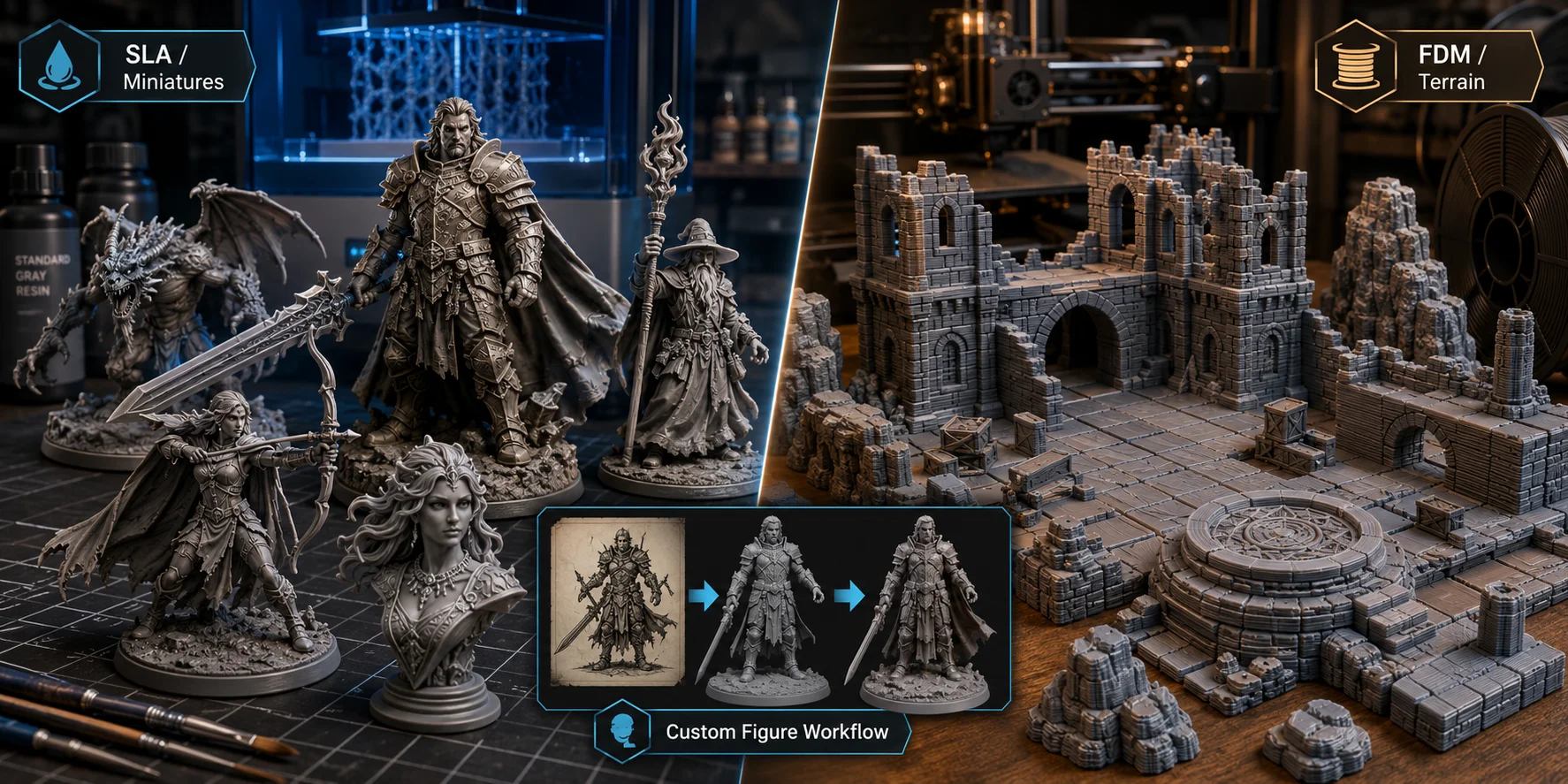
This is why many Warhammer painters, D&D players, tabletop gamers, and model makers choose MSLA resin printers for character models. Resin captures organic curves, tiny facial features, and delicate armor patterns more cleanly, which also makes the miniature easier to prime and paint later.
That does not mean FDM has no role. FDM is excellent for terrain, dungeon tiles, bases, buildings, display stands, and large scenic pieces. These parts are bigger and less detail-sensitive, so FDM’s larger build volume and lower material cost become major advantages.
If you are designing custom miniatures or figurines digitally, the model matters as much as the printer. Tripo AI’s Image-to-3D workflow can turn a reference image into a useful base mesh before you refine, support, and print it. For custom figures, props, or display pieces, this is much faster than starting from a blank sculpt.
SLA vs FDM Strength — Which Prints Are Tougher?
FDM usually wins on toughness, especially when you print with PETG, ASA, nylon, TPU, or carbon-fiber-filled filaments. These materials can flex, absorb impact, or handle heat better than standard hobby resin. If you need a bracket, snap-fit part, hinge, enclosure, or tool, FDM is often the safer choice.
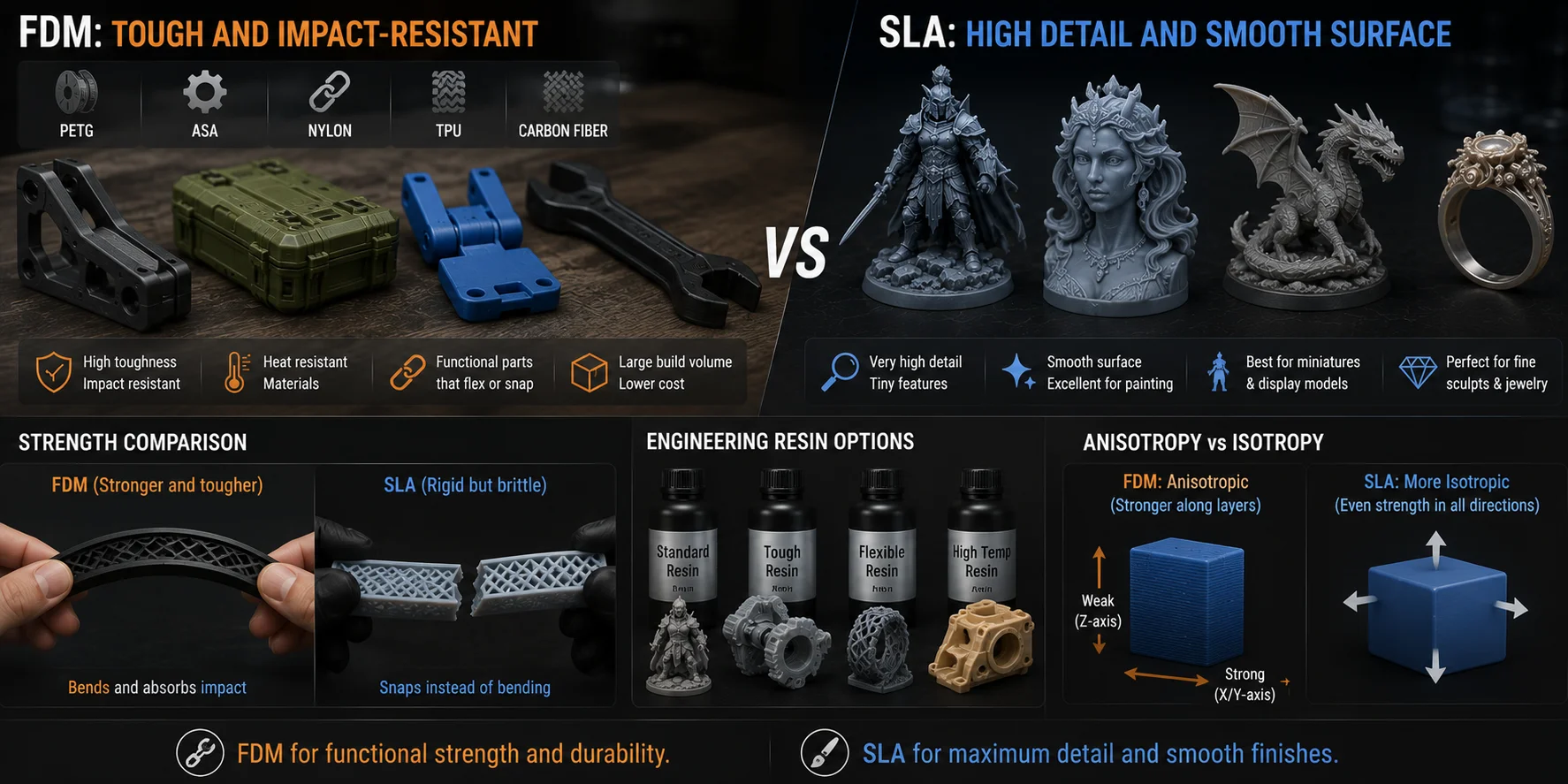
Standard SLA resin can be strong in a rigid sense, but it is often brittle. It may snap instead of bending. This is fine for miniatures and display models, but not ideal for impact-heavy parts.
Engineering resins can close the gap. Tough, flexible, high-temp, and ABS-like resins are designed for more demanding uses. However, they cost more than standard resin and often need careful exposure settings, washing, and curing.
FDM has its own weakness: anisotropy. That means the part is not equally strong in every direction. FDM prints are usually strongest along the printed lines and weaker between layers, especially in the Z direction. SLA parts are often more isotropic, meaning their strength is more even across directions. That can help with small precision parts.
For most makers, the rule is simple: choose FDM for practical toughness, and choose SLA when detail matters more than impact resistance.
Cost Breakdown — What Does Each Technology Actually Cost?
Do not compare only printer prices. Compare total cost of ownership: hardware, materials, consumables, maintenance, and cleanup.
| Cost Category | FDM | SLA |
|---|---|---|
| Entry hardware | Often affordable | Entry MSLA can also be affordable |
| Main material | Filament spool | Liquid resin |
| Common consumables | Nozzles, build sheets | FEP film, resin vats, gloves, wash liquid |
| Cleanup cost | Low | Higher |
| Extra equipment | Optional enclosure or dry box | Wash-and-cure station strongly recommended |
Entry-level FDM and entry-level resin printers can look surprisingly close in price. The difference appears after purchase. FDM mainly needs filament, occasional nozzles, and basic maintenance. SLA needs resin, vat film, gloves, cleaning liquid, filters, paper towels, and a curing setup.
Material cost also depends on object size. A large FDM part may use a lot of filament. A small resin miniature may cost little in resin even if the resin costs more per kilogram. For batches of miniatures, SLA can still be cost-effective because many small models can print at once.
Maintenance is different too. FDM maintenance often means nozzle cleaning, belt tension, bed leveling, and filament storage. SLA maintenance means cleaning the vat, replacing cloudy or damaged FEP film, filtering resin, and keeping the screen protected.
If you print occasional decorative parts, either technology can work. If you print weekly functional parts, FDM will usually cost less. If you print small detailed figures, SLA may justify the higher operating cost.
When to Choose FDM — and When to Choose SLA
Choose FDM if you want the most forgiving entry point into 3D printing. It is better for large parts, low-cost prototypes, workshop tools, brackets, mounts, boxes, cosplay armor, and functional pieces that need to flex or absorb impact. It also gives you more material choices and a cleaner home workflow.
Choose SLA if your main goal is visual quality. It is better for miniatures, jewelry masters, dental-style models, sculptures, display prototypes, and small objects with fine detail. Pick SLA when you care more about smooth surfaces than big build volume.
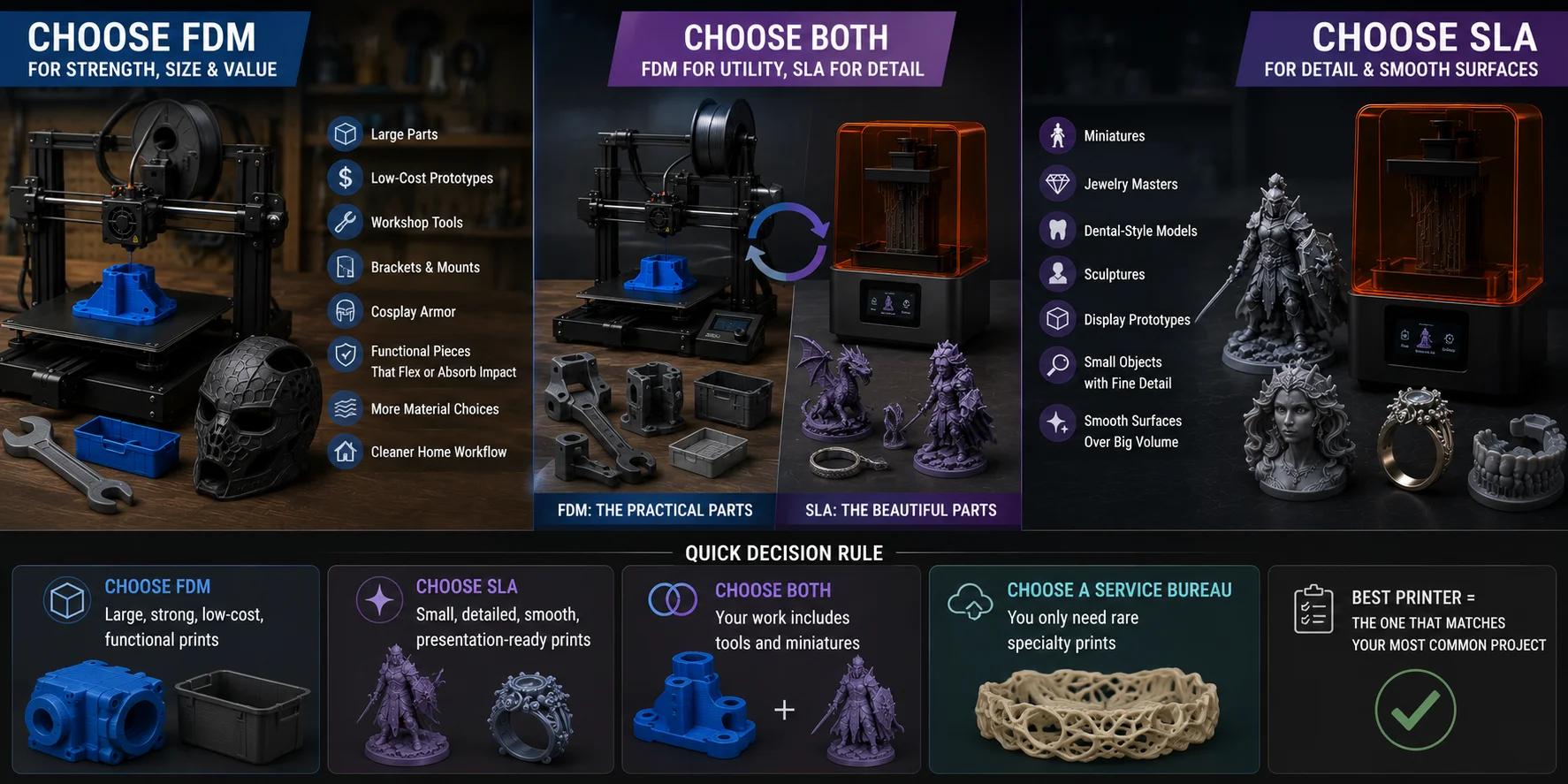
You may also want both. Many experienced makers use FDM for utility and SLA for detail. FDM handles the practical parts. SLA handles the beautiful parts.
Use this quick decision rule:
- Choose FDM for large, strong, low-cost, functional prints.
- Choose SLA for small, detailed, smooth, presentation-ready prints.
- Choose both if your work includes tools and miniatures.
- Choose a service bureau if you only need rare specialty prints.
The best printer is not the most advanced one. It is the one that matches your most common project.
How to Prepare Your 3D Model for Printing
No printer can fix a bad model. Whether you choose FDM or SLA, print quality starts with a clean, printable 3D file.
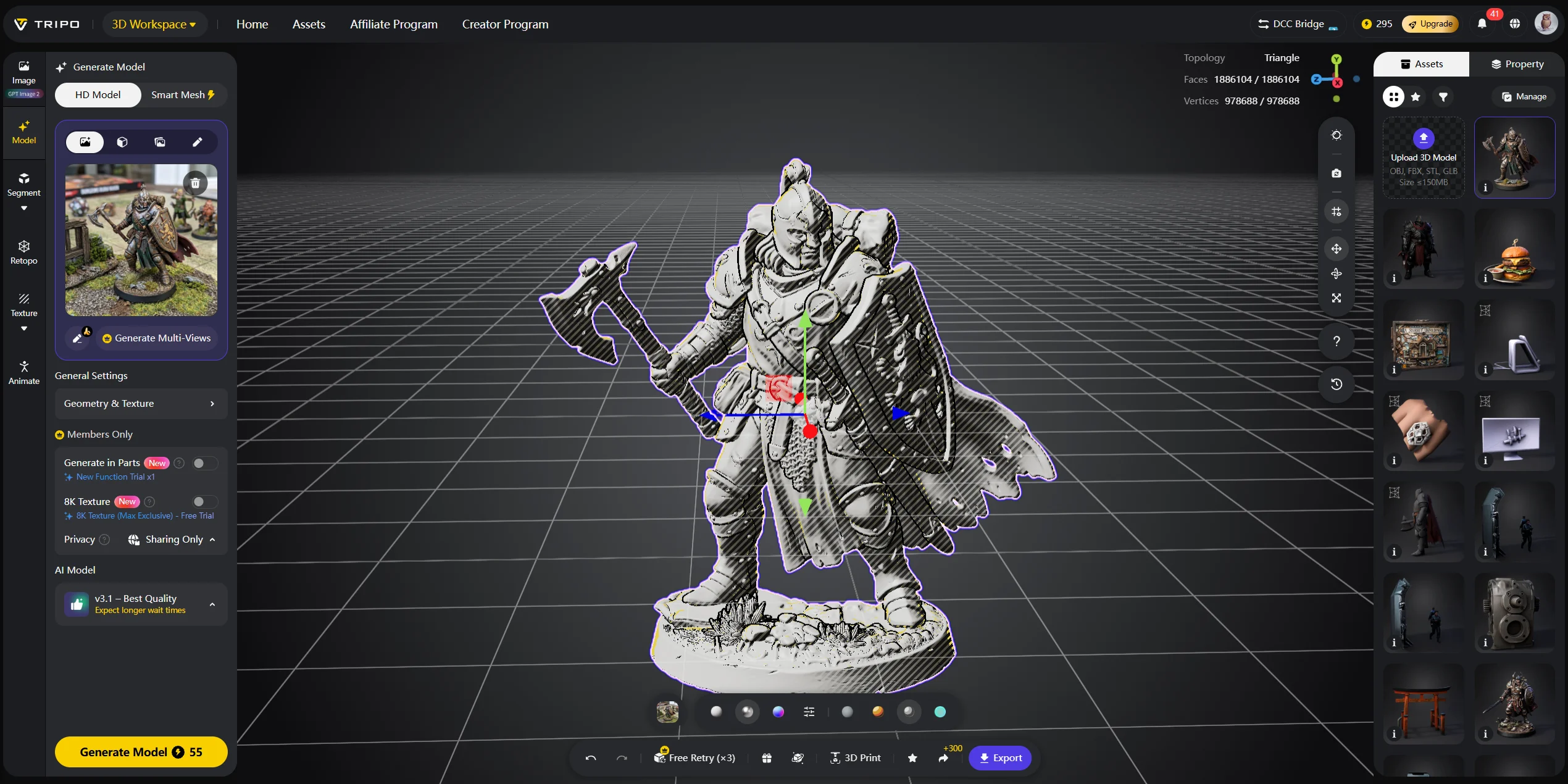
Your model should be watertight, manifold, and scaled correctly. Watertight means the mesh is a closed solid with no holes. Manifold means the geometry is clean enough for slicer software to understand what is inside and outside. Inverted normals, overlapping faces, and tiny gaps can cause failed slices.
Next, orient the model in your slicer. FDM orientation affects strength, support needs, and surface quality. SLA orientation affects suction, support scars, resin drainage, and print success. Large resin prints may need hollowing and drain holes to reduce weight and trapped resin.
Layer height matters too. FDM functional parts often print well at 0.2 mm. SLA detail prints often use 0.05 mm or lower. These are not fixed rules, but they are useful starting points.
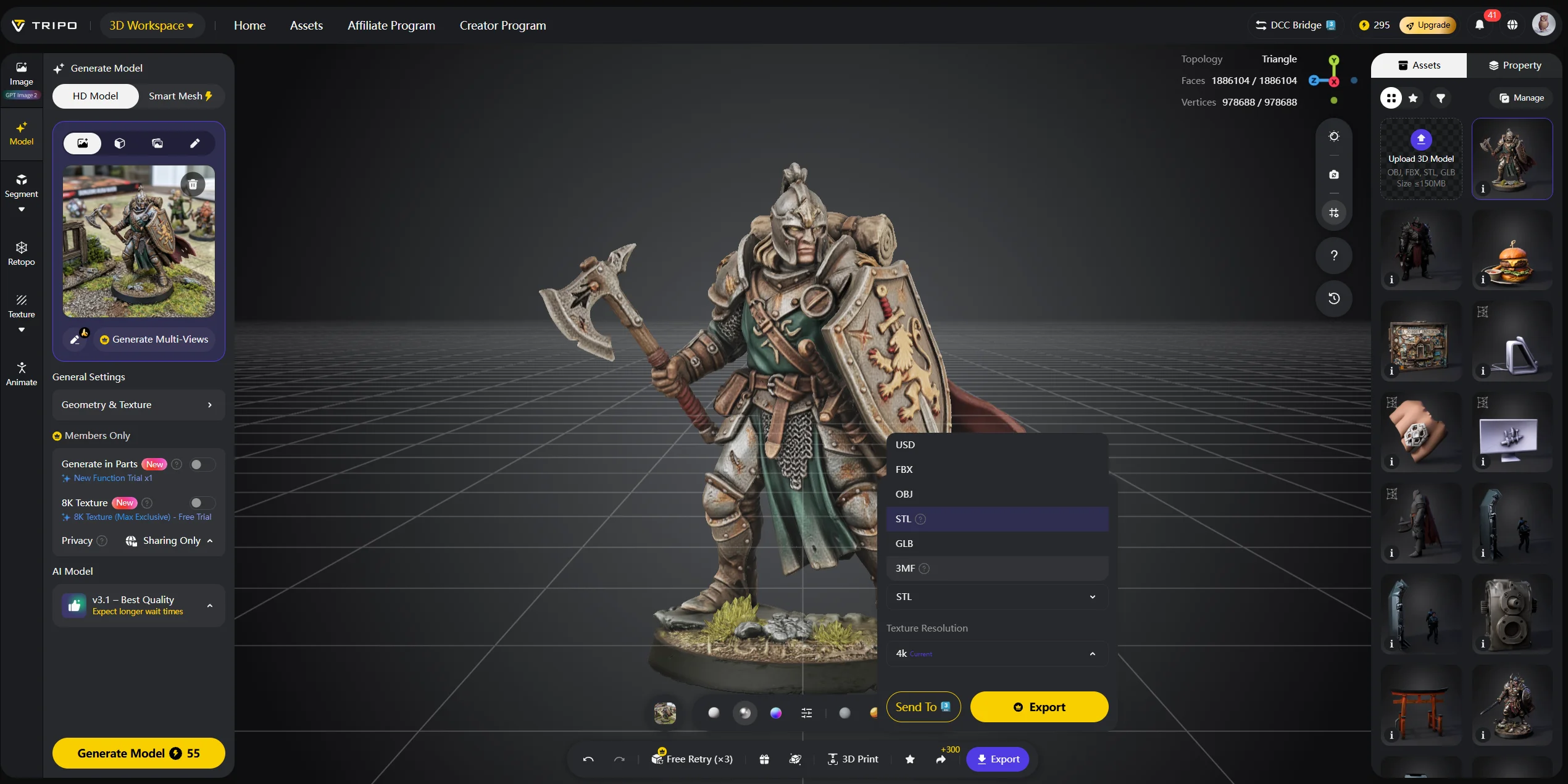
If you are starting from scratch, Tripo AI Studio can generate a 3D model from a text prompt or reference image, then export it for slicing. Tripo AI’s 3D printing resources highlight STL, OBJ, and 3MF export workflows, and the export documentation includes STL and 3MF as supported conversion formats.
A practical workflow is simple: generate the model with Tripo AI, export STL or 3MF, open it in your slicer, repair the mesh if needed, add supports, and print. This gives makers a faster path from idea to physical object without learning CAD first.
Frequently Asked Questions
Which is better, FDM or SLA? Neither is better for every use case. FDM suits large, affordable, functional prints, while SLA suits smooth, detailed, small parts.
Is SLA resin stronger than FDM plastic? Usually no. Standard resin is often more brittle than PETG, nylon, or TPU. Engineering resins can improve strength, but they cost more.
Does SLA take longer than FDM? It depends on the model. SLA can be slow for tall prints, but it can print many small parts at once without much extra time.
Is SLA 3D printing more expensive than FDM? Often, yes, in ongoing costs. Resin, FEP film, gloves, wash liquid, and curing equipment make SLA more expensive to maintain.
What is SLA 3D printing best for? SLA is best for miniatures, jewelry masters, dental-style models, smooth display parts, and detailed visual prototypes.
Can I use the same files for FDM and SLA printing? Yes. Both can use STL or 3MF files. You will need different slicer settings and different support strategies.
What materials can FDM printers use that SLA cannot? FDM can use TPU, PETG, ASA, nylon, carbon-fiber composites, and other thermoplastics. SLA uses photopolymer resins.
How do I prepare a model for 3D printing? Make the mesh watertight, scale it correctly, orient it in the slicer, and choose supports carefully. Tools like Tripo AI can help generate STL or 3MF files from text or images.
What is the holy grail of 3D printing? Many makers use this phrase for a machine that combines FDM’s material range and build size with SLA’s surface quality. No consumer printer fully achieves that yet.
SLA vs FDM — which should a beginner start with? Most beginners should start with FDM. It is cleaner, safer, cheaper to run, and more forgiving. Try SLA later when you need fine detail.
Conclusion
FDM and SLA each have a clear lane. FDM is best for affordable, large, functional prints. SLA is best for precise, detailed, smooth-surface work. Understanding which lane your project belongs in is the fastest way to avoid wasted material, failed prints, and the wrong printer purchase.
Whatever technology you choose, start with a clean, print-ready 3D model. Tripo AI Studio helps you generate STL and 3MF files from a text prompt or image, so you can move from idea to slicer in minutes.
Ready to see what is possible? Explore Tripo AI plans and pricing and start your first model today.