How to Create a Poseable 3D Character with AI
TL;DR:
- A poseable 3D model uses a rigged skeleton to let you freely change character poses.
- AI tools can generate a poseable 3D character from text prompts or images in minutes.
- Use T-pose/A-pose prompts for cleaner rigging and better animation results.
- Export FBX for animation, GLB for real-time use, and STL/3MF for 3D printing.
- The AI workflow is simple: Generate → Rig → Pose → Export.
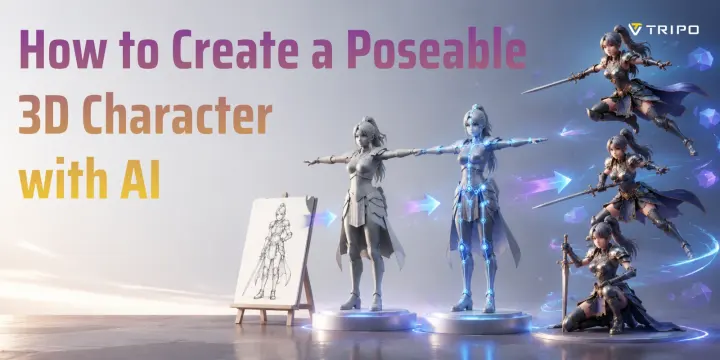
Creating a poseable 3D character used to require hours of modeling, sculpting, and rigging skills. Today, AI tools make the process much faster. With an AI 3D character creator, you can generate a character from a text prompt or image, add a rig, adjust poses, and export the model for games, animation, illustration, or 3D printing.
A modern workflow is simple: generate → rig → pose → export. In this guide, you will learn how to create a poseable 3D character with AI, how rigging works, which file formats to choose, and how to improve your results.
What Is a Poseable 3D Model (And Why Artists Use Them)
A poseable 3D model is a digital mesh connected to a skeleton (also called a rig). The skeleton contains virtual bones that control different parts of the model, allowing you to rotate arms, legs, hands, and other joints into different poses.
Physical Mannequin vs Digital Rigged 3D Character
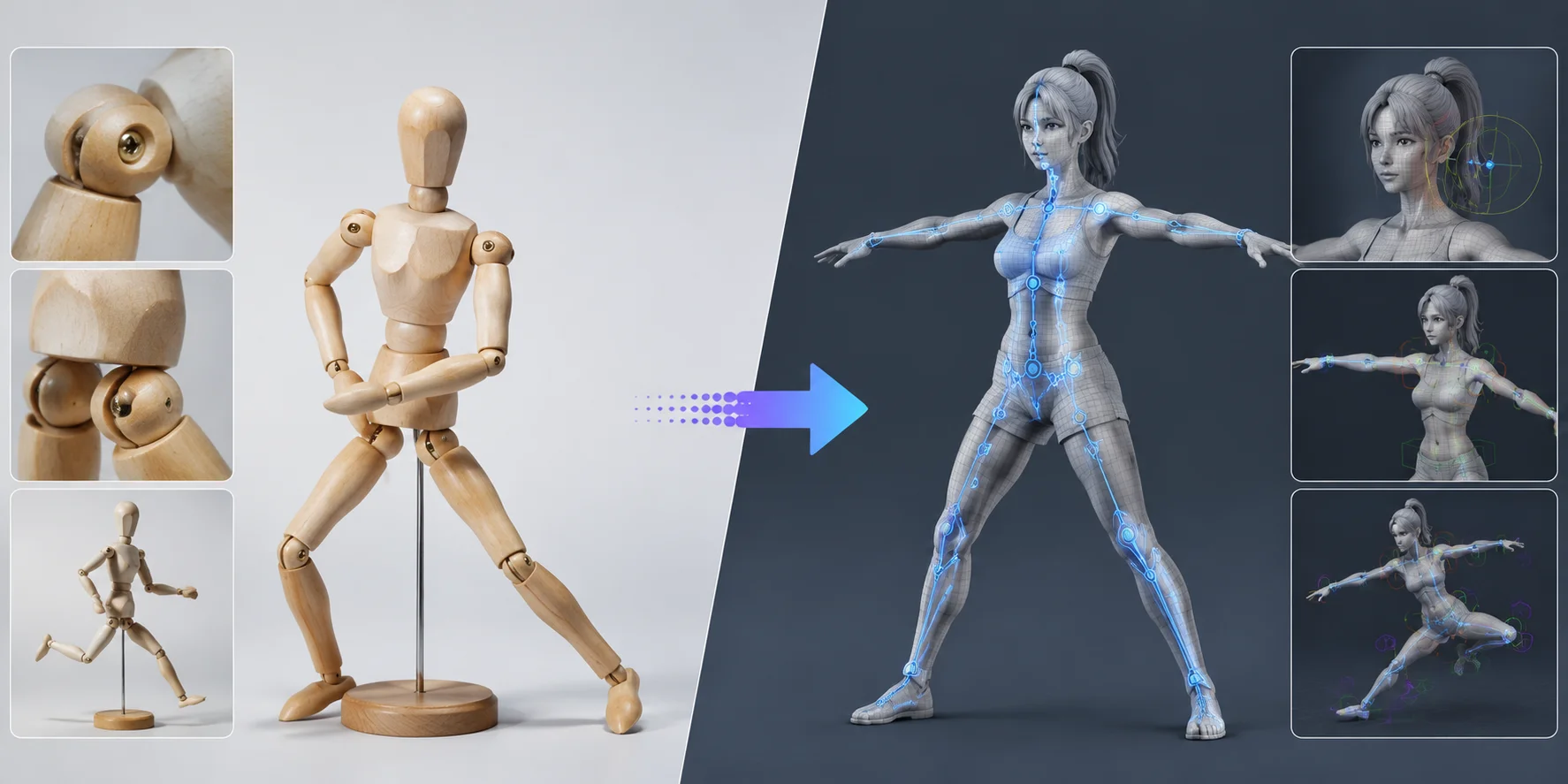
A simple way to understand the difference is to compare a traditional wooden artist mannequin with a rigged 3D mesh. A wooden figure uses physical joints that you move by hand. A rigged 3D character uses digital bones that let you create unlimited poses with a few clicks.
Artists have used physical mannequins, desktop posing apps, and photo references for years. However, these methods have limits. A wooden figure has a fixed shape and limited movement. Photos only show one camera angle. Pose apps often provide simple models that may not match your final character.
Digital poseable models remove these restrictions. You can rotate the camera, change lighting, create unlimited poses, and reuse the same character for different projects. You can also share, edit, and export the model for other workflows.
For artists, game developers, and creators, a poseable 3D human figure becomes a flexible creative tool instead of a single-use reference.
Common Use Cases for Poseable 3D Characters
A poseable 3D character can support many creative workflows.
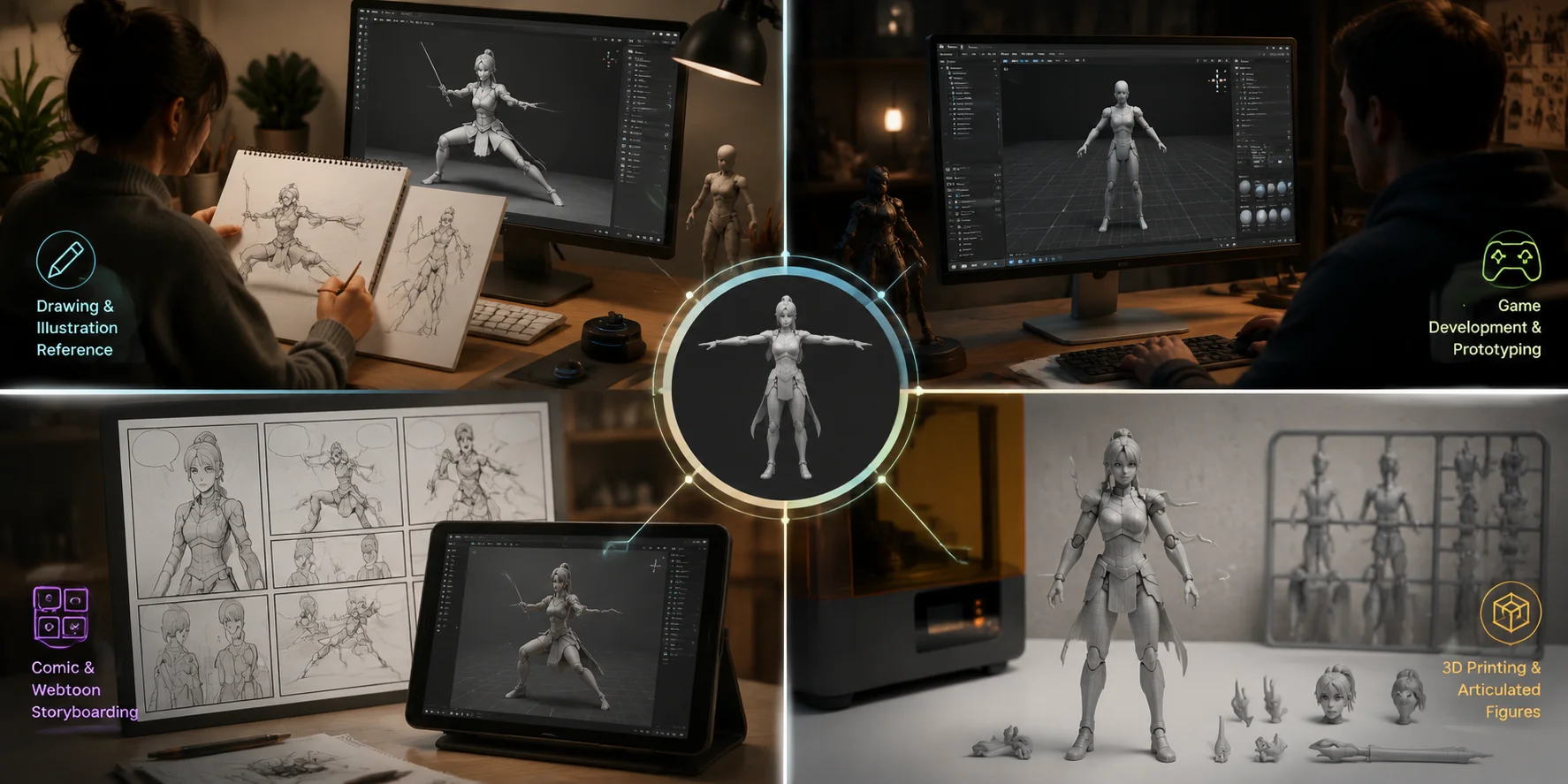
For drawing and illustration, poseable models help artists create accurate references. Instead of searching through hundreds of photos, you can adjust the character’s pose, move the camera around the model, and study the body from any angle.
For game development, poseable characters help indie developers prototype ideas quickly. You can test movement concepts, animation directions, and character designs before spending time on a complete production model.
For comic and webtoon creation, consistency is one of the biggest challenges. A poseable 3D character keeps the same proportions and appearance across multiple panels while allowing different actions and camera angles.
For 3D printing, poseable models can become physical articulated figures. After preparing the mesh, you can export STL or 3MF files and create movable toys, collectible figures, or custom characters.
Whether you are an illustrator, developer, or maker, a poseable 3D model gives you more control than a static image.
How Artists Use Poseable 3D Characters
How to Generate a Poseable 3D Character with AI (Step-by-Step)
AI has made character creation much faster. Instead of building every vertex manually, you can start with a generated base model and improve it when needed.
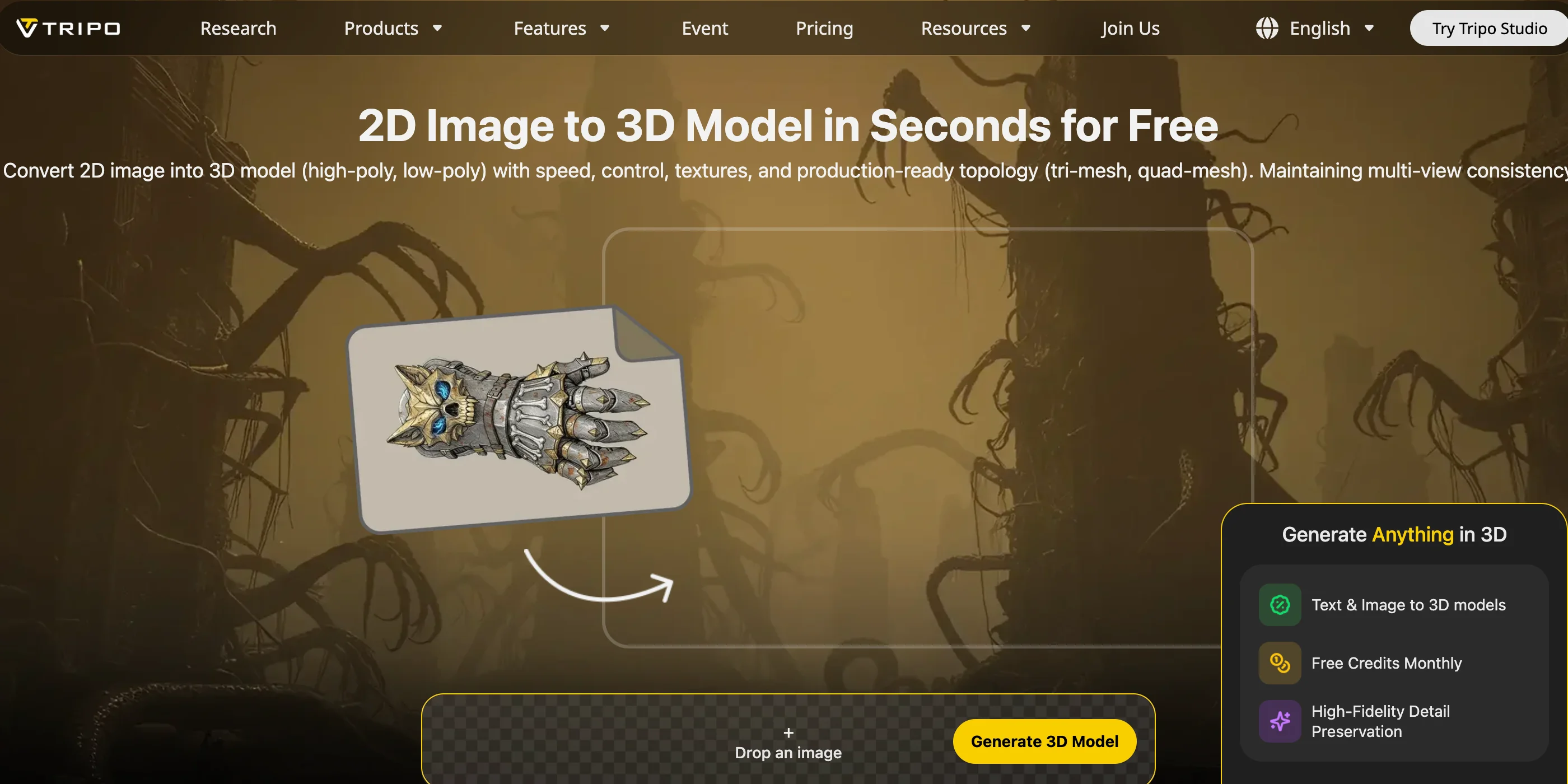
Step 1: Open Tripo AI Studio
Start by opening Tripo AI Studio. The browser-based workflow does not require complex software installation, making it easier for beginners to create a 3D character.
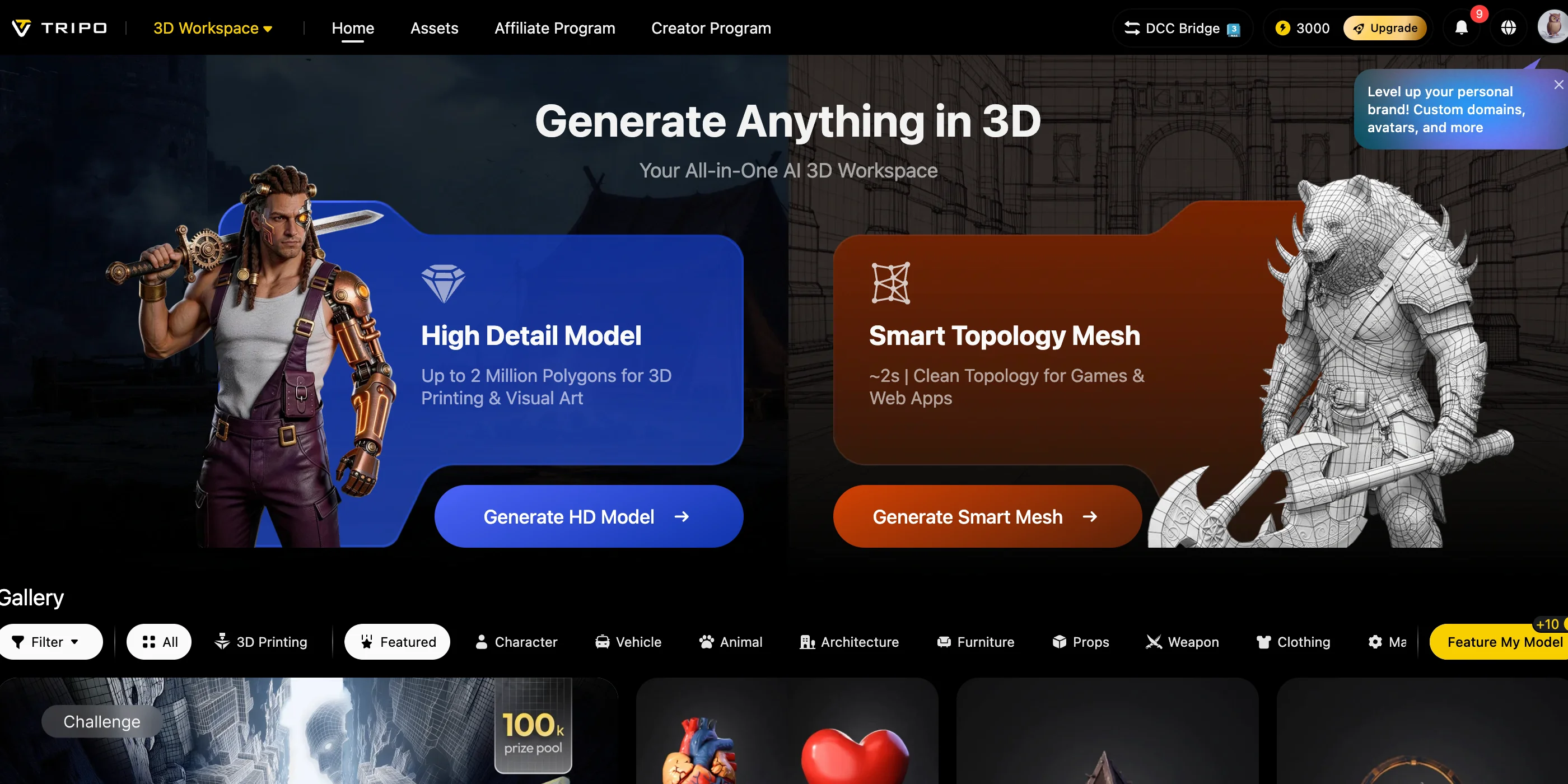
You can begin with either a text description or a reference image.
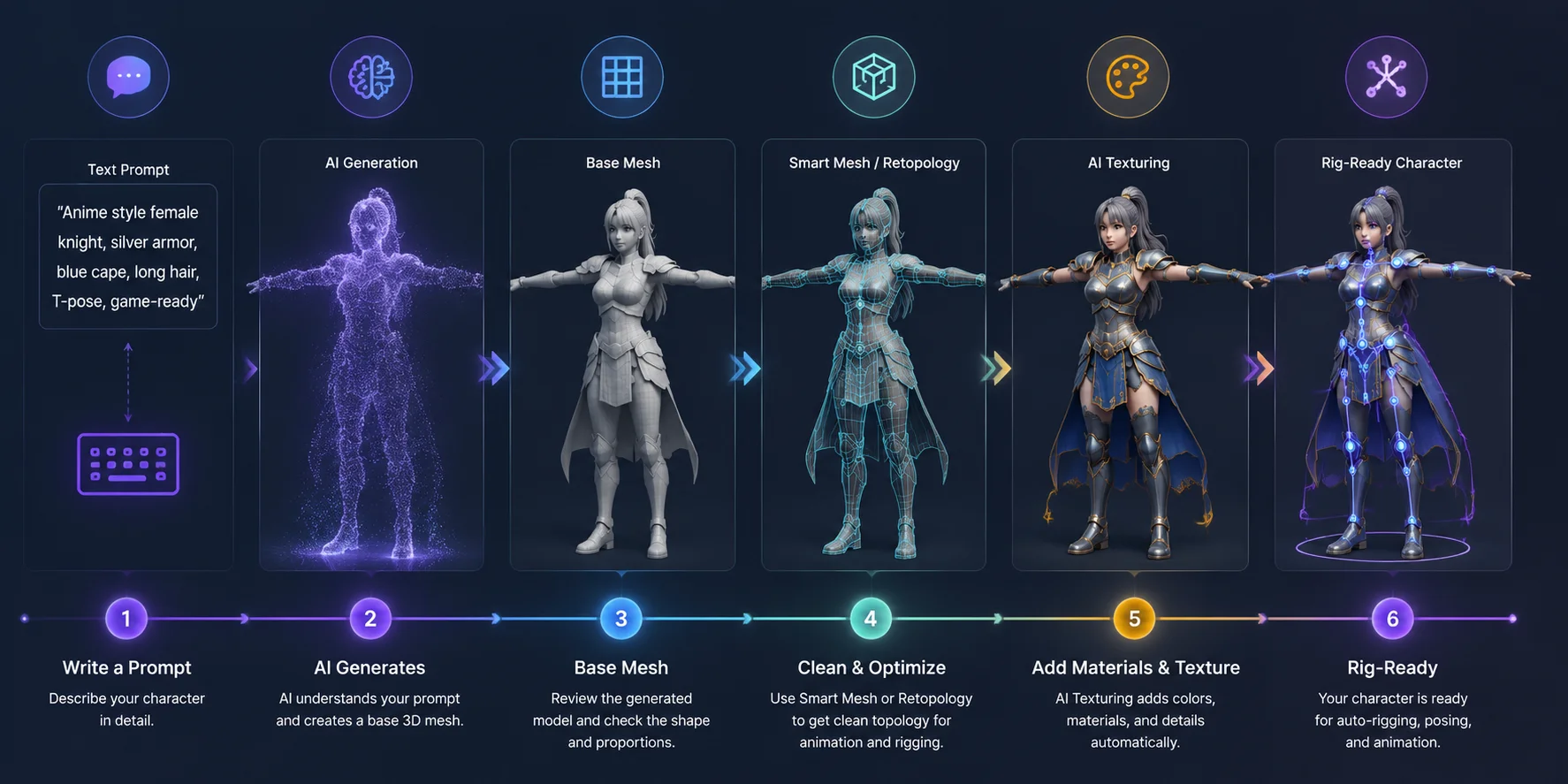
Step 2: Create a Character with Text-to-3D
Use the Text-to-3D feature to describe your character.
For example:
“Cartoon female knight in T-pose, clean mesh, detailed armor, game-ready style.”
The more clearly you describe the character, the better the result. Include details about the style, body shape, clothing, and pose.
A T-pose or A-pose is especially useful because it creates a cleaner starting point for rigging.
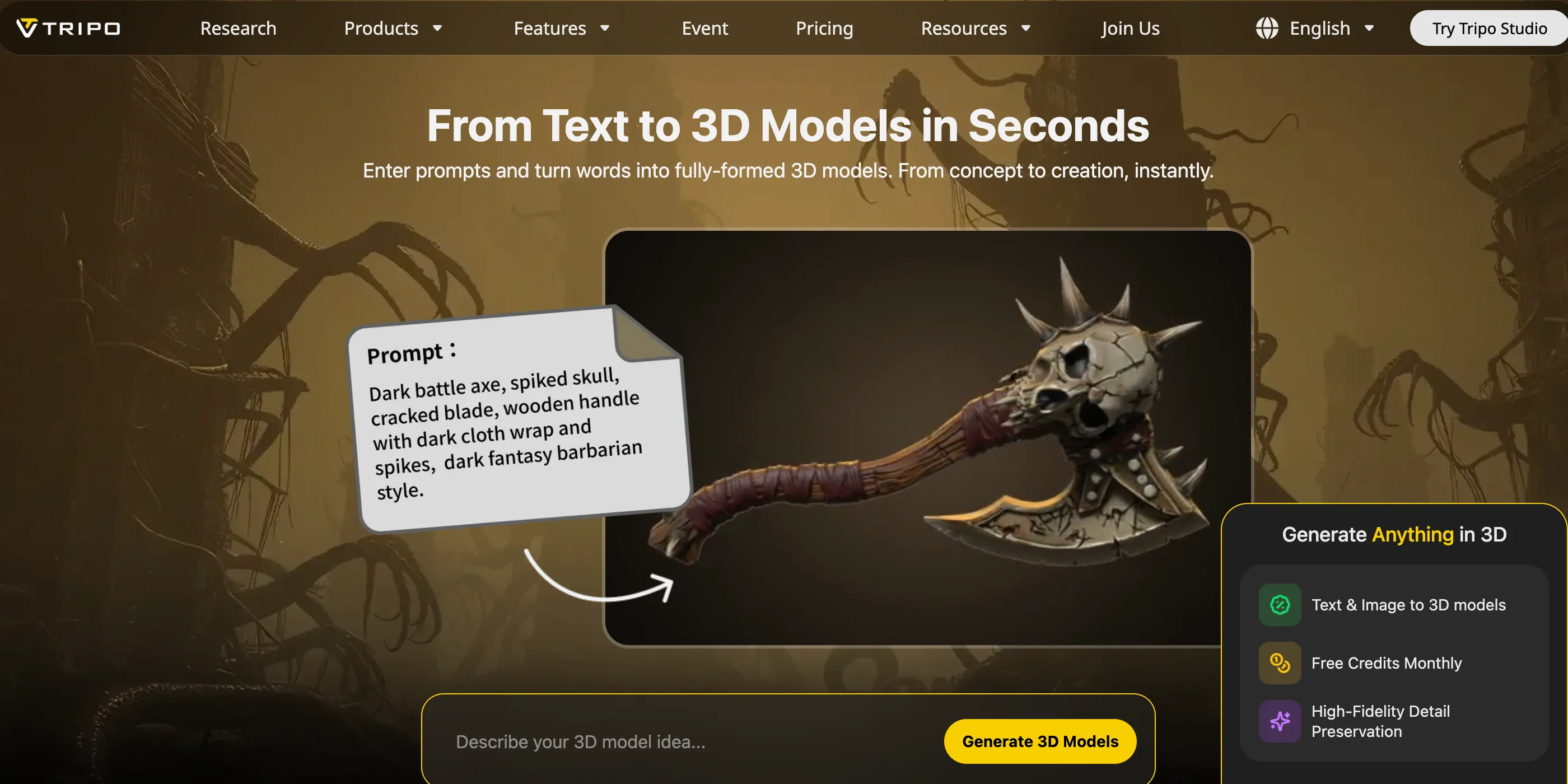
Step 3: Convert an Image into a 3D Character
If you already have concept art or a character sketch, use Image-to-3D instead.
Upload a clear reference image, and the AI can generate a matching 3D model. A front-facing image with simple lighting usually produces better results because the AI can understand the character shape more accurately.
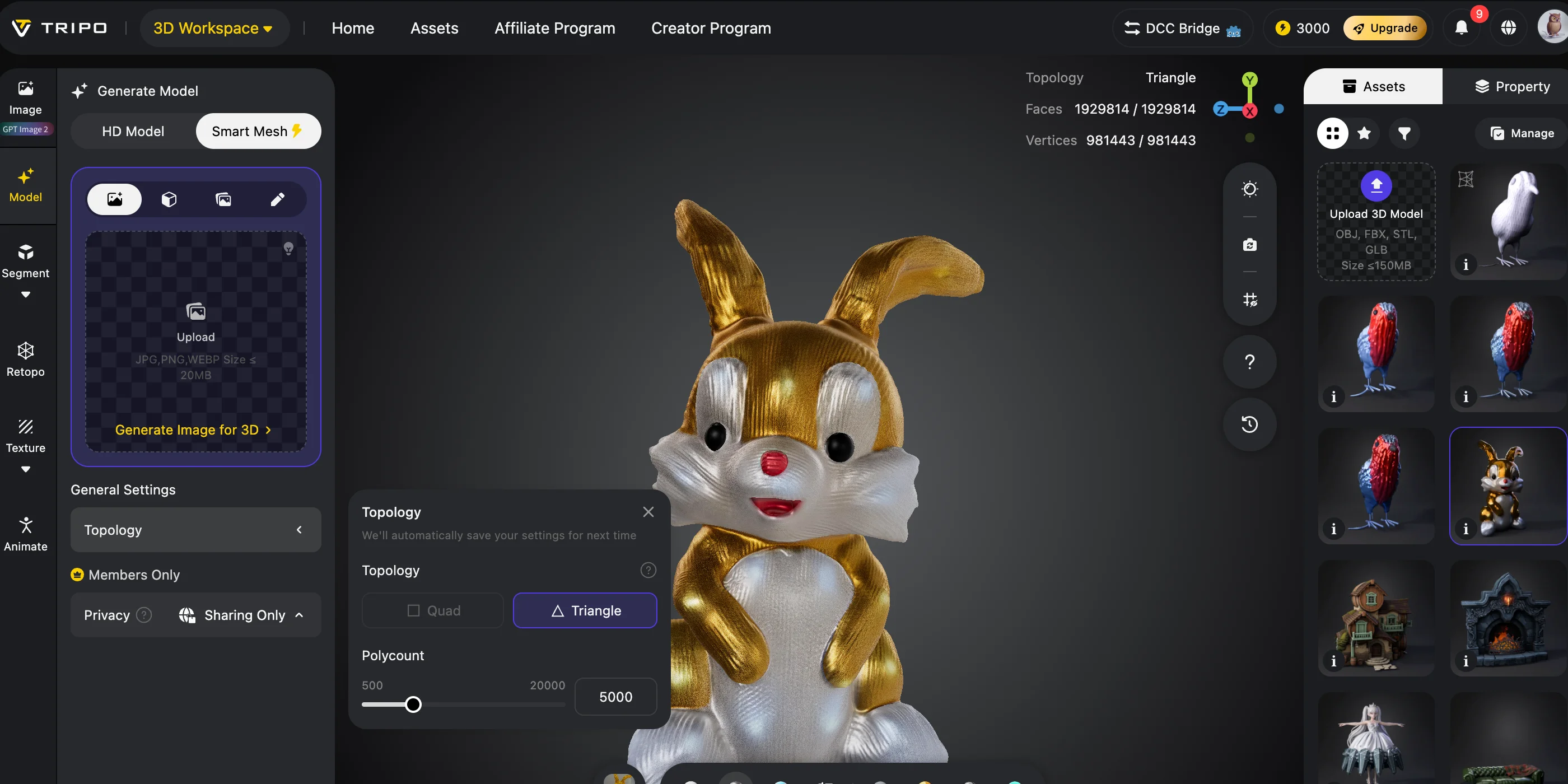
Step 4: Review and Improve the Mesh
After generation, check the model before posing.
Look for issues such as uneven geometry, missing details, or unnecessary polygons. Features like Smart Mesh and retopology can help create cleaner geometry for animation workflows.
A cleaner mesh makes rigging easier and reduces problems later.
Step 5: Add Materials Before Rigging
Apply AI Texturing to add colors, materials, and surface details.
A textured character gives you a better idea of the final appearance before exporting it to Blender, Maya, Unreal Engine, or other tools.
AI Text-to-3D Character Generation Workflow
How to Rig and Pose Your 3D Character
Rigging means adding a digital skeleton inside your 3D mesh. Each bone controls a specific area of the character, while weight painting connects the mesh movement to the skeleton.
From 3D Mesh to Poseable Character: AI Rigging Workflow
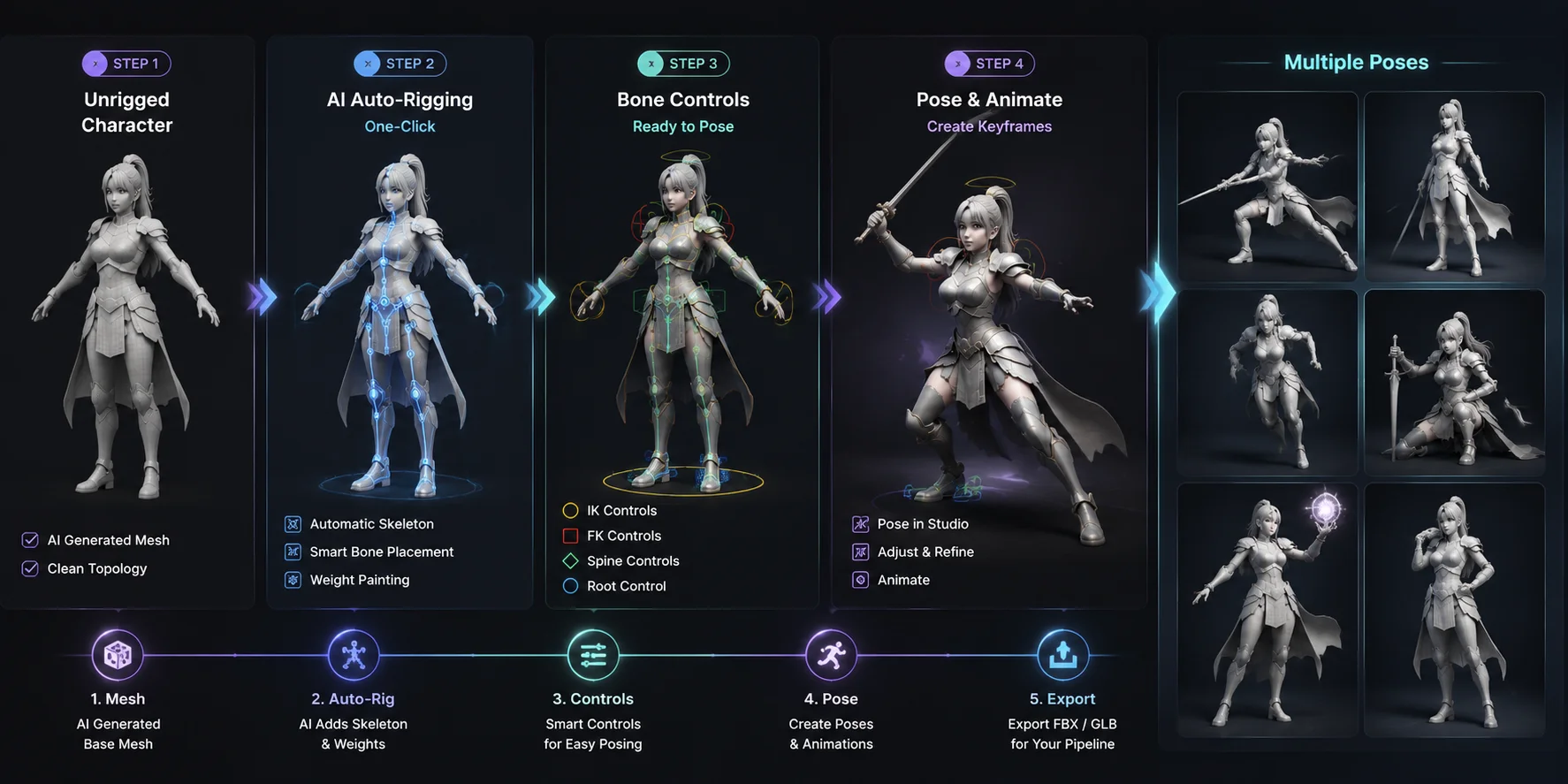
For example, moving an arm bone should only affect the arm area, not the character’s entire body.
Traditional rigging requires manually placing joints and adjusting weights. This process can take hours, especially for beginners.
Tripo AI’s Auto-Rigging feature simplifies this process. With one click, the system creates a skeleton that allows your character to become pose-ready without manually building the rig.
After auto-rigging, you can adjust poses directly in Studio or export the rigged model for advanced workflows.
If you use Blender, you can import the character and continue editing with Pose Mode, where you can control bones, create keyframes, and build animations.
Blender provides deeper control, but AI rigging helps you skip the most time-consuming setup steps.
Exporting Your Poseable Character for Your Workflow
Choosing the correct file format depends on what you plan to do next.
| Format | Best For | Notes |
|---|---|---|
| GLB | Web, AR, real-time apps | Keeps materials and textures together |
| FBX | Animation pipelines | Works well with Blender, Maya, Unreal Engine |
| OBJ | Static models | Good for basic geometry editing |
| STL / 3MF | 3D printing | Best for physical articulated figures |
For animation, FBX is usually the safest choice because it supports skeletons and animation data.
For web experiences and lightweight real-time applications, GLB is often better because it stores the model and materials in one file.
For printing a poseable 3D human figure, STL and 3MF are the common choices.
Tripo AI’s Model Segmentation feature can also help separate character parts before export, which is useful when creating articulated printed models with movable joints.
Free vs. Paid Options for Poseable 3D Models
Many creators start by looking for a free poseable 3D model or a free AI solution.
Tripo AI provides a free tier that lets you test AI 3D generation and explore the workflow before upgrading.
Paid plans provide more generation capacity, faster processing, higher limits, and additional commercial features. If you create characters for clients, games, or products, checking the available plans at Tripo AI Pricing can help you choose the right option.
Other free posing tools, such as MagicPoser and DesignDoll, can also help with basic figure references. However, AI generation tools provide a different advantage because they can create custom characters instead of only offering preset bodies.
Tips for Getting Better Poseable Characters from AI
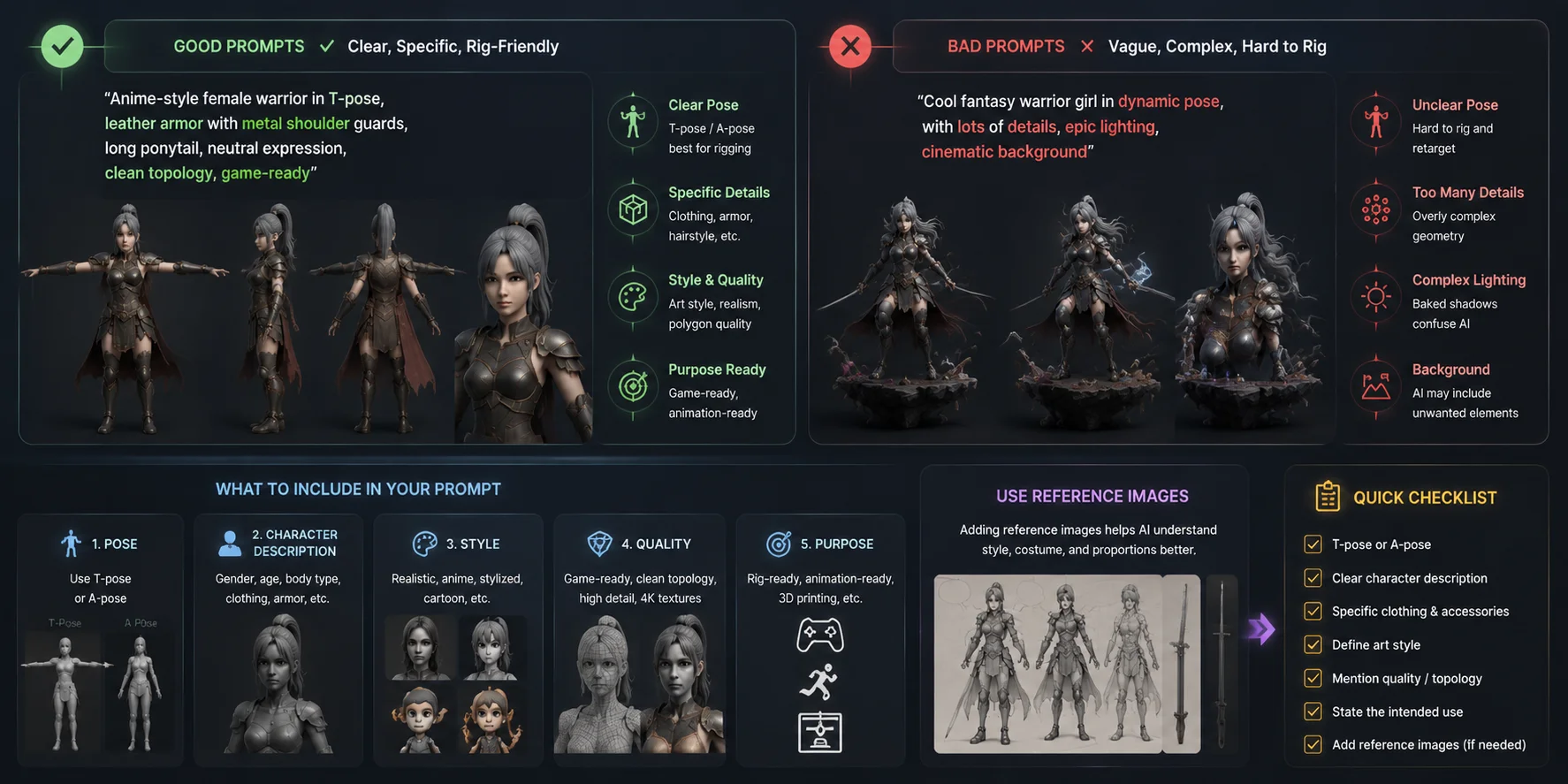
Use clear poses. Describe poses like “ T-pose ” or “ A-pose ” in your prompt. These positions usually create cleaner results for automatic rigging.
Describe body proportions. Instead of writing “a warrior,” add details like “athletic male character with broad shoulders.” Clear descriptions help AI create more accurate shapes.
Keep the style consistent. Choose one style such as realistic, cartoon, or low-poly. Mixing styles can confuse the generation process.
Use clean references. For Image-to-3D, choose a front-facing image with simple lighting and minimal background distractions.
Prepare models for printing. If you want an articulated toy, use Model Segmentation to separate limbs and parts before exporting.
Better AI Prompts for Poseable 3D Characters
Frequently Asked Questions
How to create a 3D character with AI?
Use an AI 3D character creator like Tripo AI. Enter a text description or upload an image, generate the model, then use rigging and posing tools to prepare it for your project.
How do you make a poseable 3D model?
A poseable 3D model needs a rig, which is a skeleton connected to the mesh. You can create one manually in software like Blender or use AI auto-rigging tools to generate a pose-ready character.
How to make 3D pictures with AI?
Generate a 3D model from text or an image, adjust the pose and camera angle, then render the final scene. AI tools handle the model creation step, while Blender or game engines can handle advanced rendering.
How to make a 3D object in AI?
Open Tripo AI Studio, choose Text-to-3D or Image-to-3D, describe your object or upload a reference, and generate a downloadable 3D model in formats such as GLB, FBX, or OBJ.
Can AI create 3D animations?
AI can generate characters and automate rigging, which removes one of the hardest steps. You still usually create final animations by posing the rig across keyframes in animation software.
What is a poseable 3D model used for?
Artists use poseable models for drawing references, game prototypes, comics, animation, and 3D-printable articulated figures. They provide more flexibility than static images.
Are there free poseable 3D character AI tools?
Yes. Tripo AI offers a free tier for testing AI character generation. Other free tools like MagicPoser and DesignDoll focus mainly on posing existing figures.
What file format should I export a poseable 3D character in?
Use FBX for animation workflows, GLB for web and real-time applications, and STL or 3MF for 3D printing.
Conclusion
Creating a poseable 3D character no longer requires years of modeling and rigging experience. AI can handle the difficult early steps so you can focus on design, storytelling, and creativity.
The workflow is simple: generate your character, add a rig, create poses, and export it for your project.
Whether you need a drawing reference, a game character, or a printable articulated figure, AI makes the process faster and more accessible.
Start creating your character with Tripo AI Studio today, and explore available options through Tripo AI Pricing.