Nano Banana Image to 3D Workflow: Complete Guide
TL;DR
- Nano Banana creates high-quality images, but needs an AI 3D tool to generate real 3D models.
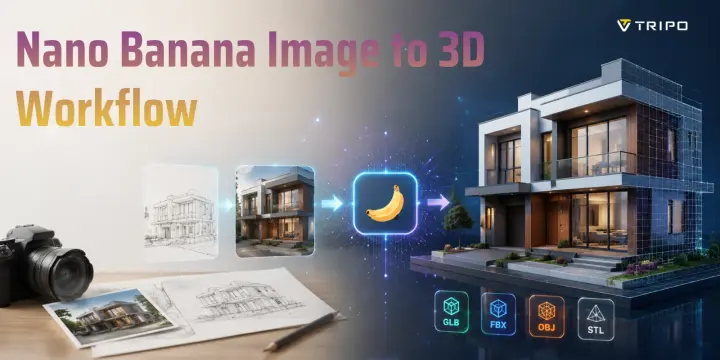
- The workflow is: Nano Banana image -> Tripo AI -> 3D model export.
- Clean backgrounds and clear silhouettes improve AI image to 3D results.
- HD Model is best for 3D printing, while Smart Mesh fits games and real-time apps.
- Better prompts create better 3D assets with less cleanup.
- This workflow speeds up architecture, game assets, e-commerce, and printing projects.
Nano Banana creates impressive AI-generated images, but it does not create actual 3D files. To turn a Nano Banana image into a usable 3D model, you need one more step: send that image through a dedicated AI 3D generator. This guide explains the complete Nano Banana image to 3D workflow, from generating the right reference image to exporting a production-ready 3D asset.
The demand for generative AI 3D asset creation is growing rapidly, driven by industries such as gaming, e-commerce, AR/VR, and digital design. As AI-powered tools become more accessible, creators can move from a photo, sketch, or simple idea to a high-quality 3D asset workflow with fewer traditional modeling steps. Nano Banana provides a fast way to generate detailed visual references, and when combined with an AI 3D platform, it can help transform real-world images into export-ready 3D models for prototyping, visualization, and creative projects.
What Is Nano Banana AI and What Can It Actually Do?
Nano Banana AI is an image generation capability inside Google's Gemini 2.5 model, available through Google AI Studio. While the name sounds playful, it is a serious visual design tool used for creating realistic concepts, product ideas, architecture references, and design variations.
Nano Banana can take a photo, sketch, or text description and generate different visual outputs, including photorealistic renders, isometric views, blueprint-style images, and clean concept illustrations. For example, users can upload a building photo and create an architectural visualization, or upload a product image and generate a polished marketing-style render.
The biggest advantage of Nano Banana is its ability to create clean, controlled images. It produces strong silhouettes, simplified backgrounds, and clear object structures, which makes its output useful as input for AI image to 3D workflows.
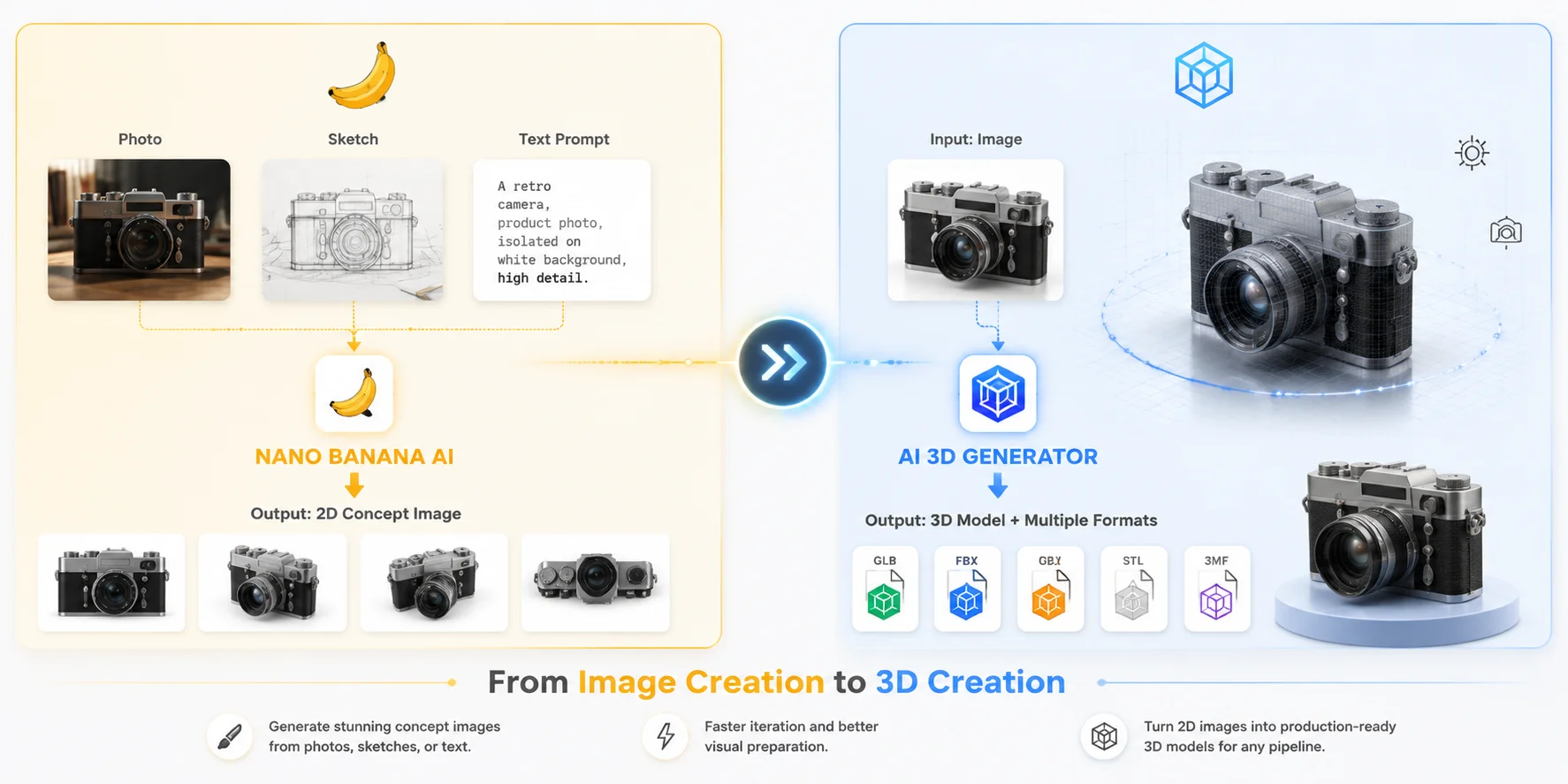
However, Nano Banana does not generate real 3D geometry. It cannot directly export GLB, OBJ, FBX, or STL files. The output is still a 2D image that cannot be imported directly into Blender, Unity, Unreal Engine, or a 3D printer slicer.
This is where the Nano Banana 3D model workflow begins. Nano Banana handles the image creation stage, while a dedicated AI 3D generator converts that image into an actual mesh.
Nano Banana Pro, announced in November 2025, expands these image capabilities by helping users turn sketches into product concepts or blueprints into realistic 3D-style structures. However, it still produces images rather than native 3D files.
Nano Banana AI vs AI 3D Generator: From Image Creation to 3D Model Creation
Why Nano Banana Images Work Well as 3D Generation Inputs
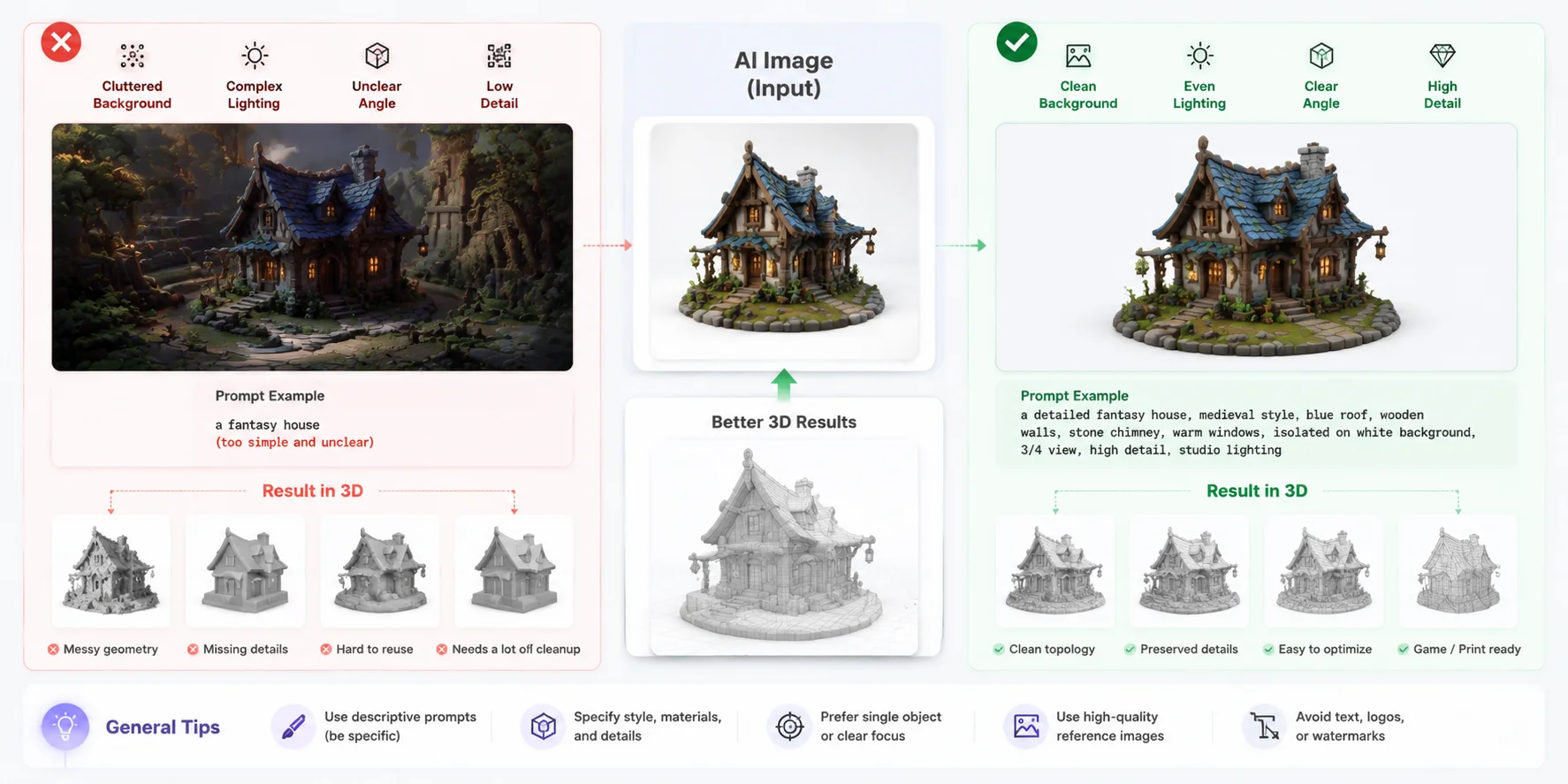
The quality of the input image is one of the biggest factors affecting AI image to 3D conversion. A 3D generation model needs clear information about shape, silhouette, and surface details. Poor images with complex backgrounds or unclear angles often create inaccurate geometry.
Nano Banana images work well because they are usually clean, single-subject, and easy for AI reconstruction systems to understand.
Several characteristics make them effective:
Clear silhouettes
Objects with visible edges and simple outlines are easier to reconstruct. A centered product, character, or building provides stronger geometric information than a crowded photo.
Neutral backgrounds
Plain white or simple backgrounds prevent AI from confusing environmental elements with the object itself.
Controlled lighting
Even lighting avoids baked-in shadows and reflections that may become incorrect textures on a rotating 3D model.
Better concept cleanup
One useful approach is using Nano Banana as a preparation step. Instead of sending a messy real-world photo directly into an AI 3D tool, users can first transform it into a clean concept image.
The workflow becomes:
Original photo -> Nano Banana AI -> optimized reference image -> AI image to 3D conversion
For example, a product photo with a busy background can become a clean studio render. A building photo can become a simplified architectural concept. A rough sketch can become a clearer design reference.
Nano Banana is not replacing 3D generation; it improves the input quality before the 3D creation stage.
Prompt Tips for Better AI Image to 3D Results
Step-by-Step: From Nano Banana Image to 3D Model with Tripo AI
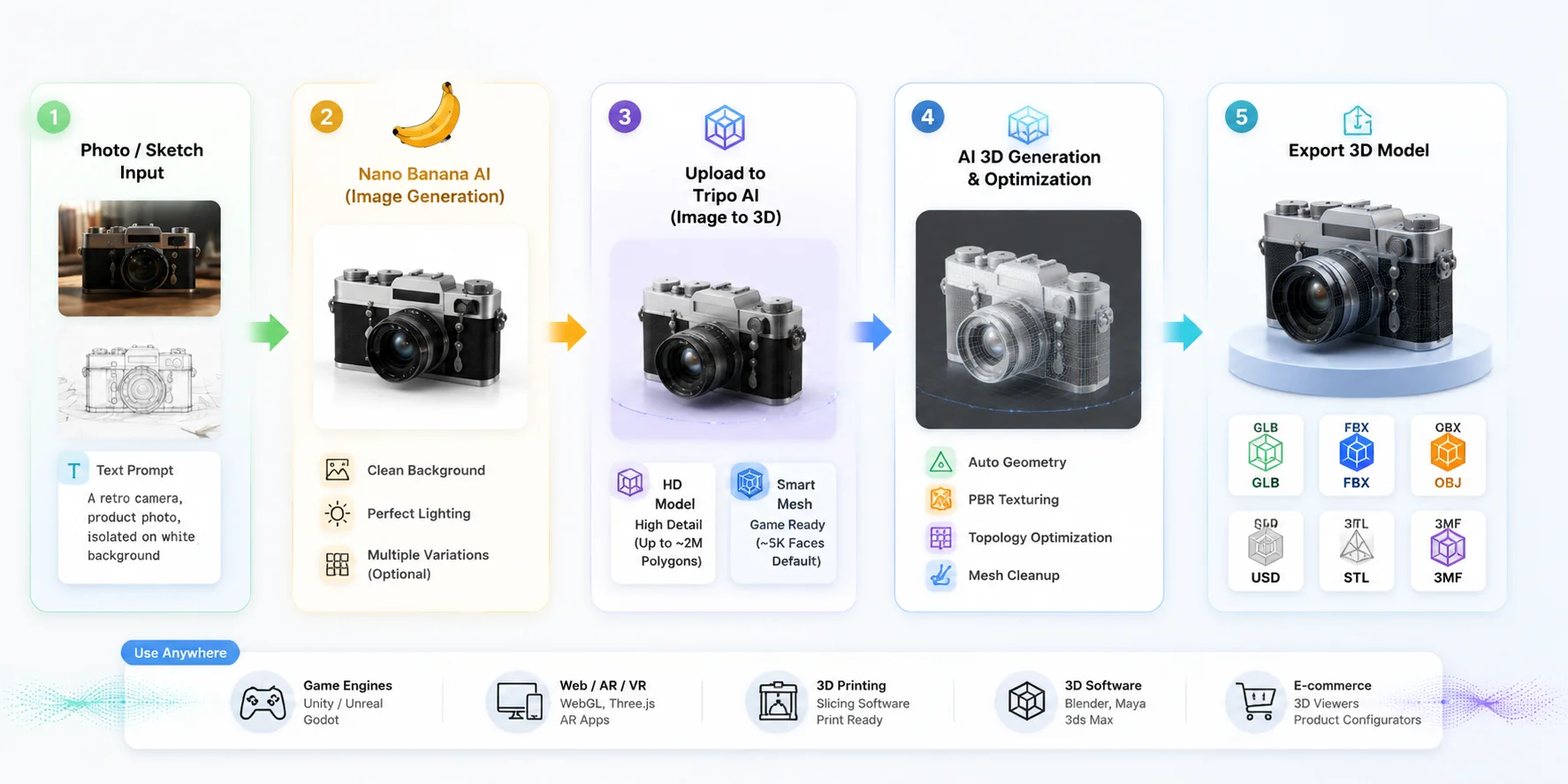
The complete Nano Banana image to 3D workflow uses Nano Banana for visual generation and Tripo AI for 3D conversion. The process can be completed entirely in the browser.
Part 1: Generate Your Image in Nano Banana
Follow these steps:
- Open Google AI Studio and sign in with your Google account.
- Select Gemini 2.5 to access Nano Banana image generation.
- Upload a reference photo or describe your subject with a text prompt.
- Define the output style:
- Architecture: "isometric 3D render, plain white background"
- Products: "front-facing product photo, isolated on white background, studio lighting"
- Characters: "full-body character render, centered, neutral pose"
- Generate the image and download the cleanest result.
Before moving to 3D conversion, it is worth creating several variations. A better silhouette or simpler background can significantly improve the final model.
Part 2: Convert the Image into a 3D Model
- Open Tripo AI Studio and select Image to 3D.
- Upload your Nano Banana image.
- Choose the generation mode.
HD Model
Designed for high-detail projects such as sculptures, collectibles, and 3D printing. It can generate models with up to around 2 million polygons for detailed surfaces.
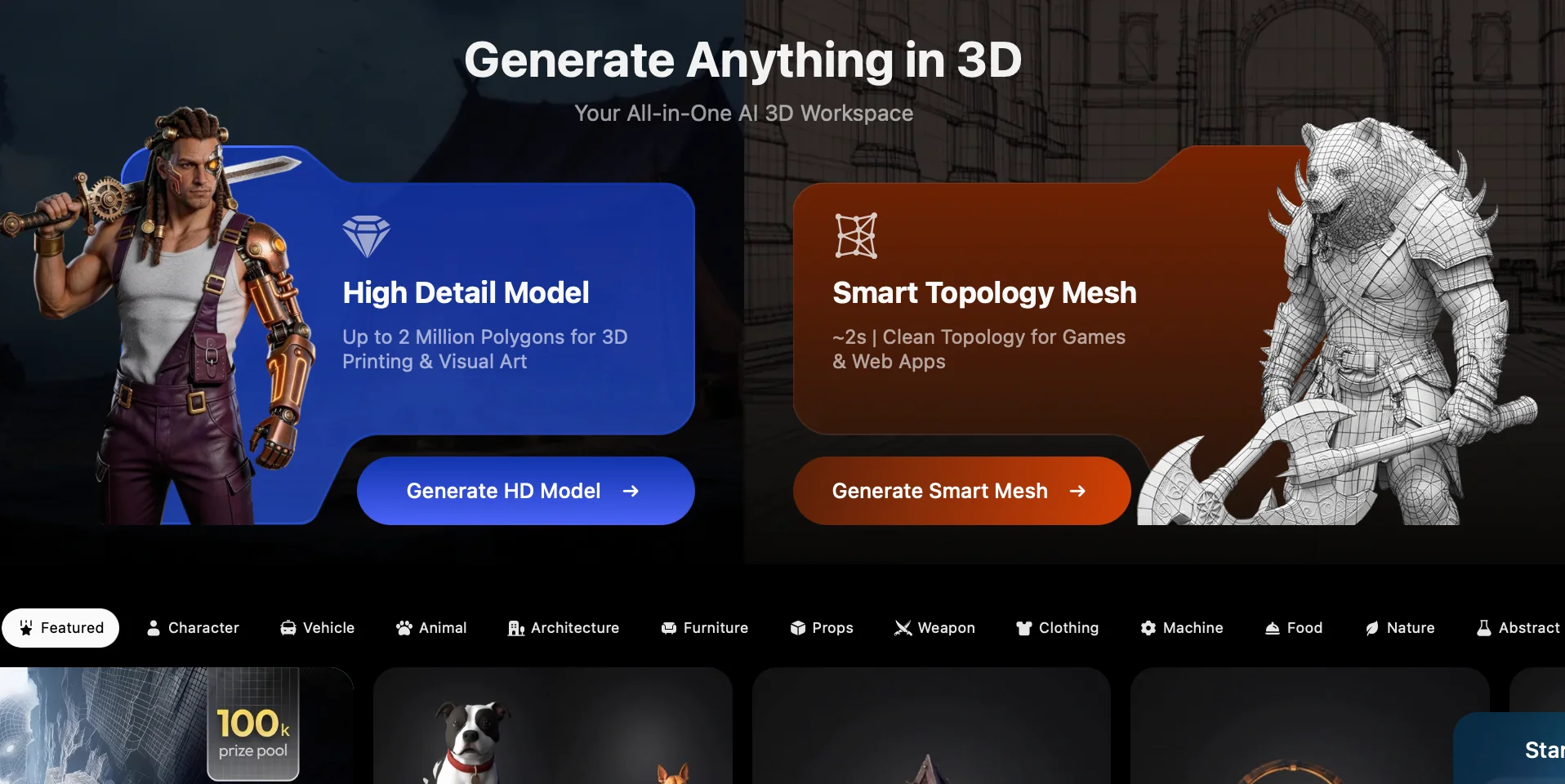
Smart Mesh
Designed for real-time use cases such as games, AR, and VR. It creates cleaner topology with around 5,000 faces by default and supports adjustable polygon targets.
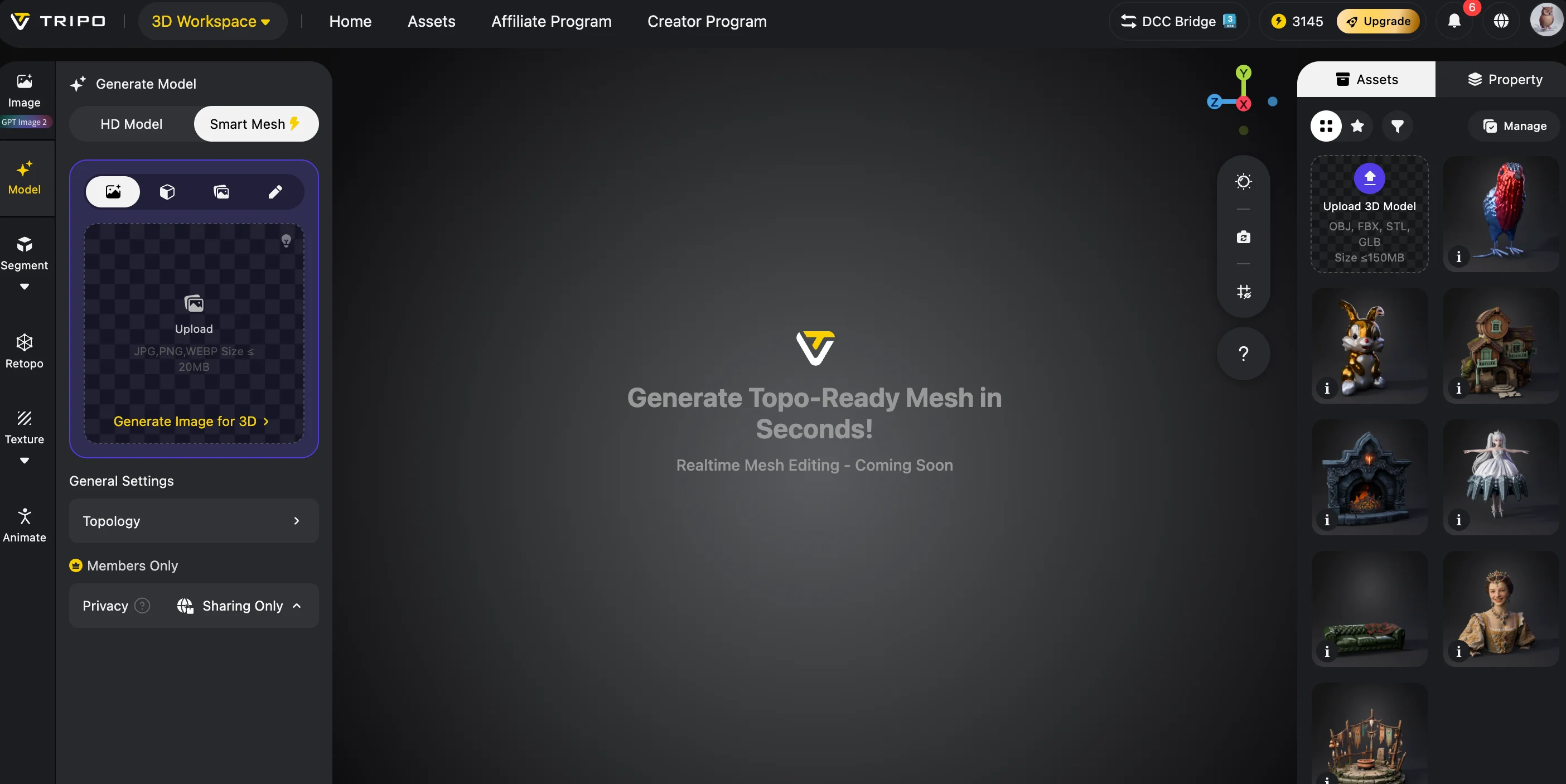
- Click Generate 3D Model.
- Review the result and improve it if needed:
- Apply PBR textures.
- Use Smart Mesh for cleaner topology.
- Adjust polygon levels depending on your project.
- Export your model:
- GLB - best for web, AR, VR, and game engines.
- FBX - common for professional 3D pipelines.
- OBJ - universal mesh format.
- STL / 3MF - best for 3D printing.
For printing, remember that STL contains geometry only and does not store textures. 3MF is better when color or additional print data is needed.
Also note that exporting v3.0 and v3.1 models requires an active paid subscription.
The complete workflow is:
Photo or sketch -> Nano Banana image -> Tripo AI conversion -> textured 3D model -> export
A process that previously required photogrammetry, multiple photos, and manual cleanup can now happen in a few browser steps.
Complete Nano Banana to 3D Model Workflow: From Image to Export
Prompt Tips for Better Nano Banana to 3D Results
Good prompts improve the final 3D model quality because AI reconstruction depends heavily on image clarity.
For architecture, include camera instructions:
- "isometric view"
- "front elevation"
- "bird's eye view"
- "plain white background"
Google AI Studio also supports multiple image inputs, so combining a facade photo with another angle can improve structural understanding.
For products and characters, use a simple template:
"Front-facing, centered, isolated on white background, even lighting, no shadows."
Avoid:
- dramatic camera angles
- motion blur
- strong reflections
- cinematic effects
These effects may look good in 2D but often create problems during 3D reconstruction.
Style keywords that work well:
- matte surface
- PBR material
- low-poly style
- clay render
Keywords to avoid:
- bokeh
- lens flare
- film grain
- cinematic grade
These add image effects rather than useful 3D information.
A practical workflow is to generate 3-4 Nano Banana variations first, choose the cleanest one, and only then start 3D generation. This saves time and reduces unnecessary regeneration.
Use Cases: Where This Workflow Delivers the Most Value
Architecture and Urban Design
Architects can use a Street View image or building photo, transform it with Nano Banana into a clean architectural concept, and convert it into a 3D model for SketchUp, Rhino, Blender, or Unreal Engine.
Compared with traditional photogrammetry, this workflow is faster for early concept exploration because it does not require large photo collections. It is ideal for massing studies, environment design, and visualization prototypes.
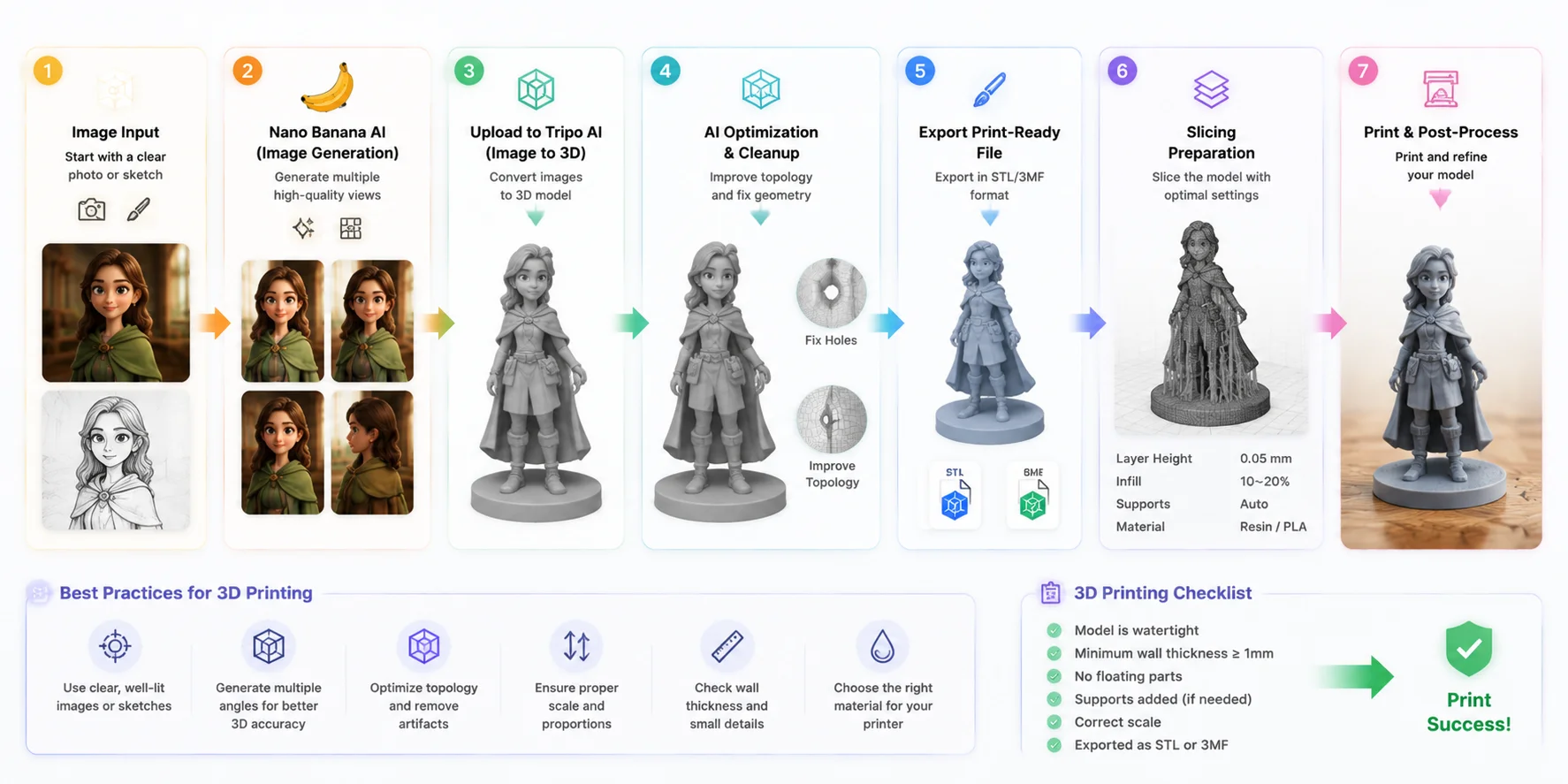
Nano Banana for 3D Printing
Nano Banana for 3D printing creates a fast path from idea to physical object:
Concept image -> HD 3D model -> STL/3MF export -> slicing -> printing
Creators can generate custom figurines, collectibles, and decorative objects, then use Tripo AI HD Model for detailed geometry.
For the printing workflow specifically, Tripo's high-detail model generator is built for this resolution range, making it suitable for detailed physical prototypes.
Game Asset Prototyping
Game developers can turn sketches or concept ideas into usable assets:
Sketch -> Nano Banana cleanup -> Smart Mesh -> FBX export -> Unity/Unreal
Smart Mesh provides optimized topology for real-time applications, making it useful for prototypes, indie games, and rapid asset creation.
Product Visualization
Brands can photograph products, generate cleaner marketing renders with Nano Banana, and convert them into GLB models for 3D viewers, AR shopping, and online product experiences.
This reduces the time needed to create interactive product presentations.
Nano Banana for 3D Printing: From Image to Physical Model
Frequently Asked Questions
Can Nano Banana generate editable 3D models directly?
No. Nano Banana creates 2D images only. To create editable 3D files such as GLB, OBJ, or STL, you need to convert the generated image through an AI 3D model generator.
How do I use Nano Banana for 3D printing?
Generate a concept image in Nano Banana, upload it to Tripo AI, select HD Model, and export the result as STL or 3MF. STL contains geometry only, while 3MF supports additional print information.
What 3D formats does Tripo AI export?
Tripo AI supports GLB, FBX, OBJ, STL, USD, and 3MF. GLB is usually the best choice for AR and game engines, while STL is commonly used for printing.
Is Nano Banana free to use?
Yes. Nano Banana is available through Google AI Studio with a Google account. Tripo AI also offers a free plan with 200 credits per month.
What is Nano Banana Pro?
Nano Banana Pro is an extended image generation version announced in 2025. It improves product concepts and blueprint visualization but still outputs images rather than 3D meshes.
How accurate are the generated 3D models?
Accuracy depends on the input image. Clean images with clear silhouettes produce better results. For complex objects, using Multi-view-to-3D with 2-4 images can improve accuracy.
Conclusion
Nano Banana makes it easier to transform photos, sketches, and ideas into high-quality visual references. Tripo AI completes the workflow by converting those references into usable 3D assets for printing, games, visualization, and AR.
Together, they replace a process that once required hours of modeling and cleanup with a faster AI-powered pipeline.
Start creating your own 3D asset with Tripo AI Studio - upload your Nano Banana image and generate a model in minutes.
Check available plans, credits, and features through Tripo AI Pricing.