Chicken Gun 3D Model: Free Downloads & Design Guide
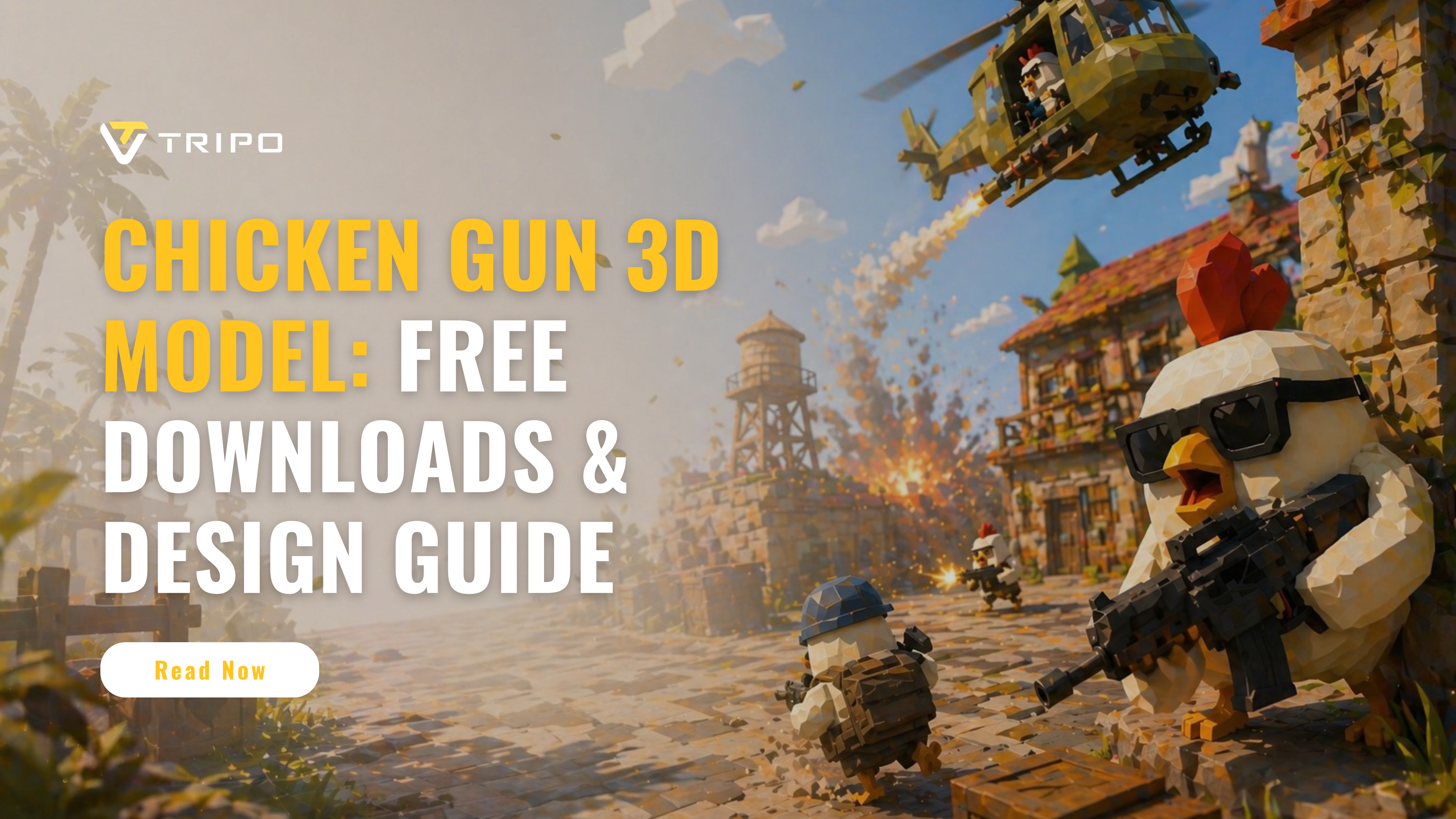
Chicken Gun is a popular multiplayer shooter game where players control armed chickens in fast-paced, chaotic battles. Because of its funny character design, cartoon weapons, and recognizable chicken avatars, many players and creators look for Chicken Gun 3D models for fan art, 3D printing, animation, game mod inspiration, or personal creative projects.
However, finding a ready-to-use Chicken Gun 3D model is not always straightforward. Some free models are low quality, some are not optimized for printing, and others may not match the actual in-game style. That is why many creators either search for downloadable assets or use AI 3D tools like Tripo Studio to generate their own Chicken Gun-inspired 3D models from reference images.
In this guide, we will cover where to find free Chicken Gun 3D model downloads, how to check file formats and licenses, and how to create your own stylized Chicken Gun model with Tripo Studio.
Free Chicken Gun 3D Models Download
Best Sites for Free Models
If you are looking for free Chicken Gun 3D models, start with community-driven 3D asset platforms such as Thingiverse, Cults 3D, MyMiniFactory, and Sketchfab. Exact Chicken Gun models may be limited, so it is also worth searching related terms such as “cartoon chicken model,” “armed chicken,” “game chicken character,” or “chicken soldier 3D model.” These results can be used as references, remix bases, or inspiration for creating a Chicken Gun-style model in Tripo Studio.
Key selection criteria:
- Check download counts and user reviews
- Verify model completion (some may be works-in-progress)
- Confirm included file formats match your needs
- Assess required supports for printing
File Formats Explained
STL remains the universal standard for 3D printing, containing surface geometry without color or material data. For editing or game engines, OBJ format preserves texture mappings and is widely compatible. Advanced users may prefer STEP files for parametric modeling or FBX for animation-ready assets with rigging data.
Critical considerations:
- STL: Universal for printing but non-editable mesh
- OBJ: Preserves UV maps for texturing
- FBX: Maintains animations and hierarchies
- Always check unit scale (mm/inches) before printing
Licensing & Usage Rights
Most free models use Creative Commons licenses, typically requiring attribution. Commercial use often requires specific permission or paid licenses. Always verify license terms before using models for streams, videos, or products. Some creators prohibit remixing or commercial applications even for "free" downloads.
Essential license checks:
- CC0: Public domain, no restrictions
- CC BY: Attribution required
- NC: Non-commercial use only
- ND: No derivatives allowed
- SA: Share-alike required
How to Design a Chicken Gun 3D Model
Step-by-Step Modeling Guide with Tripo Studio
Start by uploading multi-angle reference images of your chicken gun, highlighting reference images from multiple angles, focusing on the chicken gun's distinctive features like feather details and trigger mechanism. Use Smart Mesh to generate a base model, which automatically blocks out major components with primitive shapes, then refine using the built-in Pro Refine service to enhance geometry smoothness and organic curves. Apply texture details like feather patterns and surface imperfections via Texture tool, or export the model to sculpting software for further polish.
Modeling workflow:
Step 1: Start with one image or multiple views. Tripo supports common formats such as JPG, PNG, WEBP, and more.
Step 2: Create high quality 3d model in Tripo Studio with the "image to 3d model" feature.
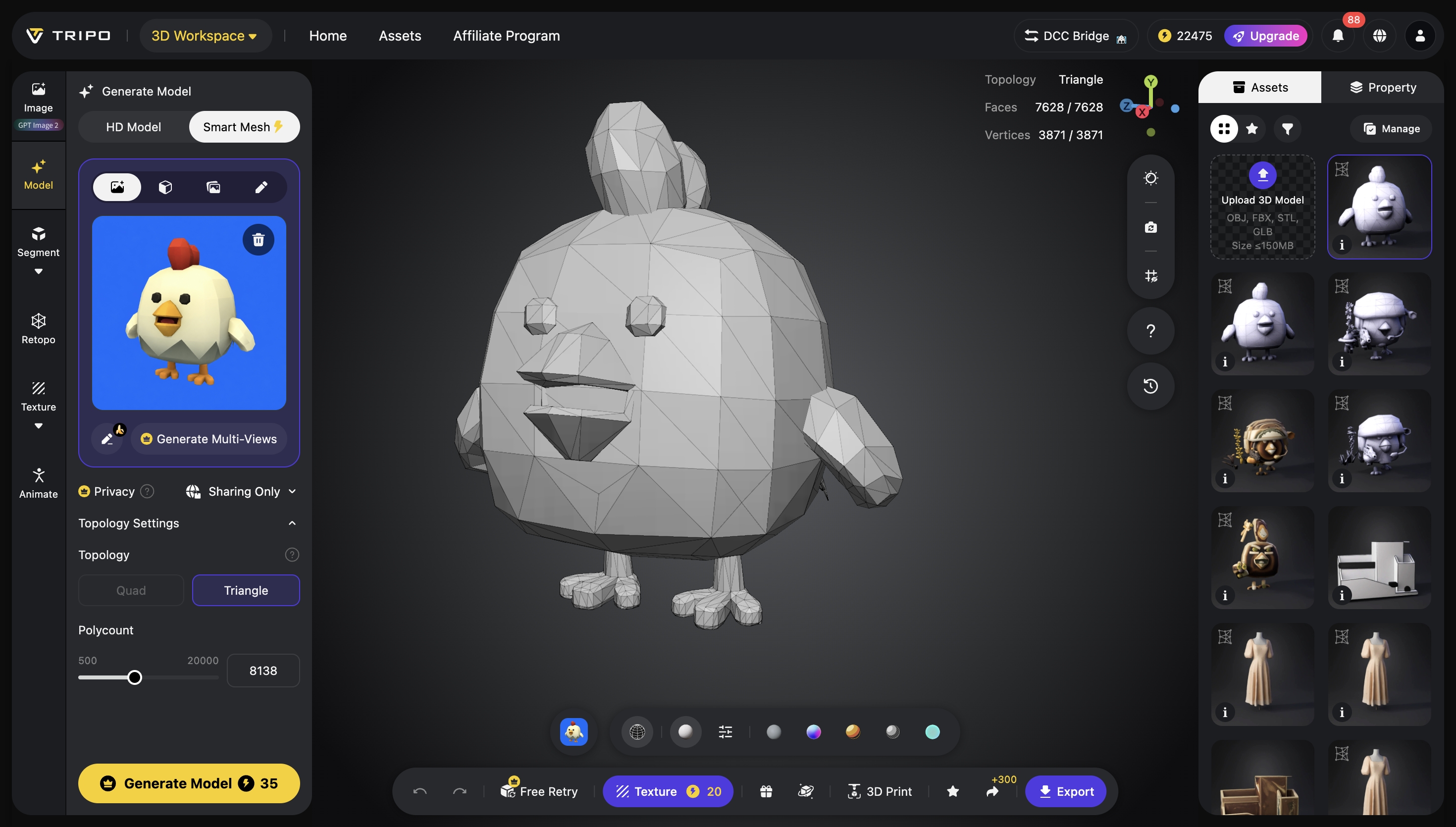
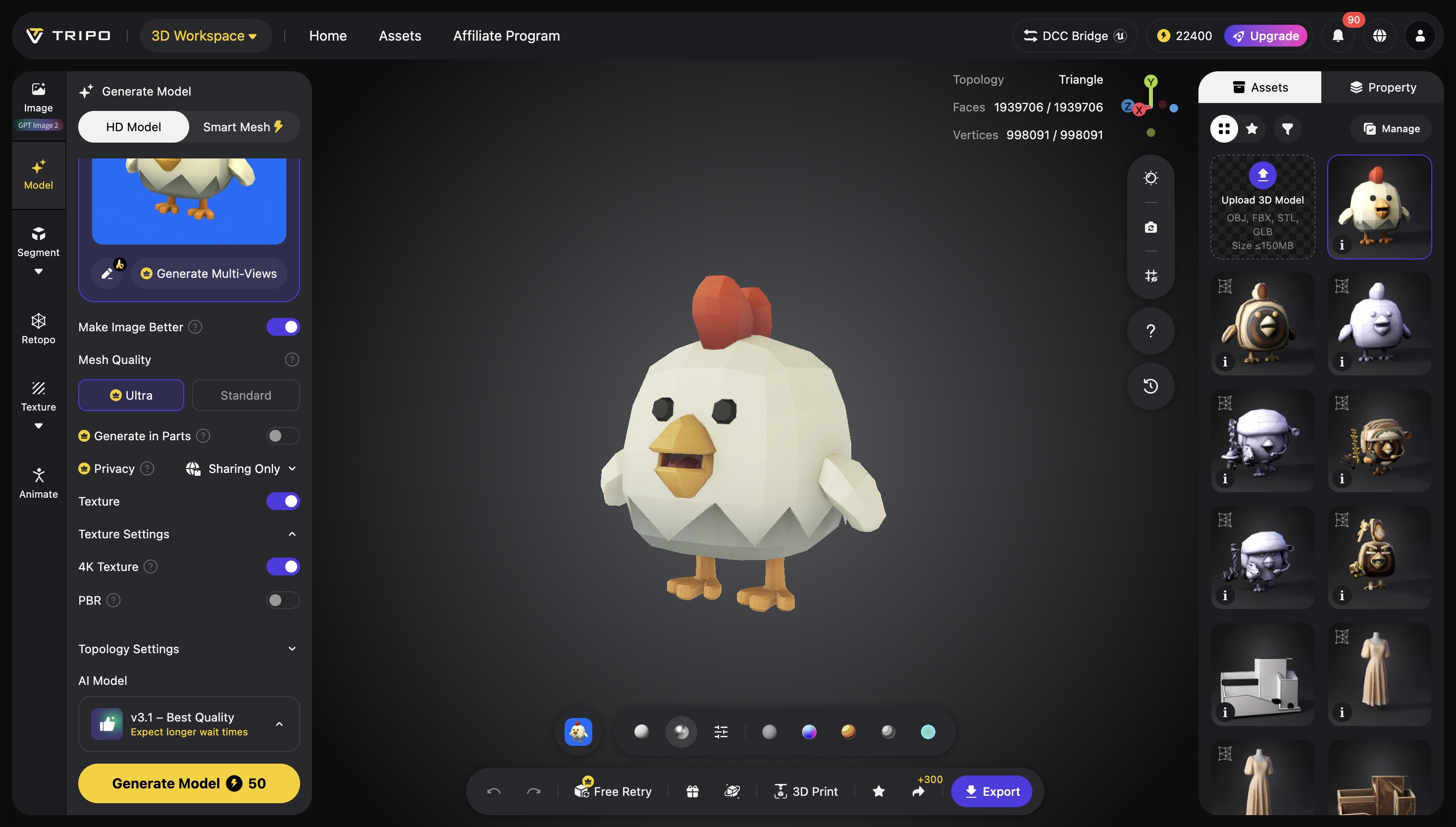
Step 3: Refine your result with textures, rigging, animation, or part separation depending on your workflow.
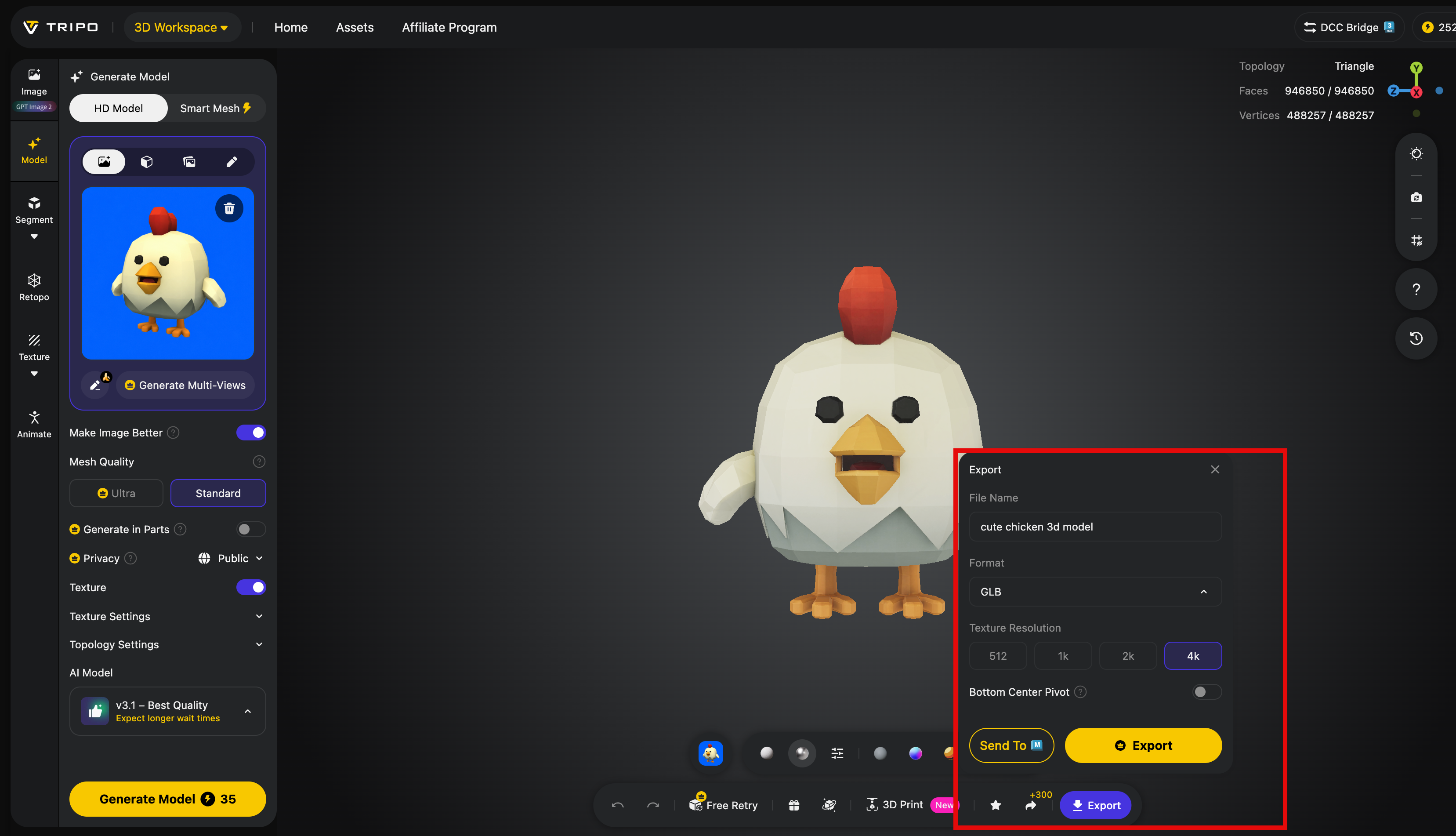
Step 4: Export your 3D model in formats like STL, OBJ, and FBX for use in design, games, prototyping, and more.
Software Recommendations
Blender provides the most comprehensive free solution with complete modeling, sculpting, and UV unwrapping tools. For beginners, Tinkercad offers simplified browser-based modeling with intuitive controls. Professional users may prefer ZBrush for high-detail sculpting or Fusion 360 for precise mechanical components.
Tool selection guide:
- Blender: Full pipeline, steep learning curve
- Tinkercad: Beginner-friendly, limited detail
- ZBrush: Superior sculpting, expensive
- Fusion 360: Precision engineering, subscription model
Optimizing for 3D Printing
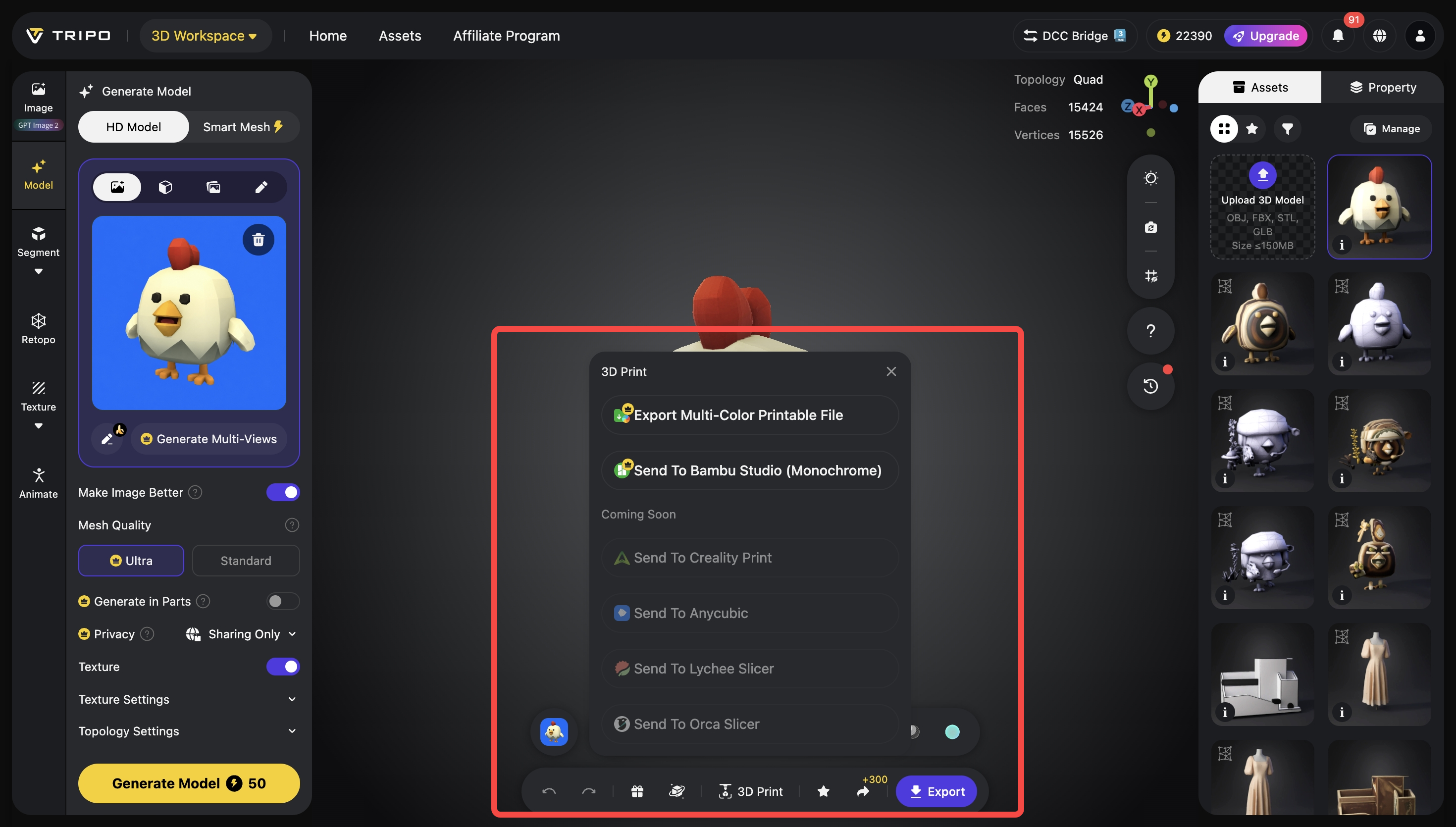
Ensure wall thickness meets minimum requirements for your printer (typically 1-2mm for FDM). Orient the model to minimize supports under critical details and maximize layer adhesion. For resin printing, add drainage holes to hollow models to prevent suction and resin trapping. Always check for non-manifold geometry and self-intersections before exporting.
Print preparation checklist:
- Verify wall thickness and structural integrity
- Orient to reduce supports on visible surfaces
- Hollow models for resin printing with drainage
- Run mesh repair tools before slicing
- Test print small sections first
Chicken Gun 3D Model Comparison
Realistic vs. Stylized Designs
Realistic chicken gun models emphasize accurate proportions, detailed feather textures, and believable mechanisms, requiring advanced modeling skills and higher poly counts. Stylized designs prioritize readability and character, using exaggerated features and simplified forms that often print more reliably. Choose based on your project needs: realism for display pieces, stylized for games or toys.
Design approach considerations:
- Realistic: Higher detail, printing challenges, longer modeling time
- Stylized: Better printability, faster modeling, stronger visual impact
- Hybrid: Realistic base with stylized details for balance
Printability & Detail Analysis
High-detail models with fine feathers and intricate mechanisms often require resin printing for acceptable results. FDM printing works better for simplified designs with thicker features and minimal overhangs. Evaluate model complexity against your printer's capabilities—fine details below 0.4mm may not render properly on standard FDM nozzles.
Printability assessment:
- FDM: Best for structural designs, minimal fine details
- Resin: Captures intricate features, requires more post-processing
- Detail loss: Features smaller than nozzle diameter won't print
- Support marks: Consider orientation to hide artifacts
Top Community Creations
Leading community models include "Cluckinator" with its detailed feather articulation and "Poultrygeist" featuring ghostly transparent elements. The "Eggsecutor" stands out for its integrated egg-loading mechanism, while "Hen-Hem" offers a compact, print-in-place design. These models demonstrate diverse approaches from highly detailed display pieces to functional, printable designs.
Notable examples:
- Cluckinator: Articulated feathers, multiple printing orientations
- Poultrygeist: Transparent resin optimized, glow-in-the-dark options
- Eggsecutor: Functional loading mechanism, moving parts
- Hen-Hem: Minimal supports, single-print assembly