Ecommerce Asset Generator: How to Use One in 2026

TL;DR
- An ecommerce asset generator creates listing visuals and copy from minimal input.
- Start with one clean product photo before generating variants.
- Use 3D assets for AR, 360° views, and high-consideration products.
- Export each asset in the format your sales channel expects.
- Tripo AI helps turn product photos into rotatable 3D models.
An ecommerce asset generator is a tool that creates the visual and written assets a product listing needs — product photos, lifestyle scenes, ad creatives, product descriptions, and 3D models — from a small set of inputs like one product photo or a short text prompt. Most run on generative AI, so a single upload can produce dozens of listing-ready files.
Precedence Research valued AI in ecommerce at USD 11.22 billion in 2024 and projected USD 71.41 billion by 2034. Sellers still face a smaller question: which assets to generate, which formats each channel expects, and how to avoid spending credits on unusable output?
What Is an Ecommerce Asset Generator?
An ecommerce asset generator is software that produces listing-ready assets from minimal input. Instead of hiring separate help for photography, design, copywriting, and 3D modeling, you start with a product photo, a prompt, or product attributes. The tool then creates assets for your store, marketplace listing, or campaign.
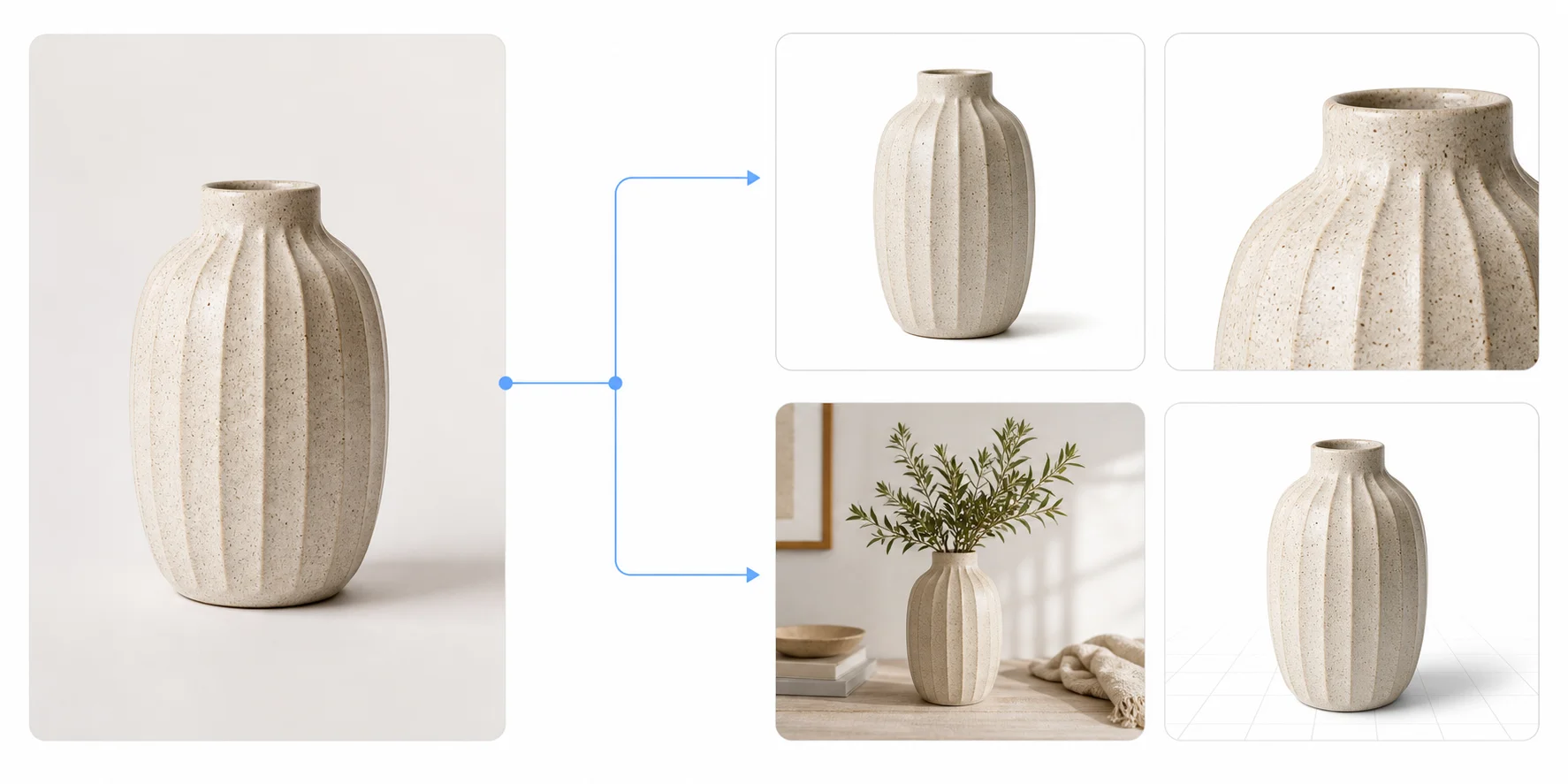
There are two common input paths. The first is image-based. You upload an existing product photo, and the generator removes the background, relights the product, places it into a new scene, or rebuilds it as a 3D model. A single mug photo, for example, can become a white-background hero image, three lifestyle scenes, and a rotatable 3D asset.
The second path is text-based. You describe what you need: “minimal studio product photo of a ceramic mug on a beige surface” or “short product description for a handmade leather card holder.” This works well for product copy, ad concepts, and simple visual direction.
Here, “asset” means anything that ships with a listing or campaign. That includes hero images, lifestyle shots, size charts, ad banners, product titles, bullet points, descriptions, 3D models, and AR previews.
What Assets Can You Generate? (Five Types)
Product photos
Product photos are the core ecommerce asset. These include white-background hero images, re-lit studio images, close-up detail shots, and clean gallery photos built from a phone photo. They matter because search results and marketplace grids usually show the hero image first.
A strong AI product image generator helps when you do not have a studio setup. Still, the source photo matters. If the product is blurry, cropped, or covered by shadows, the generated image will often carry those flaws forward.
Lifestyle and scene images
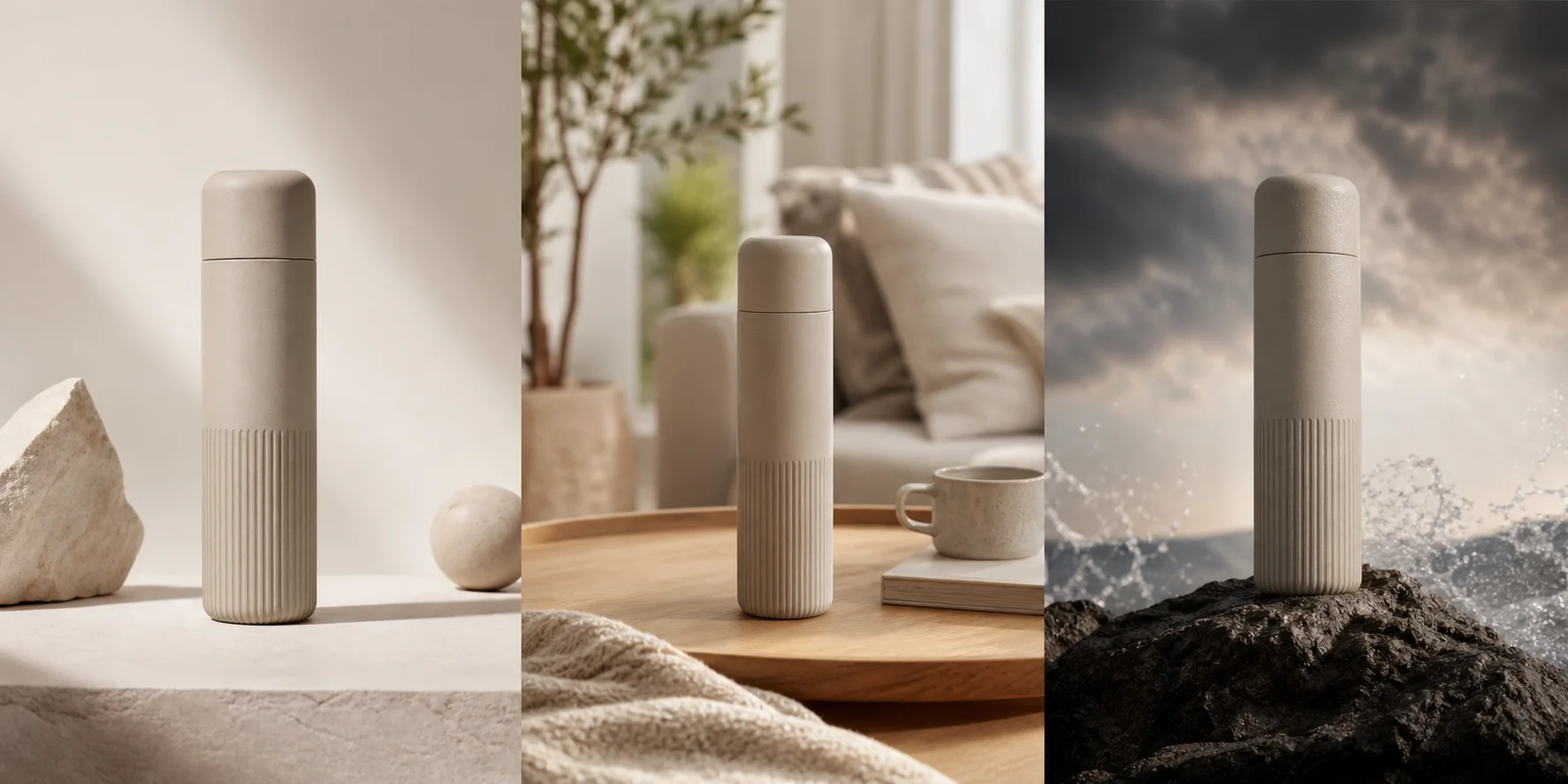
Lifestyle images show the product in use. A lamp appears on a bedside table. A mug sits beside a laptop. A backpack appears on a model walking through a city street.
These images help shoppers imagine size, use case, and mood. Apparel, accessories, beauty, furniture, and decor brands use them heavily because shoppers want context. The main risk is product drift. The scene may look polished while the product shape, logo, color, or scale changes.
Ad creatives
Ad creatives are resized and copy-overlaid versions of product visuals for paid channels. You may need square images for Meta, vertical creatives for TikTok, and landscape versions for display ads.
Generators can produce background, headline, and aspect-ratio variants from the same source. Pick the placement first so you only create versions the campaign can use.
Product copy
Product copy includes titles, bullet points, descriptions, feature lists, alt text, and short ad captions. AI can turn product attributes into readable copy for large catalogs where every SKU needs unique text.
Use generated copy as a draft, not the final source of truth. A human should check claims, measurements, material names, sizing, warranties, and compliance language. This matters even more for health, beauty, children’s products, supplements, electronics, and regulated categories.
3D product models
A 3D product model is a rotatable, textured mesh of the product. It can power a 360° product view, a 3D viewer on the product page, or AR “view in your room” previews.
This is the asset category many ecommerce tool roundups skip. A photo shows one angle. A 3D model shows the whole shape. Furniture, footwear, decor, bags, appliances, collectibles, and products with complex form benefit most.
Choose assets by placement. Search results need a clean hero image. Paid social needs fast creative variants. High-consideration products benefit from 3D because shoppers want to inspect shape, scale, and fit.
How Does an AI Ecommerce Asset Generator Work?
When you upload a product image, the model first separates the product from its background. It then reads shape, color, edges, material, and visible details. After that, it can re-render the product with new lighting, a different background, or a new scene.
Prompts work best when they describe the scene, not the product alone. A weak prompt is: “make this better.” A stronger prompt is: “place this matte black desk lamp on a clean walnut desk, soft morning light, neutral wall, premium home office style.” The product comes from your photo; the prompt tells the generator where and how to show it.
Most ecommerce asset tools use credits. Tripo charges according to model complexity and selected features; its published table lists a standard generation at 25 credits, with optional features charged separately. Credits are deducted only when a task succeeds, so a failed task does not consume them.
Things go wrong when the product is hard to read. Reflective glass, transparent packaging, loose fabric, thin jewelry chains, glossy metal, and tiny label text are difficult for any generator. These products may need more photos, cleaner lighting, or a manual cleanup pass.
How to Generate Your First Set of Product Assets
Shoot one clean source photo
Use even lighting, a plain surface, and a product fully inside the frame. Avoid blur, cropped edges, harsh shadows, and covered logos. Everything downstream inherits this photo’s flaws.
Pick your output goal first
Decide whether you need a marketplace hero image, a paid-social creative, a product description, or an interactive 3D asset. The settings differ. Generating “everything” wastes credits and gives you files you may never use.
Generate the 2D set
Start with the core product page images. Remove the background, produce the white-background hero image, then create two or three lifestyle variants. Keep product scale consistent across variants so the listing feels trustworthy.
Generate the 3D asset if the product warrants it
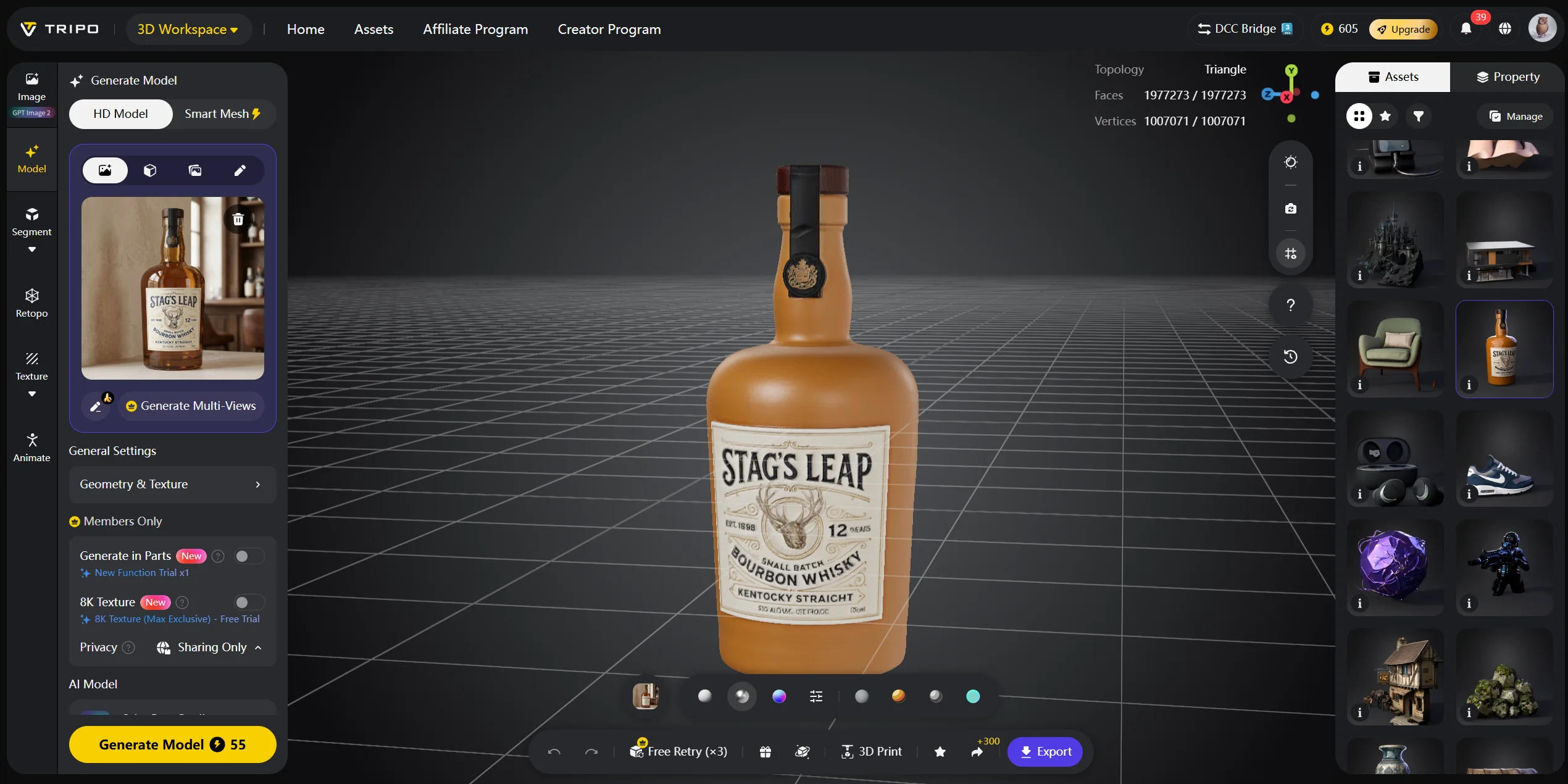
If the product needs inspection from several angles, create a 3D version. In Tripo AI Studio, open Image to 3D, upload the same source photo, and generate the model. Tripo’s image-to-3D materials describe turning a 2D image into a 3D model and include PBR texture generation workflows.
For a lighter web mesh, use Smart Mesh instead of the HD path. Tripo documents roughly 5,000 polygons by default, but you should still inspect the actual silhouette and loading performance.
Check the output at 100% zoom
Look at logos, packaging text, seams, handles, buttons, and edges. These are where AI outputs drift first. If the product is wrong, do not export it just because the scene looks good.
Export per channel
Match the export format to each sales channel. Use JPG or WebP for marketplace listings, PNG or MP4 for paid social, and GLB or USDZ for 3D and AR viewers. See the format table in the next section for details.
Write the copy last
Write descriptions after you know which images and 3D assets you are actually using. The copy should match the product shown, not an earlier version. Before publishing, compare every claim, color, size, and feature against the final exported asset.
Ready to see what your product looks like as a 3D asset? Open Tripo AI Studio and run one photo through Image to 3D.
Generating 3D Product Assets for AR and 360° Views
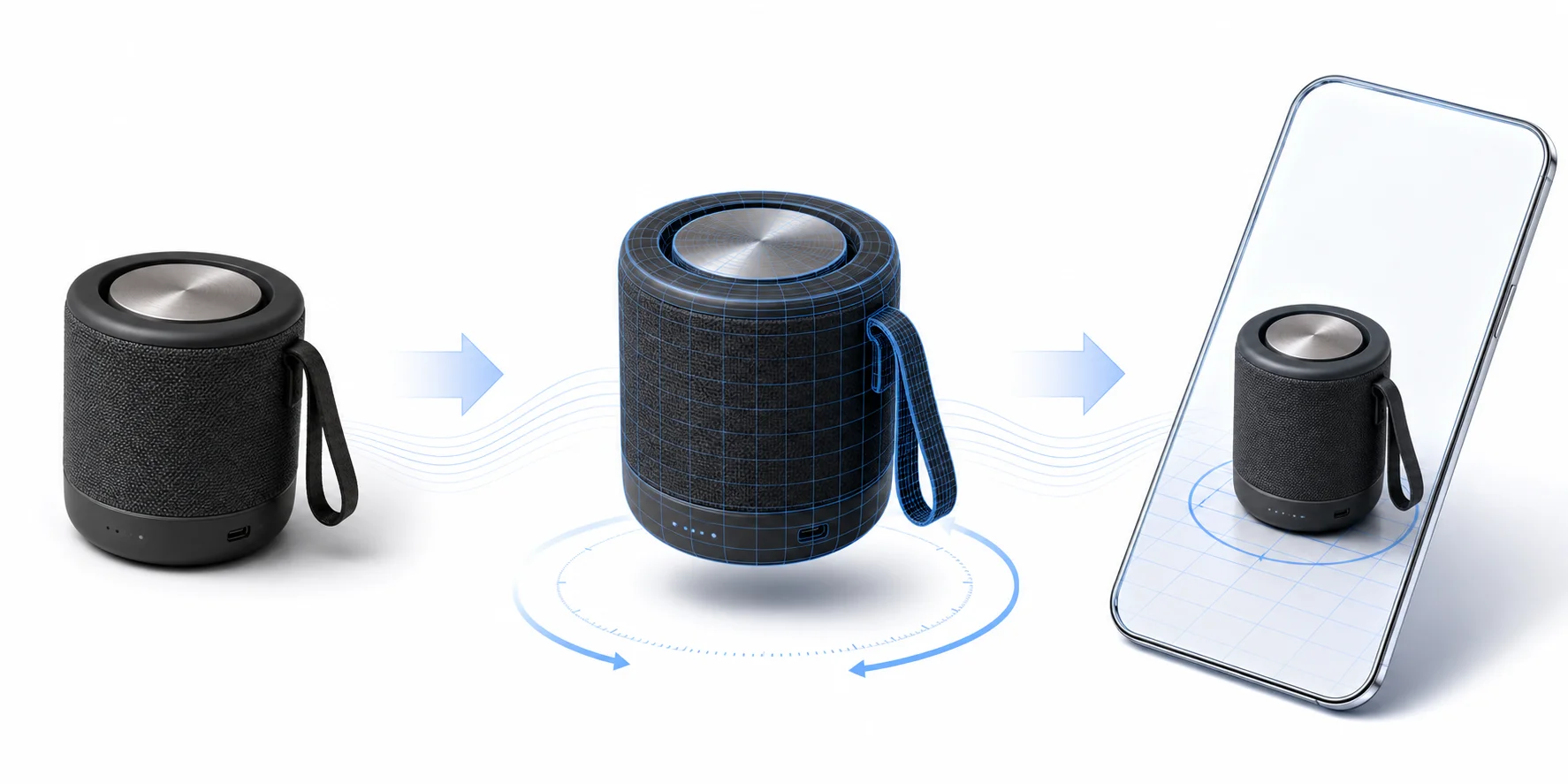
A photo shows one angle. A 3D product asset shows the whole object. This matters when shoppers need to understand shape, scale, thickness, material, or how the item looks in a real room.
Store platforms already support this direction. Shopify product media can include 3D models and can support AR experiences on product pages. Apple AR Quick Look uses USDZ files so users can preview virtual objects in 3D and AR on Apple devices. Amazon also offers 3D and AR product experiences, including a “View in 3D” option for enabled products in the Amazon shopping app.
The input can be the same product photo you used for the 2D set. When shape accuracy matters, use multiple references. Multi-view input with 2–4 images of the same product gives the model more information than one front photo.
The output is a mesh with materials. A mesh is the 3D surface. PBR materials describe how that surface reacts to light. This is why a matte ceramic mug and a glossy one should not look the same in a viewer.
Choose the quality path based on where the asset will load. Use a high-detail model if you will render it large, use it in close-ups, or prepare it for 3D printing. Use an optimized low-polygon mesh when the model has to load fast in a mobile browser.
Be honest about the limits. Reflective glass, loose fabric, transparent packaging, and very thin products still need cleanup or manual work. A generated model is a starting asset, not a finished product configurator.
An image-to-3D converter can turn a listing photo into a rotatable starting asset. If the mesh is too heavy for the storefront, mesh optimization can reduce its polygon count.
What File Format Should You Export?

| Asset | Format | Where it goes | Watch out for |
|---|---|---|---|
| Product hero image | JPG, PNG, or WebP | Shopify, Amazon, Etsy, product galleries | Follow each channel’s size and background rules |
| Lifestyle image | JPG, PNG, or WebP | Product pages, emails, landing pages | Check product scale and color accuracy |
| Paid social creative | JPG, PNG, MP4, or GIF | Meta, Google, TikTok, display ads | Export per aspect ratio |
| Product copy | CSV, TXT, or pasted text | Store CMS, marketplace listing, PIM | Review claims, measurements, and compliance |
| 3D product viewer | GLB or glTF | Web viewers, 3D product pages, AR/VR workflows | Keep the mesh light for mobile |
| iOS AR preview | USDZ | Apple AR Quick Look | Use USDZ when the experience targets Apple AR |
| 3D printing prototype | STL or 3MF | Slicers and print workflows | STL is geometry only; 3MF can carry richer data |
For standard ecommerce images, JPG or WebP is usually efficient, while PNG is useful when you need transparency. For ads, export by placement. A TikTok creative, a Meta feed ad, and a display banner should not share one crop.
For 3D product assets, use GLB or glTF when the model needs to load in a web viewer. Use USDZ when you target Apple AR Quick Look. Use STL only for plain 3D printing because it carries geometry only, not product color or texture. Tripo’s export documentation lists USD, FBX, OBJ, STL, GLB, and 3MF as supported export formats, and the OpenAPI conversion docs include 3MF and FBX conversion options.
Export requires an eligible subscription even when credits remain. Basic supports version 2.5 exports only, while versions 3.0 and 3.1 require an active paid subscription. If you downloaded the wrong format, use a 3D file converter instead of regenerating the asset.
Common Mistakes That Waste Your Credits
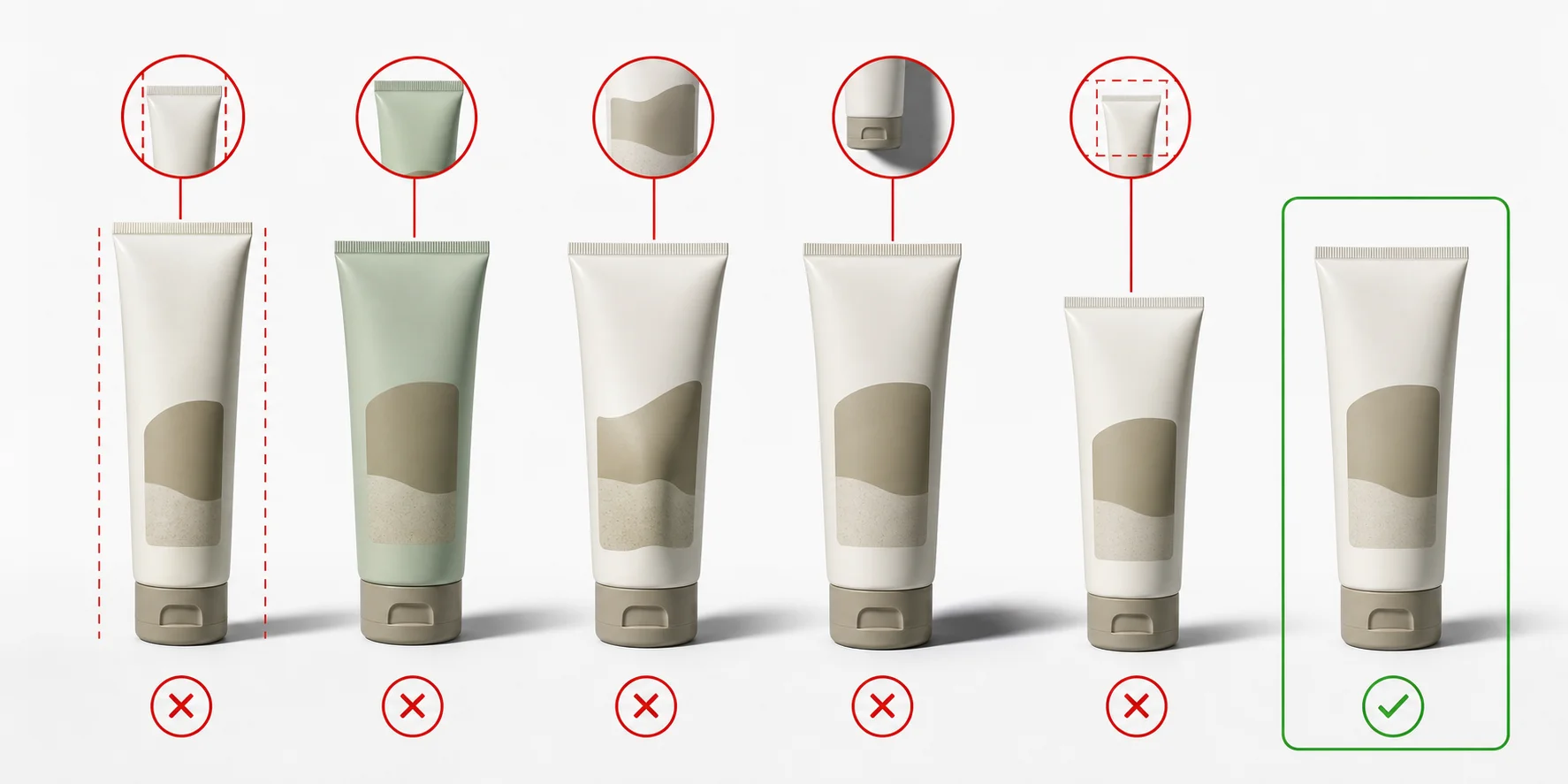
The single most expensive mistake is regenerating around a bad source photo. It costs credits every round and never fixes the underlying issue.
Starting from a bad source photo. Blur, harsh shadows, and cropped edges get baked into every generated variant. Reshoot instead of regenerating.
Generating everything before you know what you need. Credits go fastest on batches nobody uses. Pick the placement first, then generate.
Letting the product drift. Check logos, label text, proportions, and color on every output. Generators are most likely to reinvent small text and fine detail.
Ignoring platform requirements until upload day. An asset can look perfect in the editor and still be rejected or skipped by a marketplace for the wrong aspect ratio, file type, or container. Check requirements before the final export.
Treating generated copy as final. Product descriptions need a human pass for claims, sizing, care instructions, and compliance language. This matters most in regulated categories.
Frequently Asked Questions
Q: What is an eCommerce asset? An ecommerce asset is any visual, text, or 3D file used to sell a product online. It can include product photos, lifestyle images, ad creatives, product copy, videos, and 3D models.
Q: Can AI build an eCommerce website? AI can help create product images, copy, layouts, and some website structure. It still needs human decisions on positioning, navigation, fulfillment, pricing, and trust signals.
Q: Will AI replace e-commerce? No. AI changes how ecommerce work gets produced, but it does not replace selling, merchandising, customer support, logistics, or brand strategy.
Q: Can I use AI to sell clothes online? Yes. AI can help create model shots, lifestyle scenes, size-chart graphics, descriptions, and ad creatives. You still need accurate sizing, material details, and honest product representation.
Q: How does an AI ecommerce asset generator work? It reads a product photo or prompt, separates the product from the background, and creates new images, copy, or 3D assets from that input. The best results come from clean source material.
Q: What assets do I need for an ecommerce store? Most stores need a hero image, gallery photos, lifestyle images, product copy, ad creatives, and email or landing-page assets. Higher-consideration products may also need 3D models or AR previews.
Q: Can I generate 3D models of my products for AR? Yes. Dedicated 3D AI platforms can turn product photos into textured 3D models. For AR, check whether your store or marketplace needs GLB, glTF, USDZ, or another supported format.
Q: Is there a free way to generate ecommerce assets? Many tools offer free tiers, but they usually limit credits, resolution, exports, or commercial features. Tripo AI’s free plan lists 200 monthly credits, while downloads and exports depend on plan details.
Q: Can I use AI-generated product images and models commercially? Tripo permits commercial use when the source material is free of copyright disputes, and you retain copyright in generated models. Free-plan models may appear on the Tripo homepage, so review privacy and plan terms before client work.
Q: Which file format do I need for a 3D product asset? Use GLB or glTF for web-based 3D viewers, USDZ for Apple AR Quick Look, and STL or 3MF for 3D printing. Do not use STL when you need color or textures.
Conclusion
An ecommerce asset generator works best as a controlled workflow: start with a clean source photo, choose the asset needed for each placement, and export the channel's required format. Add 3D or AR assets when the product benefits from inspection at multiple angles.
Turn one product photo into a rotatable 3D asset in Tripo AI Studio — the free plan includes 200 credits a month. If you are planning a full catalog, Tripo AI pricing lays out credit allowances and export terms per plan.