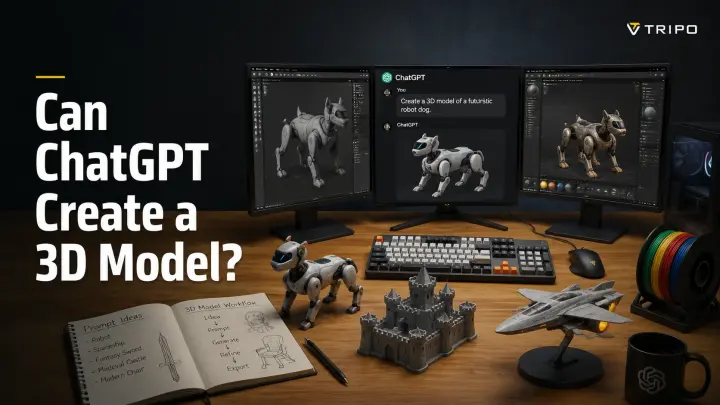
Can ChatGPT Create a 3D Model? (What It Can and Can't Do)
TL;DR
- ChatGPT can help with 3D modeling, but it cannot directly create and export complete 3D mesh files like STL, OBJ, or FBX. It works best as a 3D assistant that helps write code, create references, and plan workflows.
- For simple designs, ChatGPT can generate OpenSCAD or Blender scripts that you can convert into printable models. For complex shapes or production-ready assets, dedicated AI 3D generators are a better choice because they create actual meshes and exportable files.
- Use ChatGPT for guidance and workflow support; use specialized AI 3D tools when you need a finished 3D model.
ChatGPT can help you create a 3D model, but it cannot export a finished mesh directly from the chat. Instead, it can write CAD scripts, create concept images for image-to-3D tools, and help plan workflows with specialized GPTs or external 3D software. Think of it as an assistant for 3D creation, not a replacement for modeling software.
You typed “make me a 3D model of a dragon” into ChatGPT and got… a text description. Frustrating, right? The reality is that ChatGPT is a powerful assistant for the 3D workflow, but it is not a traditional modeling program. In this guide, we'll explore three practical ways to use ChatGPT for 3D creation, explain its limitations, and show when you should switch to dedicated AI 3D generators or modeling software.
Can ChatGPT Create a 3D Model Directly? (The Short Answer)
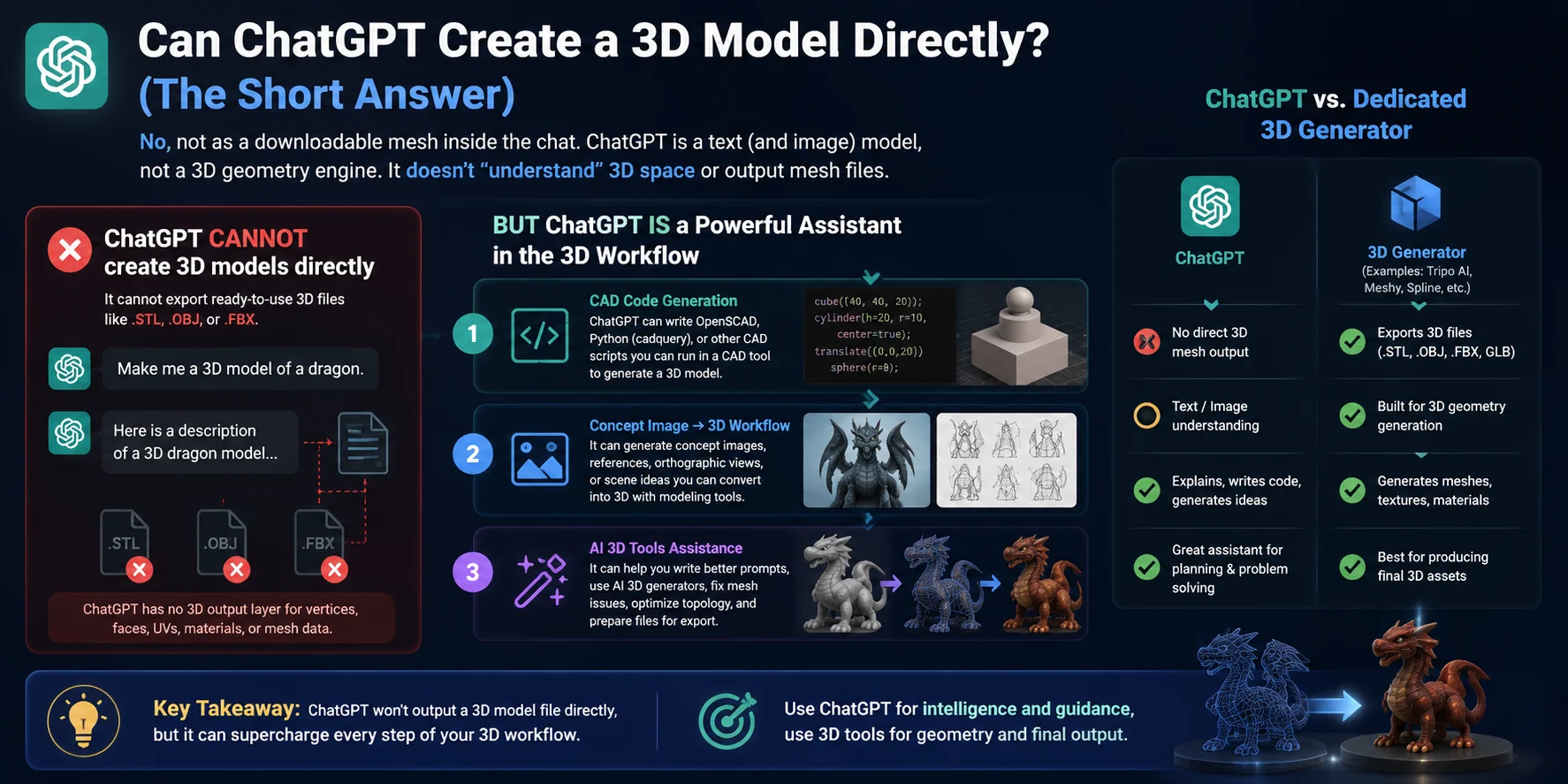
No, ChatGPT cannot create and export a downloadable 3D mesh file directly inside the chat. Unlike dedicated 3D modeling software, ChatGPT is primarily a text and image-based AI model—it does not have a built-in 3D geometry engine that understands and outputs complete mesh structures such asOBJ,STL, orFBX files.
However, that does not mean ChatGPT is useless for 3D creation. It can act as a powerful assistant throughout the modeling workflow by writing CAD scripts, generating modeling instructions, creating concept references, helping prepare prompts for AI 3D generators, or working with specialized tools that handle the actual 3D generation process.
A common misunderstanding is expecting ChatGPT to work like an image generator: type “create a dragon model” and receive a finished 3D asset. The reason this does not happen is that ChatGPT has no dedicated 3D output layer for building vertices, faces, UVs, materials, and other mesh data. Instead, it helps you plan, generate, and optimize the workflow while specialized 3D tools create the final model.
3 Ways ChatGPT Actually Helps You Make 3D Models
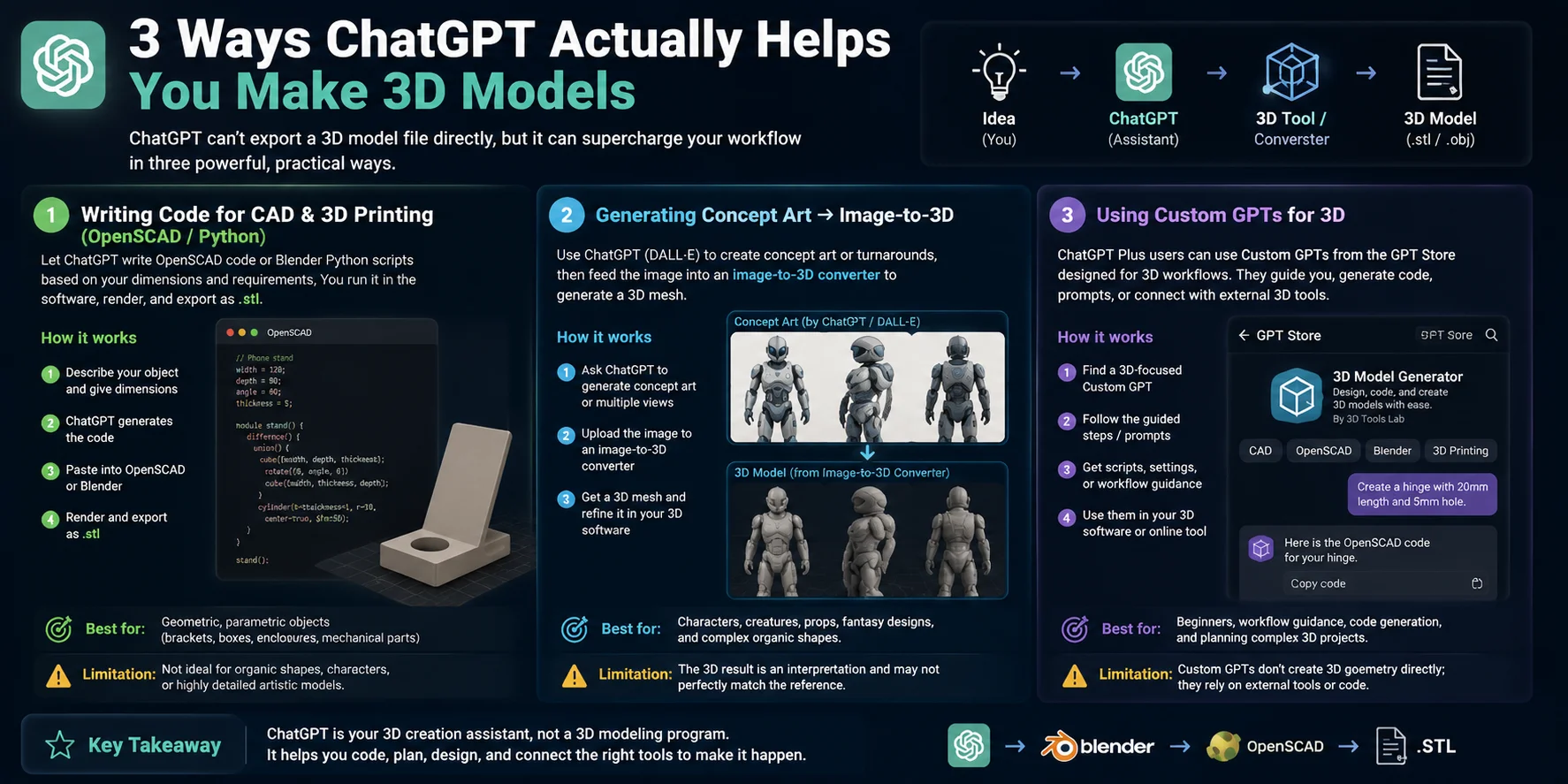
ChatGPT cannot directly create and export a finished 3D mesh file like an STL or OBJ from a chat window, but it can still be a powerful assistant throughout the 3D creation process. Instead of replacing a 3D modeling tool, ChatGPT helps with coding, design preparation, workflow guidance, and connecting ideas to specialized 3D generation tools.
Here are three practical ways ChatGPT can help you turn ideas into 3D models.
1. Writing Code for CAD & 3D Printing (OpenSCAD / Python)
One of the most practical uses of ChatGPT for 3D modeling is generating code-based models. You can describe the object you need, provide dimensions, and ask ChatGPT to write an OpenSCAD script, Python script for Blender, or other procedural modeling code.
For example, you could ask:
“Create an OpenSCAD script for a phone stand that is 120mm wide, 80mm deep, with a 60-degree viewing angle and a cable management hole.”
ChatGPT can generate the script, which you can then paste into OpenSCAD, adjust parameters, render the model, and export it as an STL file for 3D printing.
This workflow works best for geometric and parameter-based objects, such as brackets, enclosures, mechanical parts, organizers, and simple product designs. Because the model is created from rules and measurements, changing dimensions is often easier than manually editing a mesh.
The limitation is that code-based generation is not ideal for organic shapes like characters, creatures, or highly detailed artistic objects. Those usually require sculpting tools or AI 3D generation workflows.
2. Generating Concept Art → Image-to-3D
ChatGPT can also help create visual references that become the starting point for a 3D workflow. Instead of directly generating a mesh, you can use ChatGPT to create concept descriptions, design ideas, or images that can later be converted into 3D.
For example, you might ask for:
“Create a futuristic robot character concept with front, side, and back views for 3D modeling reference.”
After generating the concept image, you can upload it to an image-to-3D converter that turns 2D references into a 3D mesh. These tools analyze the image, estimate the shape, and generate a model that can be refined in Blender or used as a prototype asset. Tools such as Tripo AI are examples of this type of image-to-3D workflow.
This method is especially useful for characters, creatures, props, fantasy designs, and complex shapes where traditional CAD modeling is less practical.
The limitation is that image-based generation is still an interpretation process. The final model may not perfectly match the reference, especially for hidden areas, complex geometry, or precise mechanical parts.
3. Using Custom GPTs for 3D Workflows
Another option is using specialized Custom GPTs designed for 3D-related tasks. Some GPTs in the GPT Store are built to guide users through modeling workflows, generate scripts, create prompts, or connect with external 3D services.
A 3D-focused Custom GPT may help you prepare a Blender script, generate an OpenSCAD model, suggest modeling steps, or organize a workflow from concept to export. However, it is important to understand that these GPTs usually do not create complete 3D geometry by themselves. Many rely on external tools, APIs, or code generation rather than having a built-in 3D engine.
This approach is useful for beginners who need step-by-step guidance or creators who want assistance planning a more complex modeling process.
The limitation is that the quality depends on the connected tools and workflow. A Custom GPT can make the process easier, but the final mesh generation still usually happens in dedicated 3D software or AI 3D platforms.
Overall, ChatGPT is best viewed as a 3D creation assistant, not a replacement for 3D modeling software. It can help you write the code, create references, and choose the right workflow—but dedicated 3D tools are still responsible for generating and editing the final model.
Can ChatGPT Make STL Files for 3D Printing?
The short answer is: No, ChatGPT cannot directly generate a downloadable STL file inside the chat. It does not create binary 3D mesh files with vertices, faces, and geometry data like traditional 3D modeling software. However, ChatGPT can still help you create printable STL models indirectly, mainly by generating code that can be converted into a 3D file.
One common workflow is using ChatGPT + OpenSCAD. You describe the object you want, including dimensions and features, and ChatGPT can write an OpenSCAD script that defines the model using parameters and geometric operations. For example, you can ask:
“Create an OpenSCAD script for a 100mm × 60mm × 20mm storage box with rounded corners and a 3mm wall thickness.”
ChatGPT generates the code, which you then open in OpenSCAD. After reviewing the preview, you can render the model and export it as an STL file. The STL can then be imported into a slicer such as Cura, PrusaSlicer, or Bambu Studio and prepared for 3D printing.
This approach works especially well for parameterized and geometric objects, including brackets, boxes, mounts, enclosures, spacers, and mechanical parts. Since the model is created from measurements, you can easily adjust dimensions by changing the code instead of remodeling the entire object.
However, ChatGPT's STL workflow has clear limitations. Creating organic shapes such as human figures, animals, creatures, or highly detailed sculptures through code is much more difficult because these models require complex surfaces and artistic sculpting. For those cases, an image-to-3D workflow is usually more practical: create or provide a reference image, then use a dedicated AI 3D generator to produce the mesh.
So, while ChatGPT cannot “make an STL file” directly, it can act as a powerful design assistant that helps you generate CAD code, modify models, and speed up the path from idea to printable object.
The Limitations You Need to Know
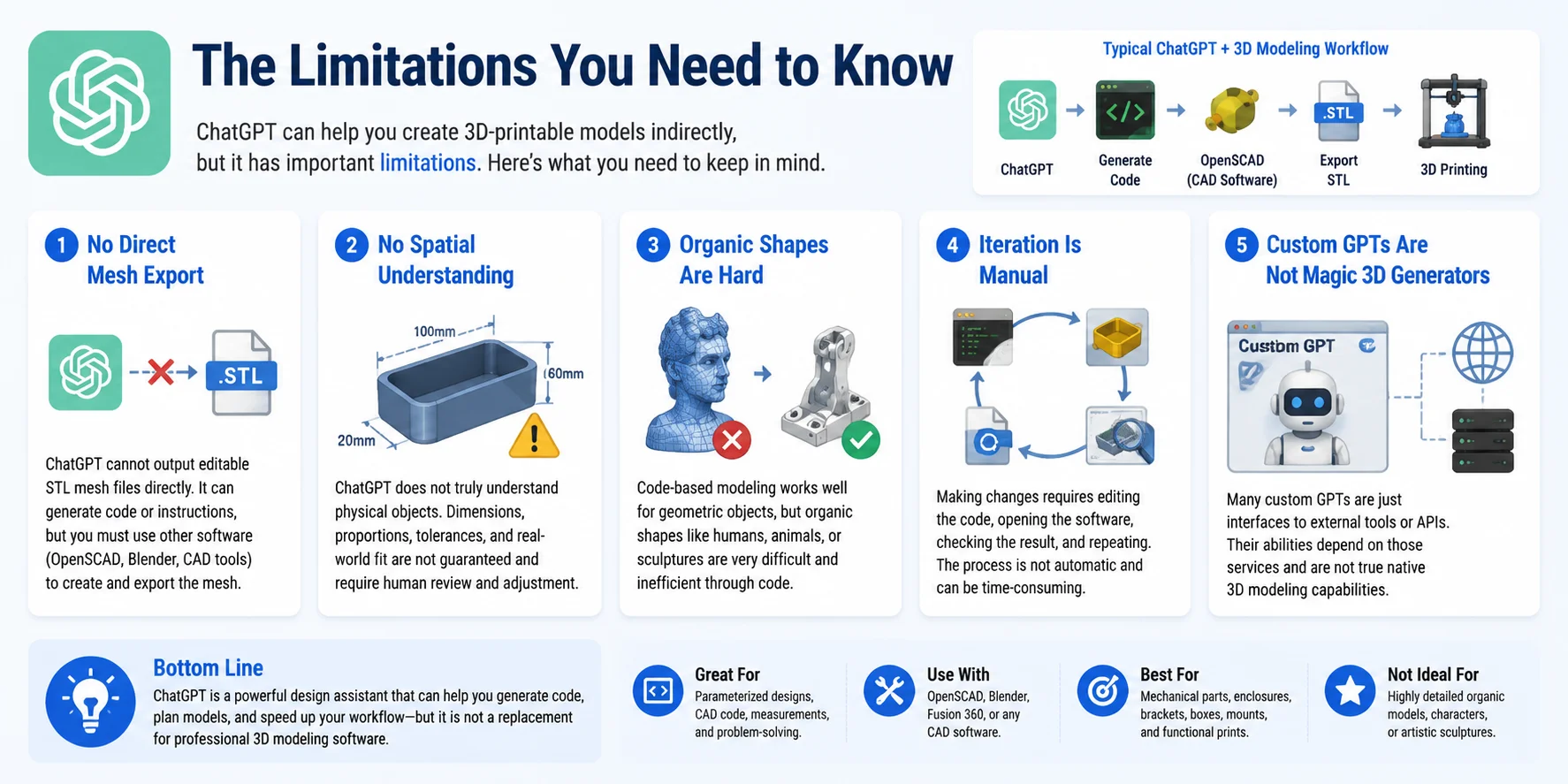
ChatGPT can be a powerful assistant for creating 3D-printable designs, but it is important to understand where its capabilities stop. It does not replace dedicated 3D modeling software, and its STL workflow has several practical limitations.
No Direct Mesh Export
ChatGPT cannot directly output a finished STL file with editable mesh data inside the chat. It can generate OpenSCAD code, modeling instructions, or design concepts, but the actual 3D geometry must still be created and exported through another tool. You need software such as OpenSCAD, Blender, or a CAD program to generate the final mesh file.
No True Spatial Understanding
ChatGPT does not physically understand objects or automatically know whether a design will have correct proportions, tolerances, or real-world functionality. A generated script may look correct in theory but still require manual adjustments for dimensions, clearances, wall thickness, or mechanical fit.
For example, a bracket designed by code may need testing and resizing before it actually fits the intended part.
Organic Shapes Are Difficult Through Code
Code-based modeling works best for structured and parameterized objects such as boxes, mounts, gears, enclosures, and simple mechanical parts. However, creating organic shapes like humans, animals, characters, or detailed sculptures is much harder because these require complex surfaces, artistic control, and sculpting workflows.
For these cases, image-to-3D or dedicated AI 3D generation tools are usually more practical.
Iteration Is Still Manual
Although ChatGPT can quickly generate and modify scripts, the design process is not fully automatic. Each change usually requires copying updated code, opening the model again, checking the result, and repeating the process. Complex projects may involve several rounds of testing before reaching a printable version.
Custom GPTs Have Limited Capabilities
Some custom GPTs claim to create 3D models, but many are simply interfaces connected to external tools or APIs. Their abilities depend on the underlying service they use and do not give ChatGPT native mesh-generation capabilities.
Understanding these limitations helps set realistic expectations. ChatGPT works best as a design assistant: it can help plan models, generate CAD code, troubleshoot designs, and speed up workflows—but the final 3D modeling and validation steps still require dedicated tools.
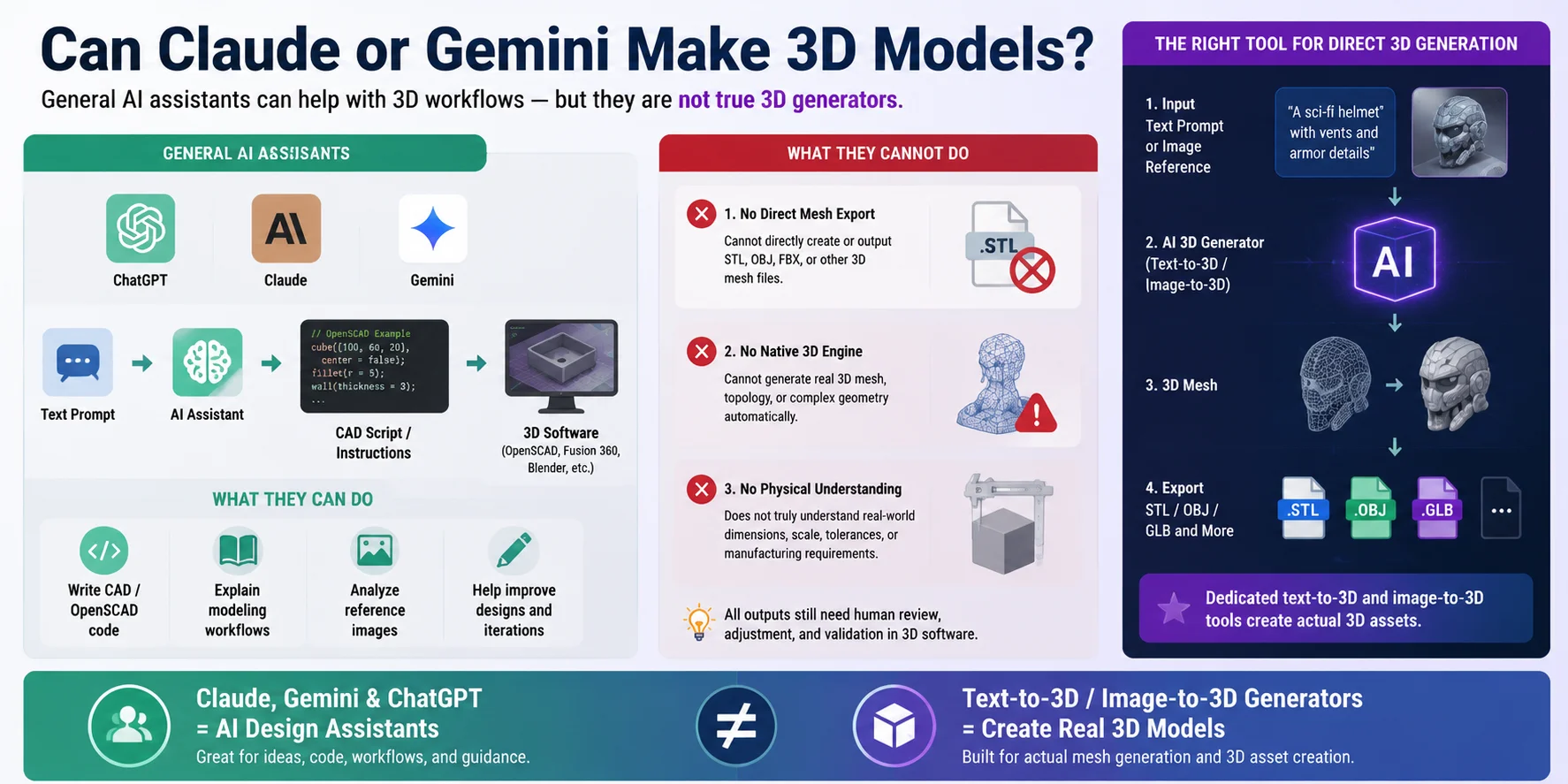
Can Claude or Gemini Make 3D Models?
Claude and Gemini work similarly to ChatGPT when it comes to 3D modeling. They are general-purpose AI assistants, not dedicated 3D generation engines. They cannot directly create and export a complete 3D mesh file such as an STL, OBJ, or FBX with editable geometry inside the chat.
However, they can still be useful in a 3D workflow. Like ChatGPT, Claude and Gemini can help write CAD scripts, generate OpenSCAD code, explain modeling steps, analyze reference images, and assist with planning a model creation process. For example, you can describe a mechanical part and ask them to create a parametric script that can later be opened in CAD software and exported as a printable file.
The limitation is that these models do not have true native 3D modeling capabilities. They do not automatically understand physical dimensions, topology, mesh quality, or manufacturing requirements. Any generated code or design still needs to be reviewed and adjusted in professional 3D software.
If your goal is to directly generate a 3D model file from text or images, general chat AIs are usually not the right tool. Dedicated text-to-3D and image-to-3D generators are designed specifically for creating meshes and exporting formats like STL, OBJ, or GLB.
In short, Claude, Gemini, and ChatGPT are best used as design assistants and workflow helpers, while specialized AI 3D generators are the better choice when you need an actual 3D asset.
When You Actually Need a Real 3D Model, Use a 3D Generator
If your goal is to go from **one sentence or one image directly to a usable **3D model, ChatGPT and other general AI assistants are not the right tool. They can help you plan designs, write scripts, and explain workflows, but they do not directly create production-ready 3D assets with mesh data, textures, and exportable files.
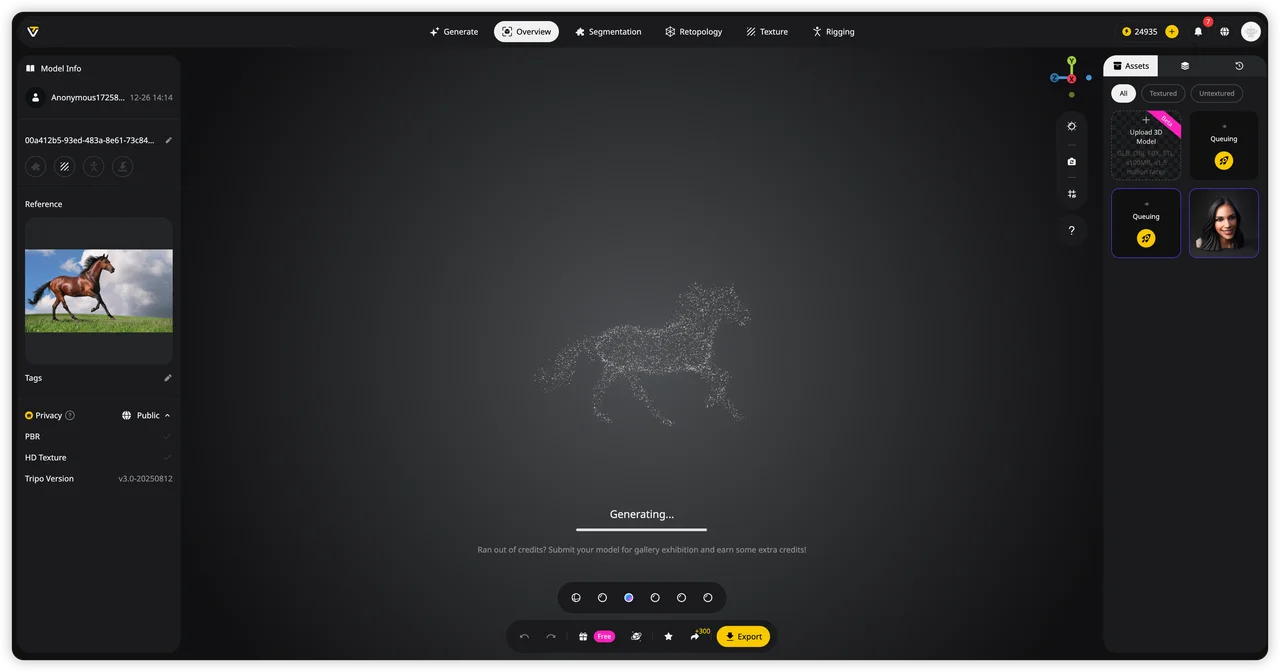
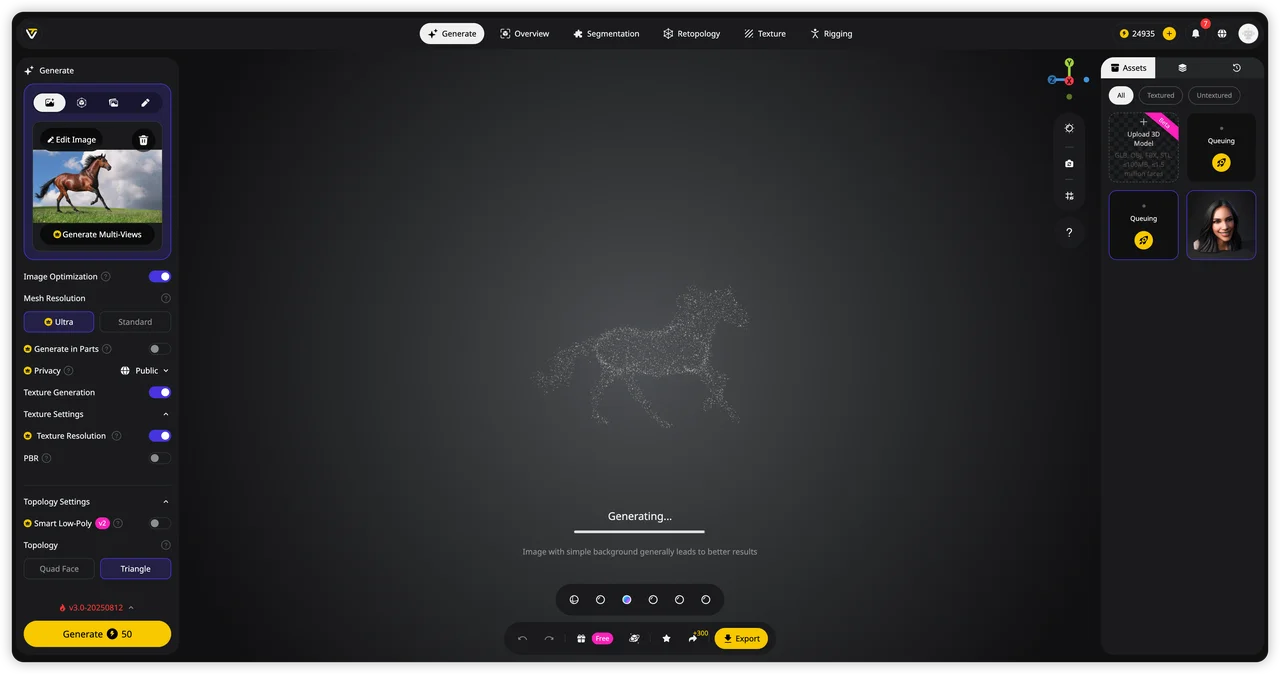
This is where dedicated AI 3D generators fill the gap. Unlike chat-based AI, these tools are built specifically to generate actual 3D geometry. They can create a mesh, apply textures, and export the result in common formats such as GLB, FBX, OBJ, or STL for games, AR experiences, rendering, or 3D printing workflows.
Modern AI 3D generators usually support two main approaches. Text-to-3D allows you to describe an idea in words and generate a model from that prompt, making it useful for quickly exploring concepts and prototypes. Image-to-3D lets you upload a reference image and transform a 2D concept, product photo, or artwork into a 3D asset with more visual guidance.
Tools like Tripo AI are designed for exactly this purpose: turning ideas and references into actual 3D models instead of only providing code or instructions. They handle the missing step that ChatGPT cannot perform—the creation of the final mesh and downloadable 3D asset.
So the choice is simple: use ChatGPT when you need a design assistant, coding help, or workflow guidance. Use a dedicated AI 3D model generator when you need a real model file ready for your next project.
Skip the code and try it in Tripo AI Studio →
Frequently Asked Questions
Which AI can generate a 3D model?
AI tools that can generate 3D models include dedicated 3D generators such as Tripo AI, dedicated 3D generators such as Tripo AI and similar text-to-3D or image-to-3D platforms., and similar text-to-3D or image-to-3D platforms. These tools can create actual 3D meshes and export formats like GLB, OBJ, FBX, or STL, unlike general AI assistants such as ChatGPT, Claude, or Gemini, which mainly help with code and workflows.
How do you create a 3D model in ChatGPT?
ChatGPT does not directly create downloadable 3D model files, but it can help you generate CAD scripts, OpenSCAD code, or modeling instructions. You can use the generated code in tools like OpenSCAD or Blender, then export the final model as STL or another 3D format.
Can ChatGPT convert an image to a 3D model?
ChatGPT cannot directly convert an image into a complete 3D mesh file like STL or OBJ. However, it can help analyze the image, create modeling instructions, or guide you through an image-to-3D workflow using a dedicated AI 3D generator.
Can ChatGPT actually make STL files?
ChatGPT cannot directly generate a finished STL file inside the chat because it does not create 3D mesh data natively. However, it can write OpenSCAD or CAD scripts that you can export as STL using 3D modeling software.
Can ChatGPT make 3D models for Blender?
ChatGPT cannot directly create a complete Blender 3D model file, but it can help write Blender Python scripts, provide modeling steps, and generate ideas for your workflow. You can run the scripts in Blender to create or modify models, then export them in formats like OBJ, FBX, or GLB.
What is the best way to generate a 3D model from a text description?
The best way to generate a 3D model from a text description is to use a dedicated text-to-3D AI generator rather than a general chatbot. These tools can turn prompts into actual 3D meshes and export formats like GLB, OBJ, FBX, or STL for printing, games, or visualization.
Conclusion
ChatGPT is a powerful 3D design assistant, but it is not a true 3D generator. It can help you write code, plan workflows, and refine ideas—but if you want a complete 3D model with mesh, textures, and exportable files, you need a dedicated AI 3D tool.
Ready to turn text or images into real 3D assets? Try Tripo AI Studio and generate your model directly. Want to explore available plans and features first? Check out Tripo AI Pricing.