10 Best Image-to-3D AI Tools for 2026 (Compared)
TL;DR
- Image-to-3D AI can turn a single photo or sketch into a 3D starting point in seconds, without requiring traditional modeling for the first pass.
- Our editorial pick for 2026 is Tripo AI: image-to-3D generation, Smart Mesh workflows for lower-poly outputs, up to 2M-polygon HD models, and 6 export formats including STL/3MF.
- Pick by goal: game devs need clean topology, 3D printers need watertight meshes, e-commerce needs photoreal textures.
- Check three things before you commit: export formats (GLB/FBX/OBJ/STL), pricing/credits, and commercial-use rights.
- Free tiers are useful for testing, but export limits, download limits, and high-resolution options vary by tool and plan.
Introduction
Turning a flat image into a 3D model used to mean hours of manual modeling or photogrammetry rigs. Today, an image-to-3D AI tool can turn a photo or sketch into a starting 3D model in seconds, but the output may still need inspection and cleanup for a specific workflow. This guide compares 10 image-to-3D AI tools for 2026, so you can match the right generator to your project.
How We Compared Tools (and What Makes a Tool a Good Fit)
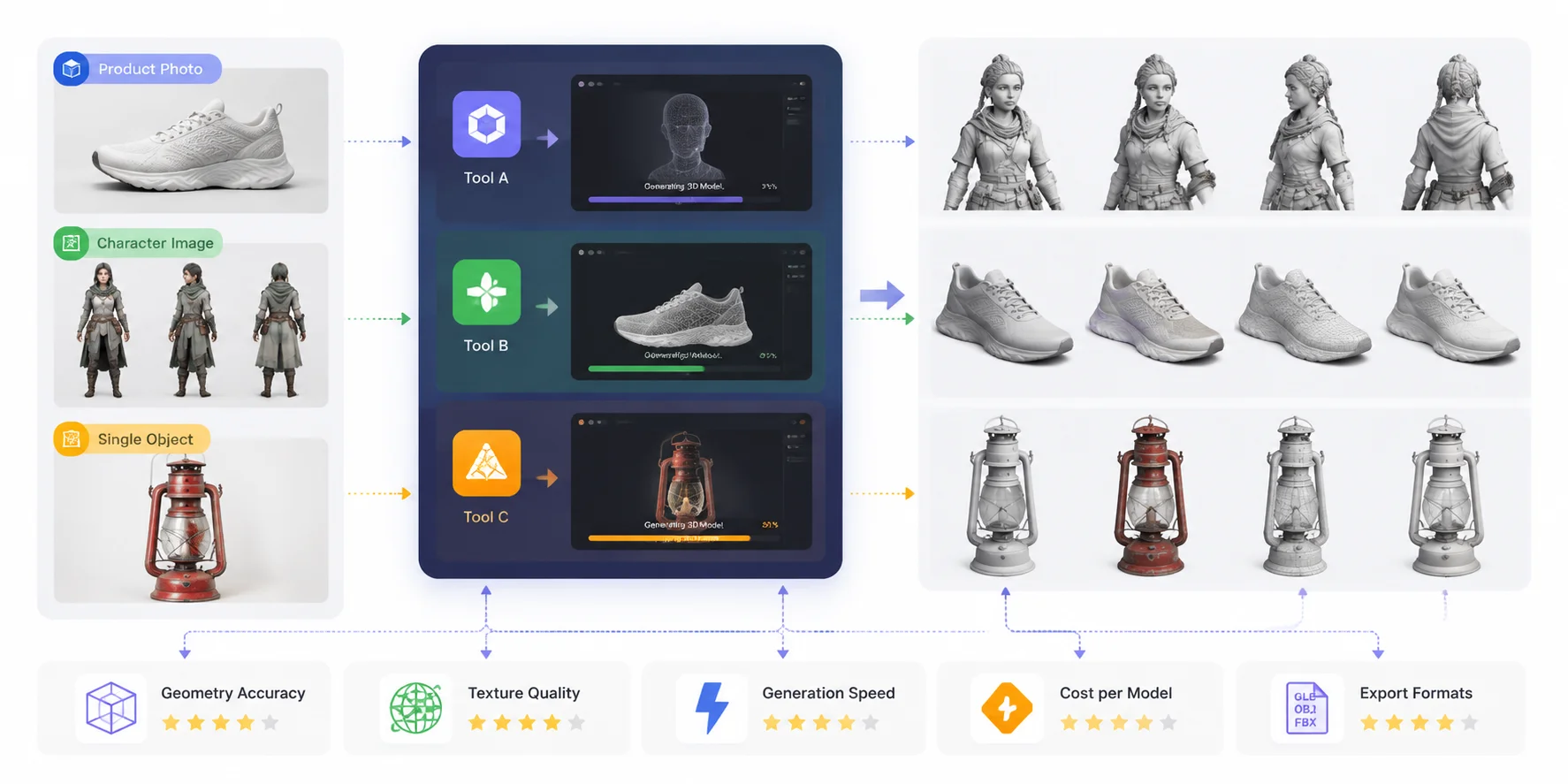
Choosing the best image to 3D AI tools is not just about which platform creates the most impressive preview. A 3D model can look good in a screenshot but still fail in real workflows because of messy geometry, weak textures, limited export options, or high generation costs. This comparison uses the same evaluation criteria for every tool: geometry accuracy, texture quality, generation speed, cost, and export formats.
This comparison focuses on five key factors. Geometry accuracy was the first priority: we checked how well each tool captured the original shape, proportions, small details, and overall structure. Texture quality measured how realistically the generated materials, colors, and surface details matched the input image. Generation speed was evaluated based on how quickly a usable 3D model could be created from an image. Cost per model considered free credits, subscription plans, and the practical price of generating assets at scale. Finally, export formats were compared, including support for common formats such as GLB, OBJ, FBX, and other workflows required for games, AR, animation, and 3D printing.
However, there is no single winner for every user. The best photo to 3D tools for a game developer may not be the same as the best image to 3D generator for an e-commerce brand or a 3D printing hobbyist. Some tools prioritize speed and automation, while others focus on higher-quality meshes, better textures, or professional pipeline compatibility.
Using these criteria, the sections below compare the tools by their stated capabilities and intended workflows. Each tool below is reviewed using the same criteria, helping you find the right solution for your specific workflow—whether you need a quick concept model, a production-ready asset, or the best image to 3D model conversion tool for your project.
Image-to-3D AI Tool Benchmark Workflow
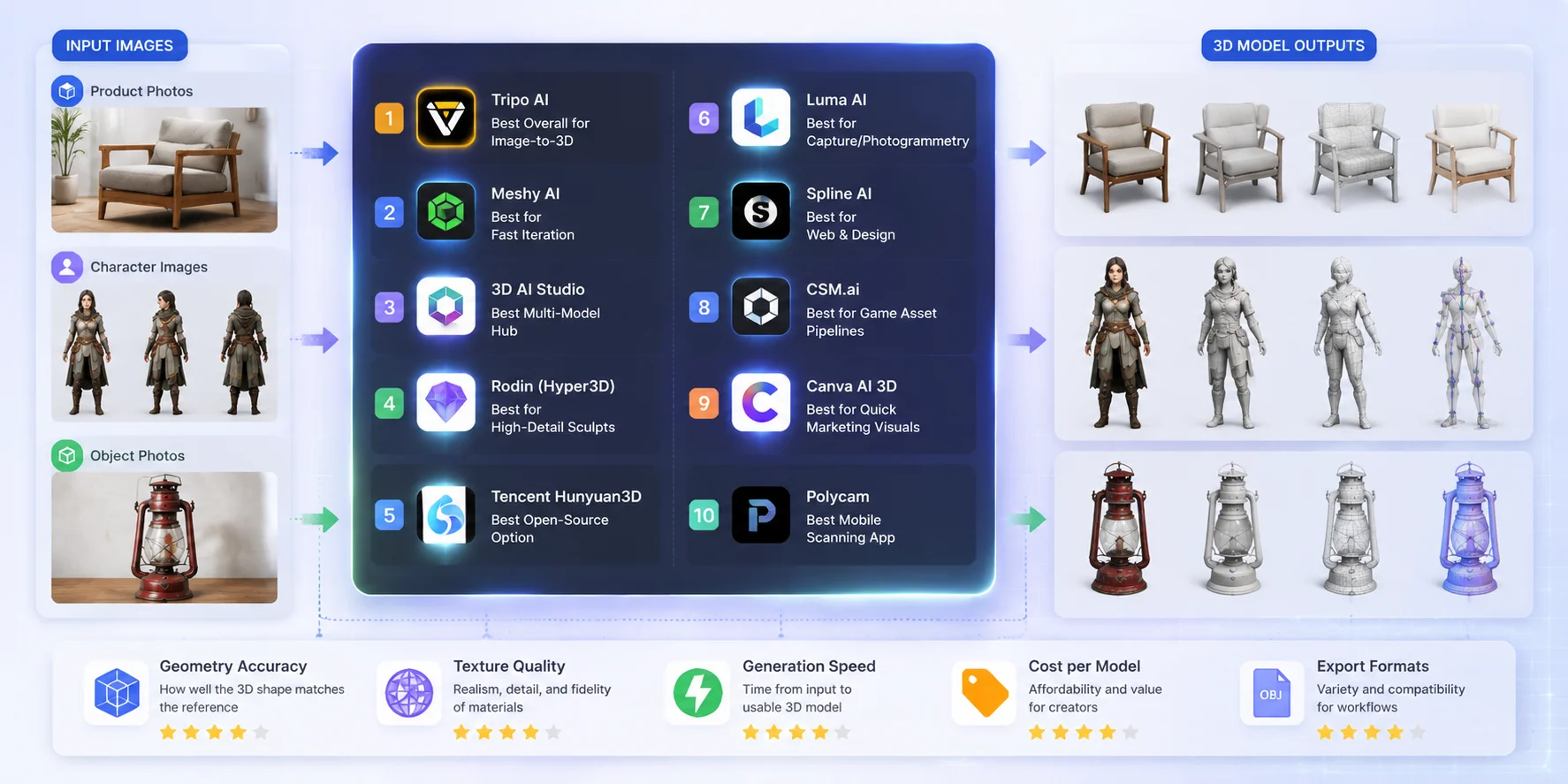
Quick Comparison — 10 Best Image to 3D AI Tools at a Glance
Before reviewing each tool in detail, this table provides a quick overview of the top image to 3D AI tools based on supported inputs, export capabilities, pricing accessibility, and ideal use cases. The right choice depends on whether you need game-ready assets, product visualization, creative experiments, or the best photo to 3D tools for fast conversion.
| Tool | Best For | Input | Key Export Formats | Plan / Access | Free Access |
|---|---|---|---|---|---|
| Tripo AI | Image-to-3D, game and 3D-printing workflows | Image, text, 2-4 multi-view images | GLB, USD, FBX, OBJ, STL, 3MF | Free and paid access; check current plan limits | Yes; limits vary by plan |
| Meshy | Beginners, concept models, game props | Image, text | FBX, OBJ, USDZ, GLB, STL, BLEND, 3MF | Free, Pro, Studio, Enterprise | Yes; current Free plan includes limited monthly credits |
| 3D AI Studio | Multi-model AI 3D experimentation | Image, text | Varies by selected model and workflow | Check current official pricing | Limited access may vary |
| Hunyuan3D | Open-source research and custom deployment | Image | Mesh export depends on the local implementation | Open-source model; compute costs apply | Not a hosted free tier |
| Rodin (Hyper3D) | Detailed AI 3D generation | Image, text | Check current official export options | Credit and subscription options vary | Check current access |
| Luma AI | Real-world capture and creative 3D workflows | Images, video, text depending on product | Export options depend on the current Luma product | Check current official pricing | Check current product access |
| Spline AI | Web 3D design and interactive scenes | Prompts and assets inside Spline | GLTF, GLB, STL, USDZ, .spline | Free and paid plans; some exports require paid plans | Yes; feature limits apply |
| CSM (Common Sense Machines) | AI 3D creation workflows | Image, text, video depending on product | Check current official export and plan options | Check current official pricing | Check current access |
| Canva AI 3D | 3D-style marketing images and design assets | Images, prompts, design assets | Image and Canva design outputs; not standard 3D mesh export | Free and paid Canva plans | Yes; AI limits vary |
| Polycam | Mobile scanning and photogrammetry | Photos, LiDAR scans, video | Formats vary by capture type and plan | Free and paid plans | Yes; capture and export limits apply |
The 10 Best Image to 3D AI Tools for 2026 (Reviewed)
To create this list of the best image to 3D AI tools, we compared leading platforms based on their publicly available features, supported workflows, export capabilities, pricing models, and the types of users they serve. Instead of treating one tool as the universal winner, we evaluated each platform based on where it performs best — from game asset creation and product visualization to mobile scanning and web design.
Tripo AI — Editorial Pick for Image-to-3D
**Positioning:**Based on its current feature set, Tripo AI stands out for combining fast image-to-3D generation with production-focused tools such as Smart Mesh, high-detail model generation, PBR texturing, and AI-assisted rigging workflows.
Best for: It is best suited for game developers, designers, creators, and businesses that need fast image-to-3D generation without building a complex modeling pipeline. It is especially useful when you need a model that can move beyond a simple preview and enter real workflows.
Input & output formats: Tripo supports image-to-3D workflows and exports six formats: GLB, USD, FBX, OBJ, STL, and 3MF. It also provides Smart Mesh, texture generation, and rigging-related workflows.
Pricing / free tier: Tripo offers free access options and paid plans depending on usage needs. For API or production-scale workflows, pricing is usage-based, so check the current official billing page before selecting a commercial plan. (Tripo 3D)
Limitations: Like other single-image generation tools, complex objects, hidden surfaces, and highly detailed mechanical structures may still require manual cleanup. For professional pipelines, some assets may need additional retopology or optimization.
Try it with Tripo Image to 3D to quickly convert reference images into 3D assets.
Meshy AI — Best for Fast Iteration
Positioning: Meshy is a popular choice for creators who want quick AI-generated 3D models with a simple browser-based workflow.
Best for: It works well for beginners, indie developers, concept artists, and anyone who needs to test multiple ideas quickly. Its fast generation process makes it useful for prototyping characters, props, and product concepts.
Input & output formats: Meshy supports image-to-3D generation using common image formats and exports models in formats such as FBX, OBJ, GLB, USDZ, STL, BLEND, and 3MF.
Pricing / free tier: Meshy provides Free, Pro, Studio, and Enterprise plans. The free plan includes limited credits for testing, while paid plans provide more generation capacity and commercial-use options.
Limitations: Although Meshy is fast and accessible, complex topology or production-level assets may still require refinement before entering professional pipelines.
3D AI Studio — Best Multi-Model Hub
Positioning: 3D AI Studio focuses on providing multiple AI generation models in one platform, giving users flexibility across different creation tasks.
Best for: It is suitable for creators who want to experiment with different AI models instead of relying on a single generation engine. Designers, marketers, and hobbyists can benefit from its broad creative workflow.
Input & output formats: The platform supports image-based generation workflows and typically focuses on common 3D asset formats used in digital content creation. Users should check current export availability for specific project requirements.
Pricing / free tier: Pricing depends on available credits and subscription options. A free trial or limited generation access may be available depending on the current plan.
Limitations: Having multiple generation options can improve flexibility, but results may vary between models. Users looking for highly consistent production assets may need additional testing.
Rodin (Hyper3D) — Best for High-Detail Sculpts
Positioning: Rodin by Hyper3D is designed for generating detailed 3D models with strong visual quality and artistic detail.
Best for: It is a strong option for artists, designers, and creators who prioritize appearance and surface detail over maximum production automation.
Input & output formats: Rodin supports image and text-based 3D generation workflows with common 3D export formats. Exact export options and commercial usage terms should be checked based on the current plan.
Pricing / free tier: Rodin provides access through available credits and subscription options. Users should review current pricing before adopting it for large-scale generation.
Limitations: Highly detailed outputs may still require optimization for real-time engines, mobile applications, or strict polygon budgets.
Tencent Hunyuan3D — Best Open-Source Option
Positioning: Tencent Hunyuan3D stands out as an open-source-oriented solution for developers and researchers interested in experimenting with AI 3D generation.
Best for: It is best suited for technical users, AI researchers, and developers who want more control over models, deployment, and customization.
Input & output formats: The workflow focuses on AI-based 3D generation and can be adapted into custom pipelines depending on implementation requirements.
Pricing / free tier: As an open-source project, availability and usage depend on the released models, licensing terms, and computing resources required.
Limitations: Compared with fully managed SaaS platforms, open-source tools usually require more technical knowledge, setup time, and hardware resources.
Luma AI — Best for Capture/Photogrammetry
Positioning: Luma AI is best known for capturing real-world scenes and objects through AI-powered 3D reconstruction workflows.
Best for: It works well for creators, photographers, and professionals who want to digitize real objects, environments, or physical spaces.
Input & output formats: Luma focuses more on capture-based workflows using images or video rather than only single-image generation. Export options depend on the current product features.
Pricing / free tier: Luma offers different access levels depending on usage and product requirements. Check current pricing for commercial projects.
Limitations: Capture-based workflows usually require better image coverage and lighting conditions. It is not always the fastest choice for simple one-image asset creation.
Spline AI — Best for Web & Design
Positioning: Spline AI combines AI generation with an interactive 3D design environment focused on web experiences.
Best for: Designers, UI creators, and web developers who want lightweight 3D content without a traditional game engine workflow.
Input & output formats: It focuses on browser-based 3D design workflows and interactive content creation.
Pricing / free tier: Spline provides free and paid plans depending on collaboration and feature requirements.
Limitations: It is better suited for web design and interactive scenes than highly optimized game assets or professional character pipelines.
CSM.ai — Best for Game Asset Pipelines
Positioning: CSM.ai focuses on AI-powered 3D creation workflows designed around digital assets and game development use cases.
Best for: Game developers and creators who need faster concept-to-asset workflows.
Input & output formats: It supports image-based 3D generation and asset creation workflows with formats suitable for digital production.
Pricing / free tier: Pricing depends on available plans and usage requirements.
Limitations: Generated assets may still require cleanup, optimization, and engine-specific adjustments before final deployment.
Canva AI 3D — Best for Quick 3D-Style Marketing Visuals
Positioning: Canva AI 3D features are designed primarily for creating 3D-style graphics, visual effects, and marketing content rather than generating production-ready 3D models or downloadable mesh assets.
Best for: It is best suited for marketers, social media creators, brand teams, and small businesses that need eye-catching 3D-inspired visuals for presentations, advertisements, product mockups, and campaign designs without using professional 3D software.
Input & output formats: Canva’s AI features focus on image creation and design workflows. Users should not expect the same image-to-3D mesh generation pipeline offered by dedicated AI 3D tools such as Tripo AI or Meshy. Its outputs are mainly design assets and images rather than standard 3D model files like GLB, FBX, or OBJ.
Pricing / free tier: Canva provides free and paid plans, with AI features and usage limits depending on the current subscription tier. Check current pricing and feature availability before planning large-scale commercial use.
Limitations: Canva is not a replacement for dedicated image to 3D AI tools when you need editable 3D geometry, game-ready assets, animation rigs, or files for 3D printing. It is better viewed as a fast visual design tool for creating 3D-style content rather than a full image to 3D generator.
Polycam — Best Mobile Scanning App
Positioning: Polycam is a mobile-first 3D scanning application that helps users capture real-world objects using smartphones.
Best for: Hobbyists, designers, architects, and professionals who need portable scanning capabilities.
Input & output formats: Polycam focuses on camera-based scanning and supports common 3D workflows through export options depending on the plan.
Pricing / free tier: Polycam offers free and paid versions with different scanning and export features.
Limitations: Mobile scanning quality depends heavily on lighting, object texture, camera movement, and capture conditions.
Which Image to 3D Tool Should You Choose? (By Use Case)
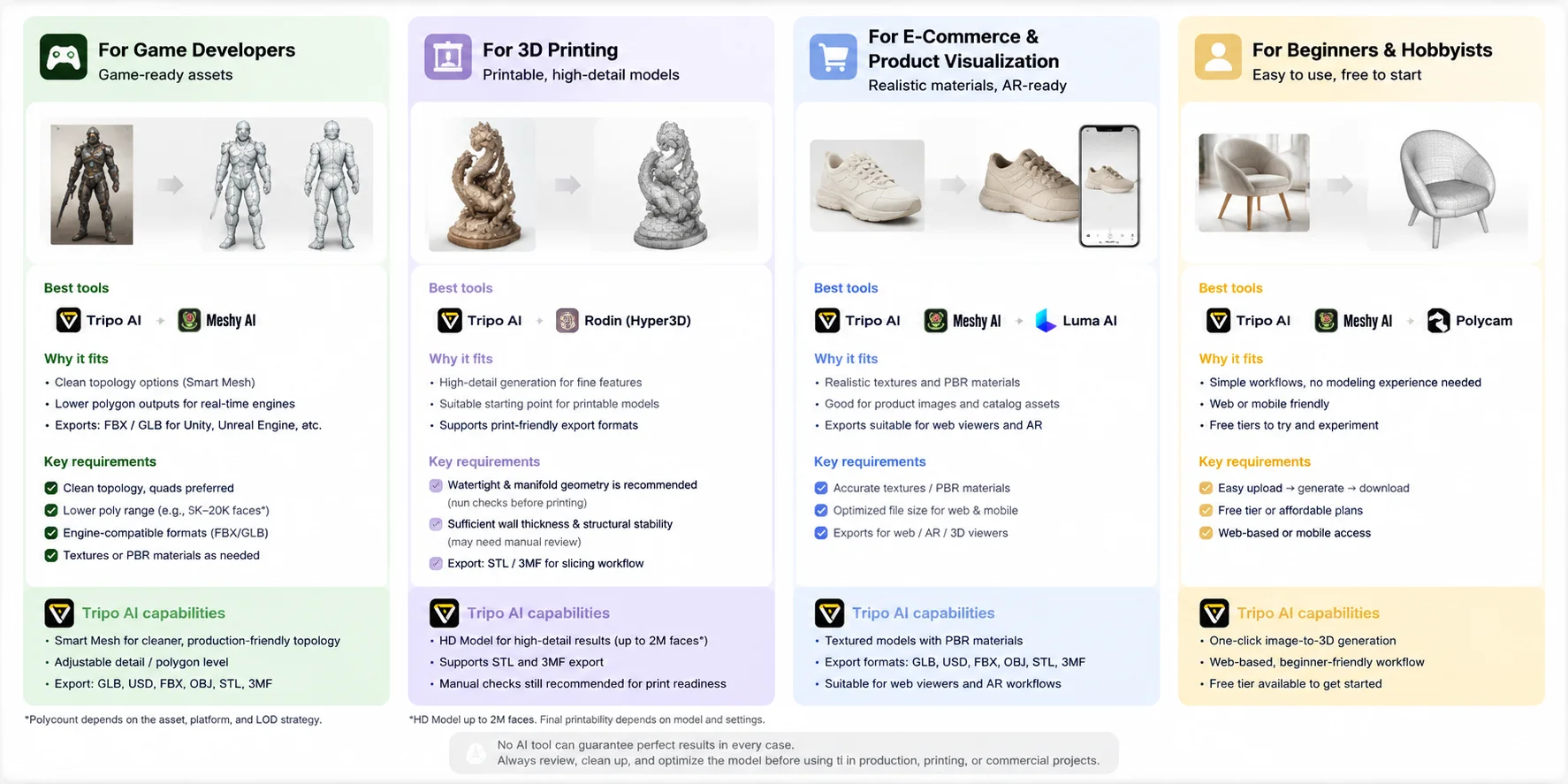
There is no universal winner among the best image to 3D AI tools. The right choice depends on what happens after generation: a game engine needs optimized topology, 3D printing needs watertight geometry, e-commerce needs realistic materials and AR-ready formats, while beginners usually care more about simplicity and cost. Instead of choosing the tool with the most impressive demo, match the workflow requirements first.
For Game Developers — Prioritize Game-Ready Assets
Game developers should focus on tools that can create clean geometry, reasonable polygon counts, and formats that fit real-time engines. A visually detailed model is not always a usable game asset; it needs optimized topology, manageable file size, and compatibility with engines such as Unity and Unreal Engine.
Tools such as Tripo AI and Meshy AI can support game workflows. Tripo’s Smart Mesh and AI Auto-Retopology workflows can help create lower-poly meshes and common exports such as FBX and GLB, but the result still needs to be checked for topology, UVs, polygon count, and engine performance before it is treated as game-ready.
Choose a game-focused image-to-3D generator if you need to quickly create characters, props, or environment assets that can move into an existing development pipeline.
For 3D Printing — Prioritize Printable Geometry
For 3D printing, the most important factor is not just visual quality but whether the model can actually be manufactured. A good AI-generated model should have closed geometry, watertight surfaces, proper thickness, and enough detail for the printer process.
Tools such as Tripo AI and high-detail generation platforms like Rodin (Hyper3D) can be useful when creating detailed printable objects. Tripo supports high-detail model generation workflows, including HD models with higher polygon density for applications where surface details matter. For professional printing, users should still run models through mesh inspection tools before slicing.
For printing workflows, export support is also important. Formats such as STL and 3MF are commonly preferred because they integrate well with slicing software and manufacturing workflows.
For E-Commerce & Product Visualization — Prioritize Realistic Materials
E-commerce brands usually need more than a basic 3D shape. The model should accurately represent the product appearance, including colors, materials, textures, and lighting response. AR-ready formats are also important because customers increasingly expect interactive product previews.
For this use case, tools such as Tripo AI, Meshy AI, and Luma AI can be effective depending on whether the workflow starts from a product image or real-world capture. Tripo supports image-to-3D workflows with textured models and GLB export for web viewers; confirm each target platform’s required AR format and whether it accepts GLB or another USD-based format before publishing.
When selecting a tool for product visualization, prioritize texture quality and material accuracy over maximum geometric detail. A clean, realistic model that loads quickly often creates a better customer experience than an unnecessarily heavy asset.
For Beginners & Hobbyists — Prioritize Simplicity and Free Access
Beginners usually need an easy way to experiment without learning traditional 3D modeling software. The best beginner-friendly photo to 3D tools should offer a simple upload process, automatic generation, and enough free access to test different ideas.
Platforms such as Tripo AI, Meshy AI, and Polycam are good starting points because they provide accessible interfaces and do not require advanced modeling skills. Users can upload an image, generate a model, preview the result, and export it without building a complex pipeline.
For hobby projects, learning, or quick prototypes, convenience matters more than professional controls. Start with a tool that matches your creative goal, then move to more advanced workflows when you need better topology, textures, or production features.
Image-to-3D AI Tools: Best Choices by Use Case
What to Look For in an Image-to-3D AI Tool
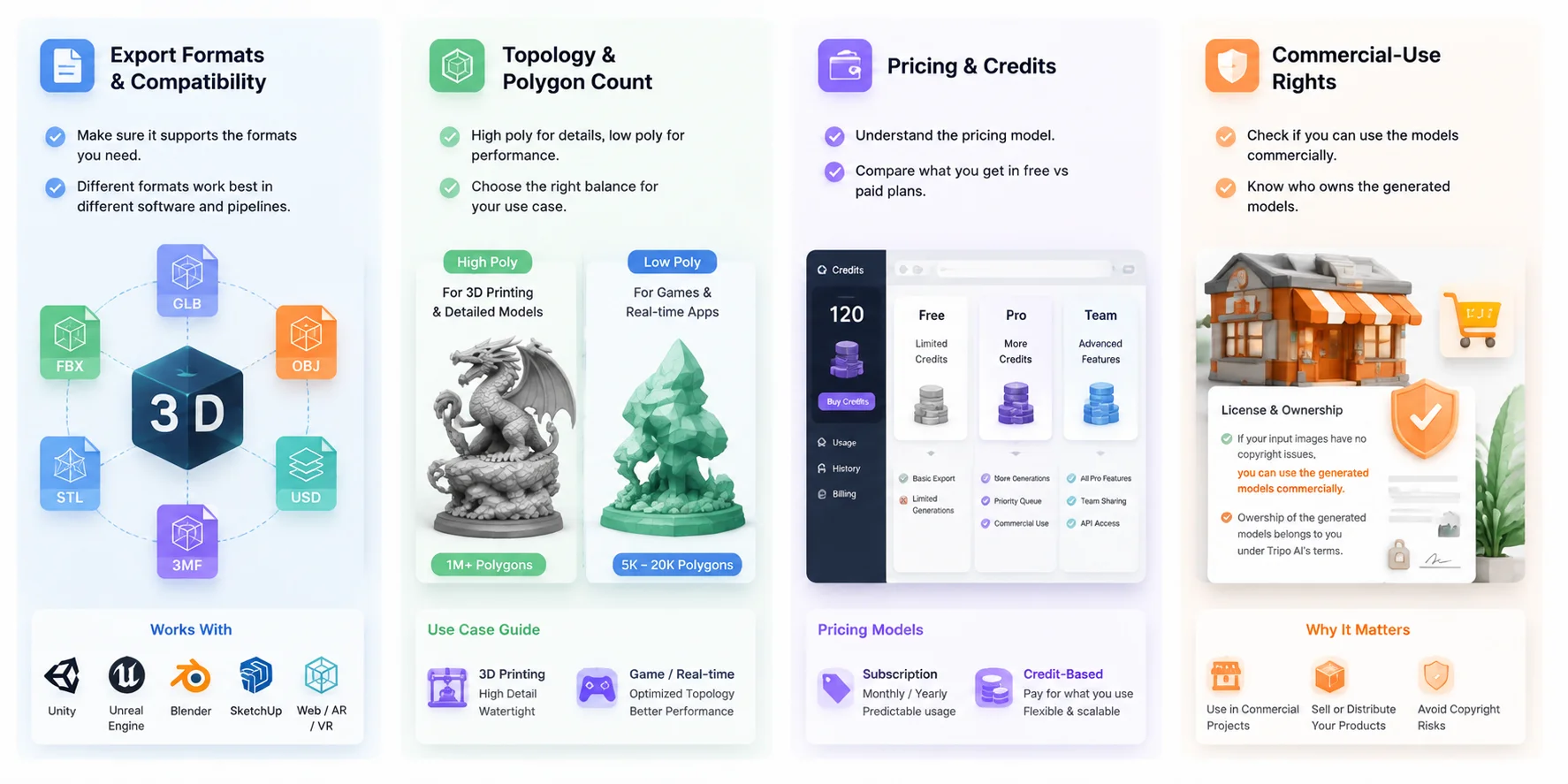
Choosing the right image to 3D AI tools is not only about generation quality. A useful tool should fit your entire workflow, from exporting the model to editing, publishing, printing, or commercial use. Before choosing the best image to 3D generator, consider these four factors.
Export Formats & Compatibility
A 3D model is only useful if it works with your downstream software. Check whether the tool supports formats that match your workflow, such as GLB for web and AR, FBX for game engines and animation, OBJ for general 3D editing, STL/3MF for 3D printing, and USD/USDZ for Apple and AR workflows.
For example, game developers usually need FBX or GLB, while product visualization teams may prefer GLB or USDZ for interactive experiences. A tool with more export options gives you more flexibility when moving assets between different platforms.
Topology & Polygon Count
Generated models can vary significantly in mesh quality. Some workflows need highly detailed geometry, while others require optimized low-poly assets.
For 3D printing, higher polygon counts and surface details can be valuable, especially for detailed sculptures or collectibles. For games and real-time applications, optimized topology and lower polygon counts are more important because assets need to load efficiently.
Tools like Tripo AI provide workflows such as Smart Mesh to help create cleaner, more usable models for production scenarios. The right choice depends on whether you need maximum detail or better performance.
Pricing & Credits
AI 3D tools usually use either subscription plans, credit-based generation, or a combination of both. Before committing, check how many generations are included, whether free credits are available, and whether commercial usage is included.
Free tiers are useful for testing image quality and workflow compatibility, but frequent users should compare the cost per generated model rather than only looking at the monthly subscription price.
Commercial-Use Rights
Commercial licensing is an important consideration for businesses using AI-generated assets. Always check who owns the generated model, what usage rights are included, and whether there are restrictions on selling or distributing the asset.
For Tripo AI, commercial use depends on the rights to the source material, the user’s current plan, and the latest platform terms. Review the applicable terms before selling or distributing generated assets.
Before using any AI-generated 3D model commercially, review the latest licensing terms of the specific tool to avoid unexpected restrictions.
Image-to-3D AI Tool Selection Checklist
How Image-to-3D AI Actually Works
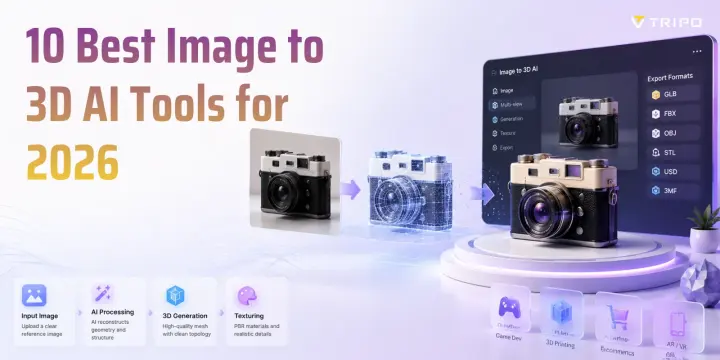
An image to 3D AI tool turns 2D images into 3D models by using AI to predict depth, shape, and surface details. Instead of manually modeling an object, the system analyzes visual patterns and generates a mesh automatically.
The process usually includes three steps:
- Image analysis → geometry generation
The AI detects the object’s shape, depth, and structure, then creates a 3D mesh. With a single image, hidden areas are predicted, so complex objects may need additional references. - Mesh refinement → texture creation
After generating geometry, the AI applies textures and materials, including PBR maps, to make the model suitable for games, AR, and visualization workflows. - Multi-view reconstruction → higher accuracy
Using multiple images from different angles provides more information and usually improves details and proportions. Tools like Tripo AI support multi-view-to-3D workflows to help achieve more accurate results.
Compared with traditional photogrammetry, AI 3D generation requires fewer images and is faster for creating assets. Photogrammetry depends on matching many real photos for reconstruction, while AI can predict missing details based on learned 3D patterns. The best choice depends on whether you prioritize speed, automation, or scanning accuracy.
Frequently Asked Questions
What is the best AI tool for image to 3D?
The best tool depends on your goal. Tripo AI is a strong overall choice for fast image-to-3D generation, game assets, and flexible exports, while other tools may fit specific needs like scanning or design.
Is there a free image to 3D AI tool?
Yes, many image-to-3D AI tools offer free plans or trial credits. Free versions are useful for testing, but usually have limits on credits, speed, or export options.
What file formats can image-to-3D tools export?
Common formats include GLB, OBJ, FBX, STL, USD, USDZ, and 3MF. Choose based on your workflow, such as games, AR, editing, or 3D printing.
Can I use AI-generated 3D models commercially?
It depends on the platform’s license and your input materials. Always check commercial-use terms before selling or distributing AI-generated models.
Are AI-generated 3D models good enough for 3D printing?
Yes, many can be used for 3D printing, but they may need mesh checks and repairs. Make sure the model is watertight and suitable for your printer settings.
Are AI-generated 3D models game-ready (rigged / good topology)?
Some are close to game-ready, but many need optimization. Check topology, polygon count, UVs, textures, and rigging before using them in a game engine.
Image-to-3D AI vs photogrammetry — which is better?
AI image-to-3D is faster and needs fewer images, while photogrammetry provides higher real-world accuracy with enough photos. Choose based on whether you need speed or scanning precision.
The Verdict — Our Top Pick for 2026
The best image to 3D AI tool depends on the final workflow. Based on the capabilities described in this comparison, Tripo AI is our editorial pick for balancing image-to-3D generation, mesh optimization workflows, detailed models, and flexible exports. Ready to turn your images into 3D? Try Tripo AI’s image-to-3D generator free, then export the result to your pipeline.