10 Best AI Game Asset Generators for 2026 (2D, 3D & Audio)
TL;DR:
- No single tool wins everything—match the generator to the asset: 2D sprites, 3D models, textures, or audio.
- For 3D game assets, prioritize tools that output clean, low-poly, game-ready topology and auto-rigging—not just pretty renders.
- Always check export format (FBX/GLB/OBJ), poly count, and whether the tool integrates with Unity/Unreal/Godot.
- Commercial licensing varies wildly—confirm you can ship AI-generated assets before you build on them.
- Free tiers are useful for prototypes; production teams should compare export access, output limits, privacy, and commercial terms before upgrading.
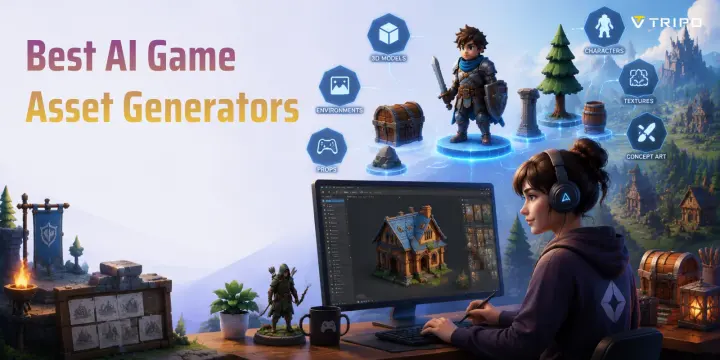
The best AI game asset generators in 2026 can turn prompts or reference images into sprites, 3D models, textures, voices, sound effects, and music. The right choice depends on the asset and production pipeline: use image tools for 2D art, dedicated 3D generators like Tripo for game-ready meshes, and specialist audio tools for voice, SFX, or music. This guide compares 10 clearly defined options.
What Makes a Great AI Game Asset Generator?
A strong AI game asset generator must do more than produce an attractive preview. We compare each option by the kind of asset it creates, the control it gives artists, how much cleanup the output needs, and whether the result can enter a real game pipeline.
Asset coverage and control: identify whether the tool specializes in 2D art, 3D models, textures, voice, sound effects, or music. Then check prompt control, reference-image support, style consistency, editing tools, and repeatability across an asset set.
Game-readiness: for 3D assets, inspect topology, polygon targets, UVs, textures, rigging, and export formats such as FBX, GLB, or OBJ. For 2D assets, check transparency, resolution, sprite-sheet preparation, and consistency between frames.
Pipeline and rights: confirm how the files move into Unity, Unreal Engine, Godot, Blender, or another production tool. Pricing, free-tier restrictions, privacy, ownership, and commercial-use terms should be checked on the provider's current plan and license pages before shipping.
AI Game Asset Generator Evaluation Framework
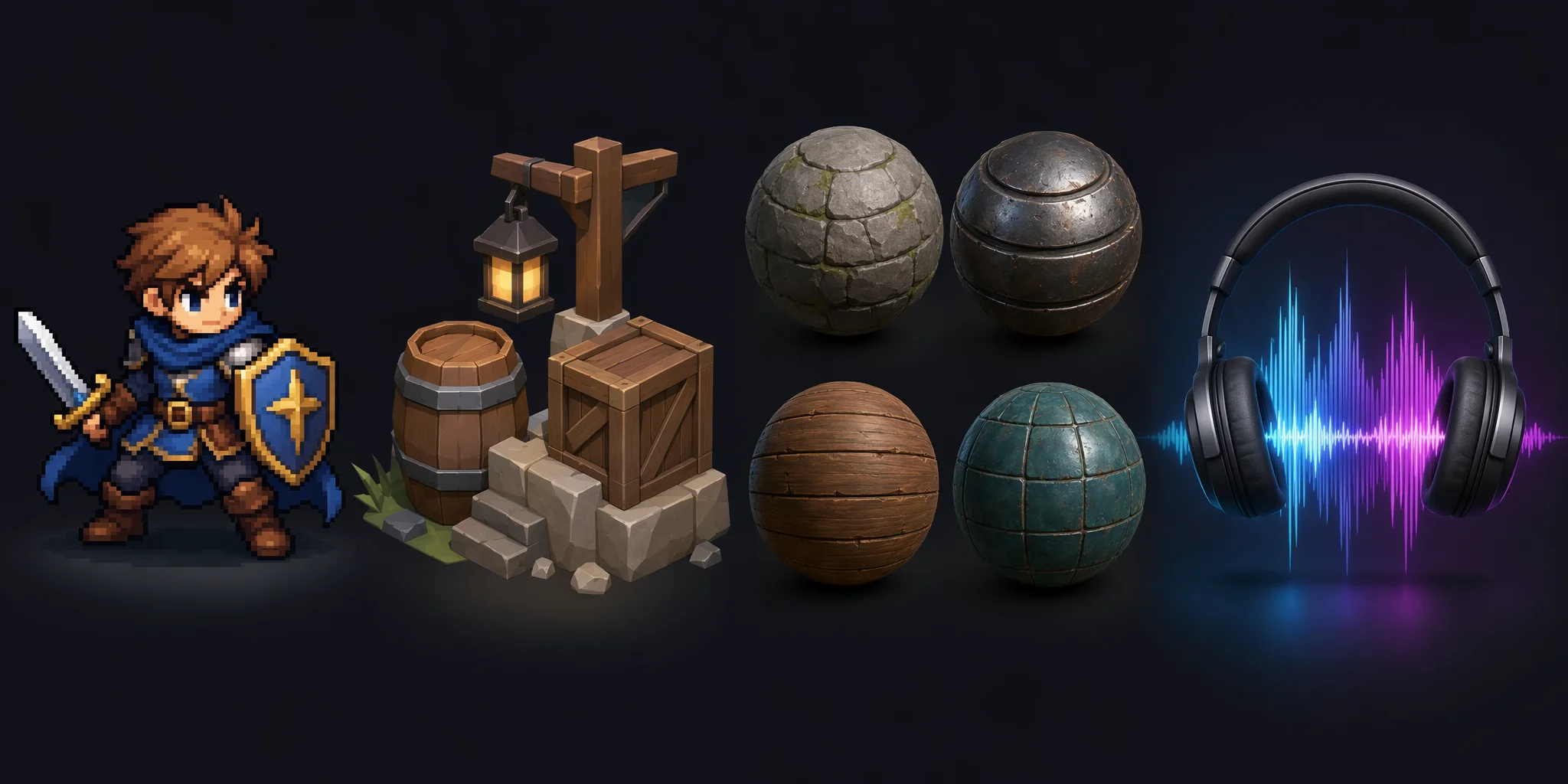
The 10 Best AI Game Asset Generators for 2026
The best AI game asset generators in 2026 are no longer limited to creating quick concepts. Today’s tools cover the full production pipeline, from AI 3D game assets and game-ready characters to 2D sprites, textures, and audio. We grouped the top tools by asset type to help developers choose the right solution based on their workflow, engine requirements, and budget.
Best AI 3D Model Generators (Game-Ready Meshes)
Tripo AI
Tripo AI generates 3D models from text or images and is a strong fit for game-asset workflows. Smart Mesh supports clean, optimized topology with configurable polygon targets, while rigging and animation tools support suitable character models. Tripo exports game-friendly formats including GLB, FBX, and OBJ and provides bridges for Blender, Unity, Unreal Engine, Godot, Cocos, and other supported tools. Free credits are available for testing, but export access and model-version support depend on the active plan. Complex hero assets may still need art-direction and deformation checks before release.
Best for: Game developers, indie studios, and creators who need fast engine-ready 3D assets.
Meshy
Meshy generates 3D models from text or reference images and includes texturing and mesh-processing tools. It is useful for quickly exploring props, environment objects, and stylized concepts, with common 3D export options available according to the selected workflow and plan. A free tier can help evaluate the service, but production teams should confirm current export availability, privacy policy, and commercial-use terms. Generated geometry and character deformation still need inspection before shipping.
Best for: Rapid prototyping, indie game assets, and artists who want an easy AI 3D workflow.
Rodin (Hyper3D)
Rodin by Hyper3D focuses on detailed image-to-3D and text-to-3D output for objects and characters. Its strength is visual fidelity, making it useful for concept development, presentation assets, and high-detail starting points. Trial or credit access and export options can change by plan, so verify the current product page before committing it to a production pipeline. Detailed models may require retopology, LOD creation, and performance testing for real-time games.
Best for: High-detail 3D concepts, realistic assets, and visual-quality-focused workflows.
Best AI 2D Sprite & Art Generators
Scenario
Scenario is designed for teams that need consistent 2D game art. It supports custom model training and reference-driven generation, which can help maintain an established visual direction across characters, items, environments, and marketing art. Plan limits and commercial terms should be checked before production use. Strong results still depend on a well-prepared dataset, clear style rules, and human review for consistency.
Best for: Game studios creating consistent 2D art pipelines.
Leonardo AI
Leonardo AI is a flexible choice for concept art, icons, characters, environments, and other 2D game visuals. Its generation and canvas tools support rapid ideation and iterative editing, and limited free access makes it easy to evaluate. The output is generally a starting point rather than a finished sprite: teams may still need background cleanup, scale normalization, frame consistency, and manual polish.
Best for: Concept artists, indie developers, and quick 2D asset exploration.
Recraft
Recraft specializes in controllable illustrations, icons, and vector or raster graphics. It is especially useful for UI elements, badges, inventory icons, and stylized supporting art that benefits from clean shapes and reusable visual systems. Free and paid outputs can have different privacy or usage conditions, so check the current terms for the intended project. It is not a complete animation or engine-integration pipeline.
Best for: 2D icons, UI assets, and stylized game graphics.
FLUX.1
FLUX.1 is a family of image-generation models suited to concept art, environments, character exploration, and custom technical workflows. Hosted services are easier to start with, while locally deployed variants offer more pipeline control for teams with the required hardware and engineering experience. Licensing differs between FLUX.1 variants and providers, so do not treat the entire family as uniformly open source or commercially unrestricted. Generated images still need preparation before becoming production sprites or UI assets.
Best for: Technical teams that want a customizable 2D generation pipeline.
Best AI Texture & Material Generators
Adobe Substance 3D Sampler
Adobe Substance 3D Sampler can turn reference images into editable materials and helps artists build tileable surfaces for game environments. It fits established PBR workflows by producing material channels that can be refined before use in a renderer or engine. Access is tied to Adobe's current Substance 3D plans rather than a general unlimited free tier. Source-image quality, scale, tiling, and material cleanup still affect the final result.
Best for: Environment artists who need editable PBR materials from references.
Best AI Game Audio Generators
ElevenLabs
ElevenLabs provides AI voice and sound-generation tools that can support narration, character dialogue, ambient audio, and sound-effect prototyping. It is useful when a team needs fast iteration across multiple voices or audio concepts. Free access is intended for evaluation, while commercial use and higher limits depend on the current paid plan and applicable terms. Final releases still require direction, pronunciation checks, consent for voice use, and audio mastering.
Best for: Character voices, narration, and sound-effect prototyping.
Suno
Suno generates complete music tracks from text prompts and is useful for mood exploration, placeholder scores, trailers, and rapid music prototyping. It can produce a coherent musical direction quickly, but control over stems, looping, arrangement, and interactive game-music implementation may require additional work. Commercial rights depend on the plan and the terms in effect when a track is created, so confirm them before using music in a shipped title.
Best for: Fast music concepts, trailer cues, and prototype background tracks.
No tool in this list covers every production need equally well. Use Tripo, Meshy, or Rodin for 3D starting assets; Scenario, Leonardo AI, Recraft, or FLUX.1 for 2D visuals; Substance 3D Sampler for materials; ElevenLabs for voice and sound effects; and Suno for music concepts. The best stack is the one whose outputs, licensing, and cleanup requirements match your project.
| Tool | Primary asset | Best fit | Check before production |
|---|---|---|---|
| Tripo AI | 3D models | Game-ready mesh workflows | Plan-specific exports and final QA |
| Meshy | 3D models | Fast props and concepts | Topology and usage terms |
| Rodin | Detailed 3D | High-fidelity starting points | Optimization cost |
| Scenario | 2D game art | Style-consistent asset sets | Dataset quality and rights |
| Leonardo AI | 2D concepts | Rapid visual iteration | Sprite cleanup |
| Recraft | Icons and graphics | UI and stylized assets | Plan-specific privacy and rights |
| FLUX.1 | 2D images | Custom technical pipelines | Variant-specific license |
| Substance 3D Sampler | PBR materials | Environment texturing | Tiling and source quality |
| ElevenLabs | Voice and SFX | Dialogue and audio prototypes | Consent and commercial plan |
| Suno | Music | Music concepts and trailers | Plan-based rights and looping |
The 10 Best AI Game Asset Generators by Category
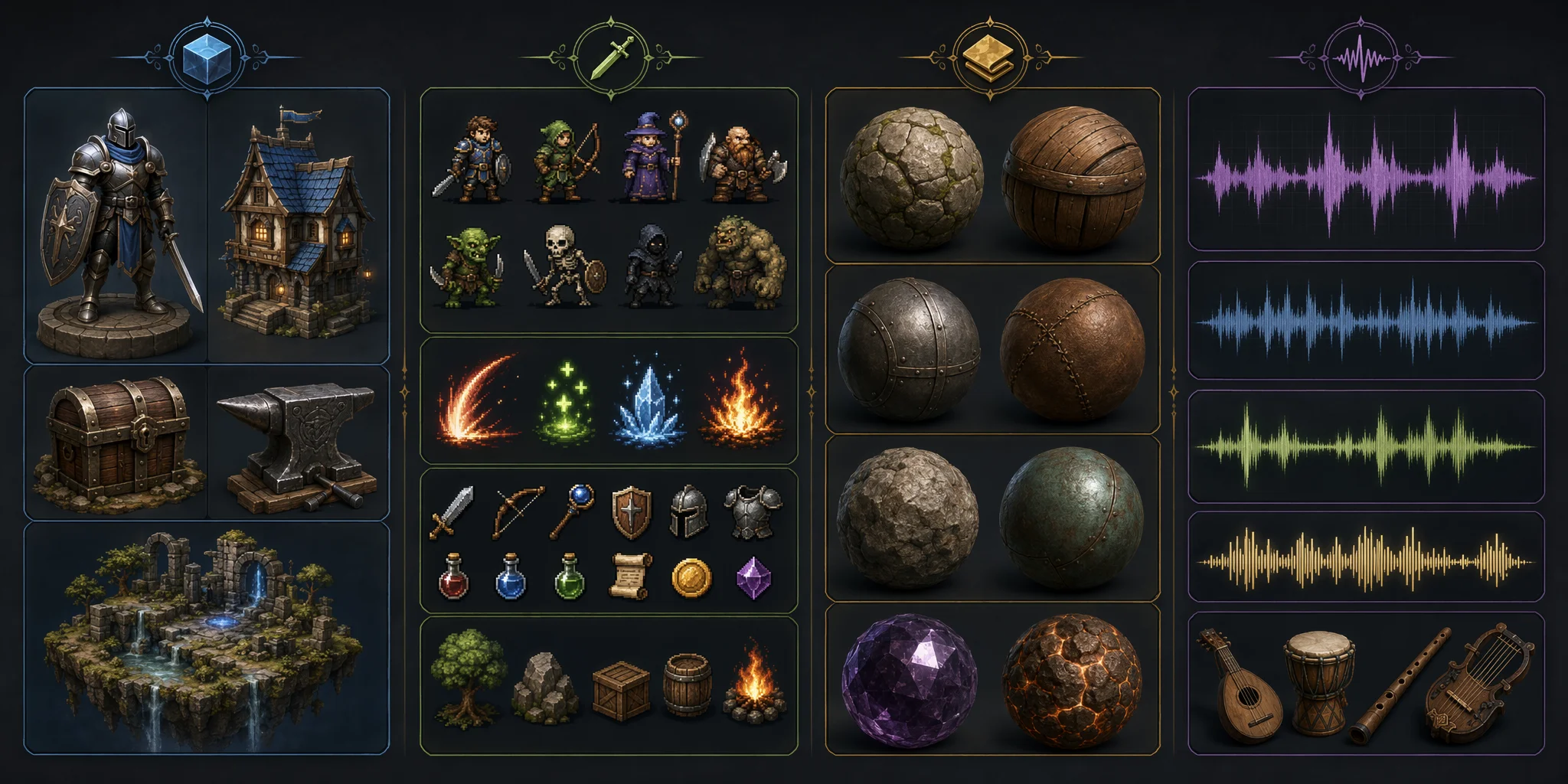
2D vs 3D vs Audio — Which AI Generator Do You Actually Need?
Choosing the right AI game asset generator depends less on the tool itself and more on the type of game you are building. Different asset categories require different AI workflows, and using the wrong type of generator can create extra cleanup work.
For 2D or pixel games, sprite and art-focused AI tools are usually the best choice. They help create character sprites, icons, backgrounds, UI elements, and concept art while keeping a consistent visual style. An AI 2D game asset generator is especially useful for indie developers who need many visual assets quickly without drawing every element manually.
For 3D games, dedicated 3D generators are a better fit than general image AI tools. A production-ready workflow needs more than a good-looking picture—it requires usable meshes, textures, topology, rigging, and export formats that can move into engines like Unity or Unreal. The best 3D game asset AI tools focus on creating assets that can actually enter a development pipeline.
For almost any type of game, texture and audio AI tools can fill important gaps. They help generate materials, sound effects, music, and other supporting assets that complete the final experience. The most efficient workflow is often combining specialized AI tools instead of relying on a single generator for everything.
How to Make AI-Generated Assets Game-Ready (Import into Unity & Unreal)
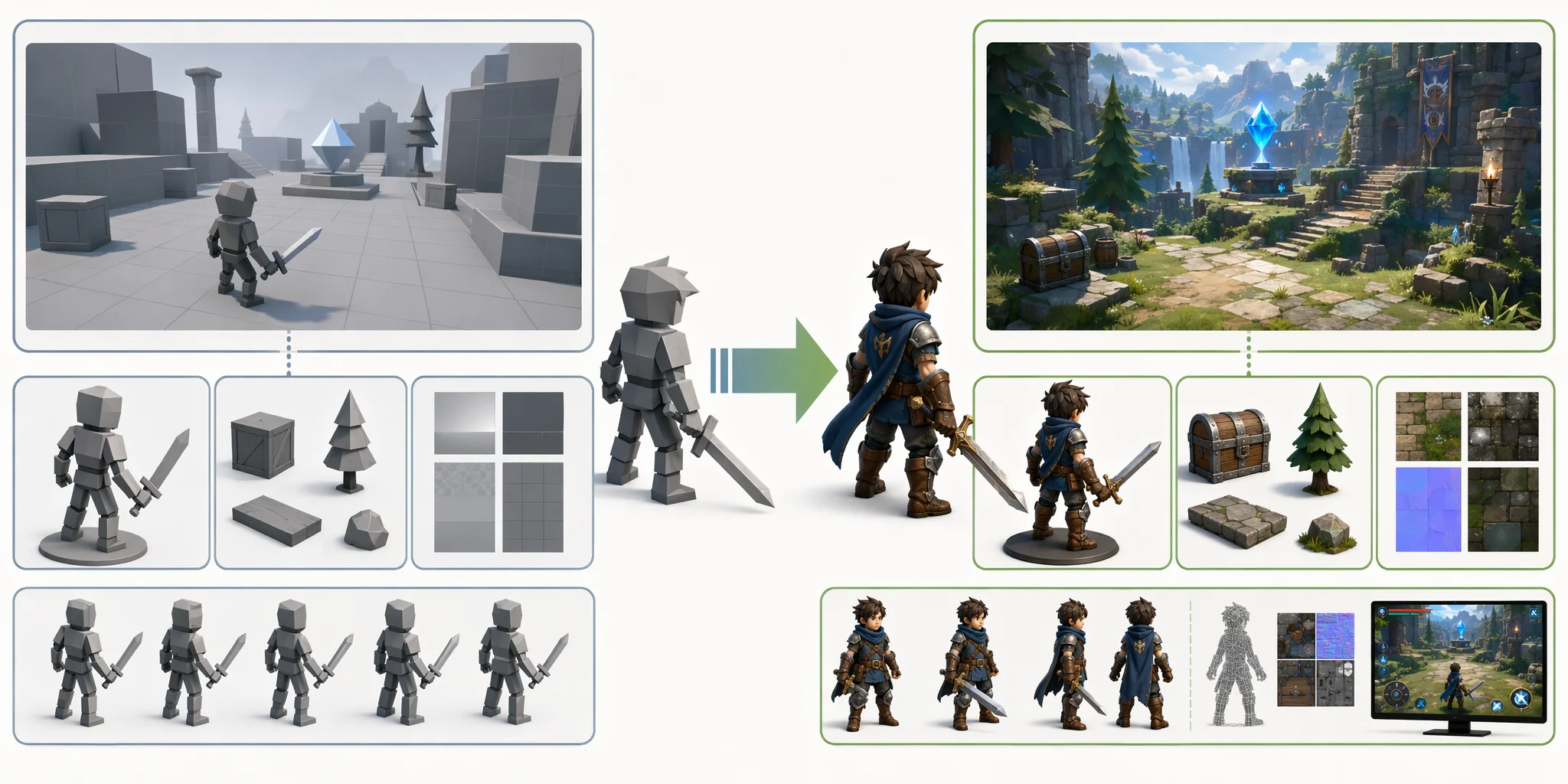
Generating an asset with AI is only the first step. A model that looks impressive in a preview may still need optimization before it can be used in a real game. A game-ready asset needs the right geometry, materials, file formats, and engine setup to perform well in production.
3D — Poly Count, Topology & Rigging
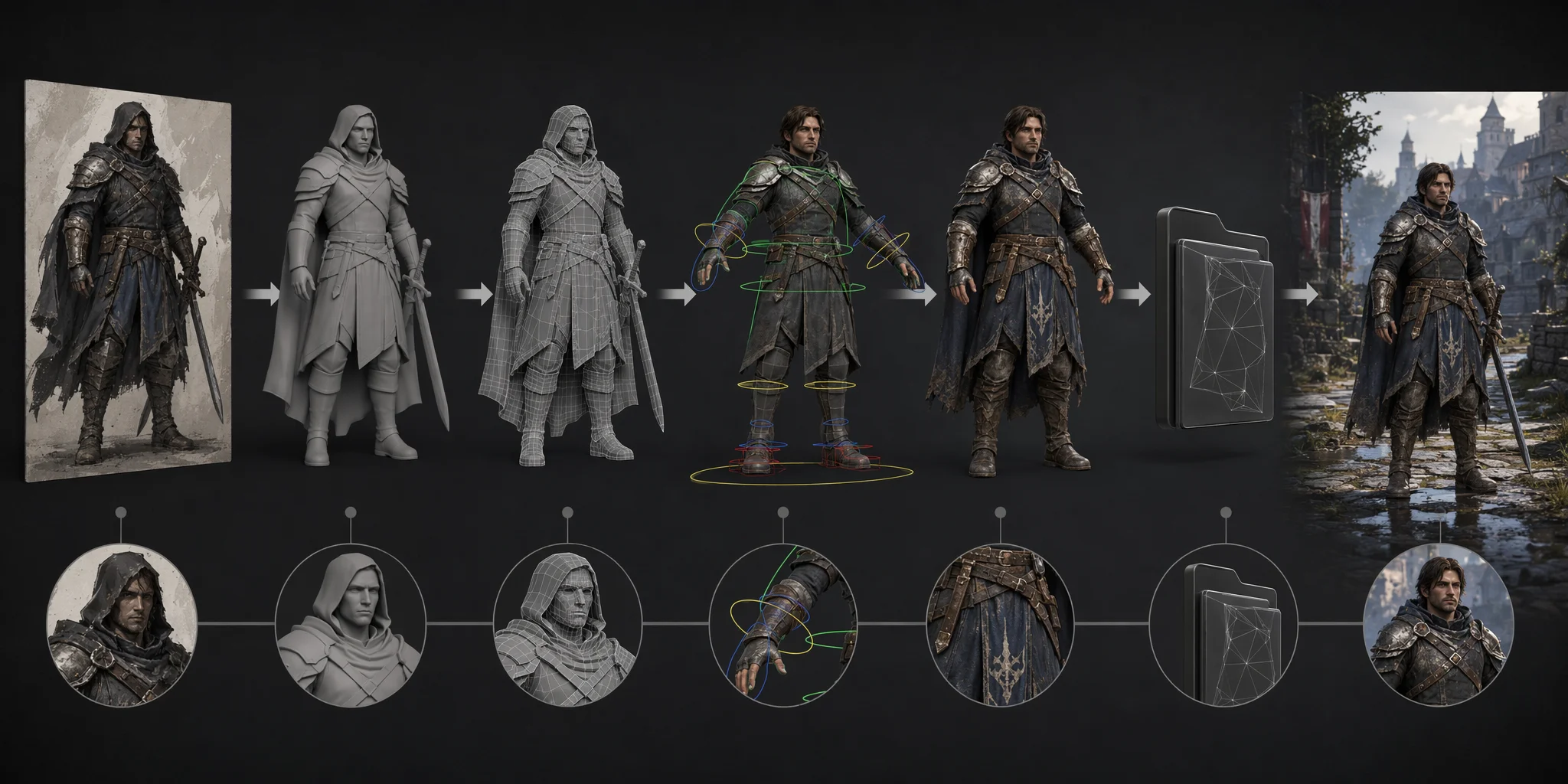
For 3D assets, the first step is optimization. AI-generated models often contain unnecessary geometry, so developers usually need to reduce the poly count to match the target platform and game budget. Mobile games may require lightweight meshes, while PC and console projects can support higher detail levels.
Clean topology is equally important. Check for problems such as stretched faces, messy edge flow, non-manifold geometry, or unnecessary density in areas players will never see. Tools with built-in optimization features, such as Tripo AI Smart Mesh, can help create cleaner, more usable meshes before export.
For character assets, rigging is another key step. Automatic rigging can quickly create a skeleton for humanoid models, but developers should still test deformation, especially around joints like shoulders, elbows, and knees. After optimization and rigging, export the model in production-friendly formats such as FBX or GLB for use in game engines.
AI 3D Asset to Game-Ready Workflow
Importing into Unity / Unreal / Godot
Once the asset is prepared, the next step is bringing it into the engine. Import the model file, check scale and orientation, then adjust materials, shaders, and textures to match the rendering pipeline. Developers should also set up collisions, LODs, and performance settings before using the asset in a playable scene.
Modern AI 3D workflows are becoming easier through direct integrations. For example, Tripo supports connections with popular creation and game development tools, including Blender, Unity, Unreal Engine, Godot, and Cocos, helping creators move generated assets into their existing pipelines faster.
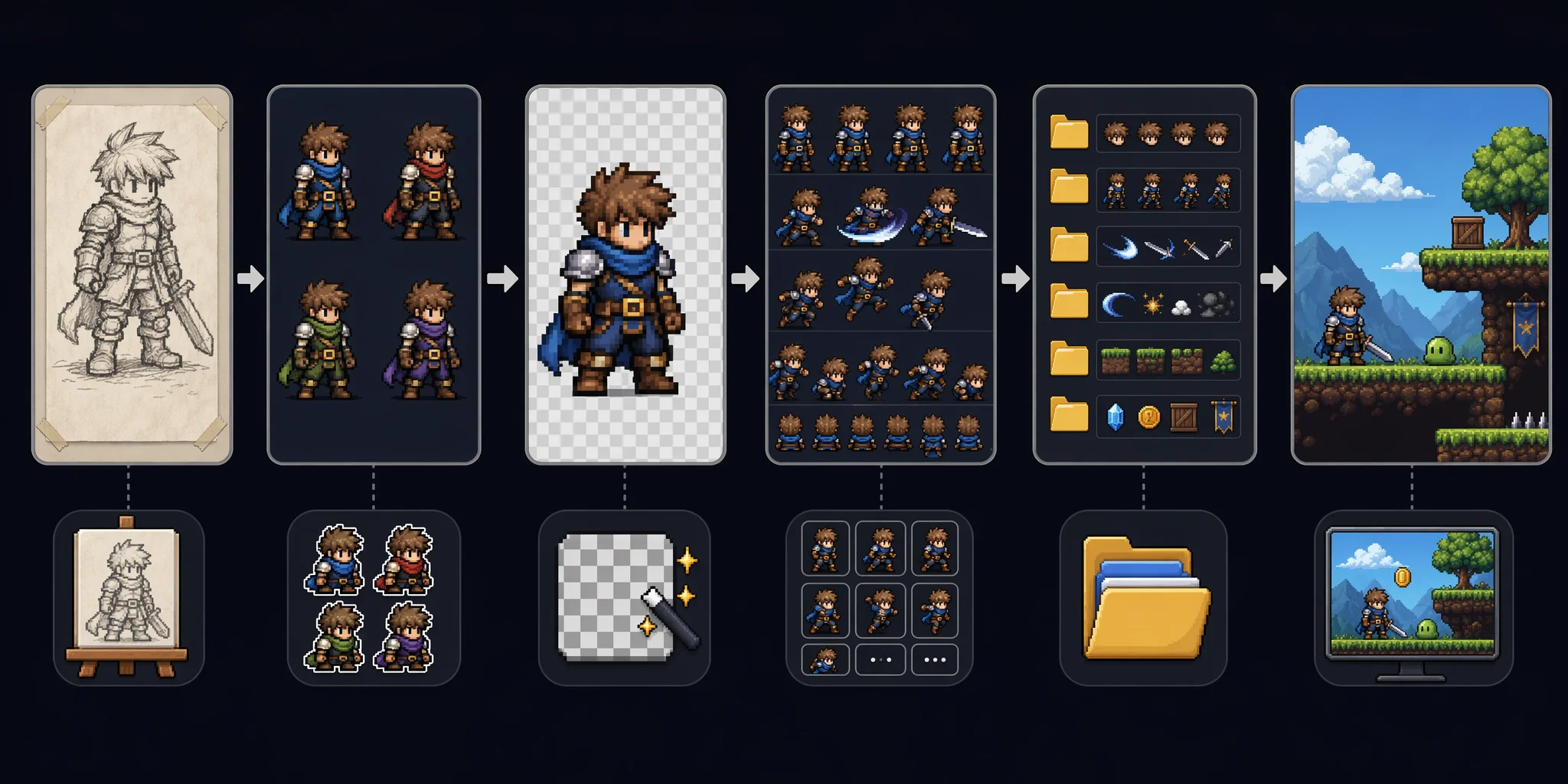
2D — Sprite Sheets, Transparency & Resolution
2D assets also need preparation before entering a game. Remove unwanted backgrounds, ensure transparent edges are clean, and organize individual images into sprite sheets when creating animations. Keeping consistent resolution, scale, and naming conventions helps avoid visual differences between characters, objects, and UI elements.
The key idea is simple: AI generation creates the starting asset, but optimization turns it into something a game can actually use. A reliable workflow is generate → clean → optimize → export → test in engine.
AI 2D Game Asset Workflow
Can You Use AI-Generated Game Assets Commercially?
Yes, but commercial use depends on the AI tool’s license. There is no universal rule for AI-generated game assets, so always check whether the platform allows commercial use, whether free plans have restrictions, and what rights you receive after generation.
Copyright and training data policies also vary between providers. Avoid generating assets that closely copy protected characters, brands, or copyrighted artwork.
Before releasing a game, follow these steps:
- Check the tool’s license and commercial terms.
- Confirm whether free-tier assets can be used commercially.
- Keep records of prompts, source images, and generation history.
- Review ownership rules for generated models, textures, and audio.
Tripo's current product guidance states that generated models may be used commercially when the source materials are free of copyright disputes, and that the generated model rights belong to the user. Free-plan models may be displayed by Tripo. This does not remove the user's responsibility to verify source-image rights, avoid protected characters or brands, and follow the latest terms.
Free vs Paid AI Game Asset Generators
Free access is best treated as an evaluation environment. It is often sufficient for testing prompts, comparing output quality, and building a prototype, but limits may apply to credits, queue speed, privacy, resolution, exports, or model availability. Commercial use is not automatically prohibited on every free plan; the rule depends on the provider.
Upgrade when a project needs predictable capacity, private generations, specific export formats, higher fidelity, team features, API access, or a commercial license tied to a paid plan. Before paying, test the exact asset type you plan to ship and calculate the cleanup time as well as the generation cost.
For indie developers, a practical rule is: prototype on the lowest plan that supports the workflow, then upgrade only after confirming that the output quality, rights, and export path meet production requirements.
The best free AI game asset generator is the one that lets you validate the real pipeline. The right paid option is the one that reduces total production time without creating licensing or cleanup surprises.
Frequently Asked Questions
What is the best AI tool for generating game assets?
The best tool depends on the asset. Tripo, Meshy, and Rodin are useful for 3D starting points; Scenario, Leonardo AI, Recraft, and FLUX.1 focus on 2D visuals; Substance 3D Sampler handles materials; ElevenLabs covers voice and SFX; and Suno supports music concepts. Choose by output format, cleanup needs, engine fit, and commercial terms.
Is there a free AI game asset generator?
Yes. Several tools offer free credits, trials, or limited plans for evaluation and prototypes. Check export access, privacy, commercial rights, and whether free outputs can be used in the version of the game you plan to release.
Can I use AI-generated game assets commercially?
Sometimes, but the answer depends on the provider, plan, and source material. Read the current license, retain source and generation records, and avoid inputs or outputs that infringe copyrights, trademarks, likeness rights, or voice rights.
What is the best AI for 3D game assets?
For game workflows, prioritize controllable polygon targets, clean topology, textures, rigging support, and reliable export formats. Tripo is a strong option when Smart Mesh and engine bridges fit the pipeline, while Meshy and Rodin offer different balances of speed, detail, and cleanup requirements.
Can AI generate game-ready 3D models with low poly count?
Yes, some tools can generate or retopologize toward lower polygon counts, but the result still needs inspection. Test silhouette, deformation, UVs, materials, LODs, collisions, and frame-rate impact on the target platform before calling an asset game-ready.
How do I import AI-generated assets into Unity or Unreal?
Export a supported format such as FBX or GLB, then import it into the engine and verify scale, orientation, materials, textures, and animation. Add collisions and LODs where required, then test the asset in a representative playable scene rather than judging it only in a model viewer.
Conclusion
AI will not replace art direction, but the right generator can remove a major asset bottleneck. Match the tool to the asset, test the result in-engine, and verify the license before production. For 3D models with controllable topology and rigging options, try Tripo Studio.