Best AI Game Asset API: Automate 3D & 2D Asset Generation (2026)
TL;DR
- AI game asset APIs let studios generate and process 2D or 3D assets programmatically instead of relying on manual exports from a graphical interface.
- Choose a 2D API for sprites, icons, UI graphics, and concept art; choose a 3D API for meshes, textured props, characters, and engine-ready scene assets.
- Tripo AI's developer API can serve as the 3D generation and processing layer in a game asset pipeline, with text, image, and multi-view inputs.
- A production integration should handle asynchronous tasks, validation, caching, retries, rate limits, and secure credential storage.
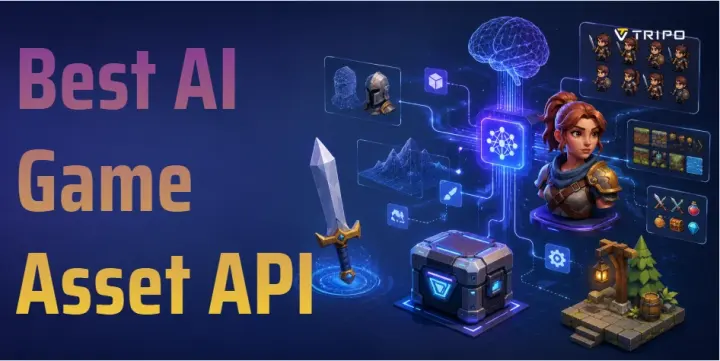
An AI game asset API lets developers generate and process game content through code instead of exporting every asset manually from a graphical tool. This article focuses on Tripo AI's 3D API for models, meshes, textures, and downstream processing, while briefly comparing it with broader 2D asset APIs and multi-model platforms.
What Is an AI Game Asset API?
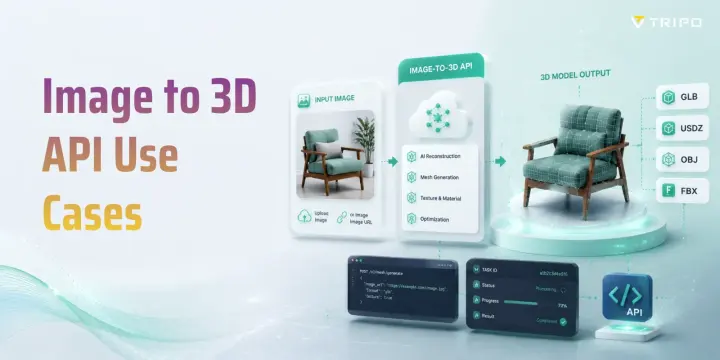
An AI game asset API is a programming interface that allows another application to access an AI asset generator. A game, website, editor extension, or backend service can submit a prompt or reference image, check the generation progress, and retrieve the finished asset.
This differs from a graphical interface. With a GUI tool, an artist generates and downloads files manually. An API makes the process repeatable and scalable. It can automatically create variations, apply naming rules, store metadata, validate output, and send approved files into production.
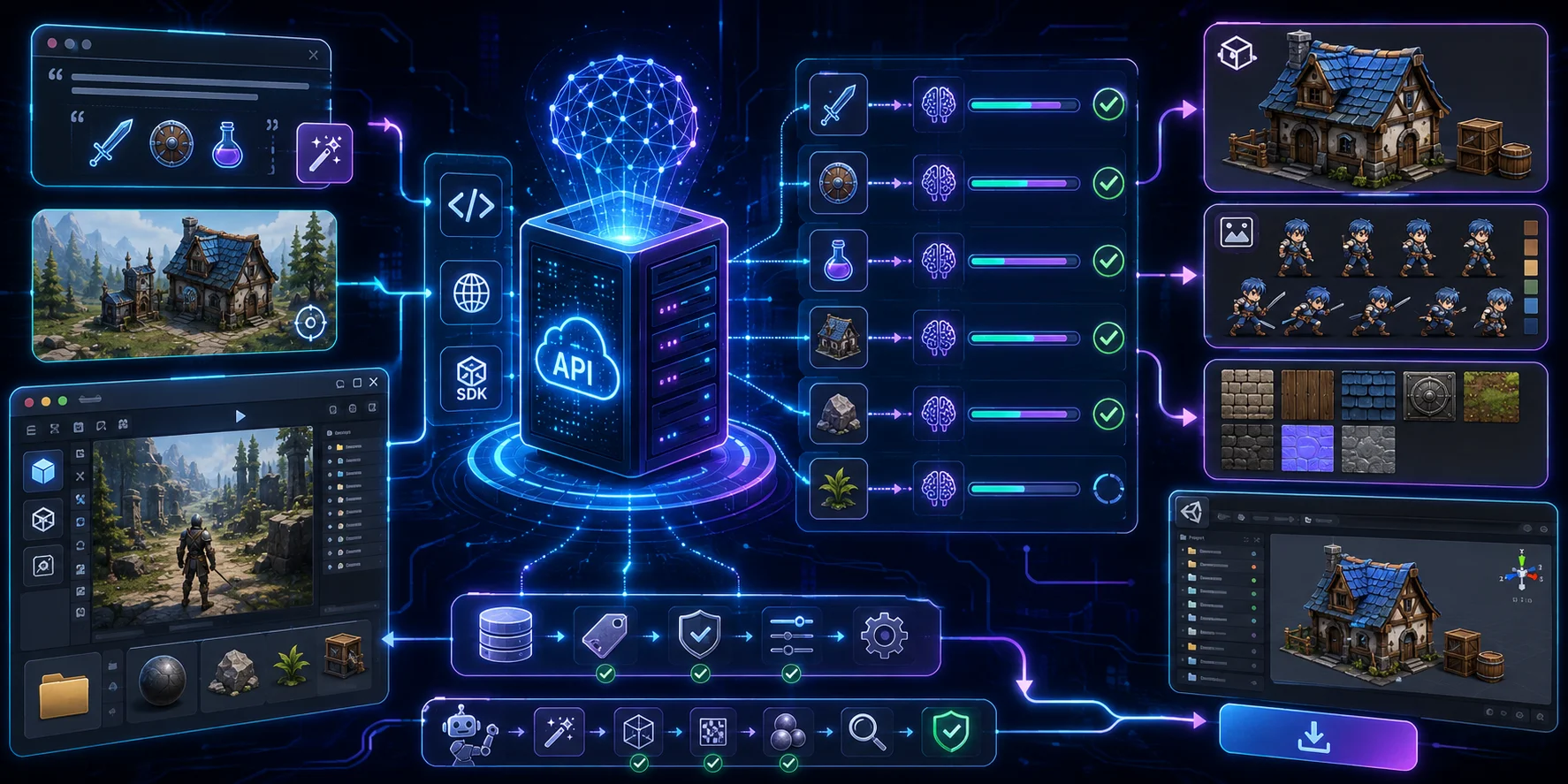
REST API vs. SDK Access
A REST API communicates through standard HTTPS requests and can work with languages such as Python, C#, C++, JavaScript, Java, and Go. Start with the Tripo API Quick Start and authentication guide before building a production integration.
An SDK wraps API operations in language-specific functions and can simplify authentication, request submission, progress checks, and file retrieval. Tripo provides SDK integration guidance alongside REST documentation and Python code examples for custom backends, technical-art tools, and automated content pipelines.
Batch Generation and Pipeline Integration
APIs are especially useful for batch production. A studio can generate multiple prop, character, or environment variations without repeating the same process manually.
A typical pipeline can:
- Read prompts from an asset database.
- Submit generation requests.
- Monitor processing progress.
- Retrieve completed assets.
- Validate geometry, textures, and file size.
- Import approved files into the game engine.
- Save generation settings for future reuse.
This approach works well for procedural content, live-service games, UGC platforms, and large asset libraries.
Top AI Game Asset APIs in 2026
| API category | Best for | What to compare |
|---|---|---|
| Tripo AI API | Programmatic 3D assets | Text, image, and multi-view generation; asynchronous tasks; textures and PBR; mesh processing; rigging, animation, and format conversion |
| 2D asset APIs | Sprites, icons, UI, and concept art | Style consistency, image or vector output, editing tools, training options, and current API availability |
| Multi-model platforms | Cross-media workflows | Supported model coverage, workflow orchestration, webhooks, pricing, data handling, and rate limits |
Tripo AI API — 3D Model API for Games
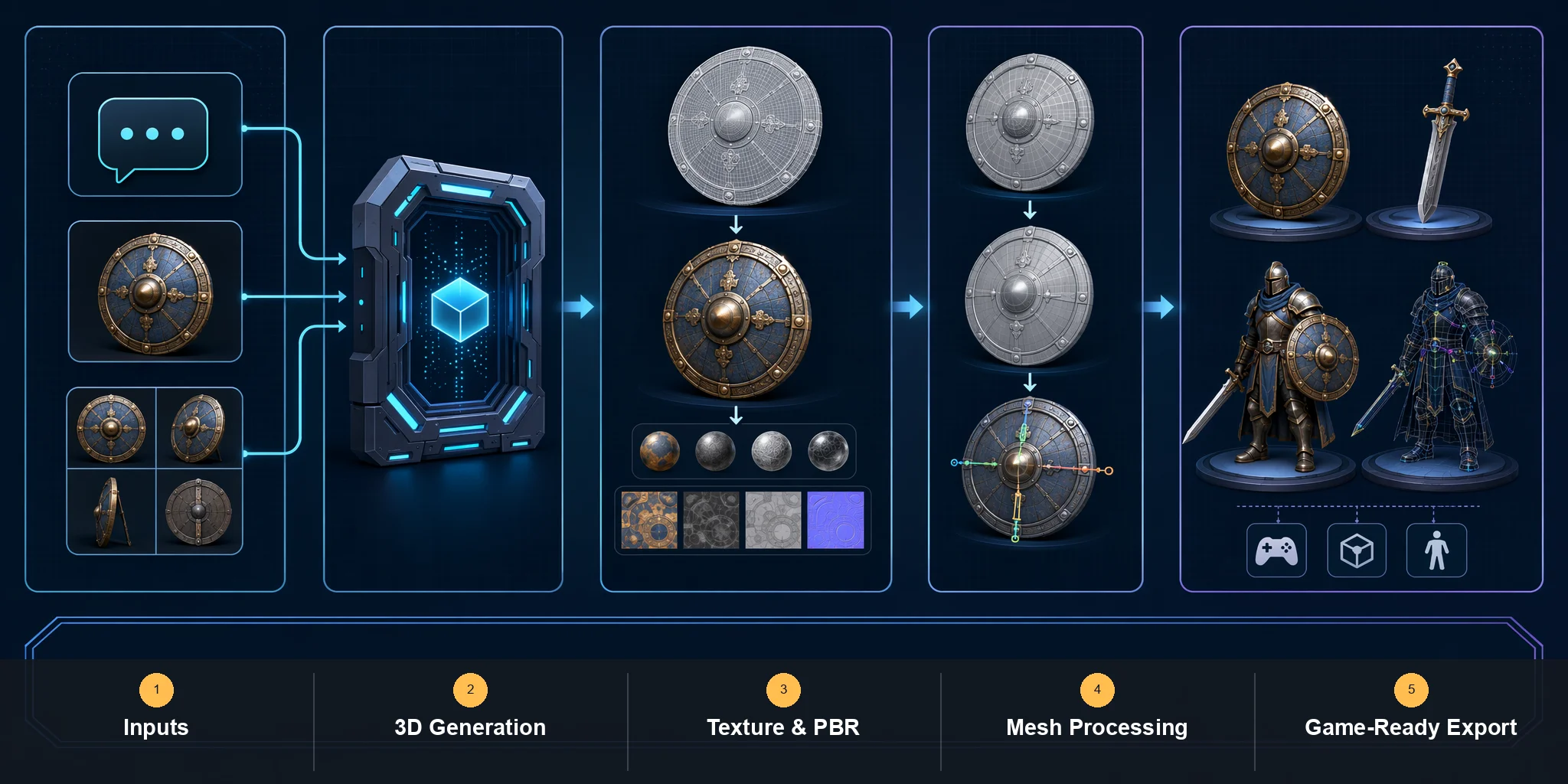
Tripo AI API is a strong option for developers who need programmatic 3D generation and editable model outputs rather than only rendered images.
Its API includes text-to-3D, image-to-3D, and multi-view generation. Available parameters cover texture and PBR options, polygon targets, low-poly workflows, and other settings relevant to real-time applications.
Tripo also documents model processing workflows such as retopology, segmentation, rigging, animation, and format conversion. Depending on the selected workflow, assets can be prepared in formats including GLB, GLTF, FBX, OBJ, STL, USDZ, and 3MF.
Common use cases include:
- Environment props
- Furniture and decorations
- Weapons and equipment
- Stylized characters
- UGC items
- Low-poly prototypes
- VR and AR assets
- Large prop libraries
Generated models should still be reviewed before production. Scale, pivots, topology, UVs, materials, collisions, and performance budgets may need adjustment.
Use Cases for AI Game Asset APIs
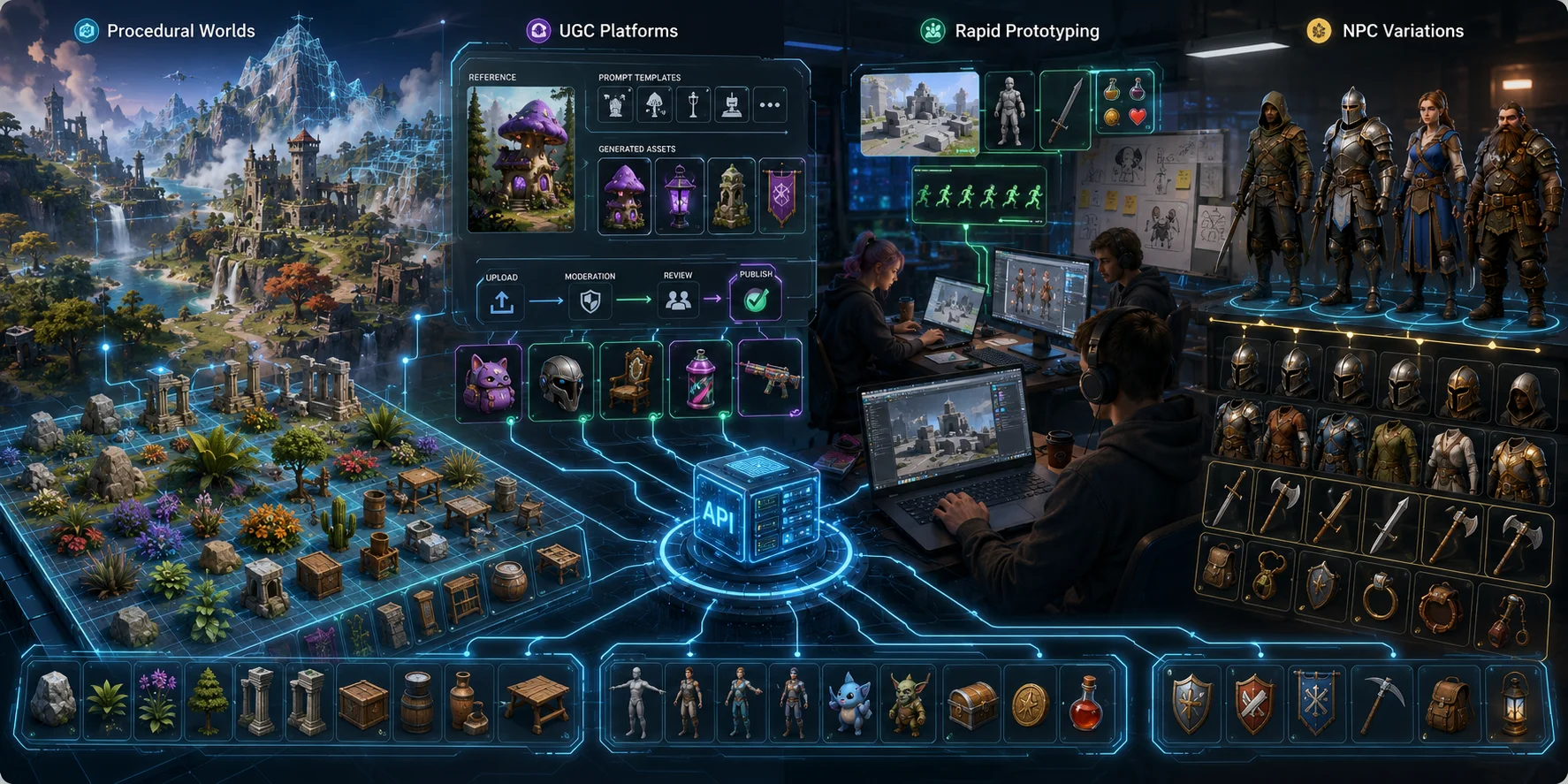
Procedural World Generation
Open-world and procedural games need many supporting assets. An API can generate variations of rocks, plants, ruins, furniture, signs, containers, and environmental decorations.
Developers can define themes, polygon limits, and asset categories, then send results through automated validation and optimization.
UGC Platforms
A UGC platform can let players upload a reference image or choose from controlled prompt templates. The backend can then generate personalized props, skins, accessories, or decorations.
The platform should still moderate originality, prohibited content, file size, scale, ownership, and technical performance before publishing.
Rapid Prototyping for Game Jams
Game-jam teams can quickly generate placeholder environments, characters, icons, props, and sprites. These assets help establish the visual direction before the team invests in final artwork.
NPC Equipment Variation
APIs can produce related armor, clothing, weapons, and tool variations from structured prompts.
For most games, it is safer to generate and review these assets before release rather than creating untested models during live gameplay.
How to Integrate Tripo AI’s 3D API Into Your Game Pipeline
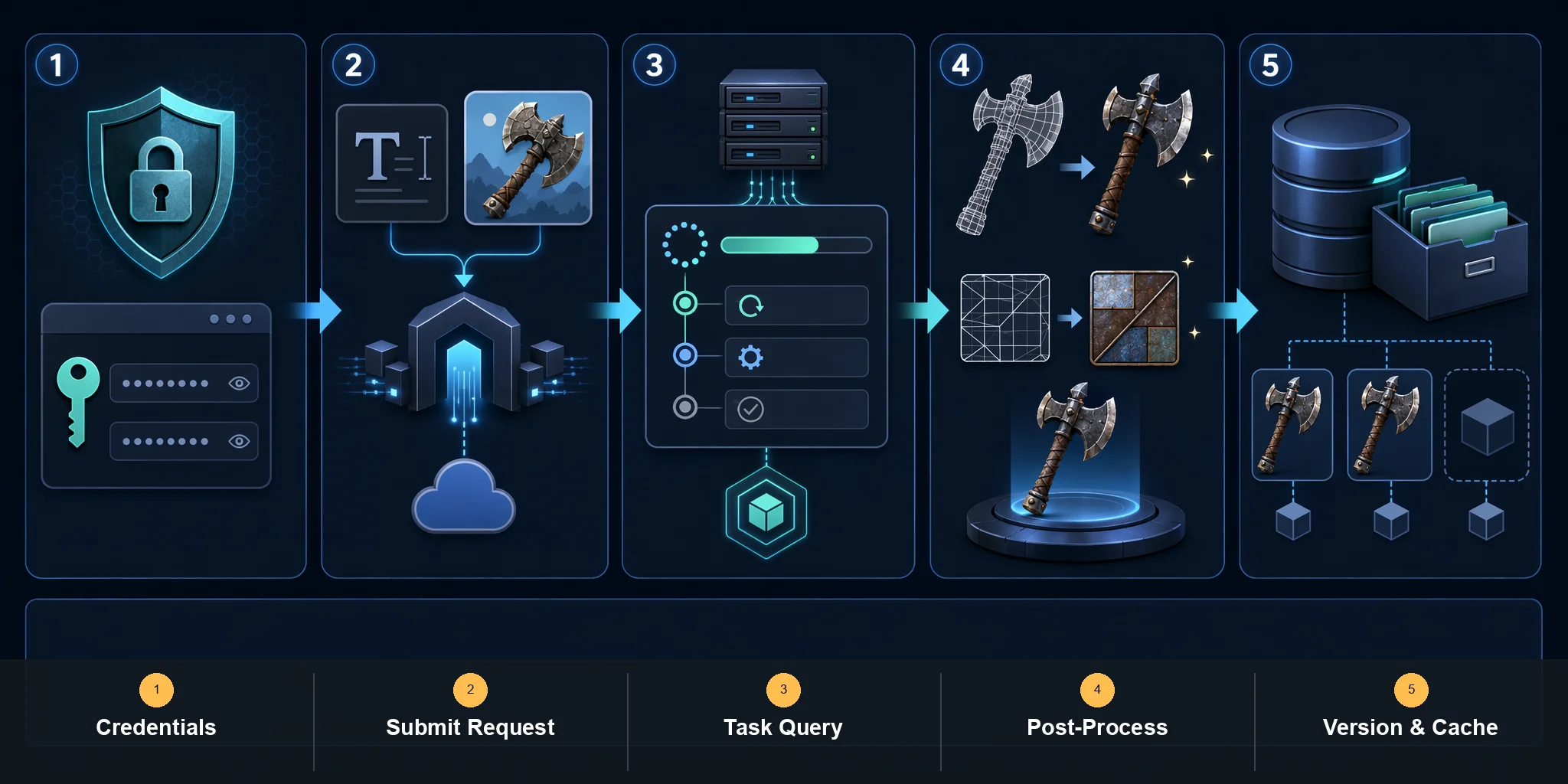
Step 1: Get API Credentials
Create a Tripo API account and generate an access key by following the authentication guide. Store the key in a protected backend environment or secrets manager; never embed private credentials in a public repository or shipped game client.
Step 2: Submit a Generation Request
Choose the documented text-to-3D, image-to-3D, or multi-view-to-3D endpoint. The following minimal text-to-3D request submits a prompt and returns an asynchronous task ID:
Useful settings may include:
- Texture quality
- PBR materials
- Polygon limits
- Low-poly optimization
- Segmented parts
- Model generation version
- Output requirements
For better results, describe geometry as well as visual style. Specify whether the asset should be low-poly, symmetrical, freestanding, modular, stylized, or separated into editable parts.
curl --request POST https://openapi.tripo3d.ai/v3/generation/text-to-model \
  --header "Authorization: Bearer <YOUR_API_KEY>" \
  --header "Content-Type: application/json" \
  --data '{"prompt":"a low-poly medieval treasure chest","texture":true,"pbr":true,"face_limit":10000}'
The response includes a task_id. Save that ID because generation and processing endpoints run asynchronously.
Step 3: Monitor Progress and Retrieve the Model
Use the Task Query API to check the asynchronous task until it succeeds, then retrieve the model URL from the task output. For event-driven systems, configure webhooks so completion or failure events are pushed to your backend without continuous polling.
A production system should include retries, timeout handling, error logs, spending limits, and failure recovery.
curl --request GET https://openapi.tripo3d.ai/v3/tasks/<TASK_ID> \
  --header "Authorization: Bearer <YOUR_API_KEY>"
Step 4: Post-Process for Unity or Unreal
Generated files should pass through an automated or manual cleanup stage.
A Blender script or internal processing service can:
- Correct scale and orientation
- Set the origin and pivot
- Reduce polygon count
- Inspect normals
- Rename materials
- Compress textures
- Generate LODs
- Create collision geometry
- Convert file formats
Unity can automate import settings with AssetPostprocessor. Unreal teams can use Editor Utility tools, Python scripts, or command-line processing.
Step 5: Version and Cache Assets
Store the prompt, reference-image checksum, generation settings, model version, licensing information, and processing history with every asset.
Before generating a new item, check whether a matching result already exists. Caching prevents duplicate charges and reduces processing time.
2D vs. 3D Game Asset APIs — Which Do You Need?
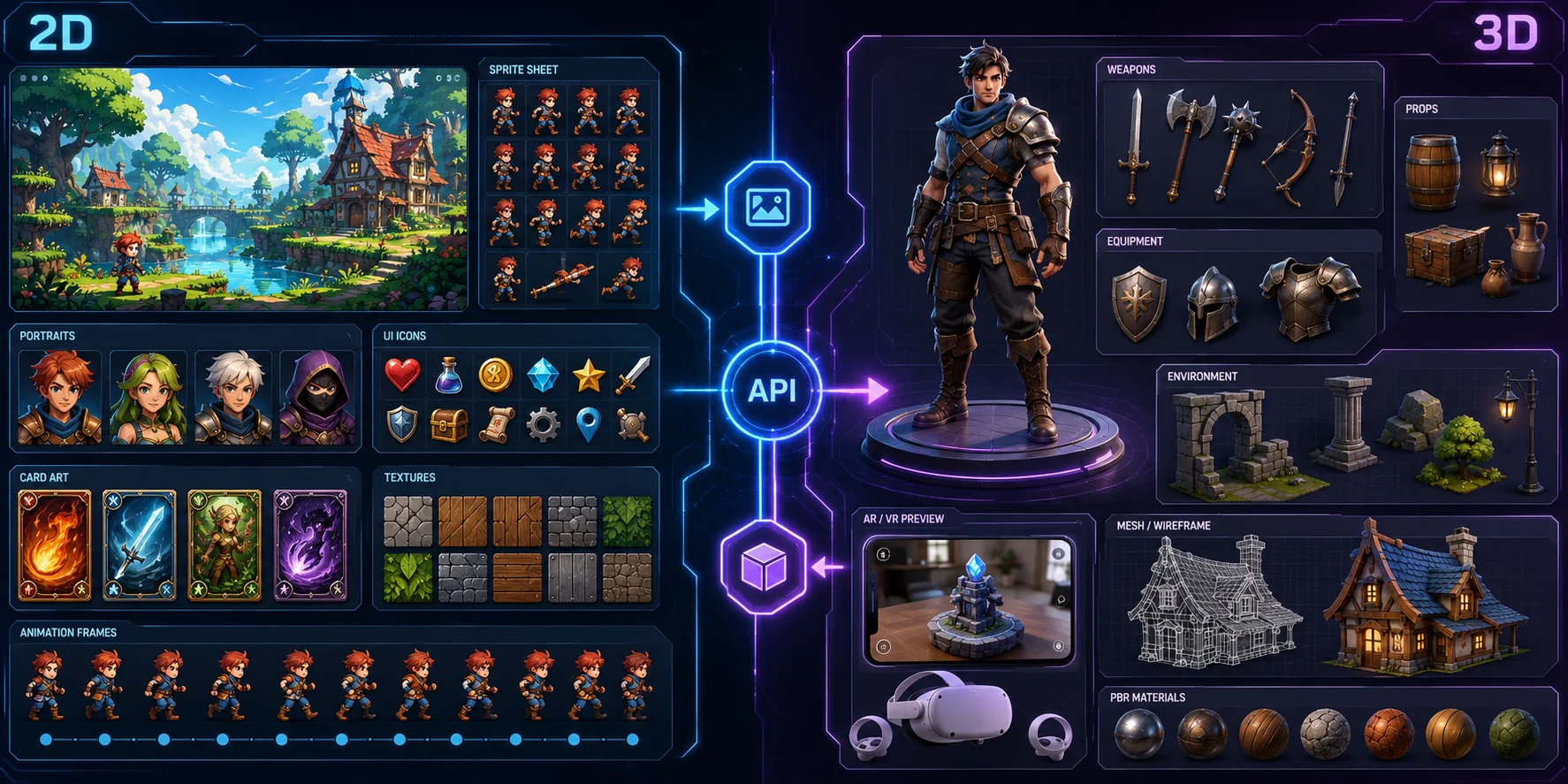
2D Asset APIs
Choose a 2D API for:
- Sprites
- Icons
- UI graphics
- Card art
- Textures
- Backgrounds
- Character portraits
- Animation frames
For 2D workflows, compare providers by output type, style consistency, editing controls, customization options, licensing, and current API availability. These services complement rather than replace Tripo's 3D generation workflow when a project needs sprites, icons, UI graphics, or other flat artwork.
3D Asset APIs
Choose a 3D API for:
- Meshes
- Textured props
- Characters
- Equipment
- VR and AR objects
- Open-world decorations
- Editable scene assets
For 3D assets, Tripo is the main option discussed in this guide. Its documented workflow covers generation, materials, mesh controls, task queries, and downstream processing such as rigging, animation, and format conversion. Choose a different provider only after comparing the exact inputs, outputs, model versions, licensing, price, and rate limits required by your pipeline.
Hybrid Workflows
A hybrid pipeline can generate a 2D concept first and convert the approved design into a 3D model.
For example:
- Generate or select a 2D concept with the image tools that fit your art direction.
- Select the best design.
- Upload it to Tripo AI.
- Generate the 3D model.
- Optimize it in Blender.
- Import it into Unity or Unreal.
Pricing and Rate Limits
Most AI game asset APIs use credits, subscriptions, or usage-based billing.
Tripo API uses task-based credits, with consumption determined by the selected model and options. Check the current billing documentation before estimating production costs. Other providers use their own credit, compute-unit, subscription, or usage-based systems, so compare current first-party pricing rather than assuming equivalent units.
Web-app trials and API access may follow different eligibility or billing rules. Studios should verify each provider's current API documentation and account terms before using free allowances in a production estimate.
For batch generation, consult the provider's current limits. Tripo documents concurrency and request constraints in its Rate Limits guide. A production queue should:
- Queue requests
- Limit concurrency
- Retry gradually
- Cache repeated results
- Set spending caps
- Record failed operations
- Monitor cost per accepted asset
Frequently Asked Questions
What is an AI game asset API?
It is an interface that lets software request AI-generated models, sprites, textures, images, audio, or other game assets.
How do I integrate an AI 3D API into a game engine?
Send requests through a secure backend, retrieve the completed model, process it, and import it into Unity or Unreal.
Does Tripo AI have a public API?
Yes. Tripo provides a public developer API for text-to-3D, image-to-3D, multi-view generation, and model-processing workflows. Start with the Quick Start, then use the REST documentation or the available SDK integration guidance and code examples.
How much does API generation cost?
Costs depend on the provider, model, texture quality, geometry settings, and additional processing features.
What file formats can these APIs return?
2D services commonly return PNG, JPG, WEBP, SVG, or spritesheets. 3D APIs may provide GLB, GLTF, FBX, OBJ, STL, or USDZ.
Can AI-generated game assets be used commercially?
Commercial rights depend on the provider, subscription, inputs, and current licensing terms. Always review the relevant agreement before publishing.
How fast can a 3D API generate a model?
Generation can take from seconds to several minutes, depending on complexity, settings, queue load, and post-processing.
What languages work with Tripo AI API?
Any language that supports HTTPS can use it, including Python, C#, C++, JavaScript, Java, and Go.
How should rate limits be handled?
Follow the provider's published rate limits, queue requests, restrict concurrency, and retry transient failures with backoff rather than immediately repeating them. Cache completed assets and monitor both failed tasks and cost per accepted result.
How are AI APIs different from manual 3D tools?
APIs prioritize speed, automation, and variation. Blender, Maya, ZBrush, and Substance provide precise artistic and technical control.
Conclusion
AI game asset APIs can accelerate prototyping, procedural content, UGC systems, live-service updates, and asset variation.
For 2D assets, choose a provider based on the required output type and art direction. For 3D assets, Tripo remains the main workflow covered in this article.
For programmatic 3D asset generation, Tripo AI API is a strong option when a pipeline needs text-to-3D, image-to-3D, multi-view generation, PBR texturing, mesh processing, rigging, animation, and format conversion through documented endpoints.