Auto Retopology vs Manual Retopology: Which Should You Use?
TL;DR
- Manual retopology gives artists full control over edge flow and deformation quality, but requires significantly more time and skill.
- Automatic retopology generates optimized meshes quickly and works best for static props, environments, and early iterations.
- Character models usually need manual or hybrid retopology because animation requires carefully placed loops around joints and facial features.
- AI retopology combines automation and production-focused topology, making it useful for AI-generated models and large-scale asset creation.
- The best workflow depends on the asset: use manual for quality, auto for speed, and AI for scalable game-ready production.
Retopology is one of the most important steps in turning a high-poly 3D model into a production-ready asset. A sculpt, scan, or AI-generated model may look perfect visually, but the underlying mesh structure determines whether it can animate smoothly, run efficiently in a game engine, or export cleanly for production.
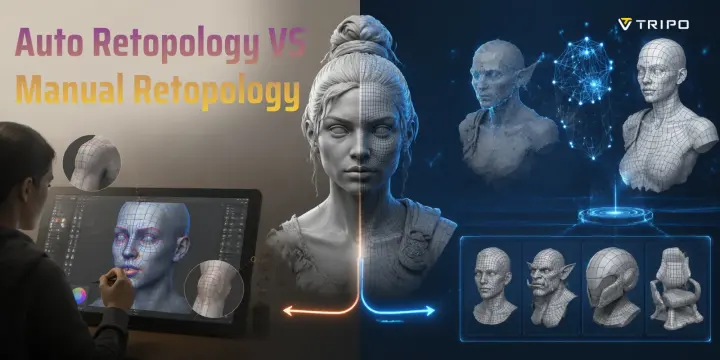
The debate between auto retopology vs manual retopology comes down to one trade-off: control versus speed. Manual retopology gives artists precise control over edge flow and deformation, while automatic retopology can create usable meshes in minutes. With the rise of AI retopology, there is now a third option that combines automated generation with more production-focused topology.
This guide compares manual retopology, automatic workflows, and AI-powered solutions to help you choose the right approach for characters, game assets, and professional 3D pipelines.
What Is Manual Retopology?
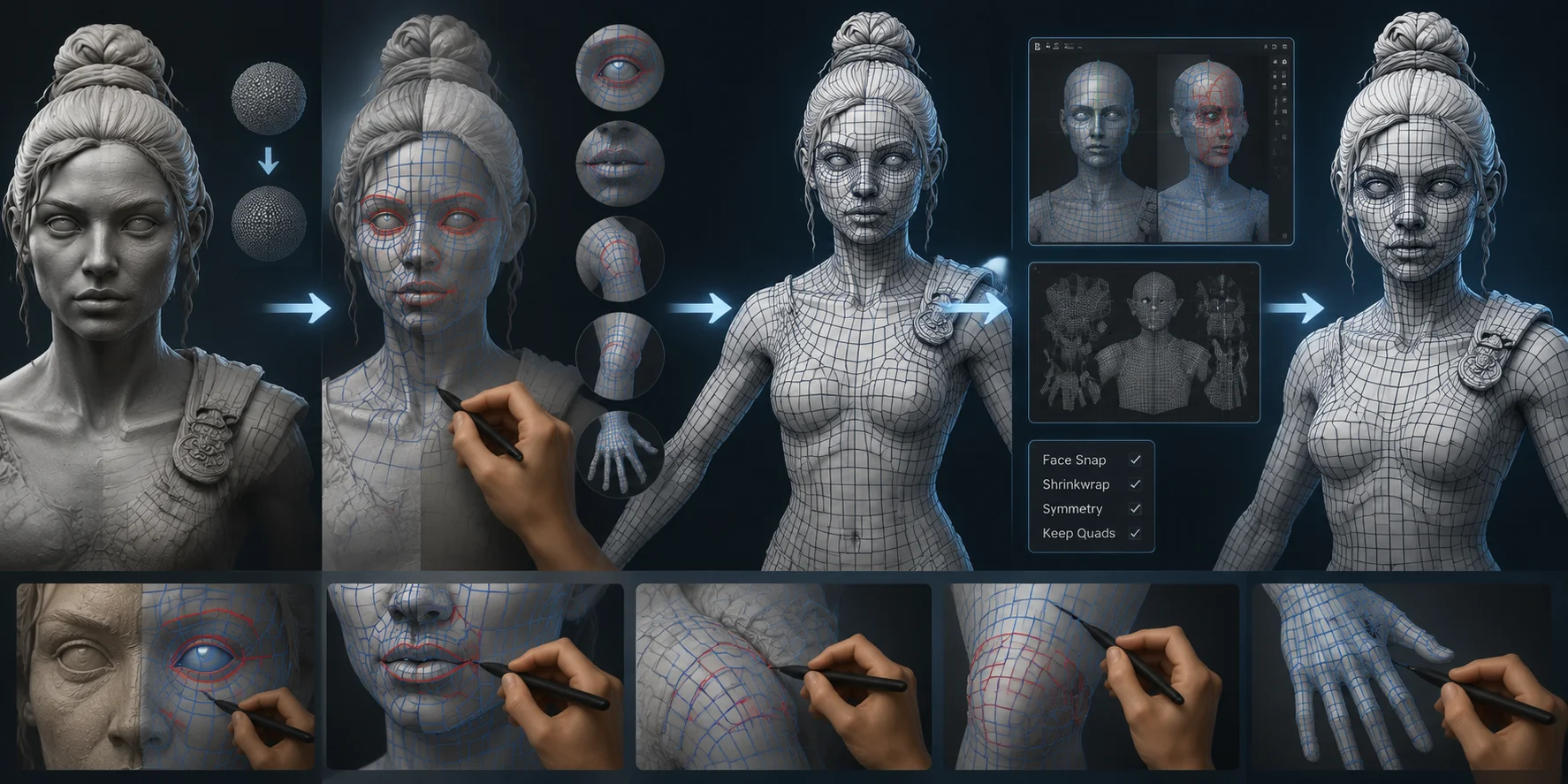
Manual retopology means creating a new mesh by hand, placing every vertex, edge, and polygon yourself on top of an existing high-poly surface. Instead of relying on an algorithm, the artist decides exactly where edge loops should flow, how dense the topology should be, and how the mesh should be structured.
The biggest advantage is complete control over deformation. A skilled artist can create loops that follow the mouth and eyes for facial animation, add supporting rings around shoulders and knees for clean bending, and reduce unnecessary polygons on flat surfaces. The final mesh is optimized specifically for the asset's purpose rather than simply generated from its surface shape.
The downside is time. Manual retopology is one of the most labor-intensive parts of 3D production. An experienced artist may spend 4-8 hours retopologizing a full character body, while a properly optimized face alone can take 2-4 hours. Beginners often need significantly longer because understanding good edge flow takes practice.
Common manual retopology tools include Blender's built-in retopology workflow, RetopoFlow, Maya Quad Draw, 3DCoat's Retopology Room, and TopoGun. These tools give artists precise control, but the process remains highly dependent on skill and experience.
Automatic retopology trades that control for speed.
Auto Retopology vs Manual Retopology: Speed or Control?
What Is Automatic Retopology?
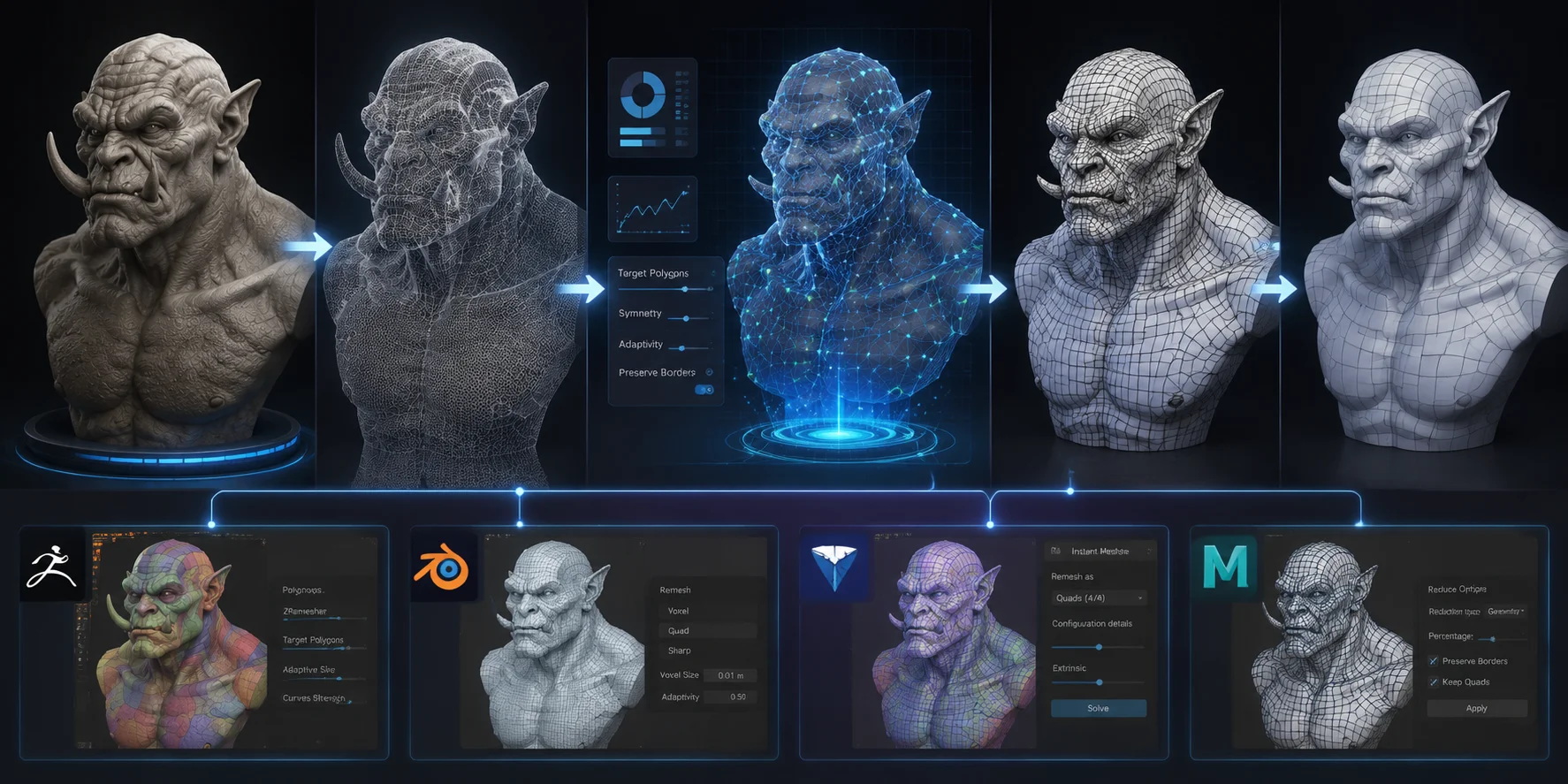
Automatic retopology uses algorithms to analyze a high-poly model and generate a new lower-polygon mesh automatically. Instead of manually drawing every edge, artists define settings such as target polygon count, symmetry, or guide curves, and the software creates a new topology structure in seconds or minutes.
The quality depends heavily on the tool and the type of model. ZRemesher in ZBrush is widely considered one of the strongest automatic solutions for organic sculpted models, especially characters and creatures. Blender's Remesh modifier is faster but generally produces rougher results. Instant Meshes is a free option that performs surprisingly well for many static assets.
However, automatic retopology has a major limitation: algorithms do not understand artistic intent. A program can detect surfaces, but it does not know where a character's elbows need deformation loops or where facial muscles require additional topology. As a result, auto-retopologized character meshes often have edge flow that looks acceptable but performs poorly during animation.
Automatic workflows work best for:
- Hard-surface objects such as weapons, vehicles, and furniture
- Background environment assets
- Static props that do not require rigging
- Early concept iterations
- Models that will receive manual cleanup afterward
For animated characters, creatures, or hero assets, automatic retopology usually requires additional correction.
Automatic Retopology Workflow: From High-Poly Sculpt to Game-Ready Mesh
Auto vs Manual Retopology: Head-to-Head Comparison
| Category | Manual Retopology | Automatic Retopology | AI Retopology (Tripo AI Smart Mesh) |
|---|---|---|---|
| Speed | Slow; usually takes hours or days for complex assets | Fast; generates a new mesh in seconds or minutes depending on the model and tool | Seconds-level generation as part of an AI 3D workflow |
| Control | Full control over every vertex, edge loop, and topology decision | Limited control through settings such as target density, symmetry, and guides | Provides controllable topology output for real-time pipelines through target settings and optimization options |
| Animation Quality | Best choice for advanced character deformation, facial animation, and complex rigs | Often requires manual correction around joints and facial areas | Suitable for game-ready character base meshes, but joint areas and deformation zones should still be manually checked when animation quality is critical |
| Poly Distribution | Artist decides exactly where polygons are needed | Algorithm distributes polygons automatically, sometimes inefficiently | Allows creators to define target polygon levels for optimized mesh output |
| Learning Curve | High; requires strong understanding of topology and edge flow | Lower; users mainly adjust parameters and review results | Very low; designed for faster asset creation without deep retopology skills |
| Best Use Cases | Animated characters, creatures, hero assets, cinematic models | Static props, environments, hard-surface objects, quick iterations | AI-generated models, game-ready base meshes, and creating large volumes of assets efficiently |
| Production Cost | High artist time investment | Lower labor cost but may require cleanup work | Based on credit usage depending on the selected Tripo AI features and processing options |
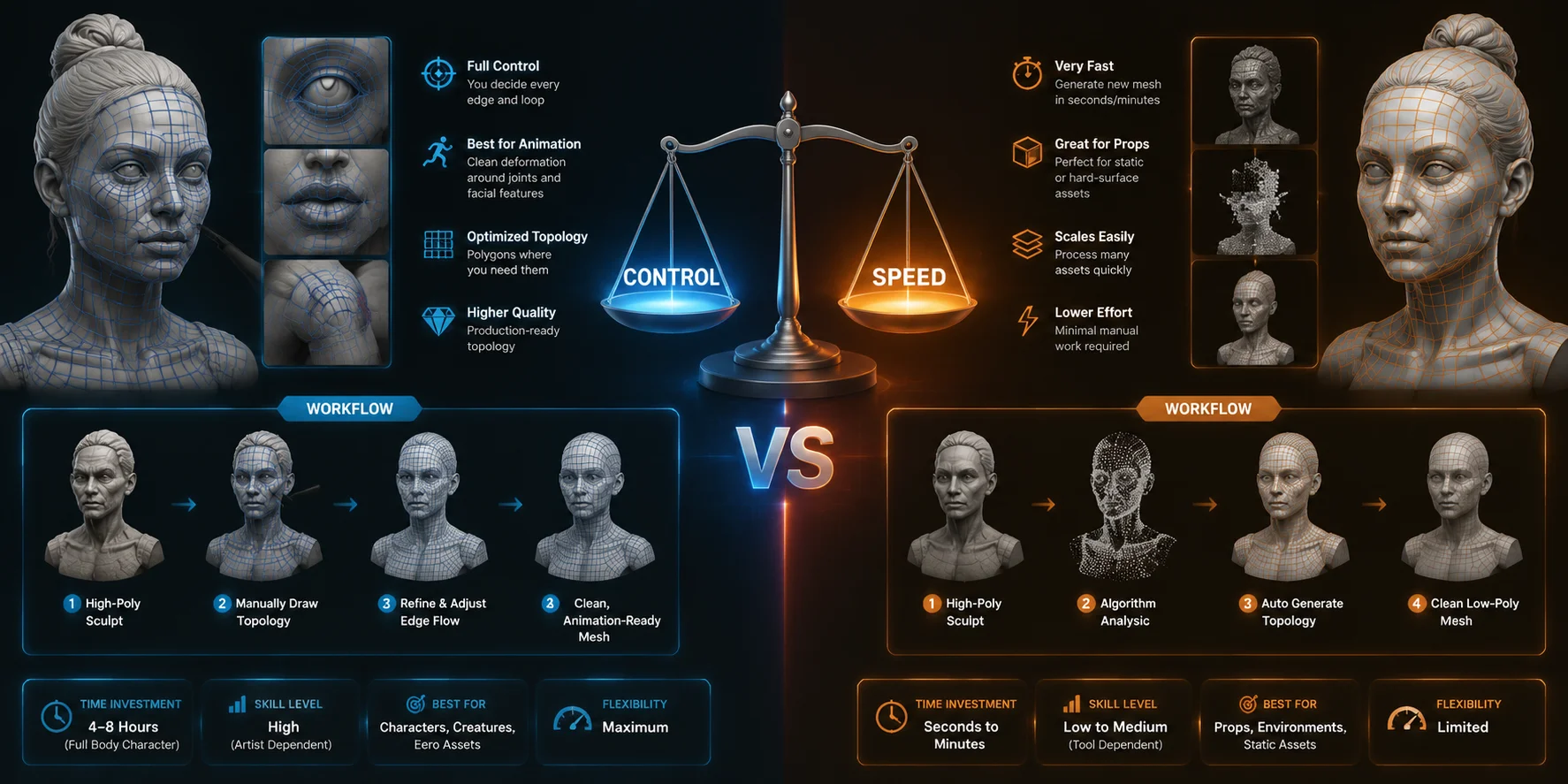
The choice is not simply about which method is better. It depends on whether the asset's final purpose requires artistic control or production speed.
A cinematic character with facial animation needs carefully planned topology. A background chair or weapon model usually does not need that level of precision.
Auto vs Manual Retopology: Control, Speed, and Quality Compared
Best Tools for Each Approach
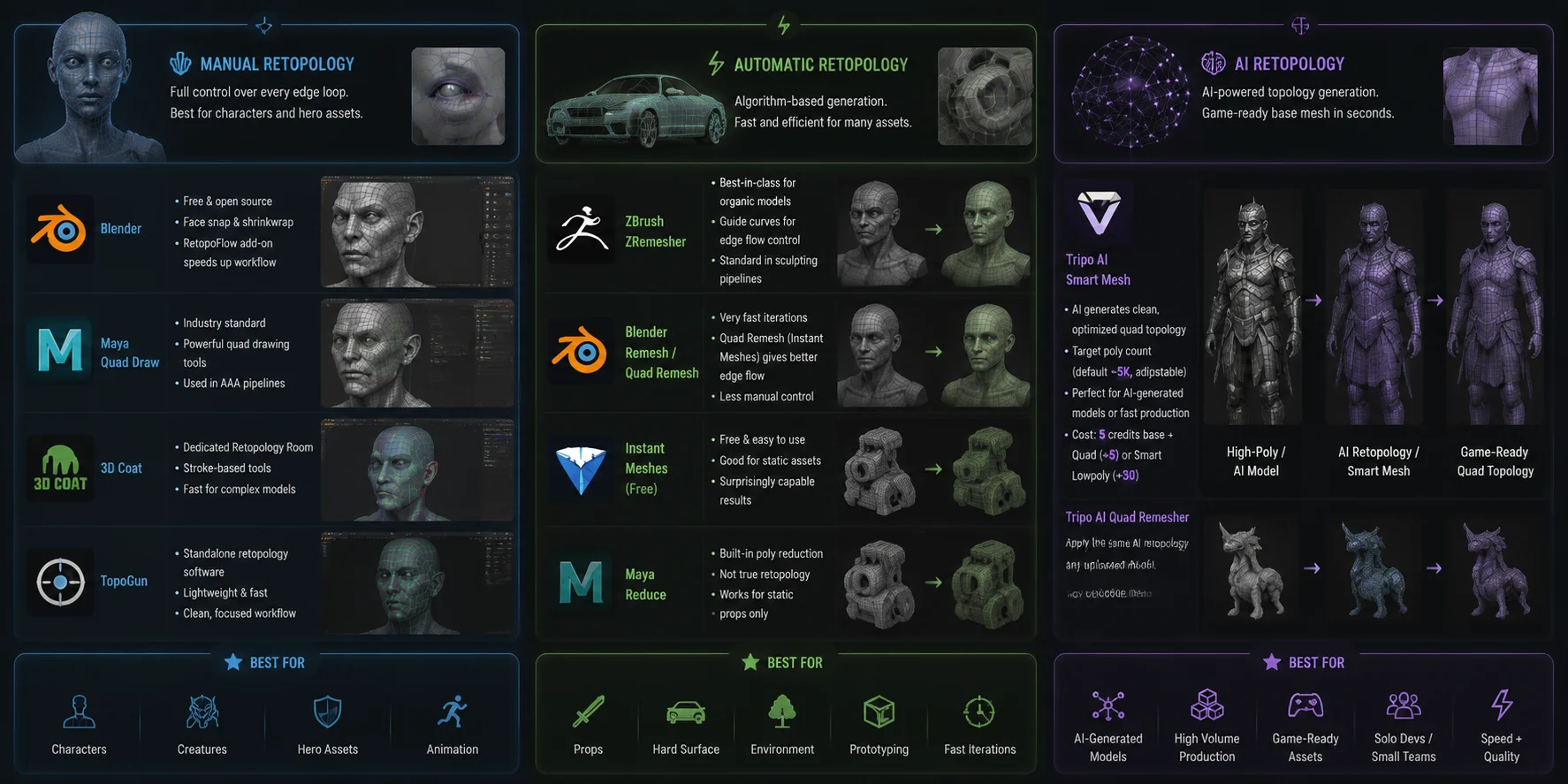
Choosing the right software is just as important as choosing the right workflow. Different tools are designed around different retopology goals, from detailed character production to fast asset optimization.
Manual Retopology Tools
Blender (Free)
Blender is one of the most accessible choices for manual retopology. Its built-in face snapping, Shrinkwrap modifier, and modeling tools provide a complete workflow without additional cost. The RetopoFlow add-on makes the process faster with specialized drawing tools and brush-based controls.
Maya: Quad Draw
Maya's Quad Draw remains an industry-standard solution, especially in AAA game studios. It offers excellent control over edge placement and is widely used for character modeling pipelines, although it requires a paid subscription.
3DCoat: Retopology Room
3DCoat includes dedicated retopology tools designed specifically for rebuilding meshes. Its stroke-based workflow can be faster than traditional polygon modeling, especially for complex characters.
TopoGun
TopoGun is a lightweight application focused entirely on retopology. It is popular among artists who want a dedicated environment without the additional features of a full 3D package.
Automatic Retopology Tools
ZBrush: ZRemesher
ZRemesher is one of the best automatic retopology solutions for organic models. Artists can use guide curves to influence edge flow around important areas, making it especially useful for sculpted characters.
Blender: Remesh Modifier / Quad Remesh
Blender provides quick automated options for testing ideas or generating simple meshes. Quad Remesh generally creates better topology than basic voxel remeshing, but it still offers less control than manual methods.
Instant Meshes (Free)
Instant Meshes is a popular free automatic retopology tool. It works well for static assets and quick experiments, making it a useful option for beginners.
Maya: Reduce
Maya's Reduce function simplifies polygon counts but is not true retopology. It is mainly suitable for static props where clean edge flow is less important.
AI Retopology Tools
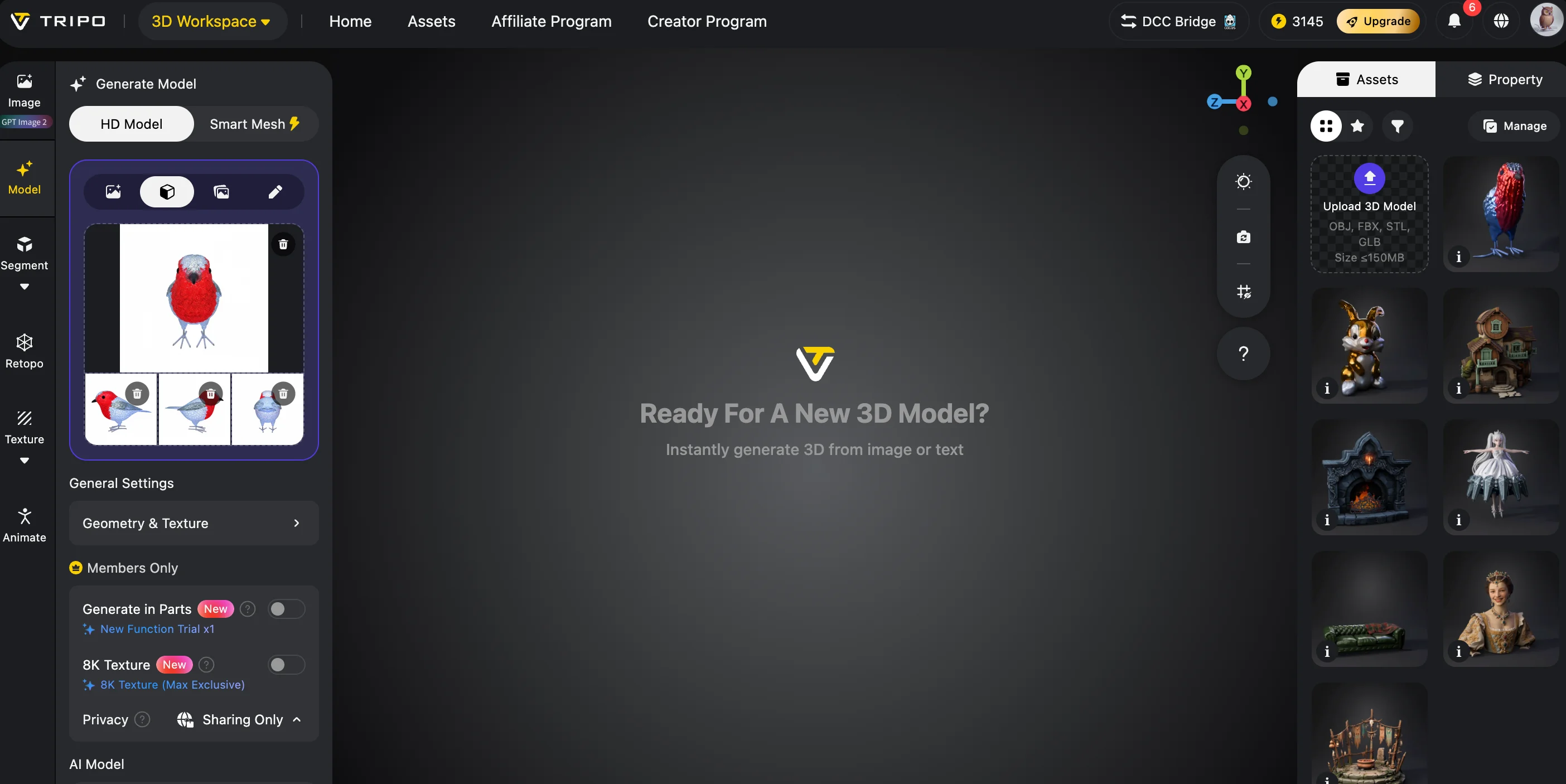
Tripo AI: Smart Mesh
AI retopology is changing how artists handle large numbers of assets. The Tripo AI Smart Mesh feature generates optimized quad topology with adjustable polygon settings, helping creators prepare AI-generated models for real-time workflows. Polygon Count defaults to Auto, and users can set a target face count manually. Tripo recommends 5K-20K faces for game assets. This makes it useful for AI-generated models that need a game-ready starting point without spending hours rebuilding topology manually.
For existing models, AI-powered Quad Remeshing can also automate the conversion process while maintaining a cleaner structure than traditional automatic methods. This makes AI retopology valuable for solo developers, small studios, and teams producing assets at scale.
Knowing the tools is one thing; knowing when to use each is another.
Best Retopology Software: Manual, Automatic, and AI Tools Compared
When to Use Manual, Auto, or AI Retopology
Use Manual Retopology When:
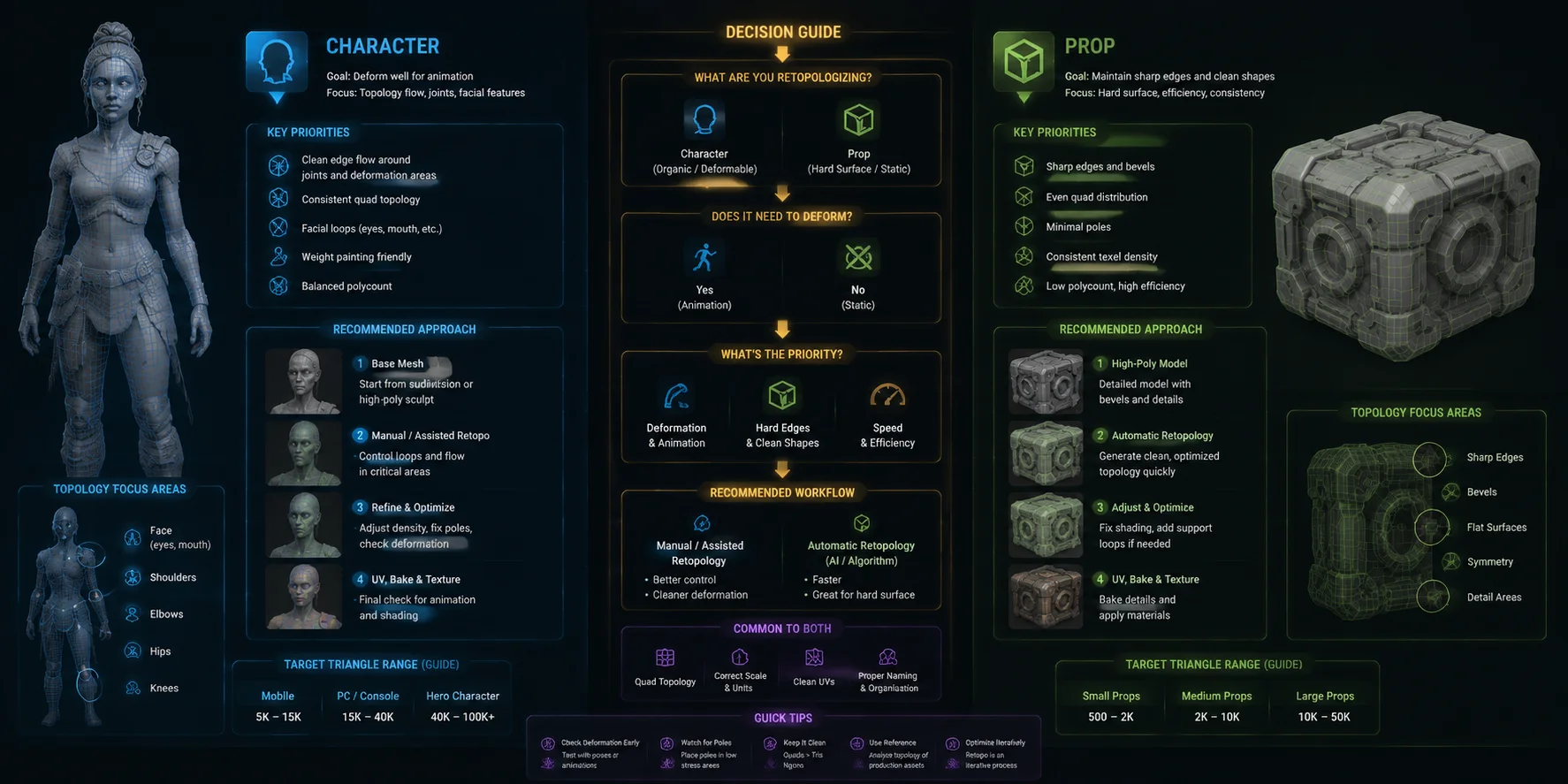
- The model will be rigged and animated, especially characters or creatures
- Facial deformation matters, including eyes, mouth, and cheek movement
- The asset is a hero object shown in close-up scenes
- You need maximum control over topology quality
- Animation quality is more important than production speed
Manual retopology remains the gold standard when deformation quality directly affects the final result.
Use Automatic Retopology When:
- The asset is static, such as weapons, furniture, or environment props
- You need quick iterations during concept development
- The model has simple shapes and predictable surfaces
- You plan to manually adjust only small problem areas
For many non-animated game assets, automatic methods provide enough quality without unnecessary production time.
Use AI Retopology When:
- The model comes from an AI generation workflow and needs production-ready topology
- You need to process many assets quickly
- Artist time is the main bottleneck
- You want a game-ready mesh without starting retopology from scratch
Tripo AI's Smart Mesh outputs clean quad topology as part of the generation pipeline, allowing creators to choose an appropriate polygon target before exporting the asset.
The Hybrid Workflow Most Studios Use
In real production, many teams do not choose only one method. A common workflow is:
- Run ZRemesher or an AI retopology tool.
- Generate a clean base mesh in minutes.
- Manually fix critical areas such as joints and faces.
- Export the final game-ready asset.
This approach can reduce total retopology time by 60-80% while preserving quality where animation matters most.
Character vs Prop Retopology: Choosing the Right Workflow
Frequently Asked Questions
What Is the Difference Between Automatic and Manual Retopology?
Manual retopology means creating a new mesh by hand with complete control over edge placement and topology flow. Automatic retopology uses algorithms to generate a new mesh automatically based on the existing surface. Manual workflows usually produce better animation-ready results, while automatic workflows are faster and effective for static assets. AI retopology adds another option by combining automated speed with more production-focused topology generation.
Is Auto Retopology Good Enough for Game Assets?
For static props and environment assets, automatic retopology is often good enough and commonly used in production. However, characters and animated objects usually need additional cleanup because automatic tools may place edge loops incorrectly around joints and facial areas. A hybrid workflow using auto generation followed by manual correction is often the best solution.
Should Beginners Learn Manual Retopology or Rely on Auto?
Beginners should understand manual retopology basics even if they eventually rely mostly on automatic tools. Learning edge flow helps artists evaluate whether an automatically generated mesh is actually usable. Start with simple objects manually, then use automatic or AI tools to speed up production once you understand what good topology looks like.
What Are the Limitations of Automated Retopology?
The main limitations are lack of deformation awareness, inconsistent edge flow around complex areas, and reduced control over polygon distribution. Algorithms may create dense areas where detail is unnecessary or fail to add topology where animation requires it. Most automatic results need at least some manual inspection before being used in production.
Conclusion
Neither auto nor manual retopology is universally better. The right choice depends on what the asset needs to do. Characters, facial rigs, and hero assets still benefit from manual or hybrid workflows, while static props can often use automatic solutions. For AI-generated models and large-scale pipelines, AI retopology provides a faster path to clean, game-ready topology.
If you want to see AI retopology in practice, try generating game-ready models with clean quad topology in Tripo AI Studio. Check Tripo AI pricing to find the plan that matches your asset creation needs.