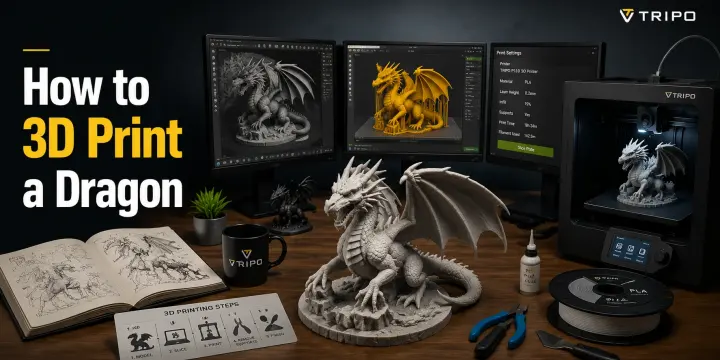
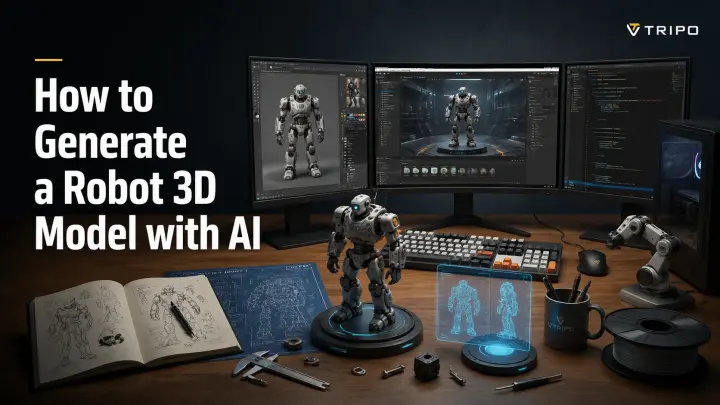
How to Generate a Robot 3D Model with AI
TL;DR
- You can generate a robot 3D model with AI using a text prompt or a reference image — no modeling skills required.
- Tools like Tripo AI convert your input into a rigged, export-ready robot in under a minute.
- Outputs work for game engines, 3D printing, animation, and concept art.
A robot model generator is an AI tool that turns a text description or reference image into a fully formed 3D robot character — rigged, textured, and ready to export. You no longer need to spend hours building mechanical parts in Blender or Maya. Modern AI platforms can produce a usable robot mesh in under 60 seconds, giving creators a faster way to move from concept to production.
Imagine a game developer who needs a new robot enemy before the end of the day, or a hobbyist who wants a custom mech design ready for 3D printing. AI robot generators make these workflows possible by automating the hardest modeling steps. In this guide, we’ll explain what robot model generators are, how they work, how to create one step by step, where they are used, and how to get better results from your AI-generated robots.
What Is a Robot Model Generator?
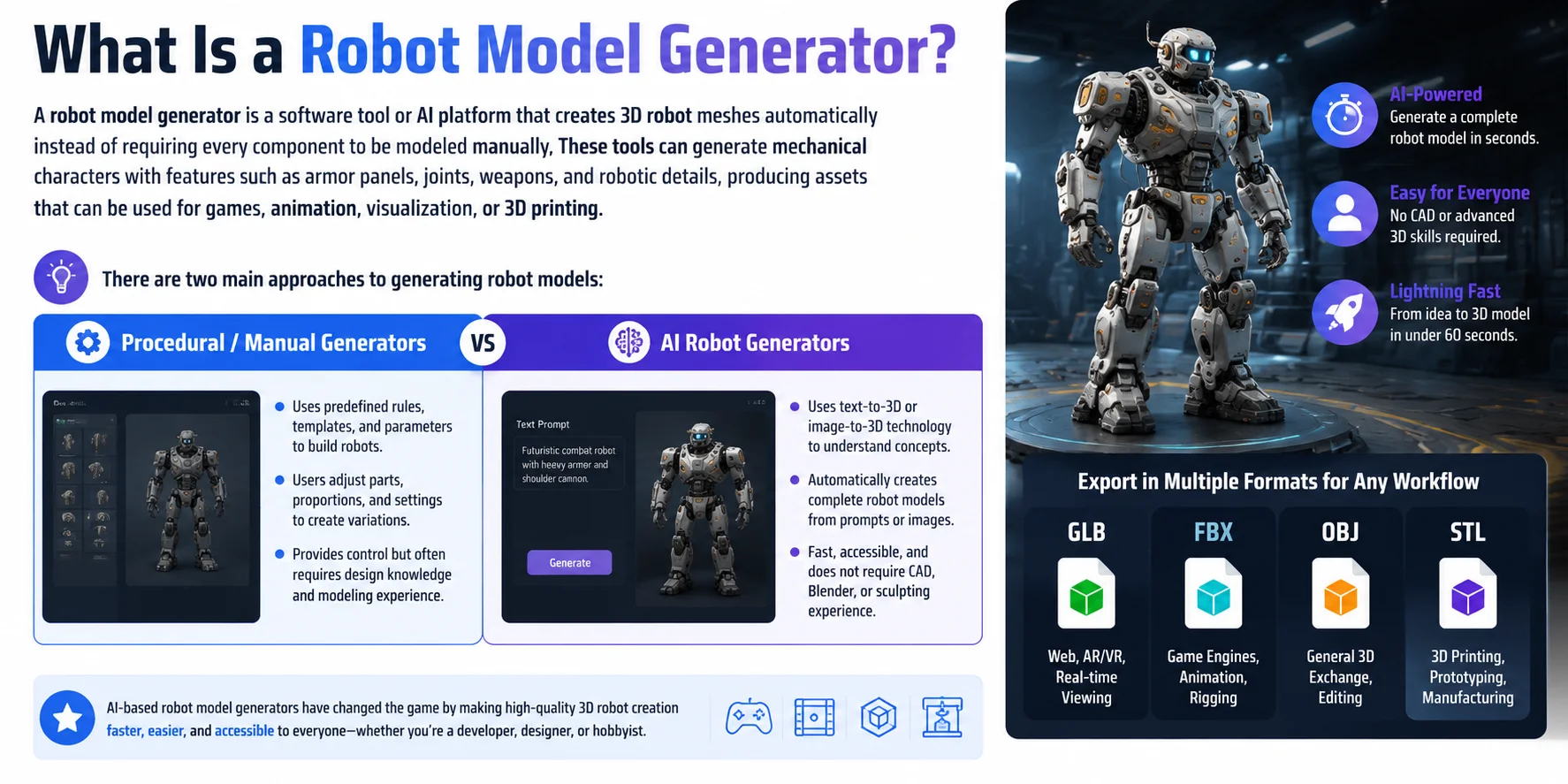
A robot model generator is a software tool or AI platform that creates 3D robot meshes automatically instead of requiring every component to be modeled manually. These tools can generate mechanical characters with features such as armor panels, joints, weapons, and robotic details, producing assets that can be used for games, animation, visualization, or 3D printing.
There are two main approaches to generating robot models:
| Type | How It Works |
|---|---|
| Procedural / Manual Generators | Uses predefined rules, templates, and parameters to build robots. Users adjust parts, proportions, and settings to create variations. |
| AI Robot Generators | Uses text-to-3D or image-to-3D technology to understand concepts and automatically create complete robot models from prompts or reference images. |
Traditional procedural tools provide control but often require users to understand modeling workflows and design parameters. AI-based generators have changed the process by making robot creation faster and more accessible — even users without CAD, Blender, or sculpting experience can generate a usable 3D character.
Depending on the workflow, generated robot models can be exported in common formats such as GLB for web and real-time viewing, FBX for game engines and animation, OBJ for general 3D exchange, or STL for 3D printing. This makes AI robot generators useful across game development, digital art, prototyping, and manufacturing workflows.
How AI Robot Model Generators Work
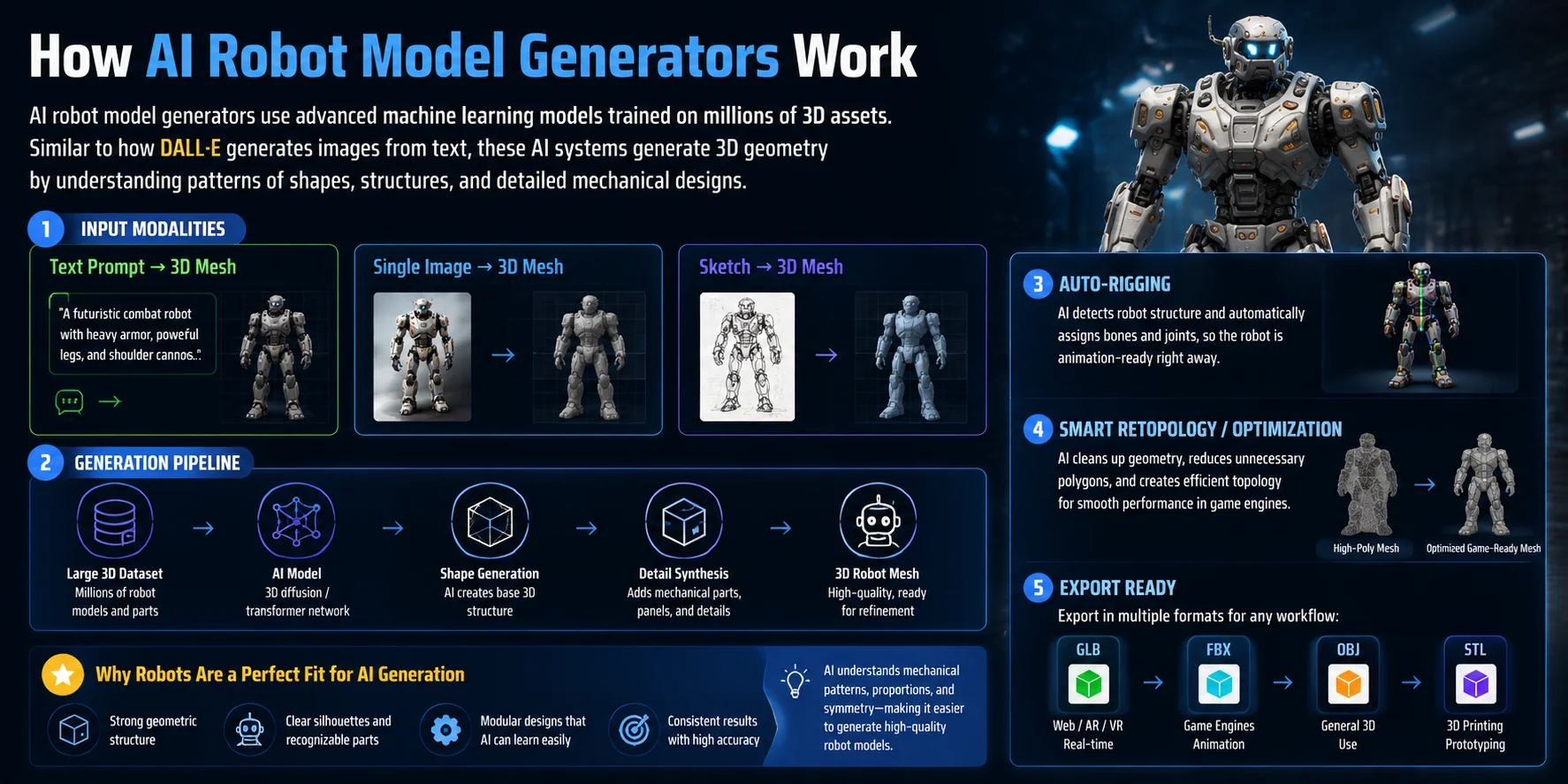
AI robot model generators work by using advanced machine learning models trained on large collections of 3D assets. Behind the scenes, many tools rely on 3D diffusion models or transformer-based architectures that learn how objects are shaped, structured, and detailed in three-dimensional space. Similar to how DALL·E can generate images from text, these AI systems generate 3D geometry by understanding patterns from thousands or millions of examples.
The process starts with different types of input. A text prompt such as “a futuristic combat robot with heavy armor” can be converted into a 3D mesh. A single reference image can also be analyzed to reconstruct a robot shape, while sketches can provide a starting point for concept-to-3D workflows. The AI interprets the design intent and creates the basic structure, proportions, and mechanical details automatically.
Modern AI robot generators go beyond simple mesh creation. Features like Auto-Rigging automatically place bones and joints inside the robot model, allowing it to move without manually building a skeleton. Smart retopology and mesh optimization then clean the geometry, reduce unnecessary polygons, and prepare the model for real-time use in game engines.
Robot characters are especially suitable for AI generation because they usually have strong geometric structures, clear silhouettes, and recognizable components such as armor plates, limbs, and mechanical joints. This makes it easier for AI models to learn and recreate robotic designs while maintaining a production-ready appearance.
Step-by-Step: Generate a Robot 3D Model with Tripo AI
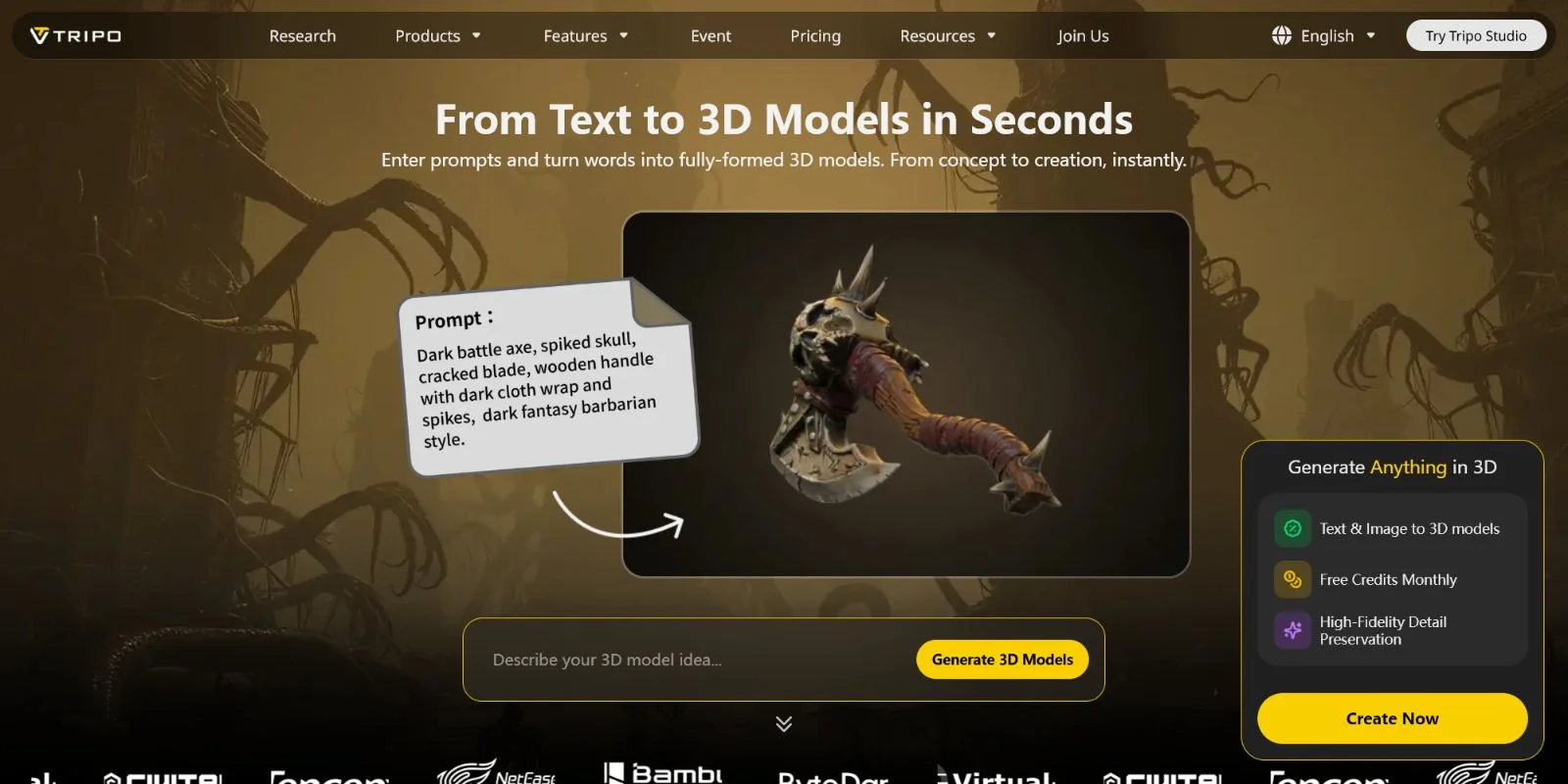
Creating a robot 3D model with AI does not require advanced Blender or CAD skills. With Tripo AI Studio, you can start from a text idea or a reference image and quickly generate a complete 3D robot model ready for refinement and export.
- Go to Tripo AI Studio and sign in Visit Tripo AI Studio and create an account. A free tier is available, allowing you to test the AI 3D generation workflow before committing to a paid plan.
- Choose Text-to-3D or Image-to-3D Select the generation method that matches your starting point. Use Text-to-3D if you only have a concept in mind, or choose Image-to-3D when you already have a robot sketch, concept art, or reference image.
- Write your prompt or upload a reference image Describe the robot’s style, materials, proportions, and design details to guide the result. For example: “A chunky sci-fi battle robot with a glowing blue visor, matte metal armor, heavy mechanical joints, and a futuristic industrial design.” More specific descriptions usually produce more controlled results.
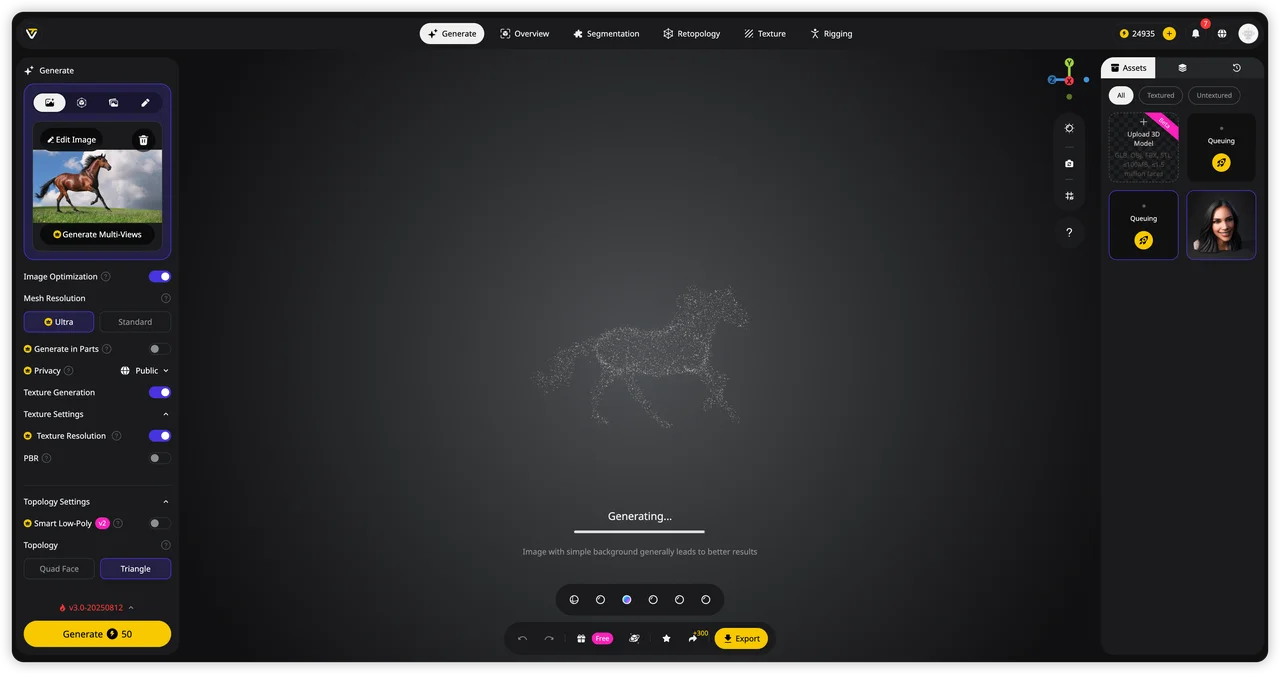
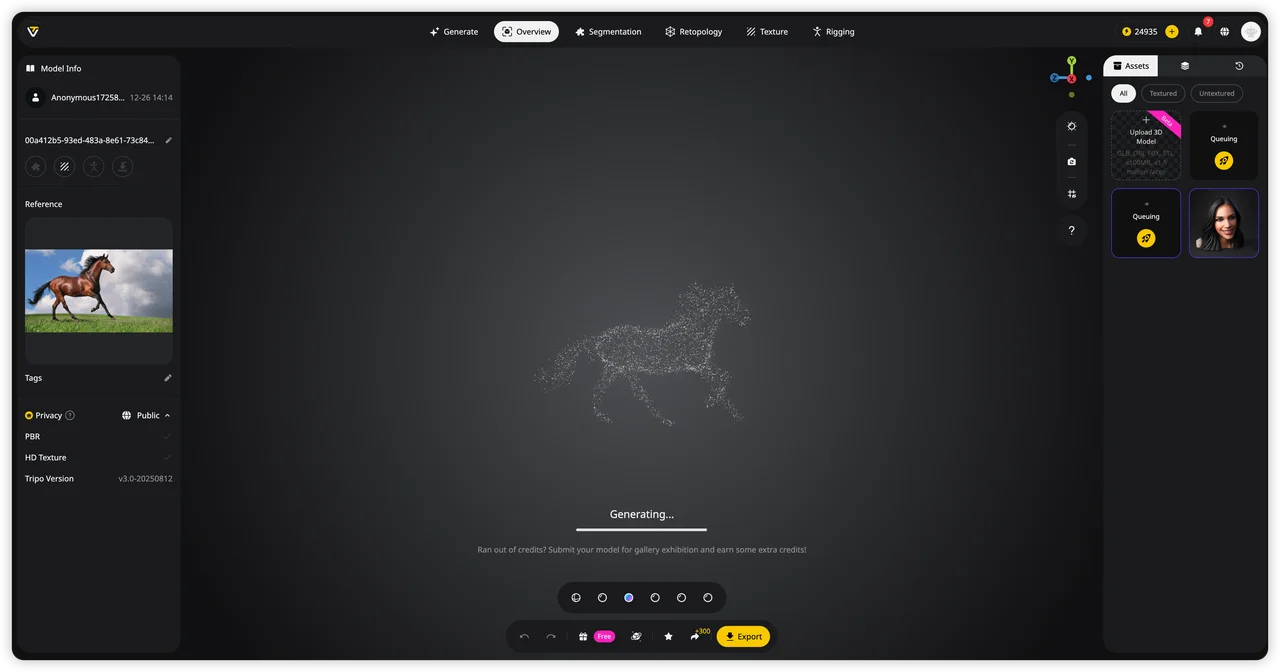
- Generate the robot model and review the preview Let Tripo AI process your input and create the 3D mesh. Check the generated preview from different angles to confirm the silhouette, proportions, and mechanical details match your original idea.
- Refine the surface with AI Texturing Use AI Texturing to improve the robot’s appearance by adding realistic materials, colors, and surface details. This step is useful for game assets, presentations, and display models where visual quality matters.
- Apply Auto-Rigging for animation workflows If your robot will be animated, use Auto-Rigging to automatically create a skeleton and prepare the model for movement. This makes it easier to export the robot into animation tools or game engines.
- Export in the right format for your project Choose the format based on your final use case. Export GLB for web viewers, AR, and real-time applications, FBX for animation and game engine workflows, or STL/3MF for 3D printing.
With this workflow, you can move from a simple robot idea to a usable 3D asset in minutes — whether you are building a game character, creating a printable robot figure, or designing a futuristic concept model.
Robot 3D Model Use Cases
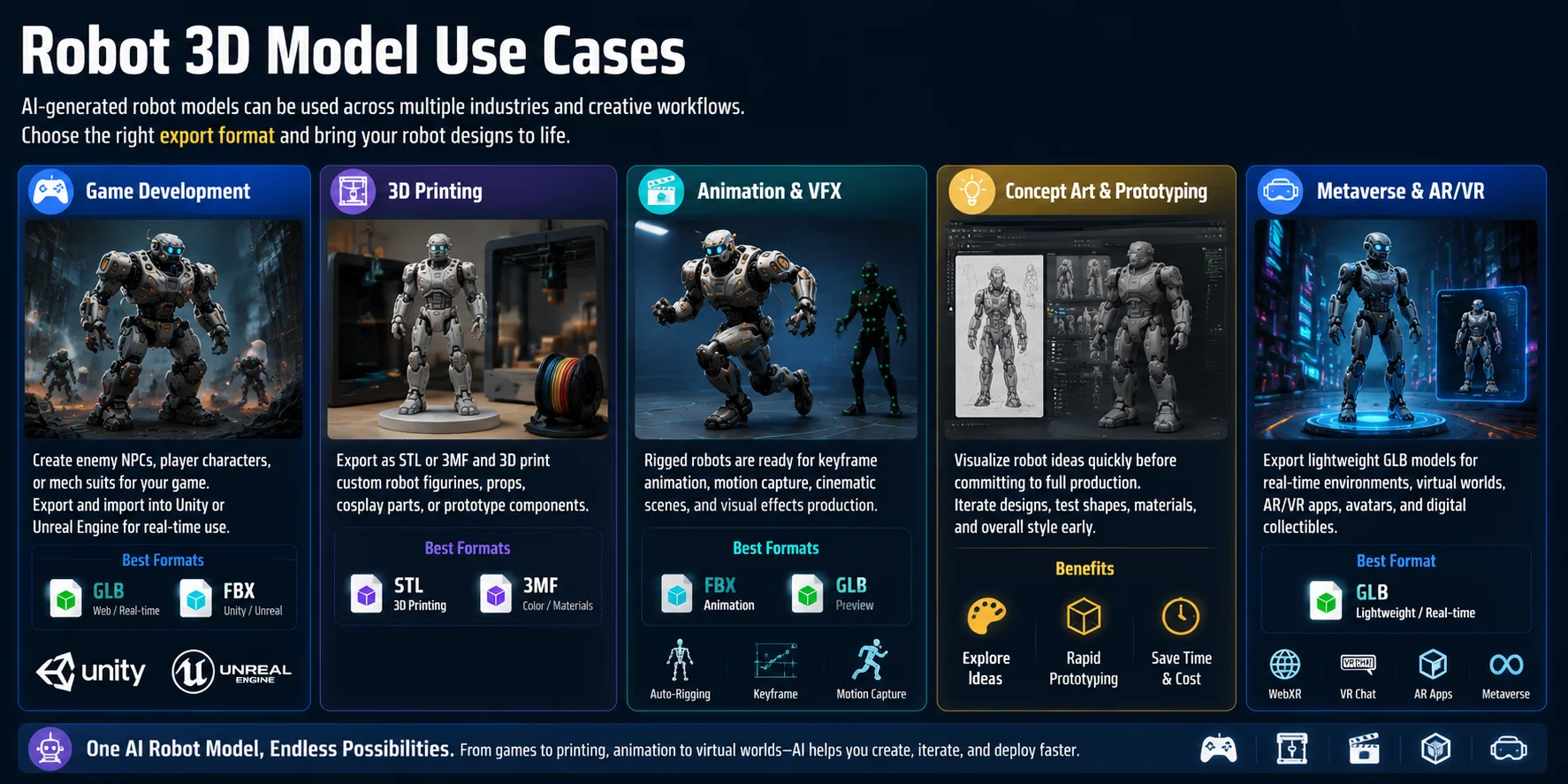
AI-generated robot models are useful across multiple creative and production workflows. Whether you are building a game character, preparing a 3D print, or creating a digital experience, the right export format allows the same robot asset to move between different platforms.
Game Development
For game developers, robot models can become enemy NPCs, playable characters, or futuristic mech suits. AI-generated robots can be exported as GLB or FBX files and imported into engines like Unity or Unreal Engine. With optimized geometry and rigging support, they can be prepared for real-time gameplay, animation, and interactive environments.
3D Printing
Makers and collectors can turn AI robot designs into physical objects. Export the model as STL for standard 3D printing workflows or 3MF when you need additional information such as materials and color settings. This makes it possible to create custom robot figurines, desk props, cosplay accessories, or prototype parts.
Animation and VFX
Robot characters are ideal for animation because their mechanical structures often have clear joints and movement points. With features like Auto-Rigging, AI-generated robots can become animation-ready assets for keyframe animation, motion capture, cinematic scenes, and visual effects projects.
Concept Art and Prototyping
Design teams can use AI robot generators to quickly visualize ideas before investing time in detailed production modeling. A rough concept can become a 3D prototype that helps evaluate shapes, materials, and design direction early in the development process.
Metaverse and AR/VR Experiences
For virtual worlds and augmented reality applications, lightweight GLB robot models provide an efficient option for real-time viewing. They can be used as avatars, interactive characters, digital collectibles, or virtual environment assets while maintaining performance across devices.
Tips for Better Robot Model Prompts
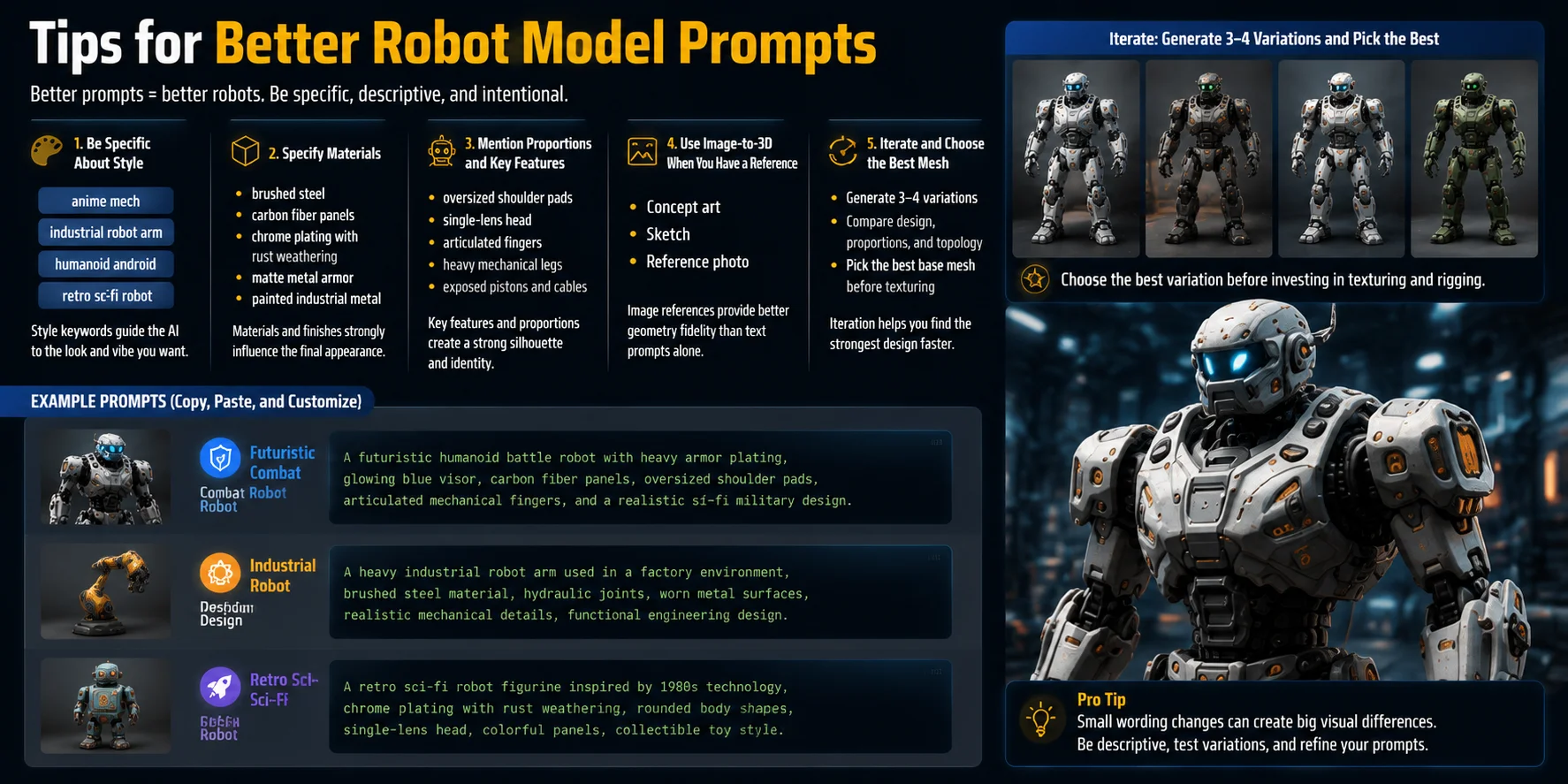
Writing better prompts is one of the easiest ways to improve AI-generated robot models. Instead of simply asking for “a robot,” describe the visual identity, materials, proportions, and important design elements you want the AI to create.
- Be specific about the robot style Define the overall design direction before generating. A prompt like “anime mech” creates a different result from “industrial robot arm,” “humanoid android,” or “retro sci-fi robot.” Style keywords help the AI understand whether you want a character, machine, or collectible design.
- Describe materials and surface details Material descriptions strongly affect the final appearance. Words such as “brushed steel,” “carbon fiber panels,” or “chrome plating with rust weathering” guide the AI toward more realistic textures and manufacturing details.
- Add proportions and signature features Mention recognizable elements instead of relying on vague descriptions. For example, include details like “oversized shoulder pads,” “single-lens head,” “articulated fingers,” or “heavy mechanical legs” to create a stronger silhouette.
- Use image references when possible If you already have concept art, sketches, or reference photos, use Image-to-3D instead of text alone. Visual references usually provide better geometry accuracy because the AI can directly analyze shapes and proportions.
- Generate multiple variations The first result is not always the strongest design. Create 3–4 variations, compare the mesh quality and style consistency, then choose the best model before spending time on texturing or further refinement.
Example Prompts
Futuristic combat robot:
Industrial robot design:
Retro sci-fi robot collectible:
A detailed prompt does not just add more words — it gives the AI clearer design instructions, resulting in robots with stronger shapes, better materials, and more usable 3D geometry.
AI Robot Model Generator vs. Manual 3D Modeling
AI robot generators and traditional 3D modeling solve the same problem — creating usable 3D assets — but they are designed for different workflows. AI tools focus on speed and accessibility, while manual modeling provides maximum control over every detail. The best choice depends on whether you need a quick concept, a production asset, or a highly customized robot design.
| Feature | AI Robot Model Generator | Manual 3D Modeling (Blender) |
|---|---|---|
| Time to first model | Minutes — generate a complete robot from text or images quickly | Hours to days — requires modeling each component manually |
| Skill required | Beginner-friendly; no advanced 3D skills needed | Requires knowledge of modeling, sculpting, topology, materials, and rigging |
| Control over topology | Limited — AI creates the initial mesh automatically | Full control — artists can optimize every edge, face, and polygon |
| Cost | Many tools offer free tiers for testing and basic generation | Blender is free, but mastering the workflow requires significant time investment |
| Best for | Rapid prototyping, indie game development, hobby projects, concept exploration | AAA-quality hero assets, highly detailed characters, and professional production models |
AI robot generators are especially useful when you need to explore ideas quickly, create multiple variations, or build a starting point without spending days on manual work. Blender and other DCC tools remain the better choice when precise topology, custom animation systems, or cinematic-level detail are required.
The two approaches are not competitors — they work best together. Many artists use AI to block out robot concepts, generate early prototypes, or create a base mesh, then refine the result inside Blender or another 3D tool for final production. This hybrid workflow combines AI’s speed with the artist’s control.
Export Formats and Next Steps
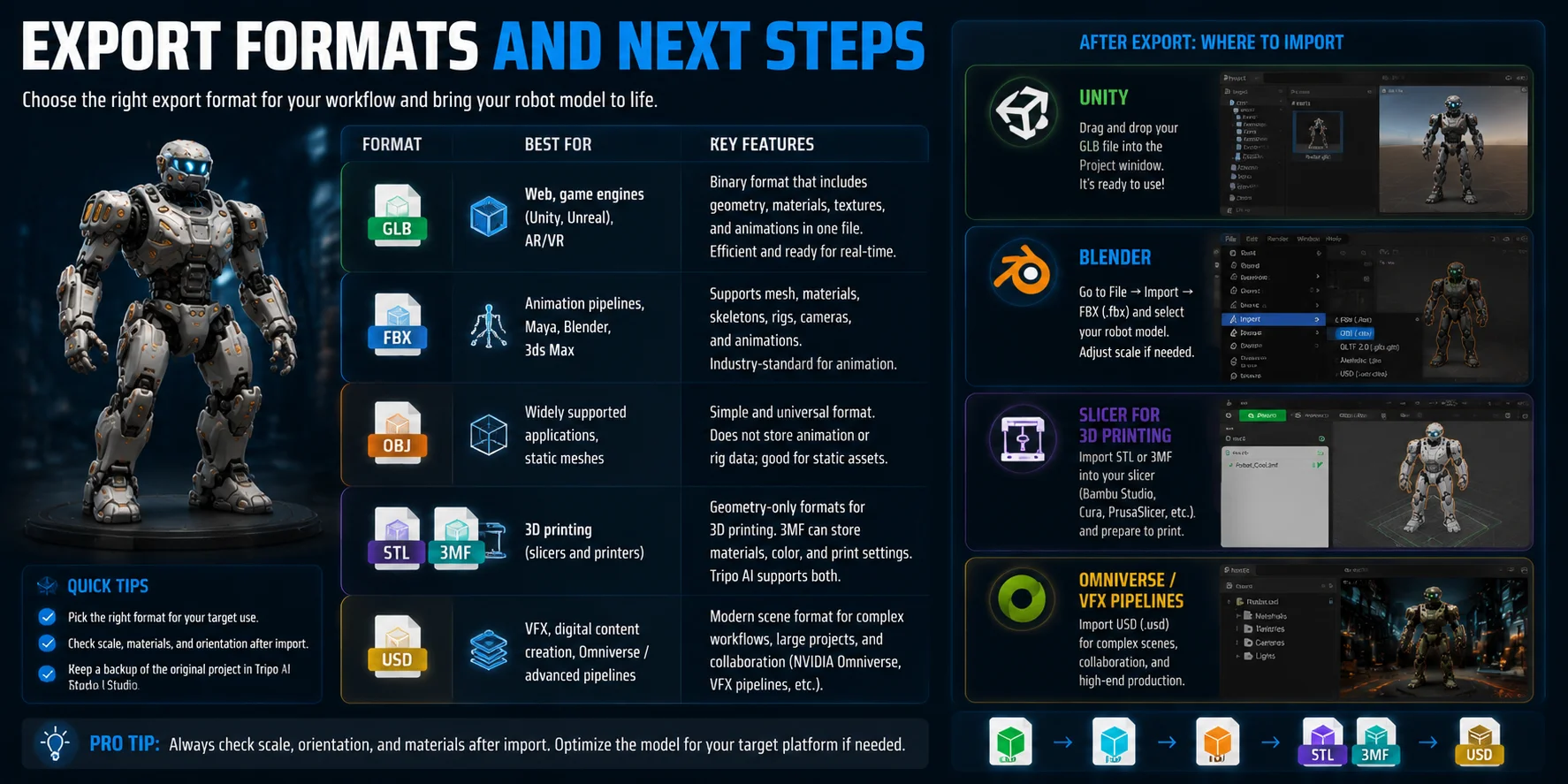
After generating and refining your robot model, choosing the right export format determines where the asset can be used. Different formats are optimized for different workflows, from games and animation to 3D printing and VFX production.
- GLB — Best for web applications, game engines, and AR/VR experiences. GLB packages geometry, materials, and textures into a single file, making it convenient for Unity, Unreal Engine, and browser-based 3D viewers.
- FBX — The standard choice for animation pipelines. It supports skeletons, rigs, and animation data, making it widely compatible with tools such as Maya, Blender, and 3ds Max.
- OBJ — A widely supported format for exchanging static 3D models. It works across many applications but does not store animation or advanced rigging data, so it is mainly used for simple mesh workflows.
- STL / 3MF — Common formats for 3D printing. STL stores basic geometry and works with most slicers, while 3MF can preserve additional information such as materials and color settings. Tripo AI supports both export options for physical production workflows.
- USD — An emerging format used in advanced VFX, digital content creation, and platforms such as NVIDIA Omniverse. It is designed for complex scenes and collaborative workflows.
After exporting, the next step depends on your goal. For game development, drag and drop a GLB file into Unity or import FBX for animation workflows. In Blender, use File → Import to bring in FBX or other supported formats for further editing. For 3D printing, load STL or 3MF into slicer software such as Bambu Studio, Cura, or PrusaSlicer to prepare the robot model for printing.
Frequently Asked Questions
Is there a way to AI generate 3D models?
Yes. AI 3D model generators like Tripo AI use diffusion and transformer models to convert text prompts or images into fully formed 3D meshes. You type a description or upload a reference image, and the platform returns a textured, exportable model in seconds — no 3D software experience required.
Can ChatGPT create a 3D model?
ChatGPT itself cannot output 3D geometry files. However, dedicated AI 3D platforms like Tripo AI are purpose-built for this task. They accept the same natural-language prompts you would write in ChatGPT, then convert them directly into GLB, FBX, or OBJ files ready for use in games or printing.
Can I make my own AI robot?
You can create a custom 3D robot model with AI in a few minutes. Write a detailed text prompt describing your robot's style, materials, and proportions, or upload a sketch. Tools like Tripo AI generate the mesh, texture it, and can even apply auto-rigging so the robot is ready to animate.
How to make an AI 3D model figure?
Open an AI 3D generator like Tripo AI Studio, select Text-to-3D or Image-to-3D, enter your description or upload a reference image, and click generate. Once the model appears, use the built-in texturing and rigging tools, then export in your preferred format (GLB, FBX, STL).
Are AI-generated robot 3D models free?
Many AI 3D generators offer a free tier with limited monthly generations. Tripo AI has a free plan that lets you generate and export models; paid plans unlock higher resolution, priority generation, and commercial licensing. Check the Tripo AI Pricing page for current tiers.
What formats can I export an AI robot model in?
Tripo AI exports in GLB, USD, FBX, OBJ, STL, and 3MF. GLB works best for game engines and web; STL and 3MF are the standard choices for 3D printing; FBX is preferred for animation pipelines in Maya or Blender.
Can I use an AI robot 3D model for commercial projects?
It depends on the platform's license terms. Tripo AI's paid plans include commercial use rights. Always confirm the licensing tier before using an AI-generated asset in a shipped game, product, or sale.
How detailed can an AI-generated robot model be?
The level of detail depends on your prompt and the platform's generation quality. Specific prompts ("segmented armor panels, exposed hydraulic joints, scratched chrome finish") produce more detailed output than vague ones. Tripo AI's Smart Mesh and AI Texturing features further refine surface detail post-generation.
Conclusion
AI robot model generators have removed the biggest barrier to 3D creation — you no longer need years of modeling experience to build a game-ready or print-ready robot character. With the right prompt and a platform like Tripo AI, you can move from a simple idea to an exported 3D asset in under two minutes.
**Main CTA → **Try Tripo AI Studio free
**Secondary CTA → **View Tripo AI Pricing