How to Generate a Hand 3D Model with AI
TL;DR:
- AI tools can generate a first-pass hand 3D model from text prompts or reference images, but anatomy and geometry still need inspection.
- High-quality hand models need clean topology, accurate proportions, and animation-ready geometry.
- Use GLB/FBX for games and animation, and STL/3MF for 3D printing.
- For animation, test the generated mesh with the available rig presets; a hand-only asset may still need manual finger rigging and skin-weight cleanup.
- AI generation can speed up early iteration and help you explore a project-specific pose or style, but the output is not automatically production-ready.
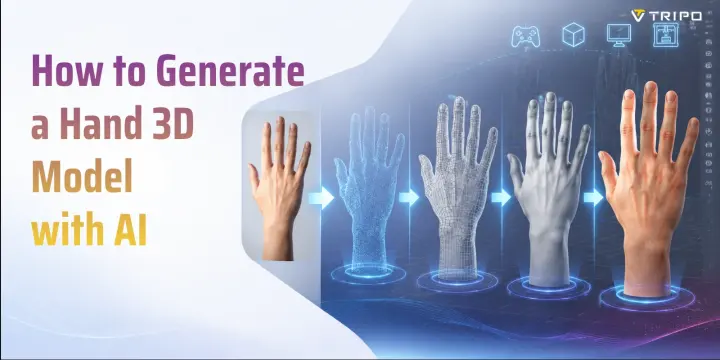
Creating a hand 3D model is one of the most technically challenging tasks in 3D art. A human hand contains complex anatomy, flexible joints, and small surface details that must work together perfectly. Fingers, knuckles, nails, and palm proportions all need to look natural. With AI tools like Tripo AI, you can generate a first-pass hand model from an image or text prompt, then inspect and refine the anatomy, topology, and surface details for your target workflow.
Hands are often considered the hardest body part to model because viewers instantly notice mistakes. A slightly incorrect finger length, unnatural thumb position, or poor joint deformation can make a character feel unrealistic. In this guide, you will learn why hand models are difficult, what makes a high-quality mesh, and how to generate a hand 3D model with AI. You will also learn how to prepare models for animation, games, and 3D printing.
Why Hand 3D Models Are So Hard to Get Right
If you have worked on character modeling before, you probably know that hands require extra attention. The human hand looks simple from a distance, but it contains many small structures that affect the final result.
The human hand contains 27 bones connected through multiple joints, allowing movements such as gripping, pointing, and rotating. A 3D artist must understand how these structures interact because the shape of the fingers, palm, and wrist changes during movement.
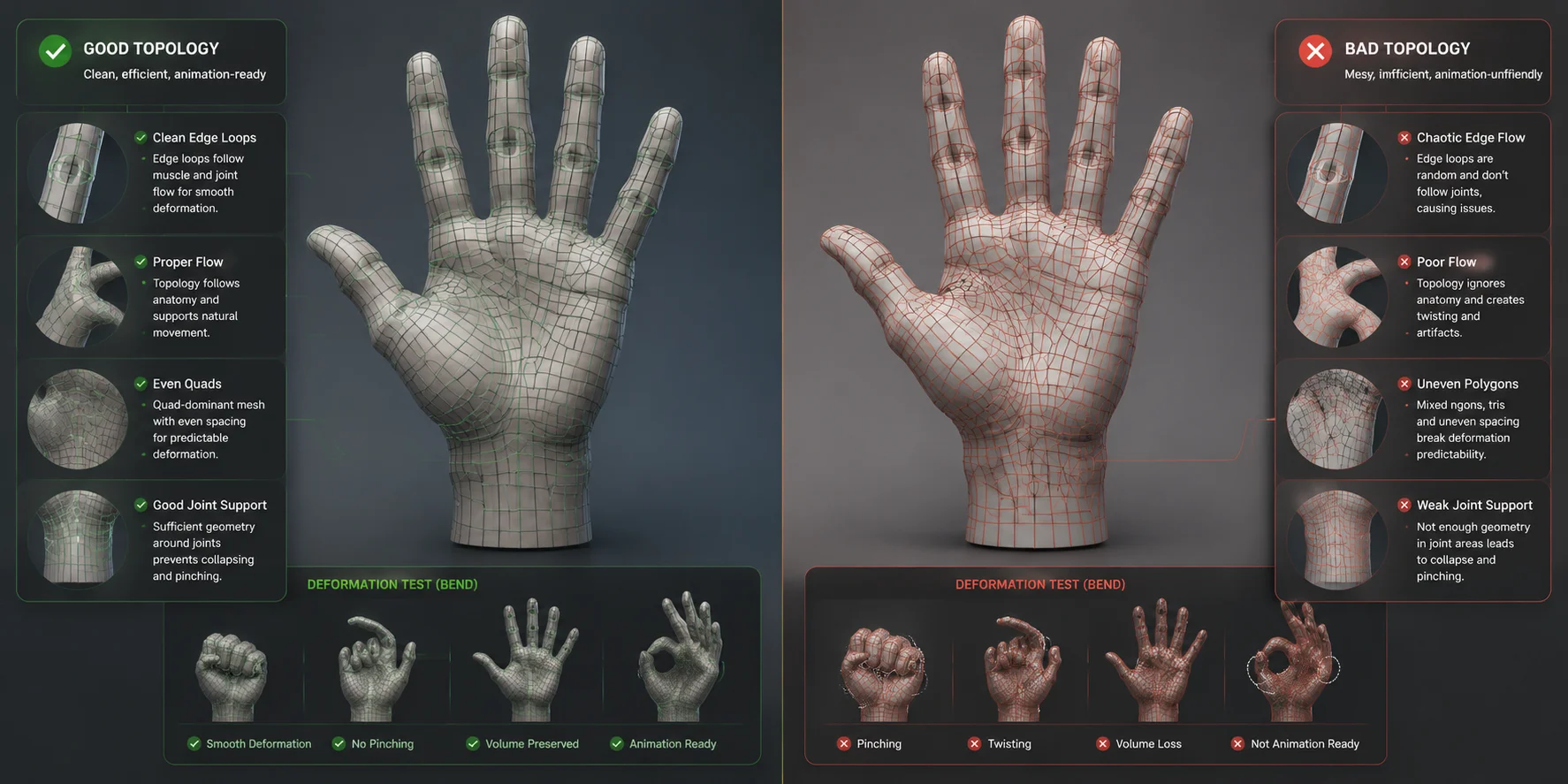
The biggest technical challenge is topology. A good hand mesh needs edge loops that follow natural bending areas. Fingers require special attention because each joint creates different deformation patterns. If the topology does not support movement, the hand may collapse or create unnatural folds when animated.
Skin weighting creates another challenge. A hand used for animation needs every finger bone to influence the correct area of the mesh. Poor weighting can make fingers stretch, twist, or lose their natural shape.
For beginners, creating a clean hand mesh can be time-intensive because the process usually includes:
- Blocking the palm and finger shapes
- Correcting anatomical proportions
- Adding edge loops around joints
- Creating UV maps
- Preparing the mesh for rigging
This difficulty explains why many artists search for a hand 3D model free download from online asset libraries. Ready-made assets can save time, but they may not match the required pose, style, license, or technical specifications.
AI-generated models provide a new approach. Instead of creating every finger manually, you can generate a custom hand model and refine it based on your project needs.
What Makes a High-Quality Hand 3D Model?
A professional hand model needs more than a realistic appearance. It must also have clean geometry and the right structure for its final purpose.
Clean Topology
Topology controls how a model behaves when it moves. A good hand mesh usually uses a quad-based structure with edge loops following finger joints and palm movement areas.
Good topology helps with:
- Smooth animation
- Easier texturing
- Better subdivision results
- Cleaner deformation
A model with messy topology may look acceptable in a static image but fail during animation.
Realistic Proportions
Human hand proportions vary between people, so evaluate the model against consistent front, side, and three-quarter references instead of relying on one universal ratio.
Small mistakes are easy to notice because people see hands every day. A thumb that sits too high or fingers that are too short can immediately make the model look artificial.
Rigging-Ready Geometry
A rigged hand model needs special preparation. Joint areas should have enough geometry to bend naturally without creating sharp deformation.
A good animation-ready hand includes:
- Clean finger loops
- Proper joint spacing
- Organized UV islands
- Correct bone placement
File Compatibility
The right format depends on your workflow.
Choose a format that preserves the geometry, rig, animation, materials, and print data required by the next application in your workflow. The detailed format table below compares the main options.
Illustrative topology comparison; not a direct Tripo output or rigging test.
How to Generate a Hand 3D Model with AI Using Tripo AI
AI can accelerate early exploration by generating a first-pass model. Treat that result as a starting point: inspect the anatomy and mesh, then refine or rebuild parts that do not meet the needs of your project.
Step 1: Open Tripo AI Studio
Start by opening Tripo AI Studio. The browser-based workflow means you do not need to install complicated 3D software before creating your model.
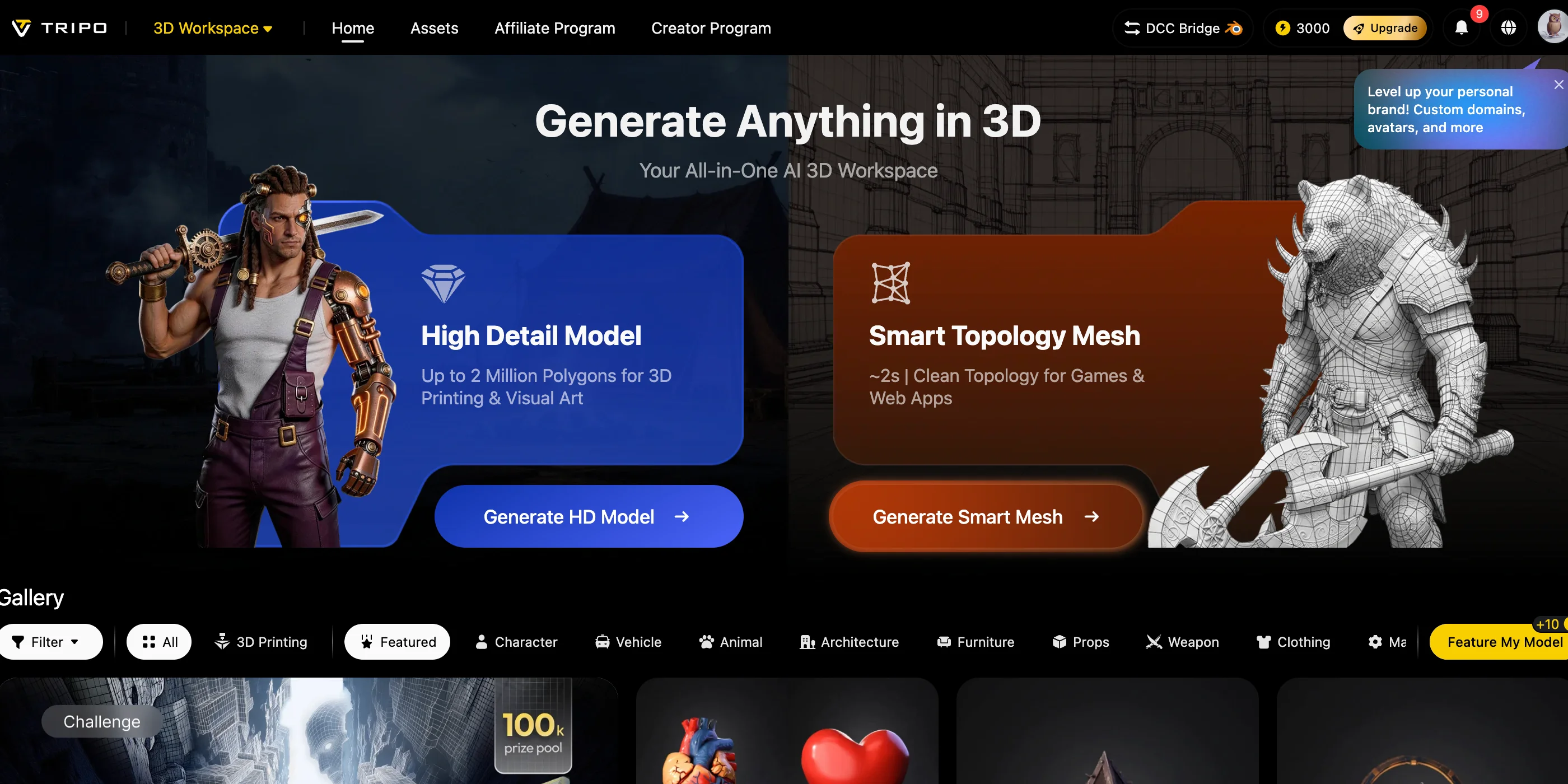
You can generate a hand model using two methods:
- Text-to-3D
- Image-to-3D
Step 2: Create a Hand Model with Text-to-3D
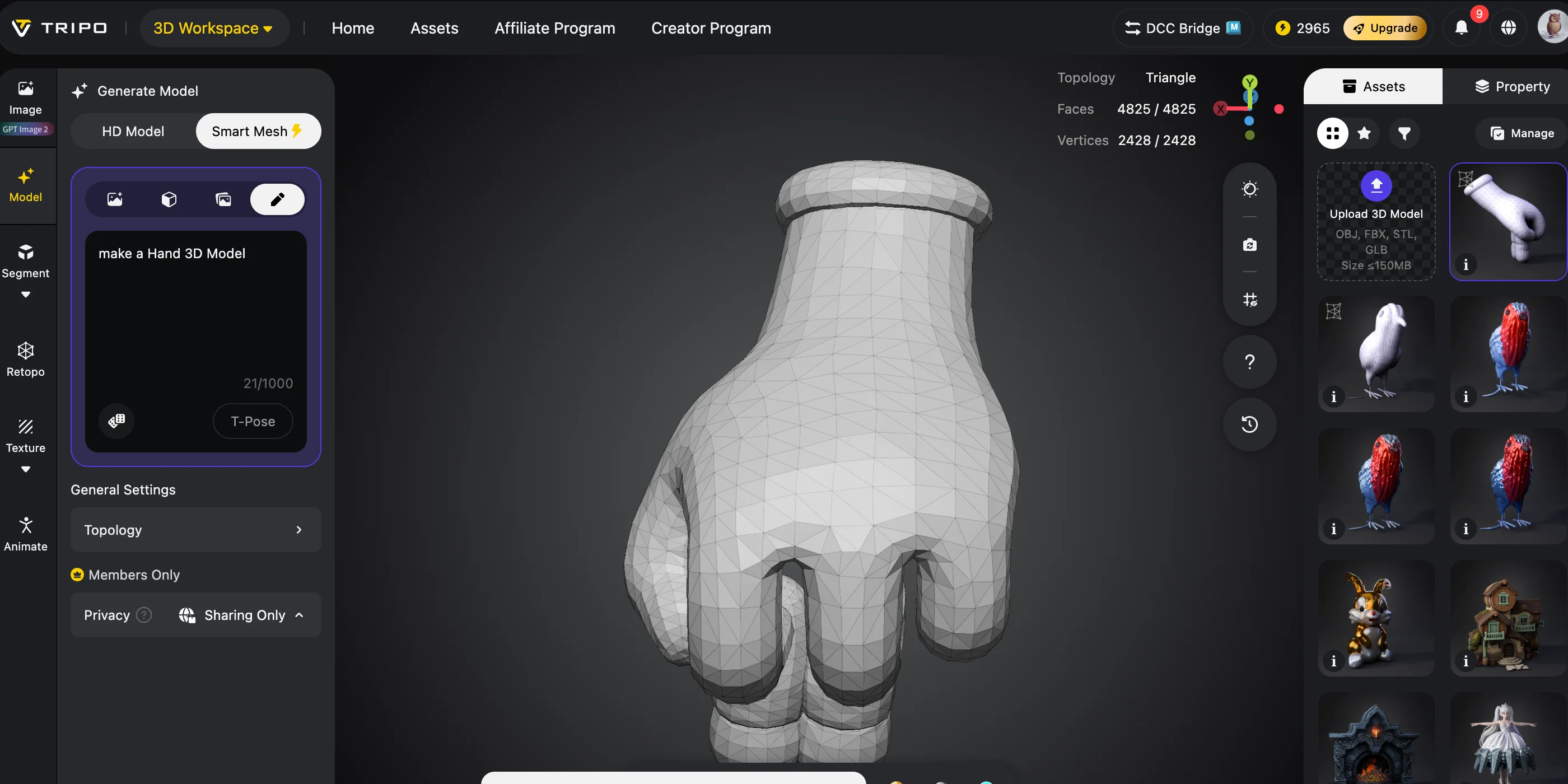
Text-to-3D allows you to describe the hand you want.
For example:
“Realistic human hand, open palm pose, five fingers, natural anatomy, detailed skin texture, realistic proportions.”
A good prompt describes:
- Hand position
- Style
- Material
- Level of detail
You can create many variations, such as:
- Realistic human hands
- Stylized cartoon hands
- Fantasy creature hands
- Low-poly game assets
This approach is useful for exploring a specific design, but generation is probabilistic. Review each result for extra or fused fingers, incorrect proportions, and surface artifacts before continuing.
Step 3: Generate a Model from an Image
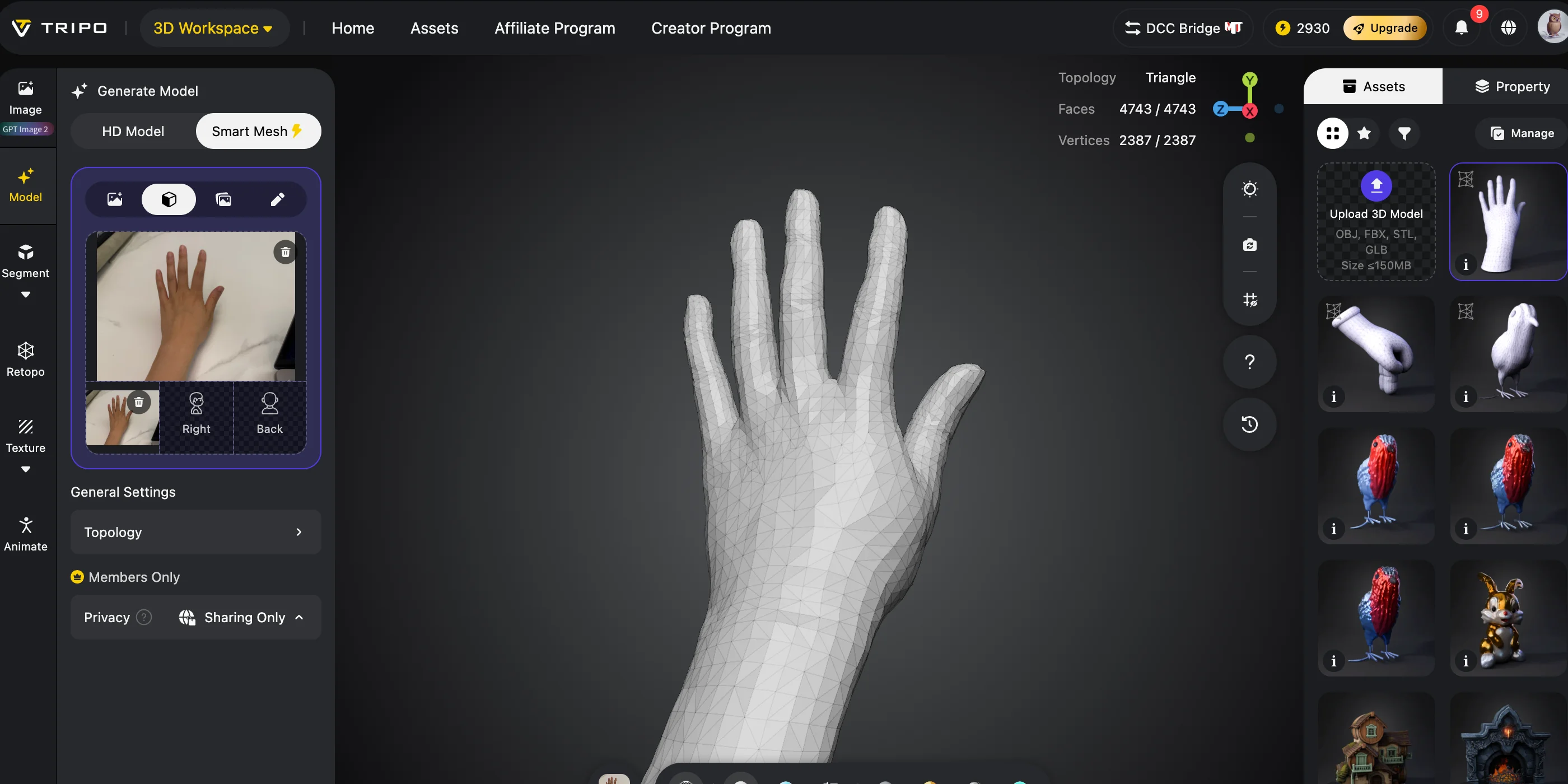
Image-to-3D is useful when you already have a reference.
For better results:
- Use a clear image
- Avoid strong shadows
- Show the entire hand
- Use front or three-quarter views
The AI uses the visible reference to estimate a 3D shape. Areas that are hidden or unclear in a single image can be reconstructed inaccurately, so use clean references from multiple views when structural accuracy matters.
This workflow is especially helpful when you need a custom pose or a unique visual style.
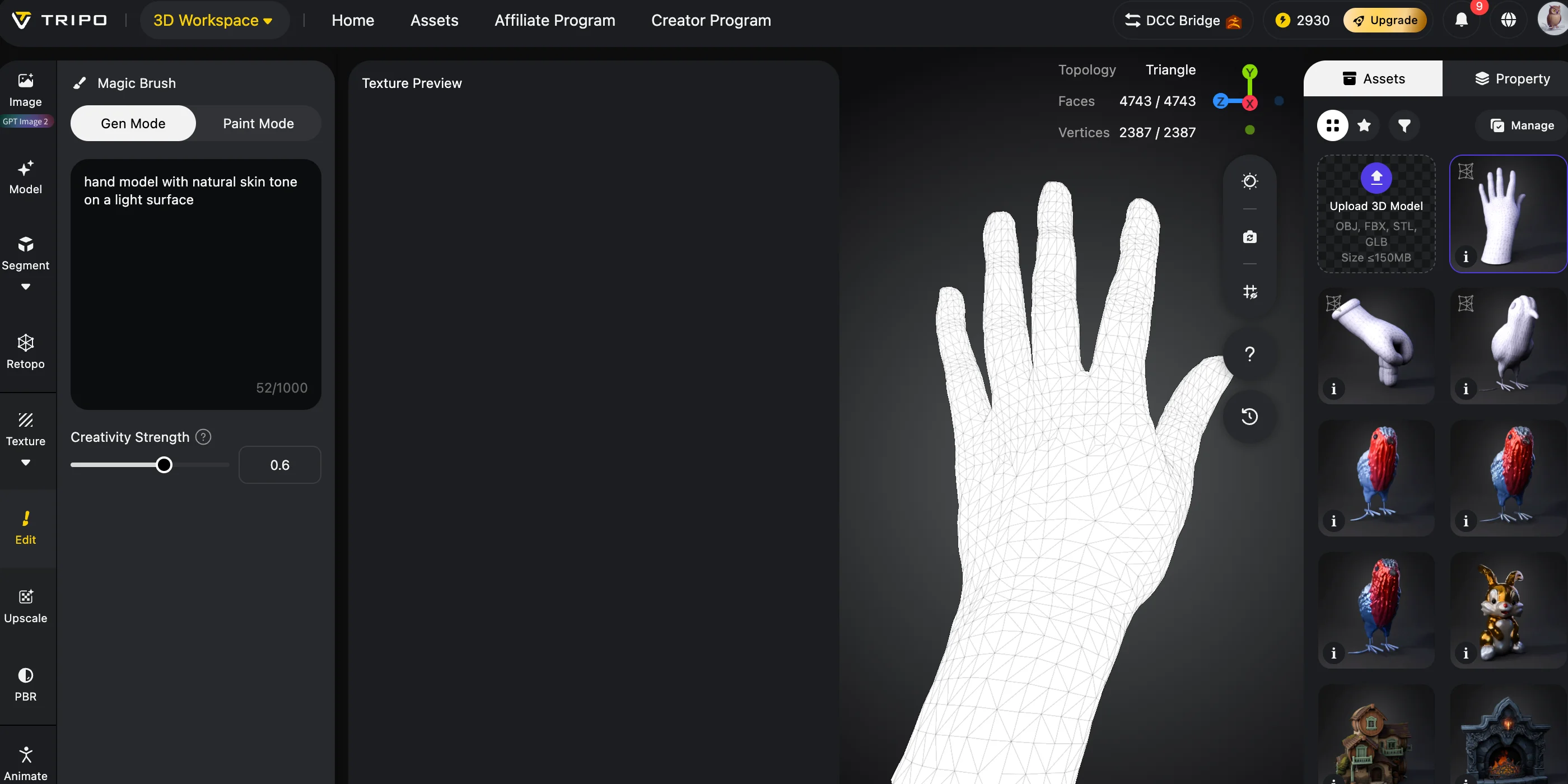
Step 4: Review and Improve the Mesh
After generation, inspect the model before exporting.
Check:
- Finger proportions
- Thumb position
- Palm shape
- Surface quality
- Polygon density
For games, inspect polygon density and use a retopology workflow such as Smart Mesh when a lighter, more structured mesh is needed. For printing, check that the mesh is closed, manifold, correctly scaled, and suitable for the chosen material and process.
AI can speed up the first draft, but validation and cleanup determine whether the asset is suitable for production.
Step 5: Test Rigging Compatibility for Animation
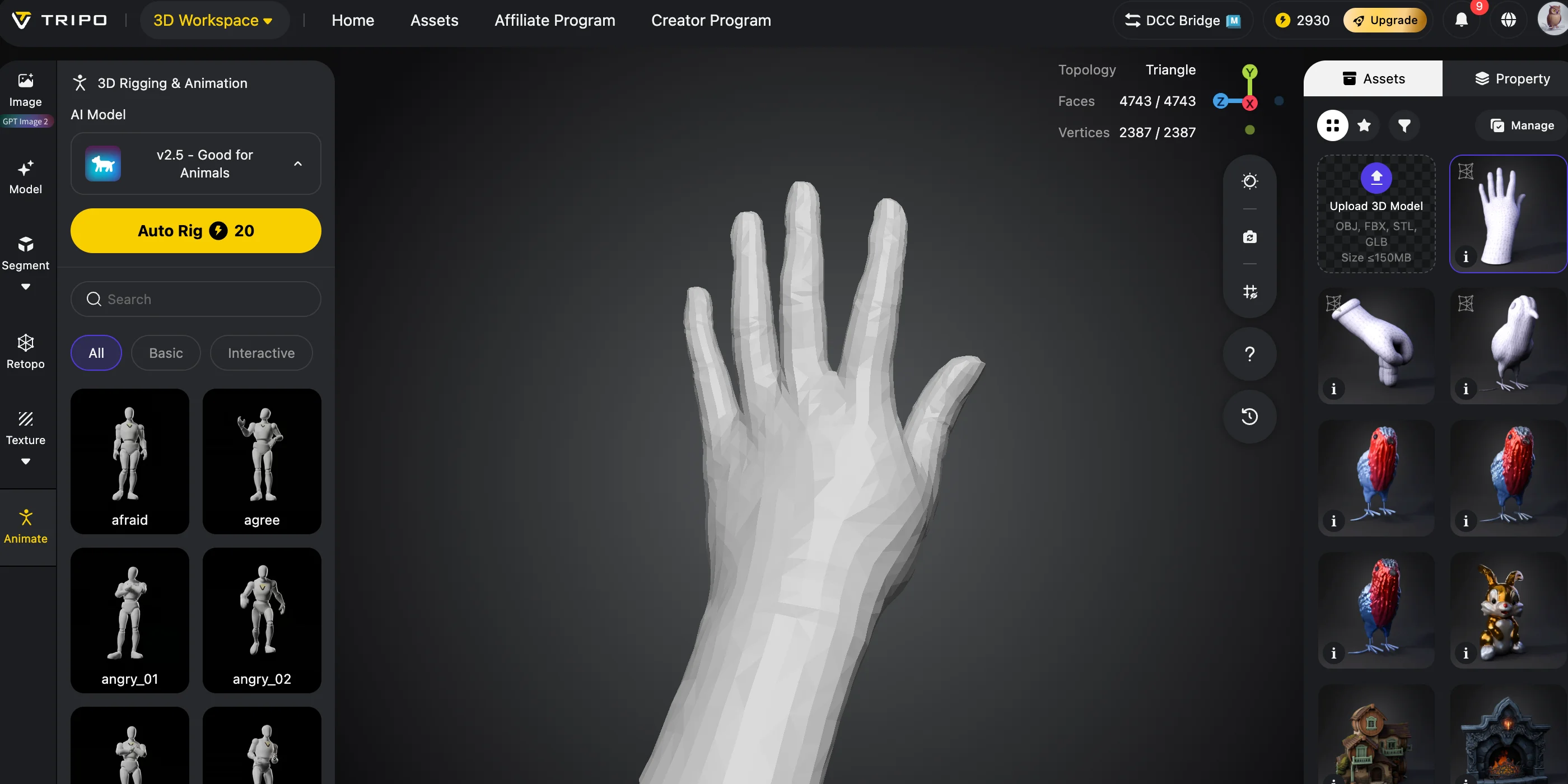
If your goal is animation, you need a skeleton system.
A rigged hand model requires:
- Wrist controls
- Finger bones
- Joint deformation support
Tripo provides rigging presets for supported character types, but a detached hand does not necessarily match those presets. Test the model before relying on automatic rigging; manual finger bones, controls, and skin-weight cleanup may still be required before export to a DCC tool or game engine.
Choosing the Right File Format for Your Hand Model
Different formats are designed for different workflows.
| Format | Best suited to | Rig / animation | Materials and textures |
|---|---|---|---|
| GLB | Web and real-time delivery | Can store skins and animation | Can package materials and textures |
| FBX | DCC and game-engine interchange | Can carry rigs and animation | Support depends on the exporting and importing tools |
| OBJ | Static mesh interchange | No skeletal animation | Can reference companion MTL and texture files |
| STL | Geometry-focused 3D printing workflows | No | Normally geometry only |
| 3MF | Modern additive-manufacturing workflows | No | Can package color, material, and print metadata when supported |
| USD | VFX, scene interchange, and collaborative pipelines | Can represent animation | Can represent materials; application support varies |
Hand 3D Model Use Cases and Tips
Game Development
Games require optimized models. A low poly hand model helps improve performance while maintaining visual quality.
Set the triangle budget from the target hardware, camera distance, animation needs, art direction, and the cost of the complete scene rather than using one platform-wide number.
Many developers create a detailed source model, then use retopology and baked maps to produce an asset that fits the project's performance and deformation requirements. Tripo's Smart Mesh can be tested as part of that optimization workflow.
AI-generated models can provide a strong starting point, especially during early game development.
Character Animation
Hands are critical in character animation because they communicate emotion and movement.
A good animation hand needs:
- Flexible finger movement
- Correct bone structure
- Clean deformation areas
Rigging tools can reduce setup work when the mesh matches a supported preset, but finger controls and skin weights still require deformation tests.
3D Printing
A 3D printable hand model needs different preparation from an animation asset.
Before printing:
- Make sure the mesh is watertight
- Check wall thickness
- Repair holes or non-manifold areas
- Split complex parts if necessary
Do not apply a universal minimum wall thickness. The safe value depends on the printer, material, part orientation, model scale, and the manufacturer's design guide.
After exporting STL or 3MF, import the model into a compatible slicer, confirm its units and scale, and review the material-specific settings before printing.
Free Hand 3D Models vs. AI Generation
Free model libraries are useful when you need a quick solution. Many websites provide downloadable hand assets in OBJ, FBX, and GLB formats.
However, free models often have limitations:
- Limited poses
- Different licenses
- Inconsistent topology
- Difficult customization
Manual Blender modeling gives you complete control, but it requires more time and experience.
AI generation is useful when you need:
- A custom hand pose
- A unique character style
- Faster concept development
- Multiple variations
A practical workflow is:
AI generation → Blender refinement → Final export
This combines AI speed with traditional 3D editing control.
Frequently Asked Questions
How do I generate a hand 3D model with AI for free?
Tripo AI Studio offers a free plan for trying text-to-3D and image-to-3D generation. Download availability depends on the model version and the current plan limits, so check the pricing page before starting a workflow that requires export.
What is the best AI 3D model generator for beginners?
Tripo AI is beginner-friendly because it works directly in the browser. You can create models from simple descriptions and export them for different workflows.
Can AI create a rigged hand model?
Sometimes, but not every hand-only mesh will match an automatic rig preset. Test the generated model first; a production hand rig may still require manual finger bones, controls, and skin-weight cleanup before export.
What file format should I use for a hand 3D model?
Use GLB for real-time applications, FBX for animation, OBJ for static editing, and STL or 3MF for printing.
How do I make a hand 3D model in Blender?
Start with basic shapes, create the palm, extrude the fingers, and add edge loops around the joints. The required time varies with the target quality, topology, texturing, and rigging requirements.
Where can I download a free hand 3D model?
You can find free assets in online 3D model libraries. Check the license, topology, included textures, rig data, and allowed commercial uses before adding an asset to a project.
What polygon count should a hand model have?
There is no universal polygon count for a hand model. Set the budget from target hardware, camera distance, deformation quality, shader cost, and the total complexity of the scene, then profile the result in the target application.
Can AI-generated hand models be 3D printed?
Potentially. Exporting as STL or 3MF does not guarantee printability: verify that the mesh is manifold and watertight, confirm scale and wall thickness for the chosen material, and inspect supports and orientation in the slicer.
Conclusion
Creating realistic hands has always been one of the hardest parts of 3D modeling. The combination of anatomy, topology, and animation requirements makes manual creation time-consuming.
AI generation changes the workflow by providing a faster starting point for custom assets. Whether the goal is animation, a low-poly game asset, or a 3D-printing workflow, the generated hand still needs purpose-specific validation, cleanup, and export checks.
Try generating your first hand 3D model with Tripo AI Studio. For more generation limits and advanced features, explore Tripo AI Pricing.