AI 3D for Indie Devs: Tools, Pipeline, and Budget Reality in 2026
TL;DR:
- AI 3D helps indie developers create assets faster.
- Tripo AI supports generation, rigging, optimization, and export.
- Use AI for props, drafts, variations, and prototyping.
- Hero characters still need cleanup and engine testing.
- A small monthly budget can support experimentation, but compare current credits, limits, and terms before committing.
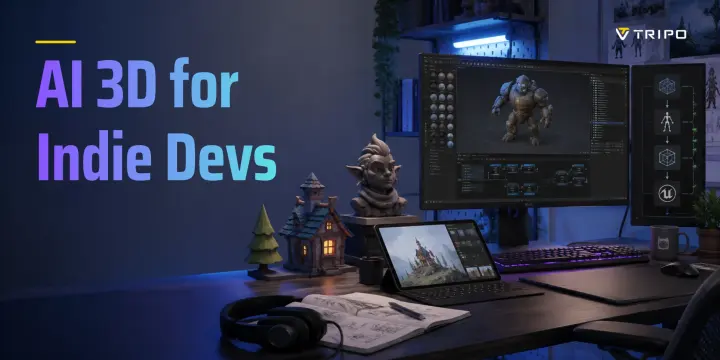
For solo developers and tiny indie teams, 3D asset production can quickly become the biggest bottleneck. Props, enemies, weapons, environments, and characters all take time, especially without a dedicated 3D artist.
AI 3D for indie devs helps with first-pass assets, blockout, variation, and cleanup, but still requires art direction and engine testing.
This guide covers tool selection, workflow integration, technical gotchas, and real cost breakdowns.
What AI Can and Cannot Do for Your Game Assets
AI 3D tools work best as speed multipliers, not artist replacements. For indie teams, they are most valuable for fast drafts, asset variation, and early production.
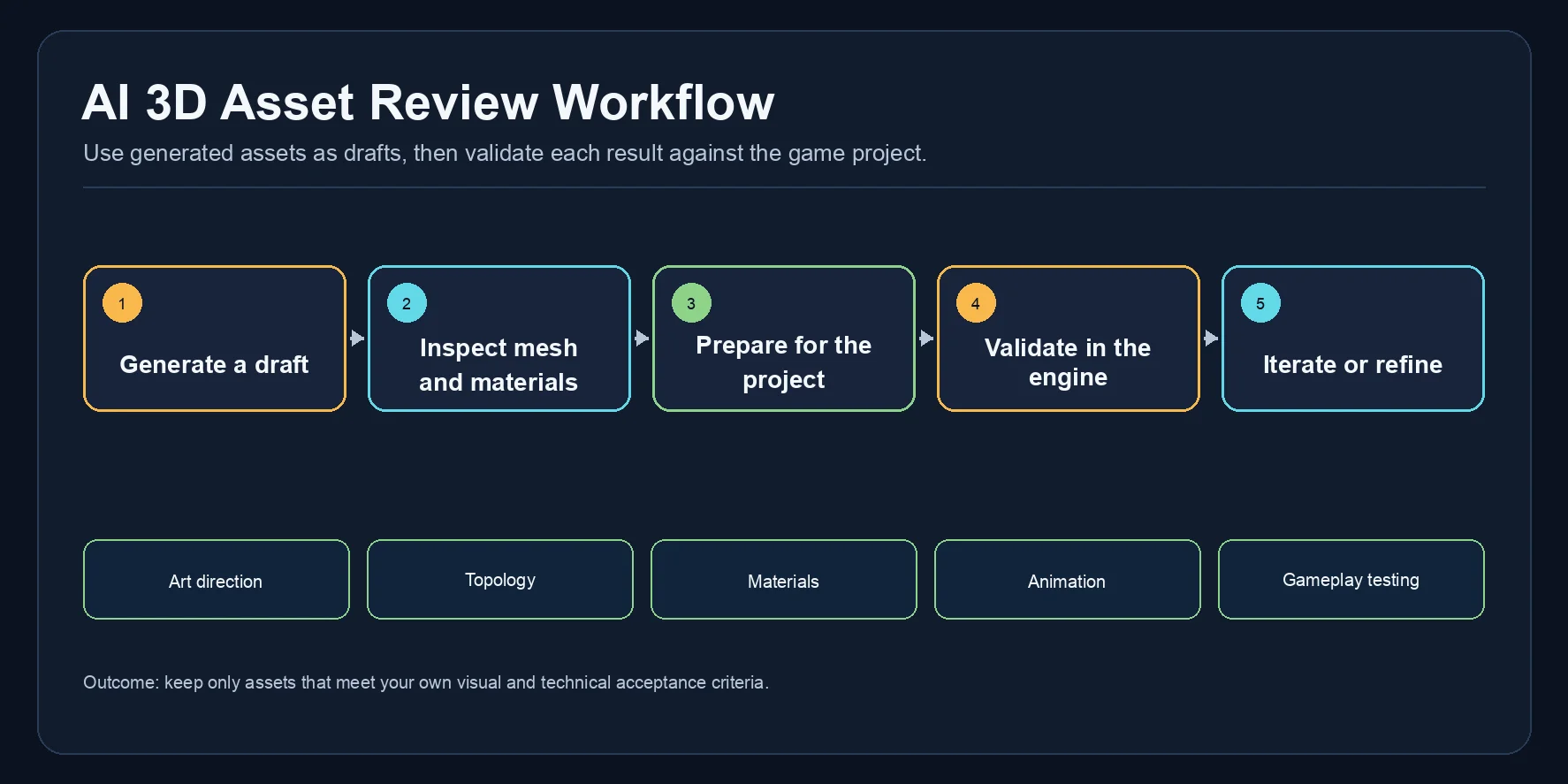
Where AI 3D Delivers
- Text-to-3D and image-to-3D: Generate low-to-mid complexity props, environments, and character drafts from prompts or concept art.
- Concept art to 3D: Turn sketches or painted references into first-pass models without a full modeling handoff.
- Texture and PBR materials: Create usable albedo, normal, roughness, and surface detail for early assets.
- Auto-rigging: Add basic skeletons to humanoid or creature meshes for faster animation setup.
- Rapid prototyping: Use generated assets for blockout and placeholder work before deciding whether they meet the project standard.
Where You Still Need a Human Touch
- Stylized aesthetics: Anime, toon, or hand-painted looks still need references, shaders, and cleanup.
- Mechanical assets: Vehicles, weapons, joints, and interlocking parts require manual accuracy.
- Facial animation: Blend shapes, lip sync, and morph targets still need specialist tools.
- Custom animation: Attacks, reactions, and gameplay clips need testing or retargeting.
- Final optimization: LODs, colliders, draw calls, and poly budgets remain engine-side tasks.
The best indie workflow is hybrid: AI for speed, human judgment for polish.
Tool Comparison: The AI 3D Landscape for Indie Devs
As of 2026, AI 3D tools cover generation, rigging, animation, scene dressing, and capture workflows. Indie developers must decide between one end-to-end tool or several specialized tools.
| Tool | Typical Role | Free / Trial Access | Export and Engine Fit | Rigging |
|---|---|---|---|---|
| Tripo AI | Generate, optimize, rig, and export | Available; check current plan limits | GLB, FBX, OBJ, USD, STL, 3MF | Standard skeletal rigs supported |
| Meshy | 3D generation and asset experimentation | Check official page | Check official page | Check official page |
| Rodin / Hyper3D | 3D generation and character exploration | Check official page | Check official page | Check official page |
| Luma AI | Capture and 3D experimentation | Check official page | Check official page | Check official page |
| DeepMotion | Motion capture and animation workflows | Check official page | Check official page | Not the primary use case |
| Promethean AI | World-building and scene assembly | Check official page | Check official page | Not the primary use case |
For a single workflow, Tripo combines model generation, topology tools, rigging, and export. Use each provider’s current official documentation to compare feature availability, plan limits, exports, and rigging support for the exact workflow you need.
Building Your Asset Pipeline: From Prompt to Engine
A repeatable asset pipeline matters more than one good generation.
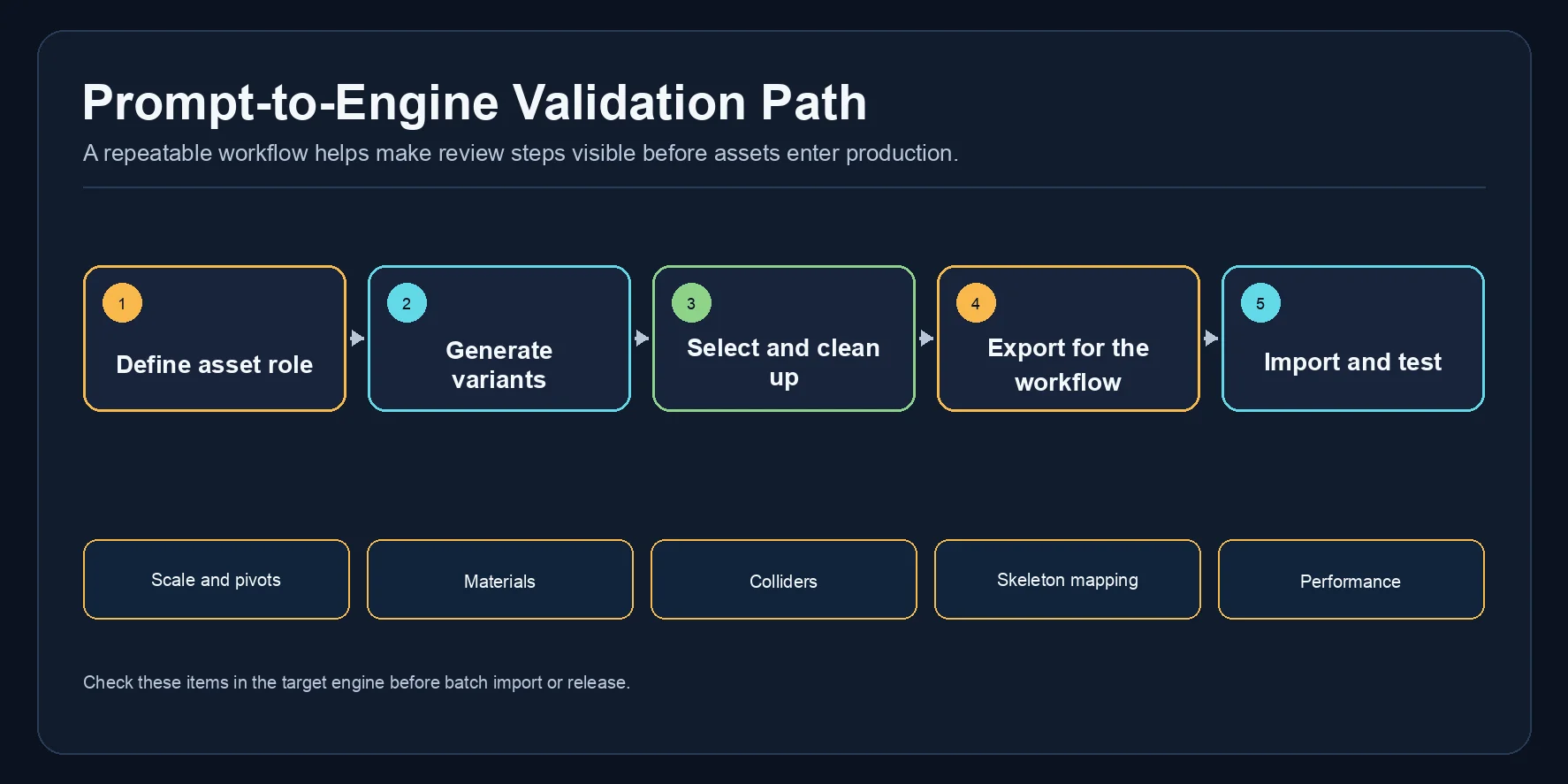
- Concept. Start with a prompt, sketch, concept painting, or reference image. Define its role: hero object, prop, enemy, weapon, or environment piece.
- Generate. Use Tripo AI Studio for text-to-3D or image-to-3D generation. Generate two or three variations before choosing.
- Review and select. Check the model in the 3D viewer. Look for a clean silhouette, watertight mesh, reasonable poly count, texture quality, and obvious artifacts.
- Auto-rig characters only. For characters, trigger Tripo AI’s auto-rigging, then validate bone mapping, deformation, and retargeting in your target engine before treating the asset as production-ready.
- Retopology and optimization. Use Smart Mesh or a quad remesher to hit your engine poly target if the asset is too dense.
- Export. Choose an export format that fits your target engine and downstream tools. Tripo supports GLB, FBX, OBJ, USD, STL, and 3MF exports; GLB can carry embedded textures. After export, confirm the mesh and material files load as expected in the target application.
- Import and test. Drag the asset into your engine. Test scale, materials, colliders, pivots, LOD levels, and animation retargeting before batch-importing.
- Iterate. Spot problems early, then regenerate or fix the mesh manually in Blender.
For environment props, batch generation saves time. Generate a small set of variations for crates, barrels, rocks, or signs, then hand-pick the results that meet your asset criteria.
Budget Reality Check: What AI 3D Actually Costs
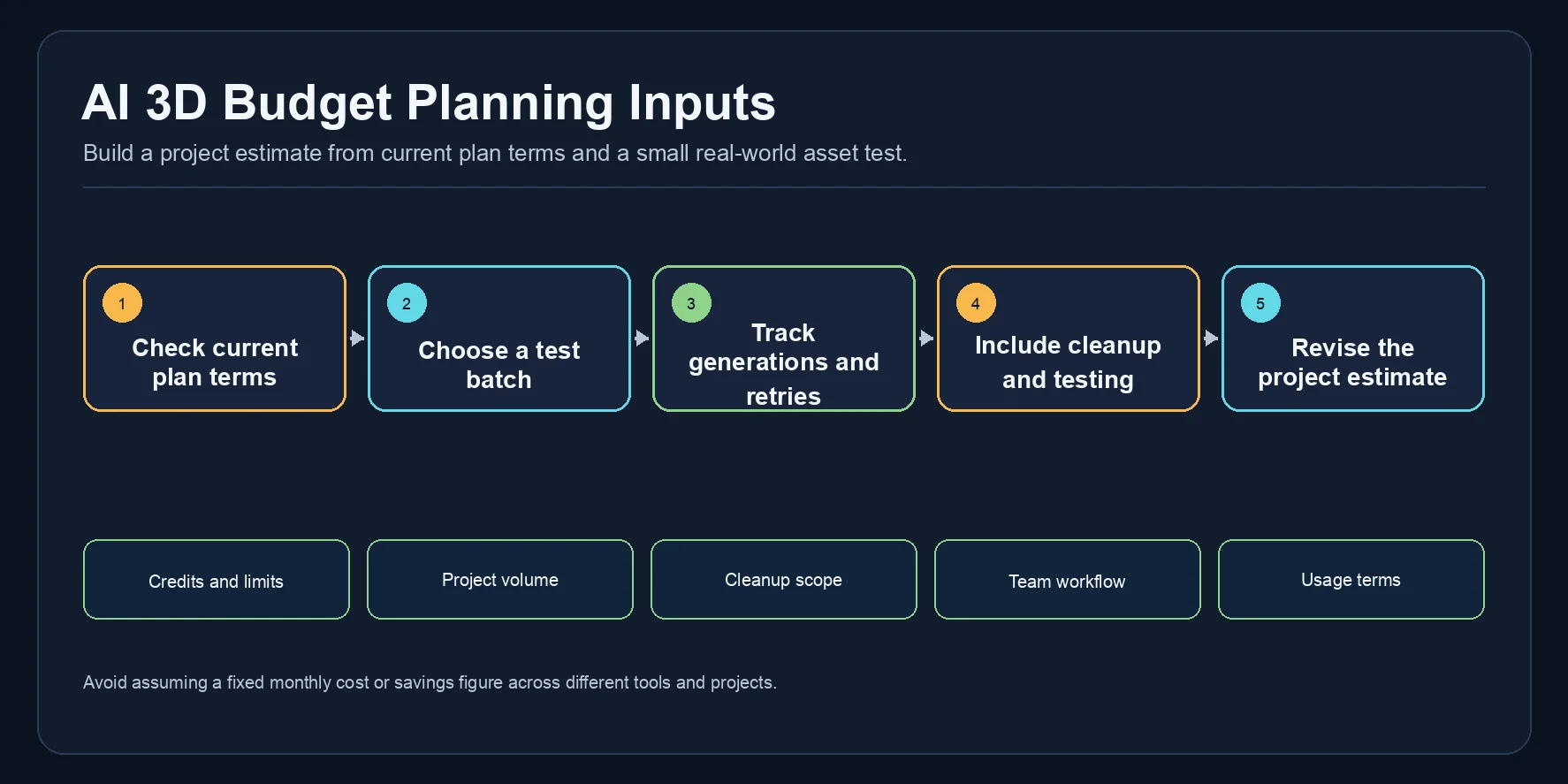
Prices change quickly, so treat these as 2026 planning estimates and verify all numbers on official pricing pages before production use.
Scenario A: Zero budget
Free access can be useful for prototyping, learning prompts, and testing a small batch of assets. Compare current credit allowances, download limits, and terms on each provider’s official pages before planning production volume.
Scenario B: Indie budget planning
For a solo or small-team plan, compare the current official price, credits, download limits, and usage terms for the exact option you intend to use. Then estimate the budget from a small test batch, including regeneration, cleanup, and engine validation.
Scenario C: Small studio budget
A small studio may combine a model-generation tool with a separate animation or motion-capture tool. Budget for generation and iteration as well as cleanup, retopology, materials, collision, and engine testing; the time required varies with the asset, art style, and target platform.
Technical Considerations: Poly Count, Rigging, and Engine Import
Polygon count. AI outputs can be denser than a project budget allows. Set the target from your platform, camera distance, scene budget, and asset role, then use Smart Mesh or another retopology workflow and profile the imported result in your engine.
Rigging and bone hierarchy. Tripo can add standard skeletal rigs to character models. Treat the output as a starting point: validate the bone mapping, skin deformation, retargeting, and root-motion behavior against the requirements of your Unity, Unreal, or custom-engine project.
Texture maps. Tripo exports PBR textures, and GLB can package textures in one file. Check the imported material setup and map assignments in your engine or DCC tool, especially when using FBX or a custom rendering pipeline.
Colliders. Plan to author and test collision for gameplay use after import. The appropriate box, capsule, convex, or custom collision setup depends on the asset and engine.
Blend shapes and morph targets. Check whether the chosen generation workflow supplies the facial controls your project needs. For lip sync, facial animation, or close-up cutscenes, plan validation and, where needed, manual authoring in Blender or a dedicated facial-animation tool.
Tripo AI Deep Dive: Built for Game-Ready Workflows
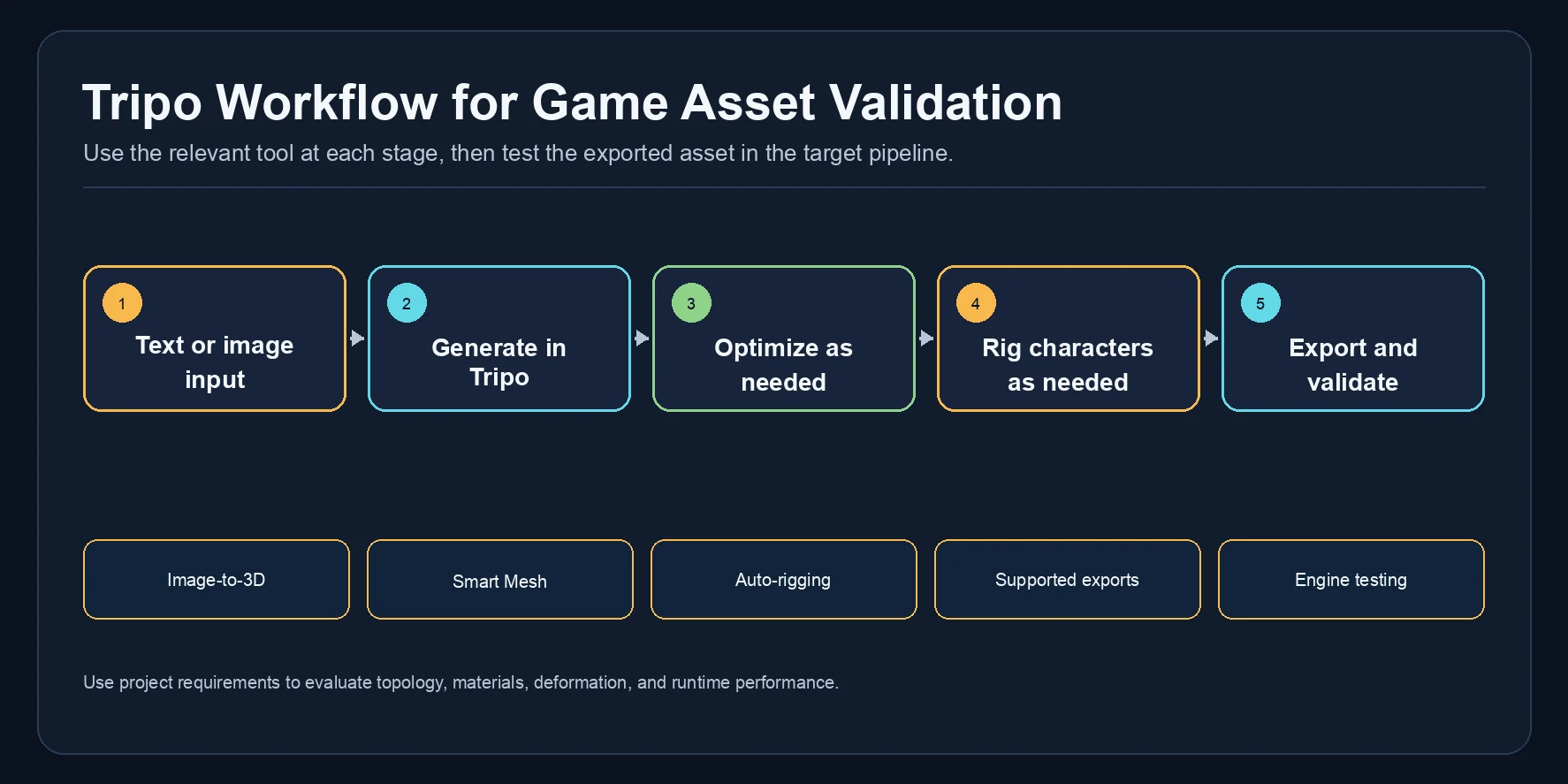
Image-to-3D from Concept Art
Indie developers often have concept art before finished 3D assets. Tripo AI’s image-to-3D workflow turns sketches, painted concepts, or character references into 3D meshes, reducing the costly handoff from illustration to manual modeling. For better results, use a clean, side-lit image on a neutral background with a readable silhouette.
AI Auto-Rigging
Most AI 3D tools start with static meshes. Tripo AI’s AI auto-rigging helps add a game-ready skeleton without starting from scratch in Blender or Maya, shortening the path from generated character to animation testing in Unity or Unreal.
Smart Mesh and Quad Remeshing
Generated models can be too dense or irregular for a game target. Smart Mesh provides an optimized topology workflow; validate deformation, performance, and the final polygon budget in the target engine before release.
Export Formats and Engine Compatibility
GLB supports embedded textures and lightweight import, while FBX fits animation-heavy pipelines. OBJ works for Blender cleanup, and STL or 3MF supports physical prototyping.
Free Access and Plan Terms
New users can try Tripo AI Studio before choosing a paid plan. Check the current pricing page and plan terms for the available credits, downloads, and usage conditions.
Other Tools Worth Knowing
Meshy. Meshy offers strong texture control and useful customization for fast asset experiments. It works best alongside Tripo AI when you need extra style variations or heavier post-generation tweaking.
Rodin / Hyper3D. Rodin is strong for high-fidelity character concepts, hero characters, and NPC-style models. Treat it as a character-focused supplement because rigging and engine readiness may require manual work.
Luma AI. Luma AI is useful for capture, video-based 3D references, and creative exploration. For games, it fits better as a reference workflow than a direct engine-ready mesh pipeline.
DeepMotion. DeepMotion focuses on AI motion capture and animation generation. Pair it with Tripo AI by generating and rigging the mesh first, then using DeepMotion for motion or retargeting.
Promethean AI. Promethean AI supports world-building, scene assembly, and contextual prop placement. It is more useful for environment layout than individual asset generation.
Art Style Fit: What AI 3D Handles Well for Indie Aesthetics
Realism and semi-realism: AI 3D performs well with realistic proportions, PBR materials, surface detail, and detailed normals.
Low-poly and flat stylized: Possible, but usually requires post-processing. Use Smart Mesh or a quad remesher to reach low-poly targets. Texture baking can help create a cleaner hand-painted look.
Anime and toon-shaded: Harder, because AI often drifts toward realistic proportions. Use image-to-3D with an anime-style reference image, then apply toon shaders in Unity or Unreal.
Pixel art and voxel: This workflow is generally a less direct fit. Evaluate dedicated voxel tools or hand-authored sprites when those are the project’s primary visual language.
Sci-fi and fantasy props: AI performs well with armor plates, runes, horns, panel lines, greebles, and exaggerated silhouettes.
| Style | AI 3D Fit | Notes |
|---|---|---|
| Realistic / semi-realistic | High | Best default fit |
| Low-poly / flat stylized | Medium | Needs remeshing |
| Anime / toon | Medium–low | Use style references |
| Pixel / voxel | Low | Use dedicated tools |
| Sci-fi / fantasy props | High | Strong prompt control |
Test with your actual concept art before committing to a style pipeline. For stylized games, image-to-3D with your own reference is usually more reliable than text prompting alone.
Learning Curve: Getting Started in a Weekend
First session: establish a test workflow
- Create a Tripo AI Studio account and explore the free tier.
- Generate a small set of test assets with simple text prompts.
- Try image-to-3D with one concept sketch or reference image.
- Download a GLB and import it into Unity or Unreal.
Use the first session to complete one test import and record the issues you need to solve before relying on the workflow.
Second session: validate the character workflow
- Learn a basic prompt structure: style + object + key details + material.
- Run AI Auto-Rigging on a simple character and verify the preview.
- Use Smart Mesh to hit a practical polygon target.
- Import the rigged model into Unity and assign an existing animation clip.
Early workflow iteration
- Establish a repeatable pipeline for common asset types.
- Build a prompt library tuned to your game’s art style.
- Learn when to regenerate, optimize, or manually fix assets in Blender.
No 3D modeling background is required for props and environment assets. For facial animation or cloth-heavy characters, basic Blender skills help, but Tripo AI’s auto-rigging lowers the entry barrier.
Quality Expectations: From Prototype to Shippable Asset
Raw generation. Use raw output for blockouts, graybox work, quick prototyping, placeholders, or environmental fill after checking obvious artifacts and topology issues. Do not assume it is ready for a hero asset without testing.
Light cleanup. For mid-ground props and environmental dressing, use the appropriate topology workflow, then inspect UVs, scale, floating fragments, materials, collision, and in-engine performance.
Full production pass. Hero assets, player characters, weapons, and story-critical objects usually need project-specific work such as topology refinement, LOD authoring, collision, UV or material fixes, and facial controls where required.
AI can accelerate exploration and early asset production, but it does not remove the need for art direction, technical validation, and final polish. Measure the benefit with your own assets and acceptance criteria.
Hands-On Walkthrough: Generating a Game-Ready Character in Tripo AI
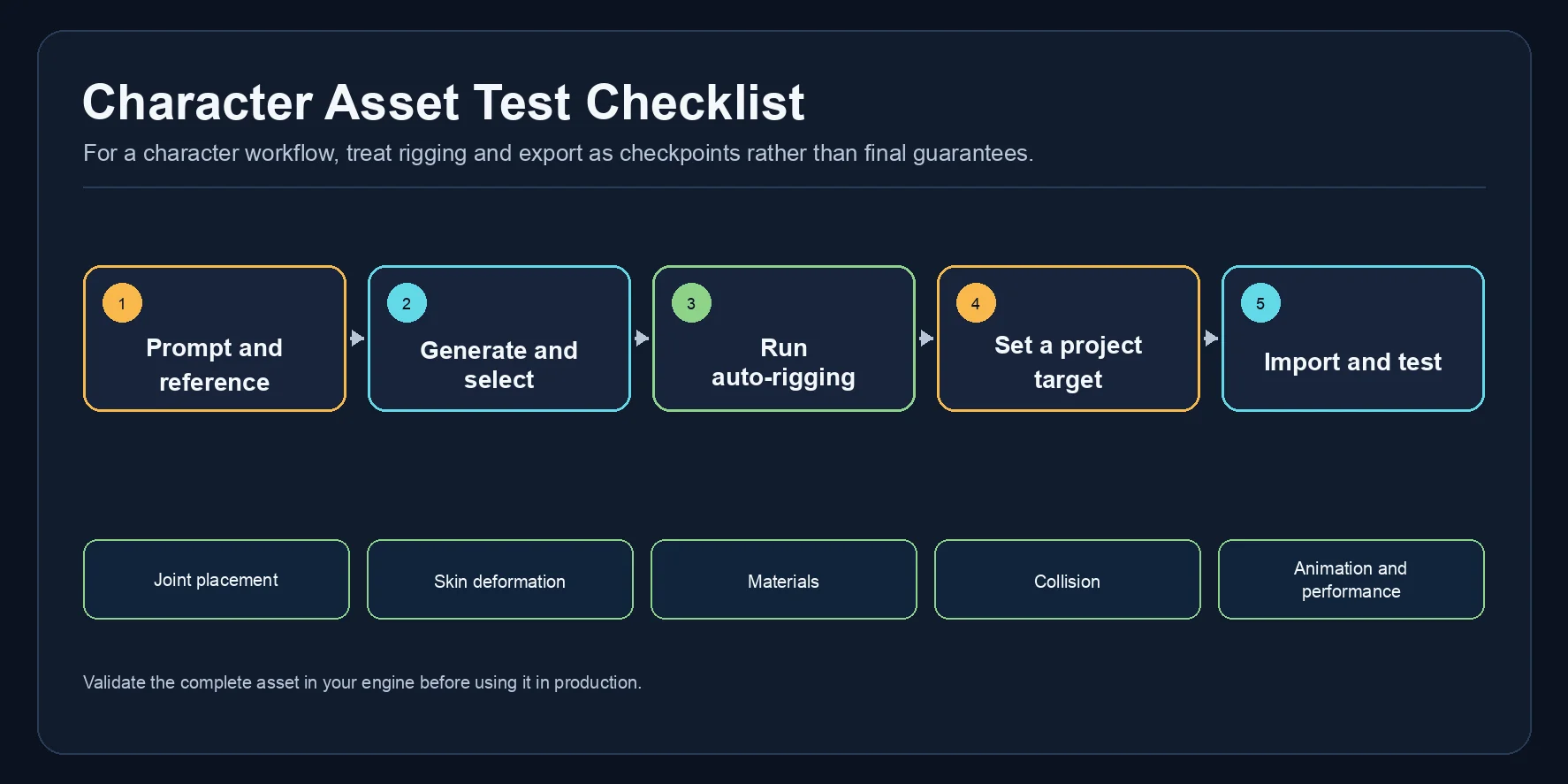
- Write the prompt. Use: “Goblin warrior, fantasy RPG style, leather armor, holding a small axe, neutral T-pose, front-facing, plain background.” The T-pose and plain background help produce a cleaner mesh for rigging.
- Generate and iterate. Run text-to-3D in Tripo AI Studio. Generate three variations and select the cleanest silhouette with readable armor details and minimal mesh noise.
- Auto-rig. Run auto-rigging, then inspect shoulders, elbows, hips, knees, and feet. Validate the resulting skeleton and deformation with a test animation before export.
- Apply Smart Mesh. Choose a polygon target from your project budget, then run Smart Mesh or another retopology workflow. Inspect the result for silhouette loss, deformation issues, and performance in the target engine.
- Export and inspect. Export in the format required by your engine or DCC workflow. GLB can package textures in one file; confirm the mesh, materials, and texture assignments after import.
- Import and test in your engine. Import the asset, then check scale, materials, bone mapping, animation behavior, collision, and performance before using it in production.
The time from prompt to a tested in-engine asset varies with the model, generation settings, cleanup needs, and target platform. Treat this walkthrough as a validation checklist rather than a fixed delivery estimate.
Frequently Asked Questions
Is AI 3D generation good enough for commercial indie games?
AI-generated assets can be useful in commercial indie production when they meet your project’s quality, performance, licensing, and provenance requirements. Treat hero characters and facial-animation assets as higher-risk cases that need additional validation and manual polish.
What is the best free AI 3D tool for solo developers?
Tripo AI is a strong starting point because it combines generation, Smart Mesh, auto-rigging, and export. Free access is useful for testing, but commercial projects should verify plan terms.
Can I import AI-generated 3D models into Unity or Unreal Engine?
Yes, provided the chosen export format and the imported mesh meet your engine’s requirements. Test scale, materials, skeleton mapping, colliders, animation behavior, and performance in the target Unity, Unreal, or custom-engine project.
How do I rig AI-generated characters for animation?
Use auto-rigging to generate a skeleton, then test it with basic animation clips. Check deformation, IK behavior, and root motion before production use.
What polygon counts do AI 3D tools produce?
Raw outputs may be denser than a game target allows. Set a budget from the platform, camera distance, scene, and asset role, then use Smart Mesh or another retopology workflow and profile the result in your engine.
How much does AI 3D generation cost per month?
Monthly cost depends on the provider, plan, credits, retries, downloads, and project volume. Start with the current official pricing and terms, then budget from a small real-world test batch rather than a generic monthly estimate.
Can AI generate 3D models from my concept art?
Yes. Image-to-3D is strong for indie developers with 2D concept art. Clean references usually guide shape and style better than text alone.
How long does it take to learn AI 3D tools?
You can begin with a small test asset, but the learning curve depends on your art style, engine, asset types, and cleanup requirements. Build a repeatable workflow through short experiments before relying on it for a production schedule.
Conclusion
AI 3D tools are practical for indie game development, especially for props, environments, early character drafts, and rapid prototyping. End-to-end tools like Tripo AI save time by combining generation, optimization, rigging, and export.
For solo developers, test a small asset batch and measure the real generation, cleanup, and integration cost before expanding usage. Start in Tripo AI Studio, then review the current details on Tripo AI Pricing.