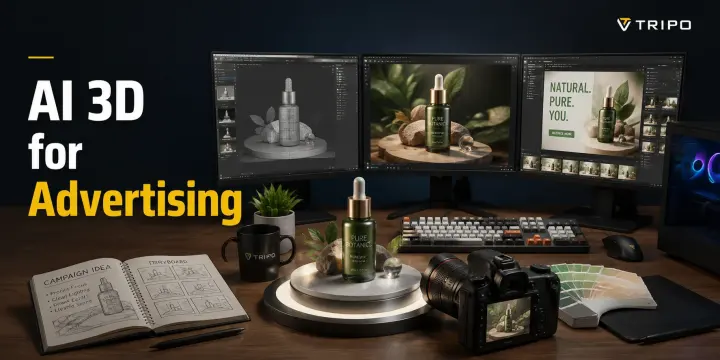
AI 3D for Advertising: How Brands Are Building Scroll-Stopping Ads Without a 3D Studio
TL;DR
- AI 3D technology lets brands create scroll-stopping ads without expensive 3D studios
- Four key use cases: product visualization, AR filters, social media 3D content, and interactive web ads
- Traditional 3D production costs 20,000 per asset; AI 3D reduces this to minutes at a fraction of the cost
- Tripo AI provides a complete workflow from text/image to ad-ready 3D assets
3D ads are no longer just a luxury for big brands — they are becoming a performance advantage. Industry benchmarks from platforms like Snap and Google show that 3D ads can achieve up to 3× higher engagement than standard 2D banner ads, while interactive 3D experiences can increase purchase intent by 45%. But the problem is cost: your marketing team may spend 20,000 creating a single product render, then wait 2–4 weeks for delivery. For many brands, that makes scalable 3D advertising impossible. AI 3D for advertising changes the equation by turning ideas into production-ready 3D assets in hours at a fraction of the traditional cost. This guide covers ad use cases, workflows, platform compatibility, and how Tripo AI helps marketers create faster, more engaging 3D campaigns.
Why 3D Is Taking Over Advertising
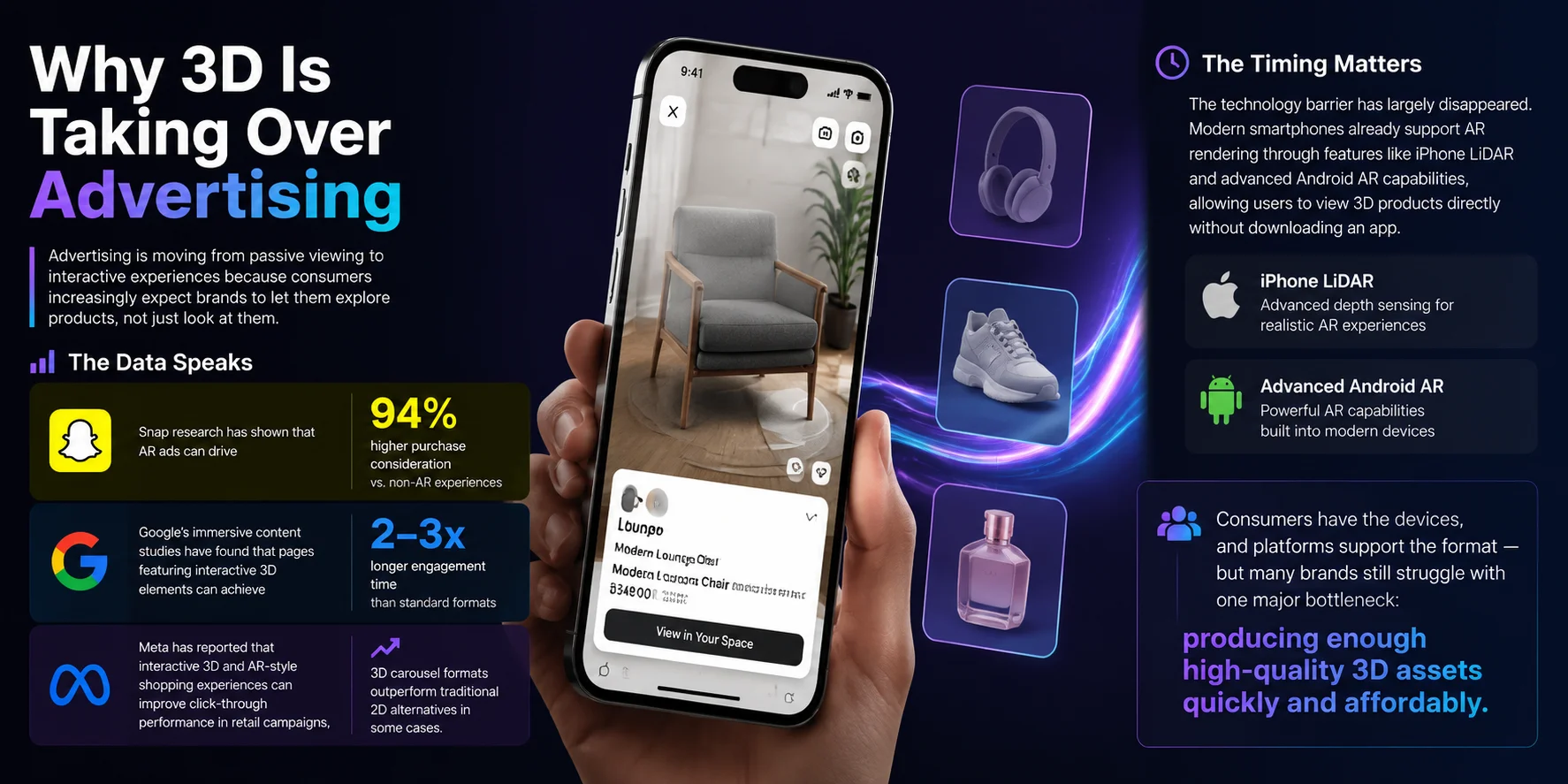
Advertising is moving from passive viewing to interactive experiences because consumers increasingly expect brands to let them explore products, not just look at them. The shift is already visible in performance data: Snap research has shown that AR ads can drive 94% higher purchase consideration compared with non-AR experiences. Google’s immersive content studies have found that pages featuring interactive 3D elements can achieve significantly longer engagement times, often 2–3× higher dwell time than standard formats. Meta has also reported that interactive 3D and AR-style shopping experiences can improve click-through performance in retail campaigns, with 3D carousel formats outperforming traditional 2D alternatives in some cases.
The timing matters because the technology barrier has largely disappeared. Modern smartphones already support AR rendering through features like iPhone LiDAR and advanced Android AR capabilities, allowing users to view 3D products directly without downloading an app. Consumers have the devices, and platforms support the format — but many brands still struggle with one major bottleneck: producing enough high-quality 3D assets quickly and affordably.
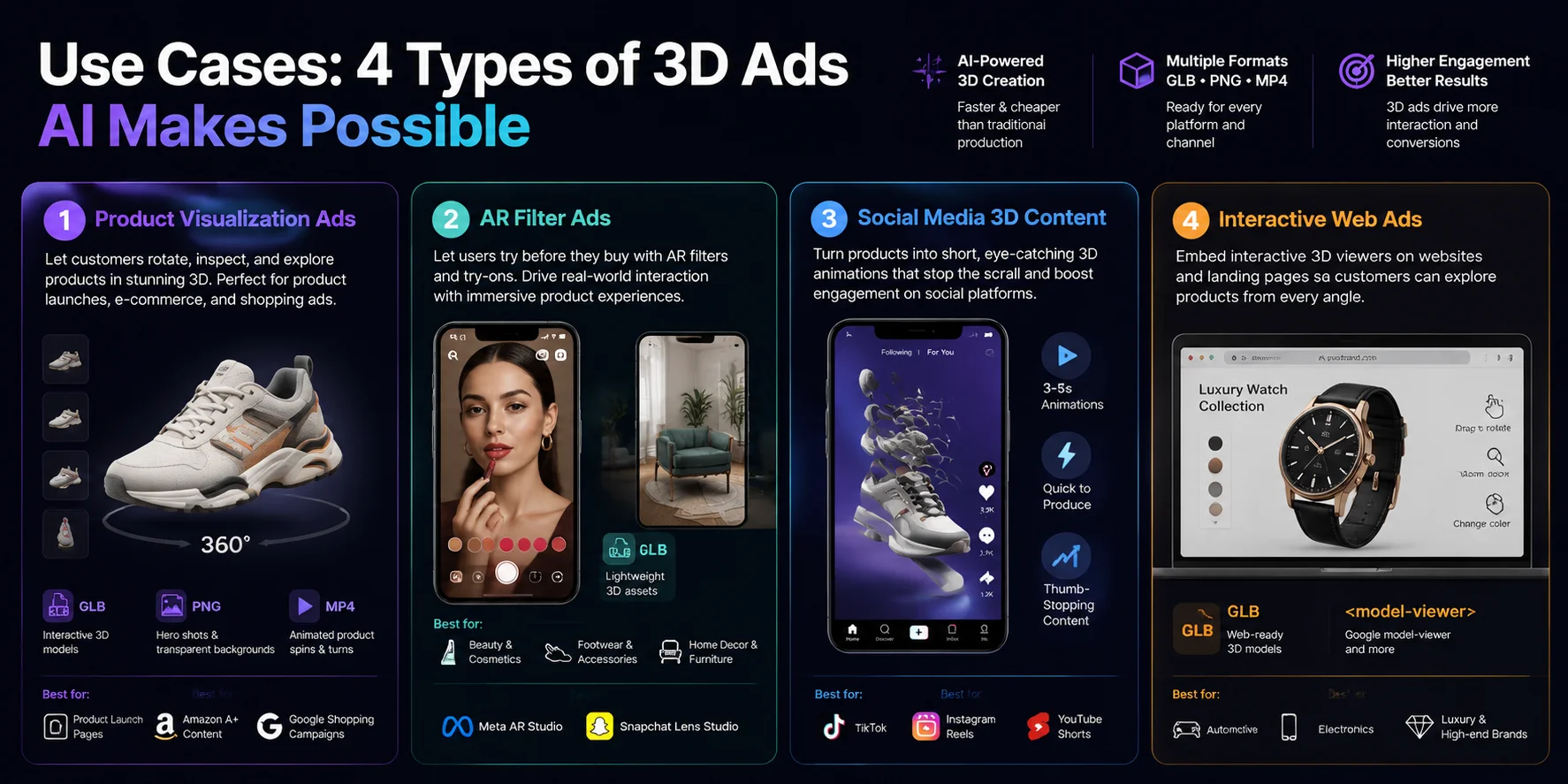
Use Cases: 4 Types of 3D Ads AI Makes Possible
Product Visualization Ads
Imagine launching a new sneaker with a campaign image where customers can rotate the product, inspect every angle, and see premium details without a studio photoshoot. AI-generated 3D models make this possible through hero-shot product renders, transparent-background visuals, and animated product spins. Brands can use GLB models or PNG render sequences for product launch pages, Amazon A+ Content, and Google Shopping campaigns, creating more immersive visuals than traditional photography.
AR Filter Ads
A beauty brand can let users test lipstick shades through a Snapchat Lens, or a furniture company can show customers how a sofa fits in their living room before buying. AR filter ads use lightweight GLB assets optimized for platforms like Meta AR Studio and Snapchat Lens Studio. This format creates direct product interaction and is especially effective for beauty, footwear, accessories, and home decor, where customers benefit from seeing products in their own environment.
Social Media 3D Content
A scrolling user may ignore a static product photo but stop when a sneaker transforms, rotates, or explodes into its design components in a three-second animation. AI-generated 3D assets can be turned into short MP4 loops for TikTok, Instagram Reels, and YouTube Shorts. These quick visual moments help brands create thumb-stopping content without expensive animation pipelines, making 3D product storytelling accessible for frequent social campaigns.
Interactive Web Ads
Buying a car, smartphone, or luxury watch often requires seeing details from multiple angles. Interactive 3D ads solve this by embedding GLB models into websites or landing pages using web-based 3D viewers such as Google’s model-viewer component. Customers can zoom, rotate, and switch colors directly inside the experience. Automotive, electronics, and luxury brands use this approach to replace flat images with product exploration that feels closer to an in-store demo.
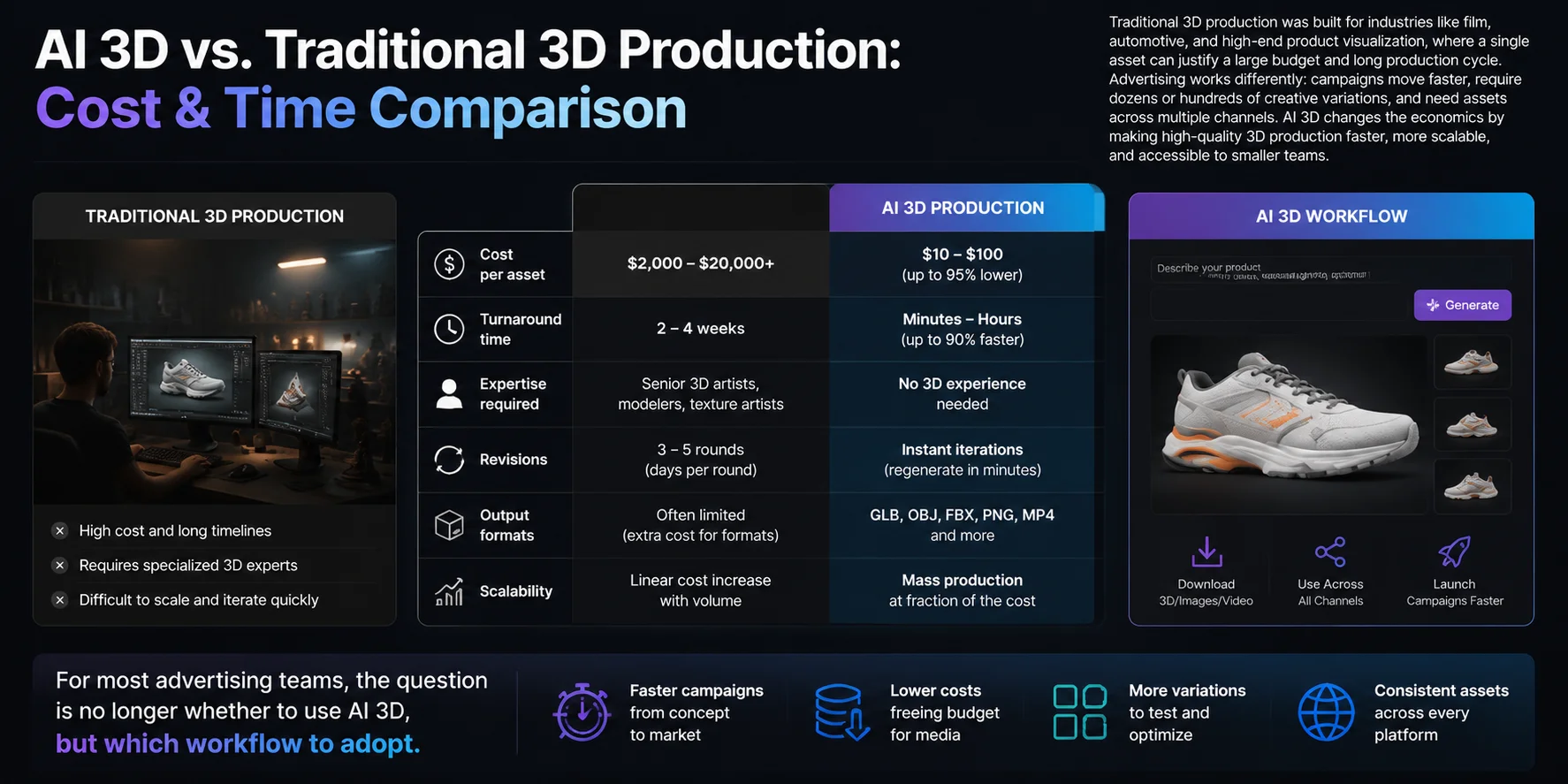
AI 3D vs. Traditional 3D Production: Cost & Time Comparison
Traditional 3D production was built for industries like film, automotive, and high-end product visualization, where a single asset can justify a large budget and long production cycle. Advertising works differently: campaigns move faster, require dozens or hundreds of creative variations, and need assets across multiple channels. AI 3D changes the economics by making high-quality 3D production faster, more scalable, and accessible to smaller teams.
| Metric | Traditional 3D Production | AI 3D (Tripo AI) |
|---|---|---|
| Cost per asset | 20,000 depending on complexity and team | Fraction of the cost with free tier + paid plans |
| Turnaround time | 2–4 weeks from modeling to final delivery | Minutes to hours for generation and refinement |
| Expertise required | Senior 3D artist, technical artist, and art director | No previous 3D experience required |
| Revision cycle | 3–5 rounds, with days between changes | Instant regeneration and prompt-based iteration |
| Output formats | Depends on artist software and workflow | GLB, OBJ, FBX, MP4 render |
| Scalability | Cost increases linearly with every new asset | Batch generation enables larger content volumes |
For most advertising teams, the question is no longer whether to use AI 3D, but which workflow to adopt.
How to Create 3D Ad Assets with Tripo AI: Step-by-Step
Creating a 3D ad asset no longer requires a dedicated 3D team. With Tripo AI, marketers can move from a product idea to a ready-to-use 3D asset through a simple workflow.
1. Choose Your Input
Start by choosing how you want to create your asset. Upload a product photo to turn an existing item into 3D, or describe your idea with text-to-3D prompts. This makes it easy to create campaign visuals even without any modeling experience. Learn more about the image-to-3D workflow for reference-based generation.
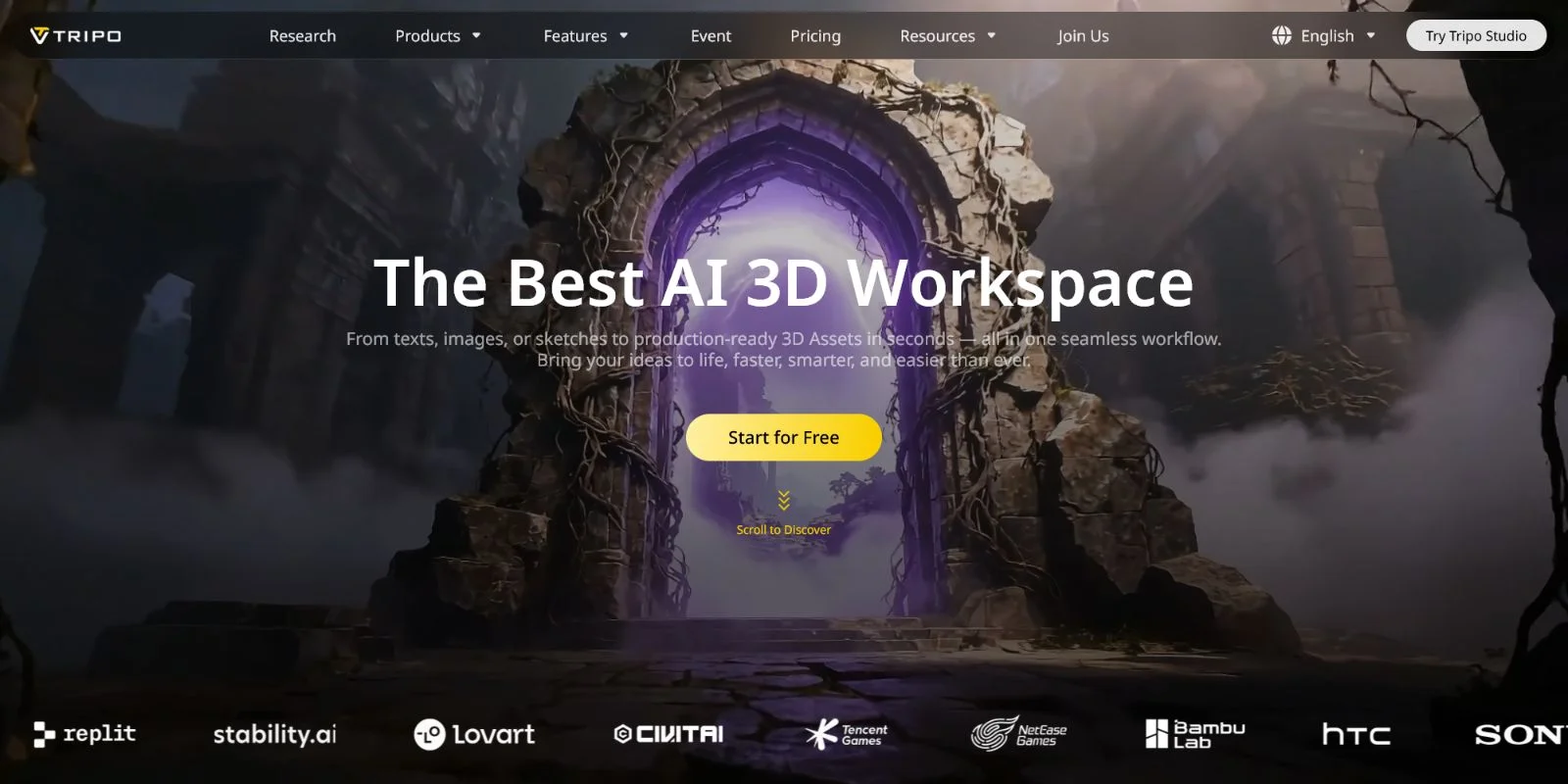
2. Generate the 3D Model
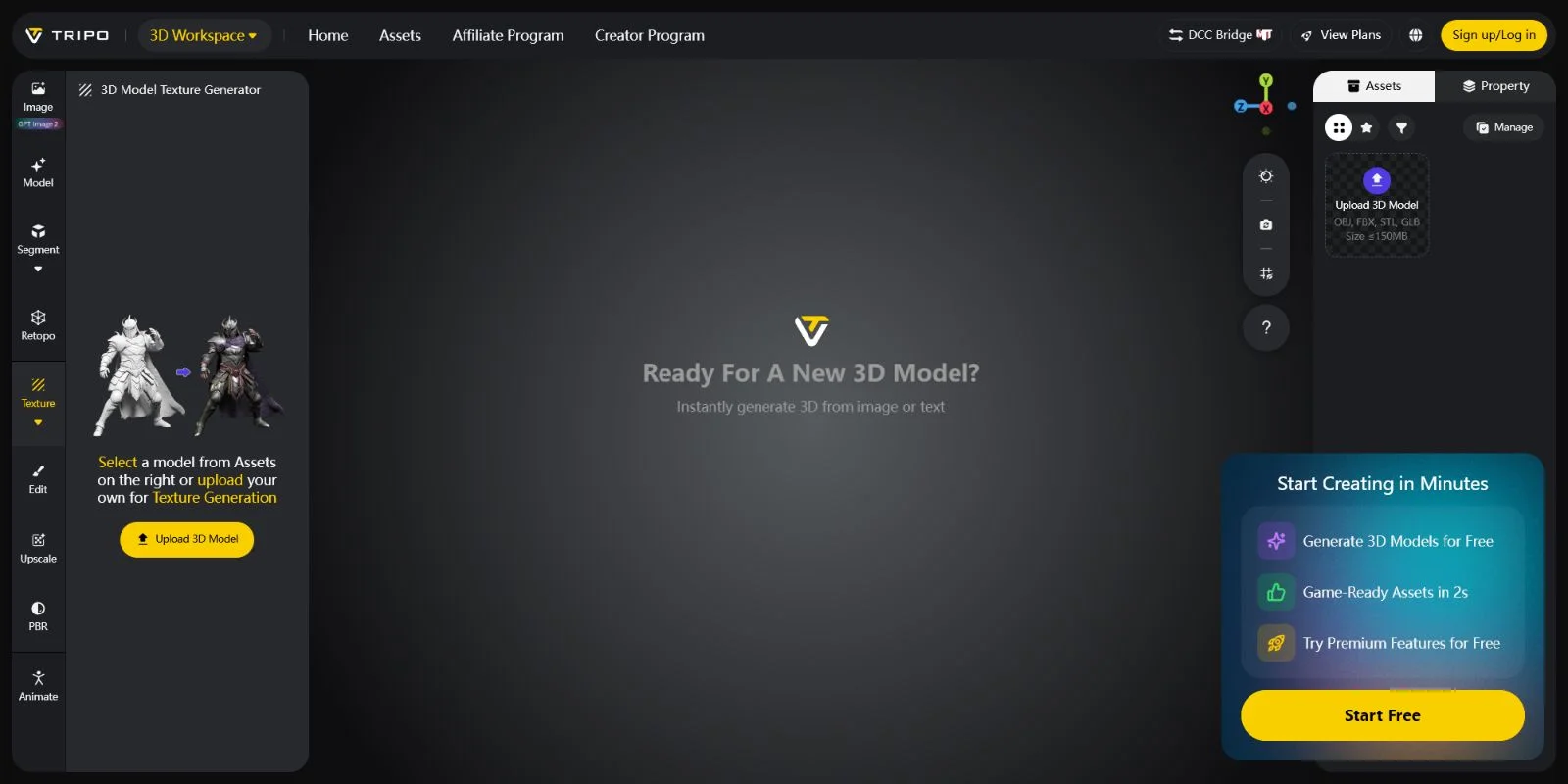
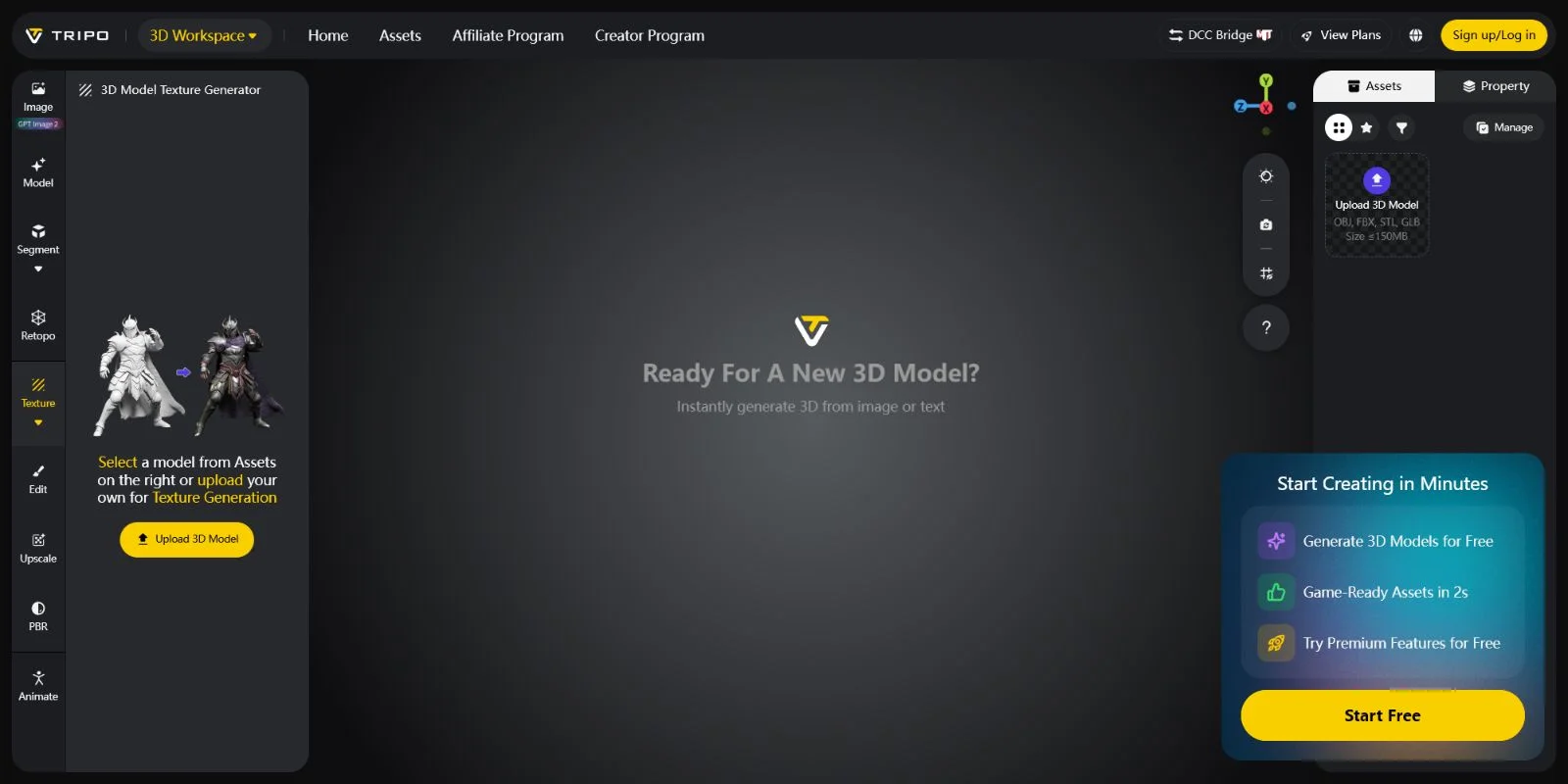
Open Tripo AI Studio at studio.tripo3d.ai and generate your model from your chosen input. The platform creates a textured 3D mesh automatically, usually within minutes. You can go from a simple product image or description to a complete 3D asset without learning complex software.
3. Review and Refine
Inspect your generated model directly in the Studio viewer. Check the shape, materials, and overall appearance, then adjust your prompt or regenerate the asset when needed. This fast iteration process helps marketing teams explore multiple creative directions before launching a campaign.
4. Export in the Right Format
Choose the format based on where your ad will appear. Use GLB for web and AR experiences, OBJ or FBX for editing in tools like Blender or Cinema 4D, and MP4 renders for social campaigns. See how [3D tools convert formats] for different workflows.
5. Import Into Your Ad Platform
Bring your asset into the platform where customers will see it. Upload GLB files to Meta AR Studio or Snapchat Lens Studio for interactive AR ads, or embed models into web pages using Google model-viewer for product exploration experiences.
6. Render or Animate for Social
Turn your 3D model into attention-grabbing social content by creating rotation loops, product reveals, or short animations. Export MP4 videos or PNG sequences for TikTok, Instagram Reels, and YouTube Shorts without building a traditional animation pipeline.
Platform Compatibility Guide for 3D Ad Assets
Meta AR Studio (Facebook/Instagram)
Meta AR Studio is designed for interactive social experiences such as face filters, world effects, and hand-tracking ads. It supports GLB and OBJ assets, with AR effects typically requiring lightweight files around the 3 MB range. PBR materials are supported, allowing realistic product textures while maintaining mobile performance.
Snapchat Lens Studio
Snapchat Lens Studio supports FBX, OBJ, and glTF formats for AR advertising experiences. To keep lenses running smoothly on mobile devices, models generally need to stay around the 60K polygon range. Its material workflow follows a standard PBR pipeline, making textured product assets easier to optimize.
Google Web Stories / Display Ads
Google’s web-based 3D experiences use the model-viewer component, which accepts GLB models for interactive product displays. These assets can be embedded into Web Stories and HTML5 ad experiences, with Android users able to access AR viewing through ARCore-supported devices.
TikTok Effect House
TikTok Effect House supports OBJ and FBX assets for branded AR effects. The platform works with standard PBR materials and focuses on optimized experiences for face tracking, body tracking, and interactive product effects where fast loading and mobile performance are essential.
Standard Web / Landing Pages
For websites and product pages, GLB is the preferred format for browser-based 3D viewers using tools like model-viewer or Three.js. For iOS users, USDZ files can trigger AR Quick Look directly through Safari, creating a seamless AR shopping experience.
Tripo AI exports GLB, OBJ, and FBX directly, providing the core formats needed to deploy AI-generated 3D assets across these major advertising platforms without additional conversion steps.
Frequently Asked Questions
What is AI 3D advertising?
AI 3D advertising uses artificial intelligence to generate three-dimensional product models and environments that appear in ads — from rotating product renders in display campaigns to AR try-on filters on social platforms. Unlike traditional 3D production, which requires skilled artists and weeks of work, AI tools like Tripo AI generate textured 3D assets from a photo or text prompt in minutes. The result is interactive, immersive ad content that was previously accessible only to brands with large production budgets.
How do I create 3D ads quickly with AI?
Upload a product photo or type a description into Tripo AI Studio — the platform generates a textured 3D model in under two minutes. Export as GLB for web and AR ads, or render a turntable MP4 loop for social video. The entire workflow from image to ad-ready asset takes under 30 minutes without any 3D software experience.
How much does it cost to produce a 3D ad with AI vs. traditional methods?
Traditional 3D ad production typically costs 20,000 per asset and takes 2–4 weeks, covering 3D artist fees, art direction, and revision rounds. AI 3D tools like Tripo AI reduce that to a fraction of the cost — free tier available for testing, with paid plans covering commercial use and batch generation. For brands running high-volume ad campaigns, the cost difference compounds quickly across a full asset library.
Which AI tools are best for 3D product visualization in ads?
Tripo AI is the strongest option for advertising teams that need deployment-ready GLB and MP4 assets fast — it handles both image-to-3D and text-to-3D with no 3D experience required. Adobe Firefly adds 3D scene generation for users already in the Adobe ecosystem, while Spline focuses on interactive 3D web design. For pure AR filter creation, Snap's Lens Studio and Meta AR Studio have their own built-in asset tools, but they require you to supply the 3D model first.
What 3D formats do advertising platforms support?
Meta AR Studio and Google's model-viewer accept GLB; Snapchat Lens Studio works with FBX, OBJ, and glTF; TikTok Effect House accepts OBJ and FBX. For web landing page ads, GLB works across Chrome and Firefox, while USDZ triggers AR Quick Look natively on iOS Safari. Tripo AI exports GLB, OBJ, and FBX directly, so you can cover every major platform without a separate conversion step.
Can small businesses use AI 3D for advertising?
Yes — AI 3D tools have removed the budget floor that kept small businesses out of 3D advertising. Platforms like Tripo AI offer free tiers for testing, and the no-code workflow means you don't need to hire a 3D artist. A small brand can generate a product model, create a turntable video, and run it as a social ad in the same afternoon.
How does AI 3D compare to traditional 3D software for advertising?
Traditional 3D software (Blender, Cinema 4D, Maya) gives full creative control but requires expert operators and weeks per asset — practical for hero campaigns, not for high-volume ad production. AI 3D tools trade some fine control for speed and accessibility: you get a production-ready asset in minutes rather than weeks. Most advertising workflows combine both — AI handles initial generation, traditional tools handle high-stakes finishing.
What are the best AI 3D tools for beginners in advertising?
Tripo AI is the most accessible entry point — upload a photo, generate a model, export. No 3D knowledge needed. Canva AI handles flat graphic ad creation if you're not ready for 3D yet. For AR specifically, Snapchat's Lens Studio includes beginner templates that let you swap in a GLB model from Tripo AI without writing any code.
Can AI generate 3D animation for marketing videos?
Yes — once a 3D model is generated, AI tools can render it as a turntable animation (360° product spin) or apply motion to create short animated loops for social video ads. Tripo AI's Studio includes a render output feature that exports MP4 video of the model. For more complex animation (product exploding into parts, lifestyle scenes), you'd export the GLB into Blender or Cinema 4D for finishing.
How do AR ads work, and how do I create one with AI?
AR ads overlay a 3D model onto the user's real-world camera view — a shoe on their foot, a sofa in their living room, a lipstick shade on their face. To create one, generate a GLB asset in Tripo AI Studio, then import it into Meta AR Studio or Snapchat Lens Studio. Both platforms provide templates for common ad formats (world effect, face filter, hand-tracking), so you attach your model to the template and publish — no AR programming required.
Conclusion
AI 3D has made immersive advertising accessible to any brand with a product photo and a campaign brief. The cost and time barriers that once limited 3D campaigns to automotive and luxury brands are disappearing — what previously required weeks of studio production can now be created by a marketing team in an afternoon. Brands that adopt 3D early can gain a format advantage as platforms continue rewarding more interactive content.
Generate your first 3D ad asset today at Tripo AI Studio — no 3D experience needed.
See which plan fits your campaign volume at Tripo AI Pricing.