3D Product Models for Ecommerce: The AI Workflow Guide
TL;DR
- 3D product models let shoppers rotate, zoom, and inspect products; AR can place compatible models in a shopper's space.
- Shopify case studies have reported higher add-to-cart and order rates after 3D or AR interaction, but results vary by brand and implementation.
- AI can turn clean product photos into a textured starting model in seconds to minutes, followed by quality checks and web optimization.
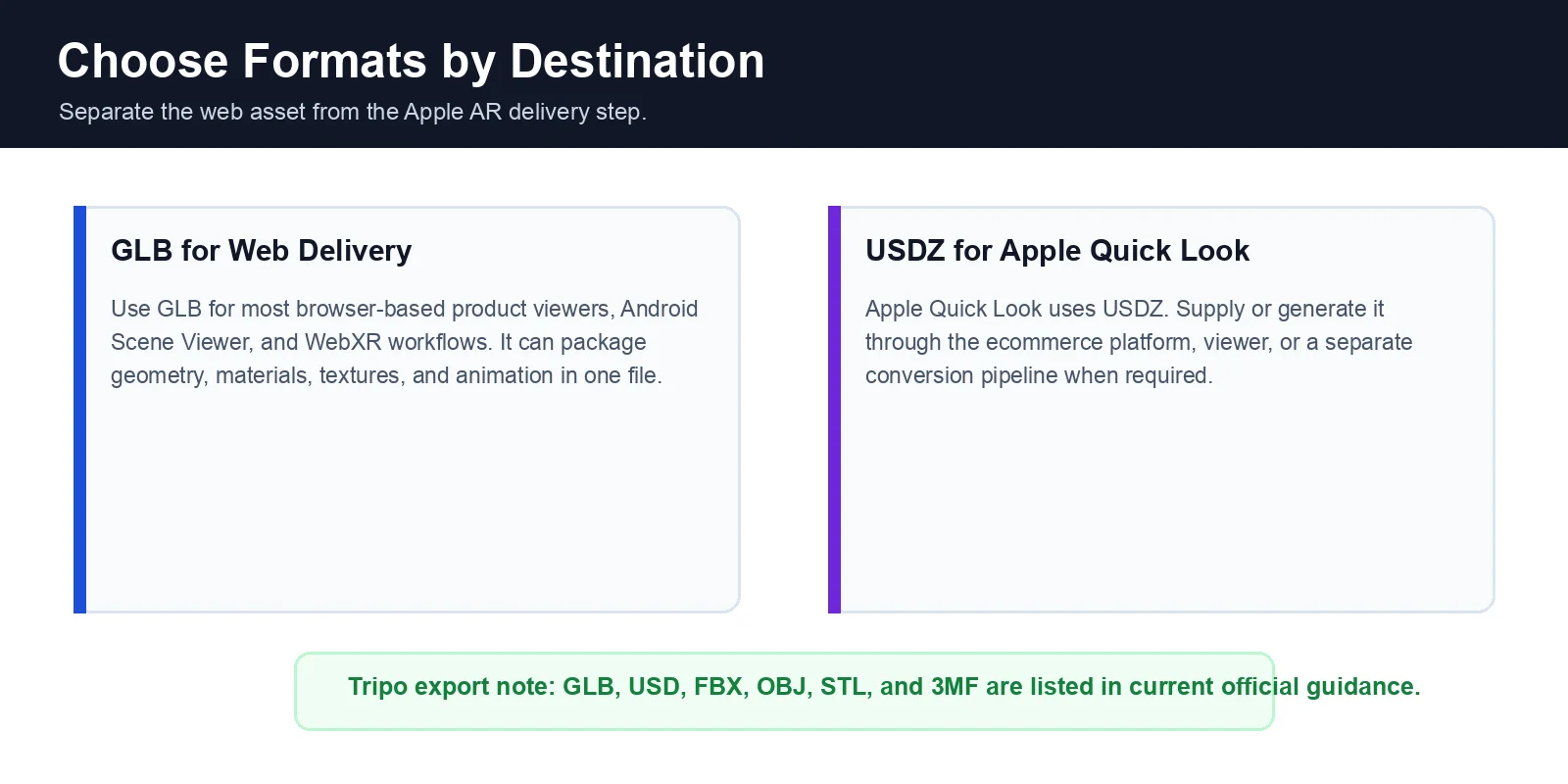
- Use GLB for most web and Android viewers. Apple Quick Look uses USDZ, which may require a separate conversion or platform pipeline.
- Shopify supports 3D product media, while WooCommerce and custom sites typically use plugins or viewers such as
<model-viewer>.
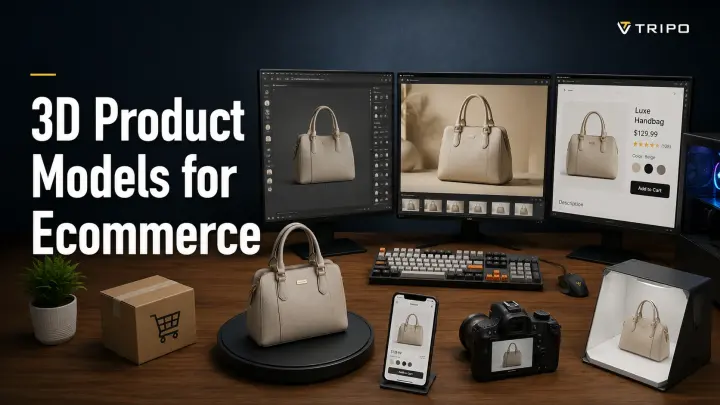
3D product models for ecommerce are interactive digital assets that shoppers can rotate, zoom into, and, when AR is supported, place in their space before buying. This guide explains the business case, a practical workflow using an AI image-to-3D tool, the formats and optimization steps required for delivery, and the main ways to publish 3D on an online store.
What Are 3D Product Models (and Why Ecommerce Needs Them)
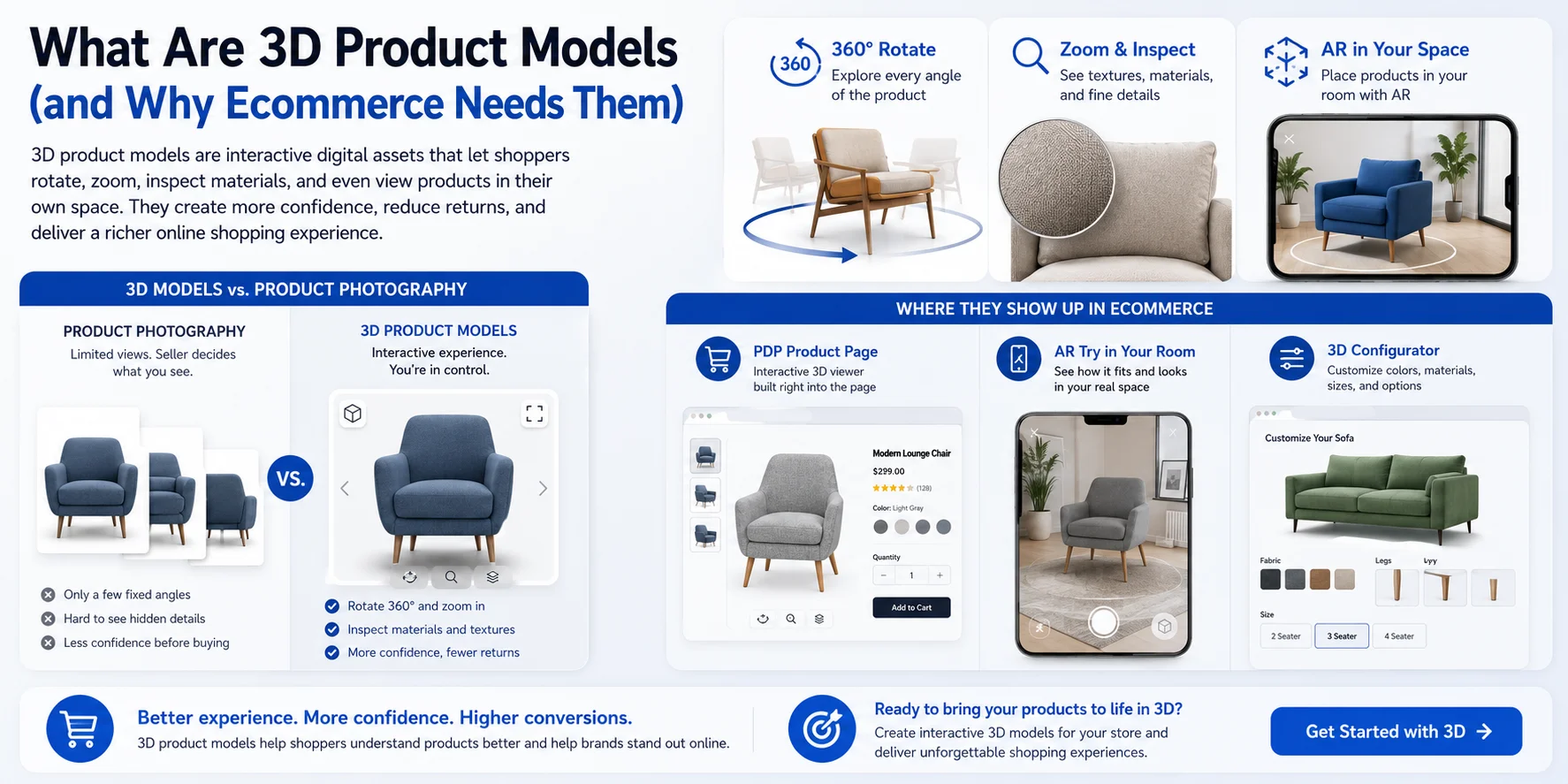
A 3D product model is an interactive digital representation of a physical product. Unlike a fixed photo, it lets shoppers control the viewing angle and inspect shape, materials, and details. Used alongside strong photography, it can reduce uncertainty for products whose scale, form, finish, or configuration matters.
In ecommerce, the model may appear in a product-page viewer, an AR placement experience, or a configurator for colors, materials, and accessories. The value is practical: customers can examine information that a small set of selected photos may not show.
Where They Show Up in Ecommerce
On product detail pages (PDPs), an embedded 3D viewer lets shoppers rotate, zoom, and inspect products directly within the browser without downloading additional software.
Many retailers also support AR "view in your room" experiences, allowing customers to place furniture, home decor, or other products into their real environment using a smartphone before buying.
For customizable products, 3D configurators let shoppers change colors, materials, sizes, or accessories while instantly seeing the updated model. This interactive experience makes personalization easier and helps customers understand exactly what they'll receive before placing an order.
The Business Case — Do 3D Models Actually Lift Sales?
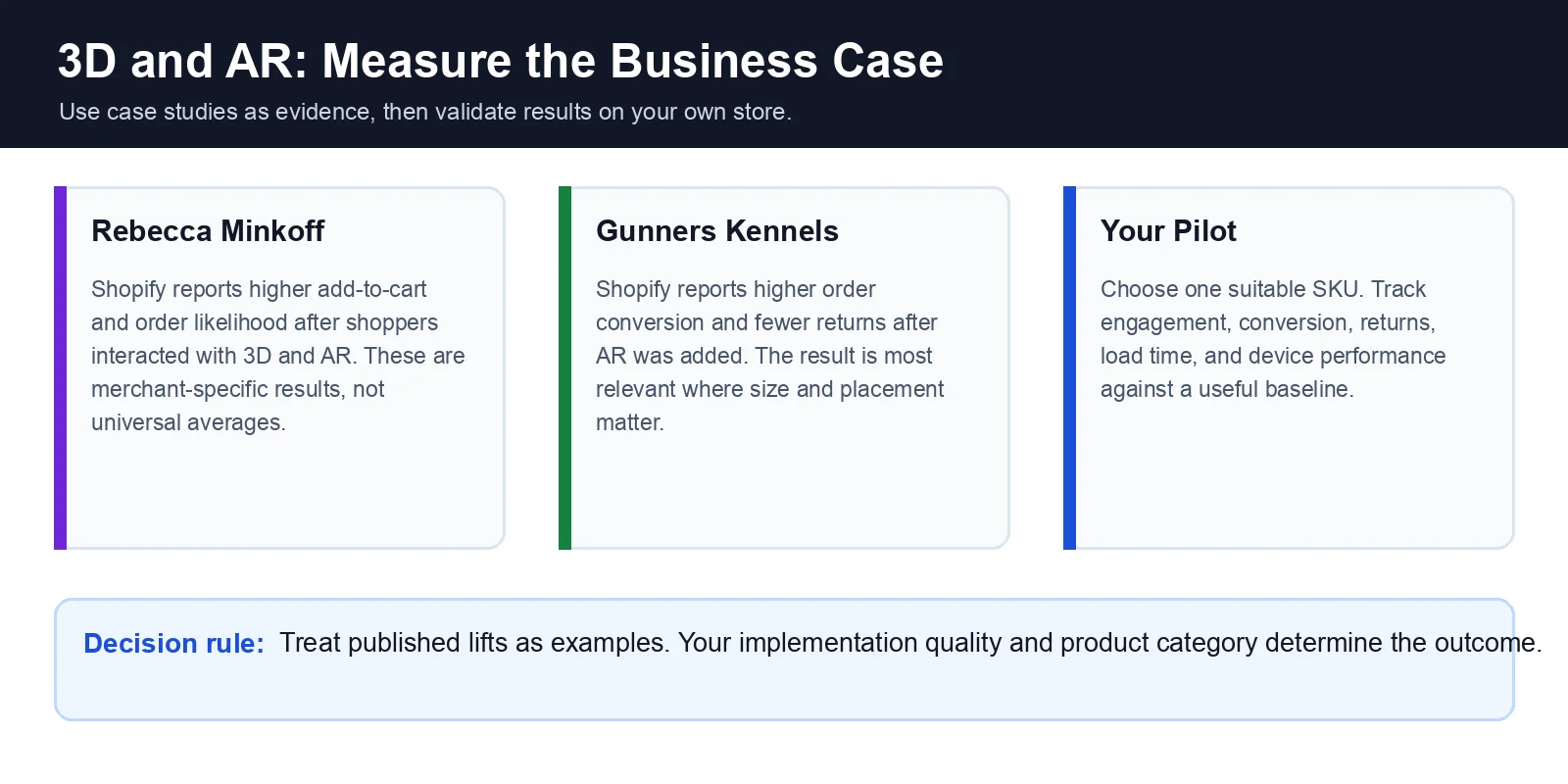
Interactive 3D and AR can improve product understanding, but published percentages should be treated as case-study results rather than universal benchmarks. Performance depends on the product category, asset quality, page speed, viewer design, traffic source, and measurement method.
Shopify reports that fashion brand Rebecca Minkoff saw shoppers become 44% more likely to add an item to cart, 27% more likely to place an order after interacting with a product in 3D, and 65% more likely to place an order after interacting in AR. These figures describe that merchant's implementation, not an average guarantee.
In another example cited by Shopify, Gunners Kennels reported a 40% increase in order conversion and a 5% reduction in return rate after adding AR. The result suggests that visualization can help when size and placement are central to the decision, while still remaining specific to one merchant.
The category is also expanding: Research and Markets estimates the global 3D ecommerce market at about 24.37 billion by 2030, a forecast CAGR of about 23.3%. Market forecasts are directional estimates, so use them as context rather than proof of an individual store's ROI.
The strongest candidates are products where shoppers benefit from understanding shape, scale, materials, fit, or customization, including furniture, home decor, footwear, electronics, and configurable goods. Test one high-impact SKU first and compare engagement, conversion, returns, and page performance against a suitable baseline.
How to Create 3D Product Models — The AI Workflow
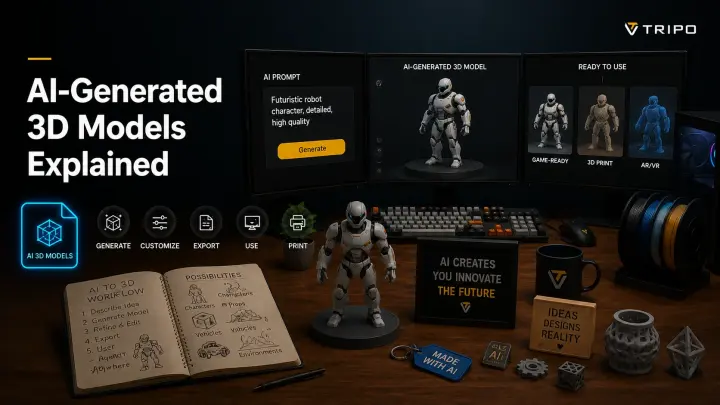
Traditional production may involve a 3D artist, CAD source files, photogrammetry, or professional scanning. AI offers a faster starting point for many catalog assets, especially when the goal is visual exploration rather than dimensionally exact engineering data. The output still needs review before publication.
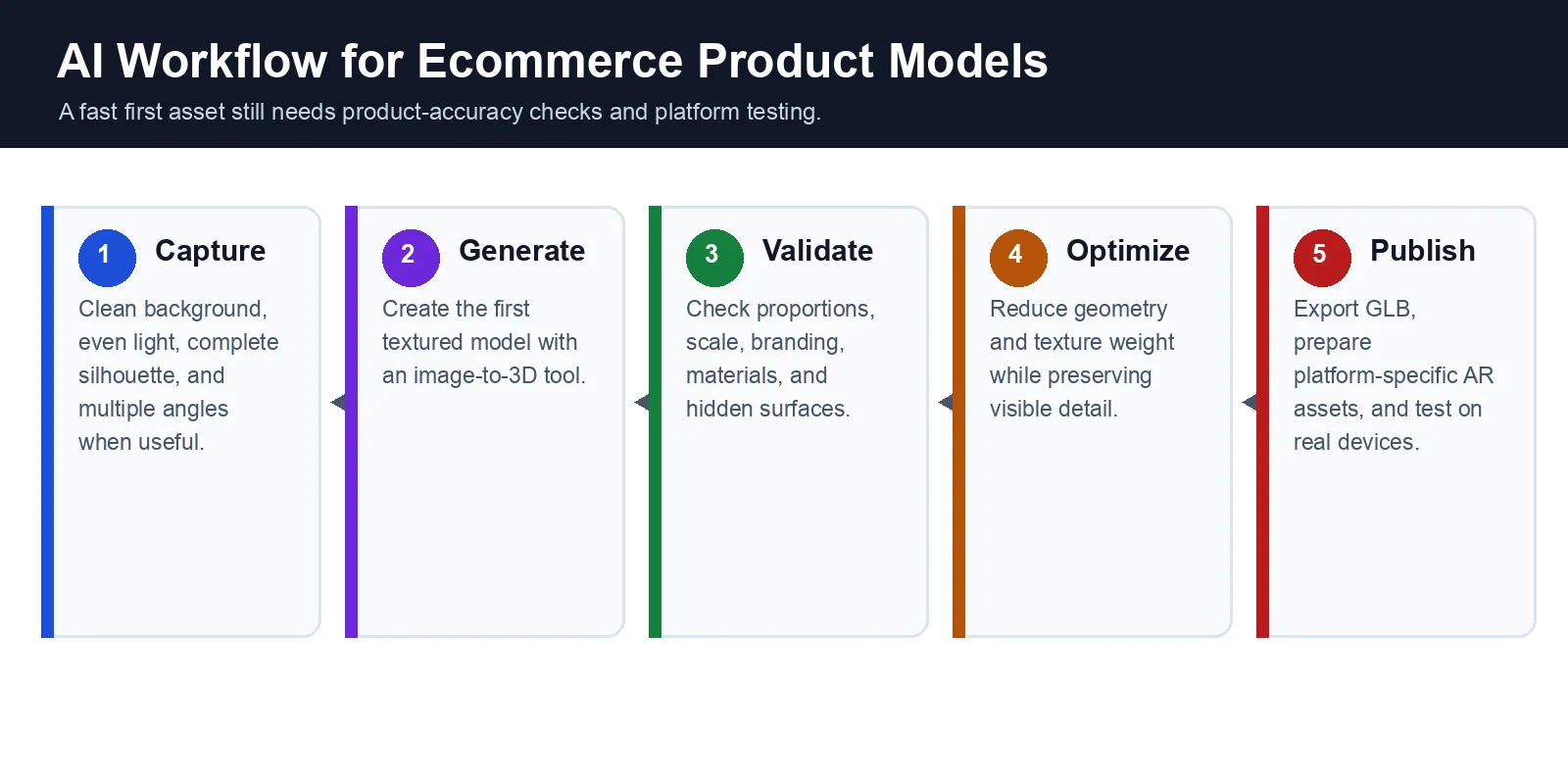
Step 1 — Shoot or Pick a Clean Product Photo
Use a centered, well-lit product photo with a clean background and minimal reflections. Keep the complete silhouette visible. For products with important hidden surfaces or asymmetry, capture consistent front, side, rear, and three-quarter views.
Step 2 — Generate the 3D Model with AI
Upload one image, or 2-4 reference views when available, to an Image to 3D tool such as Tripo AI. Tripo's official guidance describes generation times ranging from about 10 seconds to 2 minutes depending on complexity, producing geometry and textured materials that can be previewed and refined.
Typical workflow:
- Open the Image to 3D workspace.
- Upload one or more product photos.
- Choose the desired quality or detail level.
- Click Generate.
- Preview the generated 3D model and texture.
This replaces much of the initial manual modeling work, but it does not remove quality control. Results are best treated as production candidates that must be checked against the physical product.
Step 3 — Refine & Optimize
Check proportions, silhouette, scale, material response, texture placement, and small details against the reference product. Reflective, transparent, asymmetric, or precision-sensitive items often require regeneration or manual correction.
For web delivery, reduce unnecessary geometry and texture weight. Smart Mesh supports lightweight, optimized topology and custom polygon targets; use it or another retopology workflow while preserving the product's silhouette and important details.
Step 4 — Export for Web & AR
Export a GLB for most web viewers, Android Scene Viewer, and WebXR workflows. Apple Quick Look uses USDZ; because Tripo's current official export list includes GLB and USD rather than native USDZ, create USDZ through your ecommerce platform, viewer, or a separate conversion step when required.
- GLB: Recommended for web-based 3D viewers, Android devices, WebXR, and most ecommerce platforms.
- USDZ: Preferred for Apple's Quick Look and AR experiences on iPhone and iPad.
Step 5 — Publish to Your Store
Upload the asset through your platform's product-media workflow or viewer. Configure camera position, scale, lighting, loading behavior, and AR options, then test the product page on supported desktop and mobile devices.
Before rollout, verify visual accuracy, interaction, file size, load time, fallback images, analytics events, and the AR handoff. Start with a small set of suitable products before converting an entire catalog.
3D File Formats for the Web & AR (GLB, USDZ, and Friends)
The right delivery format depends on the viewer and device. For most ecommerce implementations, GLB is the primary web asset and USDZ is an Apple AR delivery format.
GLB / glTF — The Standard for the Web
glTF is a standard for real-time 3D delivery, and GLB is its single-file binary form. GLB can package geometry, materials, textures, and animations, making it convenient for product viewers and web distribution.
- Web-based 3D product viewers
- Android Scene Viewer
- WebXR experiences
- Interactive ecommerce product pages
- Real-time applications built with Three.js, WebGL, or WebXR
USDZ — Essential for Apple AR
USDZ is used by Apple Quick Look for AR experiences on iPhone and iPad. A viewer may accept a separate USDZ file or generate one from another source asset, depending on the platform and implementation.
Which Format Should You Use?
| Format | Best Platform | Typical Use Case | Includes Textures? |
|---|---|---|---|
| GLB (.glb) | Web browsers, Android, WebXR | Interactive 3D viewers, product pages, configurators | Yes |
| glTF (.gltf) | Web development workflows | Editable web assets with separate resource files | Yes |
| USDZ (.usdz) | iPhone, iPad, Safari Quick Look | AR "View in Your Room" experiences | Yes |
| FBX (.fbx) | Game engines, DCC software | Editing, animation, production pipelines | Yes |
| OBJ (.obj) | General 3D software | Static geometry exchange | Yes, but textures are stored separately |
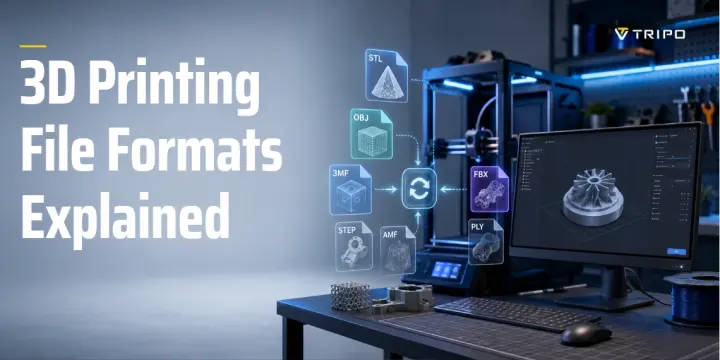
| STL (.stl) | 3D printing | Printing prototypes and physical products | No (geometry only) |
For cross-platform delivery, prepare GLB for interactive web and Android use, then provide or generate USDZ for Apple Quick Look where the selected platform requires it.
Tripo's current official export list includes GLB, USD, FBX, OBJ, STL, and 3MF. GLB is the relevant Tripo export for web delivery; STL is geometry-only and intended for 3D printing. Export availability can depend on the model version and subscription tier.
Simple rule: use GLB for the web, use a USDZ delivery step for iOS Quick Look, and use STL only for geometry-only 3D printing.
Keep It Fast — Optimizing 3D Models for Web Performance
A 3D model only helps if the product page remains responsive. Optimize geometry, textures, loading behavior, and device compatibility, then measure the result on representative mobile hardware and networks.
Reduce polygons that do not affect the silhouette or visible details. For AI-generated assets, retopology or a lightweight mesh variant can make interaction smoother and reduce transfer size.
Match texture resolution to the product's on-page size and zoom level. Compress textures and avoid automatically shipping 4K or 8K maps when smaller assets preserve the required detail.
Draco compression can reduce geometry transfer size, but the viewer must include a compatible decoder and decoding also has a runtime cost. Test total loading behavior rather than assuming compression alone improves every page.
For complex products, consider Level of Detail (LOD) so the viewer loads an appropriate mesh for the current size or distance. Not every ecommerce viewer manages LOD automatically, so confirm platform support.
As a general best practice:
- Optimize polygon count without noticeably changing the silhouette.
- Compress textures to the smallest practical size.
- Enable Draco compression for GLB assets.
- Use LOD for complex or highly detailed products.
- Test loading speed on both desktop and mobile before publishing.
Adding 3D & AR to Your Platform (Shopify, WooCommerce & More)
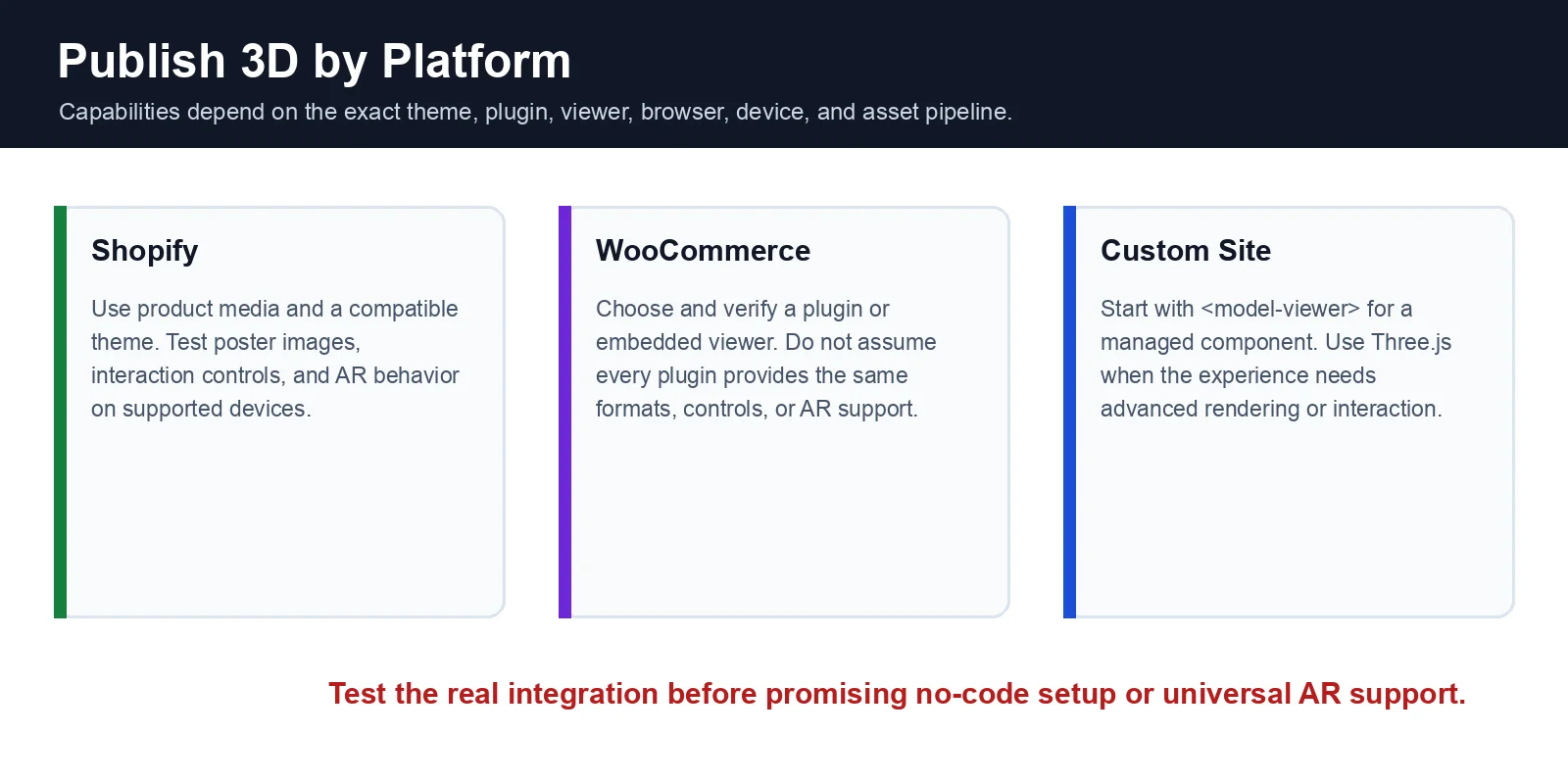
Publishing options vary by platform, theme, plugin, browser, and device. Confirm the exact file requirements and AR behavior in the implementation you plan to use.
Before launch, verify the complete experience rather than the model alone. Set a page-weight and loading target, provide a clear poster image and fallback gallery, confirm touch and mouse controls, test keyboard access where the viewer supports it, and check the AR handoff on representative iOS and Android devices. Instrument model loads, interactions, AR launches, add-to-cart events, purchases, and returns so the pilot can be compared with a useful baseline. Also document who owns future asset updates when colors, dimensions, packaging, or the physical product changes.
Shopify — Built-In 3D & AR Support
Shopify supports 3D product media. Compatible themes can display interactive product models, while AR behavior depends on the supplied assets, device, and Shopify's media pipeline.
Upload the model as product media, confirm the theme's 3D controls and poster image, and test Quick Look or Android AR on supported devices. Apps can add configurators or specialized viewers when the native product-media experience is not enough.
Best for: Merchants who want the easiest "no-code" setup with built-in 3D and AR support.
WooCommerce / WordPress — Plugins + <model-viewer>
WooCommerce does not provide one universal 3D/AR workflow. Stores typically use a plugin or embed a viewer, and capabilities vary across plugins, themes, devices, browsers, and file formats.
For more control, developers can use Google's open-source <model-viewer> component. It supports GLB-based viewing and can hand off to WebXR, Android Scene Viewer, or Apple Quick Look when configured with compatible assets.
Best for: Store owners comfortable installing plugins or making light website customizations.
Custom Sites — <model-viewer> or Three.js
For custom sites, <model-viewer> is usually the fastest starting point. Use Three.js when the experience needs deeper control over rendering, hotspots, configurators, animation, or custom interactions.
Best for: Businesses building custom ecommerce experiences or advanced product configurators.
Which Approach Is Right?
| Platform | Setup Difficulty | 3D & AR Support | Best For |
|---|---|---|---|
| Shopify | Easy (No code) | Native 3D viewer + AR | Most ecommerce stores |
| WooCommerce / WordPress | Moderate | Plugins or <model-viewer> | Flexible self-hosted stores |
| Custom Website | Advanced | <model-viewer> or Three.js | Fully customized shopping experiences |
Choose Shopify for the most managed path, WooCommerce for plugin-based flexibility, and a custom viewer when product interaction is a core differentiated experience. In every case, validate the real theme or integration rather than assuming feature parity.
Cost & Sourcing — Build In-House, Outsource, or Generate with AI?
Product models can be created through manual modeling, 3D scanning, or AI generation. Compare them by required accuracy, art direction, cleanup effort, throughput, and available staff rather than relying on a universal per-model price.
Outsourcing to a 3D Modeler
A freelance artist or studio offers the most control over topology, materials, dimensions, and revisions. This route suits flagship products, strict brand direction, or assets that require careful manual construction.
Best for: Premium products, marketing campaigns, luxury brands, or highly customized assets.
3D Scanning
3D scanning captures real-world geometry and can suit intricate or organic objects. It still requires suitable equipment or a service provider, controlled capture conditions, and post-processing for web delivery.
Best for: Furniture, sculptures, collectibles, historical objects, and complex physical products.
AI Generation
AI generation is often the fastest route to a first textured asset and can be efficient for large catalogs or rapid testing. Suitability depends on the product: reflective, transparent, asymmetric, precision-sensitive, or heavily branded items may need more manual correction.
After generation, review the model, optimize it for the web, export GLB, and prepare any platform-specific AR asset separately. Use AI for throughput, not as a substitute for product-accuracy checks.
Best for: Large SKU catalogs, rapid product launches, ecommerce marketplaces, and teams that need to produce many models efficiently.
| Method | Cost | Speed | Best For |
|---|---|---|---|
| In-House / Outsourced Modeling | High | Days to weeks | Premium, highly detailed products |
| 3D Scanning | Medium to high | Hours to days | Complex physical objects requiring accuracy |
| AI Generation | Low to medium | Minutes | Large-scale ecommerce catalogs and rapid SKU creation |
Many teams combine methods: AI for initial catalog coverage, manual modeling for hero products, and scanning when real-world geometry is the priority.
When 3D Product Models Aren't Worth It (Limits)
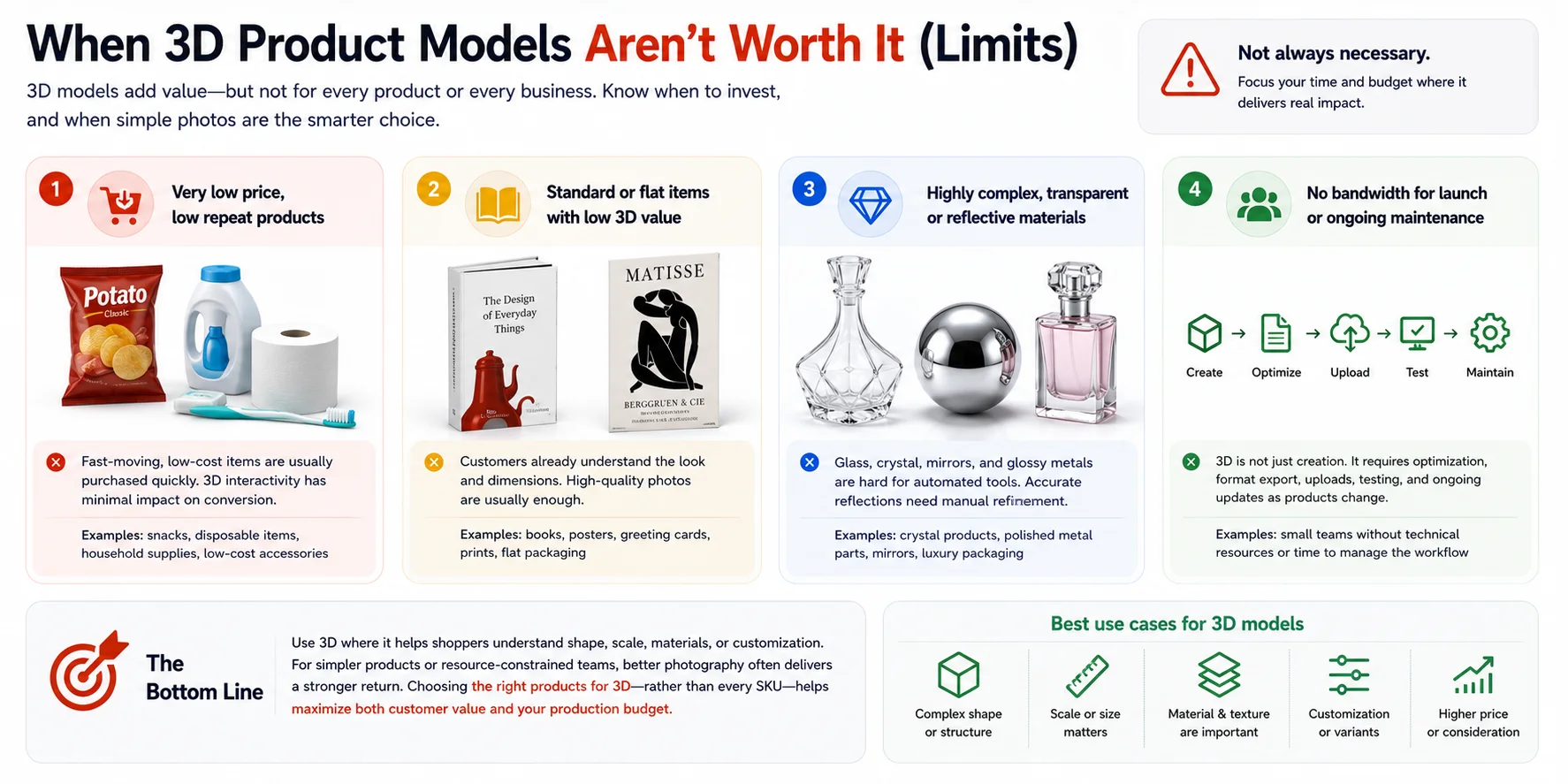
3D is not automatically valuable for every SKU. Prioritize products where interactive shape, scale, material, fit, or customization helps answer a purchase question.
Low-cost, quickly purchased goods and mostly flat or standardized products may gain little from a full 3D workflow. Strong photography, video, dimensions, or comparison content may be more efficient.
Transparent, reflective, glossy, asymmetric, or precision-sensitive products can require substantial material and geometry cleanup. The more exact the digital representation must be, the more likely manual work or scanning will be needed.
Also account for ongoing work: optimization, platform integration, device testing, analytics, accessibility, and asset updates as the physical product changes.
Frequently Asked Questions
What are 3D product models in ecommerce?
A 3D product model is an interactive digital version of a product that shoppers can rotate, zoom, and view from any angle online. In ecommerce, 3D models help customers better understand a product's shape, size, and materials, and can also support augmented reality (AR) experiences that let them visualize the item in their own space.
Do 3D product models increase conversion rates?
They can. Shopify reports substantial lifts in two merchant case studies, including Rebecca Minkoff and Gunners Kennels, but those results are examples rather than guaranteed averages. Measure performance for your own category, assets, and storefront.
How much does it cost to create a 3D product model?
Cost varies widely with complexity, accuracy, materials, cleanup, revision count, and volume. Manual modeling offers greater control, scanning captures physical geometry, and AI can reduce the time and cost of producing a first asset; request quotes or run a small pilot for a reliable estimate.
What file format should I use for 3D models on my website?
Use GLB for most web-based viewers and Android workflows. Apple Quick Look uses USDZ, which may be supplied or generated through your platform or a separate conversion step.
Can I add AR product models to Shopify or WooCommerce?
Yes. Shopify supports 3D product media, while WooCommerce stores usually add a plugin or embedded viewer such as <model-viewer>. AR availability depends on the selected integration, assets, device, browser, and configuration.
How do I make a 3D model from a product photo?
Upload one clean product image, or multiple consistent angles when available, to an image-to-3D tool. Review proportions, materials, branding, and hidden surfaces; optimize the approved model; export GLB for web delivery; and prepare any required iOS AR asset through the chosen platform pipeline.
Conclusion
Start with one high-impact SKU: capture clean reference images, generate and validate the model, optimize a GLB, publish it through your platform, and measure engagement, conversion, returns, and page performance before scaling.
Tripo AI Studio can generate and optimize a 3D starting asset from product images. Treat the result as part of a tested ecommerce pipeline, including product-accuracy review and any separate format conversion required by the destination platform.