10 Best Text-to-3D AI Tools for 2026 (Compared)
TL;DR:
- Text-to-3D AI turns a written prompt into a 3D mesh in seconds—no modeling skills needed.
- The best tool depends on your goal: game-ready topology, printable STL, or fast concept previews.
- Judge tools on five things: output quality, speed, export formats, free credits, and commercial-use rights.
- Most tools also do image-to-3D; a clear, specific text prompt still beats a vague one every time.
- Our 2026 shortlist includes Tripo, Meshy, Rodin, 3D AI Studio, OpenAI Point-E, Sloyd, Spline, Hunyuan3D, 3DTopia-XL, and Shap-E.
Text-to-3D AI tools let you describe an object and generate a 3D asset without modeling it from scratch. This guide compares 10 options for 2026 using current official product documentation and project repositories, focusing on output type, workflow speed, export options, free access, and commercial-use considerations.
For a deeper introduction to the workflow itself, see Text to 3D Model: Tools, Steps & Best Practices. This article focuses specifically on choosing between current tools rather than repeating the full beginner tutorial.
What Is a Text-to-3D AI Tool (and How It Works)
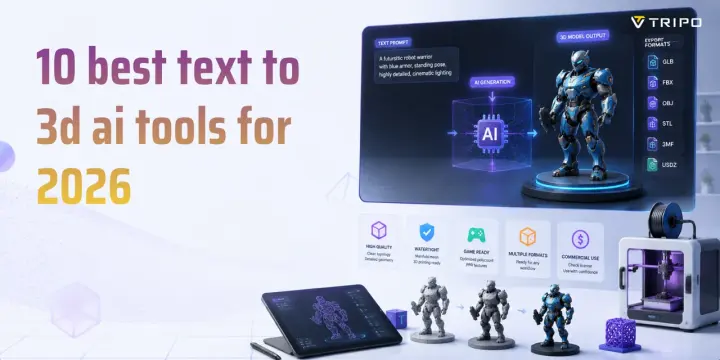
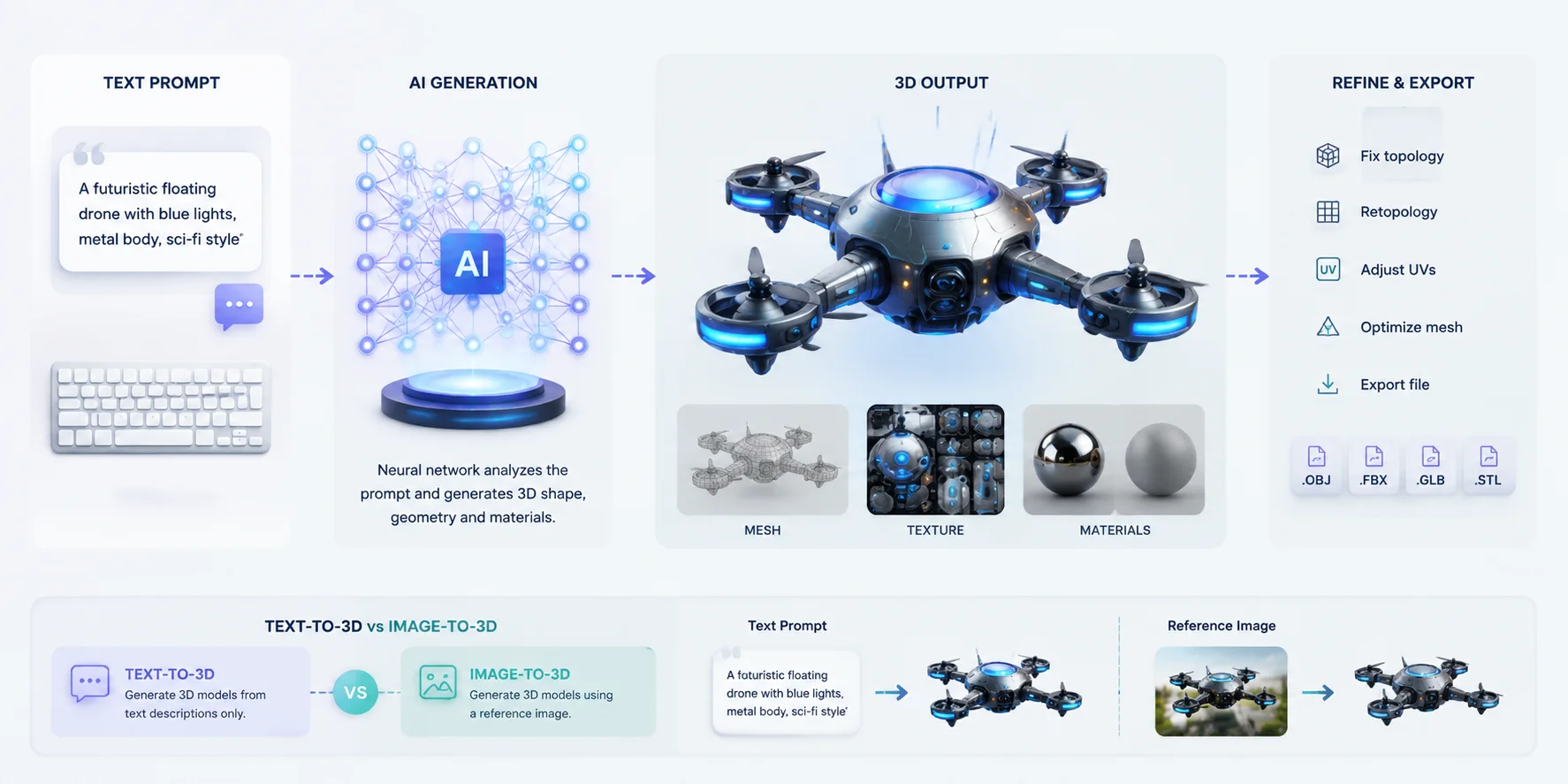
A text-to-3D AI tool is a generative AI system that converts written descriptions into three-dimensional models. Instead of manually sculpting, modeling, or assembling geometry, users can enter a prompt such as “a futuristic sci-fi robot with metallic armor” or “a low-poly fantasy castle,” and the AI generates a 3D asset based on the description. These tools use neural networks trained on large collections of 3D data to predict shapes, geometry, materials, and textures, creating a usable mesh in seconds to a few minutes.
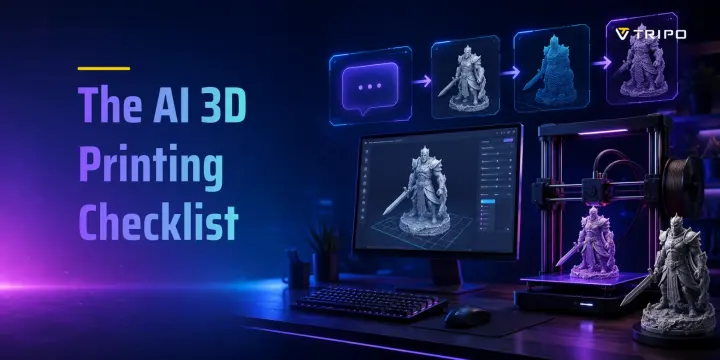
The basic workflow is simple: text prompt → AI generation → 3D mesh + texture output → export and refinement. Modern text to mesh AI systems can create the initial structure of an object, apply colors and materials, and prepare files for use in games, AR/VR projects, product visualization, and 3D printing. However, AI-generated models are not always production-ready immediately. Many assets still require cleanup, such as fixing topology, reducing polygon count, adjusting UVs, retopology, or optimizing textures before final use.
Text-to-3D is different from image-to-3D AI because it relies only on written instructions rather than a reference image. Image-based tools use visual information from an uploaded picture to preserve specific shapes or details, while text-to-3D generators are more flexible for creating original concepts from imagination. This makes them especially useful for rapid prototyping, game asset creation, and exploring design ideas.
The quality of results depends heavily on the prompt. The best prompt to 3D generator workflows usually combine clear object descriptions, style references, material details, and shape instructions. As text-to-3D technology improves, the best text-to-3D AI tools are becoming faster, more accurate, and easier to integrate into professional 3D pipelines. In this guide, we compare leading text-to-3D tools across quality, speed, usability, and export options.
How Text-to-3D AI Turns Prompts into 3D Models
How We Picked (What Makes a Text-to-3D Tool “Best”)
Not every text-to-3D tool is built for the same purpose. We evaluated the products and open-source projects below using information available from their official product pages, documentation, pricing pages, terms, and repositories as of July 20, 2026. This is an editorial comparison, not a controlled benchmark.
The 5 Criteria We Used
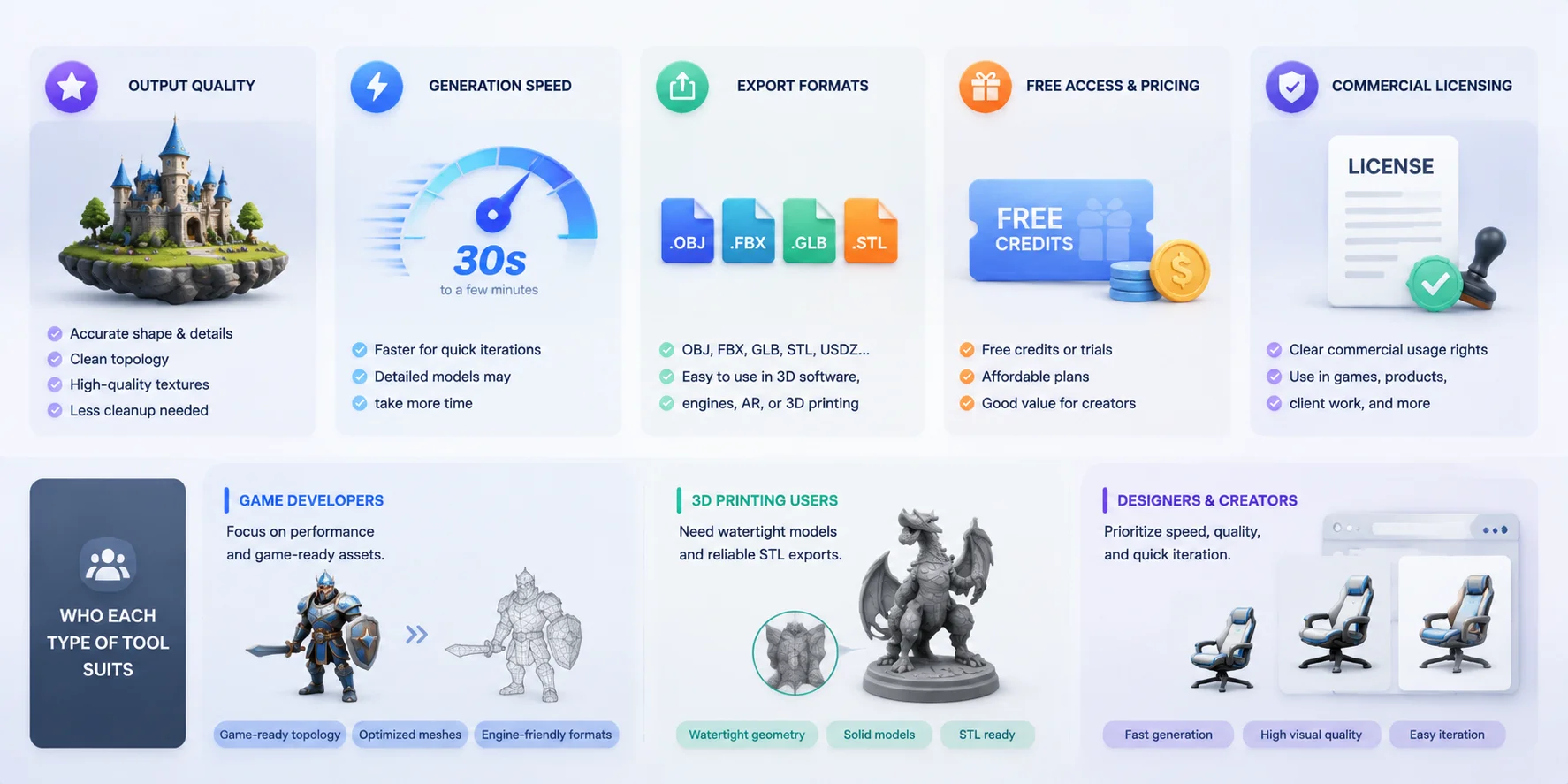
Output Quality We considered the type of geometry and textures each tool is designed to produce, plus how much cleanup its documented workflow may require. Visual quality still varies by prompt and model version.
Generation Speed Faster generation helps users quickly test ideas, while detailed models may require more processing time.
Export Formats Support for formats like OBJ, FBX, GLB, and STL determines how easily models move into games, design software, or 3D printing workflows.
Free Access & Pricing We considered free credits, trial limits, and whether users can test the tool before paying.
Commercial Licensing For professional projects, clear usage rights are important when using AI-generated models commercially.
Who Each Type of Tool Suits
Different users need different features. Game developers should look for game-ready topology and optimized meshes. 3D printing users need watertight models and reliable STL exports. Designers and creators often prioritize fast generation, visual quality, and easy iteration.
Because plans and model versions change quickly, treat credit counts, export access, and licensing summaries as a starting point. Confirm the current product page and terms before committing a production pipeline.
How to Choose the Best Text-to-3D AI Tool: Key Evaluation Criteria
The 10 Best Text-to-3D AI Tools for 2026
Tripo AI — Best Overall Text-to-3D AI Tool
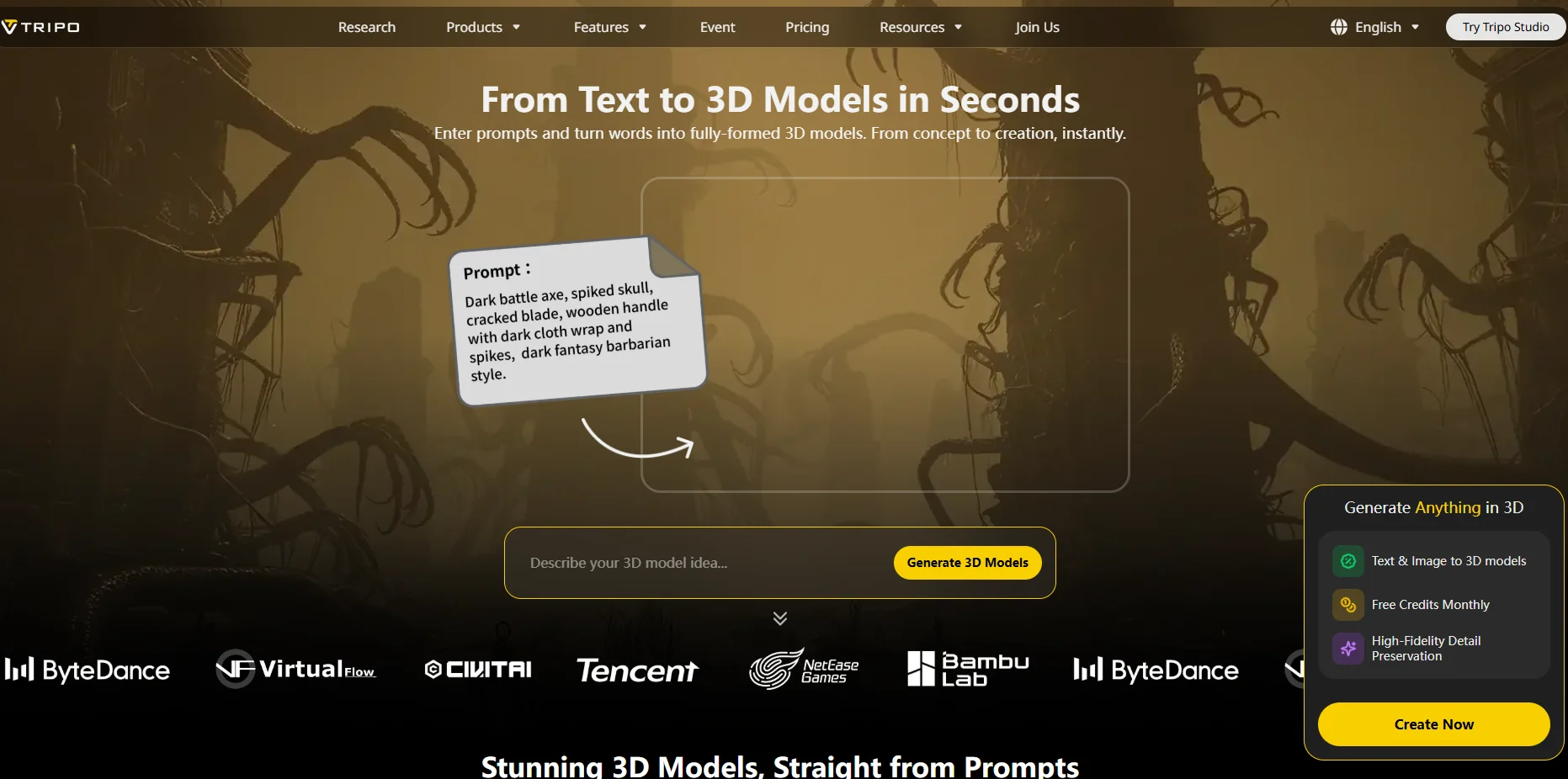
Tripo is a native text-to-3D AI platform for fast concept generation and downstream 3D workflows. Its HD Model mode supports up to 2 million polygons, while Smart Mesh targets cleaner, lower-poly assets. Current official materials list GLB, FBX, OBJ, STL, 3MF, and USD exports. The free plan provides 200 monthly credits, commonly enough for about eight basic generations, but export access depends on the model version and eligible subscription. Commercial use is allowed when the source material is copyright-clean. Best for creators who want generation, editing, topology, animation, and export tools in one workflow.
Meshy AI — Best for Fast AI 3D Creation
Meshy combines text-to-3D and image-to-3D with AI texturing and a browser-based workflow. It is positioned for rapid iteration, stylized assets, and game-development use cases, with multiple common 3D export options. A free credit allowance is available, while download quality, generation volume, and commercial terms vary by plan. Best for beginners and indie teams that value a quick creation loop and a large creator ecosystem.
Rodin (Hyper3D) — Best for High-Detail 3D Generation
Rodin by Hyper3D emphasizes detailed geometry and strong shape reconstruction from text or images. Its workflow is better suited to users who prioritize visual fidelity and character or object detail over the fastest preview. Export availability, generation credits, and usage rights depend on the current Rodin plan, so those fields should be checked before production use. Best for concept artists and teams evaluating high-detail assets.
3D AI Studio — Best Beginner-Friendly Option
3D AI Studio offers text-to-3D and image-to-3D in a simple web interface, with a workflow designed for users who do not want to configure local models. It supports downloadable 3D assets and offers trial or free-credit access, but available formats, generation limits, and commercial rights depend on the active plan. Best for beginners who want to test several generation models from one interface.
OpenAI Point-E — Best for Lightweight Text-to-3D Research
Point-E is an MIT-licensed OpenAI research project that can generate 3D point clouds from text. Its repository explicitly describes the pure text-to-3D model as smaller and lower quality than its image-conditioned pipeline, so it should not be presented as a polished commercial generator. It is free to self-host and has no subscription export system; converting outputs into production meshes requires technical work. Best for developers studying fast point-cloud generation.
Sloyd — Best for Customizable 3D Assets
Sloyd uses procedural templates and AI-assisted controls to create adjustable 3D assets. Its strength is editability: users can change dimensions and parameters instead of accepting a fixed generated mesh. It supports common export formats for game-development and DCC workflows, while free access and commercial usage depend on the current plan. Best for game developers who need repeatable, customizable props rather than one-off sculptural results.
Spline AI — Best for Web-Based 3D Design
Spline is a browser-based 3D design environment with AI-assisted creation features for interactive web scenes. It is strongest for layout, animation, collaboration, and publishing lightweight real-time experiences, not for replacing a dedicated high-detail text-to-mesh pipeline. A free plan is available, with export and commercial features varying by plan. Best for web designers and teams building interactive product or marketing experiences.
Tencent Hunyuan3D — Best for Research and Open Development
Tencent Hunyuan3D is an open research family rather than one fixed web product. Current 2.x repositories focus heavily on image-conditioned shape and texture generation; a text prompt may require a text-to-image stage before 3D generation, depending on the implementation. The code and model licenses, hardware requirements, and supported output workflow should be checked for the exact repository version. Best for researchers and technical teams that want an open, customizable pipeline.
3DTopia-XL — Best for Open Text-to-3D Experimentation
3DTopia-XL is an open text-to-3D research model designed to generate 3D assets from language prompts. It is intended for local or research deployment rather than a beginner-friendly hosted service, so speed and output quality depend heavily on hardware and setup. There is no consumer free-credit plan; usage and redistribution must follow the project license. Best for researchers who want to inspect or extend a modern text-conditioned 3D model.
OpenAI Shap-E — Best Experimental Open-Source Tool
OpenAI Shap-E is an MIT-licensed research system that generates implicit 3D representations from text or images. It can produce meshes and neural radiance fields, but the project has not received a code update since 2024 and is not positioned as a production SaaS tool. It is free to self-host, while output quality and export preparation require technical evaluation. Best for researchers comparing earlier open text-to-3D approaches.
Text-to-3D Tools Compared at a Glance
The table below separates hosted products from open research projects and avoids unsupported numerical rankings. Terms such as free access, export support, and commercial use can change, so confirm the current plan or repository license before shipping an asset.
| Tool | Best for | Generation approach | Output and speed | Export workflow | Free access | Commercial-use note | Tool type |
|---|---|---|---|---|---|---|---|
| Tripo AI | End-to-end creator workflows | Native text-to-3D and image-to-3D | HD up to 2M polygons; generation varies by mode | GLB, FBX, OBJ, STL, 3MF, USD | 200 monthly credits; export eligibility varies | Allowed when source material is copyright-clean | Hosted platform |
| Meshy AI | Rapid prototyping | Text-to-3D and image-to-3D | PBR-focused browser workflow | Multiple common 3D formats | Free credits available | Check current plan and terms | Hosted platform |
| Rodin (Hyper3D) | High-detail concepts | Text and image conditioned generation | Detail-focused workflow | Plan-dependent exports | Trial access may be available | Check current plan and terms | Hosted platform |
| 3D AI Studio | Beginners and model comparison | Hosted text and image generation | Simple browser workflow | Plan-dependent exports | Trial or credits may be available | Check current plan and terms | Hosted platform |
| OpenAI Point-E | Point-cloud research | Pure text or image-conditioned point clouds | Fast research model; pure text quality is limited | Technical conversion required | Open source | MIT license | Research code |
| Sloyd | Controllable game props | Procedural templates with AI assistance | Fast and adjustable | Common game and DCC exports | Free access varies | Check current plan and terms | Hosted platform |
| Spline AI | Interactive web 3D | AI-assisted scene creation | Optimized for web scenes rather than high-detail meshes | Web and plan-dependent exports | Free plan available | Check current plan and terms | Hosted platform |
| Tencent Hunyuan3D | Open research pipelines | Version-dependent image or text-assisted workflow | Hardware and version dependent | Repository-specific workflow | Open model access varies | Check exact code and model licenses | Open model family |
| 3DTopia-XL | Open text-to-3D research | Text-conditioned local model | Hardware and setup dependent | Technical export pipeline | No consumer credit plan | Follow the project license | Research model |
| OpenAI Shap-E | Experimental implicit 3D research | Text or image to implicit 3D | Experimental; technical cleanup expected | Meshes or NeRFs through code | Open source | MIT license | Research code |
For a quick decision: choose a hosted platform such as Tripo, Meshy, Rodin, or 3D AI Studio when you need a guided workflow and downloadable assets; choose Sloyd for controllable procedural props; choose Spline for interactive web scenes; and choose Point-E, Hunyuan3D, 3DTopia-XL, or Shap-E when research access and local customization matter more than convenience.
How to Write a Text-to-3D Prompt That Works
A good text-to-3D prompt does more than describe an object. AI models need clear instructions about shape, style, materials, and presentation to generate more accurate results. While different platforms interpret prompts differently, a structured description usually produces better results than a short keyword list.
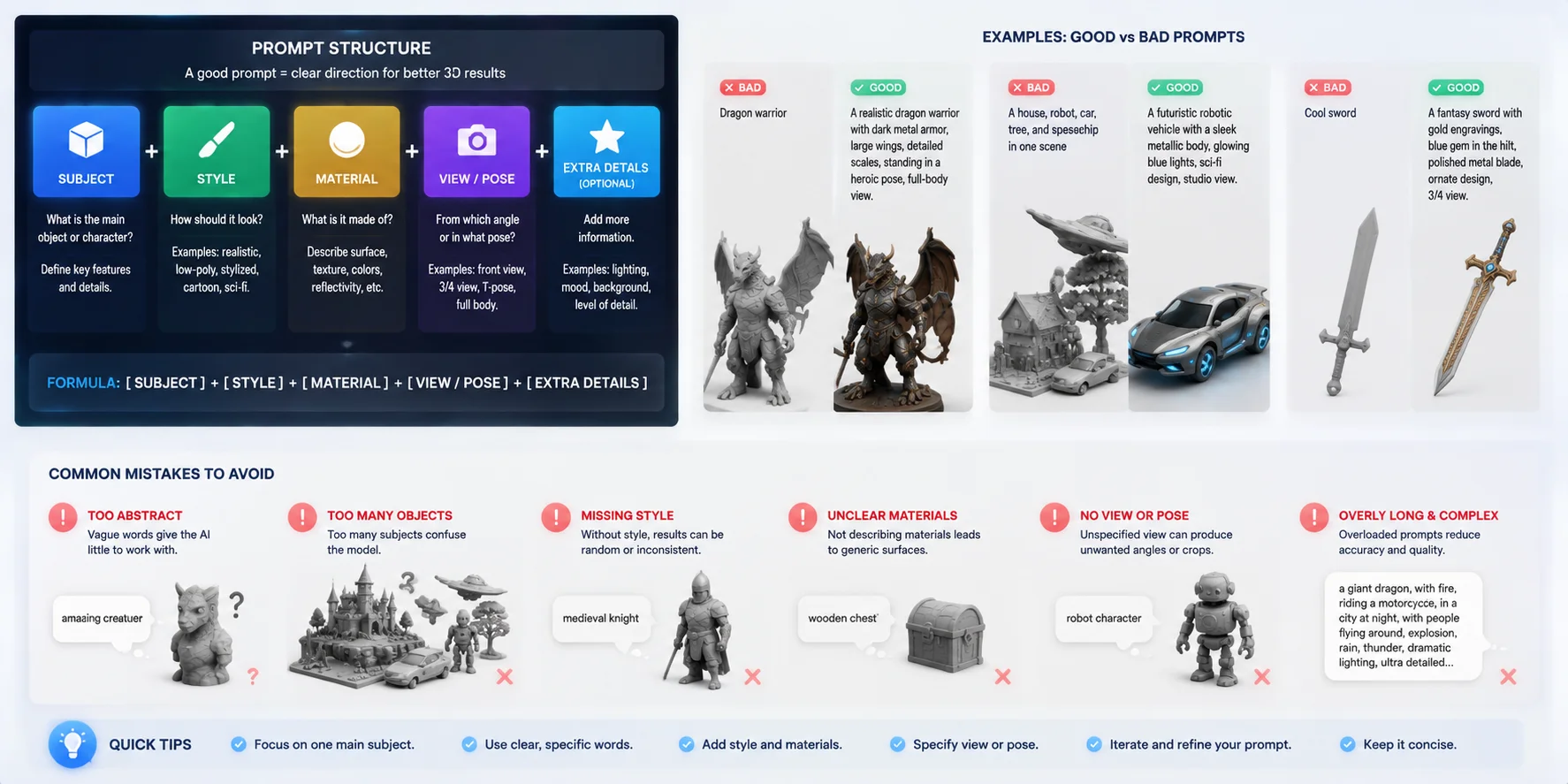
Prompt Structure: Subject + Style + Material + View
A reliable text to 3D prompt structure can be built with four elements:
- Subject — Clearly define what you want to create. Mention the object type, key features, and important details. Example: “a medieval fantasy warrior character with armor and a sword.”
- Style — Add the visual direction, such as realistic, low-poly, cartoon, sci-fi, or stylized. This helps control the overall appearance.
- Material — Describe surface properties, colors, and textures. For example, “polished metal armor,” “wooden surface,” or “rough stone texture.”
- View or Pose — Specify camera angle, orientation, or character pose when needed. Terms like “front view,” “full body,” or “T-pose” can improve consistency.
A simple formula is:
Subject + Style + Material + View/Pose + Extra Details
Text-to-3D Prompt Examples: Good vs Bad
Bad prompt: “Dragon warrior”
This is too broad and leaves the AI to guess the style, shape, and details.
Better prompt: “A realistic dragon warrior with dark metal armor, large wings, detailed scales, standing in a heroic pose, full-body view.”
Bad prompt: “A house, robot, car, tree, and spaceship in one scene”
Too many unrelated objects can confuse the generation process.
Better prompt: “A futuristic robotic vehicle with a sleek metallic body, glowing blue lights, sci-fi design, studio view.”
Common Text-to-3D Prompt Mistakes
Avoid prompts that are too abstract, contain too many objects, or fail to define a visual style. Words like “cool,” “amazing,” or “beautiful” provide little useful information compared with specific shape and material descriptions. For better results, focus on one main subject, describe its important features, and add clear production goals such as game asset, printable model, or realistic render.
Text-to-3D Prompt Guide: Structure, Examples & Mistakes
Exporting & Using Your Model (Formats, Blender, Commercial Use)
Generating a 3D model is only the first step. To use an AI-created asset in a real workflow, you need the right export format, compatible software support, and clear commercial usage rights. The best text-to-3D AI tools are not only judged by generation quality, but also by how easily models move into existing pipelines.
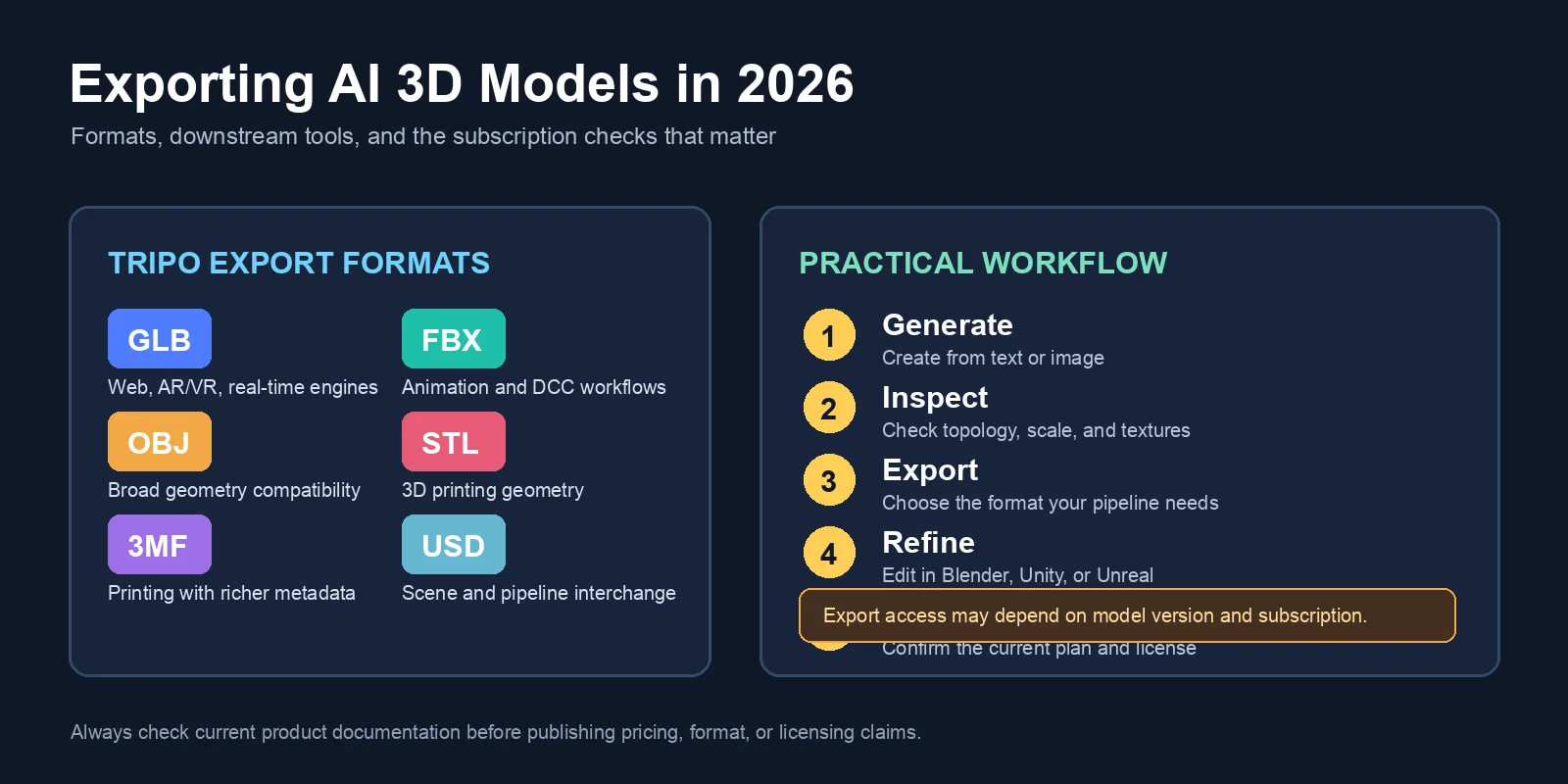
Export Formats: GLB, FBX, OBJ, STL, and 3MF
Different formats serve different purposes:
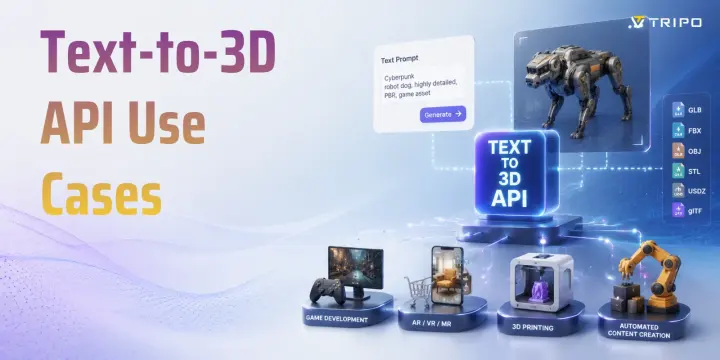
- GLB — A compact format widely used for web 3D, AR experiences, and real-time engines. It can store geometry, materials, and textures in one file.
- FBX — Commonly used for animation workflows because it supports models, rigs, and motion data.
- OBJ — A universal format supported by most 3D software. It is useful for basic geometry exchange but usually requires separate texture files.
- STL — Mainly used for 3D printing. It stores geometry only, so colors and materials are not included.
- 3MF — A newer printing format that can store additional information such as color, materials, and print settings.
For example, Tripo currently lists six export formats: GLB, FBX, OBJ, STL, 3MF, and USD. Export access is not determined by remaining credits alone: Basic supports exports for eligible v2.5 models, while v3.0 and v3.1 exports require an active paid subscription.
Into Blender, Unity, and Unreal Engine
Most AI-generated models can be imported into popular 3D applications. In Blender, users can import formats like GLB, FBX, and OBJ, then adjust topology, materials, or animations. Game developers can bring assets into Unity or Unreal Engine through standard import pipelines. Some platforms also provide workflow integrations or plugins for tools such as Blender, Unity, Unreal Engine, and ComfyUI to simplify the process.
Commercial-Use Rights: Check Before Shipping
Commercial licensing is an important difference between AI 3D tools. Some platforms allow users to commercially use generated models, while others may apply restrictions depending on the plan or generation method. Before using an AI-generated asset in a game, product, or client project, always review ownership terms and usage rights. A high-quality model is only valuable when you can legally use it in your final product.
Exporting AI 3D Models: Formats, Software, and Commercial Use
Can Text-to-3D AI Make Printable STL Files?
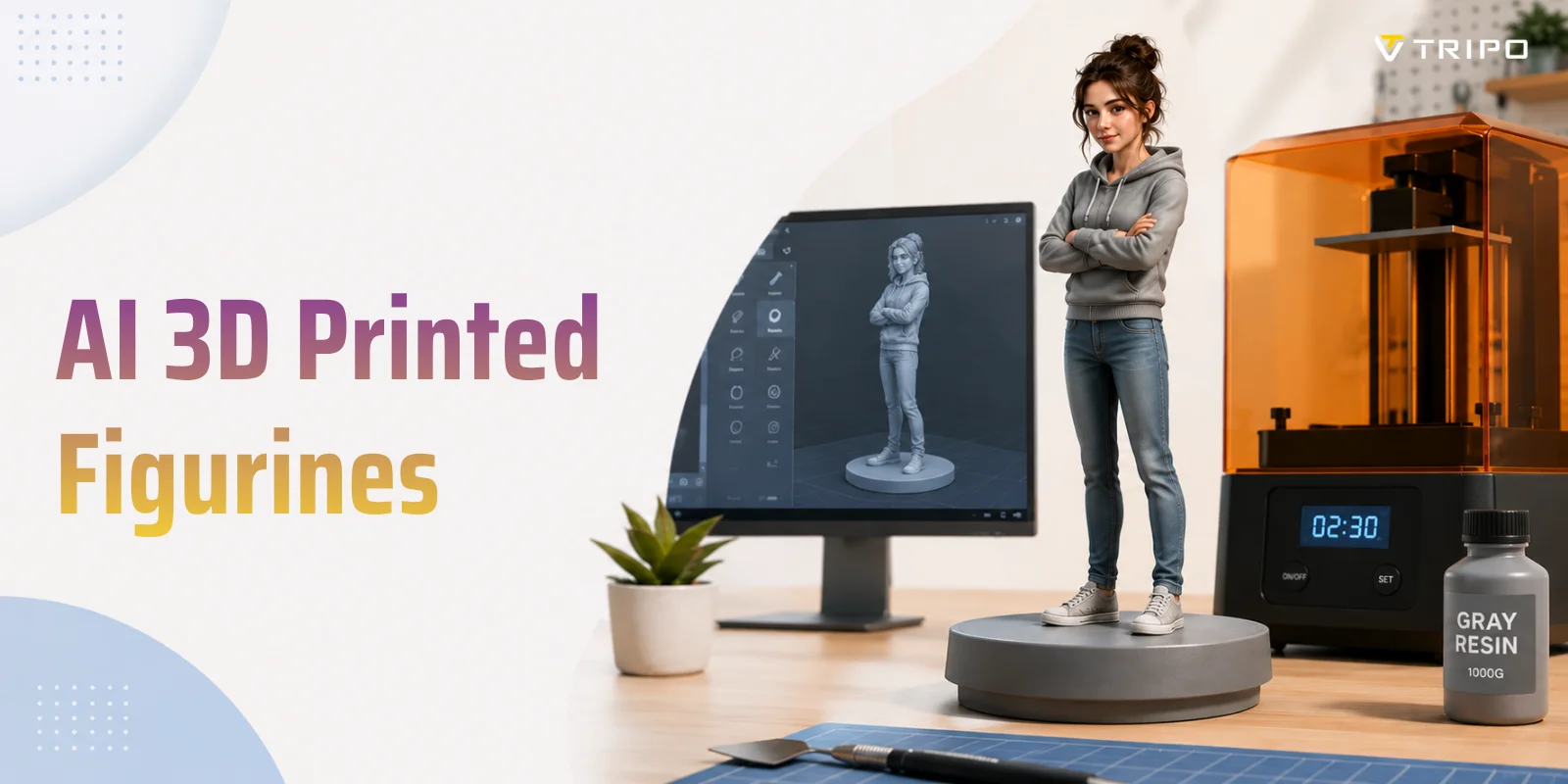
Yes, many text-to-3D AI tools can generate models that can be exported as STL files, but exporting an STL does not automatically mean the model is ready for 3D printing. A printable model needs to be watertight and manifold, meaning the mesh should have no holes, broken surfaces, or non-printable geometry.
For the best results, choose higher-quality generation settings when creating models for 3D printing STL workflows. High-detail modes usually produce cleaner shapes, while mesh repair tools can help fix issues such as non-manifold edges, overlapping geometry, or incorrect normals before sending the model to a slicer.
The typical workflow is:
Text prompt → AI 3D generation → High-quality model → STL export → Mesh check → Slicing → 3D printing
Some AI platforms support direct STL export, while others require exporting formats like OBJ or GLB first and converting them in 3D software. Tripo AI supports a dedicated 3D printing workflow where users can generate a high-quality model, export it as STL, and prepare it for printing after checking the mesh.
AI-generated printable models are improving quickly, but users should still review wall thickness, supports, and geometry before printing. For functional parts or complex miniatures, a quick cleanup step can make the difference between a successful print and a failed one.
Frequently Asked Questions
What is the best text-to-3D model AI?
The best text-to-3D model AI depends on your goal, such as game development, 3D printing, product design, or quick concept creation. Tools like Tripo AI, Meshy AI, and Rodin are popular because they balance generation quality, speed, and export options. For production workflows, look for features such as clean meshes, texture support, multiple file formats, and commercial usage rights.
What are the best AI 3D modeling tools?
The best AI 3D modeling tools include Tripo AI, Meshy AI, Rodin, Sloyd, and other platforms designed for different workflows. Some tools focus on realistic high-detail assets, while others are better for fast prototypes, customizable models, or web-based 3D experiences. The right choice depends on whether you need game-ready assets, printable models, or creative concept generation.
Can ChatGPT actually make STL files?
ChatGPT itself does not directly generate finished STL files from a text prompt. It can help create modeling instructions, scripts, or design concepts, but a dedicated text-to-3D AI tool is usually needed to generate an actual 3D mesh. After generation, the model may need mesh repair, scaling, and slicing preparation before it can be printed.
Are there free text-to-3D AI tools with no watermark?
Some free text-to-3D AI tools offer free credits or limited generations without watermarks, but availability and restrictions vary by platform. Before choosing a free tool, check whether it limits export formats, mesh quality, commercial use, or the number of downloads. Free access is often useful for testing workflows before upgrading to a paid plan.
Can I use AI-generated 3D models commercially?
You may be able to use AI-generated 3D models commercially, but the rules depend on the platform’s licensing terms. Some tools allow commercial use of generated assets, while others may require a specific subscription plan or apply restrictions. Always review the usage rights before using AI models in games, products, client projects, or marketplaces.
Can I export AI-generated 3D models to Blender?
Yes, most AI-generated 3D models can be exported to Blender if the tool supports compatible formats such as GLB, FBX, or OBJ. After importing, users can edit materials, fix topology, optimize geometry, add rigging, or prepare models for animation. Checking supported export formats before choosing a tool can help avoid workflow limitations.
Conclusion
The best text-to-3D AI tool depends on whether you need a guided commercial workflow, controllable game assets, printable geometry, web scenes, or open research code. Compare a small set using the same prompt, then inspect the mesh, textures, export restrictions, and license before choosing a production tool.
Ready to turn a prompt into a 3D model? Start creating in Tripo Studio.