Tripo Smart Mesh P1.0 vs Meshy T2: Low-Poly Mesh Test
Direct low-poly mesh generation shortens the path from a reference image to usable geometry. Instead of generating a dense model and handling retopology in a separate step, creators can choose a target face count during generation and move more quickly into testing, editing, or engine integration.
We compared Tripo Smart Mesh P1.0 and Meshy T2 using the same source images and target face counts. The comparison examines generation speed, supported face-count range, high-face-count mesh quality, and fidelity to the source image.
Results at a glance
| Metric | Tripo Smart Mesh P1.0 | Meshy T2 |
|---|---|---|
| Supported face count | 500-20,000 | 100-15,000 |
| 5,000-face generation | About 5 seconds | About 45 seconds |
| 10,000-face generation | Not tested | About 30 seconds |
| 20,000-face generation | About 10 seconds | Not supported |
| High-face-count quality | Consistent across the supported range | Degrades at 10,000+ faces |
| Image fidelity | More accurate proportions, silhouette, and surface features | Lower fidelity in the tested outputs |
Generation speed: shorter waits support faster iteration
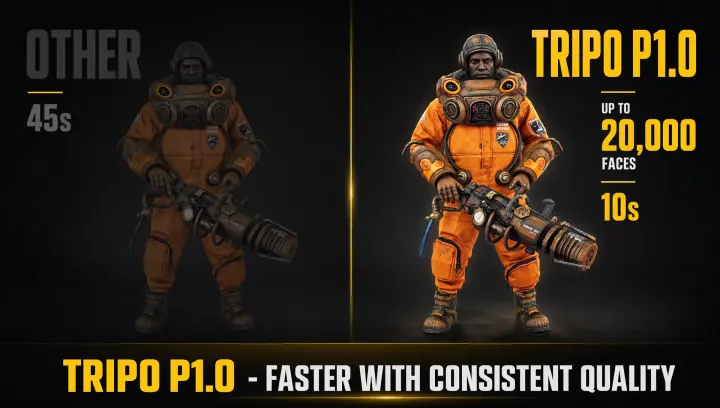
With the same input image and a 5,000-face target, Tripo Smart Mesh P1.0 returned a result in about five seconds. Meshy T2 took about 45 seconds at the same target. Tripo also generated a 20,000-face mesh in about 10 seconds. Meshy T2 generated a 10,000-face mesh in about 30 seconds and does not support a 20,000-face target.
Generation time matters because the first result is rarely the final asset. Artists often test several target counts to find the lowest geometry budget that still preserves the silhouette, accessories, and other important forms. A shorter generation cycle makes it easier to compare options before spending time on cleanup, materials, or rigging.
The figures above should be read by target face count rather than collapsed into a single speed multiplier. The cleanest like-for-like comparison is the 5,000-face test, where both tools used the same input and target.
High-face-count quality: more faces should add useful detail
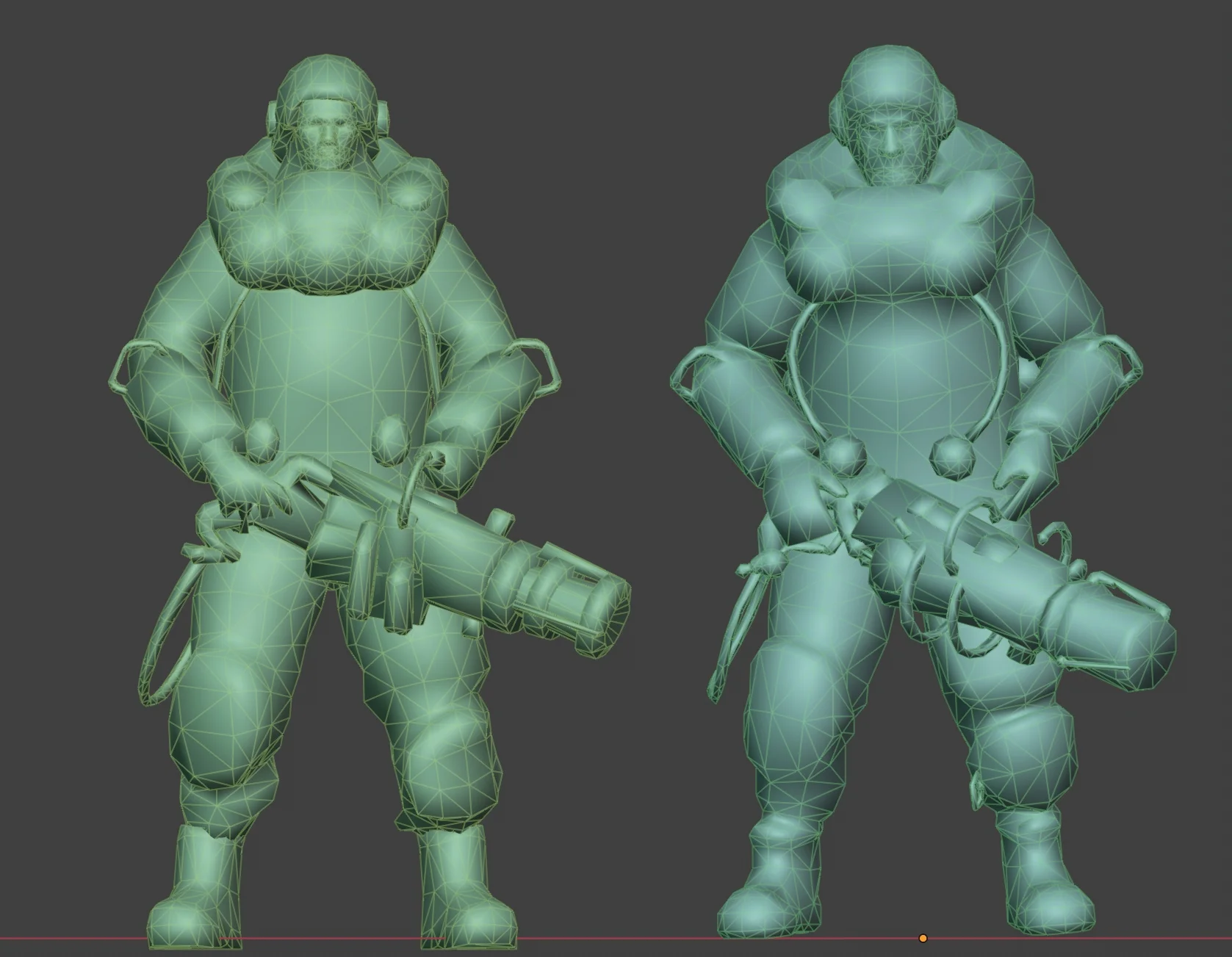
Meshy T2 produced clean results at lower face counts, but its output became less consistent at 10,000 faces and above. The tested models showed uneven edge-flow distribution, missing fine structures, and occasional mesh errors or holes on complex surfaces. Fingers, small accessories, and thin elements were particularly vulnerable.
A higher face count does not improve a model automatically. The added geometry must be distributed where it supports shape and detail. If too many polygons gather in low-value areas while important structures remain undersampled, file size increases without a matching improvement in quality.
Tripo Smart Mesh P1.0 maintained more consistent mesh quality from 500 to 20,000 faces. This gives creators greater control over the trade-off between geometric detail and asset weight. It is especially useful for characters, equipment, and prominent objects whose silhouettes depend on smaller structural features.
Face-count range: choose the budget for the asset
Tripo Smart Mesh P1.0 supports targets from 500 to 20,000 faces. Meshy T2 supports 100 to 15,000 faces. Meshy's lower minimum may suit extremely simplified geometry, while Tripo's higher ceiling provides more room for assets that need additional detail.
The right target depends on where the model will appear. Background props may need only a few thousand faces. A hero asset, character, or object seen at close range may benefit from a higher count when reducing geometry would damage its silhouette or remove recognizable components. The wider range in Tripo lets creators test both lightweight and more detailed versions without changing tools.
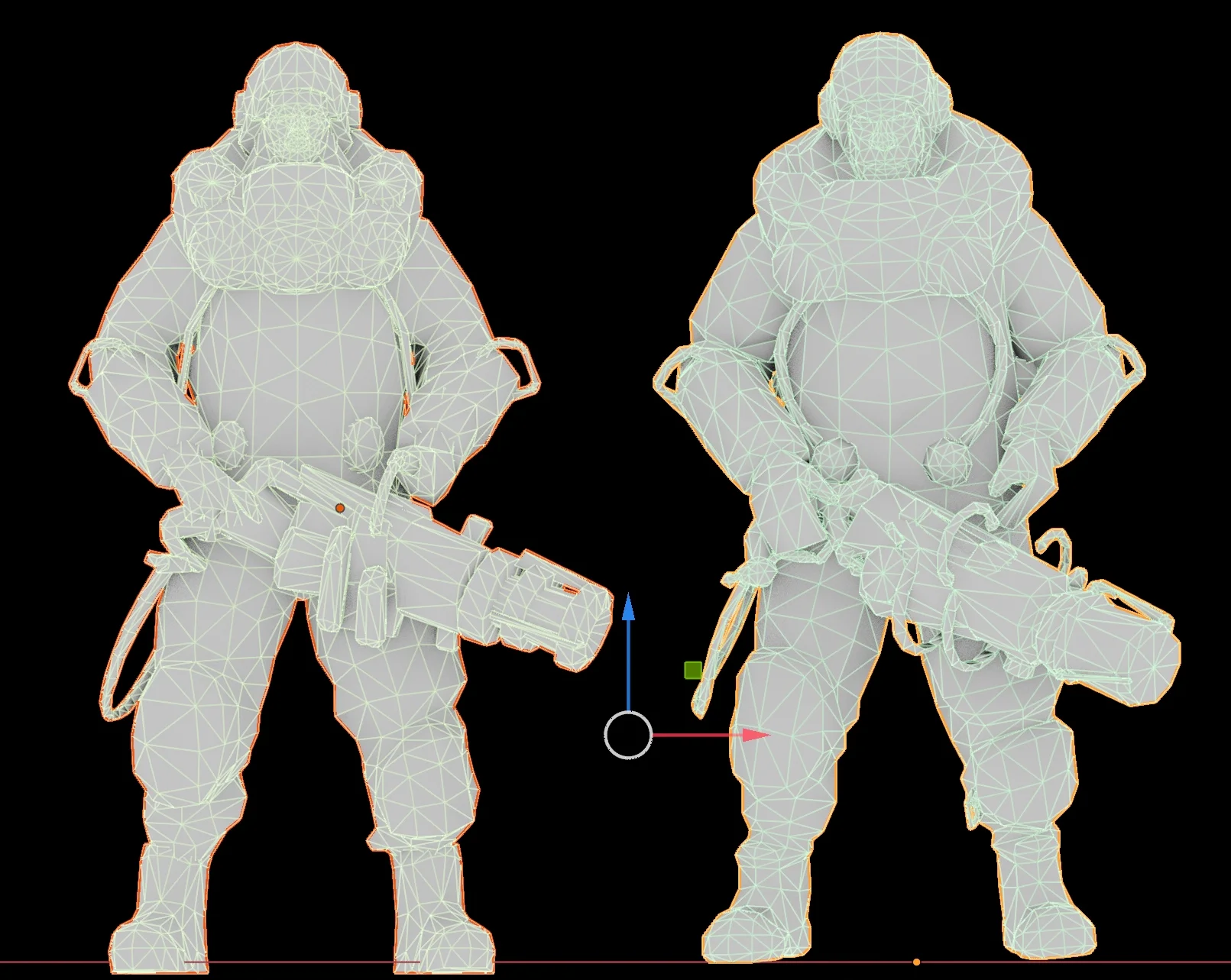
Image fidelity: preserving the source reduces cleanup
Topology is only one part of a useful result. The generated mesh also needs to retain the proportions, silhouette, and recognizable surface features of the reference image. In the tested outputs, Tripo Smart Mesh P1.0 preserved these elements more accurately, particularly around character equipment and thin structures.
Better image fidelity reduces downstream correction. Artists may still refine topology, materials, or individual parts, but they spend less time rebuilding shapes that shifted during generation. For production work, that difference can matter as much as raw generation speed.
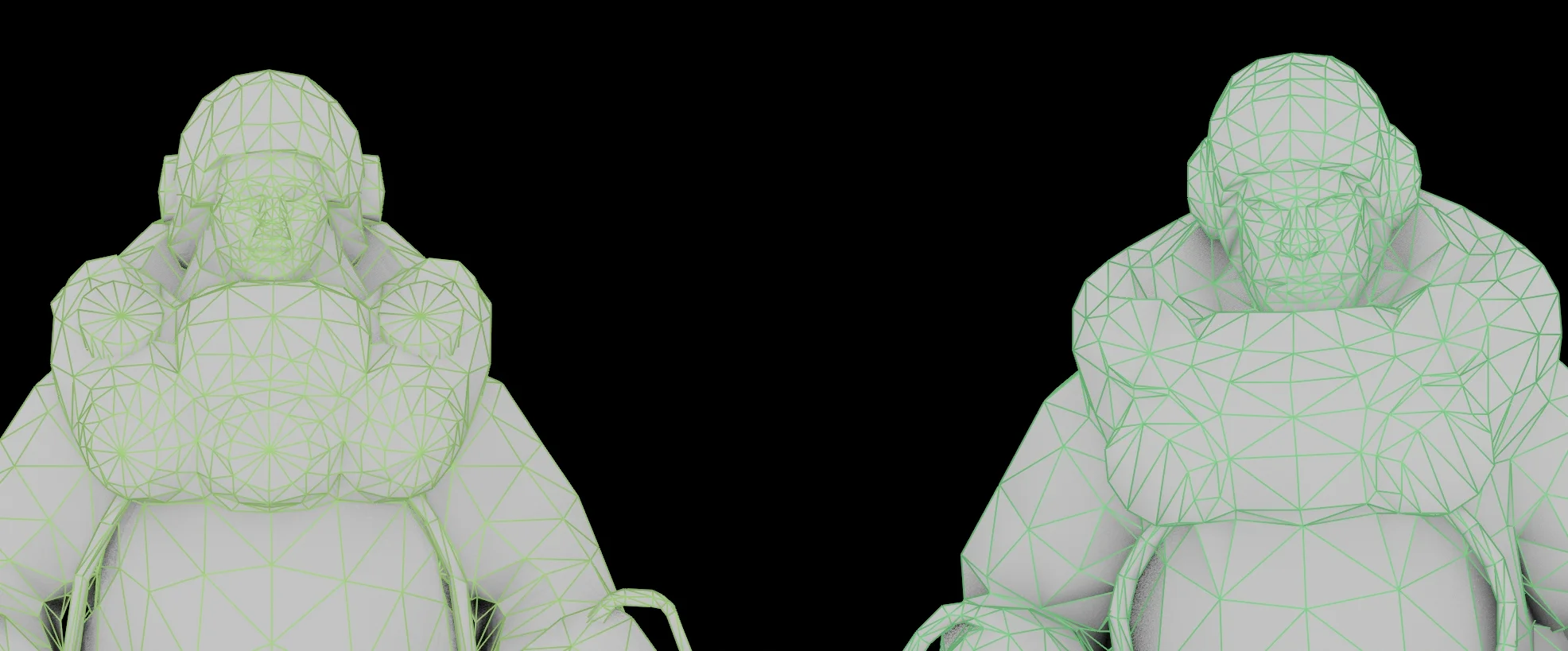
Connected components are not semantic parts
Both tools can generate separate connected components, but connected components should not be confused with semantic parts. Connected-component separation groups geometry according to whether surfaces touch. It does not necessarily understand that a helmet, hand, weapon, or accessory is a meaningful object part.
A generated asset may therefore contain numerous small fragments with unclear roles. Before rigging or detailed editing, creators may still need to merge pieces, rename parts, and organize the hierarchy. Connected components provide a useful starting point, but they do not replace semantic segmentation or deliberate asset organization.
Verdict: more range and control with Tripo
Meshy T2 supports targets below 500 faces. In the tested workflows, Tripo Smart Mesh P1.0 is the stronger option for faster iteration, stable quality above 5,000 faces, output between 15,000 and 20,000 faces, and stronger preservation of the source image.
The practical advantage is control: creators can test a wider range of geometry budgets while retaining more of the shape and detail that made the source image recognizable. This low-poly test focuses on mesh output; for a broader view of how the two tools compare across the 3D workflow, see the full Tripo vs Meshy comparison.
Try Tripo Smart Mesh P1.0 in Tripo Studio with your own reference image.
.webp?x-oss-process=image%2Fresize%2Cw_720%2Fformat%2Cwebp%2Fquality%2Cq_80)