AI Facade Generator: 2D & 3D Building Design Guide
TL;DR
- AI facade generators create building exterior designs from text prompts, images, or sketches, helping architects and designers visualize ideas faster.
- They can generate both 2D facade concepts and 3D models, making it easier to move from inspiration to usable architectural assets.
- This guide covers how AI facade generators work, the 2D vs. 3D differences, the complete workflow, style references, and optimization tips.
- AI speeds up early design exploration by letting users test different architectural styles, materials, and concepts quickly.
- Tripo AI Studio helps turn facade ideas into exportable 3D models for visualization, real-time projects, and further editing.
- From home design to professional architectural workflows, AI facade tools make creating and exploring building designs more accessible.
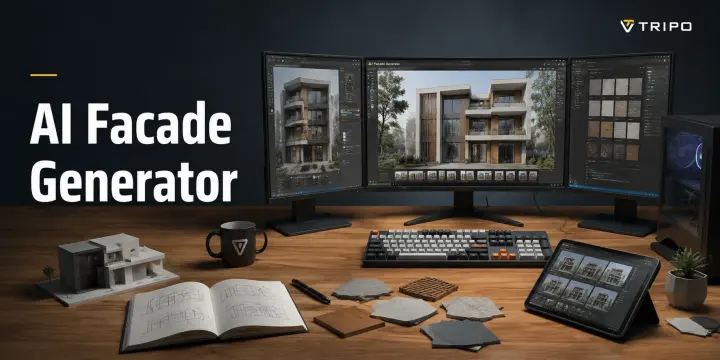
An AI facade generator is a tool that creates photorealistic or 3D renderings of building exteriors from a text prompt or reference image. You describe the architectural style, materials, and scale you want, and the AI generates a visual concept in seconds — no CAD skills or manual modeling required.
Commissioning a facade rendering used to take days and cost hundreds of dollars, especially for early design exploration. AI tools now make it possible to test architectural ideas faster. This guide covers how facade generators work, the difference between 2D renders and 3D mesh outputs, the complete generation workflow, 10+ architectural style references, and how to turn your design into an exportable 3D model with Tripo AI.
What Is an AI Facade Generator?
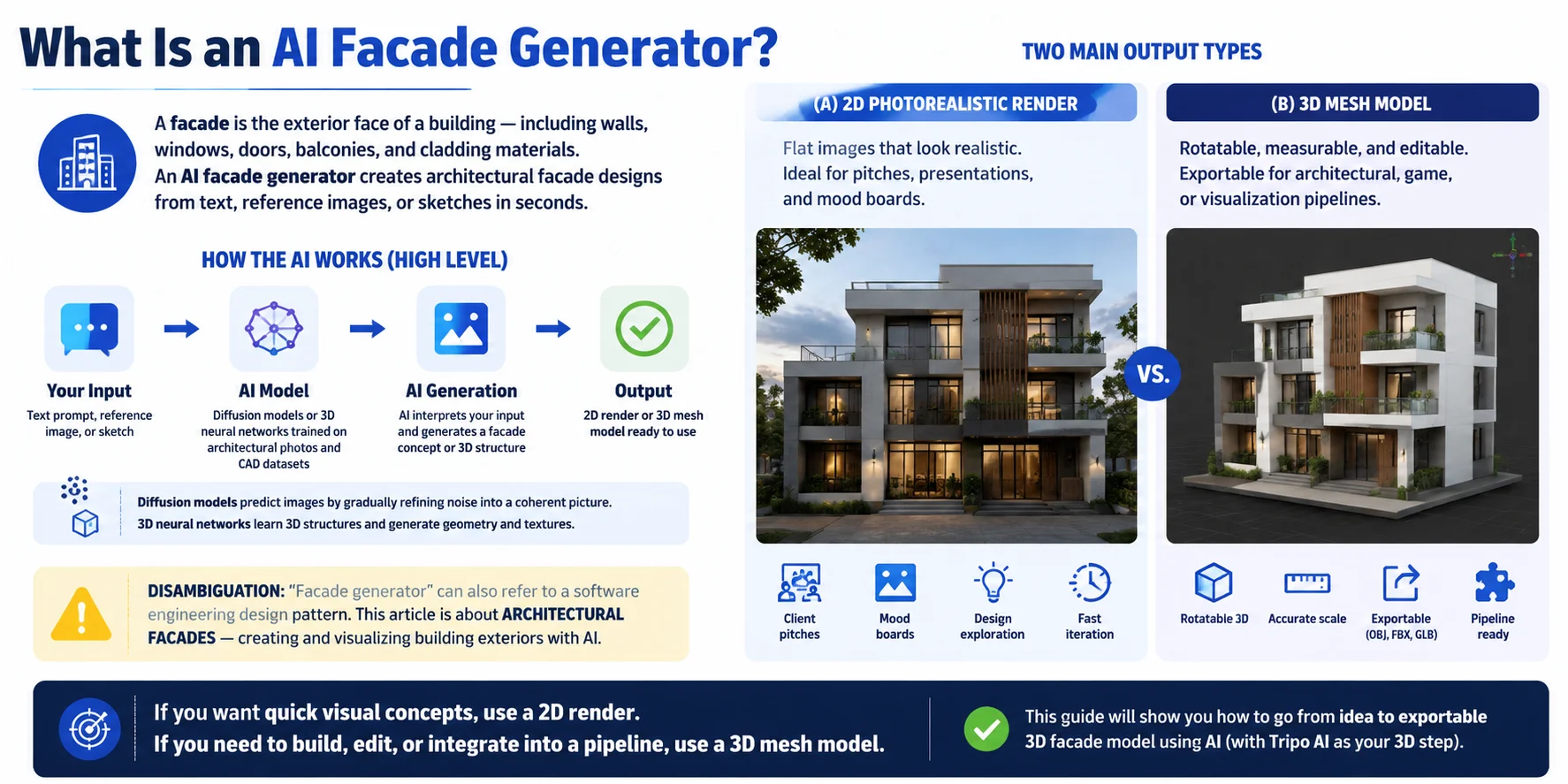
A facade is the exterior face of a building — the visible design layer that includes elements such as walls, windows, doors, balconies, and cladding materials. An AI facade generator is a tool that uses artificial intelligence to create building exterior designs from simple inputs like text descriptions, reference images, or architectural sketches.
At a high level, these tools use technologies such as diffusion models and 3D neural networks trained on large collections of architectural images, CAD data, and 3D assets. The AI learns patterns from existing designs and generates new facade concepts based on the style, materials, and structure you describe.
There are two main types of AI facade outputs:
| Output Type | Best For |
|---|---|
| 2D Photorealistic Render | Flat images for client presentations, mood boards, and early design exploration |
| 3D Mesh Model | Rotatable, editable assets that can be exported and used in architectural, game, or visualization pipelines |
The difference matters because a beautiful render is not always a usable 3D asset. If you only need design inspiration, a 2D image may be enough. If you need to modify, animate, or place the building in a digital environment, a 3D model is the better choice.
One note: “facade generator” can also refer to a software engineering design pattern. This article focuses specifically on architectural facade generation — creating and visualizing building exteriors with AI.
2D Render vs. 3D Model — Which Output Do You Need?
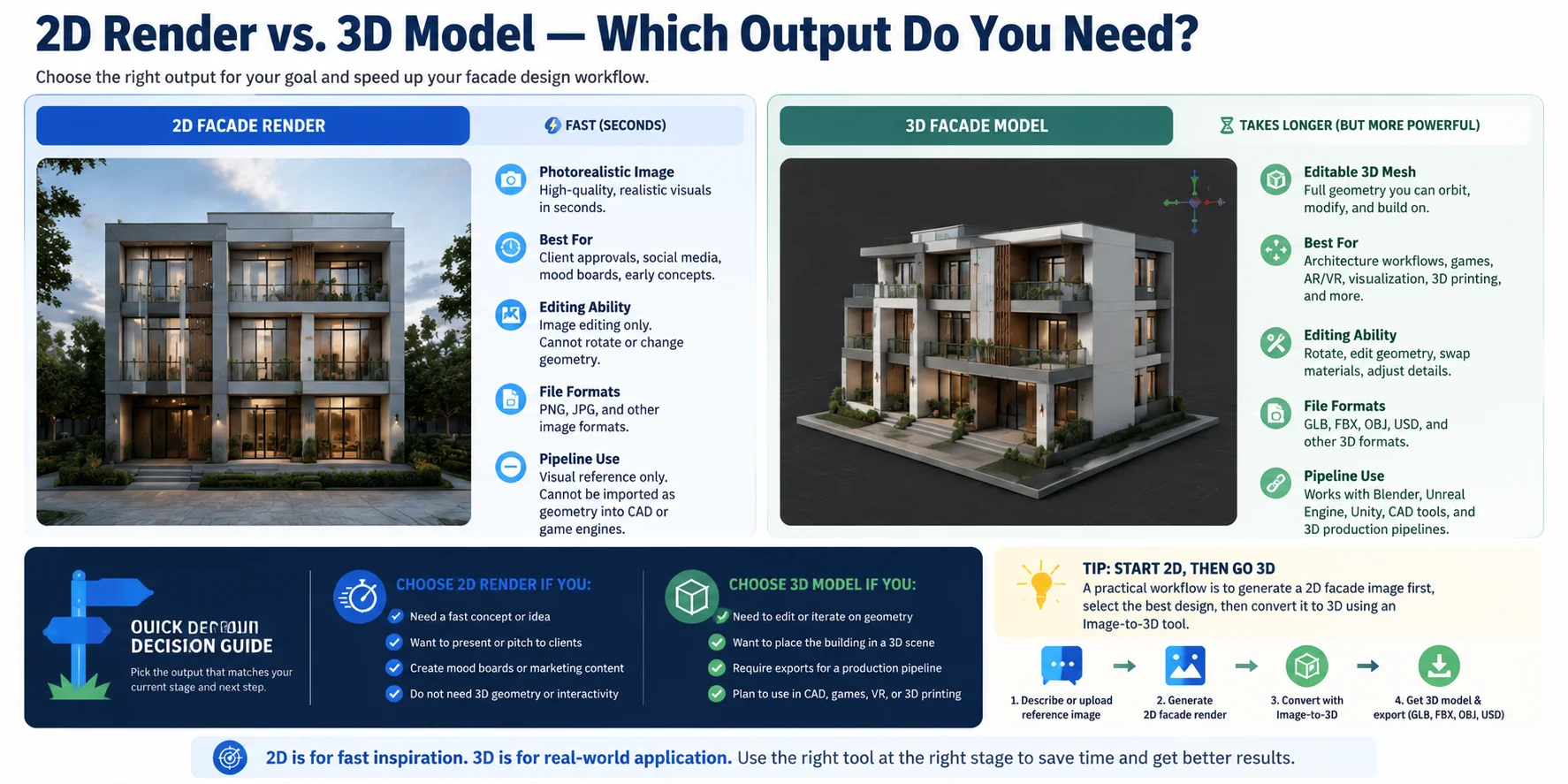
When using an AI facade generator, the right output depends on what you plan to do next. A 2D render is designed for fast visual exploration, while a 3D model provides the actual geometry needed for editing, simulation, and production workflows.
| Feature | 2D Facade Render | 3D Facade Model |
|---|---|---|
| Generation speed | Created in seconds | Takes slightly longer because it builds full geometry |
| Output | Photorealistic image | Editable 3D mesh |
| Best for | Client presentations, social media, mood boards, early concepts | Architecture workflows, games, AR/VR, visualization, and 3D printing |
| Editing ability | Limited to image editing | Can rotate, modify geometry, swap materials, and adjust details |
| File formats | Image files such as PNG/JPG | GLB, FBX, OBJ, USD, and other 3D formats |
| Pipeline use | Visual reference only | Works with Blender, Unity, Unreal Engine, CAD tools, and 3D production workflows |
Choose a 2D Render When:
A 2D render is the fastest way to validate an idea. It works well when you need to show a client a design direction, create a presentation image, or build a mood board. However, it remains a flat image — you cannot freely rotate the building, change the geometry, or import it as a real object into a 3D workflow.
Choose a 3D Model When:
A 3D mesh is the better choice when you need more than a visual concept. You can view the facade from any angle, replace materials, place the building inside a virtual scene, or export it into tools like Blender, Unreal Engine, and Unity. A 3D model also creates a foundation for further architectural development and digital experiences.
Quick decision rule:
- Need a fast design idea? → Choose a 2D render.
- Need an editable asset for production? → Choose a 3D model.
A practical workflow is to start with a 2D facade concept, select the best design, then use an Image-to-3D tool to convert the reference image into a usable 3D model. This combines AI’s fast visual exploration with the flexibility of a production-ready asset.
How to Generate a Building Facade with AI — Step by Step
Creating a building facade with AI starts with a clear design goal. Whether you need a quick architectural concept or a production-ready 3D asset, the workflow follows a similar process: define the design, generate variations, refine the result, and export the final output.
Step 1 — Define Your Design Brief
Before generating anything, describe the building you want to create. Define the architectural style (modern, Victorian, industrial, futuristic), materials (glass curtain wall, exposed brick, concrete, wood), and building type (residential, commercial, mixed-use). Also consider the mood you want to communicate, such as warm and inviting, minimalist, or bold and imposing. A clear brief gives the AI better guidance and produces more consistent facade designs.
Step 2 — Choose Your AI Tool Type
Decide whether you need a 2D concept image or a full 3D model. For quick visual exploration, a 2D AI image generator can create photorealistic facade renders in seconds. If you need editable geometry, choose a Text-to-3D or Image-to-3D workflow such as Tripo AI Studio, which can transform ideas or reference images into usable 3D meshes.
Step 3 — Write a Detailed Facade Prompt
The quality of an AI facade depends heavily on the prompt. Include the building scale, materials, lighting, camera angle, and architectural details instead of using vague descriptions.
Example prompt:
Specific descriptions help the AI understand proportions, surface materials, and the overall visual direction.
Step 4 — Generate and Evaluate Multiple Results
Do not rely on the first output. Generate three or four facade variations and compare them carefully. Look for important architectural details such as symmetry, window grid consistency, realistic material appearance, and whether the building structure feels physically believable. Selecting the strongest concept early saves time during later refinement.
Step 5 — Refine or Convert the Design
Once you choose a preferred design, improve it based on your final goal. For 2D images, tools like inpainting or image-to-image editing can adjust materials, lighting, or specific facade elements. If you need an actual 3D building model, upload the best facade image to an Image-to-3D tool such as Tripo AI Studio to generate a mesh that can be viewed, edited, and used in 3D workflows.
Step 6 — Export Your Final Asset
The final export depends on how you plan to use the facade. For presentations, websites, or client reviews, download the result as a PNG or JPG image. For 3D workflows, export formats such as GLB, FBX, OBJ, or USD allow you to continue editing in tools like Blender, Unity, Unreal Engine, or other architectural pipelines.
With this workflow, AI facade generation becomes more than a concept image tool — it becomes a complete path from architectural idea to usable digital asset.
10 Architectural Styles an AI Facade Generator Can Produce
One advantage of AI facade generators is the ability to explore many architectural directions quickly. By changing a few style keywords in your prompt, you can create anything from minimalist modern homes to futuristic parametric buildings. Below are 10 popular facade styles and the prompt details that help AI produce more accurate results.
1. Modern / Contemporary
Modern facades focus on clean geometry, simple forms, large glass surfaces, and neutral materials. They often feature flat or low-pitch roofs, open layouts, and a balance between concrete, steel, and glass.
Prompt keywords: “contemporary architecture, floor-to-ceiling glass windows, clean lines, concrete and steel materials, neutral color palette”
2. Minimalist
Minimalist architecture removes unnecessary decoration and emphasizes simplicity. Facades usually feature flush surfaces, hidden joints, smooth finishes, and carefully controlled proportions.
Prompt keywords: “minimalist house design, pure white surfaces, seamless facade, concealed details, simple geometric structure”
3. Industrial
Industrial facades are inspired by factories and warehouses, combining raw materials with functional design. Common elements include exposed concrete, weathered steel, large factory-style windows, and mechanical details.
Prompt keywords: “industrial architecture, exposed concrete, weathered steel panels, large warehouse windows, raw materials”
4. Victorian
Victorian architecture is known for decorative details, traditional craftsmanship, and historic character. Typical features include ornate trim, bay windows, brick walls, steep gabled roofs, and complex facade patterns.
Prompt keywords: “Victorian mansion, ornate wood trim, brick facade, bay windows, steep gabled roof, historic details”
5. Art Deco
Art Deco combines luxury with geometric decoration. Facades often use stepped building crowns, symmetrical patterns, metallic accents, and bold architectural shapes.
Prompt keywords: “Art Deco skyscraper, geometric ornamentation, stepped crown, metallic details, symmetrical facade design”
6. Brutalist
Brutalist architecture emphasizes heavy forms and raw materials. These buildings often feature board-formed concrete, deep window recesses, and large monolithic structures.
Prompt keywords: “Brutalist architecture, board-formed concrete, deep window reveals, massive concrete structure, overcast sky”
7. Mediterranean / Spanish Colonial
Mediterranean and Spanish Colonial styles create warm, traditional facades with textured materials and handcrafted details. Common elements include stucco walls, terracotta roof tiles, arches, and outdoor balconies.
Prompt keywords: “Mediterranean villa, white stucco walls, terracotta roof tiles, arched openings, warm sunlight”
8. Scandinavian
Scandinavian architecture focuses on simplicity, natural materials, and connection with the environment. Facades commonly use timber cladding, pitched roofs, muted colors, and minimal decoration.
Prompt keywords: “Scandinavian house, timber exterior, pitched roof, natural wood materials, minimalist Nordic design”
9. Biophilic / Green Architecture
Biophilic facades integrate nature into building design through plants, natural materials, and sustainable features. They often include living walls, wooden louvers, balconies, and integrated greenery.
Prompt keywords: “biophilic architecture, living wall, timber louvers, integrated planters, sustainable green facade”
10. Futuristic / Parametric
Futuristic and parametric designs use advanced digital forms with curved surfaces, algorithmic patterns, and dynamic shading systems. These styles are ideal for experimental buildings and next-generation architecture concepts.
Prompt keywords: “parametric architecture, flowing curved facade, algorithmic patterns, dynamic shading fins, futuristic building design”
By combining architectural style keywords with specific materials, lighting, and structural details, AI facade generators can create much more consistent results. Instead of simply asking for “a modern building,” adding details like “glass curtain wall, dark steel frame, evening lighting, street-level view” gives the AI a clearer design direction and produces more realistic facade concepts.
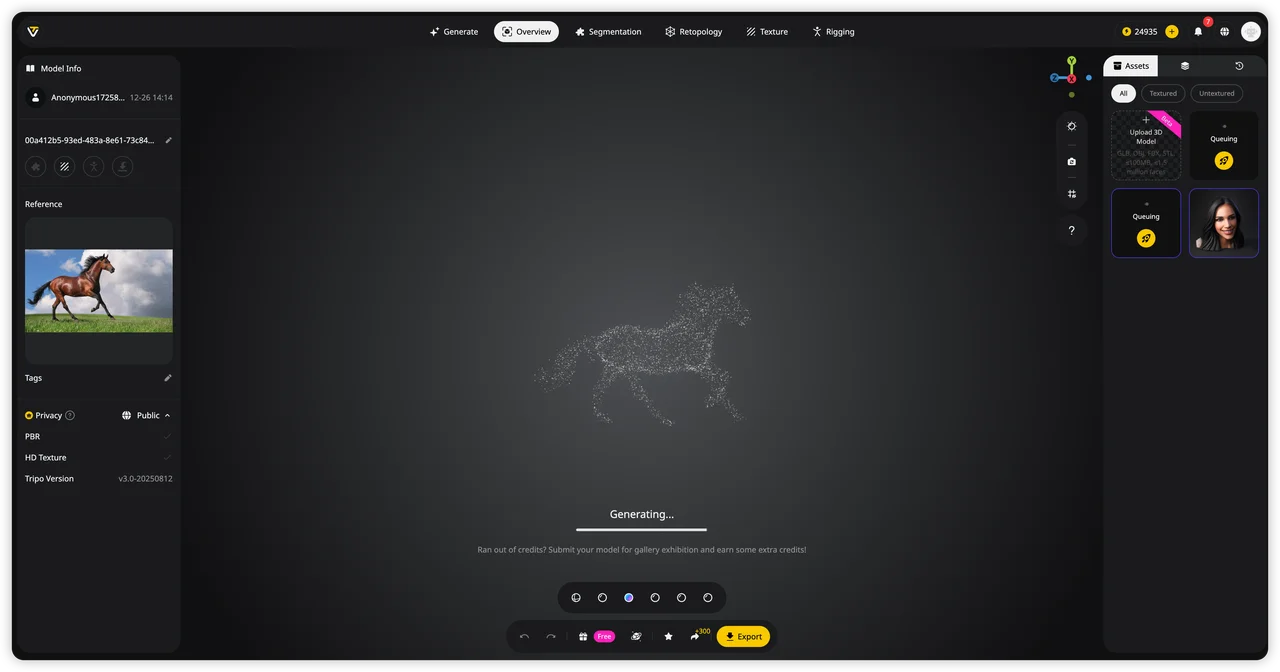
How to Turn a 2D Facade Design into a 3D Model with Tripo AI
A 2D facade render is a great starting point for exploring architectural ideas, but a 3D model unlocks many more possibilities. Converting a facade image into 3D allows you to present designs from different angles, place the building into a game or VR environment, create a physical scale model with 3D printing, or continue refining the geometry for a production workflow.
Tripo AI makes this transition easier by turning images or descriptions into usable 3D assets. Instead of rebuilding the entire building manually in CAD or Blender, you can use AI to generate the initial geometry and then refine it for your specific project.
Path A — Image-to-3D: Convert Your Facade Image into a 3D Model
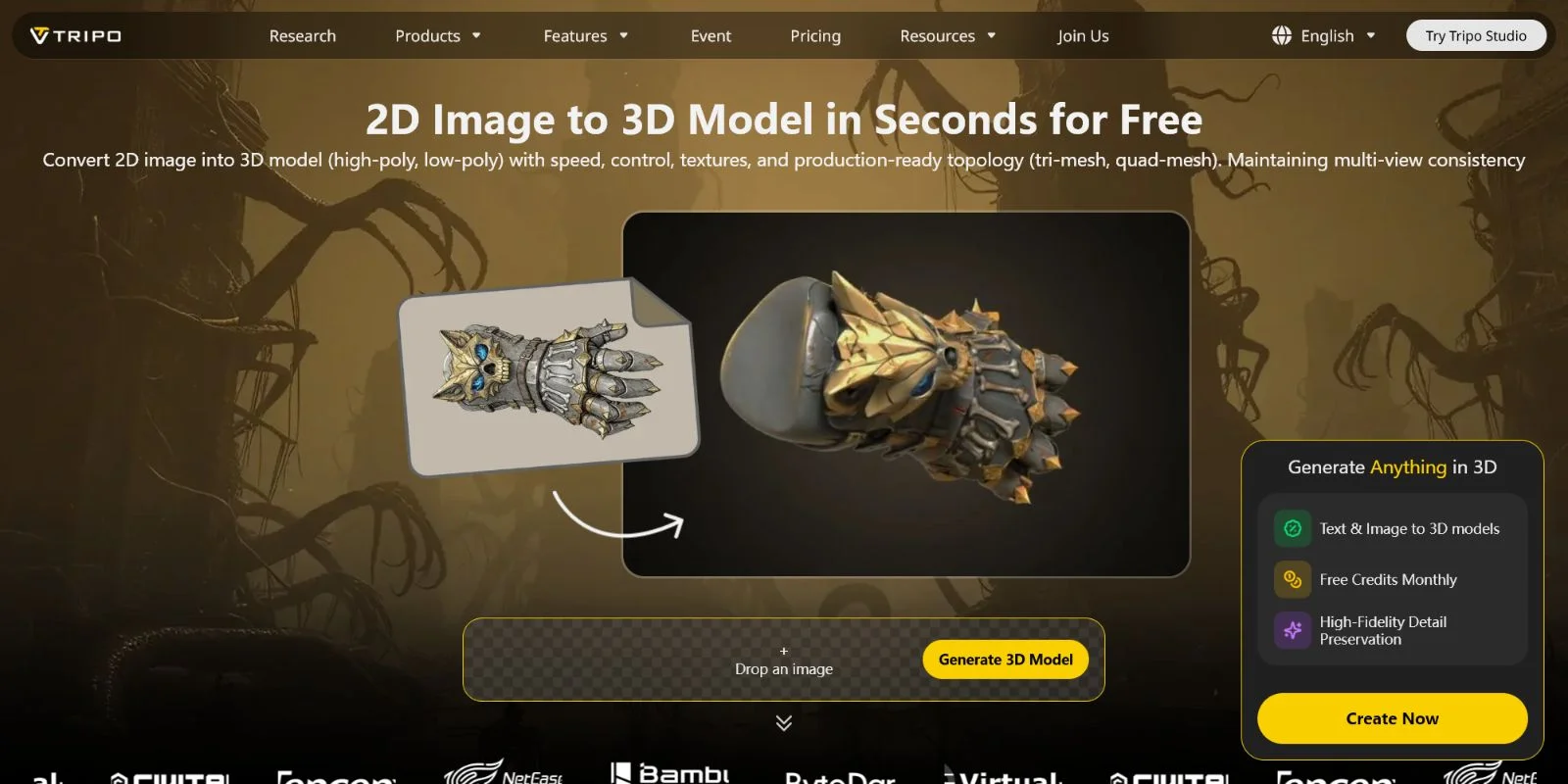
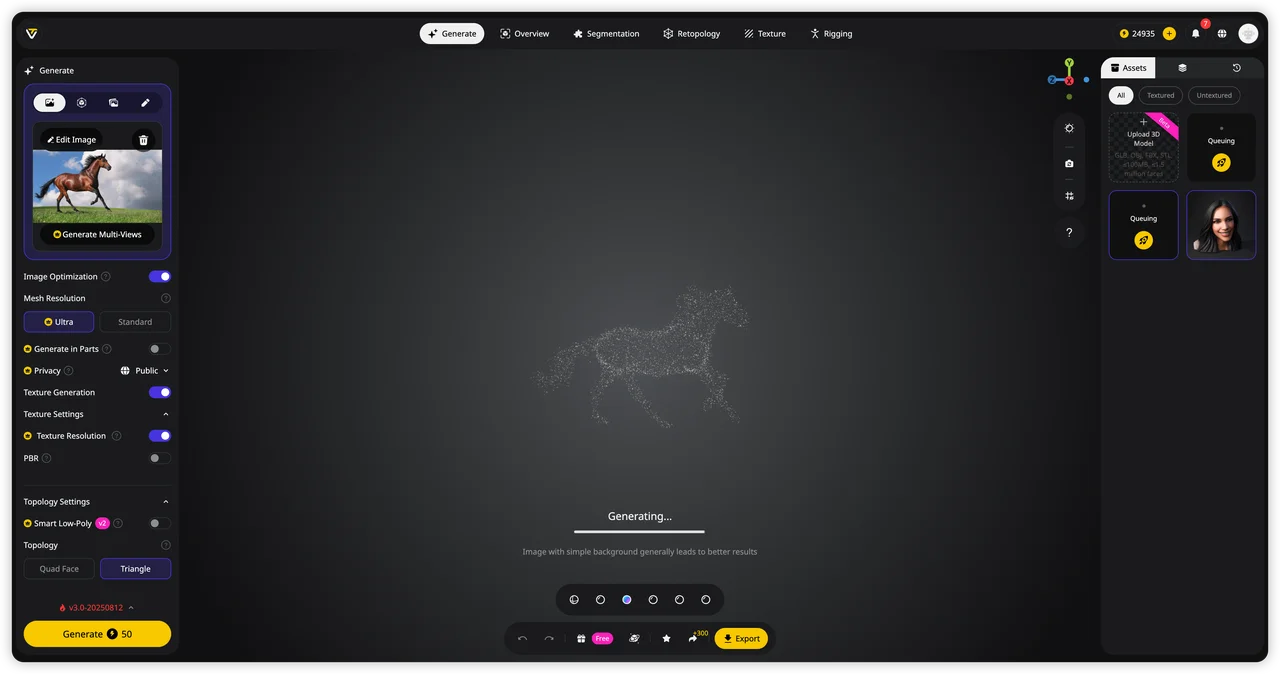
The most direct workflow is using an existing facade render as a reference. Open Tripo AI Studio, choose the Image-to-3D workflow, and upload your best 2D facade design. The AI analyzes the image, identifies major structural elements, and generates a textured 3D mesh based on the visual information.
For the best results, use a clear facade image with visible building structure, consistent lighting, and minimal visual distractions. A strong reference helps the AI better understand elements such as wall surfaces, windows, balconies, and material patterns.
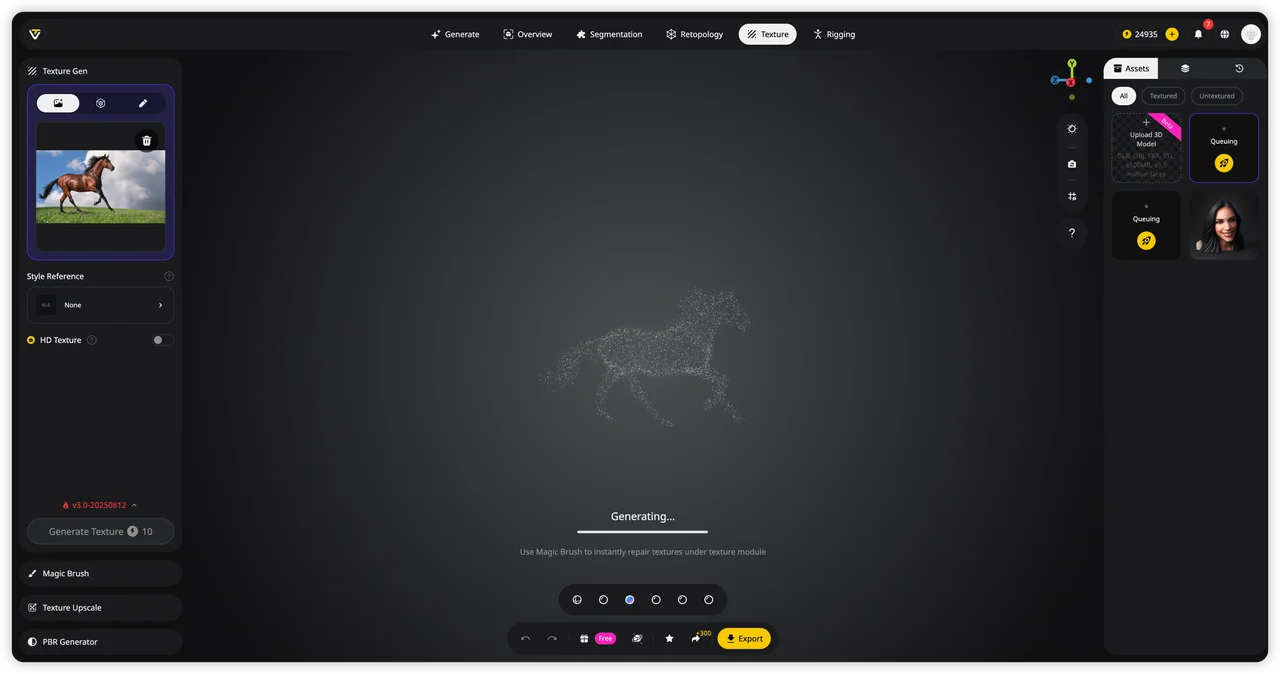
Once generated, the model can be reviewed from different angles and refined using Tripo’s built-in tools. AI Texturing helps preserve important facade details such as glass, concrete, brick, and metal materials, while Smart Mesh and retopology create cleaner polygon structures that are easier to use in real-time applications.
Path B — Text-to-3D: Generate a Facade Model Directly
If you do not already have a 2D facade image, you can skip the rendering stage and create the building directly from a text description. In Tripo AI Studio, enter a detailed prompt describing the architecture you want.
Example prompt:
Text-to-3D is useful during early concept development because you can quickly explore different building styles, materials, and proportions before creating detailed designs.
Refine and Prepare Your 3D Facade
After generation, Tripo AI provides tools to make the model more production-ready. Model Segmentation allows you to separate and edit specific facade elements, such as windows, cladding panels, or architectural sections. This is helpful when you need to adjust individual components instead of modifying the entire building.
For visualization projects, AI Texturing can improve realism by adding detailed surface materials. For interactive applications, Smart Mesh optimization reduces unnecessary geometry while keeping the important visual structure intact.
Export Your Facade Model for Any Workflow
When your facade model is ready, export it in the format that matches your next step:
- GLB — ideal for web viewers, AR/VR experiences, and real-time applications
- USD — suitable for advanced visualization and VFX workflows
- FBX — commonly used for animation and game engines
- OBJ — widely supported for general 3D exchange
- STL / 3MF — suitable for 3D printing workflows
These formats work with popular tools such as Blender, Unreal Engine, Unity, Cinema 4D, and 3D printing slicers.
Open Tripo AI Studio and upload your facade image to see an architectural concept transformed into a 3D mesh in under a minute. With AI-assisted conversion, the path from a flat design idea to an editable 3D building asset becomes faster and more accessible.
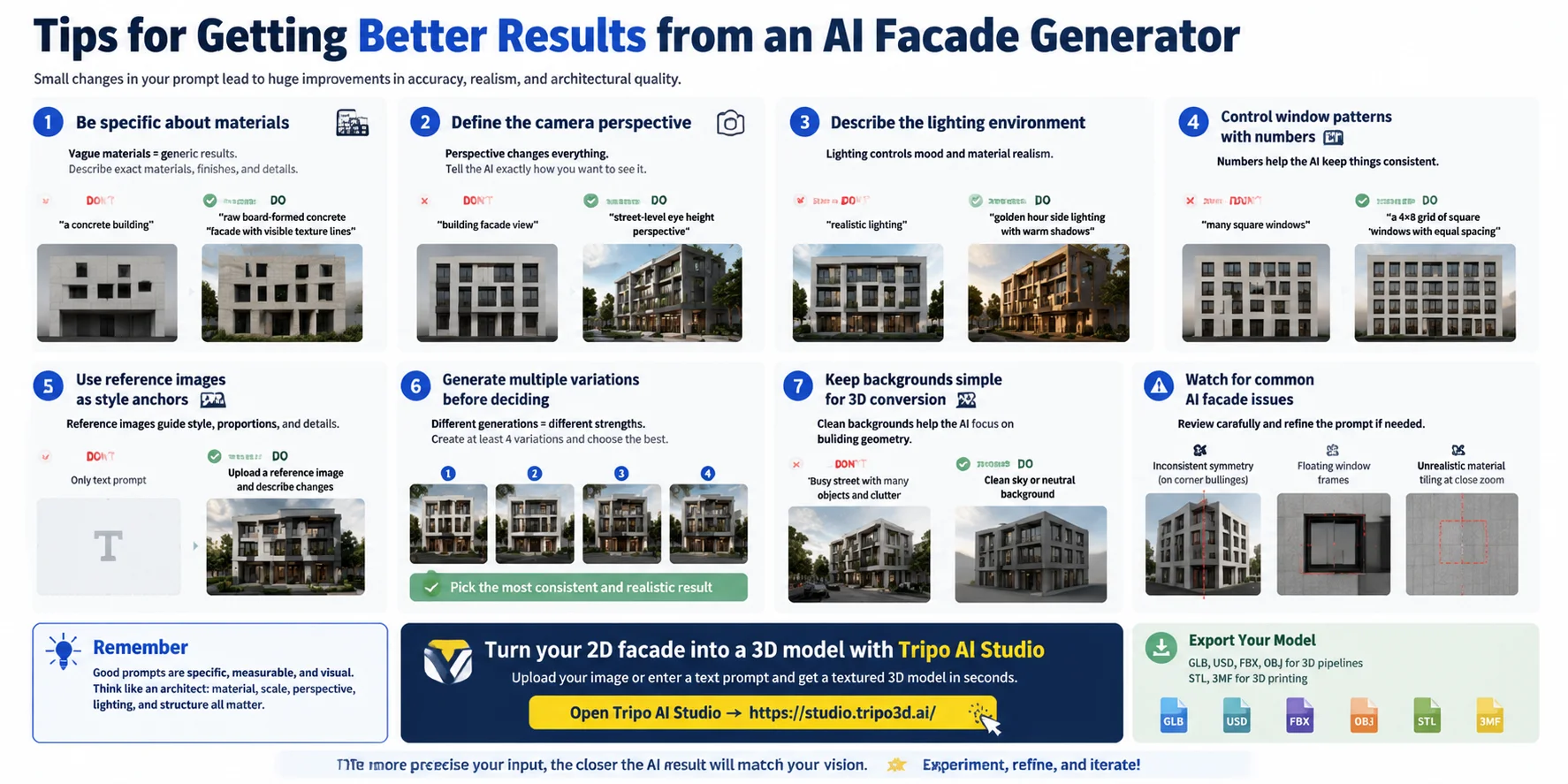
Tips for Getting Better Results from an AI Facade Generator
The quality of an AI-generated facade depends heavily on how clearly you describe the design. Small changes in your prompt can improve materials, proportions, lighting, and overall architectural realism. Use specific instructions instead of broad descriptions to give the AI a stronger design direction.
- Be specific about materials Avoid vague descriptions like “a concrete building.” Instead, describe the exact surface and finish you want: “raw board-formed concrete facade with visible texture lines.” Similarly, replace “glass windows” with “double-height floor-to-ceiling glass panels with reflective surfaces” for a more realistic result.
- Define the camera perspective The viewing angle can completely change the final design. Do not write only “building facade view.” Use specific camera descriptions such as “street-level eye height,” “isometric architectural view,” or “aerial 3/4 angle” to control how the building is presented.
- Describe the lighting environment Lighting affects mood and material appearance. Instead of saying “realistic lighting,” specify the scene: “golden hour side lighting with warm shadows,” “overcast diffuse daylight,” or “night scene with interior lights glowing through windows.”
- Control window patterns with numbers AI can sometimes create inconsistent window layouts. Avoid prompts like “many square windows.” Use measurable details such as “a 4×8 grid of square windows with equal spacing” to improve symmetry and architectural accuracy.
- Use reference images as style anchors If you have a facade design you like, upload it as a reference instead of relying only on text. For example, provide a modern villa image and describe the changes you want: “keep the structure but replace brick walls with dark stone and add larger glass openings.”
- Generate multiple variations before deciding A single AI result may contain unexpected details. Generate at least four versions using the same prompt, then compare the designs for symmetry, material quality, and overall consistency before choosing the best one.
- Keep backgrounds simple for 3D conversion When converting a facade image into a 3D model, avoid complicated surroundings. Do not use images with crowded streets or large objects blocking the building. A plain sky or neutral background helps the AI focus on extracting accurate building geometry.
- Watch for common AI facade issues AI-generated architecture can sometimes create problems such as uneven symmetry on corner buildings, floating window frames, or unrealistic material repetition when viewed closely. Check the model from multiple angles and refine the prompt if these issues appear.
Better prompts are not about adding random keywords — they are about giving the AI the same information an architect would consider: material, scale, perspective, lighting, and structure. The more precise the input, the closer the generated facade will match your intended design.
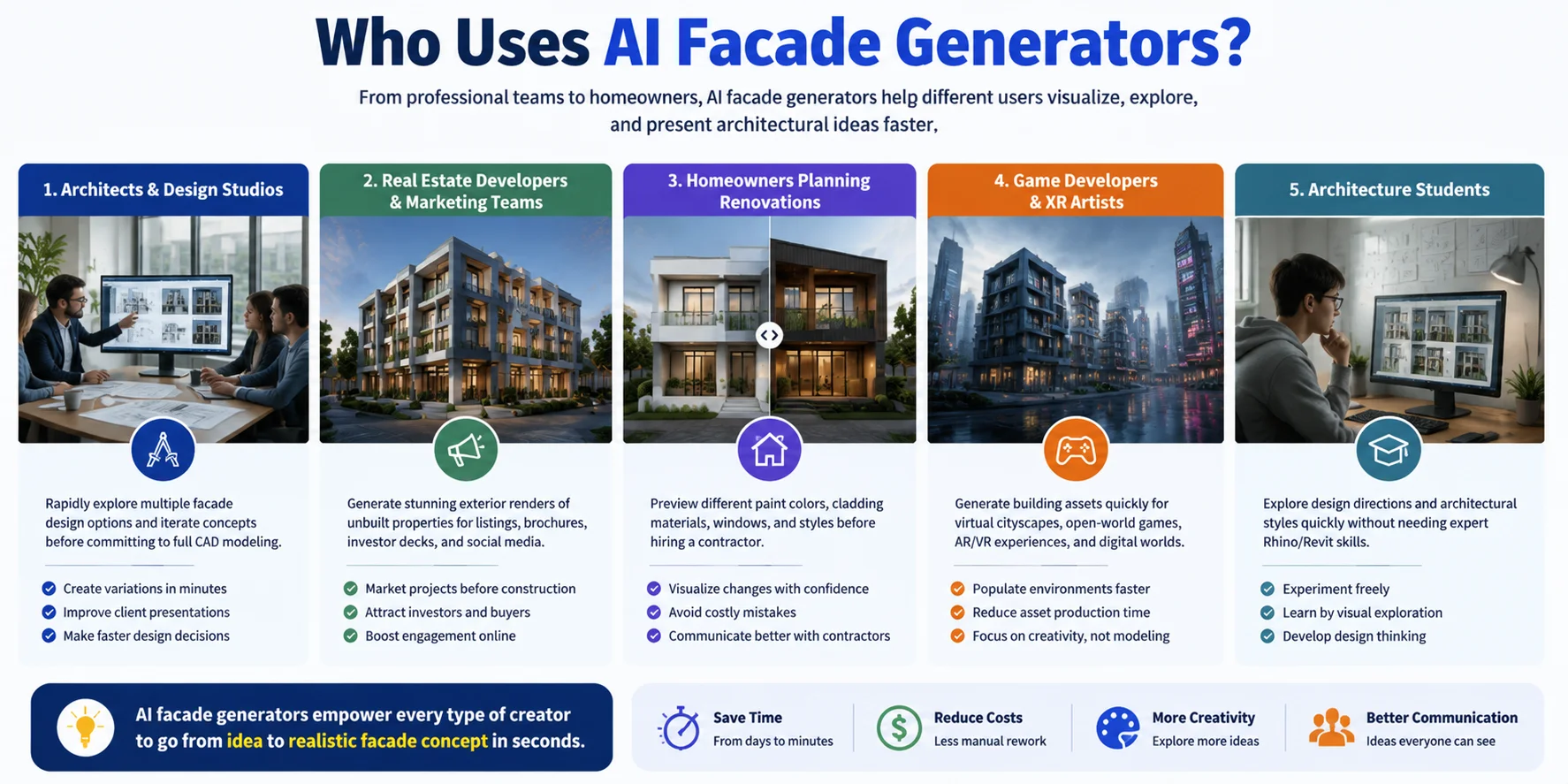
Who Uses AI Facade Generators?
AI facade generators are useful for anyone who needs to visualize, modify, or present architectural ideas faster. From professional designers to homeowners, these tools reduce the time needed to explore exterior designs and create realistic concepts.
Architects & Design Studios
Architects use AI facade generators to explore multiple design directions before investing time in detailed CAD modeling. They can quickly create concept variations for client presentations, compare materials, and refine ideas before moving into full architectural workflows.
Real Estate Developers & Marketing Teams
Developers and marketing teams use AI-generated facade visuals to showcase properties before construction begins. Realistic exterior renders can be used for listings, brochures, investor presentations, and social media campaigns to help potential buyers understand the final project.
Homeowners Planning Renovations
Homeowners can preview renovation ideas without hiring a designer for every small change. AI facade tools help visualize options such as new paint colors, exterior cladding materials, window replacements, or updated architectural styles before making expensive decisions.
Game Developers & XR Artists
Game and XR creators use AI facade generators to build environments faster. Generated buildings can become assets for virtual cities, open-world game scenes, AR experiences, and digital worlds without manually modeling every structure from scratch.
Architecture Students
Students can use AI tools to experiment with architectural concepts and explore different styles quickly. Instead of spending all their time learning complex software like Rhino or Revit, they can focus on design thinking, creativity, and testing ideas.
Whether used for professional visualization, marketing, personal projects, or digital worlds, AI facade generators help different types of creators move from an idea to a realistic architectural concept much faster.
Frequently Asked Questions
What is an AI facade generator?
An AI facade generator is a tool that creates visual representations of building exteriors—either a flat 2D photorealistic render or a full 3D mesh—from a text description or reference image. The AI uses generative models trained on architectural photography and design data to interpret your input and produce the output in seconds.
What are the best AI facade design generators available?
The best tool depends on your output goal. For photorealistic 2D renders, tools built on diffusion models produce high-quality images from text prompts. For a full 3D model you can rotate, texture, and export, Tripo AI converts a facade image or text description into a mesh in GLB, FBX, OBJ, or USD format within seconds.
Is there a free AI building exterior generator?
Several tools offer free tiers with limited generations per day or watermarked outputs. Tripo AI offers a free plan that lets you generate a set number of 3D models per month—check the current limits at https://www.tripo3d.ai/pricing before starting a project.
Can AI generate a 3D facade model, not just a flat image?
Yes. Tools like Tripo AI produce full 3D mesh models from a text prompt or a single facade image. You can export the result in GLB, FBX, OBJ, USD, STL, or 3MF and import it directly into Blender, Unreal Engine, Unity, or a 3D printing slicer.
How do I design a building facade with AI if I have no design experience?
You don't need design experience—these tools are built for plain language. Start by describing the building type, style, and key materials in one sentence ("a 3-story modern townhouse with white stucco walls and black aluminum window frames"). Knowing basic architectural terms like "flat roof," "glazed curtain wall," or "rusticated base" will sharpen your results, but they aren't required.
How realistic are AI-generated building facades?
Realism depends on the tool and prompt quality. Well-tuned diffusion models can produce photorealistic 2D renders that are hard to distinguish from a professional visualization. 3D mesh outputs are steadily improving but may need minor manual cleanup on fine details like window mullions or complex material tiling.
Can I use AI-generated facade designs for commercial projects?
Most commercial-tier plans allow commercial use of outputs. Always check the specific tool's terms of service before using AI-generated visuals in client deliverables, marketing materials, or construction documents.
Can I export AI facade designs to CAD or BIM software?
3D mesh tools export to formats like GLB, FBX, and OBJ that import into standard 3D software. Native BIM formats like IFC or Revit families are not directly supported yet—you would need to retopologize and rebuild the exported geometry as a BIM component. For schematic visualization purposes, the mesh export is typically sufficient.
What architectural styles can an AI facade generator produce?
Most tools handle a broad range including Modern, Minimalist, Industrial, Victorian, Art Deco, Brutalist, Mediterranean, Scandinavian, Biophilic, and Futuristic/Parametric. The key is being specific in your prompt about style era, materials, and scale so the AI doesn't default to a generic contemporary look.
How long does it take to generate a building facade with AI?
A 2D render typically generates in 5–30 seconds. A 3D mesh model from a text prompt or uploaded image takes roughly 20–60 seconds depending on the platform. Either way, it's orders of magnitude faster than commissioning a traditional rendering or modeling it manually in CAD.
Conclusion
AI facade generators have transformed architectural visualization by turning a process that once required days of rendering work into a workflow that can fit into a single design session. Whether you need a quick 2D concept for client feedback or a production-ready 3D model for digital projects, modern AI tools can support the full journey from idea to usable asset.
If you want to take your facade design beyond a flat image, start with Tripo AI Studio — describe your building or upload a reference image, then generate and export a fully textured 3D mesh in under a minute.
**Main CTA → **Try Tripo AI Studio **Secondary CTA → **View Tripo AI Pricing