Free Online OBJ Converter for 3D Model Files
Convert FBX, GLB, STL, 3MF, PLY, USDZ, and other supported 3D model files to OBJ in your browser. Download the static mesh, then inspect scale, normals, UVs, and material references.

What This OBJ Converter Does

Common 3D model inputs
Common 3D model inputs
- Convert supported 3D model files—including 3MF, FBX, GLB, glTF, PLY, STL, USDZ, and VOX—to OBJ for static mesh exchange.

Browser-based model conversion
Browser-based model conversion
- The OBJ converter processes supported model files in a browser worker, with no desktop converter installation or model upload required.

Static mesh interoperability
Static mesh interoperability
- OBJ is a straightforward choice for moving static mesh geometry between modeling, rendering, scanning, and fabrication tools.

Clear format tradeoffs
Clear format tradeoffs
- Inspect scale, normals, UVs, and material references after conversion. OBJ does not carry rigging or animation, and external MTL or texture files may need separate handling.
When Should You Convert a 3D File to OBJ?
OBJ is a text-based static geometry format. It can describe vertices, faces, normals, and texture coordinates, while materials and texture maps normally live in separate companion files.
Convert to OBJ when

- Convert to OBJ when another modeling, rendering, scanning, or fabrication tool needs a broadly supported static mesh.

- Use OBJ when geometry exchange matters more than animation, scene hierarchy, or a compact single-file runtime asset.
Keep the source file when
- Keep the source format when you need rigging, animation, scene hierarchy, application-specific settings, or compact real-time delivery.
- Retain the original material and texture package because a single OBJ file cannot contain every external dependency.
How to Use the OBJ File Converter
Choose a supported 3D model, convert its mesh to OBJ locally, then inspect the result in the tool that will use it.
Upload a 3D model file
Choose a supported source format such as FBX, GLB, STL, 3MF, PLY, USDZ, glTF, or VOX.
Convert the mesh to OBJ
OBJ stays locked as the output while the browser worker performs the model conversion.
Download and check the result
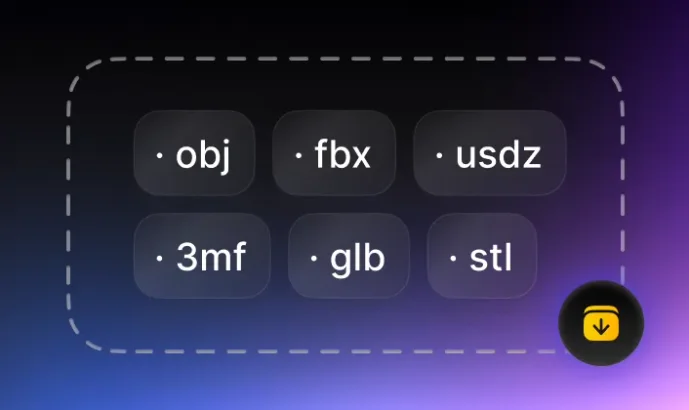
Verify scale, normals, UVs, topology, and any material references before using the OBJ in production.
OBJ File Converters by Source Format
Choose a supported source format below, return to the complete 3D converter hub, or inspect an existing mesh with the OBJ viewer.