3D Virtual Production Practicum: Tripo AI × NYU Shanghai
At NYU Shanghai, Tripo AI became part of a hands on virtual production workflow, helping students create the 3D assets behind six original short form productions. From music videos to narrative pieces, students brought their own stories and cultural references into a professional virtual production studio, where Tripo generated assets were rendered in real time on a massive curved LED wall.
From the classroom to a virtual production stage
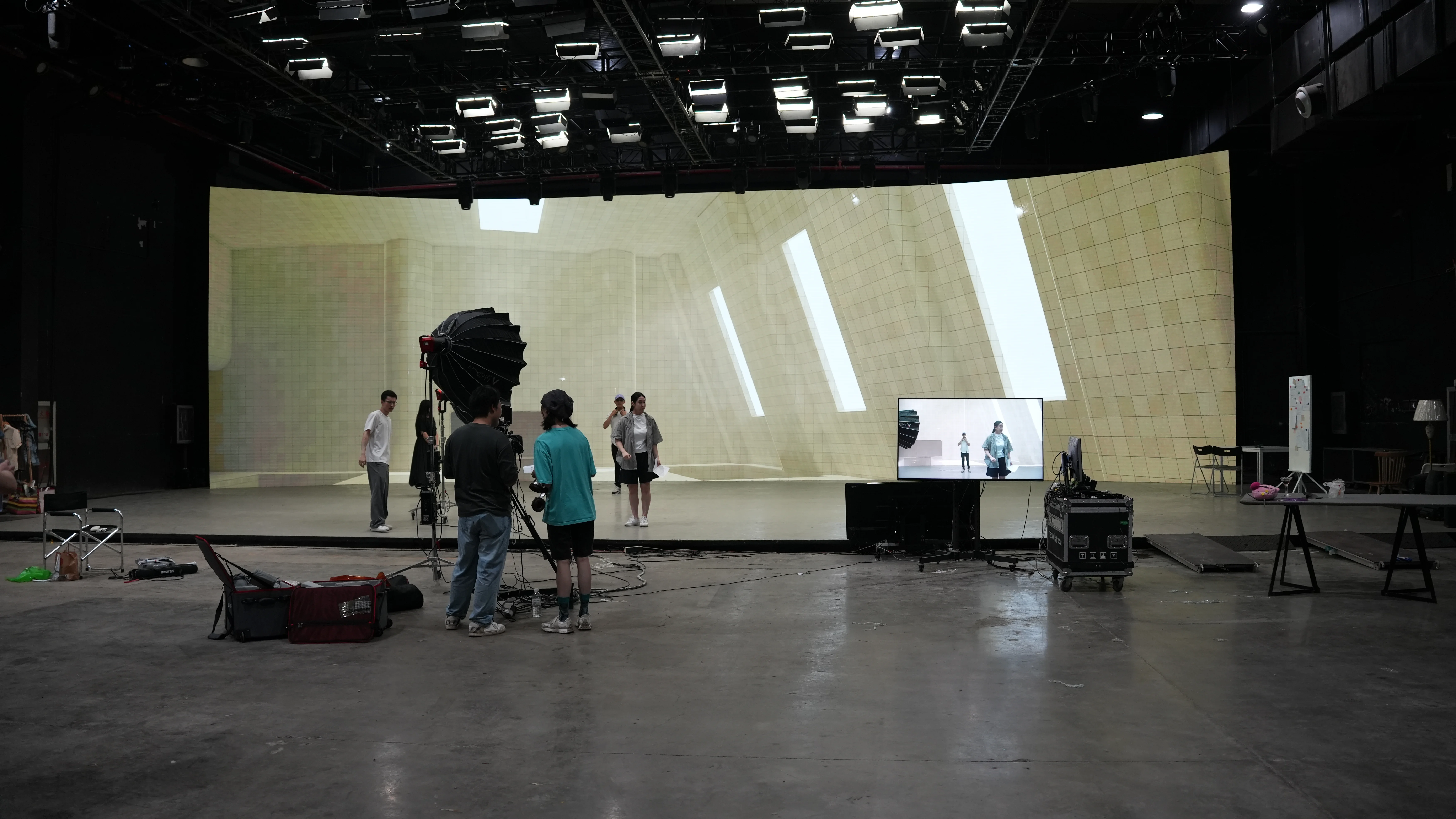
For the final production stage of the course, NYU Shanghai students moved from the classroom into a professional virtual production studio in Shanghai.
The setup centered on a curved LED wall roughly 6 meters tall and 25 meters wide. Instead of filming against a traditional green screen, students performed in front of digital environments rendered live through a 3D engine. Behind the scenes, the production team could adjust the virtual scene and camera view in real time, with the results appearing immediately on the LED wall and directly in camera.
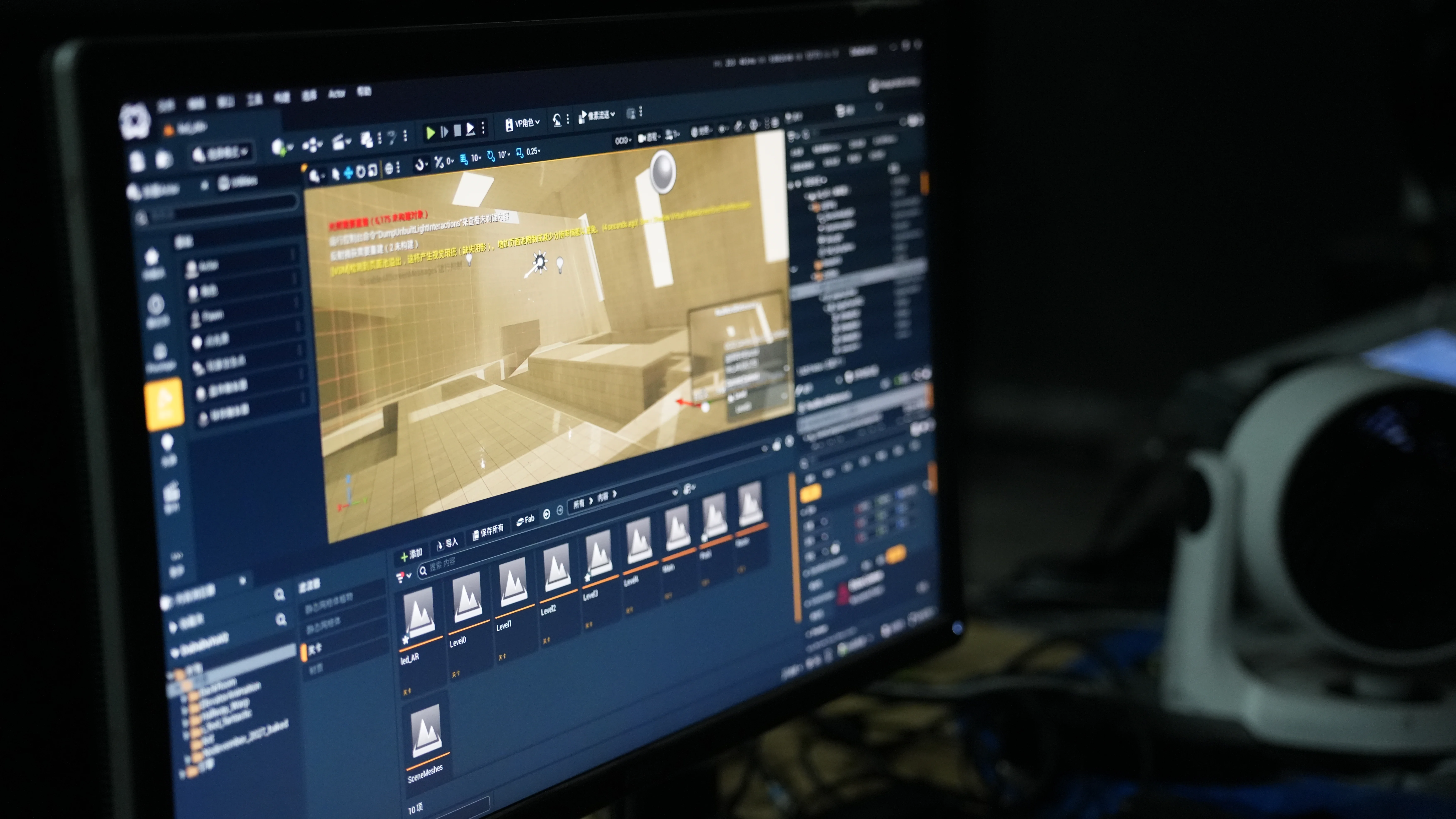
Tripo AI was used to create many of the 3D assets that made up these virtual environments. Students developed their own concepts, generated assets for their scenes, brought them into the 3D engine, and then used those environments as part of the actual shoot.
The class produced six individual pieces, each with its own characters, story arc, and visual direction. Some students created narrative shorts, while others explored music video production.
Solving one of virtual production’s biggest bottlenecks
For Jesse Yu, Senior Emerging Technologies Associate at NYU Shanghai, one of the biggest challenges in virtual production has always been the assets themselves.
Existing asset libraries can provide a starting point, but they rarely offer exactly what a creator has in mind, particularly when a project draws on specific cultural references, personal memories, or a distinctive visual language.
As Yu explained during our interview, Tripo AI gave students a way to create those assets more efficiently and at a more accessible cost. Instead of shaping their stories around whatever models happened to be available, students could begin with the world they wanted to create and generate the content needed to make it possible.
That shift became especially visible once the assets reached the studio. What began as an idea or reference image could become part of a fully rendered environment, displayed at scale on the LED wall and captured directly through the camera.
Bringing Nigerian cultural references into a music video
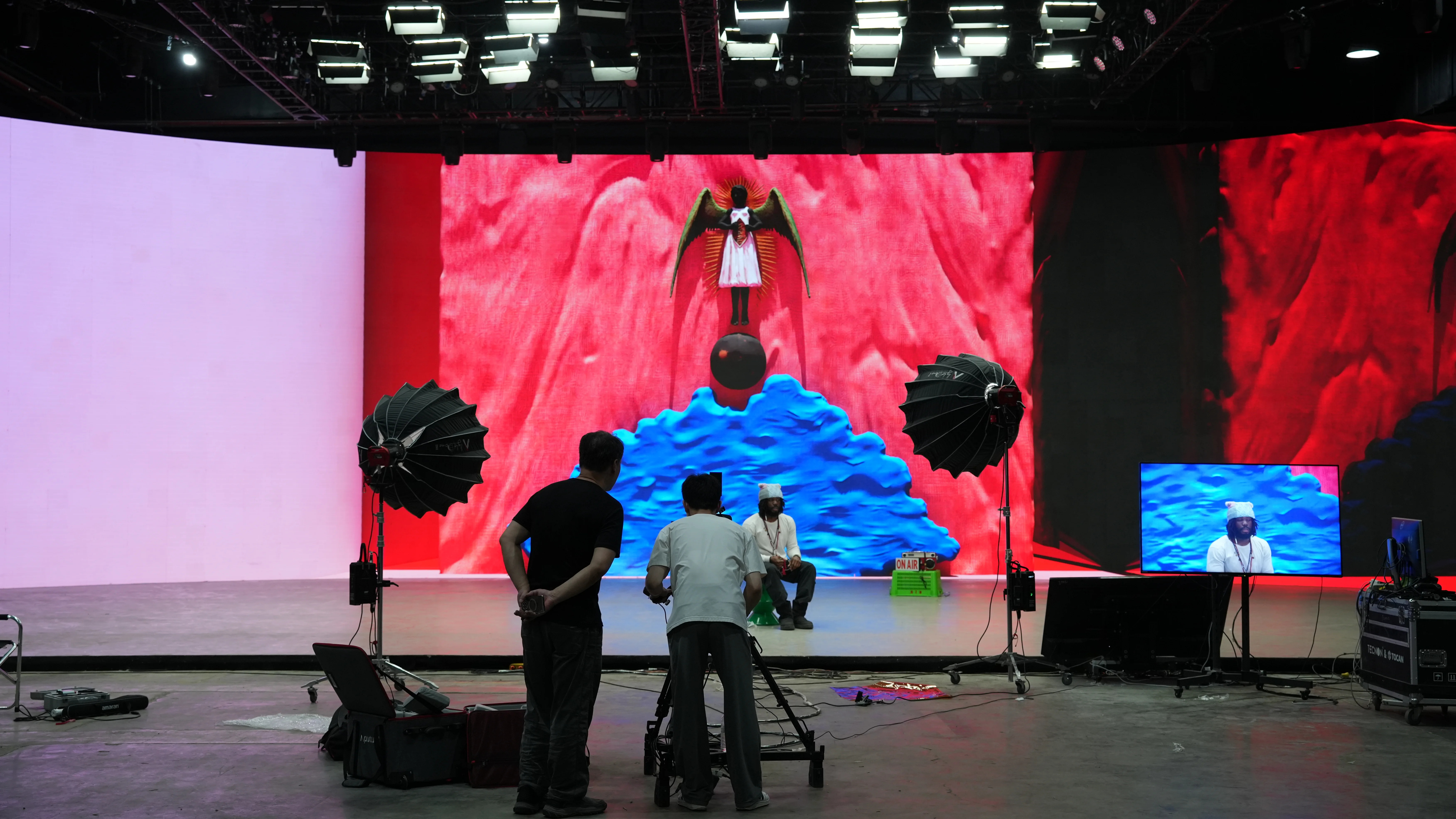
Tomatse, the student from Nigeria, used the course to create a music video rooted in his own cultural references.
Back home, he regularly visits museums and has used tools such as Polycam to preserve digital records of artifacts, artworks, and historical objects. For this project, he brought that interest into his virtual production workflow, using Tripo AI to turn selected references into 3D assets that could live inside the music video’s digital environment.
It was his first time using Tripo AI.
He described the results as “really clean,” then admitted that he was using hundreds of credits each day as he continued experimenting with new models. By the end of the interview, his message to the Tripo team was even simpler: he needed more credits, as soon as possible.
It was a small moment, but a telling one. The tool had already become part of how he was making the work.
Giving each student a world of their own
Another student drew inspiration from his experience living in China and observing the communities around him. Historical Chinese advertising became a visual reference for his project, with Tripo AI helping translate those influences into 3D assets for the final virtual set.
On the same LED stage, the visual language could shift completely from one production to the next. One scene could draw from Chinese visual history, while another could become the setting for a Nigerian student’s music video.
That flexibility is central to what students were learning through the course. Virtual production involves much more than operating a screen or a camera. Students have to think about how a story becomes a space, how that space should look and feel, and how 3D content, real time rendering, cinematography, lighting, and performance come together inside a finished frame.
Generative 3D as part of the learning workflow
Students also began carrying Tripo AI into projects beyond the virtual production shoot.
For a thesis project titled Art Walk, one student used Tripo AI to recreate a public artwork from Hong Kong as a 3D model for a digital experience. Another student, who had little experience with traditional 3D modeling but owned a 3D printer, used Tripo AI to create models that could later be turned into physical objects.
For students who already had modeling experience, the value was different. Tasks that once required much longer manual production could move more quickly into editing, scene building, and further creative development.
Across these projects, Tripo AI became part of a real teaching and production workflow at NYU Shanghai. Students were using generative 3D inside coursework, personal projects, thesis work, and physical making, with each application shaped by a different creative goal.
As 3D asset creation becomes faster and more accessible, students can spend more of their time on the parts of the work that matter most to them: the story, the image, the space, and the ideas they want to express.
Inside that Shanghai studio, one curved LED wall became six very different worlds. Tripo AI helped students create what filled them.
See the Course in Action
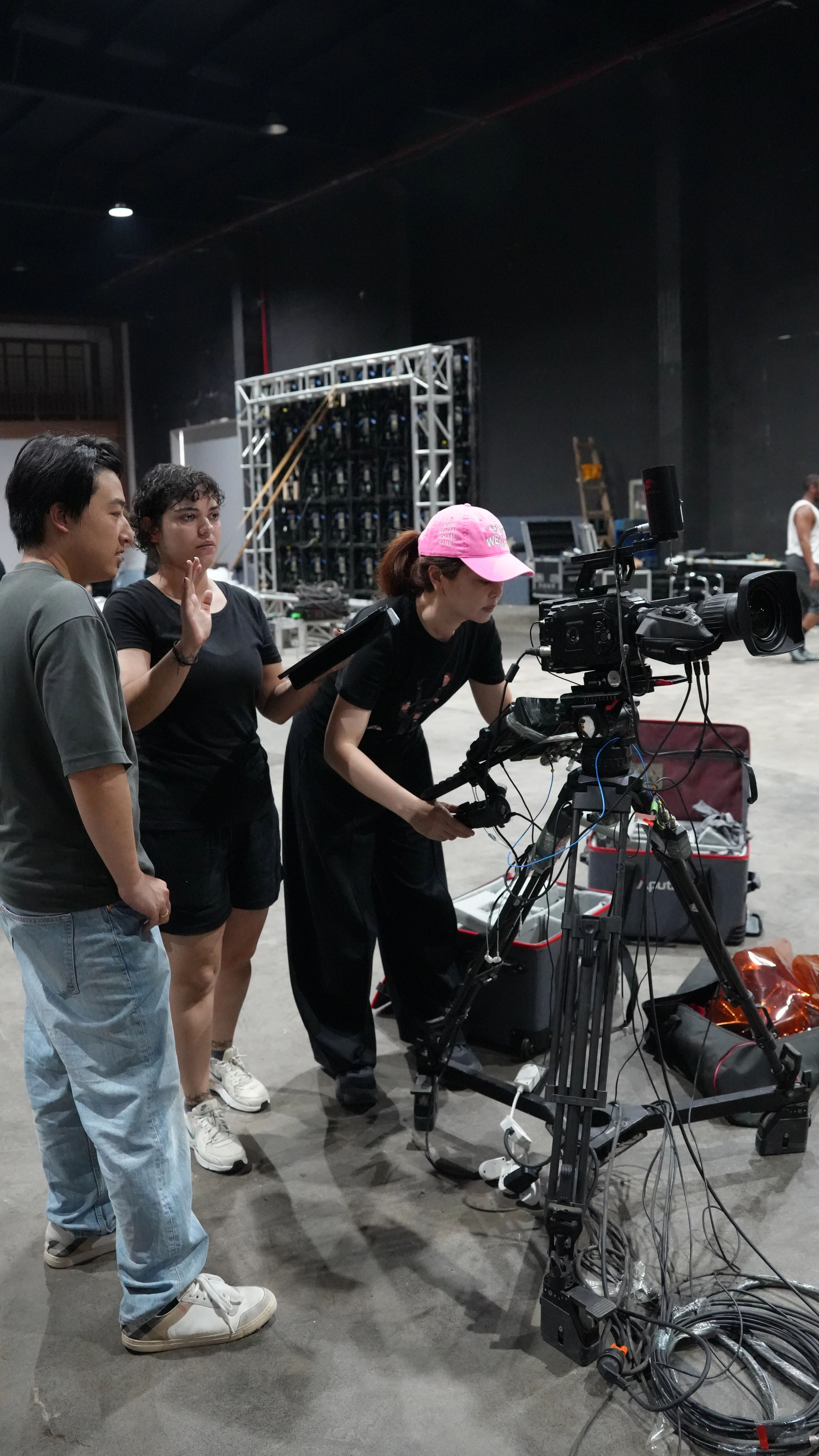
Watch students and faculty at NYU Shanghai share how Tripo AI was used throughout the virtual production course, from creating 3D assets to bringing them onto the LED stage.
Part 1: https://youtube.com/shorts/XBiLgQoSo7U?si=XMx3Bq9dJOEXwNE6
Part 2: https://youtube.com/shorts/z46-dZQylHI?si=QR2vAbKcGd59iKl2
Universities, faculty members, and educators interested in integrating Tripo AI into courses, virtual production programs, workshops, or student projects can contact:
