For makers & small print studios

3D Printing
Cost Calculator

Use the total weight and time from your slicer to estimate printing costs, compare two setups and work out a selling price.

Calculate my print cost
Free to calculate, copy and download. No sign-up needed.
Your print workbenchSingle-material FDM Files stay on this device
Model inspection Local preview
Trefoil sculpture — a sample model you can use to explore the calculator
SAMPLE MODEL
TREFOIL SCULPTURE 80 MM TALL · CLOSED SCULPTURE
STL / OBJ / G-code On-device processing
Your print inputs

Start with your slicer values.

Loading the calculator…

YOUR ESTIMATE

Your cost estimate

1 ITEM

Your next print, priced. Enter your weight and spool details to see your cost.

A clear cost breakdown.Material first. Add running costs when you need the full picture.

Understand your estimate

How is 3D printing cost calculated?

Know what your print consumes before committing a spool. Start with material, then add the work and running costs that matter to your job.

Start with the filament.

Start with filament cost: total grams × spool price ÷ spool net grams. Add printing hours × average watts ÷ 1,000 × price per kWh for electricity. Add machine time, hands-on labor and other included costs separately.

Total grams×Spool price÷Net spool grams

Use totals for the whole batch and divide the final cost by the number of items. Blank costs are excluded; zero means a cost is included at no charge.

Calculate with your own values
TRIPOTHE PRINT LEDGER
THE 50 G EXAMPLEUSD

Example: material cost for a 50 g print.

Filament 50 g × 20 / 1,000 g
1.000
Electricity 2 h × 120 W / 1,000 × 0.20
0.048
Material + electricityUSD 1.05

Example inputs, not typical prices. Machine, labor and other costs are excluded. The electricity amount rounds only in the final total.

Tripo 3D Printing Cost Calculator · Every print starts with a plan.
From cost to quote

How to price 3D prints: margin vs markup.

Cost is what the job consumes; price is what you charge. A target gross margin uses price = included cost ÷ (1 − margin). Gross margin is not net profit.

Included costUSD 10.00
20% gross marginUSD 12.50

10 ÷ (1 − 0.20)
The margin is a share of the selling price.

20% markupUSD 12.00

10 × (1 + 0.20)
The markup is a share of the cost.

Neither includes omitted expenses. Add fees, packaging and shipping before deciding what to charge.

One print. Or a whole collection.

Allocate design work once per batch.

Put one-time design work in the job fee. Enter the whole batch’s grams, printing hours and hands-on minutes.

Changing the item count only changes per-item allocation and per-item other costs; it does not multiply your slicer totals. For a new quantity, slice again and update those totals.

One design fee. Shared across the batch.
Batch total÷Number of itemsCost per item
Compare the choices that matter

Reduce printing costs with a useful comparison.

Try a different orientation, support strategy or infill in your slicer, then compare the new weight and time here. Both setups use the same rates, so you can see what changes.

A lower estimate does not prove equal strength or print quality. Check the model and slicer preview before choosing a setup.

Adjust your model’s size
Material-only example · USD 20 / kg
A50 gUSD 1.00
B40 gUSD 0.80

USD 0.20 less material costPrint time and other costs excluded.

Prepare a better print

The right tool. For your next step.

Inspect the shape, adjust the dimensions or fix the mesh. Re-slice after editing, then return with fresh weight and time.

From model to print

Related Articles

A few good decisions before your first layer.

how-to-edit-stl-files

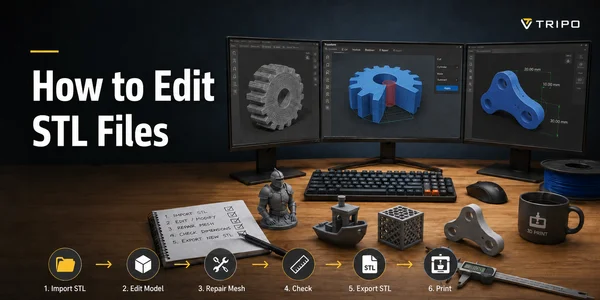
How to Edit STL Files: Best Software & Step-by-Step (2026)

Learn how to edit STL files for 3D printing—what STL is, the best free & paid editors (Blender, Tinkercad, Fusion 360), and steps to resize, cut, hollow & repair.

Read article
stl-repair-guide-cover

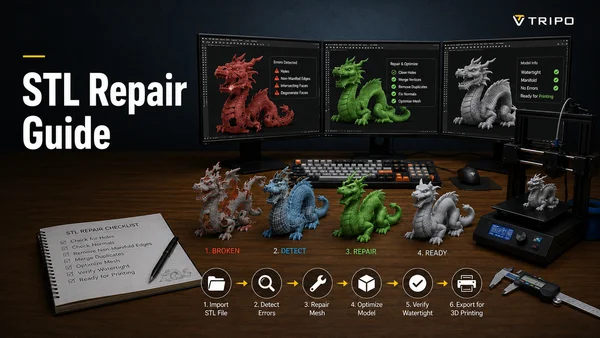
STL Repair Guide: How to Prepare AI 3D Models for Printing

A practical STL repair guide: fix non-manifold edges, holes, and flipped normals, pick the right repair tool, and prepare AI-generated 3D models for a clean print.

Read article
3mf-vs-stl

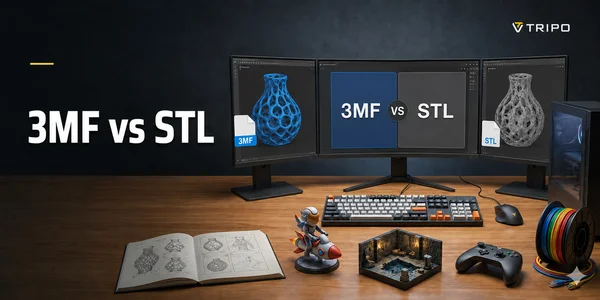
3MF vs STL: Key Differences & Which to Use (2026)

3MF vs STL compared side-by-side: what each stores, color & material support, file size, software compatibility, and which format to use for 3D printing.

Read article
what-is-slicing-in-3d-printing

What Is Slicing in 3D Printing? A Beginner's Guide

Slicing turns a 3D model into printer instructions (G-code). Learn what slicing is, how slicer software works, key settings, and the best tools to start.

Read article
Before you press print

3D printing cost
questions.

The details behind a useful estimate.

How much does it cost to 3D print something?

There is no single price. Material use, printing time, your electricity rate, machine allowance and hands-on work all matter. Enter your slicer’s total grams and hours for your own estimate. A helmet and a small figurine can have very different support and finishing needs.

Is cost per gram enough?

It is enough to estimate filament material cost: spool price divided by its net filament weight. It does not cover electricity, machine time or labor. Use the actual price of your PLA, PETG or other filament; this weight-based calculation does not need a material density.

What should cost per printing hour include?

Use the machine hourly field for depreciation and maintenance. Electricity has its own fields. Hands-on labor uses the minutes you actually work and your hourly rate. Avoid charging all three again inside the machine rate.

Are supports, brim and multicolor purge included?

Only if they are included in the total grams you enter. This calculator does not add them automatically. The first version uses one spool price per estimate; it cannot price several materials separately.

Can I upload an STL or G-code file?

Yes. Add an STL or OBJ model for a planning estimate, or import a plain-text G-code summary for slicer weight and time. Model estimates do not generate toolpaths or automatic supports. Closed, consistently oriented geometry is required; use manual slicer values for unsupported files. Binary G-code and separate multi-material pricing are not supported.Inspect your model or repair the file before trying again.

How is the failure reserve calculated?

Repeatable costs are filament, electricity, machine and hands-on labor. The reserve is repeatable costs × failure rate ÷ (1 − failure rate). One-time design and other per-item costs are not multiplied. This simplified allowance assumes full-cost retries, so review it against your own history.

Does this give me a print-service quote or a guaranteed profit?

No. It estimates the costs you include. Service providers may apply minimum charges, taxes, delivery and other fees. Selling price and target gross margin do not guarantee demand or net profit. Request a provider’s quote when outsourcing a print.

Can I use this for resin prints?

This version is for single-material filament printing. Resin workflows have different material, cleaning and curing costs. Use a calculator built for that process.

Does infill percentage tell me the total material weight?

No. Walls and top/bottom layers also consume material. The model estimate accounts for these separately before applying infill to the remaining interior. Add support, brim and purge grams yourself, or use your slicer’s totals. The sensitivity range varies assumptions; it is not measured accuracy.