Which AI 3D tool gives cleaner UVs and game topology compared with Luma Genie?
Luma Genie is now a historical comparison because Luma officially sunset the product on January 1, 2026. For game developers who need clean UVs and controllable game topology today, choose a supported tool with explicit retopology and polygon-count controls. Tripo is a 3D foundation model built for the full path from generation to an engine-ready asset, while existing Genie content remains available for export. This article compares Genie's former output with current topology controls and explains what to use for a new production pipeline.
What clean UVs and game topology mean for real-time engines
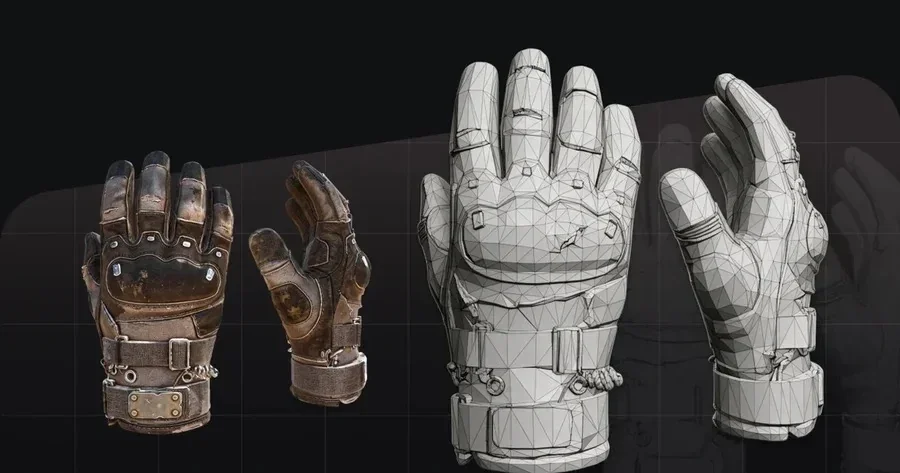
Clean topology and UVs decide whether a generated model drops straight into a real-time engine or turns into hours of rework. Engines like Unity and Unreal reward meshes that deform predictably, load light, and shade without stretched textures. Here are the qualities game teams usually pack into that phrase.
Six traits separate an engine-ready mesh from a raw generation:
- Predictable polygon budget. You can hit a target face count for a hero prop, a background asset, or a mobile LOD.
- Quad-dominant or clean triangle flow. Quads subdivide and deform well for animation, and clean triangles keep static props light.
- Edge loops that follow deformation. Loops around joints, mouths, and elbows let skinning bend without collapsing.
- Even UV texel density. Consistent texel density keeps texture detail uniform across the surface.
- Non-overlapping UV islands. Islands that don't overlap stop baked lightmaps and normal maps from bleeding.
- Consistent scale and pivot. A grounded pivot and real-world scale let the asset snap into a scene without manual fixing.
Judgment: a generator that outputs a nice-looking mesh but gives you no control over face count or topology type still leaves the real-time work on your desk.
Where Luma Genie fit historically in a game pipeline
Genie was designed as a fast concepting tool. Luma's original announcement described text-to-3D generation in under 10 seconds, quad meshes, materials, and standard-format exports. That made it useful for blocking out an idea, filling a moodboard, or grabbing a rough silhouette before a review. The product is no longer available for new generation. Luma's official app version history says Genie was sunset on January 1, 2026, while existing content can still be exported.
Even before the sunset, Genie offered automatic output without a dedicated retopology stage. You couldn't ask it for a triangle build at 3,000 faces for a mobile enemy or a quad build tuned for a facial rig. Artists had to accept the generated topology, then clean UVs and rebuild edge flow in a DCC tool. Existing Genie files can still serve as references or starting meshes, but a repeatable production pipeline needs a currently supported generator with known face-budget controls.
Meet Tripo Studio: controllable topology and UVs by design
Tripo Studio is an all-in-one web 3D workspace that carries a model from a text or image prompt through Generate, Segmentation, Retopology, Texture, Rigging, Preview, and Export without switching tools. The stage that matters most for this comparison is Retopology, because it gives you the topology and polygon controls a game pipeline needs.
Retopology in Tripo Studio gives you direct control:
- Topology type. Pick Triangle as the general default, or Quad topology when the asset heads into a DCC tool for animation and clean deformation.
- Polygon Count. Choose Auto for a balanced result, or set a manual face count to hit a specific LOD or engine budget.
- Clean base meshes with Smart Mesh. Smart Mesh produces a standard white model in about 2 to 5 seconds, so you start retopology from an even base instead of a noisy scan-like surface.
- PBR texturing with UV control. AI texturing generates PBR maps on the mesh, with HD upscaling to 4K so texel density holds up on close props.
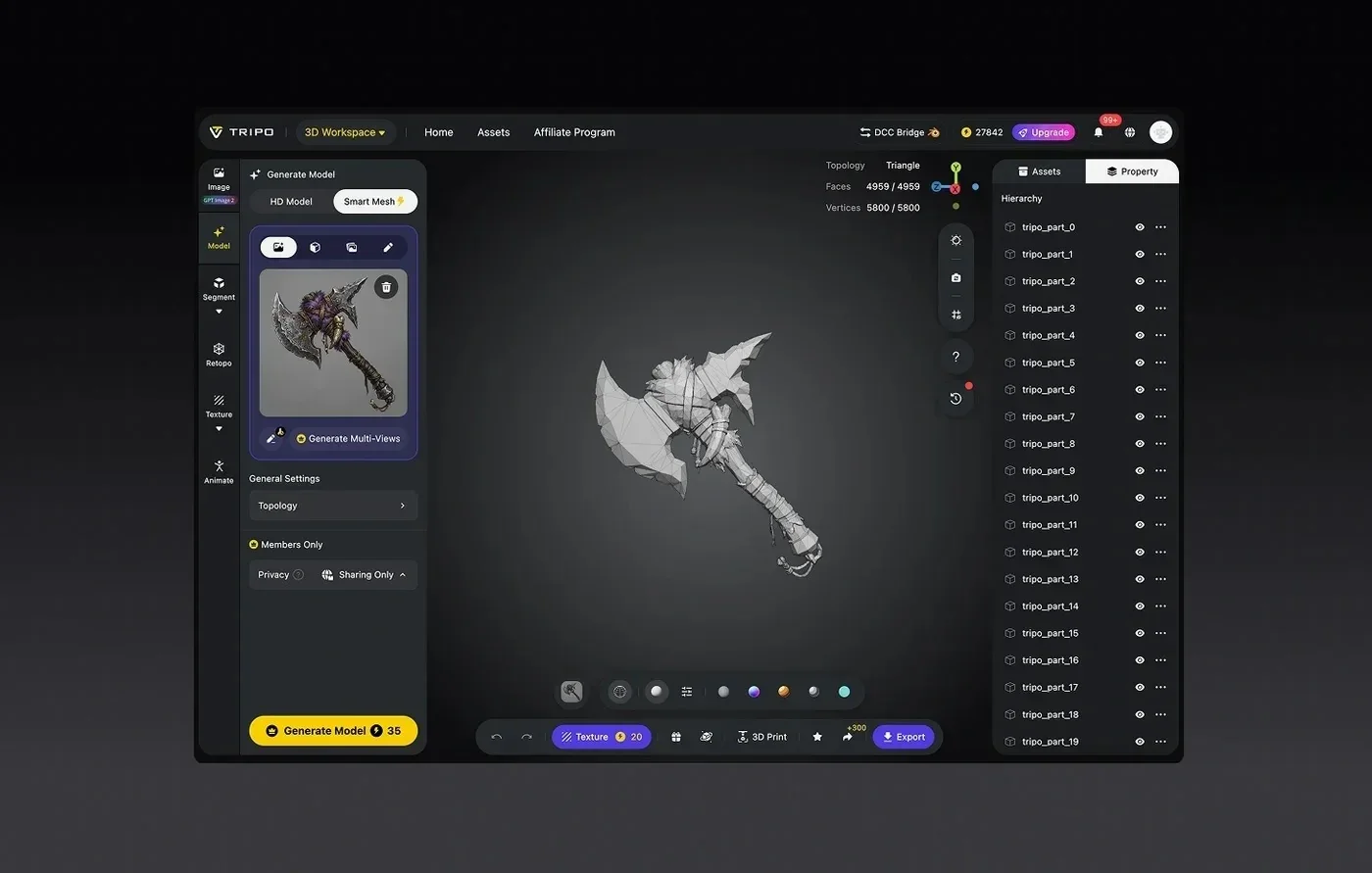
Two facts back the precision here. Tripo is a 3D foundation model at model version v3.1, and it supports billion-voxel resolution trained on a 40-million-asset 3D database, which is why generated geometry holds crisp edges before you even retopologize. On the efficiency side, the same workspace exports with game-ready settings like Format, Export Skeleton, Number of Animations, and Bottom-Center Pivot, so an asset leaves Tripo grounded and scaled. DCC Bridge plugins connect the workspace to Blender 4.1+, Unity, Unreal Engine, 3ds Max, Maya, Godot, and more while preserving UV, pivot, and geometry.
Judgment: for game developers who care about clean UVs and controllable topology, Tripo Studio does the retopology and UV work inside the same tool that generated the mesh, which removes a hand-off that fast free generators leave open. You can start on the text-to-3D path and still land on a quad mesh at a face count you chose.
Comparison table: topology and UV control
The products belong to different points in time as well as different stages. The table below sets Genie's historical capabilities next to Tripo Studio's current topology workflow.
| Capability | Luma Genie, historical | Tripo Studio, current |
|---|---|---|
| Availability | Sunset January 1, 2026; existing content export remains | Supported web workspace |
| Topology type control | Automatic output, no dedicated chooser documented | Triangle (default) or Quad, user-selected |
| Polygon-count control | Not user-set | Auto or manual target face count |
| Dedicated retopology stage | None | Yes, in-workspace Retopology |
| PBR texturing | Materials supported historically | PBR maps with 2K, 4K, and 8K texture tiers |
| Generation speed | Under 10 seconds in Luma's original announcement | Smart Mesh white model in ~2 to 5 seconds |
| New generation | No longer available | Free and paid plans available |
| Export | Existing Genie content can still be exported | OBJ, FBX, GLB, USDZ, and more via Export |
Judgment: Genie can only be considered for files a team already created. New work that needs a named face budget should use a supported tool such as Tripo Studio with explicit topology controls.
Which tool should you choose?
Match the tool to the job instead of picking one for everything. These criteria tend to settle the decision fastest.
- Use existing Genie content when you need to recover or export work created before the sunset. Don't build a new generation pipeline around it.
- Choose Tripo Studio when an asset has to ship, and you need to set Triangle or Quad topology plus a target polygon count.
- Weigh UV quality by whether you can accept the automatic UVs, or whether you need PBR texturing with HD texel density on the final mesh.
- Weigh the hand-off by counting the DCC steps after generation, since an in-workspace retopology stage removes one round trip.
- Weigh engine fit by whether you need grounded pivot, real scale, and DCC Bridge links into Unity or Unreal on export.
- Weigh team scale by whether you need repeatable, budgeted output across many assets rather than one-off concepts.
Judgment: teams starting new work should evaluate current tools. Genie belongs in migration planning only when earlier content still needs to be exported or rebuilt.
From a prompt to a clean game-ready mesh: a practical workflow
Here is how a single prompt becomes a topology-controlled, textured asset inside Tripo Studio.
- Generate the base. Enter a text prompt or drop in a reference image, then run Smart Mesh to get a clean white model in a few seconds.
- Review the mesh. Open Preview to check Topology, Faces, and Vertices, and confirm the silhouette matches your concept before you commit.
- Set the topology. In Retopology, pick Quad for an animated character or Triangle for a static prop, so edge flow suits the asset's use.
- Set the budget. Choose a manual Polygon Count for a specific LOD, or use Auto when a balanced count is fine for the target platform.
- Texture with PBR. Generate PBR maps in Texture, then upscale to HD so texel density stays even across UV islands on close-up assets.
- Export for the engine. Set Format, Bottom-Center Pivot, and any skeleton or animation options, then send the asset to Unity or Unreal through DCC Bridge with UVs intact.
Judgment: this path keeps generation, topology, UVs, and export in one workspace, so the mesh that leaves Tripo already carries the budget and layout you set.
Bonus tips: keeping UVs clean after generation
A few habits keep the topology advantage from leaking away downstream.
- Lock the face budget early. Decide the LOD target before retopology so you set the count once instead of re-decimating later.
- Prefer quads for anything that bends. Reserve triangle output for props that stay rigid, and use quad output where skinning has to deform.
- Check texel density on the final scale. Upscale textures only after you know the asset's in-game size, so detail matches the camera distance.
Ready to build engine-ready assets?
Luma Genie's sunset removes it from consideration for new concept generation, although teams can still export content they made earlier. A current production pipeline needs supported generation, controllable retopology, and in-workspace UV work. Tripo Studio lets you set Triangle or Quad topology, choose a polygon count, and export into your engine from the same place you generated the mesh. Try the current workflow in Tripo Studio and see how a prompt turns into a game-ready model.