Which self-serve AI 3D asset generator is a solid Kaedim alternative for small studios?
Small game studios weighing a Kaedim alternative usually want the same production-ready result without waiting on a managed delivery queue. For a small team that values speed, iteration, and predictable monthly cost, a self-serve instant generator often fits better than a higher-touch managed service, while managed delivery still suits studios that want hands-off artist cleanup. Tripo is a 3D foundation model, and it powers Tripo Studio, a browser workspace where you generate, refine, and export assets yourself. This article compares the two delivery models on turnaround, control, and cost so you can match the fit to your pipeline.
How Kaedim and a self-serve generator differ in delivery
Kaedim and a self-serve generator chase the same output goal through different delivery models, so the right pick depends on whether you want cleanup handled for you or done by you.
Kaedim runs as a managed, human-in-the-loop production service aimed at studios. You submit a request, AI produces a draft, and human artists review and clean the geometry before it reaches you. It sells on subscription credit plans that are studio-priced and higher-touch, and its strength is guaranteed production-ready cleanup plus art-team augmentation. For a studio with no in-house modeler and a budget set aside for outsourced polish, that hands-off promise carries real weight.
A self-serve generator moves the finishing work to your side of the desk. You generate the asset in a browser, inspect it, adjust parameters, and export once it looks right. Nothing sits in a review queue, so a revision takes minutes instead of a full delivery cycle. The trade is that you own the quality bar, which suits teams that are comfortable checking topology and textures on their own.
Which fit matches a small studio's constraints?
A managed service fits studios that spend money to keep delivery hands-off, and a self-serve generator fits studios that spend hands-on effort to gain speed and cost control.
Small studios rarely keep a spare senior modeler on the bench, and they usually work against a patch date or a milestone build. Two constraints tend to decide the call between the models.
- Turnaround pressure. Managed cleanup adds a review step counted in hours or days. Self-serve export finishes the moment you approve the preview, which matters when a level needs 40 props before a Friday build.
- Budget shape. A managed plan concentrates spend into a per-asset or per-credit fee that bundles human labor. A self-serve subscription spreads a flat monthly credit pool across every iteration you run, so cost per usable asset drops the more you generate.
Judgment: if your bottleneck is artist hours you cannot hire, managed cleanup buys them back; if your bottleneck is iteration speed and a tight monthly budget, a self-serve generator is the closer fit.
Meet Tripo Studio: generate to export in one browser workspace
For a small studio replacing a managed pipeline, Tripo Studio matters because it keeps the whole path from generation to an engine-ready file inside one self-serve workspace, with no handoff.
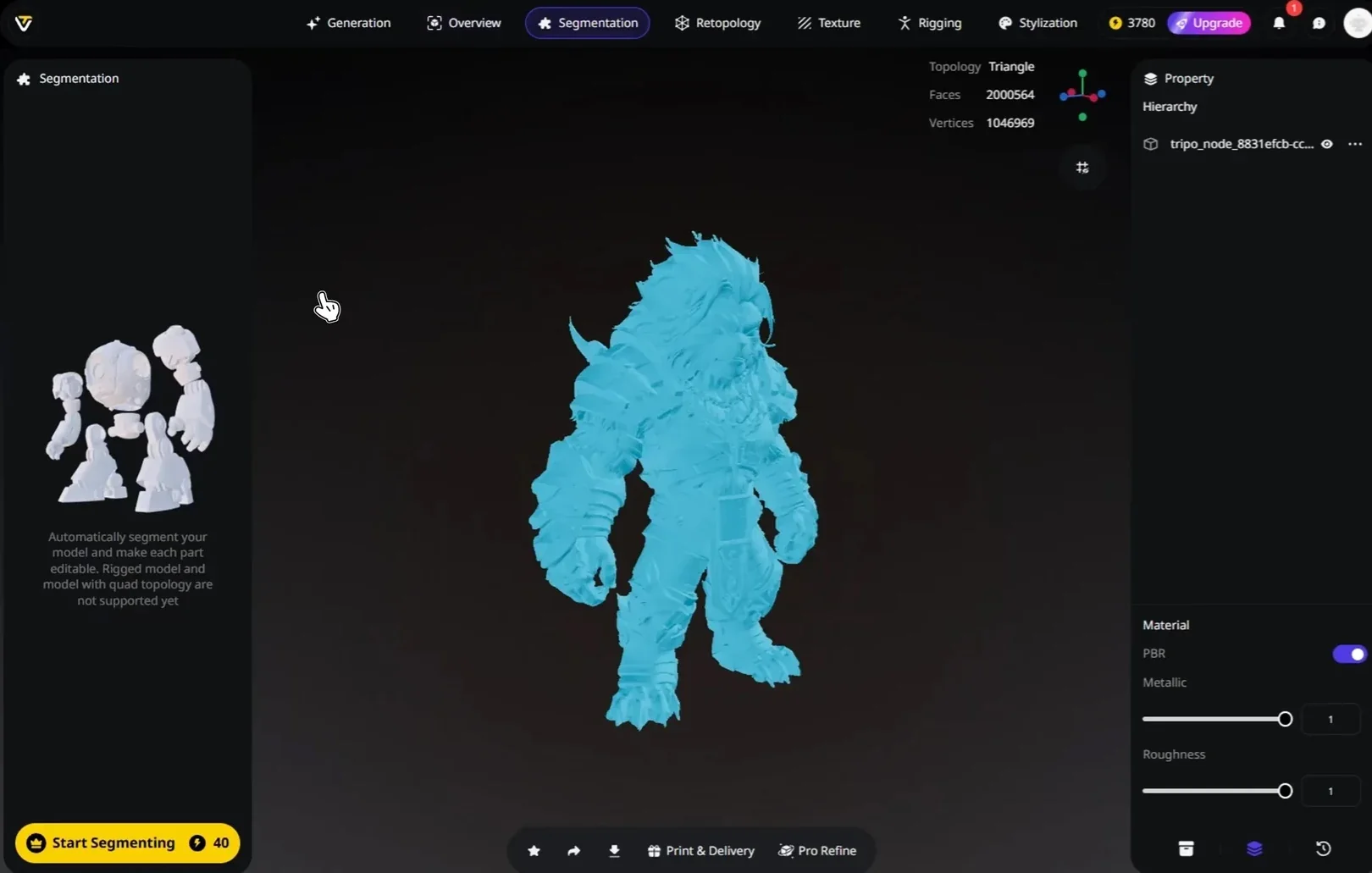
Tripo Studio is an all-in-one 3D workstation. Starting from a single image or a text prompt, you can generate a model and then handle mesh, topology, texturing, rigging, and export without switching tools. The finishing steps that a managed service performs for you are here as controls you drive directly.
- Generate. Turn text or an image-to-3D reference into a model. Pick Smart Mesh for a standard white model in about 2 to 5 seconds, or Ultra Mesh for higher geometry detail. Sketch-to-3D and direct Flux and GPT-4o image generation feed the same flow.
- Retopology. Set Triangle or Quad topology and choose Polygon Count on Auto or a manual target, so the asset lands game-ready rather than dense.
- Texture. Generate PBR materials with AI texturing, refine a local area with Magic Brush, and upscale detail toward 4K.
- Rig and export. Run auto-rigging for a T-Pose skeleton that is Mixamo-ready, then export to GLB or FBX with Export Skeleton and a Bottom-Center Pivot.
Underneath sits the model. Tripo's latest version is v3.1, a 3D foundation model built at 20 billion parameters with billion-voxel resolution and trained on a 40-million-asset 3D database. Two facts carry weight for a small studio choosing a Kaedim alternative. First, high-precision geometry comes from the model itself, so your starting mesh needs less rescue. Second, the self-serve path shortens production time and lowers the barrier that usually forces a small team to outsource modeling in the first place. Tripo has shipped in real production too, including NetEase's Where Winds Meet, reported as the first game to ship a 3D-generation gameplay feature.
How the options compare on turnaround, delivery, and cost
On the numbers that a small studio cares about, the self-serve tools win on turnaround and predictable subscription cost, while Kaedim leads on hands-off human cleanup.
| Tool | Delivery model | Typical turnaround | Pricing model | In-workspace finishing |
|---|---|---|---|---|
| Tripo Studio | Self-serve, browser | Smart Mesh white model in ~2-5 sec | Subscription credits (Free 13.93/mo / 3,000) | Generate, retopology, texturing, rigging, export in one workspace |
| Kaedim | Managed, human-in-the-loop | Human review adds a delivery cycle (studio-defined) | Subscription credits, studio-priced, higher-touch | Cleanup handled by human artists before delivery |
| Meshy AI | Self-serve, browser | ~1 minute per generation | Free 100 credits/mo; Pro $20/mo / 1,000 | Generate and texture, exports to 6 formats |
| Hyper3D (Rodin) | Self-serve, browser | Geometry in seconds | Generate-free, pay-on-download (~30/mo | High-poly generation, preview then pay |
Prices and credit amounts shift often, so check each vendor's current pricing page before you commit. The pattern holds regardless: the self-serve options price a flat pool of iterations, while a managed service prices human finishing time.
From a reference image to a game-ready asset: a practical workflow
The fastest way to test whether a self-serve tool covers your needs is to run one real prop end to end, from a reference image to an exported file.
- Bring a clean reference. Use a concept sheet or a single image with the subject clear and the background plain, then drop it into image-to-3D.
- Generate the base. Choose Smart Mesh for a quick white model to judge silhouette, or Ultra Mesh when the prop needs sharp edges and fine geometry.
- Check the mesh in Overview. Read the version, faces, and vertices, and confirm the shape reads correctly before you invest in finishing.
- Retopologize for the engine. Set Quad topology for animated assets or Triangle for static props, and cap the polygon count to your budget.
- Texture and upscale. Generate PBR maps with AI texturing, fix any weak spot with Magic Brush, and push resolution toward 4K.
- Rig and export. Apply auto-rigging for a Mixamo-ready skeleton, then export GLB or FBX with the skeleton and a bottom-center pivot for a clean engine import.
Judgment: running this loop once tells you more than any spec sheet, because you see your own art style survive the round trip in minutes.
How to choose: decision criteria for a small studio
Before you pick a Kaedim alternative, weigh the criteria that actually change a small studio's day, not just the headline feature list.
- Who finishes the asset. Managed delivery cleans geometry for you; a self-serve tool hands you retopology, texturing, and rigging controls to run yourself.
- How fast a revision lands. Count the time from a change request to an approved file, since a review queue and an instant re-export sit at opposite ends.
- How cost scales with volume. A flat subscription rewards heavy iteration, while per-asset human cleanup rewards low, high-stakes volume.
- Whether the output is engine-ready. Confirm export formats, quad topology, skeletons, and pivot control match your target engine.
- How much art direction you keep. Self-serve keeps every parameter in your hands, which matters when a prop must sit inside an established style.
- Licensing for commercial use. Read the output license before shipping. Tripo's pricing page labels Free output as public models under CC BY 4.0, while its Terms reserve broad rights in Free output, so use a paid plan or obtain written confirmation for commercial work.
Judgment: a small studio that iterates constantly and guards its budget usually lands on self-serve, while a studio that needs guaranteed human polish on a smaller set of assets keeps a managed service in the mix.
Where a small studio should land
A managed, human-in-the-loop service like Kaedim earns its place when you want finishing handled off your plate and you have the budget for it. A self-serve generator earns its place when speed, iteration, and cost control drive the decision, and Tripo Studio covers that path from a reference image to an engine-ready export inside one workspace. The honest answer for most small teams is to test both on a real prop and see which delivery model clears your milestone faster. You can run a full generate-to-export pass yourself in the browser at Tripo Studio.