Tripo vs Hitem

Choosing the Ideal AI 3D Tool for Your Creative Pipeline

Evaluating Tripo and Hitem for your 3D asset creation? While both platforms can generate 3D assets from text or images, they are engineered for entirely different creative pipelines. Tripo is built for creators and development teams who prioritize exceptional model quality, clean topology, rapid design iteration, direct 3D printing readiness, and a comprehensive production workflow that extends far beyond initial AI generation.

📅Jun 5, 2026
Partner LogoPartner LogoPartner LogoPartner LogoPartner LogoPartner LogoPartner LogoPartner LogoPartner LogoPartner LogoPartner LogoPartner LogoPartner LogoPartner LogoPartner LogoPartner LogoPartner LogoPartner Logo

TL;DR: Tripo Extends Beyond AI Generation into Full 3D Production Workflows

Tripo delivers an end-to-end environment for professional AI 3D creation, seamlessly integrating image-to-3D, text-to-3D, Smart Mesh generation, 8K textures, front-end image preparation, automated 3D printing workflows, DCC bridges, and advanced downstream editing solutions.

Tripo StudioOUR PICK

Choose Tripo if your production requires clean geometry, high-fidelity texture quality, fast design loops, precise topology control, and specialized Smart Mesh generation for game-ready workflows — delivering assets that integrate natively with Blender, Maya, Unity, Unreal Engine, Godot, Cocos, Bambu Studio, and Cura.

Smart Mesh creates clean, production-usable low-poly topology in seconds for games, VR, and real-time workflows.

HD Model H3.1 delivers sharper geometry, stronger structure accuracy, and more reliable high-detail restoration.

8K texture workflows preserve stronger visual detail and help assets stay closer to the original concept.

Built-in image preparation, segmentation, rigging, animation, and Pro Refine support reduce manual cleanup.

STL/3MF export and AI-to-print preparation make models easier to move into 3D printing workflows.

DCC bridges help assets move into Blender, Maya, Unity, Unreal Engine, Godot, Cocos, Bambu Studio, Cura, and more.

VS
HitemLIMITATIONS

Choose Hitem if your focus is lightweight AI 3D experimentation and simple generation experience.

Good for lightweight AI 3D experimentation and simple generation.

Complex structures are harder to restore accurately in image-to-3D workflows.

No Smart Mesh equivalent for automated low-poly topology generation.

HD outputs may show jagged surfaces and unstable complex forms.

No built-in rigging or animation workflow.

Segmentation and Pro Refine-style repair workflows are less mature; no native 3D-print fulfilment flow.

No native 3D-print fulfillment flow.

Where each platform actually scores.

Fourteen capabilities, scored on a 0–5 scale by our team using a fixed benchmark prompt set. Higher = better.

CAPABILITY
Tripo
OUR PICK
SCORE
Hitem
SCORE
Image to 3D
Supports high-quality image-to-3D generation featuring accurate structure restoration and native support for front-end image preparation workflows.
TOP5/5
Provides standard image-to-3D generation, though precise restoration of intricate structural layouts remains limited.
3/5
Text to 3D
Transforms text prompts into versatile 3D meshes, offering flexible style options and adaptable pipeline integration.
4.5/5
Provides basic text-to-3D generation suited primarily for initial concept prototyping.
3/5
Smart Mesh P1.0
Builds clean, production-usable low-poly topology within 2 seconds via Smart Mesh P1.0.
TOP5/5
Does not feature a comparable automated low-poly retopology workflow.
HD Model H3.1
Advanced high-detail model generation engineered for sharper geometry, superior structural accuracy, and faithful visual restoration.
TOP5/5
HD model workflows often show jagged surfaces and unstable complex structures.
2.5/5
Texture Quality
Supports high-resolution texture pipelines that preserve excellent visual detail and surface realism.
TOP5/5
Includes basic automated AI texturing capabilities for generated assets.
4/5
Rigging
Provides rigging capabilities across both high-poly and optimized low-poly models for bipeds, quadrupeds, and creature-based models.
3/5
Not available.
Animation
Enables animation for biped and quadruped assets.
3/5
Not available.
Pre-3D Image Optimization
Built-in processing templates powered by GPT Image 2, Nano Banana 2, and specialized visual optimization tools.
TOP5/5
No integrated image templates; only basic image editing workflows available.
3/5
Segmentation
Provides highly precise, clean part splitting for modular and editable asset management.
TOP5/5
Professional segmentation workflows are difficult to operate.
2/5
Generation Speed
Smart Mesh outputs clean meshes in seconds; HD generation is optimized to accelerate iteration.
TOP5/5
Supports baseline generation, but advanced workflows may require longer processing wait times.
2/5
Plugin Ecosystem
Streamlines DCC and engine pipelines with native integration for Blender, Maya, Unity, Unreal Engine, Godot, and Cocos.
TOP5/5
Provides export solutions for a few 3D printing platforms.
4/5
3D Printing Service
After generating a model, submit it for 3D printing directly through Tripo with one click, supported by a mature fulfillment and delivery pipeline.
4.5/5
Native physical printing and fulfillment workflows are not available.
Pro Refine
Professional refinement and model repair pipelines are provided.
TOP5/5
No built-in workflow for professional model repair and optimization.
Cost per Model
Around $0.17 per model
Around $0.20 per model
Pricing

PRICING
Tripo
OUR PICK
Hitem
Plan Structure
Free / Pro / Max / Team / Enterprise
Free / Pro / Max / Ultra / Enterprise
Free Plan
$0 / mo
$0 / mo
Entry Plan
Pro — $19.9 / mo · Up to 120 assets
Pro — $19.9 / mo · Up to 100 geometry models
High-Volume Plan
Max — $89.9 / mo · Up to 1,000 assets
Max — $39.9 / mo · Up to 240 models Ultra — $129.9 / mo · Up to 800 models
Team Plan
Available
Available
Concurrent Tasks
Up to 200
-
Image Models
Nano Banana, Nano Banana Pro, Nano Banana 2, GPT Image 2, Midjourney, more
Nano Banana Pro, Nano Banana 2, Seedream 4.5, GPT Image 2
Commercial License
Free: CC BY 4.0 Paid: Private models with clear commercial-use rights
Free: CC BY 4.0 Paid: with commercial-use rights

Ratings & Trust

RATINGS & TRUST
Tripo
OUR PICK
Hitem
G2 Rating
4.8/5
Trustpilot Rating
4.9/5
Product Hunt
#1 Product of the Day
Tech Support
Backed by peer-reviewed research at CVPR, SIGGRAPH & ICCV

3D Asset Quality Benchmarks

TripoWinner
Hitem
Rate of support
71.3%of 3D artists chose Tripo as their go-to AI 3D tool.
Tripo Studio
Total Score4.1/5
Hitem
Total Score3.9/5
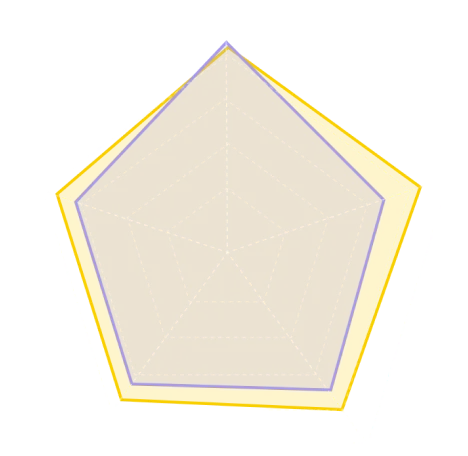
Quality radar chart: Tripo vs Hitem
HD Mesh(4.1 vs 4.3)
Low-Poly Mesh(4.1 vs 3.5)
Texture(4.0 vs 3.8)
Texture PBR(3.8 vs 3.5)
Parts(3.6 vs 3.3)
TripoHitem

According to third-party review metrics from top3d.ai, a platform specializing in AI 3D analysis.↗

What Makes Tripo the Ultimate Choice for Creators Over Hitem

Professional AI 3D asset creation does not conclude with a basic model preview. In real-world workflows, the asset must be refined, optimized, rigged, animated, exported into engine environments, or formatted for 3D printing. Tripo is designed for this complete production reality.

Image to 3D

Image to 3D

Transform Reference Images into High-Quality 3D Models

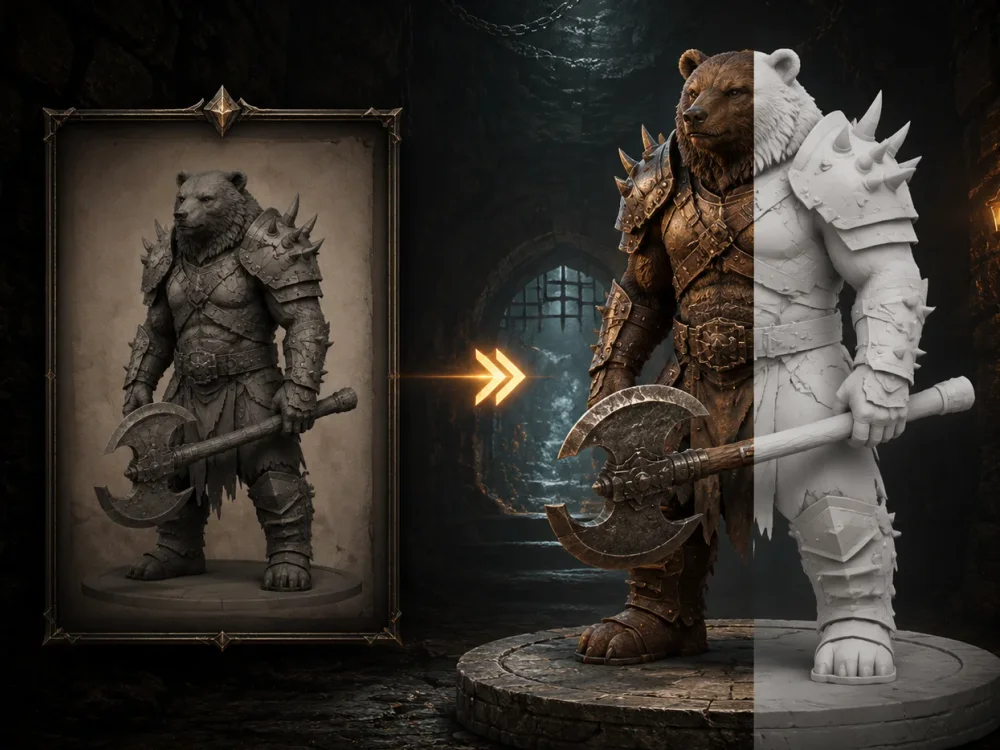
Tripo converts images into 3D models with a keen focus on geometry, structure, and visual coherence. Whether it's concept art, product visuals, character references, or stylized designs, Tripo ensures the core shape and visual essence of your input remains intact.

Smart Mesh P1.0

Smart Mesh P1.0

Create Structured Low-Poly Meshes Instantly

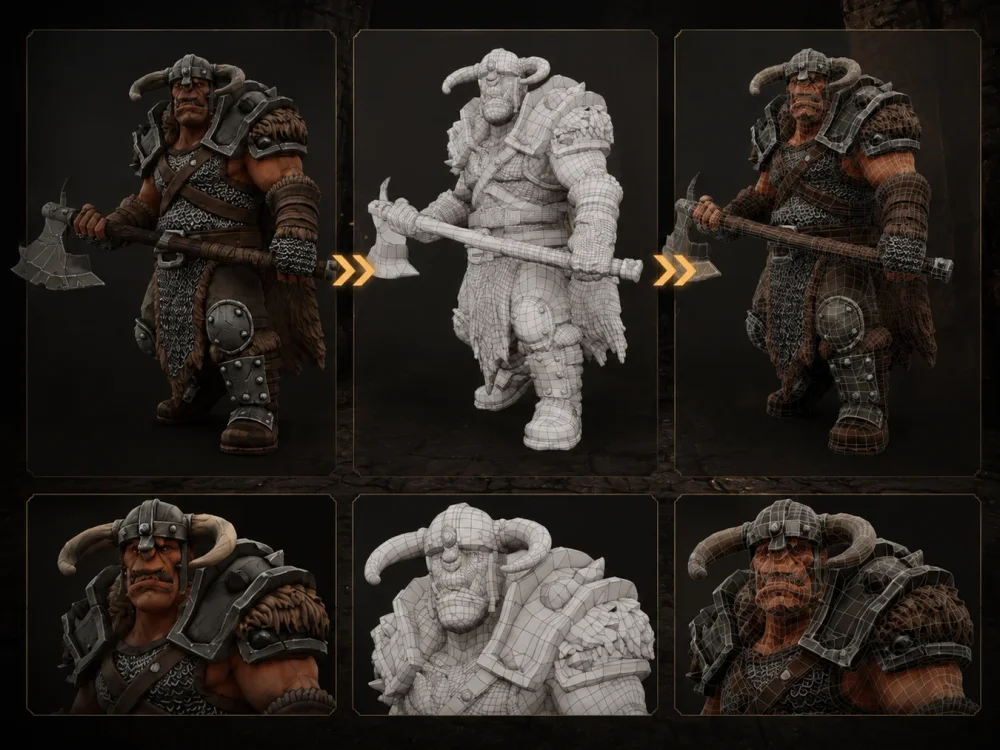
Tripo's Smart Mesh workflow is crafted specifically for creators who prioritize practical topology over heavily detailed, AI-generated models. It enables the creation of cleaner, low-poly meshes with improved structural logic, allowing for quicker iterations and enhanced adaptability in editing, animation, gaming, and real-time use cases.

HD Model H3.1

HD Model H3.1

Achieve Shape Accuracy with High-Detail Generation

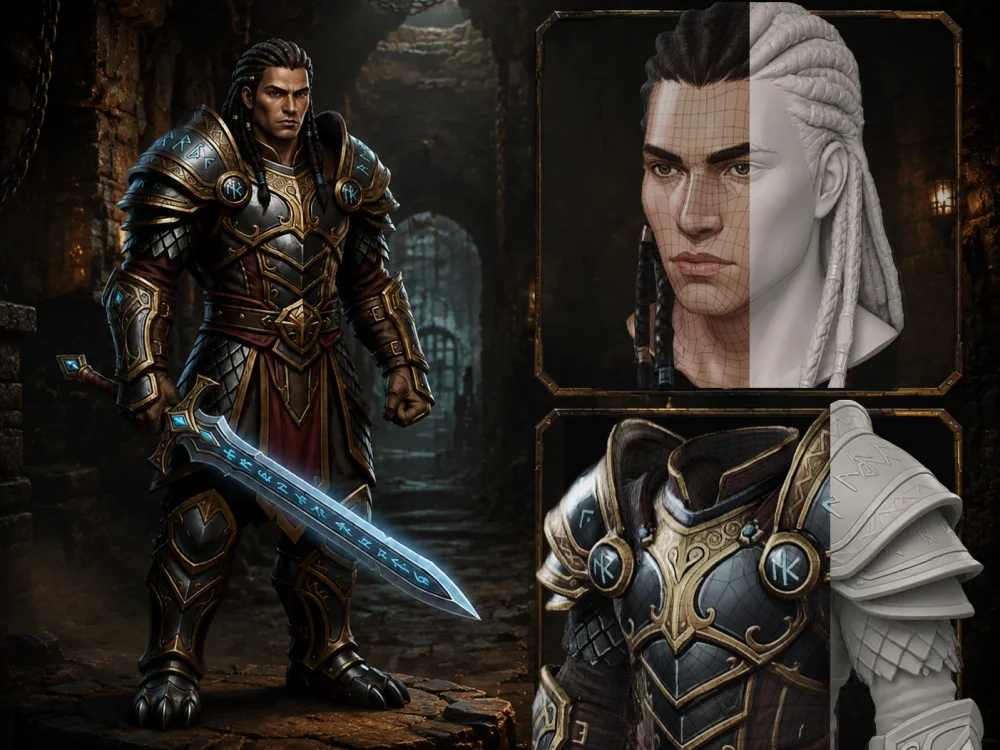
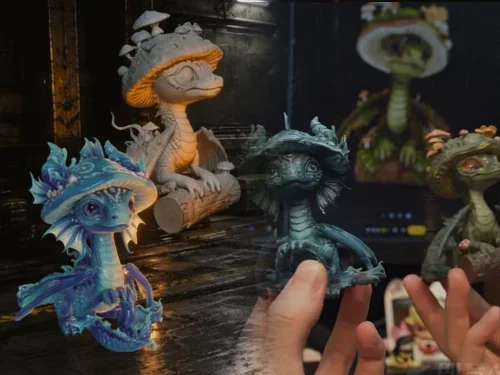
For projects where precision is paramount, Tripo's HD model H3.1 delivers sharper silhouettes, intricate surface layouts, and sound structural scaling. It is ideal for characters, collectibles, product prototypes, organic shapes, and assets requiring a convincing appearance before advancing to editing or production.

Texture Quality

Texture Quality

Achieve Production-Ready Models with High-Resolution 8K Textures

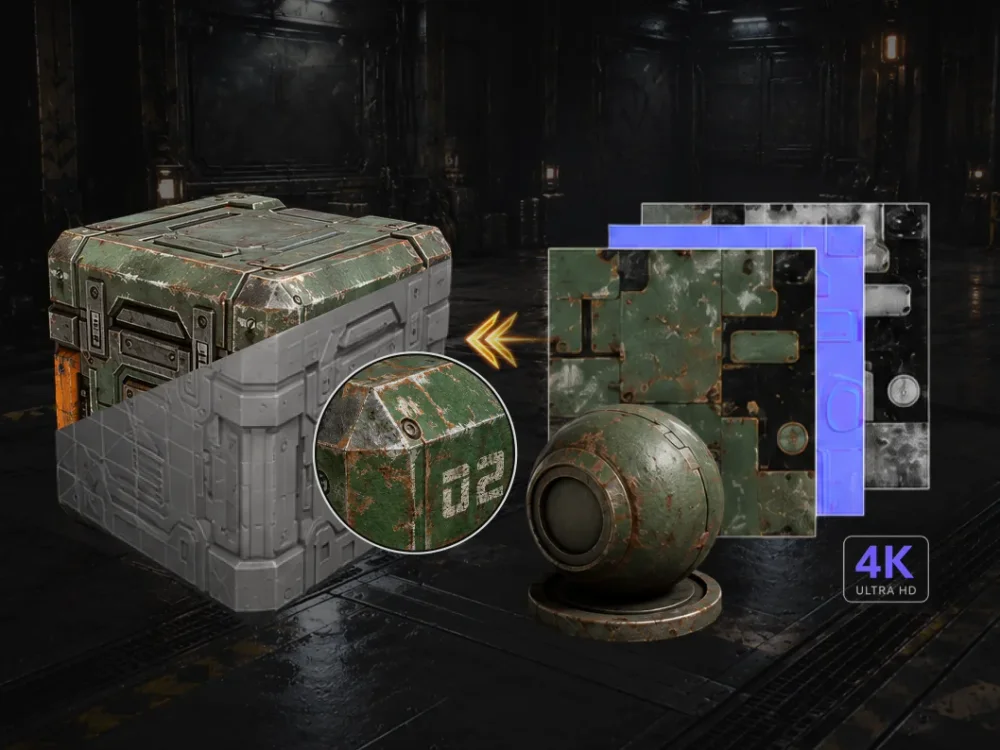
Tripo utilizes advanced high-resolution texture systems to ensure every model looks polished, clear, and perfectly aligned with your original creative concept. From stylized designs to complex objects, Tripo bridges the gap between raw geometry and engine-ready assets.

3D Printing

3D Printing

Transition from AI-Generated Models to Printable Assets with Greater Reliability

Physical manufacturing requires more than visual accuracy; geometry must be entirely manifold, watertight, and compatible with slicing platforms. Tripo supports direct STL/3MF exports and optimized AI-to-print preparation, ensuring your models slice and print with minimal errors.

3D Asset Library

3D Asset Library

Source Inspiration from an Expansive Model Gallery

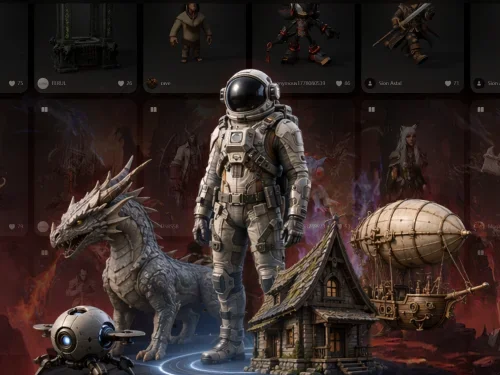
Explore an expanding collection of AI-generated 3D assets from the Tripo community. Discover creative references, production workflows, style ideas, and practical use cases across image-to-3D, text-to-3D, Smart Mesh, and HD model generation.

Ratings

ProductHunt
ProductHunt1.4k followers
#1 Product of the Day
G2
G2166 reviews
4.8/5
Trustpilot
Trustpilot679 reviews
4.9/5
Top3d.ai
Top3d.ai62 ratings
4.1/5

Awards

Gold Award 2026Silver Winner 2026Bronze Award 2025Silver Award 2025

User Feedback

D
Dash D.Small-Business

"I really like the fidelity of the modeling offered by Tripo Studio, which keeps the model true to the original image sent. Additionally, I appreciate the various mesh modification options, such as the lowpoly function, which is excellent for hard surface models like cars. I also like the quality of the texture application, which is smooth and seamless, even when starting from a single base image."

K
Kurt K.Small-Business

"I use Tripo Studio for creating 3D models for 3D printing, and it really helps with my lack of 3D modeling skills. I like how it turns my ideas into what I need. The thing I appreciate most about Tripo Studio is how detailed the models it creates are compared to similar programs. I also enjoy the speed at which it delivers the model. I switched from Meshy AI to Tripo Studio because it gives me better detail and better hard surfaces. The initial setup was very easy."

S
Sovant M.Gerente de produção | Small-Business

"I use Tripo Studio to generate 3D models for a commercial game, and I find the generated models excellent. It is fast in generating 3D models and produces detailed and accurate models. Additionally, the initial setup was easy and quick, and the interface is intuitive. I also decided to switch it for a Tencent model, as the paid version of Tripo Studio proved to be superior."

K
Kevin BlueSmall-Business

"I previously used Meshy ai and Hitem 3d. What I love about Tripo3d is the quality of the models. One of my main reasons for using this is to create 3d print models of family from a photograph. I love the built in photo editor which allows me to remove backgrounds so the generator can create a more precise model. I found that the better the edit the better the quality."

Frequently Asked Questions

The Best AI 3D Workspace

Exclusive New User Offer: 90% OFF Redemption Code Below!

Applies to your first subscription plan. Limited time only.