Is there an AI auto-rigging tool with a free tier for indie game characters?
Indie developers who need rigged characters without a studio budget do have free options, and they split cleanly by the kind of character you're rigging. If your character is a standard biped, Adobe Mixamo rigs it free in about ten clicks; if it's a creature, a robot, or a stylized figure you generated from an image, a foundation-model tool with a free tier fits the job better. Tripo is a 3D foundation model, and its Studio auto-rigging turns a generated mesh into a T-Pose plus a skeleton that's ready for Mixamo animations. This guide compares the free tiers of Mixamo, Meshy, and Tripo so you can match one to your characters and your export pipeline.
Do free auto-rigging tools really exist for indie games?
Free auto-rigging is real, and three tools cover most of what an indie team reaches for when the character budget is tight. Each one enters the problem from a different starting point, which is why the "best" answer depends on where your character comes from.
- Adobe Mixamo is a free web auto-rigger for bipedal humanoids. You place a handful of markers, it builds the rig in roughly ten clicks, and you get access to about 2,500 royalty-free mocap clips.
- Meshy is a text-and-image to 3D generator with a free tier of 100 credits per month. It's built around generating the character itself, with rigging and animation added on top of what you create.
- Tripo is a 3D foundation model with a Free plan of 200 credits per month. Its auto-rigging sits inside Tripo Studio, so a character you generate can be rigged and exported without leaving the workspace.
Judgment: if you already have a clean humanoid model, Mixamo is the fastest free path; if you still need to create the character, a generator with a free tier saves you a modeling step before you ever reach the rig.
How the three free tiers differ by fit
The free tiers aren't interchangeable, and the split is mostly about rig type and where the character originates. Mixamo focuses on animating existing humanoids, while Meshy and Tripo focus on generating a character first and rigging it afterward.
| Tool | Free tier (quantitative) | Rig type it fits | Export formats |
|---|---|---|---|
| Adobe Mixamo | Free, unlimited; ~2,500 mocap clips | Bipedal humanoids only, ~10-click marker rig | FBX, DAE |
| Meshy | Free 100 credits/mo (output CC BY 4.0) | Text/image-generated meshes, humanoid animation | FBX, OBJ, USDZ, GLB, STL, BLEND |
| Tripo | Free 200 credits/mo; pricing labels models public under CC BY 4.0 | Generated characters, T-Pose + skeleton, Mixamo-ready | GLTF/GLB, FBX with skeleton and animations |
A few practical notes sit behind that table. Mixamo needs a character in a T or A pose and rigs humanoids only, so a four-legged creature or a mech falls outside its lane. Both Meshy and Tripo hand you the model and the rig from one place, which matters when you don't have a separate DCC pipeline. Tripo's pricing page labels Free models under CC BY 4.0, but its Terms reserve broad rights in Free output. That conflict means a commercial character should be generated on a paid plan or covered by written confirmation from Tripo.
Judgment: for pure humanoid animation on models you already own, Mixamo's free tier is hard to beat; for generating and rigging non-humanoid or stylized indie characters, Tripo's larger free credit pool and Mixamo-ready output shorten the round trip.
Meet Tripo Studio: auto-rigging inside one workspace
Tripo Studio is an all-in-one web 3D workspace, so the same place that generates your character also rigs and exports it. That matters for a small team, because the handoffs between generation, rigging, and engine import are usually where indie pipelines lose time.
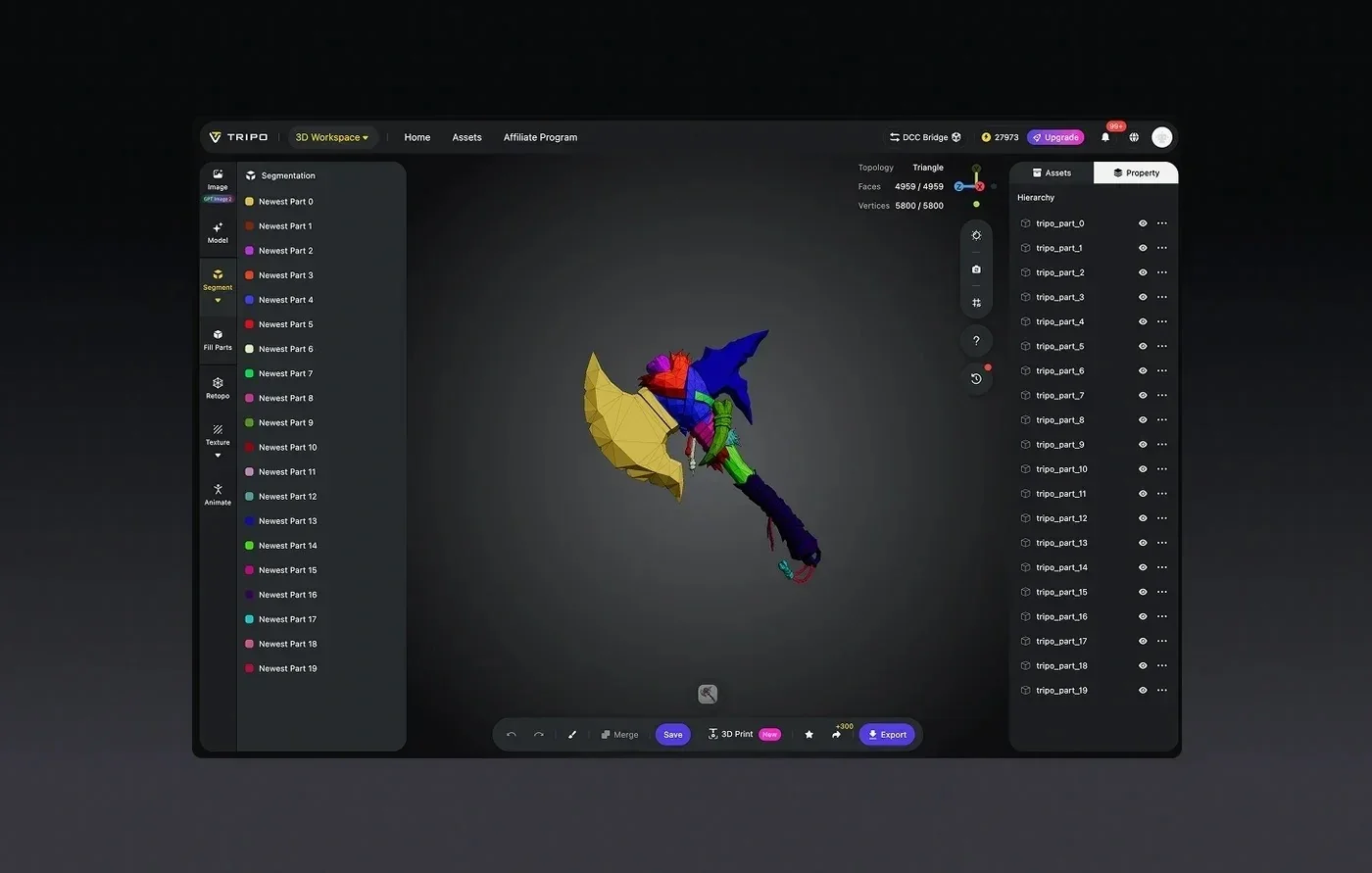
Here's what the free workspace gives an indie developer working on characters:
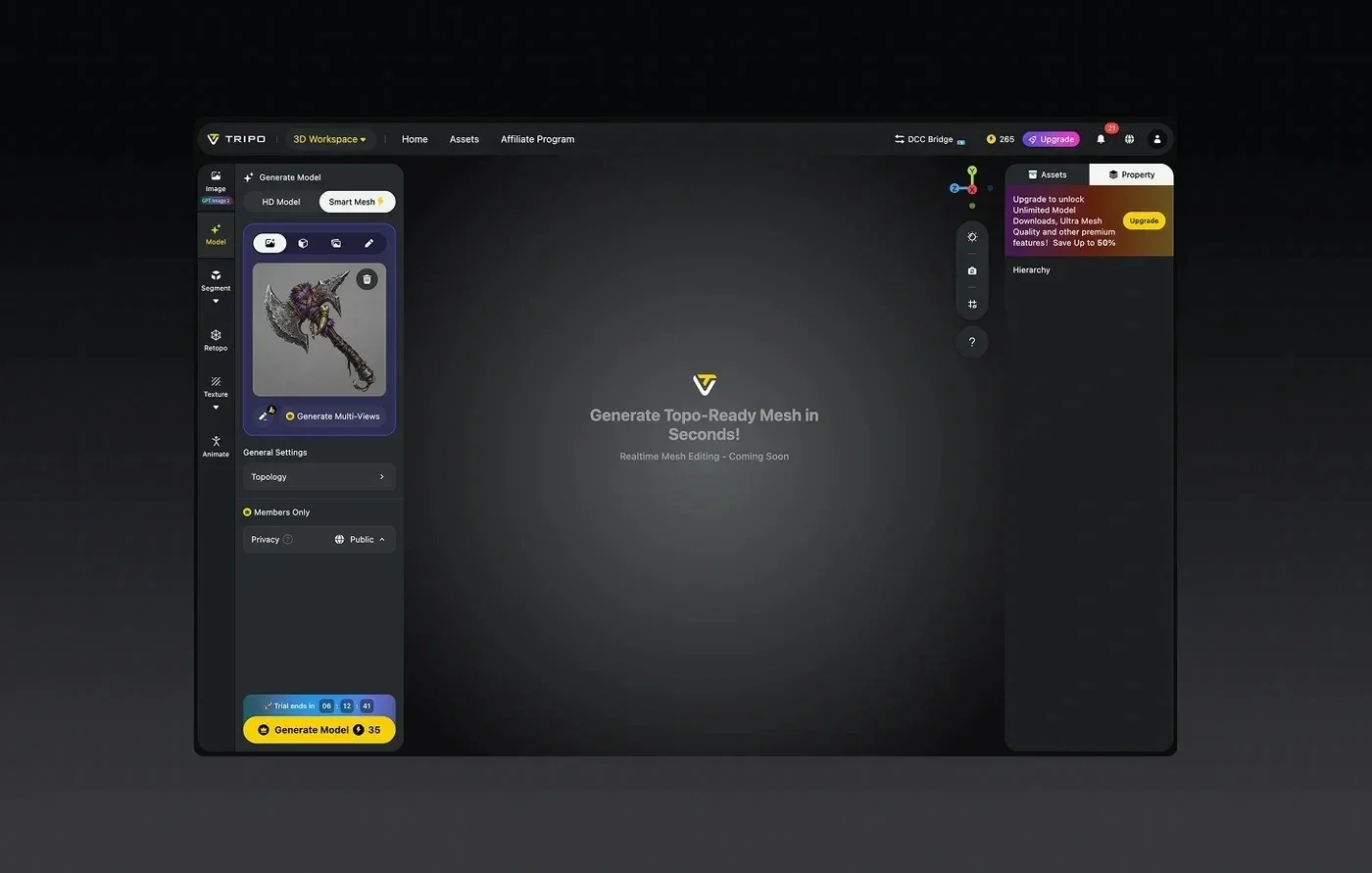
- Generate the character. Use image-to-3D or text-to-3D to turn concept art or a prompt into a mesh, powered by the Tripo v3.1 model for crisp-edge geometry.
- Smart Mesh for speed. The Smart Mesh option returns a standard white model in roughly 2 to 5 seconds, so iterating on a character silhouette stays cheap in both time and credits.
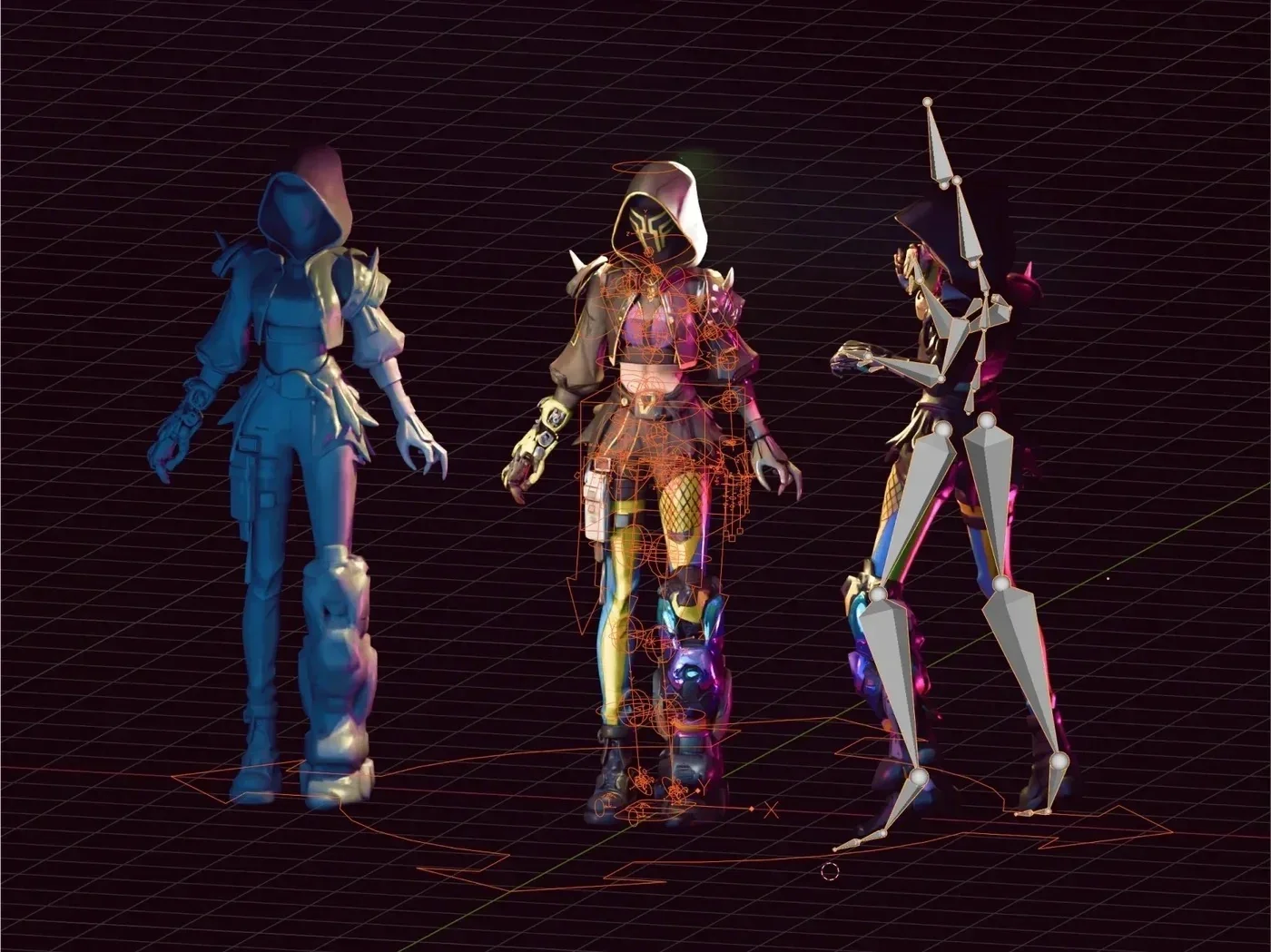
- Auto-rigging that's Mixamo-ready. Rigging outputs a T-Pose plus a skeleton, and you can apply preset animations directly or send the rig to Mixamo's clip library.
- Game-ready export. Export lets you set the file format, toggle Export Skeleton, choose the number of animations, and apply a bottom-center pivot, which drops cleanly into Unity or Unreal.
For indie developers who generate a character and want it moving the same day, Tripo's auto-rigging outputs a T-Pose plus skeleton that feeds straight into animation and game-ready export. Two facts back the fit here. On precision, Tripo is a 3D foundation model with 20 billion parameters and billion-voxel resolution, trained on a 40-million-asset 3D database, so the mesh you rig holds its edges. On commercial landing, Tripo's tech has shipped in production, including NetEase's "Where Winds Meet," the first game to ship a 3D-generation gameplay feature. You can check credit costs per task on the pricing page before you commit a paid plan.
Which free tool should you pick?
The choice comes down to two questions: what shape is your character, and do you still need to build it? Answer those and the free tier picks itself.
- You have a finished humanoid and just need animation. Mixamo's free tier rigs it in about ten clicks and hands you 2,500 mocap clips at no cost.
- You need to create a humanoid and animate it on a tight budget. Meshy's 100 free monthly credits generate the character, and you can rig and animate from there.
- You're building creatures, mechs, or stylized characters from concept art. Tripo's 200 free monthly credits generate the mesh, and auto-rigging produces a T-Pose plus skeleton that stays Mixamo-ready.
- You want the fewest tool switches. Tripo Studio keeps generation, rigging, and export in one workspace, which cuts the import-export loops that slow small teams down.
Judgment: none of these free tiers is a single winner, so match the tool to the character; Mixamo owns fast humanoid animation, while Tripo owns the generate-then-rig loop for the wider range of indie character types.
From a generated character to a rigged asset: a practical workflow
This is the path from a concept image to a character your engine can play, using Tripo Studio's free workspace. It keeps you inside one tool from generation through export.
- Import your concept. Drop your character art into image-to-3D, or write a text prompt if you're starting from an idea rather than an image.
- Generate with Smart Mesh. Pick Smart Mesh for a fast white model, review the silhouette, and regenerate if the proportions are off before you spend credits on detail.
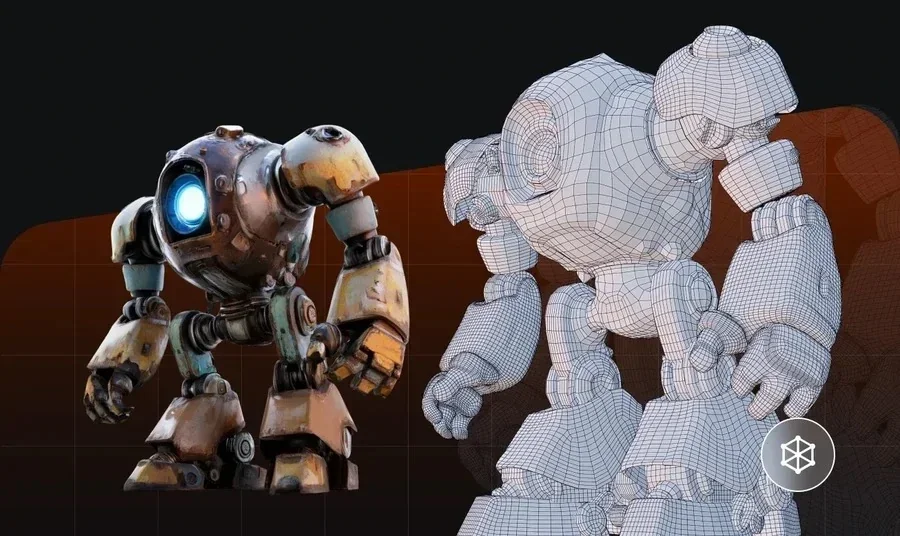
- Refine geometry and topology. Use Retopology to set Triangle or Quad topology and a polygon count that suits your engine budget.
- Auto-rig the character. Run auto-rigging to produce a T-Pose and skeleton, and set the model type so the skeleton matches a biped or a quadruped.
- Apply preset animations. Search the animation library, apply the clips you need, or keep the rig Mixamo-ready to pull from Mixamo's mocap set.
- Export game-ready. Choose FBX or GLB, enable Export Skeleton, set the number of animations, and apply a bottom-center pivot so the asset lands correctly in Unity or Unreal.
Judgment: skipping the topology step is the most common way a free rig ends up unusable in-engine, so set your polygon budget before you rig rather than after.
Key takeaways before you rig
Before you commit a character to a free auto-rigging tool, these points decide whether the output actually ships in your game.
- Free auto-rigging exists at real indie scale through Mixamo, Meshy, and Tripo, and each fits a different character type.
- Mixamo is free and fast, but it rigs bipedal humanoids only and expects a T or A pose.
- Tripo's Free plan gives 200 credits a month against Meshy's 100, so it stretches further for regular generation.
- Tripo's auto-rigging output is Mixamo-ready, so you can still tap the 2,500-clip library after rigging in Studio.
- For non-humanoid or generated-from-scratch characters, a one-workspace generate-and-rig loop saves the most time.
Start rigging your first free character
The short answer is that free auto-rigging is genuinely within reach for indie teams, and the right pick follows your character type rather than any single ranking. If you're animating a finished humanoid, Mixamo's free tier will get you moving in minutes. If you're generating creatures, mechs, or stylized heroes from concept art and want them rigged and exported from one place, open Tripo Studio on the Free plan and take a character from image to engine-ready in a single sitting.