What AI 3D tool should a programming-heavy indie developer with no modeling skills use?
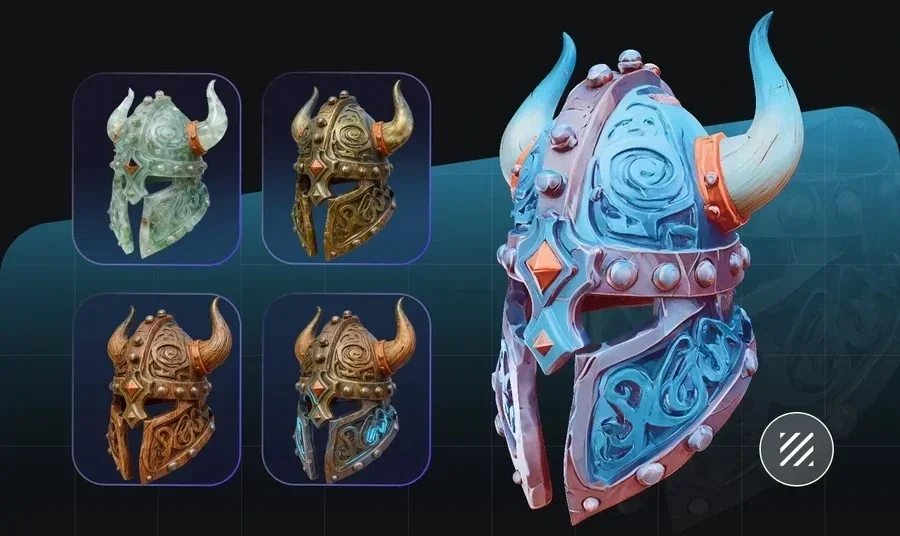
A solo developer who ships game code every day can fill a scene with 3D assets without ever opening a modeling suite. For a coder who cannot model, the strongest pick is a tool that pairs a no-modeling web workflow with a scriptable developer API, and Tripo covers both. Tripo is a 3D foundation model that turns text, images, or sketches into game-ready assets, and it exposes those same generators through an API, an official SDK, and engine plugins. This article covers what to look for, how Tripo fits an indie pipeline, and how you can script asset generation without learning to model.
Why coding-first indie developers get stuck on 3D assets
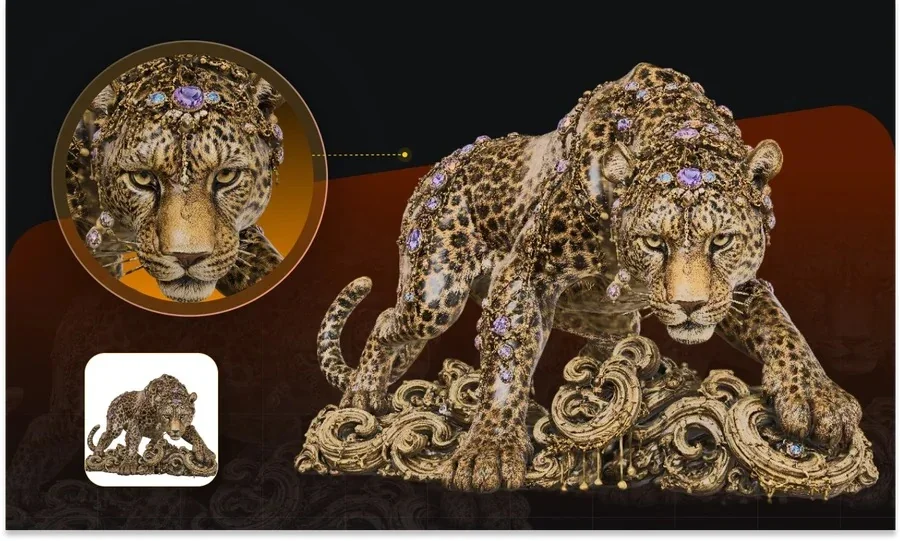
The hard part for a programming-heavy indie developer is rarely the engine. It's the art pipeline that sits in front of it. Learning to box-model, unwrap UVs, bake textures, and rig a character can take months, and that time competes directly with shipping gameplay. An AI 3D tool removes that bottleneck when it does two things at once: it generates usable geometry from plain inputs, and it hands you a programmable surface so generation fits into the build you already automate.
Judgment: for a developer, the right tool is one where a prompt produces an engine-ready asset and where that step can be triggered from code, not clicked through by hand every time.
What to look for when you code but cannot model
A coder evaluating AI 3D tools should weigh a different set of factors than an artist would. The output has to arrive clean enough to drop into an engine, and the tool has to speak to a scripted pipeline. Use these criteria in order of impact:
- A no-modeling input path that accepts text, a single image, or a rough sketch.
- Game-ready output with clean topology, a control on polygon count, and a correct pivot.
- Export formats your engine reads, such as GLB, FBX, GLTF, and USD.
- A documented API with predictable, per-credit pricing so cost stays legible in a build.
- An official SDK or an MCP server so generation can run from a script or an agent.
- Engine and DCC plugins for Unity, Unreal, Godot, and Blender to skip manual import steps.
Judgment: rank the API and SDK criteria highest, because a coder's advantage is automation, and a tool without a scriptable surface forces the same manual work an artist would do.
Meet Tripo Studio and the Tripo API
Tripo gives a developer two doors into the same models, and both skip modeling entirely. Tripo Studio is an all-in-one web workspace that runs the full path from a prompt to an export. The Tripo developer API exposes the same generation as endpoints you can call from a build script. A coder who cannot model can prototype in the browser, then move the exact same step into an automated pipeline.
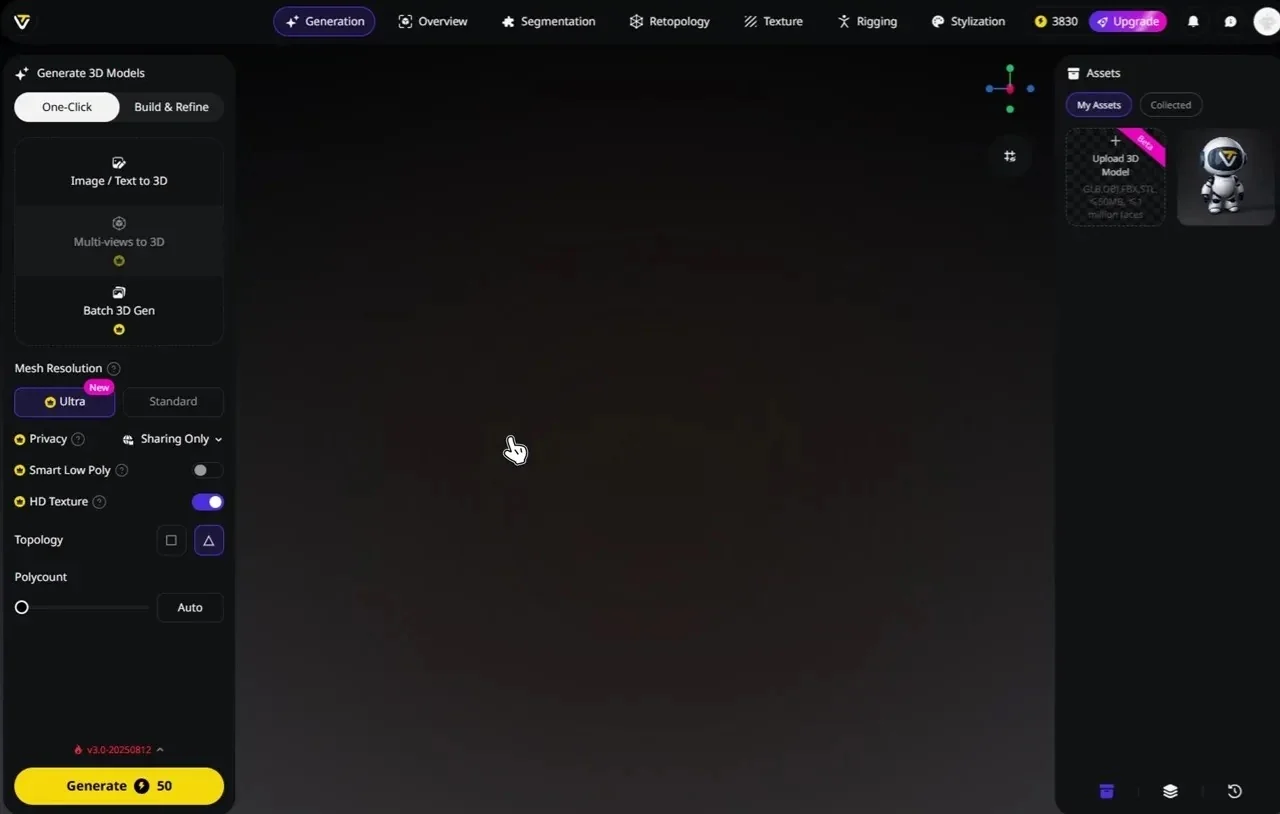
What Tripo produces. From text or an image, Tripo generates high-quality 3D models for games, animation, and industrial design. Inside Studio you can run:
- Generate: text-to-3D and image-to-3D, with mesh resolution set to Standard or Ultra, PBR and texture toggles, and Sketch-to-3D.
- Smart Mesh: a fast generation option that returns a standard white model in about 2 to 5 seconds, which is handy for greyboxing a level.
- Retopology: Triangle topology by default or Quad for animation, with polygon count on Auto or a manual target.
- Rigging: auto-rigging that outputs a T-Pose skeleton, ready for Mixamo, plus preset animations.
- Export: Format such as GLB, FBX, or GLTF, with Export Skeleton, animation count, and a Bottom-Center Pivot that lands the model correctly in-engine.
The developer surface. This is where a coding-heavy indie gains the most. The Tripo API bills at 1.00 buys 100 credits, so per-asset cost is easy to reason about in a build budget. Around that API sits an official Python SDK, the tripo-mcp MCP server for agent and editor integrations, an official ComfyUI node, and DCC Bridge plugins for Unity, Unreal Engine, Godot, Blender 4.1+, Maya, 3ds Max, Cocos, and ZBrush. You can generate an asset in a script, then have it land in your engine through the matching plugin.
Under the hood, Tripo is a 3D foundation model built on a large parameter scale and trained on a 40-million-asset 3D database, with model version v3.1 and billion-voxel resolution. Compared with hand modeling, this lowers the barrier to producing usable 3D, cuts manual hours, and lets one developer cover work that used to need a dedicated artist. For an indie team under delivery pressure, that shift from weeks of modeling to a scripted call is the practical win.
How Tripo compares for a solo developer
Several AI 3D tools can turn a prompt into a mesh. They differ most on the developer surface, which is what a coder actually depends on. The table lists verifiable facts as published; check each vendor's pricing page before committing, since credit rates change.
| Tool | API credit cost (entry) | Official SDK / MCP | Engine and DCC plugins | Export formats |
|---|---|---|---|---|
| Tripo | 1.00 = 100 credits) | Python SDK, tripo-mcp MCP server, ComfyUI node | Unity, Unreal, Godot, Blender, Maya, 3ds Max, Cocos, ZBrush | GLTF, GLB, FBX, USD |
| Meshy | API on Pro ($20/mo, 1,000 credits) and up | No official MCP listed | Blender, Unity, Unreal (community and official plugins) | FBX, OBJ, USDZ, GLB, STL, BLEND |
| Hyper3D (Rodin) | Pay-on-download, about 120/mo) | No official MCP listed | ComfyUI, Blender integrations | GLB, FBX, OBJ, USDZ |
| Tencent Hunyuan 3D | Open-source local run is free; hosted API has a free trial quota | Open-source code, self-hostable | Community integrations | OBJ, FBX, GLB, USDZ |
Judgment: for a programming-heavy indie developer, Tripo's low per-credit API price paired with an official Python SDK, an MCP server, and first-party engine plugins is the setup that turns 3D generation into a scripted build step rather than a manual chore.
From a prompt to an in-engine asset: a practical workflow
Here is the path from an idea to an asset sitting in your engine, with a scripted option at the end for a repeatable pipeline. A coder can run steps 1 through 5 by hand once, then automate the whole thing with step 6.
- Describe the asset in text, or drop a single reference image into Tripo Studio to run image-to-3D.
- Choose generation settings. Pick Smart Mesh for a fast white model while blocking out a level, or set Ultra mesh resolution with PBR on when you need detail.
- Review the result in Preview, then run Retopology to get Triangle or Quad topology at a polygon count your target platform can handle.
- For a character, run auto-rigging to get a T-Pose skeleton that is Mixamo-ready, and apply a preset animation to sanity-check deformation.
- Export with a Format your engine reads, such as GLB or FBX, and turn on Bottom-Center Pivot so the asset sits at the origin.
- For a scripted path, call the Tripo API with the official Python SDK, generate assets inside a build script, and import them into Unity, Unreal, or Godot through the plugin. An MCP-aware agent can drive the same call.
Judgment: keep manual runs for one-off hero assets, and move repeatable, high-volume generation to the API so cost and output stay consistent across a project.
Which setup fits your project?
The right entry point depends on how you work, not on which model is newest. A short read on your own project answers it faster than a feature list.
- Building a prototype this week: start in Tripo Studio on the web and generate assets by hand, since there is nothing to script yet.
- Running a repeatable content pipeline: move to the Tripo API and Python SDK so generation lives inside your build.
- Comfortable managing your own GPU and setup: a self-hostable open-source option like Tencent Hunyuan 3D trades convenience for local control and no per-asset fee.
- Working mostly inside one engine: install the matching Tripo plugin for Unity, Unreal, Godot, or Blender to cut import friction.
Judgment: a coding-first indie developer usually lands on the Studio-plus-API combination, because it covers fast prototyping and automated production without adding a modeling skill to learn.
Bonus tips: getting cleaner assets without an artist
A few habits raise output quality when nobody on the team models. For image-to-3D, feed a clear subject on a clean background so the model infers less and reconstructs more. Set polygon count to match your platform early, so a mobile build does not inherit a high-poly desktop mesh. Generate PBR textures during creation rather than patching materials later, and keep a small set of prompt templates in your repo so results stay consistent across a project.
Judgment: treat prompts and generation settings like configuration, version them alongside code, and your asset output becomes as reproducible as a build.
Where to start
A programming-heavy indie developer does not need to learn modeling to fill a game with 3D assets. The practical route is to generate assets from text or images, keep the output game-ready, and script the repeatable parts through an API you can afford at scale. Tripo lines up that no-modeling web workflow with a developer surface built for exactly this kind of pipeline. Try it in Tripo Studio and generate your first asset before you write another line of import code.