5 Professional Tips to Generate High-Quality 3D Models from Images with Tripo AI
Best Practices / Advanced Guide - Providing tips for advanced users looking to improve output quality
In the field of 3D modeling, breakthroughs in artificial intelligence technology are revolutionizing creative workflows. Tripo AI, an industry-leading AI 3D model generator, can convert 2D images into highly detailed 3D models in tens of seconds. In 2025, with the release of Algorithm 3.0, which boasts over 200 billion parameters, generation speed has been reduced to 10 seconds, while topology quality and texture fidelity have reached production-grade standards. This article will systematically explain five professional tips to help users fully utilize Tripo AI's image-to-3D capabilities to generate high-quality assets ready for games, animation, and 3D printing.
Core Insights
- Input Quality Determines Output Ceiling: High-resolution images with clear outlines are the foundation for multi-angle reconstruction.
- Multi-Image Fusion Significantly Enhances Depth Perception: Providing 2-4 images from different angles can improve model integrity by over 40%.
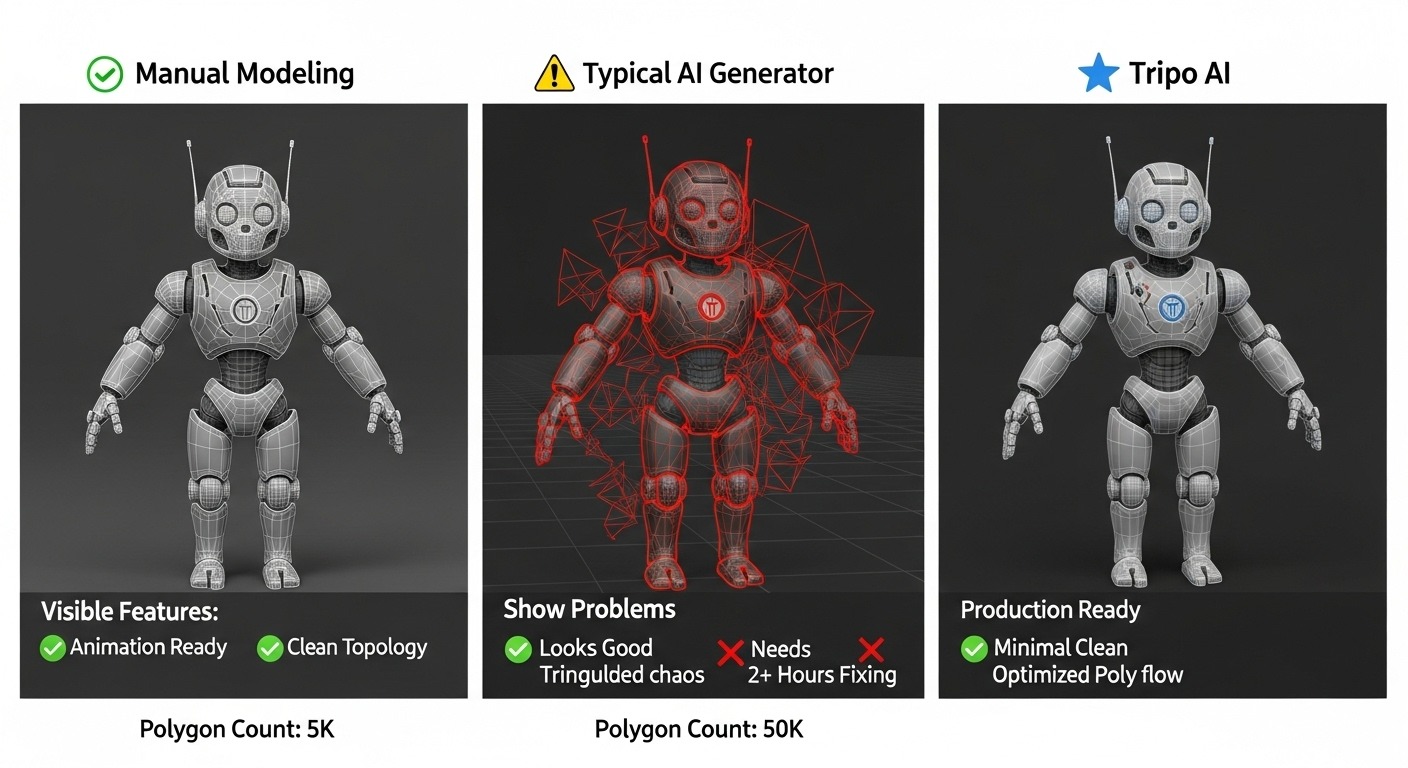
- Smart Retopology Eliminates Redundant Polygons: Tripo AI's built-in algorithm automatically optimizes models with millions of faces into clean mesh structures.
- PBR Materials Enable Photorealistic Rendering: Automatically generated roughness, metallic, and normal maps can be directly applied to physically-based rendering pipelines.
- Fine-tuning in Blender Completes the Production Loop: Exporting in USD, FBX, OBJ, STL, GLB, 3MF formats for sculpting-level corrections is standard practice in professional workflows.
Tip 1: Select High-Quality Input Images
High-quality input images are the primary factor in generating outstanding 3D models. Tripo AI's algorithm relies on visual information in the image to infer depth, normals, and material properties, so the resolution, clarity, and lighting conditions of the input image directly impact the accuracy of the final model.
In practice, three core criteria should be followed when selecting images. First is the principle of resolution priority: the higher the pixel count of the original image, the richer the details the algorithm can extract. It is recommended to use images with a resolution above 2048x2048 pixels as input sources. Even when dealing with faces or intricate objects, sufficient resolution ensures the algorithm captures subtle contour changes. Second is lighting consistency: multiple photos of the same object taken under different lighting conditions should maintain uniform color temperature and brightness to avoid texture seams or color discrepancies when the algorithm fuses them. Third is background purity: high contrast between the subject and the background helps the algorithm accurately identify object edges. It is advisable to use solid color backgrounds or use image editing tools to clear cluttered backgrounds beforehand.
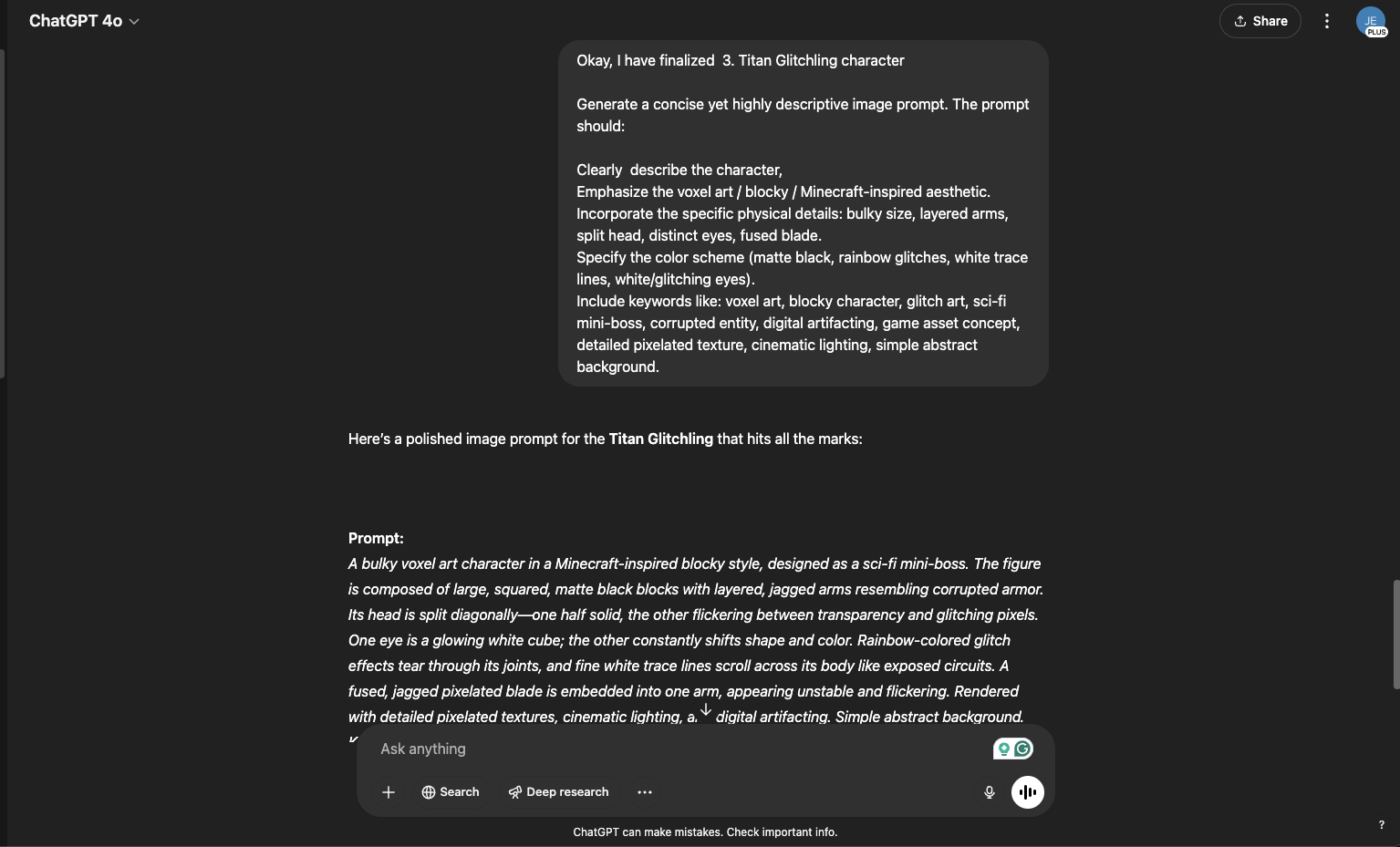
For architectural or product visualization scenarios, users can first use AI image generation tools to create concept art, and then input the generated images into Tripo AI for 3D processing. This workflow is particularly suited for design phases that require rapid conceptualization, achieving a complete transformation from an idea to a rotatable 3D model in minutes.
Tip 2: Leverage Multi-Angle Image Fusion to Enhance Depth Perception
Multi-angle image inputs provide more geometric information, significantly improving the volumetric accuracy and texture quality of the model. When the algorithm processes images from different perspectives simultaneously, it can construct more precise depth maps, thereby avoiding geometric omissions and texture distortions common in single-image conversions.
Tripo AI supports uploading multiple images at once for fusion processing. In practice, providing 2-4 photos of the same object taken from different angles is best practice. These photos should cover key perspectives such as the front, sides, back, and top of the object, forming a basic 360-degree visual coverage. Adjacent photos should maintain a 30%-60% overlapping area; this degree of overlap allows the algorithm to obtain sufficient reference points during feature matching.
The advantages of multi-image fusion technology are manifested in three dimensions. In terms of geometric integrity, single-image conversion frequently creates holes on the back or occluded areas of objects, whereas multi-image input allows the algorithm to fill these missing areas through perspective complementarity. Regarding texture continuity, multi-view information fusion can generate more uniform UV unwrapping, reducing texture stretching and seam issues common in single-image conversion. For detail fidelity, surface details captured from different angles can complement each other, elevating the texture density and surface details of the final model to a higher level.
For scenarios where taking multi-angle photos is impossible, users can try shooting in a circle around the object or using a turntable device to evenly collect 360-degree image data.
Tip 3: Construct Precise Prompts to Guide Model Generation
Structured prompts can guide Tripo AI to generate geometric forms and material characteristics that better meet expectations. Although image input is the core of image-to-3D, supplementing it with appropriate text prompts can further refine specific attributes of the model, such as stylization, material specifications, or detail enhancement.
Prompt construction in Tripo AI follows a five-element formula: "Subject + Form + Material + Key Details + Style." Taking a vintage brass telescope as an example, a complete prompt should include: subject (telescope), form (cylinder with a flared end), material (aged brass with patina), key details (adjustable focus ring, leather grip), and style (Victorian retro-futurism). This structured description method helps the algorithm make more accurate judgments when generating geometric structures.
For users unfamiliar with prompt engineering, Tripo AI provides a built-in prompt enhancement feature that automatically analyzes short user descriptions and expands them into more detailed generation instructions. Furthermore, using negative prompts to exclude unwanted features is a highly effective technique. For instance, adding "no glasses, no accessories" as a negative prompt when generating character models can prevent the algorithm from generating unexpected elements.
In actual workflows, it is recommended that users first upload a reference image, and then combine it with a well-constructed prompt for generation. Through the image-to-3D model function, the image provides the geometric foundation, while the prompt fills in the stylistic and material details. The synergy of the two can produce results far more precise than either method alone.
Tip 4: Enable Smart Retopology to Optimize Polygon Count
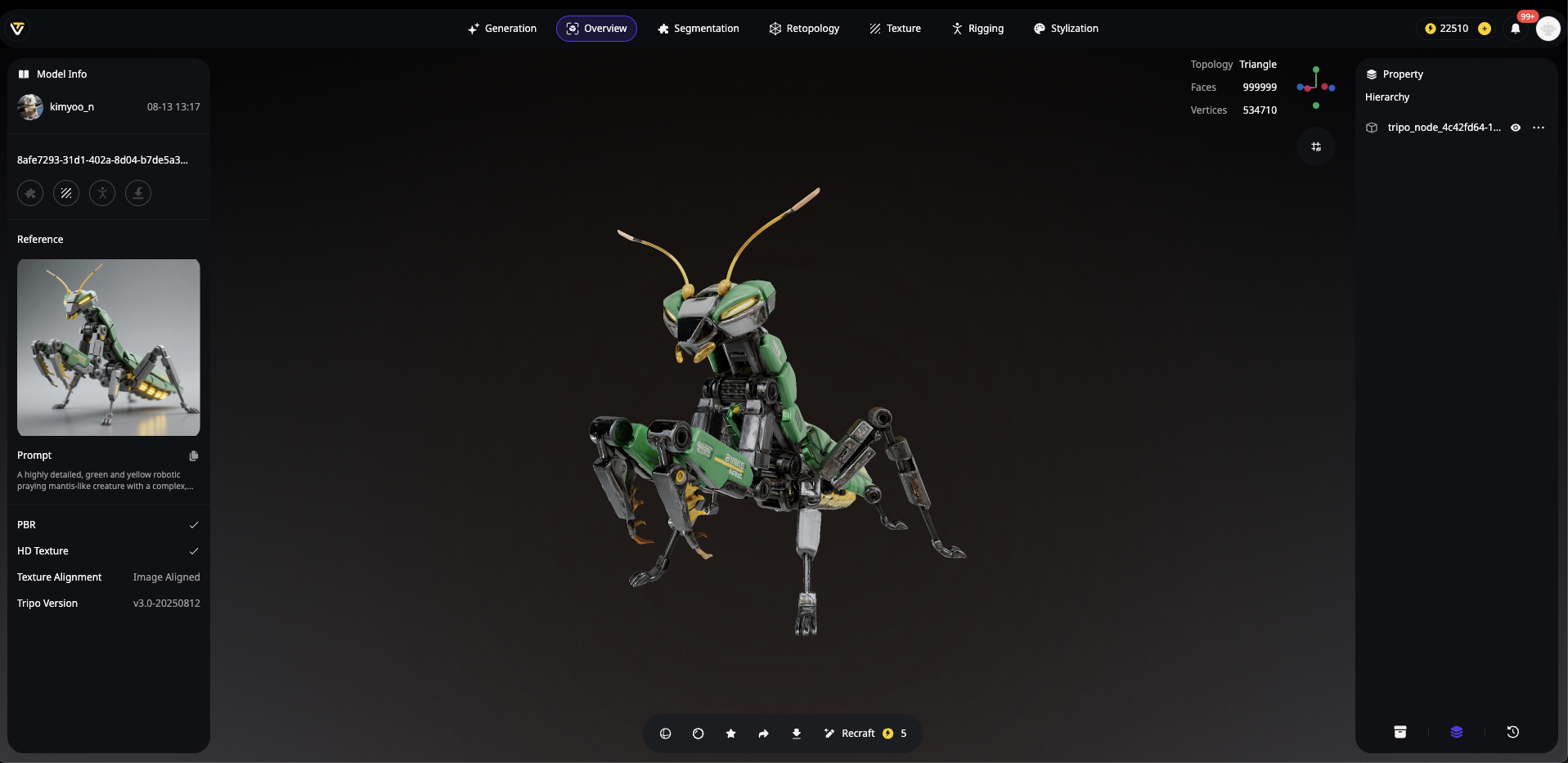
Tripo AI's built-in smart retopology feature is a core tool for controlling model polygon counts and topology quality. Initial AI-generated models often contain millions of polygons to ensure detail integrity, but such density is neither practical nor efficient for most downstream applications.
Smart retopology technology can automatically convert dense scanned meshes into clean, low-polygon structures suitable for animation and real-time rendering. This technique, which requires hours of manual work in traditional modeling pipelines, is compressed into seconds of automated processing by Tripo AI. The retopologized model not only has a significantly reduced file size but also ensures uniform polygon distribution and reasonable edge loops, which are crucial for subsequent rigging and deformation animation.
In practice, users can directly invoke the retopology feature in Tripo AI Studio and select the target polygon count as an output parameter. For real-time rendering scenarios in game engines, keeping the face count in the 10,000-50,000 range usually meets visual needs; for models requiring further refinement, keeping a version with a higher polygon count as a working copy is a better approach.
After Tripo AI generates the model, users can export it directly in USD, FBX, OBJ, STL, GLB, 3MF formats. These mainstream 3D formats are compatible with all major content creation tools and game engines, including Blender, Unity, and Unreal Engine, allowing seamless integration into existing production pipelines.
Tip 5: Combine with Blender for Fine-Tuning
Importing models generated by Tripo AI into Blender for fine-tuning is a critical step in achieving production-grade output. Although Tripo AI can generate high-quality initial models, manual editing is still essential in scenarios requiring sculpting modifications to specific geometric features or optimizations to UV unwrapping.
Blender provides a comprehensive mesh editing toolchain that effectively complements Tripo AI's output. Users can import the model into Blender via USD, FBX, OBJ, STL, GLB, 3MF formats, and then use vertex, edge, and face selection tools in edit mode for detailed corrections. Common adjustment operations include: using the extrude tool to add features, using the merge vertices function to eliminate mesh intersections, using subdivision to increase local detail density, and applying the smooth modifier to soften hard edge transitions.
For users needing to further enhance texture quality, Tripo AI supports enabling a high-definition texture mode to generate 4K resolution PBR material textures. These textures include base color, roughness, metallic, normal, and ambient occlusion channels, which can be used directly in Blender or other PBR-supported software to achieve photorealistic visual effects through physical rendering.
This "AI generation + manual refinement" hybrid workflow has been adopted by numerous professional studios. It combines the efficiency of AI with the precision of manual adjustment, shortening modeling cycles that originally took days to mere hours, while ensuring the final output meets all technical specifications of the project.
Tripo AI Core Metrics
| Feature Dimension | Tripo AI |
|---|---|
| Generation Speed | 10-120 seconds |
| Topology Quality | Clean, animation-ready |
| Multi-Image Fusion | Supported (2-4 images) |
| PBR Materials | Automatically generated full set |
| Retopology Feature | Built-in smart optimization |
| Blender Integration | Supports USD, FBX, OBJ, STL, GLB, 3MF export |
| HD Texture Mode | Supported (4K resolution) |
FAQ
1. What image formats does Tripo AI support for 3D model generation?
Tripo AI supports mainstream image formats, including JPEG, PNG, and WebP. It is recommended to use the PNG format to ensure lossless image quality. Regardless of the format chosen, the image should maintain clear object outlines and consistent lighting conditions to achieve optimal generation results.
2. Can generated 3D models be used in commercial projects?
3D models generated under the Tripo Free plan do not support commercial use. For commercial projects (such as game development, advertising, AR/VR applications, and 3D printing), you need to upgrade to an appropriate paid plan.
3. Why does the generated model have texture seams or geometric omissions?
Texture seams are usually caused by inconsistent lighting in multi-image inputs; it is recommended to maintain the same lighting environment when taking multi-angle photos. Geometric omissions may be due to insufficient perspective coverage in the input images; taking more photos from more angles can effectively resolve this issue.
4. How do I choose the right file format to export my model?
Tripo AI supports exporting in USD, FBX, OBJ, STL, GLB, 3MF formats. The GLB format is suitable for web display and AR applications; the FBX format is the preferred choice for game engines and animation software; the OBJ format has the broadest compatibility. For scenarios requiring the preservation of material information, exporting in GLB format is recommended.
5. Does Tripo AI offer a free trial version?
Tripo AI offers a free account option. The Free plan provides 300 credits per month. For users needing higher output resolutions, more credits, and advanced features, the platform offers paid subscription plans to meet professional production needs. For example, the Pro plan ($19.90/month) offers 3,000 credits per month. Tripo Studio (web-based generation tool) and Tripo API are two entirely separate business lines. API services have independent billing and access systems. Please log in to Tripo Studio Pricing to verify official pricing details.

