
Master Optimizing AI Generated 3D Models Poly Count for Unreal Engine 5
Professional Workflows for High-Performance Real-Time Rendering
The rapid evolution of spatial computing in 2026 demands highly efficient digital assets for seamless real-time rendering. As creators increasingly rely on AI for game development, optimizing AI generated 3D models poly count for Unreal Engine 5 has become a critical pipeline requirement. Tripo AI offers a professional solution through its proprietary Algorithm 3.1, instantly generating production-ready geometry. This comprehensive guide explores the technical methodologies for optimizing AI generated 3D models poly count for Unreal Engine 5 using Tripo AI, ensuring high-performance interactive experiences without sacrificing visual fidelity.
Key Insights:
- Optimizing AI generated 3D models poly count for Unreal Engine 5 significantly improves rendering performance, reduces file size, and ensures proper lighting behavior in interactive environments.
- Tripo AI utilizes Algorithm 3.1, backed by over 200 billion parameters, to automate smart retopology, instantly converting dense meshes into game-ready assets.
- The platform operates on a structured credit system: The Free plan provides 300 credits per month. 3D models generated under Tripo's Free plan do not support commercial use. The Pro plan ($19.90/month) provides 3,000 credits per month. Check Pricing for more info.
- Tripo Studio and the Tripo API exist as completely independent product lines, catering respectively to web-based creators and enterprise developers without overlapping billing.
- The Tripo DCC Bridge allows for the direct, real-time transfer of optimized assets straight into Unreal Engine 5, bypassing manual export and import friction entirely.
Understanding the Need for Optimizing AI Generated 3D Models Poly Count for Unreal Engine 5
Optimizing AI generated 3D models poly count for Unreal Engine 5 is essential because raw artificial intelligence outputs often contain dense, unrefined geometry that causes severe performance bottlenecks in real-time game engines.
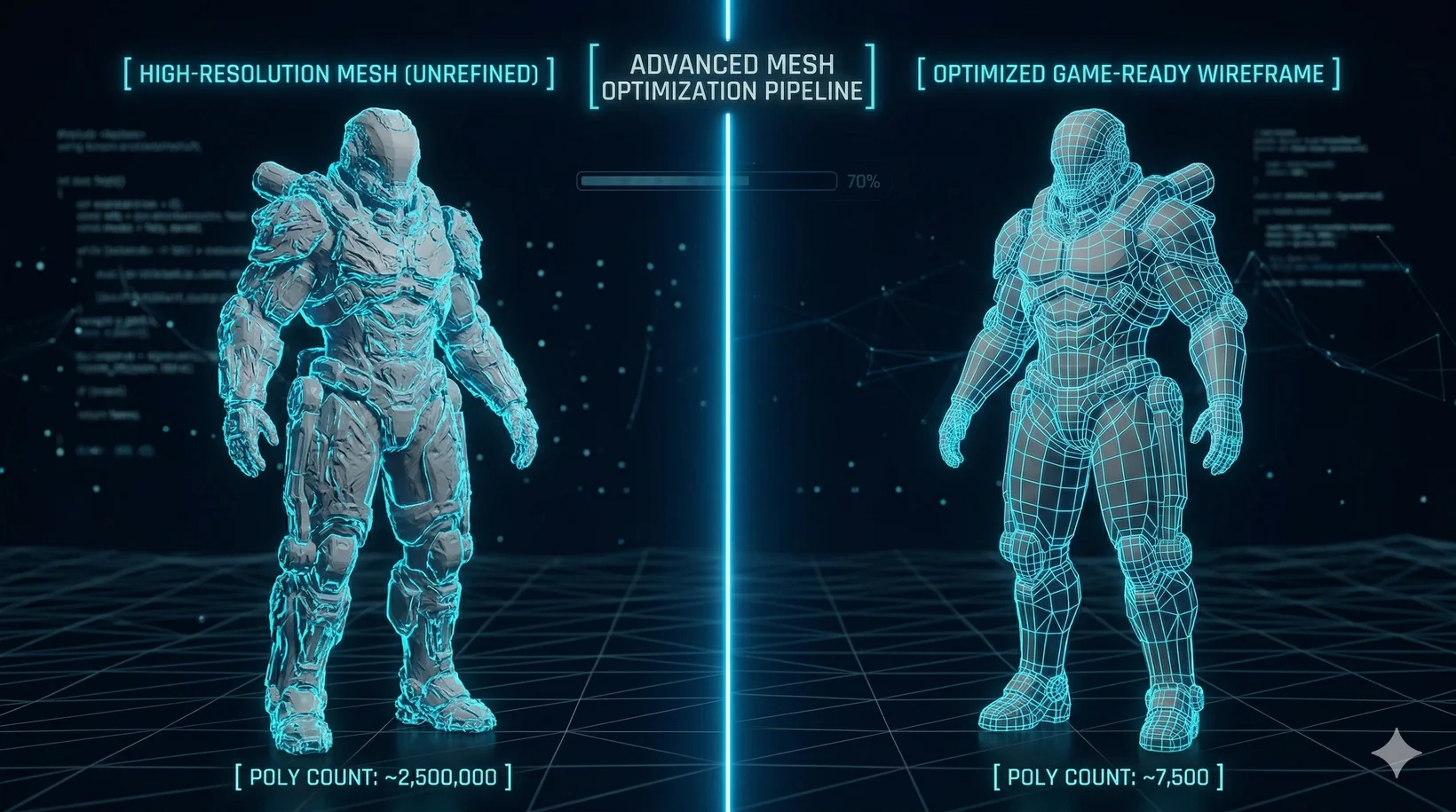
When developers integrate digital assets into complex interactive environments, the geometric density directly impacts frame rates, memory usage, and loading times. The process of optimizing AI generated 3D models poly count for Unreal Engine 5 ensures that assets maintain high-quality visual fidelity while utilizing a fraction of the computational resources. In 2026, standard Image to 3D Model generation can yield objects with millions of faces. While these dense meshes capture intricate details, they are fundamentally incompatible with real-time rendering constraints.
How Tripo AI Automates Optimizing AI Generated 3D Models Poly Count for Unreal Engine 5
Tripo AI automates optimizing AI generated 3D models poly count for Unreal Engine 5 through its advanced Algorithm 3.1, utilizing over 200 billion parameters to deliver instant, game-ready smart retopology without manual intervention.
The traditional approach to optimizing AI generated 3D models poly count for Unreal Engine 5 involved hours of tedious manual labor. Tripo AI eradicates this bottleneck by leveraging an architecture powered by over 200 billion parameters to comprehend semantic structure and preserve form-defining features while collapsing non-essential geometry.
Smart Retopology vs. Decimation in Optimizing AI Generated 3D Models Poly Count for Unreal Engine 5
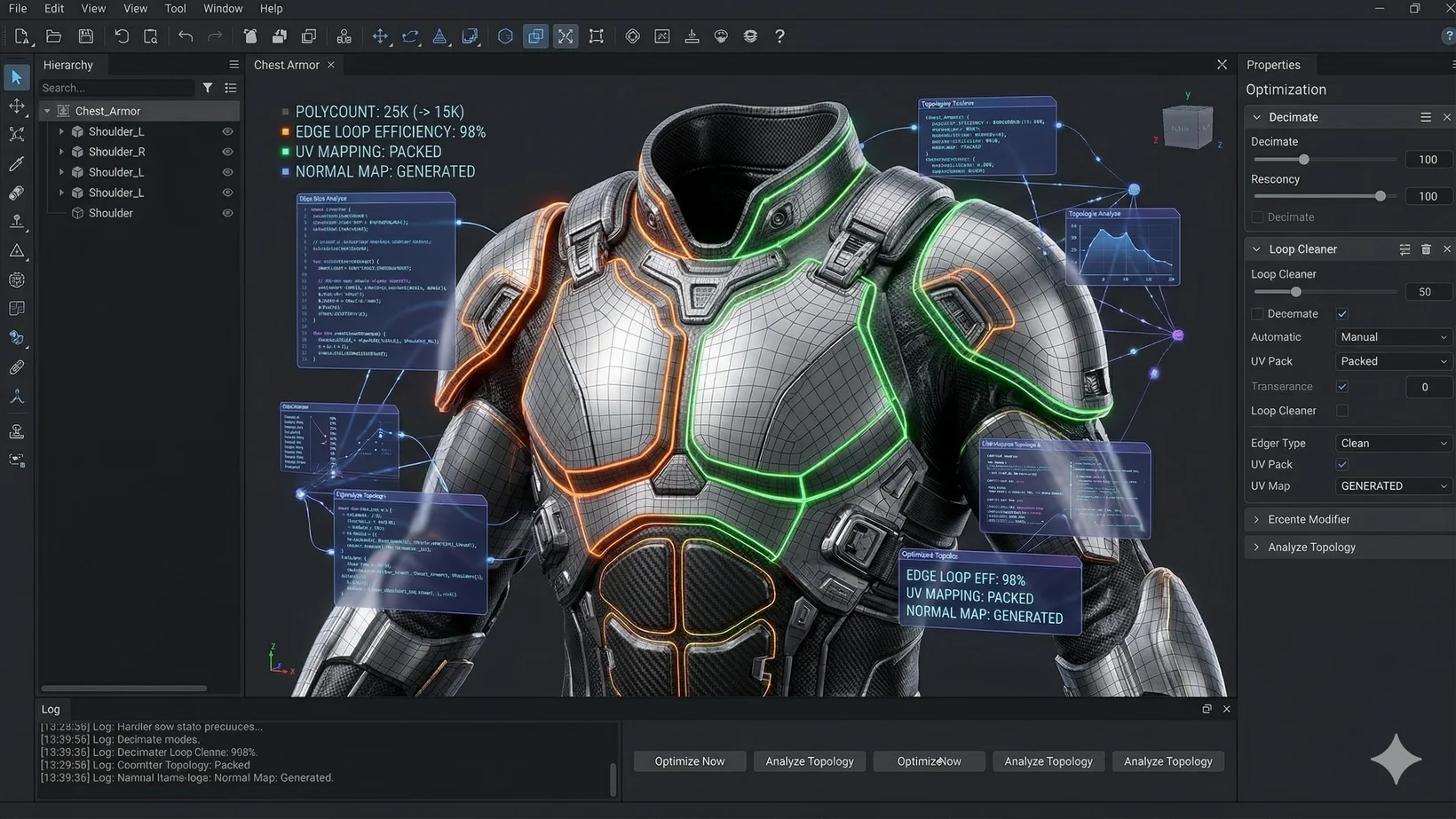
When optimizing AI generated 3D models poly count for Unreal Engine 5, Tripo AI's smart retopology is highly advantageous compared to basic decimation because it reconstructs clean, logical edge flow rather than indiscriminately collapsing triangles.
Economics and Ecosystem of Optimizing AI Generated 3D Models Poly Count for Unreal Engine 5
Optimizing AI generated 3D models poly count for Unreal Engine 5 via Tripo AI is supported by a transparent economic model based on credits, accommodating both independent creators and professional game studios.
Direct Integration: Optimizing AI Generated 3D Models Poly Count for Unreal Engine 5 via DCC Bridge
After optimizing AI generated 3D models poly count for Unreal Engine 5 in Tripo Studio, the Tripo DCC Bridge enables instantaneous, real-time transfer of the assets directly into the engine editor without manual file management.
Texturing and PBR After Optimizing AI Generated 3D Models Poly Count for Unreal Engine 5
Optimizing AI generated 3D models poly count for Unreal Engine 5 is perfectly complemented by Tripo AI's robust AI Texture suite, ensuring lightweight meshes retain high-fidelity, physically-based materials preserved via Normal maps and Roughness maps.
Strategic Workflows for Optimizing AI Generated 3D Models Poly Count for Unreal Engine 5
To achieve optimal results, developers should adhere to a structured pipeline: begin with clear prompts, leverage Smart Mesh generation mode, utilize segmentation for complex assets, evaluate topology metrics, and execute the transfer via the DCC Bridge.
FAQ
1. What is the primary algorithm used by Tripo AI?
Tripo AI utilizes Algorithm 3.1, backed by over 200 billion parameters, to ensure high-quality smart retopology and asset generation.
2. How does the billing system work for Tripo AI?
The platform uses credits. The Free plan provides 300 credits per month. The Pro plan ($19.90/month) provides 3,000 credits per month. For more details, visit our Pricing page.
3. Can I use the Free plan for commercial projects?
No, 3D models generated under Tripo's Free plan do not support commercial use. Full Commercial Rights are unlocked with the Pro plan.
4. Are Tripo Studio and Tripo API the same platform?
No, the AI 3D Editor (Studio) and Tripo API are completely independent product lines with separate billing systems.
5. Which formats can I export my optimized models to?
Tripo AI allows exporting to multiple formats including USD, FBX, OBJ, STL, GLB, 3MF.
