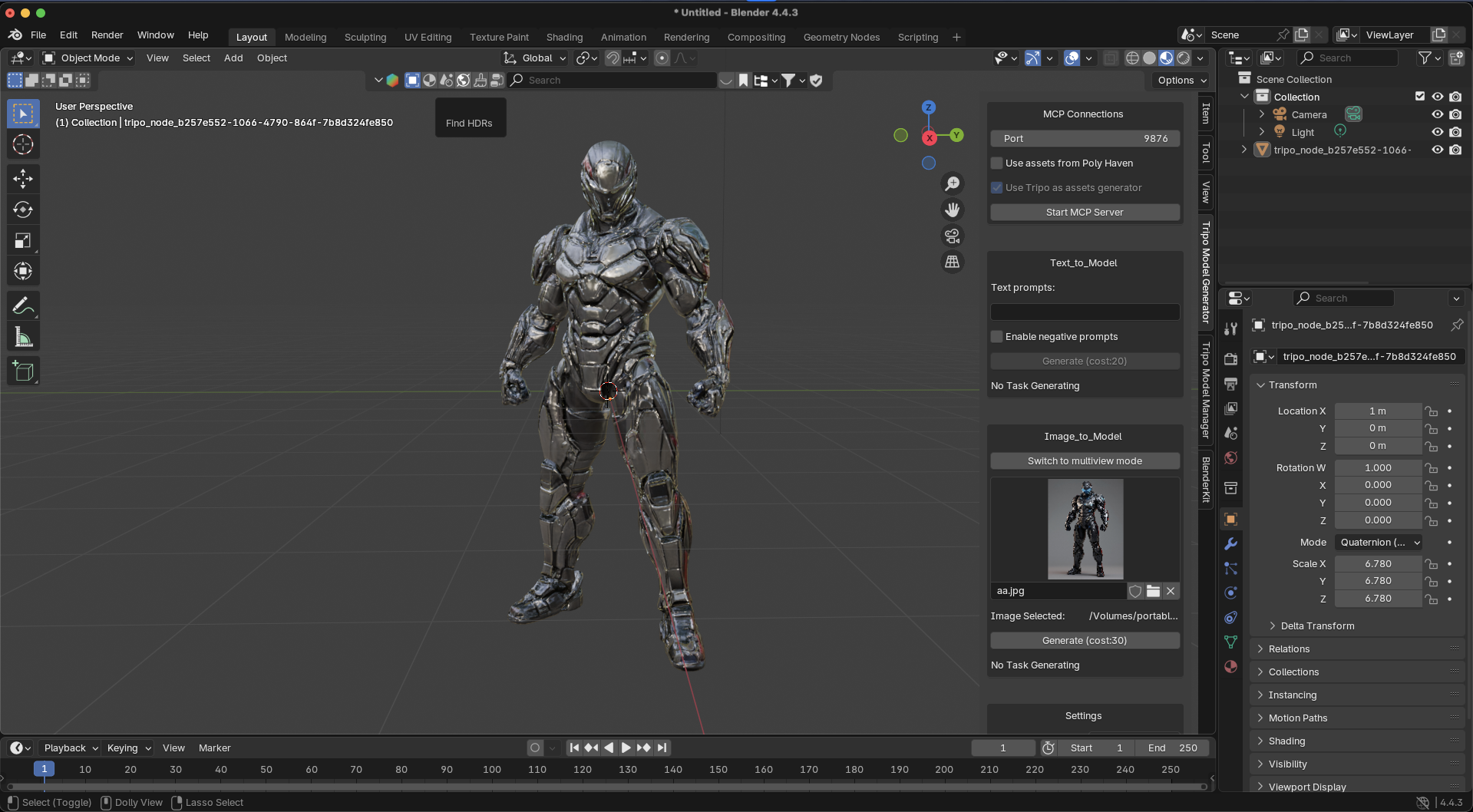
Fix Single Image to 3D Model AI Generation Artifacts Fast
Resolving Geometry Artifacts and Optimizing Topology in AI 3D Generation
The transition from two-dimensional concepts to fully realized geometry often introduces hidden artifacts that disrupt professional pipelines in game development. Advanced solutions in Image to 3D Model conversion now leverage Algorithm 3.1 with over 200 billion parameters to intelligently resolve these mesh inconsistencies. Through intelligent segmentation, automated retopology, and refined texturing, modern platforms like the AI 3D Model Generator enable creators to achieve production-ready assets without extensive manual cleanup.
The Challenge of Hidden Artifacts in 2D to 3D Conversion
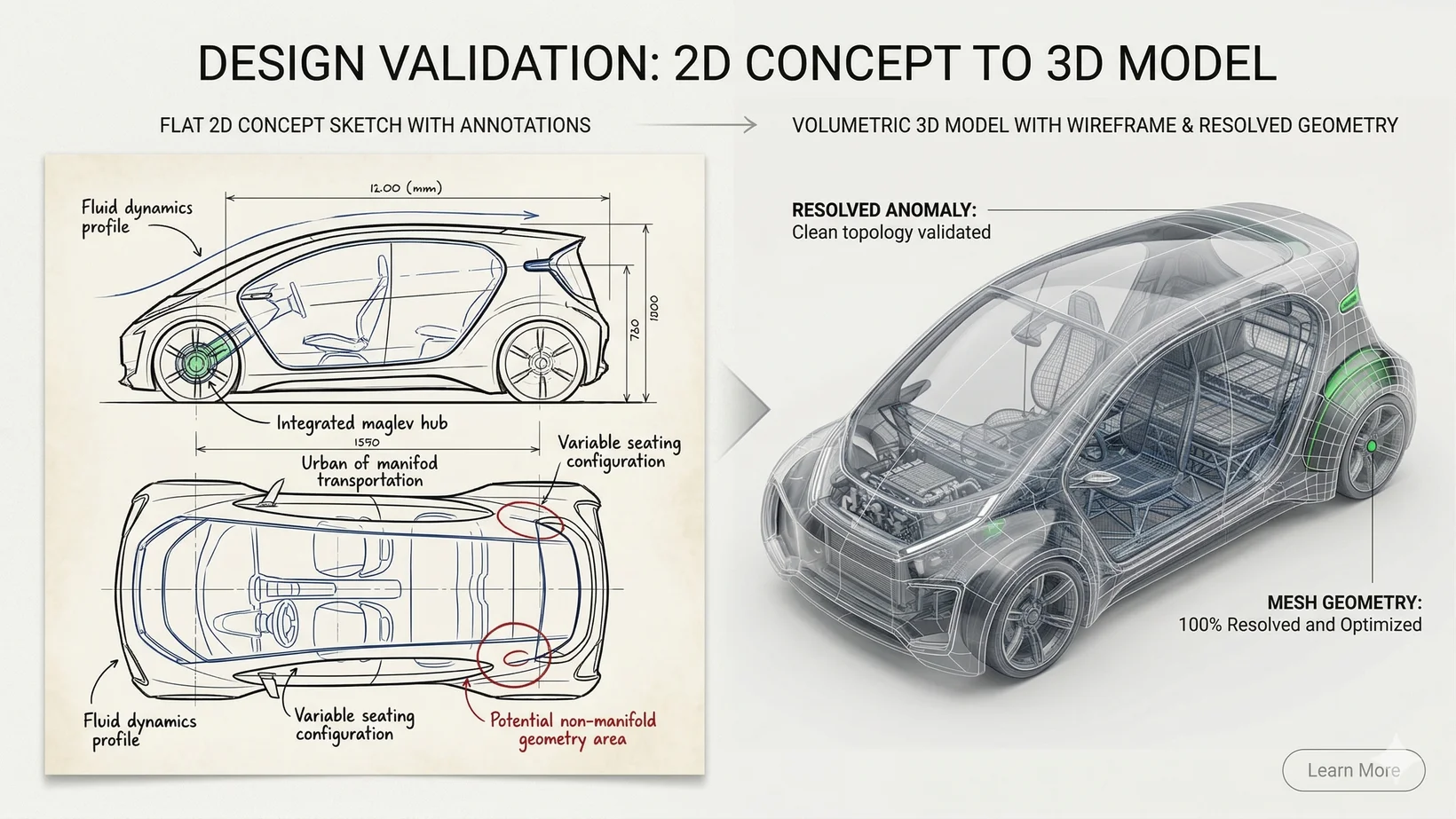
Hidden geometry artifacts occur when algorithms fail to predict occluded surfaces, resulting in non-manifold meshes, inverted normals, and disjointed topologies that render assets unusable for professional pipelines. The fundamental hurdle lies in translating flat pixels into volumetric space. When an algorithm analyzes a solitary perspective, it must hallucinate the unseen geometry behind the subject. Historically, this limitation caused systems to produce internal intersecting faces, floating vertices, and warped back-faces. Industry professionals often refer to these defects as hidden artifacts. Because game engines require continuous, watertight geometry, these artifacts cause severe lighting glitches. To overcome the inherent ambiguity, modern systems rely on deep contextual understanding. When a concept artist feeds a sketch of a futuristic vehicle into a generic generator, resolving structural anomalies is critical. Outputs are ready for immediate deployment, bypassing hours in traditional CAD environments.
Leveraging Algorithm 3.1 for Volumetric Accuracy
Algorithm 3.1 drives modern 3D Generative AI by utilizing over 200 billion parameters to accurately infer depth, resolve occlusions, and output clean, game-ready topology directly from 2D inputs. The leap to Algorithm 3.1 has redefined what is possible. By scaling the core architecture to over 200 billion parameters, the generation engine understands not just surface textures, but structural logic. When executing generation, Algorithm 3.1 recognizes that a character's arm implies a corresponding shoulder joint, even if obscured by armor. This immense parameter scale allows the system to construct anatomically and mechanically sound models, significantly reducing hidden geometry artifacts. Furthermore, Algorithm 3.1 guarantees that assets possess high-density geometry. The resulting meshes exhibit clean edge loops and distinct silhouettes, supporting dynamic lighting and seamless integration into game engines.
Advanced Segmentation and Topology Repair
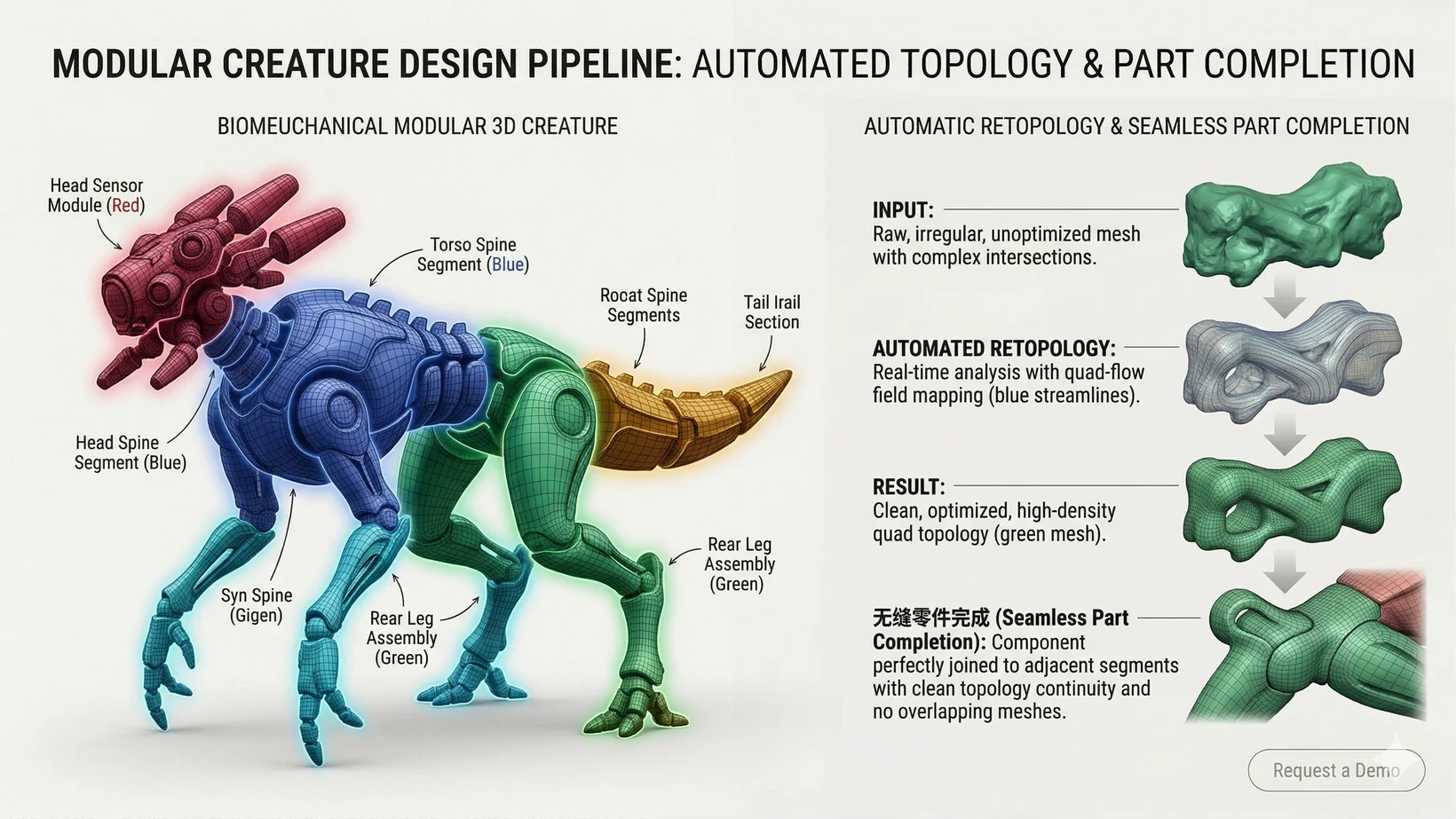
Intelligent segmentation allows operators to isolate flawed geometry, automatically fill missing parts, and seamlessly merge components without compromising the underlying mesh structure. Treating a model as a single monolithic block limits post-generation corrections. Intelligent segmentation transforms a generated asset into a modular ecosystem. If a specific artifact appears on the limb of a generated creature, segmenting the model allows users to isolate that exact appendage. The AI 3D Editor facilitates this by breaking down outputs into logical, selectable parts. Part completion plays a vital role; auto-fill features algorithmically reconstruct the missing volume. This capability ensures that outputs maintain their watertight integrity.
Texture and Retopology Optimization
Proper retopology and texture mapping resolve artifacts by restructuring the polygon count and utilizing AI-driven tools to correct seamline errors. Smart retopology reorganizes the mesh, converting chaotic triangles into optimized, quad-based layouts. Once the topology is refined, users can leverage AI Texture tools to fix surface-level artifacts. Tools acting as a digital scalpel leverage prompt-based repainting. By locking the camera angle and applying a localized prompt, creators can seamlessly replace flawed textures. Additionally, the PBR generator ensures that materials reflect light accurately, adding roughness and metallic maps that disguise minor geometric imperfections.
Independent Platforms and Export Pipelines
Understanding the operational framework requires distinguishing between user-facing tools and backend infrastructure. Tripo Studio functions as the primary web-based workspace. The pricing is structured with strict delineations. The Free plan provides 300 credits per month. 3D models generated under Tripo's Free plan do not support commercial use. The Pro plan ($19.90/month) provides 3,000 credits per month, allowing professionals to monetize their assets (see Subscription Plans for details).
Conversely, the Tripo API exists as an independent product line. The API is never bundled as an add-on feature of Studio subscriptions; it commands its own separate usage-based billing system. This clear distinction ensures that independent artists do not cross paths with server-level demands processing thousands of concurrent requests. Finally, once models are finalized without artifacts, they can be processed through the 3D Format Conversion pipeline and exported in standard formats including USD, FBX, OBJ, STL, GLB, 3MF.
FAQ
1. What are the differences between the available pricing tiers?
The Free plan provides 300 credits per month. 3D models generated under Tripo's Free plan do not support commercial use. The Pro plan ($19.90/month) provides 3,000 credits per month and includes full commercial rights. For more details, visit our Pricing page.
2. Can I use the API as part of my Studio subscription?
No. Tripo Studio and Tripo API operate as independent product lines. The API is not an add-on feature for Studio and utilizes a separate usage-based billing architecture.
3. What is the core technology behind the artifact removal?
The platform utilizes Algorithm 3.1, powered by over 200 billion parameters. This advanced Prompt to Mesh technology understands deep structural logic to accurately infer depth and resolve occlusions from a single image.
4. What file formats are supported for exporting the finalized 3D models?
Once artifacts are resolved and the model is finalized, you can export your assets in multiple industry-standard formats: USD, FBX, OBJ, STL, GLB, 3MF.
