
Exporting FBX and OBJ Files from AI 3D Modeling Tools for Unity Integration
Advanced Workflows for Real-Time Engine Integration
The spatial computing and interactive entertainment industries in 2026 rely heavily on automated generative pipelines to populate comprehensive digital environments. Consequently, the highly technical process of exporting fbx and obj files from ai 3d modeling tools for unity integration has become a foundational workflow requirement for technical artists in game development. Tripo AI provides an advanced ecosystem for generating, refining, and deploying these complex digital assets. This industry guide explores the standardized methodologies and professional best practices required to transport generated meshes seamlessly into real-time rendering engines.
Key Insights
- Advanced foundational models running Algorithm 3.1 and utilizing over 200 billion parameters guarantee structurally sound, engine-ready base meshes.
- Strict adherence to coordinate system conversions—specifically targeting the Y-up orientation—prevents scale and rotation errors upon engine import.
- Dedicated DCC bridging technology allows developers to bypass manual file handling, transmitting materials, textures, and geometry directly from the web platform to the active scene.
- Commercial deployment necessitates careful infrastructure selection, as Tripo Studio and the Tripo API exist as completely independent product lines with separate billing mechanics based entirely on credits.
The Role of Algorithm 3.1 in Asset Generation
Algorithm 3.1 operates at a large scale of over 200 billion parameters to ensure that initial mesh generations are geometrically precise, preventing the need for extensive manual cleanup before engine deployment.
Preparing Geometry and Retopology for Game Engines
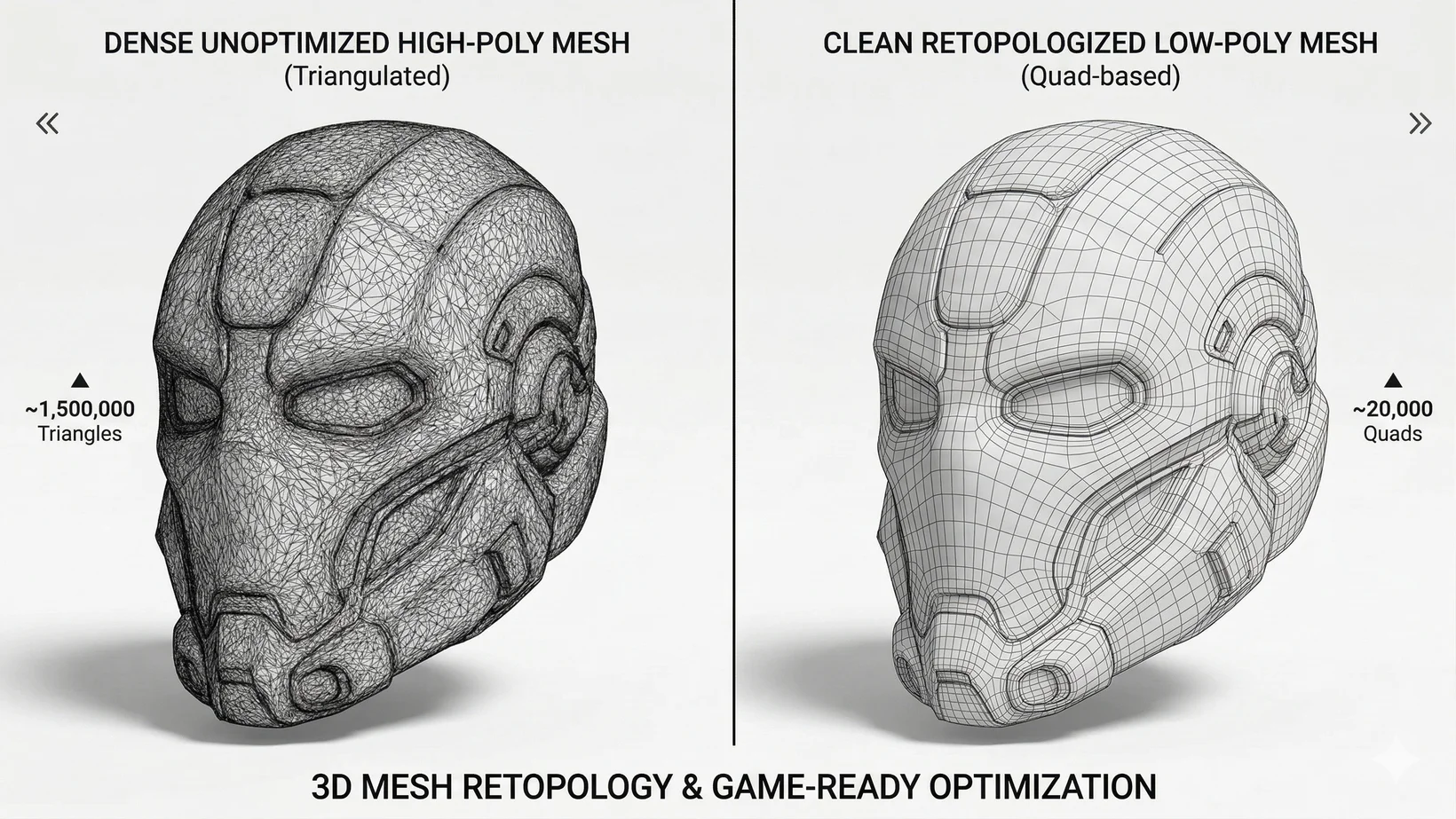
Proper retopology and aggressive polygon reduction are mandatory optimization steps to ensure that generated assets maintain stable frame rates and memory efficiency within real-time game engines.
Managing PBR Textures and UV Mapping
Comprehensive UV unwrapping and the generation of physically based rendering (PBR) textures ensure that assets react accurately and realistically to dynamic lighting conditions upon engine import.
The Mechanics of Exporting FBX and OBJ Formats
Standardizing real-world scale, correcting coordinate system orientations, and selecting the appropriate file wrapper are the exact technical requirements for transferring assets successfully without graphical errors.
Rigging and Animation Synchronization
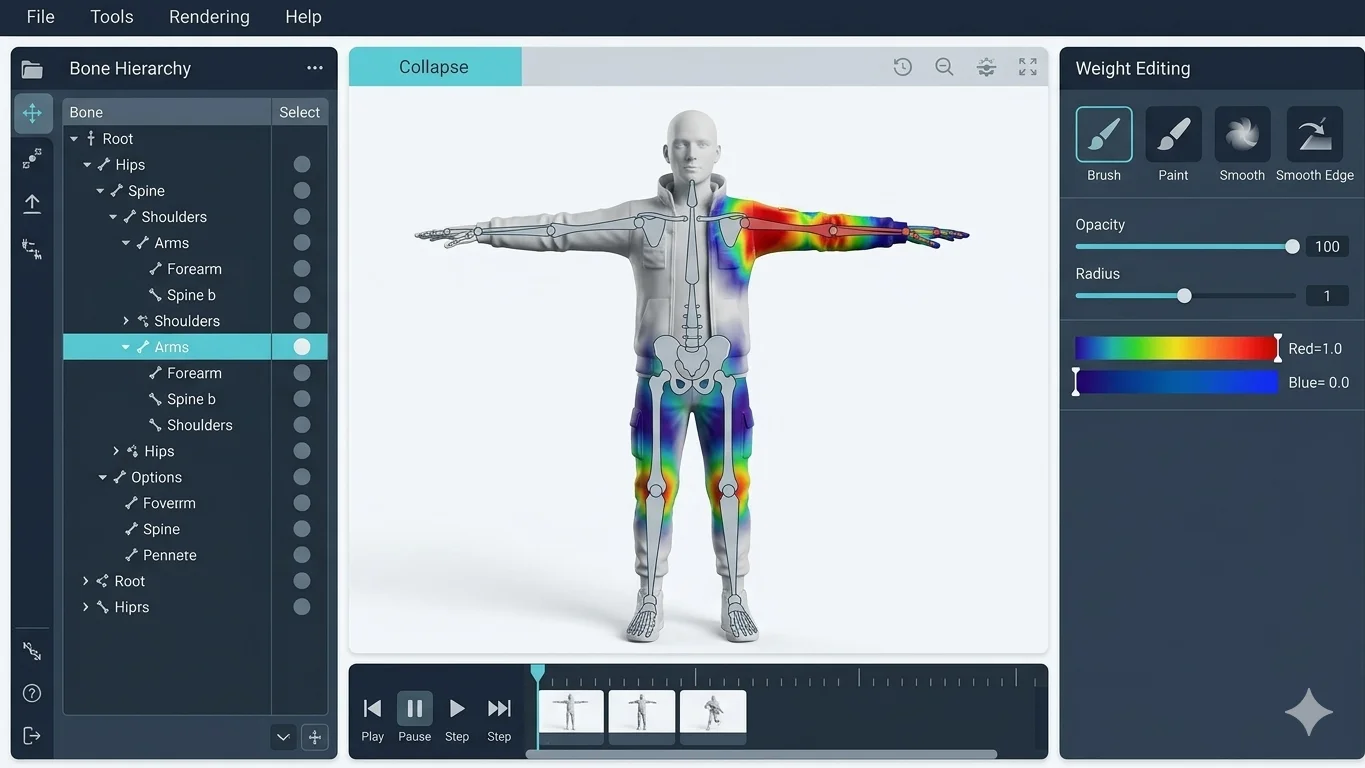
Automated skeletal rigging and intelligent skin weight assignment transform static meshes into fully animatable characters ready for immediate sequencing in game engines.
Utilizing the Tripo DCC Bridge for Direct Unity Transfer
The Tripo DCC Bridge plugin bypasses manual file management entirely by synchronizing generated models, associated materials, and structural animations directly from the web interface into the engine.
Advanced Troubleshooting and Mesh Repair
Systematic visual inspections and the deployment of specialized repair algorithms resolve stray vertices, inverted normals, and non-manifold edges prior to final engine deployment.
Navigating Licensing, Pricing, and API Infrastructure
Commercial deployment requires strict adherence to exact licensing tiers and a clear architectural understanding that the Studio workspace and API services operate on completely independent billing systems.
FAQ
1. How does Algorithm 3.1 improve the initial mesh generation process?
Algorithm 3.1 utilizes over 200 billion parameters to accurately infer 3D structure and volume, resulting in continuous, watertight base meshes.
2. What is the recommended export format for animated characters?
FBX is the highly recommended format for animated characters as it supports embedded skeletal hierarchies and skin weights.
3. Can I use assets generated with the Free plan in my commercial Unity game?
No. 3D models generated under Tripo's Free plan do not support commercial use; you must upgrade to the Pro plan.
4. Is the Tripo API included if I subscribe to Tripo Studio Pro?
No, the Tripo API and Tripo Studio are completely independent product lines with separate billing systems.
5. Does Tripo AI automatically generate materials for the exported models?
Yes, Tripo AI automatically generates high-resolution PBR texture maps using automated UV unwrapping.
