Best 3D Printing Software in 2026: CAD, Slicers & AI Tools Compared
TL;DR
- The standard workflow consists of CAD modeling, slicing preprocessing, and mesh repair. Users need to master the two core tools of modeling and slicing to form a complete chain.
- OrcaSlicer leads the enthusiast community with its high-speed calibration and performance optimization.
- Generative tools represented by Tripo AI have become alternative solutions for modeling.
- The selection should deeply adapt to the application scenarios and hardware configurations to ensure the continuous stability of the production chain.
- The current mainstream open-source tools have highly mature functions. It is recommended to build the workflow through the free ecosystem first.
The best 3D printing software in 2026 depends on your workflow stage: CAD modeling tools like Fusion 360, Tinkercad, or Blender create the design; slicers like OrcaSlicer, PrusaSlicer, and Cura convert models into printer instructions; and AI generators like Tripo AI produce 3D models from text or images. Most users need both a modeling tool and a slicer—many top options are free and open-source.
3D Printing Software Categories Explained
Before choosing 3D printing software, you must understand the differences between them. For most users, CAD/mesh modeling software for designing shapes and slicing software that translates instructions into commands for the printer are sufficient.
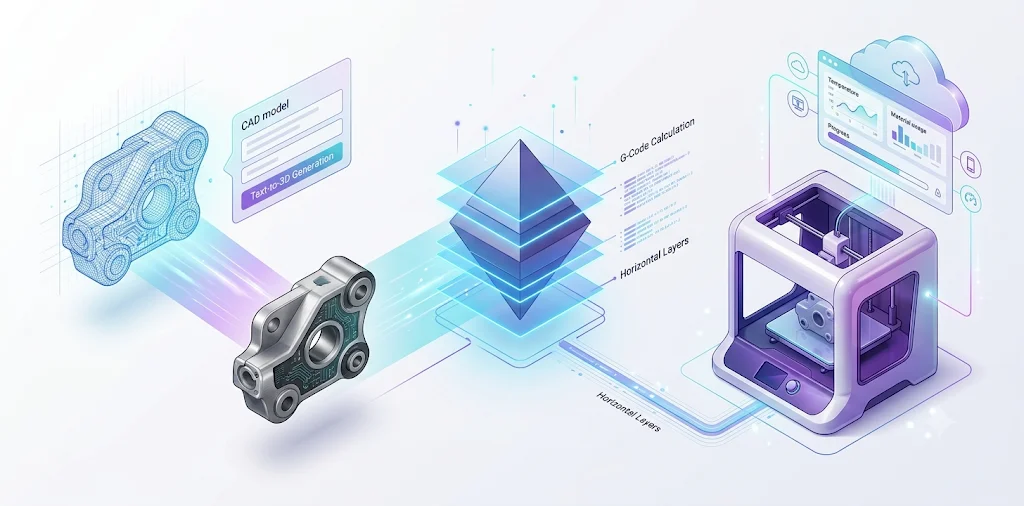
- CAD/Modeling Software: Used for building 3D objects from scratch. Divided into parametric CAD (Fusion 360, suitable for engineering parts), digital sculpting (Blender, suitable for artistic creation), and beginner-level creativity (Tinkercad, suitable for simple prototypes).
- Slice software: Responsible for converting STL/OBJ files into G-code instructions that printers can execute. Popular software includes OrcaSlicer, Cura, PrusaSlicer and Bambu Studio.
- STL repair / mesh editing: Automatically repairs holes and non-manifold edges of damaged models, ensuring models are "watertight" and printable. Professional tools include Meshmixer, MeshLab and MakePrintable.
- AI 3D Model Generator: Efficient alternative to traditional design. Generates printable models through text or images with one click. Tools like Tripo AI represent a significant reduction in the design barrier.
- Host / Remote Control: Build IoT printing ecosystem for cloud-based file transmission, real-time monitoring and device management. Mainstream tools include OctoPrint and 3DPrinterOS.
Best Free 3D Modeling Software for Beginners
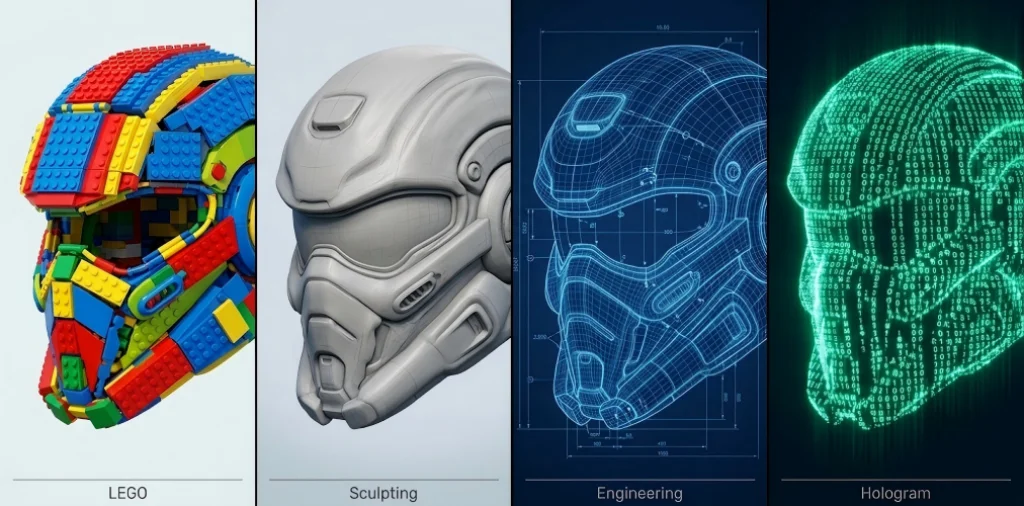
Each tool takes a fundamentally different approach to 3D modeling. Picking the right one upfront saves you a steep learning curve:
- Tinkercad: Zero-barrier Block-Based Modeling — Browser-based online 3D modeling tool using intuitive drag-and-drop geometric modules. Preferred tool for children's 3D education, STEM education, and users with no prior experience.
- Blender: All-round Digital Sculpting Engine — Powerful digital sculpting function treats 3D models as "digital clay". Significant advantages in creating complex character models, miniature models, and fine textures.
- FreeCAD: The Core of Hardcore Parametric Engineering — Extremely rigorous parametric modeling software relying on precise mathematical dimensions and non-destructive "history record tree". Suitable for designing engineering components with micrometer-level tolerances.
- OpenSCAD: Programmatic Geometric Compiler — Generates geometry by writing code. Ideal for programmers who need fully parametric, mathematically precise models or want to generate geometry algorithmically.
Professional CAD Software for 3D Printing
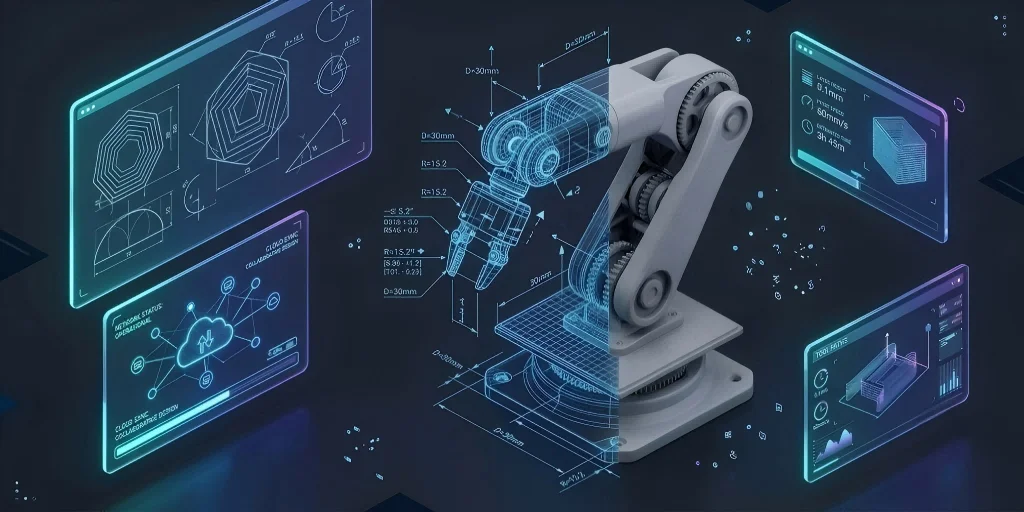
- Autodesk Fusion 360: The benchmark for industrial parametric modeling. Supports micron-level dimensional linkage adjustments. Personal non-commercial free version available.
- Onshape: Cloud-native CAD architecture, completely freeing from local hardware constraints. Capable of handling complex assemblies in browser or tablets. Educational and open-source free versions available.
- SketchUp: Powerful tool for architectural and spatial concept design. Intuitive "push-pull" modeling logic suitable for quickly generating architectural sketches.
AI 3D Model Generators (New in 2026)
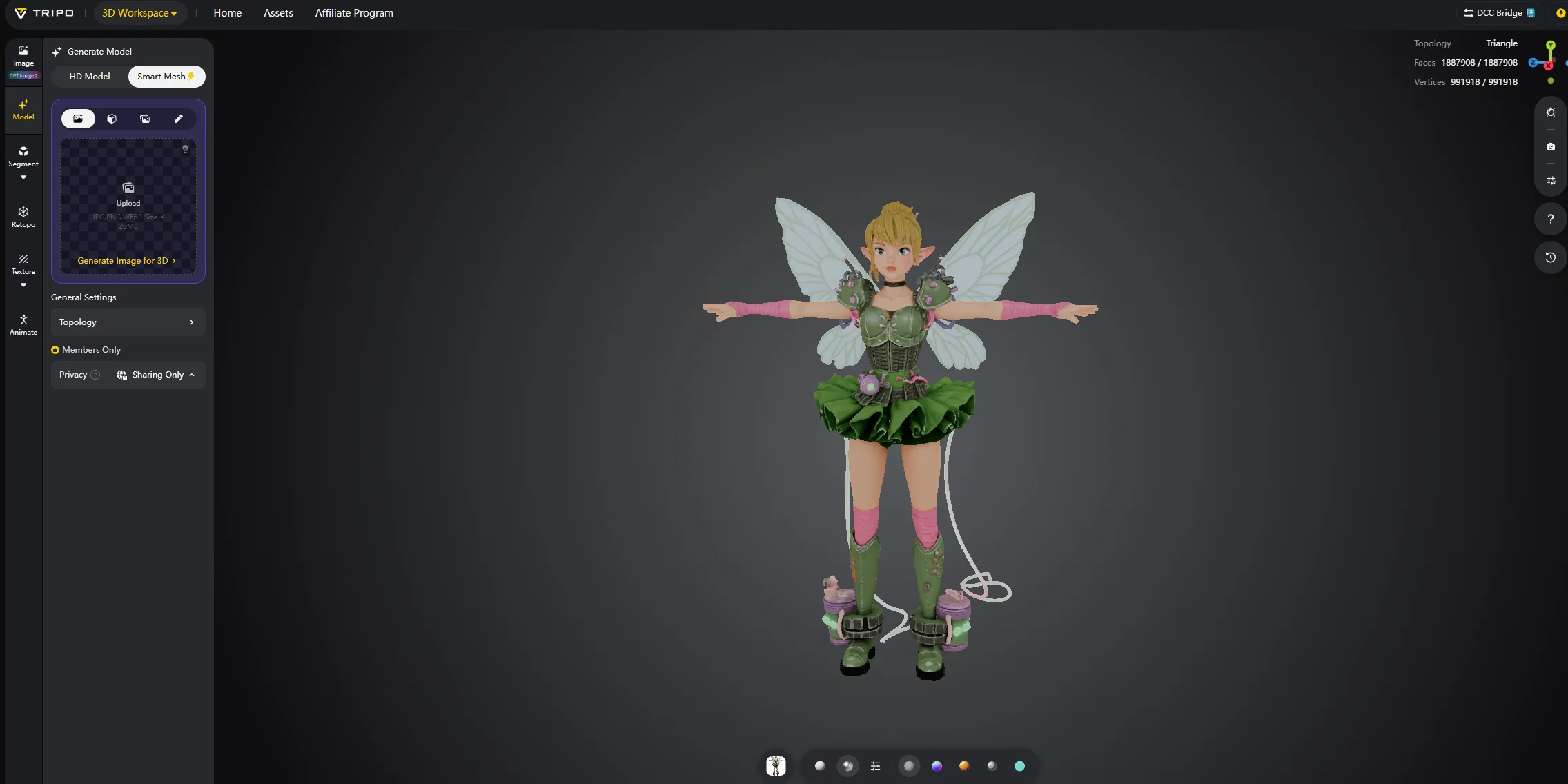
In 2026, AI 3D model generators have become a practical third option alongside traditional CAD and sculpting tools. Users can now generate usable 3D assets from a text prompt or a photo—no prior modeling experience required.
Tripo AI is a leading platform for text to 3D models and image-to-3D generation:
- Text and image to 3D: Generate from a text description or a single photo. Smart Mesh output produces clean, structured topology optimized for game engines and real-time apps, in seconds.
- Automatic PBR texturing: Generates physically-based materials (base color, roughness, normals) automatically—no manual UV unwrapping required.
- Export-ready formats: Supports STL (geometry only), OBJ, GLB, FBX, and more. Outputs are designed to be manifold-correct for 3D printing.
Best 3D Printing Slicers in 2026

The slicing software (Slicer) is the core hub that converts 3D models into machine instructions (G-code):
- OrcaSlicer: Built-in automated calibration tools cut machine setup time dramatically. The go-to community choice for high-speed FDM printers, especially Bambu and Prusa hardware.
- Bambu Studio: Deeply integrated with Bambu Lab hardware and multi-color AMS printing. Default slicer for Bambu printers—minimal setup, maximum compatibility.
- UltiMaker Cura: The most universally compatible FDM slicer, with 400+ printer profiles and the largest plugin library. Most beginner-friendly free option.
- PrusaSlicer: Excellent out-of-the-box print quality with well-tuned default profiles. Supports both FDM and resin printers.
- Simplify3D: Paid subscription ($199/year) with per-region parameter overrides and precise layer-by-layer control. Designed for advanced users and production workflows.
Best Resin 3D Printing Slicers (SLA/DLP)
Resin 3D printing slicing is fundamentally different from FDM logic. The core challenge lies in overcoming peel force, model hollowing, and generating precise supports:
- Chitubox: High hardware ecosystem compatibility. Highly mature in model hollowing, hole punching, and anti-aliasing algorithms. Basic version is free, Pro version is paid.
- Lychee Slicer: Modern 3D visual interaction interface. Features intelligent spherical support algorithm and precise island detection. Basic version is free (with ads), Pro version is paid.
- PreForm: Formlabs proprietary system, completely shielding complex underlying exposure parameters. Supports extreme "one-click automatic layout and support generation". Free software, but only available with Formlabs hardware.
STL Repair and Mesh Editing Tools
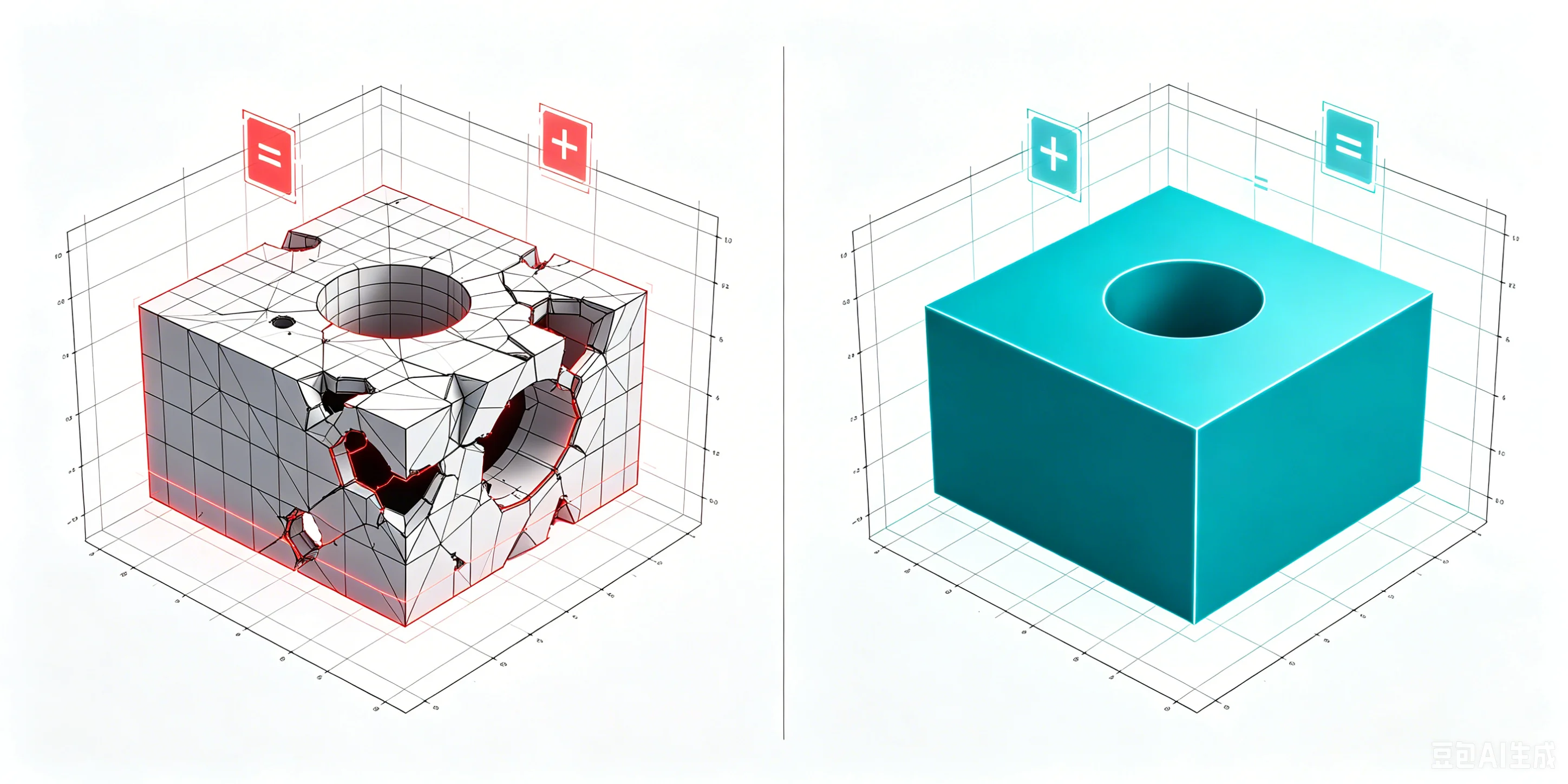
A flawed mesh will fail to slice or print correctly. If your STL has holes, non-manifold edges, or flipped normals, run it through one of these tools:
- Meshmixer: Official free software from Autodesk. Custom tree-like support system and planar cutting function are core tools for model disassembly and support design.
- MeshLab: Completely open-source academic-level tool, specializing in processing ultra-large-scale datasets. Advanced algorithms for lossless face reduction and topological reconstruction.
- MakePrintable: Web-based SaaS tool. Cloud engine automatically welds edges, repairs wall thickness, and outputs "watertight" standardized solid model with one click.
How to Choose the Right 3D Printing Software
Choosing the right 3D printing software comes down to four factors: workflow stage, skill level, printer type, and use case.
Workflow stage division
- Design (CAD): Create original three-dimensional geometries using parametric modeling or organic sculpting.
- Preparation (Slicing): Convert 3D model into G-code and adjust physical parameters.
- Repair: Address geometric flaws in STL file, ensuring model is "watertight" and can be sliced.
Match skill levels
- Beginner Plan (Tinkercad + UltiMaker Cura): Web-based modular operations and mature presets.
- Professional Plan (Fusion 360 + OrcaSlicer): Parametric modeling with automatic calibration and optimization algorithms.
Match printer type
- FDM printing: UltiMaker Cura (wide compatibility) or OrcaSlicer (fast calibration, high accuracy).
- SLA/DLP resin printing: Chitubox (strong device compatibility) or Lychee Slicer (intelligent auto-support).
How to Create and Slice a 3D Model for Printing
All printable 3D models follow the same production process:
- Obtain or design an STL model: Create using CAD, sculpting, or AI generator, or obtain from resource platform.
- Check and repair the mesh: Fix holes and disconnected edges using Meshmixer or 3D Builder.
- Import professional slicing software: Import repaired model into slicer (OrcaSlicer for FDM, Chitubox for resin).
- Configure printing parameters: Set layer height, add supports, set filling density.
- Perform slicing and generate G-code: Run slicing algorithm, preview path, export file.
- Transmit instructions to device: Transfer via SD card/USB or upload remotely via WiFi/cloud services.
Common Mistakes When Choosing 3D Printing Software
- Misconception 1: Confusing CAD design with slicing software. CAD creates geometries; slicers convert machine instructions. They are not interchangeable.
- Misconception 2: Blind pursuit of paid professional versions. Current open-source ecosystem covers 90% of production needs.
- Misconception 3: Ignoring compatibility between software and hardware. Verify tool has configuration file for target printer model.
- Misconception 4: Ignoring operating environment and hardware specifications. Software relies on GPU rendering and network bandwidth.
Frequently Asked Questions
What software do I need to start 3D printing?
You need two types: a modeling tool to design or download models (Tinkercad for beginners, Fusion 360 for advanced), and a slicer to convert them into printer instructions (Cura or OrcaSlicer are free and excellent).
Do I have to pay for a slicer?
No. The best slicers—Cura, PrusaSlicer, OrcaSlicer, Bambu Studio—are completely free and open-source.
What is the difference between modeling software and a slicer?
Modeling software (CAD) creates the 3D design. A slicer takes that finished design (STL file) and converts it into G-code instructions your printer understands.
Can AI generate 3D printable models?
Yes. AI tools like Tripo AI can generate production-ready 3D models from text prompts or images in seconds, exporting STL/GLB files ready to slice and print.
Is OrcaSlicer better than Cura in 2026?
OrcaSlicer has overtaken Cura in speed and calibration features for many users in 2026, especially for Bambu and Prusa printers. Cura still has the largest plugin ecosystem. Choose based on your printer—both are free.
What software makes a model printable if it will not slice?
Use STL repair tools: Meshmixer (free, easiest), MeshLab (open-source, advanced), or online services like MakePrintable.
Conclusion
The 3D printing software landscape in 2026 offers powerful free tools for every stage—from AI-powered design with Tripo AI to slicing with OrcaSlicer or Cura. Start with free options matched to your use case. Try Tripo Studio to generate your first 3D model in seconds, or explore the full feature set for AI-powered modeling workflows.
