Convert 2D Image to 3D: The Complete 2025 Guide
The world of digital design has changed dramatically in recent years. What used to require weeks of painstaking manual modeling can now be done in minutes, thanks to AI and cloud-based tools. One of the biggest breakthroughs is the ability to convert 2D images into 3D models — turning flat sketches, illustrations, or photos into interactive, textured 3D assets.
Whether you’re an indie game developer, a product designer, or just someone curious about the technology, learning how to convert 2D image to 3D is a skill that opens up endless creative opportunities. In this guide, we’ll cover the process in detail, compare the best tools, and share practical workflows that anyone can use.
Why Converting 2D to 3D Matters
Before diving into the “how,” let’s talk about the “why.” Why is there such demand for 2D-to-3D conversion, especially with tools that enable ai generated 3d models from image?
- Accessibility – Most people start with a drawing, sketch, or photo. Converting that into 3D removes the steep barrier of learning complex modeling software.
- Speed – Instead of manually sculpting or modeling every detail, you can generate a 3D object in minutes.
- Creative Freedom – Designers can take old 2D art and reimagine it in 3D.
- Industry Demand – From VR/AR to gaming and product design, there’s a constant need for 3D assets.
- Cost Savings – Hiring professional modelers for every prototype is expensive. Automating the process reduces costs significantly.
Core Methods for Converting 2D Images into 3D
There isn’t just one way to do it — depending on the type of image and your end goal, you might use one of several approaches.
1. AI-Powered 2D-to-3D Generation
- Upload a single image, and AI predicts geometry + textures.
- Works best for concept art, simple products, or character mockups.
- Fast but may require manual cleanup.
2. Depth Mapping
- Uses grayscale images (depth maps) where brightness indicates distance.
- Great for reliefs, landscapes, and abstract designs.
- Limited detail; not suitable for full 3D characters.
3. Photogrammetry
- Uses multiple photos of an object from different angles.
- Software reconstructs geometry based on overlapping features.
- High accuracy but requires many images and more computing power.
4. Manual Modeling with Reference
- Import a 2D image into Blender, Maya, or 3ds Max as a reference.
- Manually extrude, sculpt, and texture to match the 2D input.
- Offers full control but is time-consuming.
Best Tools to Convert 2D Image to 3D
Here’s a breakdown of the top tools in 2025, both free and professional-grade, so you can choose the right one for your workflow.
1. Tripo AI (Best AI-Powered Converter)
- Upload 2D images (photos, sketches, hand-drawn art).
- AI instantly generates a fully textured 3D model.
- Export in GLTF, OBJ, or FBX for use in Blender, Unity, Unreal.
- Free plan with premium upgrades.
Why it’s great: The fastest way to get production-ready 3D assets without modeling skills.
2. Smoothie-3D (Free Web Tool)
- Works directly in your browser.
- Uses symmetry and profile outlines to build 3D models from photos.
- Best for simple objects (furniture, toys, animals).
- Exports STL and OBJ for printing or editing.
Why it’s great: 100% free and perfect for beginners.
3. Blender + Depth Maps
- Free, open-source professional 3D software.
- Import a 2D depth map to displace geometry into 3D space.
- Use modifiers and sculpting tools for refinement.
Why it’s great: Offers complete creative control, but requires patience.
4. Adobe Photoshop (3D Depth & Extrusion)
- Import a 2D image and create depth maps or extrude shapes.
- Export OBJ for further refinement.
- Limited compared to dedicated 3D software.
Why it’s great: Familiar interface for digital artists transitioning to 3D.
5. RealityCapture / Agisoft Metashape (Photogrammetry)
- Process dozens of photos to reconstruct high-quality 3D scans.
- Perfect for real-world objects and environments.
- More technical and resource-heavy.
Why it’s great: Industry-standard accuracy for realistic 3D models.
6. Vectary (Cloud-Based 3D Tool)
- Web platform for collaborative 3D design.
- Supports image tracing, extrusion, and AR previews.
- Free plan for individuals, paid plans for teams.
Why it’s great: Great for product visualization and web integration.
Step-by-Step: Converting 2D Image to 3D with AI
Let’s walk through a typical AI workflow.
- Choose an Input Image
- Example: A flat drawing of a chair.
- Ensure it’s clear, well-lit, and not pixelated.
- Upload to Tripo AI (or similar tool)
- Drag and drop your image.
- Select output type (textured mesh, STL for printing, etc.).
- Generate & Preview
- AI produces a 3D model in seconds.
- Rotate, zoom, and inspect details.
- Refine the Model in Blender
- Clean up topology.
- Fix texture seams.
- Add rigging if it’s a character.
- Export for Your Needs
- FBX for games (Unity, Unreal).
- STL for 3D printing.
- GLTF for web and AR.
Industry Applications of 2D-to-3D Conversion
🎮 Gaming
- Quickly prototype characters, weapons, or props.
- Indie devs save time and budget.
🛍️ E-Commerce & Product Design
- Convert product photos into 3D previews.
- Useful for AR shopping experiences.
🎨 Digital Art & Animation
- Transform sketches into animated 3D characters.
- Hybrid workflows: 2D drawing → 3D rig → animation.
🏗️ Architecture & Real Estate
- Convert floor plans or façade sketches into 3D previews.
- Use for client presentations and VR walkthroughs.
🧑🏫 Education
- Teachers convert diagrams into interactive 3D models.
- Helps students visualize complex concepts.
Pros & Cons of Different Approaches
| Method | Pros | Cons | Best Use Case |
|---|---|---|---|
| AI Generation | Fast, beginner-friendly | Needs cleanup, less accurate | Game prototyping, quick concepts |
| Depth Mapping | Easy, lightweight | Only works for relief-like objects | Backgrounds, terrain, patterns |
| Photogrammetry | High accuracy | Requires many photos + GPU | Real-world product scans |
| Manual Modeling | Full control | Time-consuming | Professional projects |
| Hybrid Workflow | Best balance | Requires multiple tools | Commercial work, indie devs |
Common Challenges & How to Fix Them
- Messy Topology
- Use Blender’s retopology tools.
- Simplify meshes for performance.
- Low-Resolution Textures
- Replace with high-res textures from free libraries like Polyhaven.
- Incorrect Proportions
- Use reference images from multiple angles if possible.
- AI Output Looks “Melted”
- Refine with sculpting brushes.
- Apply subdivision modifiers for smoother results.
Pro Tips for Better 2D-to-3D Conversions
- Use Multiple Angles: Even AI tools perform better with side + front views.
- Start Simple: Test on basic objects before moving to complex characters.
- Combine Workflows: AI for speed, Blender for polish.
- Save Iterations: Export often to avoid losing progress.
- Think About End Use: Printing, games, and AR all need different formats.
FAQs About Converting 2D Images to 3D
Q: Can I convert hand-drawn sketches to 3D?
- Yes. AI tools like Tripo AI handle sketches surprisingly well, though you may need to refine the output.
Q: What’s the best free tool?
- Smoothie-3D and Blender are free. Tripo AI also has a free plan for quick results.
Q: Can I use converted 3D models commercially?
- Depends on the tool’s licensing. Always check the terms before selling or distributing.
Q: Do I need a powerful computer?
- For AI/web-based tools, no — everything runs in the cloud. For Blender or photogrammetry, a strong GPU is recommended.
Q: What formats should I export to?
- OBJ/FBX → Games.
- STL → 3D printing.
- GLTF/GLB → Web/AR.
Final Thoughts
The ability to convert 2D images into 3D models is no longer reserved for big studios with huge budgets. Thanks to AI and free online tools, anyone can bring their sketches, photos, or product concepts into 3D — quickly and affordably.
Whether you’re making a VR-ready character, an AR furniture demo, or just a personal 3D print, there’s a tool and workflow that fits your needs. Start simple, experiment with AI, and refine with Blender for professional-grade results.
The future of 3D is about accessibility — and converting 2D to 3D is the bridge between imagination and immersion.
💡 Pro Tip: Want to try it right now? Upload your first image to Tripo AI or Smoothie-3D and see your flat design turn into a fully interactive 3D model in minutes.
Master the art of AI-generated 3D models with Tripo3D. This guide provides step-by-step instructions on setup, model exporting, and troubleshooting, helping you streamline and enhance your 3D workflow.
 Maisie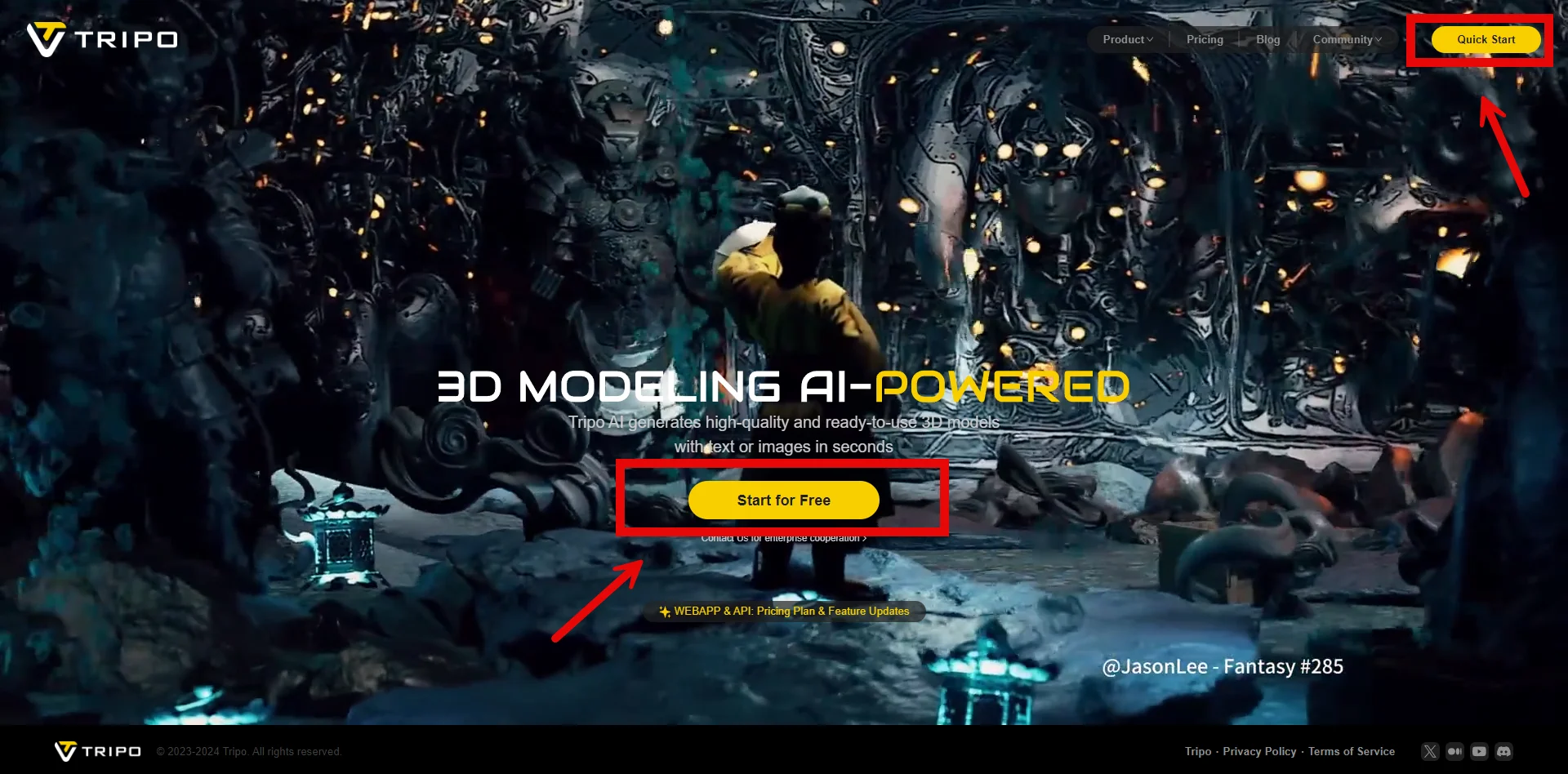
Discover how Tripo, the AI-driven 3D model generator, transforms your photos into highly detailed 3D models effortlessly.
Maisie
Explore how AI technology transforms a simple image into a detailed 3D model. Learn about the tools, techniques, and industries that benefit from this fascinating process.
Maisie