Best 3D Character Maker: Free & AI-Powered Options Compared (2026)
TL;DR
- AI makes 3D character creation easier for beginners and professionals.
- Tripo AI quickly generates characters from text prompts or images.
- Professional tools offer more control but require more skill and budget.
- Free tools help users test ideas before choosing paid software.
- The best tool depends on your project, workflow, and export needs.
3D character makers in 2026 are more diverse than ever. Some tools let beginners create a character in the browser with sliders or prompts, while others give professional artists full control over topology, rigging, animation, materials, and game-engine export. Whether you need a quick avatar, a printable miniature, a game-ready character, or a polished film asset, this guide compares the best 3D character maker tools by use case, budget, export needs, and skill level.
Quick Comparison Table
| Tool | Price | Best For | AI Generation | Common Export Formats |
|---|---|---|---|---|
| Tripo AI | Free tier available | AI character generation, indie games, rapid prototyping | Yes | STL, OBJ, FBX, and other formats |
| Reallusion Character Creator | Paid, professional software | Game studios, animation, film production | Partial AI-assisted workflow | OBJ, FBX, USD |
| Canva | Free and paid plans | 3D-style character visuals for social and marketing content | Yes, image generation | Image/design exports, not game-ready mesh |
| Hero Forge | Free creator, paid physical/digital output | Tabletop miniatures and 3D printing | No | STL and digital miniature options |
| Meshy | Free tier available | AI 3D assets, game props, characters | Yes | FBX, OBJ, USDZ, GLB, STL, BLEND |
| Point-E | Free, open source | Research, AI demos, advanced courses | Yes | Point clouds, mesh workflow via code |
What Is a 3D Character Maker?
A 3D character maker is software or an online tool used to create, customize, and export three-dimensional character models. These characters can be used in games, animation, AR/VR, social avatars, marketing visuals, tabletop campaigns, or 3D printing.
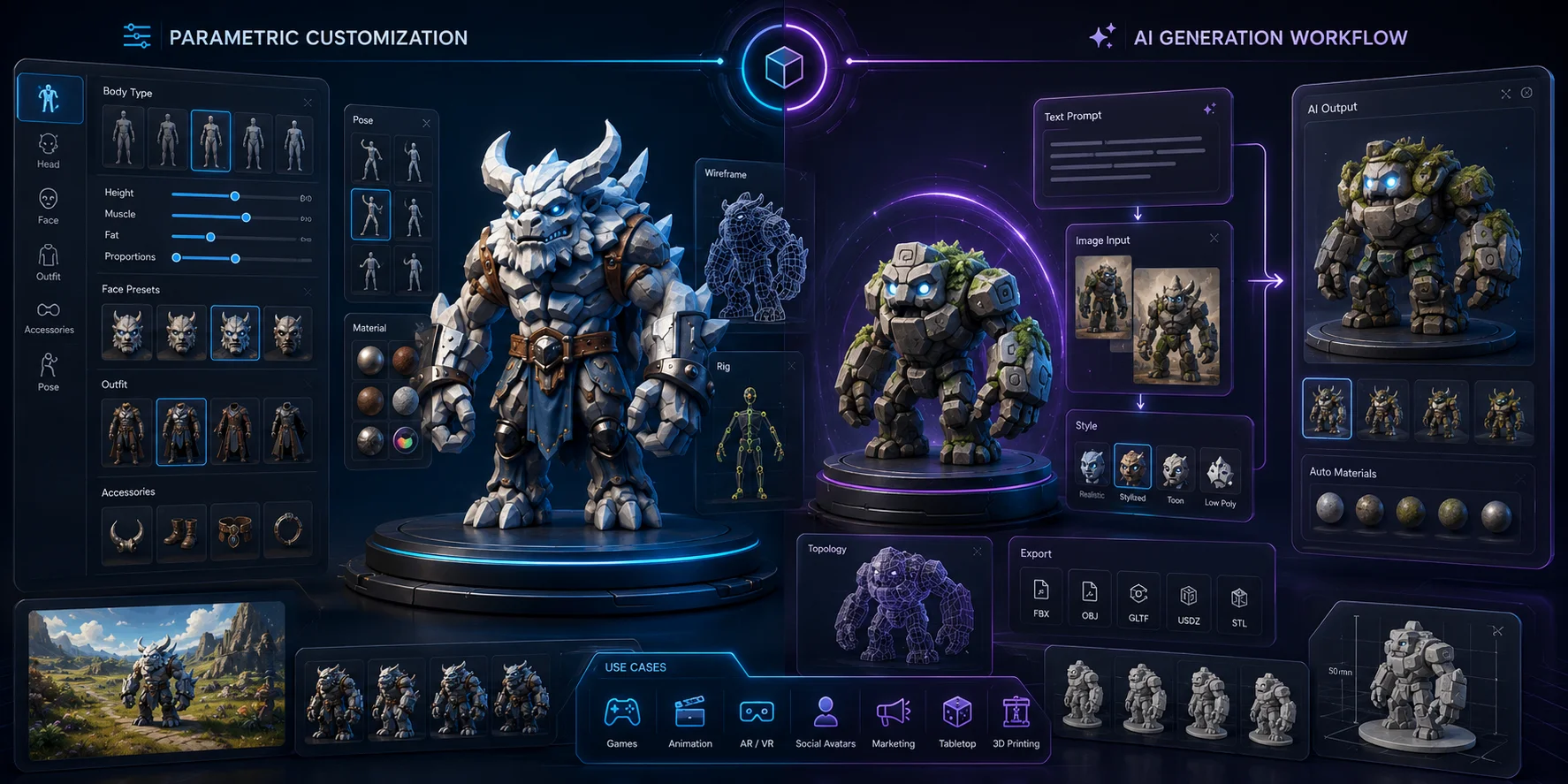
There are two main types. The first is parametric customization, where users adjust sliders, body types, clothes, accessories, poses, and facial features. The second is AI generation, where users describe a character in text or upload an image, and the tool generates a 3D model automatically.
The right tool depends on what you want to make. A social media creator may only need a 3D-style image, while a game developer needs a mesh that can be edited, rigged, optimized, and exported into Unity, Unreal Engine, or Blender.
Key Use Cases: Games, Animation, 3D Printing, and Avatars
3D character makers support many creative workflows. Game developers use them to prototype NPCs, enemies, heroes, creatures, and stylized assets, while animators create rigged characters for movement, speech, and performance.
Tabletop players design miniatures for Dungeons & Dragons, Pathfinder, and other RPGs. Brands and content creators use 3D-style characters for ads, thumbnails, social posts, and product storytelling.
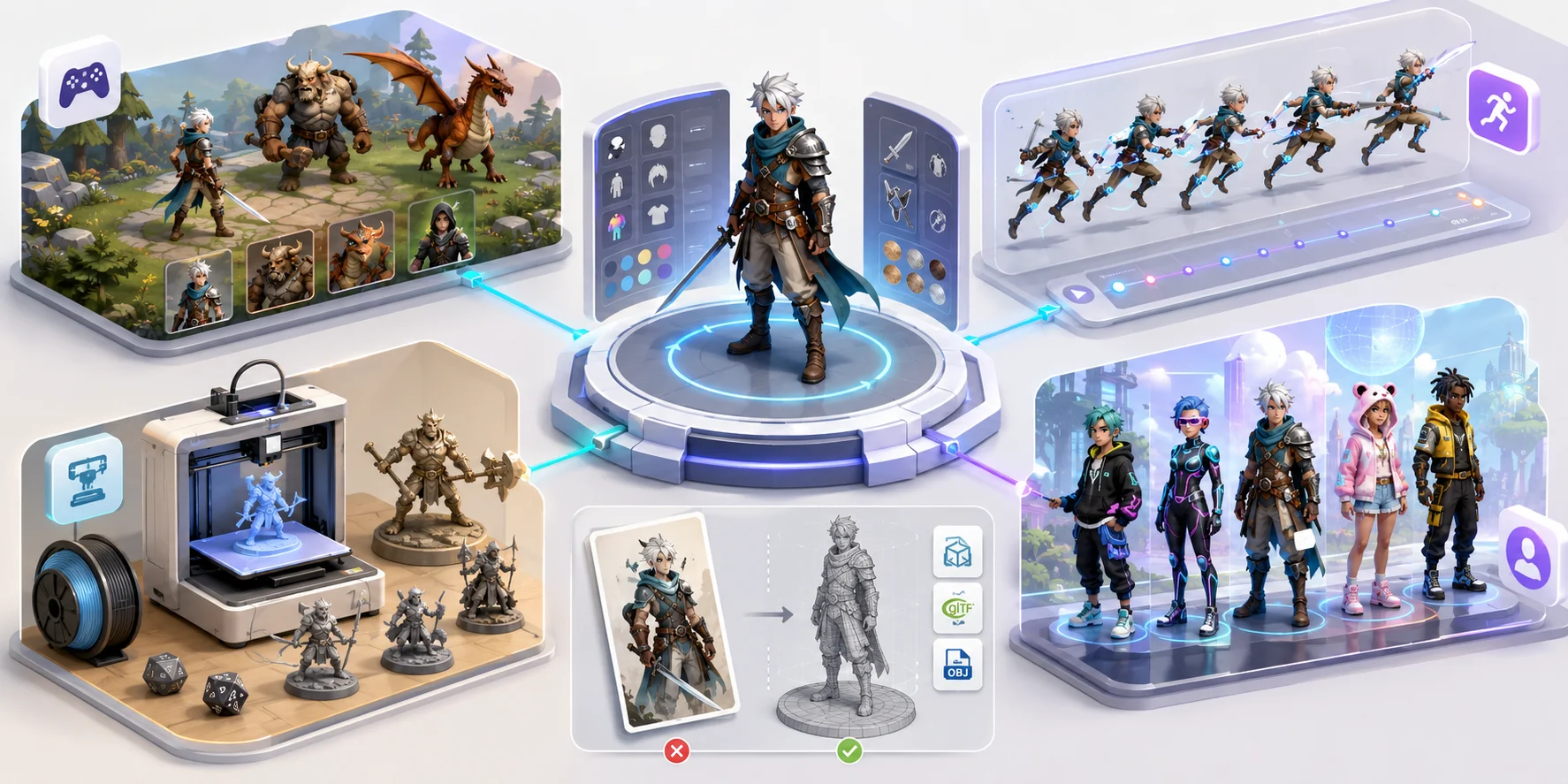
For avatar-based experiences, full-body character tools can help users create identities for VR, AR, streaming, virtual events, and online worlds. However, not every 3D character maker creates a usable 3D mesh. Some only generate images, while others export production-ready files.
Best 3D Character Maker for AI Generation — Tripo AI
Tripo AI helps creators move from idea to usable 3D asset quickly. Instead of modeling from scratch, users can generate a character from a text prompt or reference image, then preview and refine it online.
Its features include text-to-3D, image-to-3D, automatic topology optimization, PBR materials, and exports in formats such as OBJ, FBX, GLB, and USDZ. This makes it useful for game development, animation, prototyping, and real-time 3D workflows.
For indie developers, concept artists, and small teams, Tripo AI reduces the time needed to test character ideas. Users can generate multiple directions, compare styles, and export editable assets for tools like Blender, Unity, or Unreal Engine.
Unlike simple 3D-style image generators, Tripo AI creates editable 3D assets for production pipelines, making it a strong choice for game-ready characters rather than just visuals.
How Tripo AI Works: From Prompt to 3D Model
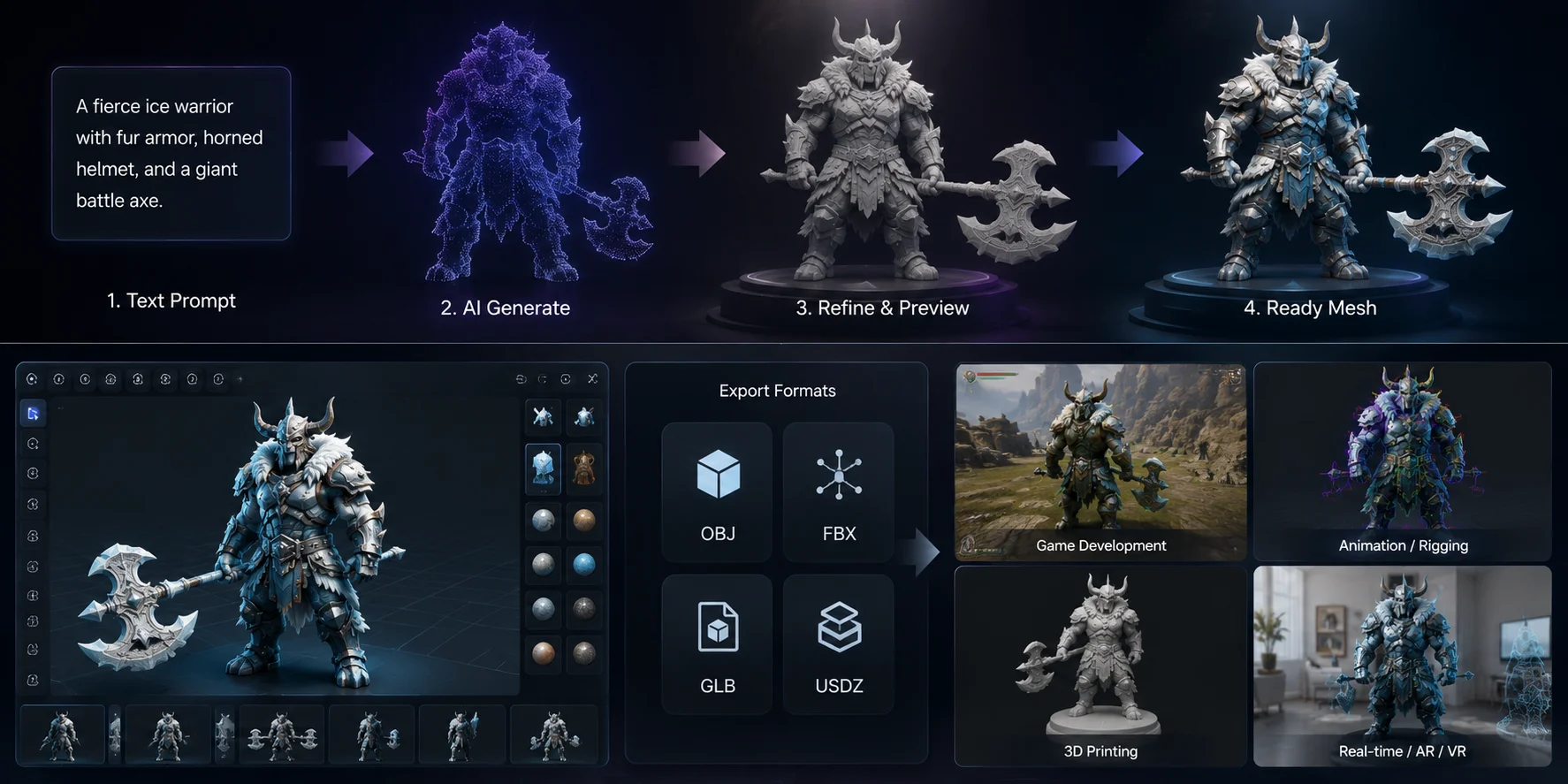
Tripo AI keeps the workflow simple: enter a character description, let the AI generate the model, then preview the result in the online workspace. Generation time can vary with model complexity and selected options; once the first model is ready, you can refine it, download it, or bring it into a larger production pipeline.
Best For: Indie Developers, Concept Artists, and Rapid Prototyping
Tripo AI is useful for indie developers, concept artists, and small teams that need to test character ideas quickly. Users can generate several directions, compare styles, and choose the strongest model for further editing instead of building a base mesh manually.
Export Formats and Pipeline Compatibility
Tripo AI supports common 3D formats such as OBJ, FBX, GLB, and USDZ. These make it easier to edit models in Blender, import them into Unity or Unreal Engine, or use them for animation, prototyping, and real-time 3D projects.
Pricing: Free Tier Available
Tripo AI offers a free tier for beginners, students, and creators testing AI character generation. Larger projects may require paid plans for more credits, higher-quality outputs, advanced features, or commercial-use support.
Best Professional 3D Character Design Software — Reallusion Character Creator
Reallusion Character Creator 5 is best for professional character artists, game studios, and film production teams that need deep control over design, rigging, facial animation, and pipeline integration.
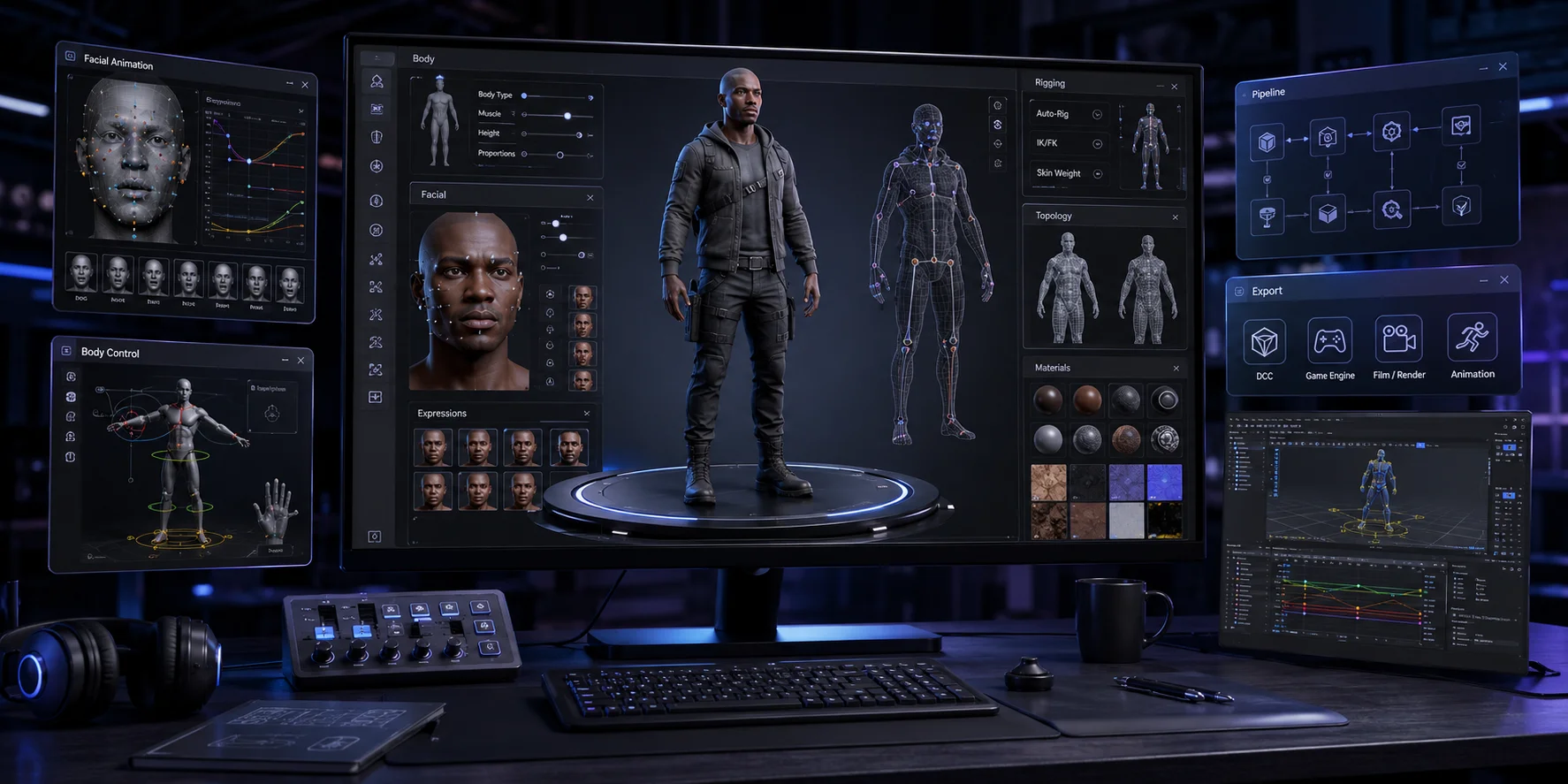
Unlike lightweight online tools, Character Creator is a full character creation system. Reallusion describes it as a solution for generating, importing, customizing, rigging, managing, rendering, and designing stylized or realistic character assets for iClone, Maya, Blender, Unreal Engine, Unity, and other 3D tools.
AccuRIG Auto-Rigging and Unreal/Unity Integration
Character Creator’s Advanced AccuRIG automates humanoid rigging and supports complex multi-mesh models, skin weight adjustment, hard-surface rigging, and customizable skeleton layouts. It also supports professional pipelines with Auto Setup tools for Unreal, Unity, Blender, 3ds Max, Maya, Marmoset Toolbag, and Omniverse.
For studios, this matters because characters must animate correctly, export cleanly, work with engine shaders, and fit existing production workflows.
Best For: Professional Game Studios and Film Production
Character Creator is best for teams that need production-ready human characters with strong facial and body control. It works well for creators already using iClone, Unreal Engine, Unity, or Blender in serious animation pipelines, though it has a higher learning curve and cost than browser tools.
Best Free 3D Character Maker Online — Canva and Browser-Based Options
Not everyone searching for a free 3D character maker needs a downloadable mesh. Many only need a 3D-style character image for posters, thumbnails, presentations, ads, or social posts, where Canva and similar browser-based tools are easier than professional 3D software.
Canva’s AI image tools can generate 3D-render-style visuals from prompts, making it useful for fast design content.
Canva’s AI 3D Character Creator
Canva is best for visual characters, not game-ready 3D models. Marketers, teachers, and social creators can generate mascots, slide illustrations, or stylized avatars directly in the browser without learning polygons, bones, UVs, topology, or export settings.
Limitations of Browser-Based Free Tools
Many browser-based “3D character” tools generate images rather than editable 3D meshes, so they are not ideal for game development, animation, rigging, or 3D printing. Free tools may also limit resolution, commercial rights, export formats, or brand control.
If you need a character for Blender, Unity, or Unreal Engine, use a true 3D model generator like Tripo AI or a professional tool like Character Creator.
Best 3D Character Maker for Full-Body Customization
Full-body character makers are useful when you need control over body shape, clothing, accessories, skin tone, hairstyle, and pose for avatars, virtual worlds, AR/VR, or games.
The key distinction is whether the tool creates a usable animated character or only a static visual. Full-body customization does not always mean the export is suitable for game engines or animation pipelines.
Full-Body Avatar Creators vs. Static Character Generators
Full-body avatar creators are best when identity and customization matter, such as profile images, virtual events, VR spaces, and social experiences. Static character generators are better for concept art, visual references, or marketing content, but usually need modeling, rigging, and optimization before becoming playable game characters.
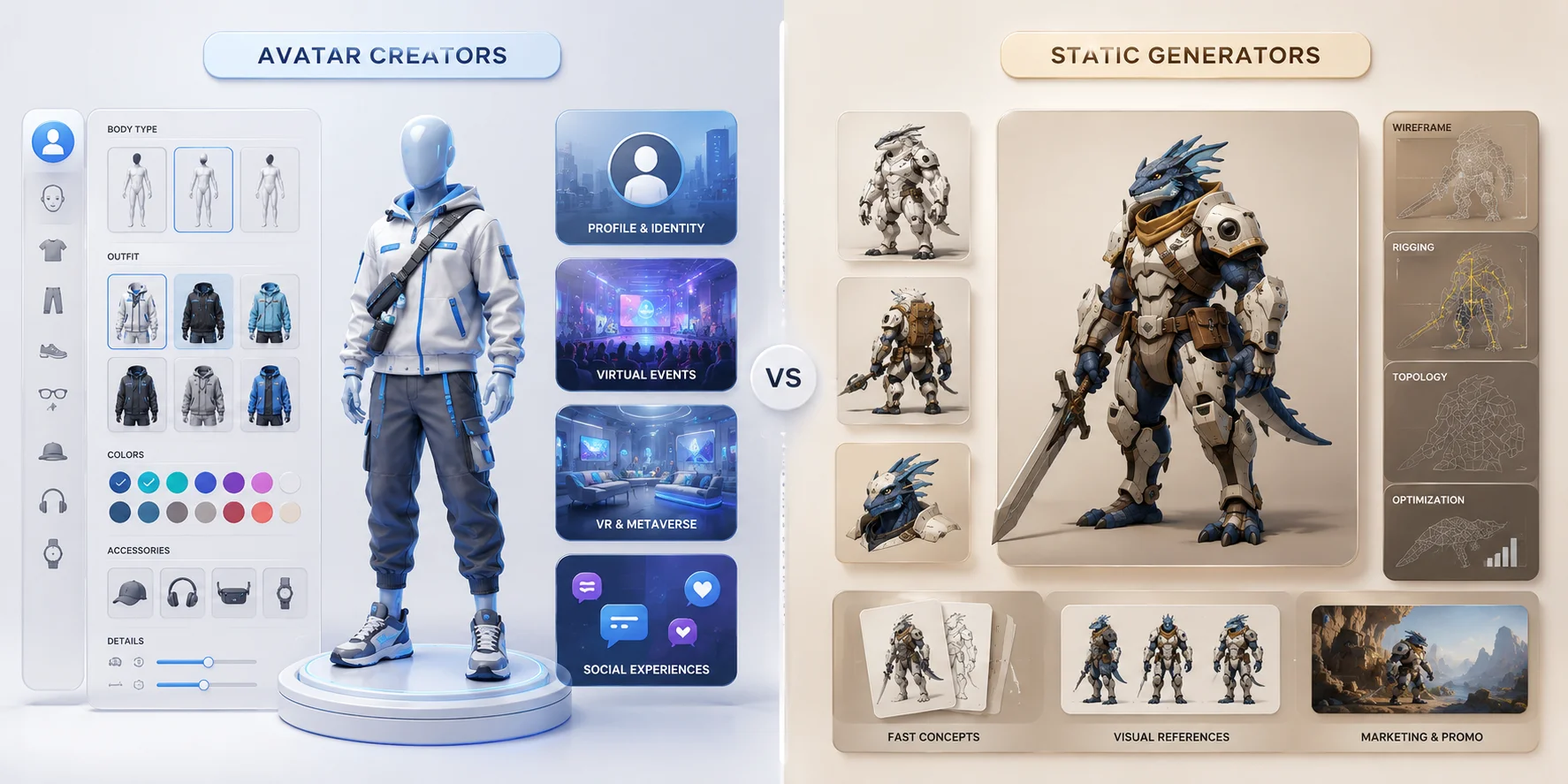
Service availability and export options for avatar platforms can change. Before building a production workflow around any one provider, confirm its current documentation, pricing, and supported integrations.
Best 3D Character Maker for Tabletop Miniatures — Hero Forge
Hero Forge is a popular tool for tabletop miniature customization. It lets RPG players design characters, order physical minis, or download printable files.
Unlike Tripo AI or Meshy, Hero Forge is not mainly AI-based. Its strength is structured customization, including body type, species, pose, clothing, weapons, accessories, expressions, colors, and bases.
Customization Depth and 3D Printing Ordering
Hero Forge is useful for Dungeons & Dragons, Pathfinder, and similar tabletop campaigns. Players can design characters visually, adjust poses, add props, and prepare miniatures for play.
Users can also purchase printable STL files and digital minis for home printing or virtual tabletop use. Hero Forge is not ideal for game-engine characters, but it is excellent for physical miniatures, printable files, and highly customized RPG characters.
Best 3D Character Creator for Game Artists — Meshy vs. Tripo AI
Meshy and Tripo AI are both AI-first 3D generation tools with text-to-3D and image-to-3D workflows. Both help artists create assets faster than traditional modeling.
Tripo AI is strong for rapid concept-to-mesh workflows, fast generation, and pipeline-ready exports. Meshy is also powerful for 3D assets and textures, offering downloads in FBX, OBJ, USDZ, GLB, STL, and BLEND, plus AI texturing and Blender/Unity plugins.
Side-by-Side Comparison: Tripo AI vs. Meshy
| Category | Tripo AI | Meshy |
|---|---|---|
| Best For | Fast AI character generation, prototyping, game-ready asset workflows | AI assets, props, textures, characters, 3D printing |
| AI Input | Text, image, sketch/reference workflows | Text and image |
| Speed | Generation time varies by model and settings | Generation time varies by model and settings |
| Free Tier | 200 credits/month, up to 8 models, limited downloads | Free tier available; check the current plan for limits |
| Export | STL, OBJ, FBX, and other formats | FBX, OBJ, USDZ, GLB, STL, BLEND |
| Commercial Use | Paid plans include private models and commercial use | Check the current plan terms for commercial-use rights |
| Best Fit | Indie devs, concept artists, fast character prototyping | Artists needing AI assets, texturing, and broad export options |
For game artists, the best choice depends on workflow. Choose Tripo AI if you want fast text-to-3D character ideation and a simple path from prompt to editable mesh. Choose Meshy if you want a broader AI 3D toolbox with asset generation, AI texturing, plugins, and multiple export formats.
How to Choose the Right 3D Character Maker for Your Project
Choosing the right 3D character maker starts with your end use. For playable game characters, prioritize mesh quality, topology, rigging, export formats, and engine compatibility. For simple content visuals, an image-based or browser-based tool may be enough.
Skill level also matters. Beginners should avoid tools that require complex rigging, UV mapping, or manual retopology unless they are ready to learn. AI tools like Tripo AI and Meshy lower the barrier by generating a first model from a prompt or image.
Budget is another key factor. Free tiers work well for testing ideas, school projects, prototypes, and hobby use. Paid plans are usually needed for private assets, commercial use, advanced exports, faster queues, higher-quality meshes, and larger production volume.
Finally, check export needs. A good-looking character image is not enough for game development; you need OBJ, FBX, GLB, USDZ, STL, or another format that fits your pipeline.
For Beginners and Hobbyists
Beginners and hobbyists can start with Tripo AI to create real 3D characters from text prompts or images, with a free tier for experimentation. If they only need 3D-style visuals for posts, presentations, or simple design content, Canva is a lighter option.
For Indie Game Developers
Indie developers can use a Tripo AI + Blender workflow: generate character concepts quickly in Tripo, then refine, retopologize, rig, and optimize the model in Blender before importing it into Unity or Unreal Engine. This balances AI speed with manual control.
For Professional Studios
Professional studios should consider Character Creator for human characters, animation-ready rigs, facial performance, and established production integration. It is more expensive and complex, but offers the depth needed for serious game, film, and animation work.
3D Character Maker Free Options: What You Can Get Without Paying
Free 3D character maker tools are useful for testing ideas, learning workflows, and building early prototypes. However, “free” varies by platform: some tools limit downloads, while others restrict export formats, commercial use, storage, or output quality.
Tripo AI offers a free tier for trying AI character generation from text or images, though larger projects may need a paid plan for more credits, advanced features, higher-quality outputs, or commercial-use support.
Canva is a free browser-based option for 3D-style character visuals in posts, presentations, thumbnails, or marketing content, but it does not provide production-ready meshes for Blender, Unity, or Unreal Engine.
Meshy also has a free tier for generating characters, props, and creative assets from text or images, though free users may face limits on credits, downloads, quality, and commercial-use rights.
Hero Forge lets users design tabletop characters online for free, but physical miniatures, STL files, and digital downloads are paid. Point-E is free and open source, but requires installation and programming knowledge, making it better for research or advanced courses.
Free tools are useful for testing and learning, while commercial use, serious game assets, and higher-quality exports can require a paid plan. Check each provider's current terms before committing to a production workflow.
Frequently Asked Questions
What is the best 3D modeling software for characters?
It depends on your workflow. Tripo AI and Meshy are strong for AI-generated characters, Character Creator suits professional production, and Blender offers full manual control.
Can I make a 3D character without experience?
Yes. AI tools let beginners create characters from text prompts or images without modeling skills. Basic editing may still be needed for games, animation, or commercial use.
What is the best free 3D character maker?
Tripo AI is a strong free-tier option for generating real 3D characters. Canva suits simple 3D-style visuals, while Hero Forge works well for designing tabletop characters before buying printable files or miniatures.
How do I export a 3D character to a game engine?
Download the character in FBX, OBJ, or GLB format. Then import it into Blender, Unity, or Unreal Engine for cleanup, scaling, rigging, animation, or material adjustment.
Can AI generate a 3D character from a photo?
Yes. Image-to-3D tools can generate an initial model from a photo, sketch, or reference image. The result may still need cleanup, topology adjustment, or manual refinement.
What file formats do 3D character makers export?
Common formats include OBJ, FBX, GLB, USDZ, STL, and sometimes BLEND. FBX and GLB are useful for games, while STL is common for 3D printing.
How long does it take to make a 3D character with AI?
AI tools can generate an initial character in seconds or minutes, depending on the platform and queue. Refinement for games, animation, or printing may take longer.
Can I use AI-generated 3D characters commercially?
It depends on the tool and plan. Some free plans limit commercial use or require attribution, while paid plans often provide broader rights, private generation, and better exports.
Is it possible to 3D print a character made with an AI tool?
Yes. If exported as STL or OBJ, the character can often be prepared for 3D printing. Check wall thickness, mesh errors, supports, and fine-detail strength before printing.
Conclusion
The best 3D character maker depends on your goals, skill level, and production needs. Canva is useful for simple 3D-style visuals, Hero Forge is ideal for tabletop miniatures, Meshy is a strong AI asset generator, Point-E works best for research and technical experiments, and Character Creator is built for professional production.
For creators who want a faster and more accessible way to create real 3D characters, Tripo AI is worth considering. Its text-to-3D and image-to-3D workflows, along with common export options, make it easier to turn character ideas into usable 3D assets without starting from scratch.
You can explore Tripo AI to test the workflow and see whether it fits your project.
