2D to 3D Model AI Generator: The Complete 2025 Guide
The shift from static 2D images to fully interactive 3D models has never been easier. Thanks to AI, what once required weeks of manual work can now be done in minutes. With a 2D to 3D model AI generator, artists, game developers, product designers, and hobbyists can instantly create textured, ready-to-use 3D assets from sketches, photos, or illustrations.
In this comprehensive guide, we’ll explore how these tools work, compare the best AI generators in 2025, and walk through practical workflows so you can start creating 3D models from your 2D inputs today.
What is a 2D to 3D Model AI Generator?
A 2D to 3D model AI generator is a tool that uses artificial intelligence to convert flat 2D input (like a sketch, drawing, or photograph) into a fully formed 3D object, often employing a 2d ai 2d image to 3d model converter, which can ai generate 3d model. Unlike traditional 3D modeling, which requires manual sculpting or CAD design, AI handles the geometry and texturing automatically.
Key Features
- Automatic Geometry Creation: AI predicts depth and structure from flat images.
- Texturing & Materials: Many tools automatically add realistic textures.
- Export Options: Most platforms allow downloads in OBJ, FBX, STL, or GLTF formats.
- Speed: Models generate in seconds to minutes instead of days.
Why Use AI to Convert 2D to 3D?
- Accessibility – Beginners without modeling experience can create 3D assets.
- Speed – Perfect for rapid prototyping in games, AR, and product design.
- Cost Savings – Reduce reliance on expensive manual modeling.
- Creative Freedom – Experiment quickly with multiple variations.
- Cross-Industry Demand – Used in gaming, architecture, e-commerce, film, and education.
How 2D to 3D AI Generators Work
At their core, these systems rely on deep learning models trained on millions of 2D–3D pairs. Here’s a simplified breakdown:
- Input Analysis – The AI interprets the 2D image (edges, colors, features).
- Depth Estimation – AI predicts how far objects are from the camera.
- Mesh Reconstruction – Generates a polygonal mesh (the “skeleton” of the 3D object).
- Texture Mapping – Applies surface detail and color from the original image.
- Export & Post-Processing – Allows the user to refine in Blender, Maya, or Unity.
Best 2D to 3D Model AI Generators in 2025
Here are the leading platforms today — categorized for different needs.
1. Tripo AI
- Upload sketches, illustrations, or photos.
- AI instantly generates textured 3D models.
- Export formats: GLTF, OBJ, FBX.
- Free tier with fast generation (8–10 seconds).
Best for: Creators, indie devs, and marketers who need quick, high-quality assets.
2. Kaedim
- Geared toward game developers.
- Upload a 2D concept art, receive a production-ready 3D model.
- Offers studio-level quality, with some manual refinement by their team.
Best for: Indie studios and professionals needing consistent quality.
3. Meshcapade
- Focused on human characters and avatars.
- Converts 2D references into rigged 3D characters.
- Widely used in metaverse and VR/AR projects.
Best for: Avatar creation, gaming, and VR.
4. Smoothie-3D (Free)
- Browser-based, free tool.
- Users manually outline the object, and the software extrudes it into 3D.
- Exports STL and OBJ.
Best for: Beginners and hobbyists working with simple objects.
5. Blender + AI Plugins
- Blender is free and open-source.
- Several AI plugins now allow importing 2D → auto 3D reconstruction.
- Full manual control for refinements.
Best for: Professionals who want both automation and flexibility.
Step-by-Step Workflow: Using an AI Generator
Let’s walk through a practical example:
-
Choose Your Input
- Example: a 2D drawing of a futuristic car.
- Make sure the image is clean, high-resolution, and front-facing if possible.
-
Upload to an AI Generator (e.g., Tripo AI)
- Drag and drop your image.
- Select output preferences (low-poly for games, high-detail for visualization).
-
Preview the Model
- Inspect geometry, textures, and scaling.
-
Refine in Blender
- Clean up messy topology.
- Re-bake textures if needed.
- Add rigging for animation.
-
Export to Your Final Use
- FBX → Unity or Unreal.
- STL → 3D printing.
- GLTF → Web and AR.
Applications of 2D to 3D AI Generators
🎮 Game Development
- Prototype characters, props, and environments instantly.
- Perfect for indie devs with limited budgets.
🛍️ E-Commerce & AR Shopping
- Convert product photos into interactive 3D previews.
- Boosts engagement and conversion rates.
🎨 Animation & Art
- Turn sketches into animated 3D characters.
- Mix 2D concept art with 3D environments.
🏗️ Architecture & Real Estate
- Convert floorplans and façade sketches into 3D walkthroughs.
🧑🏫 Education
- Teachers use AI to transform 2D diagrams into interactive 3D visualizations.
Advantages vs. Limitations
| Aspect | Advantages | Limitations |
|---|---|---|
| AI Generators | Fast, easy, beginner-friendly | Sometimes messy topology |
| Manual 3D Modeling | High precision, control | Time-consuming |
| Hybrid Workflow | Balance of speed & quality | Requires learning two tools |
Challenges & Fixes
- Messy Meshes – Use Blender retopology.
- Texture Errors – Replace with high-res textures from Polyhaven or Substance Painter.
- Low Accuracy on Complex Shapes – Provide multiple views (front/side).
- “Melted” AI Models – Use sculpting tools to clean details.
Tips for Better Results
- Use High-Quality 2D Inputs – Avoid blurry or pixelated references.
- Multiple Angles = Better Models – If supported, upload more than one image.
- Experiment with AI + Manual Workflow – Generate with AI, refine manually.
- Keep End Use in Mind – Optimize poly count for games, detail for renders.
- Leverage Free Libraries – Combine AI outputs with free textures/models.
FAQs
Q: Can I convert hand sketches into 3D models? Yes — AI generators like Tripo AI can process hand-drawn art surprisingly well.
Q: What’s the best free 2D to 3D generator? Smoothie-3D is 100% free. Tripo AI also has a free plan.
Q: Can these models be used commercially? Yes, depending on the platform’s license. Always check before resale.
Q: Do I need a powerful PC? No — most AI generators run in the cloud. Blender post-editing benefits from a good GPU.
Future of 2D-to-3D AI
In the next few years, expect:
- Higher Accuracy – Near-perfect geometry from a single photo.
- Animation-Ready Output – Rigged characters straight from 2D input.
- Seamless AR/VR Integration – Direct export for immersive apps.
- Generative Workflows – AI combining image + text prompts for hybrid creation.
Final Thoughts
The rise of the 2D to 3D model AI generator is democratizing 3D creation. No longer do you need to be a professional modeler to bring your ideas to life. Whether you’re designing for games, AR shopping, animation, or personal projects, AI tools make the process fast, affordable, and accessible.
Start small: upload a sketch or product photo, generate your first 3D model, and refine it with free software like Blender. The future of 3D isn’t just for studios — it’s for everyone.
Master the art of AI-generated 3D models with Tripo3D. This guide provides step-by-step instructions on setup, model exporting, and troubleshooting, helping you streamline and enhance your 3D workflow.
 Maisie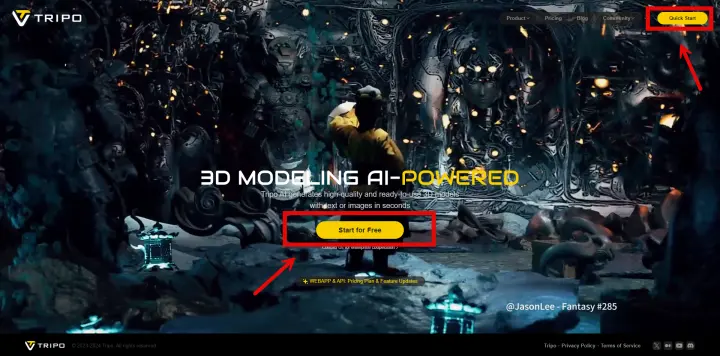
Discover how Tripo, the AI-driven 3D model generator, transforms your photos into highly detailed 3D models effortlessly.
Maisie
Explore how AI technology transforms a simple image into a detailed 3D model. Learn about the tools, techniques, and industries that benefit from this fascinating process.
MaisieAdvancing 3D generation to new heights
moving at the speed of creativity, achieving the depths of imagination.
 Text & Image to 3D models
 Free Credits Monthly
 High-Fidelity Detail Preservation