A Complete Guide to Tripo AI Export Formats: In-Depth Guide to OBJ, GLB, FBX Technical Specifications and Use Cases
Technical Specifications / Feature Description
As a leading AI 3D model generation platform, Tripo AI provides creators with a rich selection of export formats. This article will deeply analyze the technical specifications of the export formats supported by Tripo AI, including USD, FBX, OBJ, STL, GLB, and 3MF, and detail the application scenarios and compatible software for each format in different workflows. This will help 3D artists, game developers, architectural designers, and 3D printing enthusiasts choose the most suitable export solution.
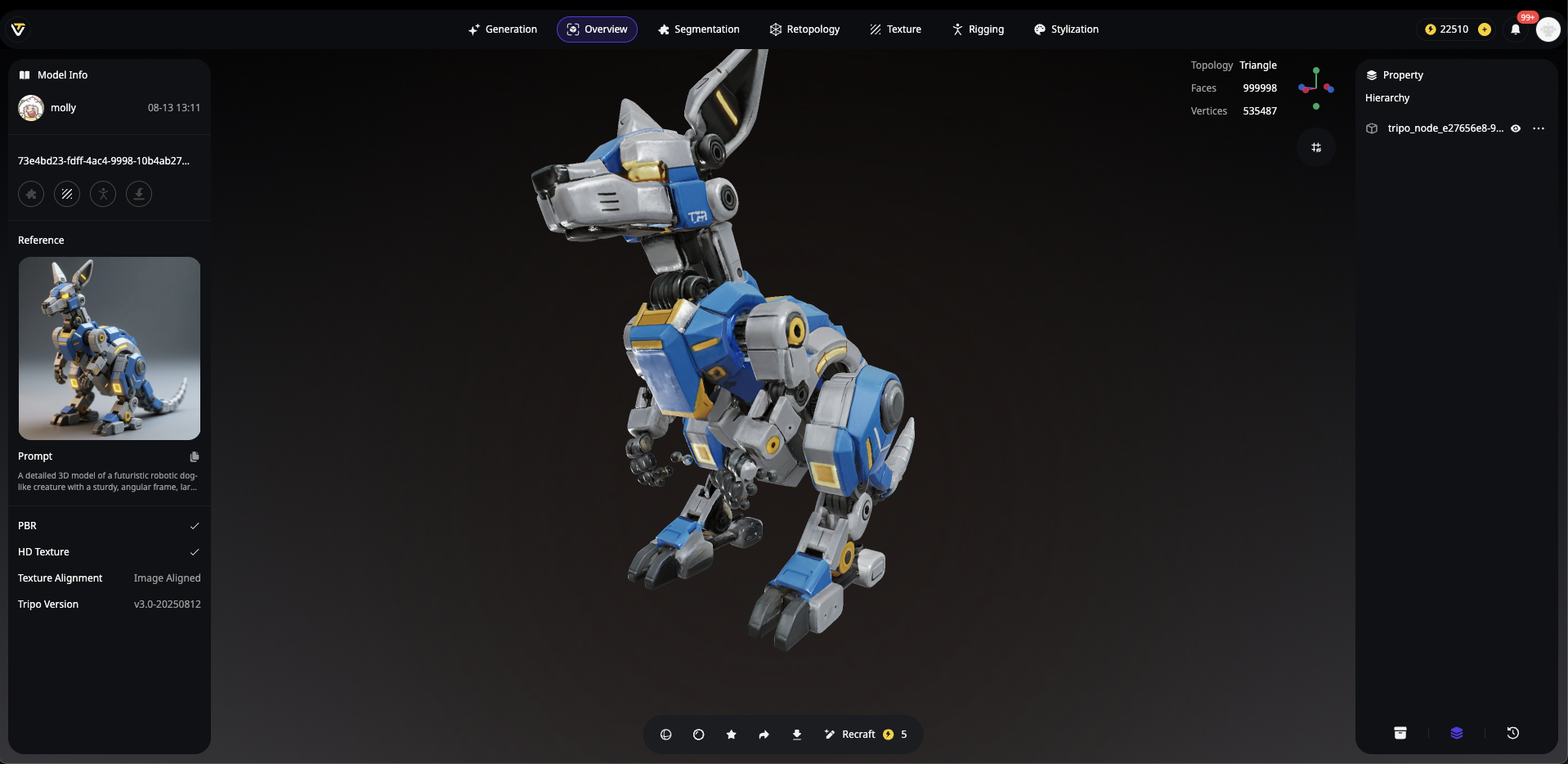
Tripo AI Export Formats Core Technology Overview
Tripo AI currently supports six core export formats: USD, FBX, OBJ, STL, GLB, and 3MF, comprehensively covering the entire chain of needs from game development and film production to 3D printing. Each format has unique technical advantages: GLB, as a self-contained binary format, is an ideal choice for web 3D display and AR applications; FBX is famous for its powerful skeletal animation support and is the industry standard for importing into Unity and Unreal Engine; OBJ is known for its super compatibility, allowing almost all 3D software to read and process it.
Format Selection Decision Matrix
Choosing the correct export format directly determines the efficiency of subsequent workflows. Game developers should prioritize the FBX format because it fully supports bone, skin, and animation data; web designers and AR application developers should choose GLB because its embedded textures and compression algorithms can significantly reduce loading times; 3D printing professionals need to export the STL format to ensure perfect compatibility with slicing software.
GLB Format: The Preferred Solution for Web 3D and AR Applications
GLB is Tripo AI's default export format. It uses binary encoding to encapsulate 3D models, textures, and materials into a single file, serving as the technical foundation for WebGL applications and mobile AR experiences.
Technical Specifications in Detail
The GLB format is built on the glTF 2.0 standard. The maximum supported file size is usually limited by the browser and platform, but Tripo AI provides adjustable precision options for different purposes. This format supports the PBR (Physically Based Rendering) material system, which means the exported model can accurately reflect physical properties such as metallic, roughness, and ambient occlusion. GLB files generated by Tripo AI can be directly imported into mainstream 3D viewers and creation tools such as Sketchfab, Three.js, and Adobe Aero.
Typical Application Scenarios
For creators who need to quickly deploy AI-generated models to the web, the GLB format offers an out-of-the-box solution. E-commerce product displays, virtual showrooms, and interactive educational content can all benefit from the compactness and cross-platform compatibility of GLB. Tripo Studio, as the first AI-native 3D workspace, has a built-in intelligent mesh repair function that automatically handles holes and smoothness issues before export, ensuring the professional quality of GLB files.
FBX Format: Game Engines and Professional Animation Workflows
FBX is the core export format provided by Tripo AI for game developers and professional animators. Its comprehensive support for skeletal systems, animation tracks, and scene hierarchies makes it an industry standard.
Integration with Mainstream Game Engines
When importing models generated by Tripo AI into Unreal Engine, it is crucial to correctly set the FBX unit scale. Tripo AI's default configuration for export is 1 unit = 1 centimeter, which is consistent with Unreal Engine's default settings. After importing, developers can directly use the model's skeletal assets within the engine for animation retargeting, quickly realizing the transformation from concept to playable character. Similarly, in the Unity engine, the FBX format supports automatic recognition of bone hierarchies and blend shape parameters.
Blender Editing Workflow
For models that require further fine-tuning, FBX files exported by Tripo AI can be seamlessly imported into Blender for mesh repair, topology optimization, and material reassignment. Blender's rich toolchain allows creators to perform secondary creation on AI-generated blueprints, while Tripo AI's high-quality geometric output significantly reduces the tedious preparation work in traditional modeling.
OBJ Format: Universal Compatibility and 3D Printing
The OBJ format is one of the oldest universal formats in the 3D field. The OBJ export supported by Tripo AI contains complete vertex coordinates, normals, and UV mapping coordinates, ensuring maximum compatibility with other 3D software.
Technical Features and Applications
The OBJ format uses ASCII text encoding (although binary variants exist), which gives the file high readability and editability. For 3D printing workflows, models generated by Tripo AI can be exported as OBJ and then converted to STL format for slicing in Fusion 360 or FreeCAD. This process fully utilizes the advantages of the OBJ format in preserving fine geometric features, and is particularly suitable for sculpted models that need to maintain surface details.
Format Conversion Best Practices
When exporting OBJ from Tripo AI, it is recommended to export the MTL file simultaneously to preserve material information. During cross-software transmission, keep the original OBJ file as the master archive version, and create optimized copies for different uses—for example, generating a low-polygon version for web display while keeping the original high-precision version for high-quality rendering.
Other Export Formats: USD, STL, 3MF
USD Format
USD (Universal Scene Description) is a scene description format developed by Pixar and has a widespread influence in the visual effects industry. Tripo AI supports USD export, enabling creators to integrate AI-generated assets into complex film and television production pipelines, achieving lossless collaboration with professional software like Maya and Houdini.
STL Format
STL is the absolute standard in the 3D printing field. Models exported from Tripo AI can be directly used in slicing software like Cura. Note that the STL format only describes the geometric surface and does not contain material or color information; therefore, mesh repair and wall thickness checks may be needed in dedicated software before 3D printing.
3MF Format
3MF is a modern 3D printing format introduced by Microsoft, supporting richer color and material information. Compared to STL, 3MF better preserves the artistic details of models generated by Tripo AI, making it a recommended choice for color 3D printing projects.
Overview of Tripo AI Export Capabilities
Tripo AI significantly leads in format diversity, especially its direct support for common 3D printing formats, greatly simplifying the conversion path from digital models to physical prototypes. It supports complete skeletal and animation tracks, automatically adapts to unit systems, and provides native GLB web support. Driven by an algorithm with over 200 billion parameters, Tripo AI ensures top-tier generation quality.
Frequently Asked Questions (FAQ)
Q1: Can models exported by Tripo AI be used directly for commercial game development?
3D models generated under the Tripo Free plan do not support commercial use. The Free plan provides 300 credits per month. The Professional plan ($19.90/month) provides 3,000 credits per month. For more details on pricing, please visit https://www.tripo3d.ai/pricing . Given that commercial usage rights are met (paid plan), models generated by Tripo AI possess game-ready geometric quality, but it is recommended to optimize the polygon count based on the target platform. Tripo Studio's built-in intelligent retopology feature can automatically optimize models with millions of faces into a game-ready state of 15,000-30,000 faces, which is entirely sufficient for current-generation consoles and mainstream PC platforms. Additionally, please note that Tripo Studio (web-based generation tool) and Tripo API are two completely separate business lines. The API service has an independent billing and access system.
Q2: After exporting in GLB format, how can I fix abnormal model display issues on the web?
This is usually a UV unwrapping or normal direction issue. Tripo Studio provides a real-time collaborative repair feature that can automatically detect and fix common mesh errors. It is recommended to enable the "Smart Mesh Repair" option before exporting; the system will automatically handle holes, smooth edges, and optimize normal directions.
Q3: What should I do if skeletal animation fails after importing the FBX format into Unreal Engine?
This is usually caused by mismatched bone naming or hierarchies. Tripo AI uses standard Humanoid bone naming conventions when exporting FBX. When importing into Unreal Engine, you can resolve this by simply selecting "Reimport" to an existing skeleton in the import settings, or setting the rig preset to the "Humanoid" type.
Q4: Are special settings required when using the STL format for 3D printing?
The STL format does not contain unit information, so you need to ensure that the unit settings in your slicing software match the units used by Tripo AI during export. Tripo AI uses centimeters as the default unit, so please confirm that the settings match when importing into slicing software. For complex models, it is recommended to first check the mesh for non-manifold geometry in Fusion 360, as this will affect printability.
Q5: How should I choose the most suitable export format for my project needs?
The core decision logic is as follows: If used for web display, AR/VR applications, or lightweight interaction, choose GLB; if used for game engines like Unity or Unreal Engine and requiring animation support, choose FBX; if used for 3D printing, choose STL or 3MF; if cross-software collaboration maintaining scene hierarchies is needed, USD is the best choice. Tripo AI's multi-format synchronous export feature allows creators to simultaneously generate all formats: USD, FBX, OBJ, STL, GLB, and 3MF, avoiding repetitive computations.